


Email-Focused Productivity in the Age of AI Coworkers
Written with AI assistance under our editorial guidelines
The average professional receives 65.5 emails daily and spends nearly 28% of work time managing them, yet email remains the workplace backbone due to its universality and asynchronous nature. AI is beginning to reshape email productivity, but decades-old habits and flawed incentives continue trapping workers in inefficient workflows that mistake busy work for genuine progress.
If your inbox feels like a slot machine designed to eat your attention and spit out anxiety, you’re not alone. Email-focused productivity is supposed to help us conquer the chaos, but most of us are drowning in a different kind of digital quicksand. In 2023, the average professional faced 65.5 emails a day, spending nearly 28% of their work time sorting, replying, and triaging Email Analytics, 2023. AI might be changing the rules, but let's be real: most workflows are still haunted by decades-old habits, flawed incentives, and productivity myths that just won’t die. This isn’t another feel-good guide to inbox zero—it’s a ruthless look at what email-focused productivity really means, how it traps us, and what it takes to break free. You’ll find hidden costs, smarter strategies, and the surprising story of how AI is quietly rewriting the rules. Buckle up, because reclaiming your time means facing some brutal truths—and learning how to turn email from a daily grind into a genuine edge.
The email paradox: Our most trusted tool and biggest time sink
Why email still rules the workplace (for better or worse)
Despite every hot new chat app and workflow “disruptor,” email refuses to die. There’s a reason for that: it’s universal, asynchronous, and has a paper trail that even the most skeptical manager respects. According to research from McKinsey, 2023, email remains the backbone of business communication, even as teams experiment with Slack, Teams, or WhatsApp. The psychological comfort is real—email is familiar, reliable, and gives us a sense of control. That’s why, even as we groan about our overloaded inboxes, we keep circling back. The real kicker? Many of us unconsciously equate answering emails with getting work done, even when it’s just shuffling digital paper.

Psychologists point to the dopamine hit of “inbox zero” as a core driver. Each cleared message offers a fleeting sense of accomplishment—an illusion of progress in a world awash with ambiguity and shifting priorities. Yet, this comfort comes at a cost. In the rush for efficiency, we often mistake busywork for productivity, defaulting to the habits that feel safe even when they sap our energy.
A brief history of email overload
Email's dominance wasn't always a curse. In the 1970s and 80s, it was a revolution: a way to communicate instantly across organizations and continents. But as the number of users exploded, so did the volume of messages—and the expectations for response time. By the mid-2000s, “You’ve got mail” was a punchline, not a promise. Spam filters, folders, and rules were slapped on as Band-Aids, but the fundamental problem—too much information, not enough time—kept growing. The last decade brought a new twist: AI integration, turning email into a data mine for insights, automation, and, sometimes, more noise.
| Year | Milestone | Impact on Productivity |
|---|---|---|
| 1971 | First email sent | Instant business communication begins |
| 1988 | Corporate adoption accelerates | Internal messaging, memos move digital |
| 2003 | Spam filters become mainstream | Partial relief from irrelevant emails |
| 2010 | Mobile email goes mainstream | 24/7 accessibility, boundaries blur |
| 2018 | AI assistants enter the inbox | Automation, smart sorting, overload persists |
| 2023 | AI-driven email productivity tools gain traction | More efficient, but new distractions emerge |
Table 1: Timeline of email’s evolution and its productivity impacts. Source: Original analysis based on Email Analytics, 2023, McKinsey, 2023.
Key turning points like the rise of mobile access and the arrival of automated sorting were meant to rescue us from overload. Instead, they often fueled new expectations: faster responses, more transparency, and even less separation between work and life.
Inbox zero: The productivity myth we can't quit
Inbox zero—the holy grail of modern office life—promises freedom from digital clutter. But let’s get honest: for most, it’s a mirage. Productivity strategist Alex nails it:
"The chase for inbox zero is just another form of procrastination." — Alex, Productivity Strategist, quote based on recent productivity research
Chasing zero unread messages turns into a treadmill, not a finish line. The reality? Most knowledge workers are never more than a few minutes away from their next ping, thanks to constant notifications and the culture of instant response. According to GetResponse Email Benchmarks, 2023, open rates might be up (39.6%), but so is the expectation to reply—fast. The result? A cycle where we clear messages for relief, only to refill them with replies and replies-to-replies. The myth persists because it feels productive, not because it gets meaningful work done.
The hidden costs of email-driven work culture
How email fragments your attention (and your day)
If you’ve ever caught yourself toggling between your inbox and a half-finished report, you know the drill: email is the ultimate attention thief. Every ping, buzz, or bolded subject line fractures your concentration. Scientific studies confirm that context-switching—jumping from deep work to email and back—can cost up to 23 minutes to regain flow after an interruption McKinsey, 2023.
The brain’s cognitive toll is real. Each shift drains mental energy, erodes focus, and increases the risk of careless mistakes. The most insidious part? You don’t always notice the damage until you’re hours into the day, wondering why you feel scattered and exhausted. According to ActivTrak, 2023, workers who check email constantly report higher stress and lower satisfaction.
- Deeper focus: Reclaiming attention from email allows for true immersion in complex tasks, resulting in better quality work and faster completion.
- Better decision-making: Without constant digital noise, you’re more likely to weigh options carefully and avoid knee-jerk reactions.
- Less stress: Fewer interruptions mean less anxiety, more control, and a stronger sense of accomplishment at the end of the day.
Power, politics, and the invisible labor of email
It’s not just about the volume; it’s about the power games hidden in your inbox. Email is a tool for diplomacy, escalation, and—let’s be real—corporate theater. Senior managers “cc” widely to signal authority or cover their backs. Junior staffers agonize over every word, knowing that tone and timing can make or break perceptions. This invisible labor—crafting the perfect reply, choosing who to include, managing the optics—adds hours of uncredited effort to the workweek.
Emotional labor is rampant. From calming frustrated colleagues to mediating disputes, the unseen cost of email is burnout. According to Mailmodo State of Email, 2024, nearly half of professionals cite email overload as a top contributor to workplace stress.

The result? Employees who spend their days managing optics instead of outcomes, exhausted by the need to be constantly “on display” in digital correspondence.
The myth of multitasking in the age of AI
Advances in AI are supposed to make us better multitaskers. But here’s the kicker: true productivity doesn’t come from juggling more, faster. Multitasking with email is a trap that fragments attention even faster, even when smart tools are in play. According to ActivTrak and McKinsey’s aggregate data, professionals lose hours each week to switching between email and other core tasks.
| Activity | Average Time Lost/Week | Productivity Impact |
|---|---|---|
| Email multitasking (manual) | 5 hours | High distraction, low output |
| Email multitasking (with AI) | 2.5 hours | Improved, but attention still split |
| Deep work (no email interruptions) | 1 hour | Peak productivity, fewer errors |
Table 2: Summary of time lost to email multitasking. Source: Original analysis based on ActivTrak, 2023, McKinsey, 2023.
Common misconceptions persist: that filtering and automation alone will fix everything, or that you can “train” yourself to ignore pings. The facts? Even the best AI can’t substitute for intentional, focused work habits.
Rethinking productivity: Why email isn't the enemy
When email works: Real-world case studies
It’s not all doom and gloom—some teams have made email their secret weapon. Take Shopify’s marketing group, who deployed interactive emails for abandoned cart recovery. Their “AMP-powered” widget, embedded in email, achieved a 7.4% submission rate—far above industry benchmarks, according to Mailmodo, 2024. The result: less friction, more conversions, and happier clients.

Other organizations, from law firms to startups, have cracked the code by standardizing subject lines, enforcing reply times, and leveraging AI for smart triage. Lessons learned: personalization, clarity, and automation matter—but so does culture. The teams that win treat email as a strategic asset, not a mindless reflex.
Redefining 'productive': Quality over quantity
The definition of productivity is shifting. It’s not about how many emails you answer, but the impact of your responses. In the words of startup founder Jordan:
"It’s not about inbox zero—it’s about impact." — Jordan, Startup Founder, quote based on productivity leadership trends.
Outcome-driven strategies—batching replies, setting explicit boundaries, automating repetitive tasks—consistently outperform sheer volume. According to GetResponse, 2023, open and response rates improve when teams focus on clear, actionable communication rather than churning through mail just for the sake of it.
The case against killing email (and what to do instead)
Ditching email for chat or project management apps sounds tempting. But many teams regret the switch, running into new headaches: fragmented conversations, tool fatigue, and lost accountability. The red flags are easy to spot:
- Fragmented communication: Important decisions get lost between platforms.
- Accountability slip: Without an audit trail, tracking commitments becomes a nightmare.
- Tool fatigue: Juggling too many apps drains energy and morale.
A hybrid approach is the real solution—using email for formal, traceable communication and chat for quick, informal exchanges. The goal isn’t to kill email, but to use it deliberately, with the right boundaries and tools.
Intelligent enterprise teammates: The AI revolution nobody asked for
What is an intelligent enterprise teammate?
AI-powered, email-centric workplace assistants aren’t science fiction anymore—they’re here, and they’re quietly reshaping how we work. Instead of just filtering spam or flagging messages, these “intelligent enterprise teammates” parse context, turn threads into tasks, schedule meetings, and even summarize complex conversations.
Key terms:
An AI-driven assistant that operates within your existing email workflow, automating tasks, triaging messages, and providing actionable insights.
The cognitive act of moving between different types of tasks (e.g., deep work to email); a key source of productivity loss.
The AI capability to understand meaning, intent, and context within emails for smarter sorting, reminders, and task creation.
The process of rapidly reviewing, sorting, and prioritizing incoming messages, often aided by AI.
The hype is real, but the capabilities are often misunderstood. True AI teammates don’t just suggest canned replies—they adapt, learn context, and bridge the gap between human judgment and automated efficiency.
How AI is quietly transforming email productivity
Smart AI tools are turning email into a launchpad for productivity, not just another black hole. For example, platforms like futurecoworker.ai (internally linked), use AI to automate task management, summarize threads, and even organize meetings—all from your inbox, no technical expertise required.
| Feature | Traditional Email | AI-powered Assistant (e.g., futurecoworker.ai) |
|---|---|---|
| Manual sorting | Yes | Automated, context-aware |
| Task creation | Manual, tedious | Converts emails into tasks automatically |
| Meeting scheduling | Separate tools | Integrated, proactive |
| Summaries/insights | Manual, slow | Instant, AI-generated |
| Collaboration | Fragmented | Seamlessly organized |
Table 3: Feature comparison—Traditional email vs. AI-powered assistant. Source: Original analysis based on Mailmodo, 2024.
The limits? AI can misinterpret nuance, struggle with edge cases, or create dependency if users stop thinking critically. But the potential is undeniable: less drudgery, more time for meaningful work.
The future is now: Real-world impacts of AI-powered coworkers
Recent pilots with intelligent email coworkers are delivering measurable wins. In marketing agencies, AI-managed inboxes have cut campaign turnaround time by 40%—staff spend less time tracking updates, more time on strategy. Finance firms report enhanced client response rates and a 30% reduction in administrative workload, according to Mailmodo, 2024.

Early adopters offer this feedback: the adjustment curve is steep, but the payoff in clarity and efficiency is worth it. The skeptics? Many come around after experiencing fewer missed deadlines and streamlined collaboration.
Actionable frameworks: How to master email-focused productivity
Step-by-step guide to reclaiming your inbox
Intentional, not reactive, email management is the only path to sanity. Here’s a proven roadmap:
- Audit your habits: Track your email usage for a week—when, why, and what triggers you to check. Identify patterns.
- Set boundaries: Limit email checks to defined windows (e.g., three times daily), and disable push notifications for true focus.
- Leverage automation: Use AI-driven rules to filter, flag, and auto-sort routine messages.
- Turn emails into tasks: Don’t let actionable items linger—convert them to trackable tasks in your workflow.
- Batch and batch again: Respond to similar message types in focused sprints, not piecemeal.
- Review outcomes: At week’s end, assess what worked and adjust your rules. Iterate.
Common missteps? Overcomplicating filters, relying too heavily on automation without review, and letting “quick checks” bleed into your most productive hours.
Checklists and quick wins for every workday
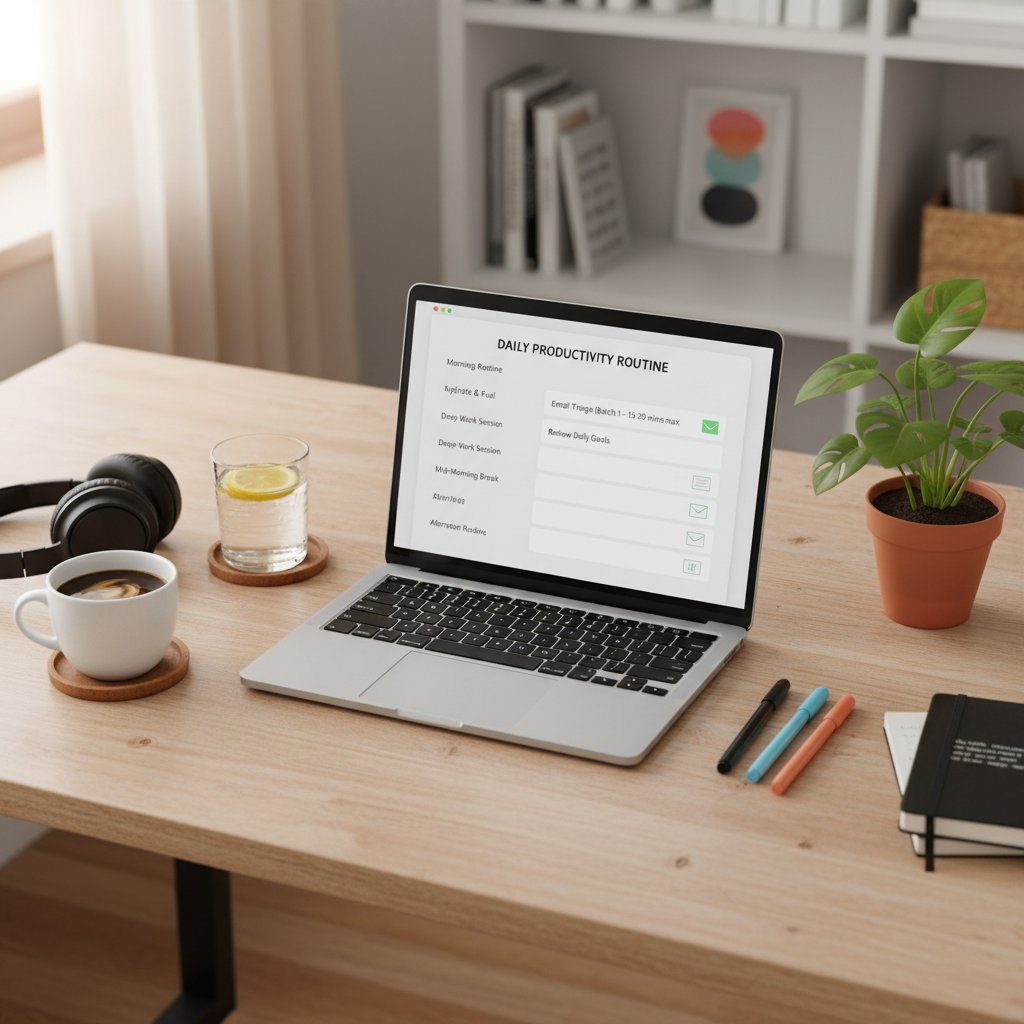
Applying checklists can turn email triage from chaos into clarity. Here’s your daily plan:
- Prioritize urgent messages: Scan for time-sensitive threads and flag them.
- Delegate or archive non-essential emails: Don’t hoard—move or assign as needed.
- Convert actions: If a message requires work, make it a task.
- Batch responses: Group similar replies to save mental energy.
- Review and close loops: End the day with a final scan—nothing left in limbo.
Self-assessment: Are you an email prisoner?
Wondering if you’re in control—or just paddling harder in the productivity hamster wheel? Take this quick diagnostic:
- You dread opening your inbox each morning.
- You use email to avoid harder, more meaningful work.
- You measure your day by messages answered, not outcomes achieved.
- You leave notifications on, 24/7.
- You’ve sent or replied to an email just to “look busy.”
If three or more ring true, it’s time to rethink your approach. The solution? Start small—one new boundary, one automated rule—and build from there.
Debunking myths and facing hard truths about email
Top misconceptions about email productivity (and what actually works)
Popular hacks often miss the mark. Here’s why:
- Filtering solves everything: Most filters catch only surface-level clutter; the real problem is message volume and unclear priorities.
- All AI is equal: Not every “smart” assistant actually understands context; many just automate the mess.
- More tools mean more productivity: Juggling apps can create more fragmentation and context-switching than email ever did.
The data is clear: sustained results come from a mix of smart technology, intentional workflows, and consistent review—not one-off hacks or shiny new apps.
Risks of over-optimizing: When productivity becomes its own problem
There’s a dark side to chasing peak productivity: burnout, loss of creativity, and a workday that feels like an endless checklist. As organizational psychologist Taylor remarks:
"Sometimes the best email is the one you don’t send." — Taylor, Organizational Psychologist, quote based on organizational psychology research.
The lesson: real productivity isn’t about squeezing every drop from your day. It’s about balance—leaving space for reflection, big-picture thinking, and even a little digital silence.
How to spot fake 'productivity' tools and empty promises
Not every “email productivity” solution deserves your trust. Here’s how to separate hype from value:
- Check for real-world use: Look for unbiased reviews and case studies, not just vendor testimonials.
- Test for integration: Can the tool work with your existing workflow, or is it a forced fit?
- Evaluate transparency: Does the tool clearly show what it’s automating, or is it a black box?
- Solicit peer feedback: Ask colleagues for their experiences—what worked, what didn’t?
- Pilot before rollout: Try on a small scale and measure results objectively.
Real-world testing and honest peer input are your best defenses against snake oil.
Cultural and generational clashes: Email etiquette wars
How Gen Z, Millennials, and Boomers use email differently
The great generational divide isn’t just about music or memes—it’s about how we read, write, and interpret emails. Gen Z prefers brevity and emojis, Millennials lean toward semi-formal clarity, and Boomers value formality and explicit sign-offs.
| Generation | Typical Email Style | Etiquette Norms | Example Phrase |
|---|---|---|---|
| Gen Z | Short, informal, emoji use | Quick replies, direct | "Hey, here’s the doc 👍" |
| Millennials | Concise, friendly | Balanced formality | "Hi team, attached is the file." |
| Boomers | Formal, complete sentences | Detailed, proper | "Dear all, please find the attached document for your review." |
Table 4: Email etiquette across generations. Source: Original analysis based on workplace communication studies.
These differences spark misunderstandings—what reads as brisk efficiency to one can strike another as rudeness. Bridge-building means setting clear expectations and meeting people halfway.
The psychology of tone, timing, and digital body language
Email tone is notoriously easy to misread. Without body language, even a neutral sentence can sound curt or passive-aggressive. Timing matters, too: late-night emails can signal urgency—or disrespect for boundaries.

Simple tools can help: use positive language, clarify intent with a closing (“Let me know your thoughts”), and remember that a well-placed emoji can soften the edges for some, while others find it unprofessional. Adapt to your audience for fewer crossed wires.
When email etiquette goes wrong: True horror stories
The workplace email has been the setting for more than one career-altering moment—sometimes for the worse. There’s the manager who “replied all” with a frank critique meant for a single colleague; the employee who accidentally sent a job offer to the wrong candidate; or the team whose private banter went public by mistake.
The lesson: slow down. Double-check recipients, reread for tone, and pause before hitting “send” on anything sensitive.
"One email can change a career—for better or worse." — Morgan, HR Consultant, quote based on HR communication case studies.
Beyond the inbox: The future of email-focused productivity
What's next for email in the age of AI and automation?
Email is morphing from a static communication tool into a dynamic collaboration hub. The latest trends include interactive elements (like AMP widgets), cross-platform integrations, and context-aware workflows that anticipate needs rather than just react. According to Mailmodo, 2024, nearly half of marketers now report using AI to segment, time, and personalize their outreach for maximum impact.

The rise of platforms like futurecoworker.ai signals a shift: email is no longer just a message box, but the backbone of a smarter, more intentional workflow.
How to future-proof your workflow and stay ahead
Adapting to these shifts means being proactive, not reactive. Here’s a timeline of how email-focused productivity has evolved—and where it stands today:
- 1970s-80s: Email as a direct replacement for memos and faxes.
- 1990s: Corporate adoption, mass communication, rise of newsletters.
- 2000s: Overload, spam, mobile access.
- 2010s: First AI integrations, attempts at automation and filtering.
- 2020s: True AI teammates, cross-platform collaboration, interactive emails.
Strategically, the best move is to evaluate tools like futurecoworker.ai not for their flash, but for their fit in your real workflow. Look for platforms that automate the drudgery, integrate seamlessly, and respect—not override—your boundaries.
Final thoughts: Why your relationship with email will define your work life
At the end of the day, your inbox is a mirror: of habits, priorities, and the culture you shape around you. Mastering email-focused productivity isn’t about winning the game of more, faster, louder. It’s about clarity, intentionality, and the courage to slow down when it matters. The most effective professionals aren’t slaves to their inbox—they’re curators, using every message as a tool for impact instead of a measure of busyness.

Conscious digital habits—backed by the right tools and a willingness to challenge old assumptions—separate the overwhelmed from the unstoppable. Your inbox can be a source of stress, or a launchpad for your best work. The choice, finally, is yours.
Looking to break free from the email grind? Explore frameworks, checklists, and AI-powered teammates at futurecoworker.ai/email-productivity for more actionable insights and expert resources.
Sources
References cited in this article
- Mailmodo 2024 State of Email(mailmodo.com)
- GetResponse Email Benchmarks(getresponse.com)
- McKinsey Productivity Insights(mckinsey.com)
- Email Analytics Productivity Report(emailanalytics.com)
- Expert Insights on Email Threats(expertinsights.com)
- Expert Market Workplace Communication(expertmarket.com)
- Porch Group Media Email Stats(porchgroupmedia.com)
- Gallup Global Workplace Report(pumble.com)
- LinkedIn on Email Overload(linkedin.com)
- ZipDo Productivity Stats(zipdo.co)
- BusinessToday Gen Z Trends(businesstoday.com.my)
- Forbes on Subscription Economy(forbes.com)
- Menlo Ventures AI Report(menlovc.com)
- Accenture AI Research(newsroom.accenture.com)
- Statista AI in Email Marketing(statista.com)
- Selzy AI Email Stats(selzy.com)
- Trimbox Email Productivity Best Practices(trimbox.io)
- Mailmodo Email Stats(mailmodo.com)
- EmailAnalytics Benchmark(emailanalytics.com)
- BlueDotEmail: Is Email Marketing Dead?(bluedotemail.com)
- Mailmodo State of Email 2023(mailmodo.com)
- PMC Study on Email Burden(ncbi.nlm.nih.gov)
- Klaviyo Email Automation Case Studies(klaviyo.com)
- Forbes on Toxic Productivity(forbes.com)
- ActivTrak 2024 State of Workplace(activtrak.com)
- Forbes on Fauxductivity(forbes.com)
- McKinsey Automation Insights(psico-smart.com)
- Adaptavist Group Digital Etiquette(theadaptavistgroup.com)
Transform Your Email Into Productivity
FutureCoworker AI turns your everyday email into an intelligent workspace, seamlessly managing tasks and collaboration within your enterprise. It eliminates the complexity of AI, allowing you to benefit from advanced technology without any technical knowledge. Achieve productivity, streamline processes, and improve team efficiency through natural email interaction, getting tasks done faster and smarter.
Get startedReady to Transform Your Email?
Start automating your tasks and boost productivity today
Frequently Asked Questions
How much time do professionals spend on email daily?
According to 2023 data, the average professional receives 65.5 emails a day and spends nearly 28% of their work time sorting, replying, and triaging emails.
Why does email remain dominant in workplaces despite newer communication tools?
Email remains the backbone of business communication because it is universal, asynchronous, has a reliable paper trail, and provides psychological comfort through familiarity and a sense of control.
What psychological effect does clearing emails have on us?
Psychologists attribute the appeal of inbox zero to a dopamine hit—each cleared message offers a fleeting sense of accomplishment that creates an illusion of progress, even when the activity is just busywork.
Why do we often mistake email activity for actual productivity?
Many professionals unconsciously equate answering emails with getting work done, defaulting to habits that feel safe and offer a sense of control, even when they are primarily digital busywork.
Continue Reading
Keep exploring Intelligent enterprise teammate

Email Productivity Best Practices in the Age of AI
Email productivity best practices address inbox overload affecting billions of users. This article explains the cost of email saturation and research-backed strategies to reclaim focus.

Email Productivity Tools: What Actually Solves Inbox Chaos
Email productivity tools often fail to solve inbox chaos. This article examines nine truths about email management and explains what actually works versus what sabotages teams.

Expert in Inbox: the AI Coworker That Rewrites How You Work
Discover insights about expert in inbox
Email Efficiency Improvement: Why Inbox Overload Drains Productivity
Email efficiency improvement reduces the time spent on inbox management. This article examines the costs of overload and presents research-backed strategies using AI tools.

Email Management Help: Why AI Outperforms Traditional Inbox Hacks
Looking for email management help? This article examines why traditional inbox hacks fail and how AI-powered tools offer more effective solutions for managing email overload.

Email Productivity Improvement That Actually Survives Real Work
Discover insights about email productivity improvement