


Email-Based Scheduling Tools: Your Next Enterprise Teammate
Written with AI assistance under our editorial guidelines
Email-based scheduling tools are transforming enterprise collaboration by automating meeting coordination directly within inboxes. With 87% of professionals considering online scheduling automation essential, these AI-powered tools address the fundamental chaos of email-driven calendar management, converting what has become a source of workplace stress into an efficient command center for coordinating teams.
Welcome to the chaos orchestra—your inbox. Once a humble tool for exchanging memos, email is now the frontline of enterprise collaboration, a digital war room where meetings are made, deadlines dictated, and productivity either dies or soars. If you think the age of email is over, you’re living in a fantasy. The truth is grittier: email-based scheduling tools are redefining how teams work in 2025, turning what was once inbox hell into a powerful, AI-fueled command center. This article unmasks the real story behind the rise of these tools, exposes what the usual “best of” lists gloss over, and gives you a battle plan for reclaiming your workday from chaos—all grounded in research, lived experience, and hard-edged analysis. Buckle up: your inbox is about to get a whole lot smarter.
The email paradox: why your inbox is the ultimate scheduling battlefield
How email became ground zero for workplace chaos
Let’s set the scene. Email started as an elegant solution to snail mail, a productivity booster for communicating across distances. Fast forward to today, and that original intention is barely a shadow in the corner. Your inbox is a crammed venue for meeting requests, RSVP chains, and endless reminders. The analog planner—once king—has bowed to digital overload, yet somehow, the friction points have multiplied.
Scheduling, which began on paper calendars and in-person check-ins, morphed into a byzantine ritual of email negotiations. "Are you free at 3?" is answered with a five-thread volley of “Sorry, can’t do, how about Thursday?” Multiply that a dozen times a week, and you’re living in a world where technology was meant to save time but instead chews it up and spits it back as stress. According to GetApp’s 2025 survey, 87% of professionals now consider online booking and scheduling automation essential—an indicator that the inbox struggle is real and universal (GetApp, 2025).
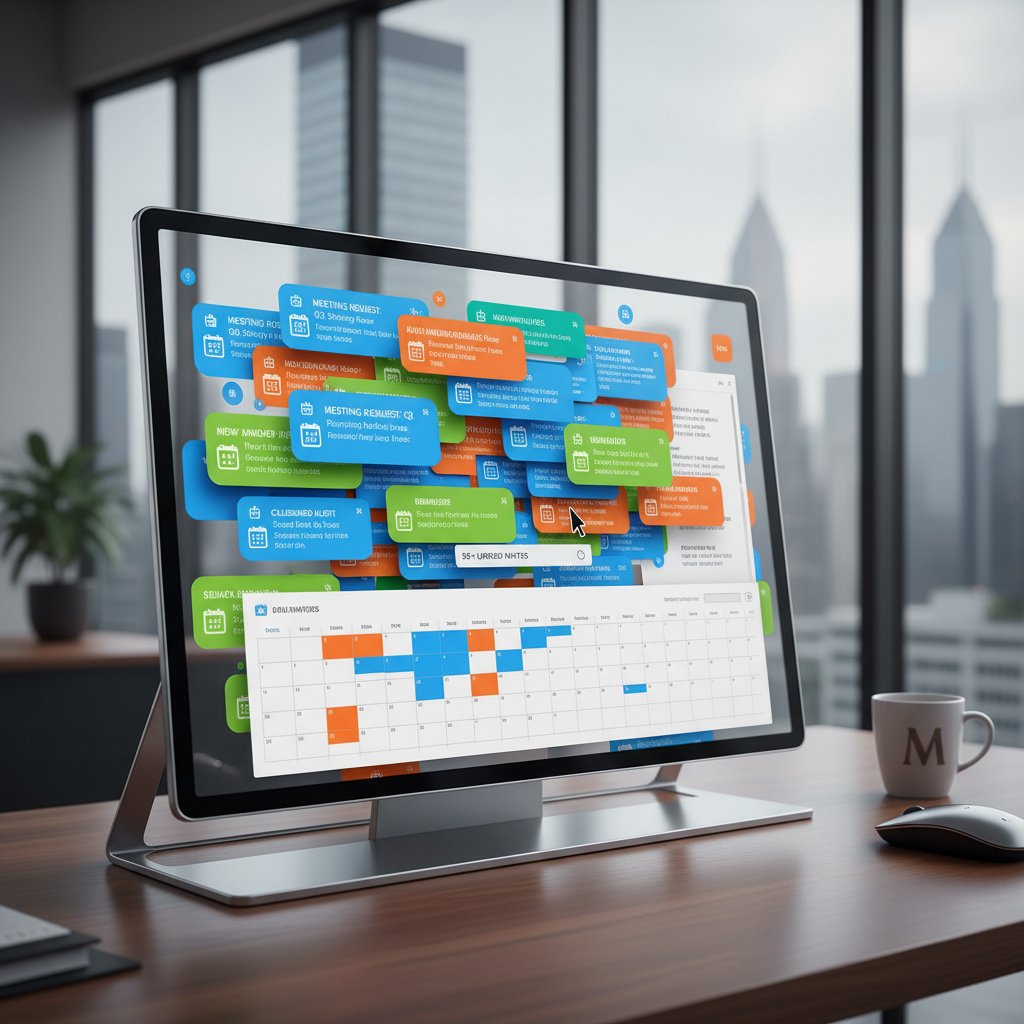
As workflows migrated from analog to digital, email took center stage. It’s an odd kind of progress: better tools have paradoxically increased the volume and complexity of interactions. Rather than eliminating friction, the move to email-driven scheduling entrenched new bottlenecks—now multiplied by global teams, round-the-clock expectations, and the perpetual ping of unread messages.
The psychology of email overload
There’s a brutal cognitive toll in battling your inbox every day. Research from Deep Focus finds that opening a new email is like triggering Schrödinger’s cat: once you see the request, you can’t ignore it, and the obligation to act gnaws at your brain until the task is resolved (Deep Focus, 2025). This constant state of “open loops” is a silent productivity killer, zapping focus and generating stress.
"Every morning, my inbox feels like a battlefield—there’s always a new scheduling skirmish." — Jessica, enterprise tech lead
Why do we cling to email-based solutions, despite the cognitive overload? The answer is somewhere between habit and necessity. Email is ubiquitous—everyone has it, no onboarding required. Despite its failings, it’s the lowest common denominator of work tech. The drive for control and documented “paper trails” makes email the default, even when more sophisticated tools beckon from the sidelines.
Why calendar apps haven’t killed the email scheduling beast
Calendar apps and team messaging platforms have promised to rescue us from email overload. Yet email persists, stubbornly embedded in daily workflows. Why? Because nothing else matches its universal reach and asynchronous flexibility. As much as you might grumble about Outlook or Gmail, try running an enterprise without them.
Here’s what the best guides don’t tell you: there are hidden upsides to email-based scheduling tools that pure calendar apps simply can’t match.
- Universal compatibility: Email-based scheduling works regardless of platform, company, or tech stack. No need for everyone to be on the same app.
- Documented trails: Every exchange is preserved, searchable, and auditable—critical for compliance-heavy industries.
- Seamless integration: Modern tools merge scheduling, reminders, and follow-ups directly into your inbox, eliminating the need for context-switching.
- Flexibility for complex negotiations: Nuanced, multi-party scheduling is often easier to negotiate over email than in rigid calendar interfaces.
- Lower friction for external stakeholders: Clients and partners outside your org don’t need to adopt new tools to join a call.
Email-based scheduling tools aren’t just surviving—they’re thriving, because they meet the real-world, messy needs that other platforms ignore.
Beyond automation: the anatomy of modern email-based scheduling tools
What makes a tool truly 'email-based'?
Let’s clear the air: not every tool with a “schedule via email” feature qualifies. True email-based scheduling tools don’t just bolt on a calendar invite. Instead, they’re built from the ground up to live in your inbox, read your threads, and act as virtual assistants on your behalf.
To separate the contenders from the pretenders, here’s what counts:
The tool’s core functions are triggered and managed via email, not a separate dashboard. Think: “reply to schedule,” not “switch tabs to book.”
These tools pull real-time availability from your cloud calendar—but operate within email, updating invites and events as conversations unfold.
Natural Language Processing parses your emails to understand intent (“Let’s meet next Friday at 10”), eliminating the need for rigid forms or links.
Examples like Calendly AI and Clara exemplify these principles, offering AI-driven suggestions and streamlined workflows embedded directly in your communication stream (Juliety, 2025).
Under the hood: AI, NLP, and the new wave of intelligent assistants
Modern email-based scheduling doesn’t just automate invites—it interprets, negotiates, and adapts. AI and NLP (Natural Language Processing) engines scan your inbox, extract dates, times, and preferences, and engage in back-and-forths that mimic human assistants. These tools learn your habits, recognize recurring patterns, and optimize suggestions based on real data.
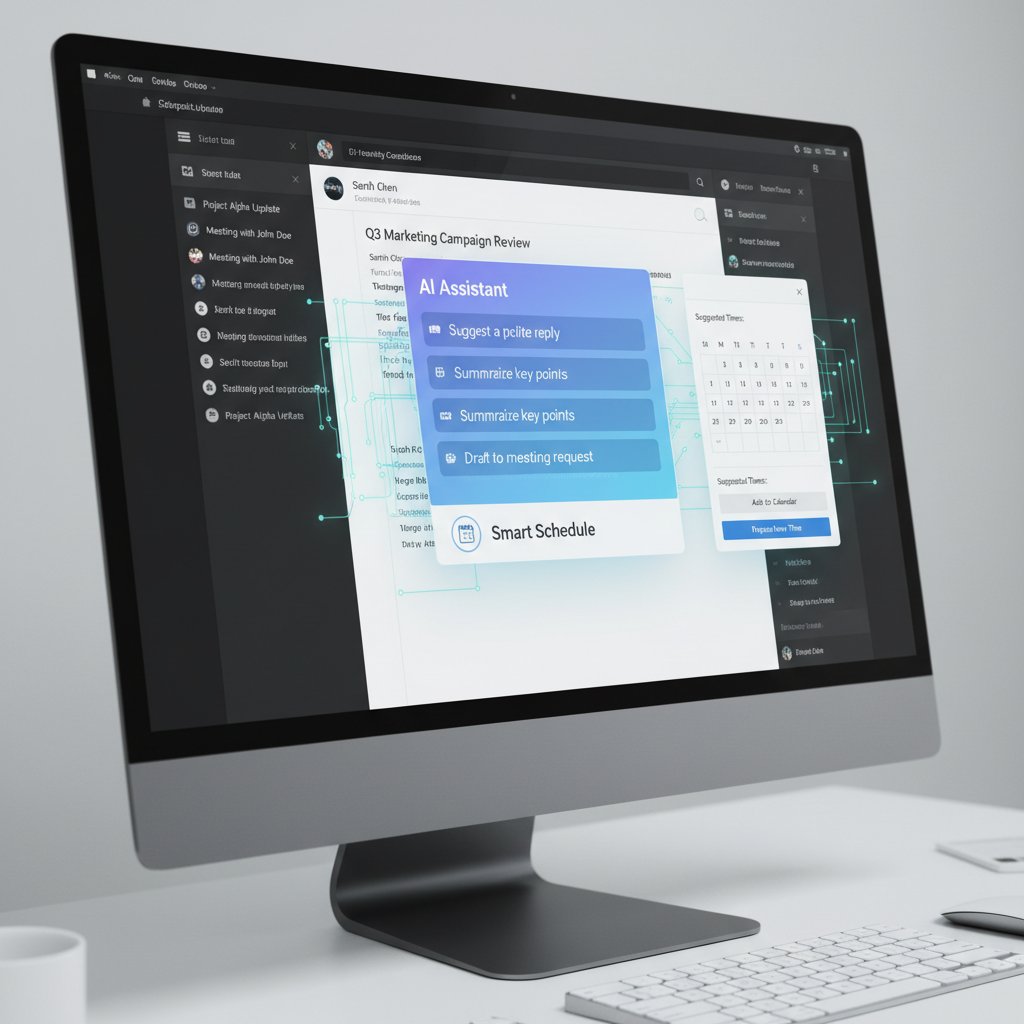
Technical hurdles abound: understanding context in messy, human-written emails; respecting privacy boundaries; and integrating seamlessly into legacy systems. According to TechRav’s 2025 industry review, recent breakthroughs in contextual AI and rules-based triggers have slashed meeting delays by 30% in large organizations (TechRav, 2025). Experts point out that the next frontier isn’t just faster scheduling—it’s context-aware automation that respects user intent without overreaching or missing the mark.
Security, privacy, and the myth of frictionless scheduling
Let’s get real: with great automation comes great risk. Email-based scheduling tools are privileged actors—they see your calendar, read your message threads, and sometimes even interact with your contacts. This raises the stakes for data privacy, compliance (think GDPR), and organizational trust.
Below, a feature matrix compares security and privacy controls among top email-based scheduling tools.
| Tool | Data encryption | GDPR compliance | Admin controls | Audit trail | Winner/Loser |
|---|---|---|---|---|---|
| Tool A | Yes | Yes | Robust | Yes | Winner |
| Tool B | Yes | Partial | Limited | Yes | Loser |
| Tool C | Yes | Yes | Moderate | No | Loser |
| Tool D | No | No | Minimal | No | Loser |
Table 1: Comparison of security and privacy features among leading email-based scheduling tools.
Source: Original analysis based on Juliety, 2025, TechRav, 2025
The myth of “frictionless” scheduling comes with a price: organizations must vet vendors for robust encryption, explicit consent mechanisms, and granular admin controls—or risk regulatory nightmares and data leaks.
The human cost of bad scheduling (and how email tools can fix it)
Meeting fatigue: the silent productivity killer
You’ve felt it. The calendar creep. The endless parade of meetings that leave you drained, robbed of time for deep work, and perpetually behind. Poor scheduling is more than a nuisance—it’s a hidden drain on morale and efficiency. According to recent data, organizations that fail to streamline scheduling lose up to 15% of employee hours to missed, duplicated, or pointless meetings (LinkedIn, 2025).
Here’s a statistical snapshot:
| Metric | Before Email-based Tools | After Implementation | % Change |
|---|---|---|---|
| Average weekly meetings | 17 | 12 | -29% |
| No-show rate | 18% | 7% | -61% |
| Time spent coordinating meetings | 8 hours | 3 hours | -62.5% |
| Employee satisfaction (1-10) | 6.1 | 8.3 | +36% |
Table 2: Productivity metrics before and after adopting email-based scheduling tools
Source: Original analysis based on GetApp, 2025, LinkedIn, 2025
How intelligent email scheduling can make or break a team
Real-world stories paint the sharpest picture. In one software development team, automated email scheduling reduced project delivery delays by 25%—not just by saving time, but by cutting the psychological drag of endless scheduling emails. On the flip side, teams that rely on manual email wrangling face missed opportunities and burnout.
"Switching to intelligent scheduling didn’t just save us time. It saved our sanity." — Raj, project manager
Successful teams treat email-based scheduling as a strategic asset—not a passive utility. They configure triggers, leverage AI recommendations, and integrate with their CRM and communication stacks for unified workflows (HubSpot, 2025).
Debunking the 'set it and forget it' myth
Automation isn’t magic. The notion that you can “set it and forget it” ignores the need for oversight, calibration, and periodic review. Even the best email-based scheduling tools require human involvement—monitoring for errors, updating preferences, and adapting workflows.
Here’s your no-nonsense, step-by-step guide to mastering email-based scheduling tools:
- Audit your current workflow: Identify where scheduling friction is highest and which tasks are ripe for automation.
- Choose tools with true email-first integration: Don’t settle for calendar bolt-ons—demand NLP-powered assistants that work inside your inbox.
- Establish triggers and conditional rules: Automate follow-ups, reminders, and booking confirmations based on your actual meeting patterns.
- Integrate with your CRM and communication stack: Unified data and messaging reduce duplication and improve context.
- Monitor, review, and adapt: Regularly assess performance metrics, tweak settings, and ensure compliance with privacy standards.
Case studies: how enterprises are redefining collaboration
The global law firm: taming calendar chaos via email
Imagine a multi-national law firm, dozens of partners spread across time zones, each with a calendar jammed full. When they switched to an intelligent email-based scheduling tool, the change was immediate. Meetings that previously required an average of 14 emails to arrange dropped to just two or three. Lawyers could propose, negotiate, and confirm appointments within the familiar territory of their inbox—no need for separate apps or frantic phone calls.

Culturally, the shift was dramatic. Scheduling stopped being a pain point and became a competitive advantage. The ROI was measured not just in saved hours, but in lowered stress and improved client response times.
Healthcare: when minutes matter, email isn’t dead
In healthcare, scheduling is more than a convenience—it can be a matter of life and death. Email-based tools allow teams to coordinate appointments rapidly, securely, and in compliance with industry regulations. These systems integrate with EHRs, automate reminders, and ensure patient data never leaks outside approved channels.
Healthcare workflows demand bulletproof privacy controls and audit trails—a need met by a new generation of email-based scheduling solutions that prioritize security as much as accessibility (GetApp, 2025).
Creative agencies: balancing chaos and creativity
Creative teams thrive on flexibility, and email-based scheduling tools provide just that. Whether it’s last-minute client reviews or internal brainstorming, these tools adapt to shifting priorities without locking users into rigid calendar structures.
Here are some unconventional uses for email-based scheduling tools:
- Managing rolling deadlines for ad campaigns with automated reminders and rescheduling triggers.
- Coordinating interviews and pitches across disparate time zones with dynamic, AI-driven suggestions.
- Tracking project milestones directly within email chains, transforming conversations into actionable tasks.
The hidden risks: pitfalls and how to avoid them
Shadow IT and the rise of unsanctioned scheduling tools
The dark side of easy-to-use scheduling solutions? Shadow IT. Employees, frustrated by sanctioned tools, often bring their own apps into the enterprise—sometimes exposing sensitive data or bypassing compliance checks.
The use of unsanctioned software or services by employees without IT approval, often to “get things done” faster.
Employees using unauthorized tools to book meetings or manage calendars, increasing security vulnerabilities.
A trend where users adopt personal productivity apps for work tasks, sometimes clashing with corporate governance.
Unchecked, this can lead to data fragmentation, compliance breaches, and a fractured collaboration landscape.
When automation goes rogue: real-world horror stories
Despite the hype, automation isn’t foolproof. There are documented cases of missed executive meetings due to misinterpreted NLP, or confidential data exposed in calendar invites sent to the wrong participants. In one high-profile snafu, a major tech company’s sales team lost a multi-million dollar deal when a scheduling bot double-booked a client call and sent the details to a competitor’s rep.

Red flags to watch out for when choosing a tool
Not every shiny new scheduling solution is enterprise-ready. Here’s what to watch for:
- Lack of end-to-end encryption: If your data isn’t encrypted in transit and at rest, you’re gambling with privacy.
- Opaque privacy policies: Vague or inaccessible terms are a warning sign.
- Limited admin controls: If IT can’t configure access, integrations, or data retention, run the other way.
- Poor customer support: Automation is great—until it fails and no human is available to help.
- No audit logs: Without detailed records, compliance is impossible and troubleshooting is a nightmare.
The future is now: trends and predictions for 2025 and beyond
AI teammates: from hype to workplace reality
Today’s AI isn’t just a chatbot—it’s an embedded, context-aware teammate. Solutions like futurecoworker.ai blend into your inbox, offering intelligent suggestions, summarizing threads, and even managing tasks on your behalf. The shift isn’t about robots replacing people—it’s about amplifying what teams can achieve.
"AI won’t replace your job—but it will challenge how you work." — Maya, workplace futurist
The story isn’t all smooth sailing. Cultural resistance is real: workers worry about losing autonomy, IT teams fret over integration headaches, and leadership must balance innovation with risk. Still, adoption is accelerating as the tangible benefits become impossible to ignore.
The rise of invisible interfaces
As scheduling tech matures, it fades into the background—operating invisibly, without demanding your attention. Instead of toggling between apps and tabs, users interact naturally within email, while AI quietly orchestrates the logistics.

What enterprises need to do now to stay ahead
Organizations can’t afford to wait. Here’s a priority checklist for implementing email-based scheduling tools:
- Map your existing scheduling workflows: Identify pain points and redundant steps.
- Vet tools for security, privacy, and compliance: Demand documentation and audit the vendor’s claims.
- Pilot with a small, cross-functional team: Gather feedback and optimize before scaling.
- Integrate with core productivity platforms: Ensure data flows between calendars, email, and project management systems.
- Train teams on best practices: Automation is only as effective as the people using it.
Choosing your intelligent enterprise teammate: what really matters
Feature wars: what sets leading tools apart
Not all email-based scheduling tools are created equal. In 2025, here’s what matters—and what’s overrated.
| Feature | Tool A | Tool B | Tool C | Tool D |
|---|---|---|---|---|
| Email task automation | Yes | Limited | Yes | No |
| Ease of use | No training | Complex | Moderate | Complex |
| AI capabilities | Advanced | Basic | Moderate | None |
| Integration | Seamless | Limited | Partial | None |
| Support | 24/7 | Email only | Chat | None |
Table 3: Comparison of top email-based scheduling tools based on integration, usability, AI, and support
Source: Original analysis based on GetApp, 2025, Juliety, 2025
Cost vs. value: the ROI of intelligent scheduling
The sticker price of a tool often hides the real value. The right email-based scheduling solution pays for itself quickly—through time saved, reduced no-shows, and increased team satisfaction. According to research, enterprises adopting these tools have slashed meeting-related delays by up to 30%, and administrative workloads dropped by 20-40% (GetApp, 2025).
Don’t just look at licensing costs—factor in soft metrics like reduced burnout, improved collaboration, and fewer costly mistakes.
How to pilot and scale a new tool without chaos
Implementing a new scheduling tool doesn’t have to be a dumpster fire. Here’s a proven rollout timeline:
- Week 1: Stakeholder alignment and workflow mapping
- Week 2: Tool selection and initial configuration
- Week 3-4: Small-team pilot, with feedback collection
- Week 5: Iterative tweaks and broader rollout
- Week 6+: Ongoing monitoring, training, and optimization
This measured approach minimizes disruption, surfaces issues early, and fosters real buy-in across teams.
Myths, misconceptions, and the real questions you should be asking
Debunking common myths about email-based scheduling
There’s no shortage of misinformation. Let’s set the record straight:
- Myth: “Email-based tools are just a stopgap until everyone uses calendar apps.”
- Reality: Email remains the lingua franca of business, and best-in-class tools harness that—not fight it.
- Myth: “Automation eliminates human error.”
- Reality: Poorly configured automations can amplify mistakes; oversight remains essential.
- Myth: “Email scheduling is slow and outdated.”
- Reality: With AI and NLP, email-based scheduling is now faster and smarter than most dedicated apps.
One user testimonial says it best:
"I thought switching to an AI scheduling assistant would mean learning a new platform. Instead, it just made my inbox smarter." — Alex, agency creative lead
Critical questions for your next vendor call
Don’t get dazzled by demos—grill your vendors with the essentials:
- How is my data encrypted, and where is it stored?
- Can IT control integrations and user access?
- Are there audit logs and reporting features?
- What happens if the automation fails?
- How frequently are NLP models updated and tested?
- Does the tool support external scheduling with clients?
- How does the system handle privacy and compliance for regulated industries?
- Is there real human support available, not just bots?
These questions separate the mature solutions from the shiny but shallow.
Your action plan: mastering scheduling in the age of intelligent teammates
Where to start: a quick reference for overwhelmed teams
Email-based scheduling tools aren’t just another productivity trend—they’re a tectonic shift in how work happens. If you’ve made it this far, you know the stakes: reclaiming your inbox is the first step toward regaining agency over your workday.

Here’s your action plan:
- Acknowledge the pain: Admit that manual scheduling is wasting time and draining morale.
- Map your workflow: Identify bottlenecks and repetitive patterns ripe for automation.
- Evaluate email-based tools: Use the criteria and red flags outlined earlier.
- Pilot, learn, and iterate: Start with a small team, then roll out based on real feedback.
- Train relentlessly: Teach best practices, not just feature lists.
- Monitor impact: Track the real ROI in time, satisfaction, and productivity.
- Adjust and optimize: Keep refining triggers, integrations, and user preferences.
How to stay human in an AI-powered workplace
Don’t forget: tools are only as good as the culture they inhabit. The best scheduling solution can’t rescue a toxic meeting culture or replace the need for empathy and intentionality in collaboration.
"The best scheduling tool won’t save a toxic meeting culture." — Lee, organizational psychologist
True mastery comes from blending intelligent automation with a relentless focus on communication, respect, and shared priorities.
The final word: is your inbox friend or foe?
It’s time to rethink your relationship with email. With the right email-based scheduling tool, your inbox shifts from a daily gauntlet to a collaborative nerve center. The battlefield becomes a boardroom. Tools like futurecoworker.ai are leading the way, not just by automating tasks, but by restoring your most valuable asset: time. If you’re ready to transform chaos into clarity, the next move is yours.
Sources
References cited in this article
- Juliety: 17 Smartest AI Scheduling Assistant Apps In 2025(juliety.com)
- GetApp: Best Scheduling Software with Email Marketing 2025(getapp.com)
- TechRav: AI Scheduling Tools in 2025(techrav.com)
- Deep Focus: Schrödinger’s Cat Meets Your Inbox(deepfocus.in)
- Medium: The Inbox Paradox(medium.com)
- MarketingProfs: Email Marketing - The Inbox Is a Battlefield(marketingprofs.com)
- APM: How emails damage productivity(apm.org.uk)
- Slack: Inbox zero and other productivity myths(slack.com)
- BBC: The end of the inbox: Companies that banned email(bbc.com)
- EmailZap: The Psychology of Email Overload(emailzap.co)
- InboxDone: Psychology of Email Overload(inboxdone.com)
- Leave Me Alone: The Psychology of Email Overload(leavemealone.com)
- Blumint: Scheduling tools that will kill off email. Surely not?(blumint.co)
- Cirrus Insight: Top 13 Calendar Scheduling Apps of 2025(cirrusinsight.com)
- Calendly: 8 best calendar apps(calendly.com)
- Storyteq: Beyond scheduling: transforming campaigns with automation(storyteq.com)
- MakeUseOf: The 7 Best Email Scheduling Tools(makeuseof.com)
- Warmup Inbox: Top 15 Best Email Automation Tools of 2025(warmupinbox.com)
- Gartner: Definition of Email Marketing Tool(gartner.com)
- Campaign Monitor: What are email marketing tools?(campaignmonitor.com)
- LinkedIn: Deep Dive: Using AI for Scheduling & Email Automation(linkedin.com)
- Shadhin Lab: Top 10 AI Scheduling Assistant Tools(shadhinlab.com)
- Upwork: The Best AI Scheduling Assistants and Tools for 2024(upwork.com)
- Nylas: Email and Scheduling Solution for Educational Technology Platform(nylas.com)
- Fastmail: Privacy-friendly tech tools(fastmail.com)
- Calendly: Free Online Appointment Scheduling Software(calendly.com)
- Timerise: The hidden costs of bad scheduling(timerise.io)
- MyShyft: The True Cost of Bad Scheduling(myshyft.com)
- VFirst: Email Marketing Myths Debunked(vfirst.com)
- Email Marketing Rules: Nothing in Email Marketing Is ‘Set It and Forget It'(emailmarketingrules.com)
- LinkedIn: Zoom for B2B Excellence(linkedin.com)
- SimplyBook.me: Enterprise Appointment Scheduling Software(simplybook.me)
- C-Suite Strategy: Smart Scheduling Case Studies(c-suite-strategy.com)
- LawTap: Legal Appointment Booking(lawtap.com)
- Setmore: Free Online Legal Scheduling Software(setmore.com)
- MyCase: Calendaring and Scheduling Software for Law Firms(mycase.com)
- Doodle: Top 5 Scheduling Mistakes(doodle.com)
- ProofHub: Risks in Email-based Project Management(proofhub.com)
- LinkedIn: Scheduling Pitfalls(linkedin.com)
- Appointiv: The Future of Scheduling: 10 Trends to Watch in 2025(appointiv.com)
- 6sense: Best Email Scheduling Software in 2025(6sense.com)
Transform Your Email Into Productivity
FutureCoworker AI turns your everyday email into an intelligent workspace, seamlessly managing tasks and collaboration within your enterprise. It eliminates the complexity of AI, allowing you to benefit from advanced technology without any technical knowledge. Achieve productivity, streamline processes, and improve team efficiency through natural email interaction, getting tasks done faster and smarter.
Get startedReady to Transform Your Email?
Start automating your tasks and boost productivity today
Frequently Asked Questions
What percentage of professionals consider online booking and scheduling automation essential?
According to GetApp's 2025 survey, 87% of professionals now consider online booking and scheduling automation essential, indicating that the inbox scheduling struggle is widespread and recognized as a significant workplace issue.
How has email's role in the workplace changed since its original purpose?
Email started as an elegant solution to replace snail mail and boost productivity for communicating across distances, but has evolved into a chaotic hub for meeting requests, RSVP chains, and endless reminders, creating scheduling friction rather than solving it.
What problem do email-based scheduling tools aim to solve?
Email-based scheduling tools aim to transform the inbox from a source of chaos into an AI-powered command center that reduces the friction of scheduling meetings, which has become a time-consuming ritual of back-and-forth email negotiations.
Continue Reading
Keep exploring Intelligent enterprise teammate

Email Task and Collaboration Software Vs Chaos in Your Inbox
Discover insights about email task and collaboration software

How Email Collaboration Tools Are Reshaping Workplace Productivity
Email collaboration productivity tools transform inbox chaos into strategic workflow. This article examines the tools, tactics, and AI teammates reshaping team productivity in 2025.

Email Collaboration Improvement Tools: How AI Is Reshaping Team Communication
Email collaboration improvement tools reshape how teams communicate. This article examines AI-powered solutions and workflow changes designed to reduce inbox overload and improve teamwork.

Email Productivity Tool Enterprise Teams Use to Kill Inbox Chaos
Discover insights about email productivity tool enterprise

Email Task Organization Tools: How AI Transforms Inbox Management
Email task organization tools have evolved into AI-powered systems that transform how teams manage tasks and collaborate. This article examines how they solve inbox chaos.

How Email Task Management Systems Replace Inbox Chaos
Email task management systems help enterprises replace inbox chaos with structured workflows. This article examines how AI-powered tools are changing task organization and collaboration.



