
Should Your Next Enterprise Business Assistant Be an AI Coworker?
Written with AI assistance under our editorial guidelines
AI-enabled business assistants are intelligent software that automates workflows, summarizes meetings, and handles contextual decisions—moving beyond simple tools to become active team participants. Over 75% of employees already use AI-powered tools daily, and enterprises show 37.3% annual adoption rates, marking a shift from AI as novelty to necessity in modern workplaces.
Welcome to the era where your next teammate might not have a pulse, but it knows your deadlines better than you do. The rise of the enterprise AI-enabled business assistant is not just a line item in quarterly tech spend—it’s a seismic shift in how work gets done, who does it, and who calls the shots. But beneath the buzzwords and sales decks lies an uneasy reality: for every promise of streamlined productivity, there’s an undercurrent of skepticism, confusion, even outright fear. Are we empowering teams, or just automating ourselves out of relevance? More than 75% of employees already interact daily with AI-powered tools in their job. Yet, the truth about these digital teammates is messier—and more fascinating—than any demo could capture. In this investigation, we rip back the curtain on the state of enterprise AI-enabled business assistants: what really works, where the dangers lie, and what you should know before you let an algorithm into your team’s inner circle. If you think you’re ready for the truth, keep reading.
The new coworker: What is an enterprise AI-enabled business assistant, really?
From digital secretaries to intelligent teammates
Business assistance software used to mean clunky calendar apps and the dreaded “virtual secretary” who parsed your voicemails into emails. Flash forward, and the enterprise AI-enabled business assistant is now a colleague with a seat at the table: triaging your inbox, summarizing meetings, even nudging that one eternally-late team member. This evolution from humble automation to embedded intelligence has redefined the boundaries between human and digital labor. According to the Menlo Ventures 2024 State of Generative AI, enterprises have moved from AI as novelty to AI as necessity—fueling a 37.3% annual adoption rate. The distinction is more than cosmetic: today’s AI “teammates” understand context, learn from team dynamics, and handle nuance that would have baffled yesterday’s bots.

Definition list: Critical terms in the new workplace
Software with artificial intelligence, capable of interpreting data, automating workflows, and making contextual decisions in real-time. Not just a tool—an active participant in daily business operations.
An AI-based entity embedded within team communications (such as email, chat, or project management platforms) that handles tasks previously reserved for human employees, from scheduling to drafting proposals.
The hybrid model where humans and AI work together—leveraging machine precision and human judgement—to achieve outcomes neither could reach alone.
How does an enterprise AI-enabled business assistant actually work?
At the core of the modern enterprise AI-enabled business assistant is a cocktail of advanced technologies, with natural language processing (NLP) at the frontlines. NLP enables these assistants to understand, interpret, and generate human-like responses to emails, chats, and documents. Tied to this are workflow automation engines that orchestrate complex sequences—think transforming a barrage of emails into neatly prioritized tasks or auto-routing approvals across departments. Generative AI, powered by massive language models, delivers everything from meeting summaries to actionable insights directly in your inbox. And underneath it all, robust integration APIs embed these capabilities into the tools teams already use.
But with great power comes great scrutiny. Enterprise-grade assistants are engineered with rigorous data privacy and security protocols: encryption at rest and in transit, strict access controls, auditable logs, and compliance certifications like SOC 2 or ISO 27001. The stakes are existential; a single breach could sink a brand, especially as confidential business data flows through these digital channels. This is the sharp dividing line between consumer and enterprise AI assistants. While your phone’s voice assistant may bungle your grocery list, enterprise AI must meet regulatory, ethical, and operational standards that leave zero room for error.
Why the hype, and why the backlash?
Every tech revolution brings its own mythology, and enterprise AI is no exception. The hype cycle is in full swing: vendors promising “frictionless collaboration,” leaders dreaming of cost-cutting windfalls, and analysts predicting a new age of hyper-productivity. The reality? More complicated.
"Most companies still don’t know what they’re really buying when it comes to AI assistants." — Jordan, industry analyst
There’s a disconnect between what’s on the tin and what shows up in the trenches. Marketing promises seamless automation, but integration headaches, employee pushback, and compliance nightmares are routine. Many leaders are waking up to the realization that deploying AI is as much about organizational culture as it is about code. The gap between expectation and execution is where both the most stunning breakthroughs and the most expensive failures happen.
The promise and peril: Why enterprises are obsessed—and anxious
What do leaders hope to gain?
The quest for the ultimate enterprise AI-enabled business assistant is driven by the oldest corporate motivators: productivity, efficiency, and competitive advantage. According to IDC/Microsoft’s 2024 AI Trends, 79% of strategists now see AI as critical to their roadmap. The logic is seductive: automate the mundane, free up human talent for strategic work, and outpace rivals still mired in manual drudgery. Enterprises expect not just cost savings, but fundamental transformation in how teams interact and execute.
- Uncovering the hidden benefits:
- Silent bias mitigation: Well-trained AI can surface overlooked candidates, partners, or ideas, challenging entrenched human biases and groupthink.
- 24/7 vigilance: AI assistants never sleep, ensuring deadlines, follow-ups, and critical actions don’t fall through the cracks—even across time zones.
- Objective performance tracking: With impartial data-driven insights, AI can flag bottlenecks and inefficiencies no manager might dare voice.
- Knowledge retention: As employees churn, AI retains institutional knowledge—reducing the risk of ‘brain drain’.
- Instant context switching: AI can jump between projects or teams instantly, minimizing onboarding time and information loss.
- Reduced meeting fatigue: By auto-summarizing meetings and surfacing action items, AI assistants help teams focus on substance over ceremony.
- Enhanced onboarding: New hires ramp up faster with AI-guided tours through company procedures and workflows.

What keeps CIOs up at night?
If ambition is driving adoption, anxiety is the brake pedal. CIOs and tech leaders are haunted by nightmares of data breaches, regulatory missteps, and the erosion of human connection. Sensitive business conversations, trade secrets, and compliance data now pass through AI filters—raising legitimate concerns about privacy, confidentiality, and sovereignty. The stakes for non-compliance with regulations like GDPR or CCPA are massive, and the reputational scars of a leak run deeper than any fine.
Beyond the technical, there’s the very real specter of cultural resistance. Employees wary of “being replaced” often sabotage rollouts, consciously or otherwise. Some fear that AI may flatten hierarchies, diminish creative input, or stoke job insecurity. According to research from Skim AI, 2024, cultural friction is the #1 non-technical reason AI projects falter.
"Adopting AI is less about technology and more about trust." — Priya, enterprise CTO
Myths, fears, and the inconvenient truths
Let’s puncture the biggest scare story: mass layoffs. According to Menlo Ventures, 2024, most organizations use AI to augment—not replace—existing roles. Automation shifts tasks, but rarely eliminates the need for human oversight, especially in decision-making and client-facing work.
Yet, other risks are less discussed. Shadow IT—the phenomenon where employees use unauthorized AI tools—can open massive holes in enterprise security. And bias isn’t just a human failing; AI systems trained on skewed data can reinforce inequality or make opaque decisions that defy oversight.
| Common myth | The reality | Practical impact |
|---|---|---|
| AI assistants will take all jobs | AI augments more often than it replaces; most roles evolve | Focus on reskilling, not layoffs |
| AI is “set and forget” | Requires ongoing training, governance, and human oversight | Budget for continual monitoring and updates |
| AI decisions are unbiased | AI reflects biases in training data and feedback loops | Implement regular audits and transparent reporting |
| All AI tools are secure | Security protocols vary widely, even among “enterprise” vendors | Demand certifications, review compliance regularly |
| ROI is instant | True value emerges over months or years, not weeks | Set realistic expectations and metrics |
Table 1: Myths vs. realities in enterprise AI assistant deployment
Source: Original analysis based on Menlo Ventures 2024, IDC/Microsoft 2024, Skim AI 2024
Who’s really using them? The silent revolution across industries
Case studies: Success stories and cautionary tales
In 2024, a global logistics giant quietly rolled out a generative AI assistant to manage shipment tracking and customer queries across 12 countries. The result? A 28% reduction in customer response times, and fewer errors than with the previous manual process. Team morale shot up—employees appreciated the freedom from tedious data entry and the chance to focus on problem-solving.
Contrast that with a finance firm’s ill-fated experiment: lured by promises of “AI-powered compliance,” they deployed a chatbot that couldn’t parse regulatory nuance. Costly miscommunications followed, and the initiative was scrapped after three painful quarters. The lesson? Tech can’t save you from a culture unwilling to adapt, or from rushing rollouts without stakeholder buy-in.

"It wasn’t the tech that failed, it was our culture." — Alex, HR director
Beyond IT: Surprising adopters in HR, legal, and creative fields
It’s not just the IT crowd. HR teams now use AI-enabled assistants for onboarding, benefits queries, and even early-stage recruiting. Legal departments deploy AI for contract review and compliance checks. Marketing teams leverage AI to analyze campaign data and auto-draft reports. The creative world isn’t immune; agencies use AI to brainstorm, summarize briefs, and even monitor client sentiment in real time.
- Unconventional uses for enterprise AI-enabled business assistants:
- Drafting legal clause suggestions for routine contracts in legal teams
- Sifting resumes and scheduling interviews in HR—automatically, at scale
- Monitoring employee sentiment through anonymized pulse surveys
- Streamlining compliance documentation for auditors
- Creating automated design briefs from email discussions in creative agencies
- Tracking invoice approvals and flagging anomalies in finance
- Managing patient appointment logistics in healthcare administration
- Surfacing underutilized knowledge from internal wikis in R&D
- Coordinating cross-border meeting times, factoring in local holidays
- Auto-generating project status updates from email chains for management
What do users say? The frontlines of AI collaboration
The real test of any AI-enabled business assistant is not in the boardroom, but on the frontlines—where teams, deadlines, and human quirks collide. User feedback reveals a complex landscape. Some praise the assistants’ ability to slash email overload and keep projects on track. Others grumble about occasional “hallucinations”—when the AI confidently summarizes the wrong thread or misinterprets a sarcastic email.
One marketing lead notes, “It’s like a turbocharged project manager—until it gets our client’s name wrong.” Others highlight the learning curve: “At first, we were suspicious. Now, I’d revolt if you took it away.” The most successful deployments tend to pair excellent onboarding with transparent feedback loops, letting humans override or correct AI decisions when needed.

Under the hood: How do enterprise AI-enabled business assistants actually operate?
The technical anatomy: From algorithms to action
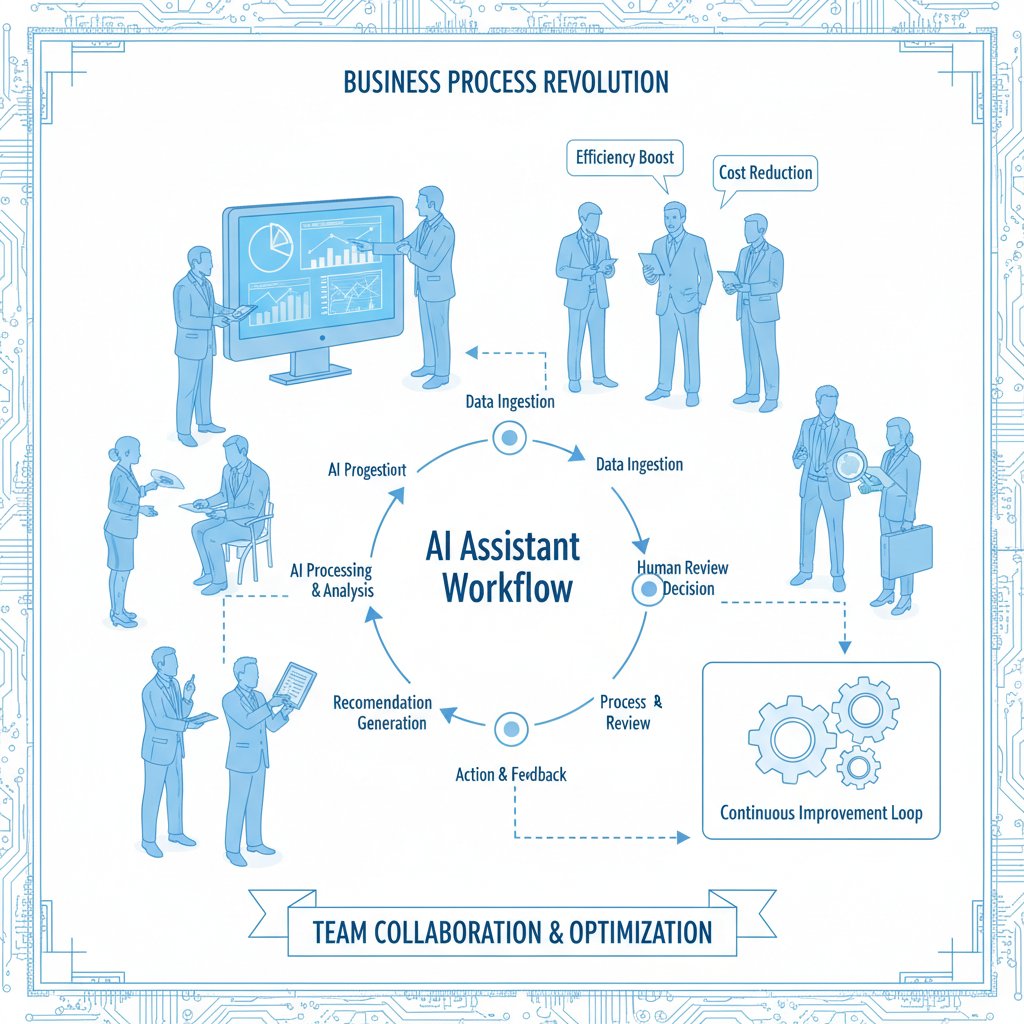
Behind the scenes, your AI teammate is more than a chatbot. The backbone is a suite of machine learning algorithms: natural language processing to decode unstructured text, knowledge graphs to map relationships between people, projects, and data, and workflow engines to turn intent into action. These systems tap vast enterprise datasets—emails, docs, chat logs—and constantly retrain on real user interactions to improve accuracy and relevance.
The real magic? Continuous learning. Today’s leading assistants adapt to each organization’s jargon, priorities, and workflows. Over time, they get better at anticipating what matters to your team—learning which emails demand urgent action versus which can wait, or which meeting invites are likely to be accepted.
Integration: The real battle is behind the scenes
Integrating an AI-enabled business assistant isn’t plug-and-play. Legacy systems bristle at new connections, data formats clash, and IT departments get stretched thin. Successful rollouts require careful change management, clear project ownership, and a tolerance for the inevitable hiccups.
- Assess current workflows: Map out which processes will benefit most from AI enablement.
- Secure executive sponsorship: Without buy-in at the top, integration efforts stall.
- Pilot with a small, motivated team: Use controlled rollouts to gather feedback and spot issues early.
- Clean and unify data sources: Garbage in, garbage out—ensure data is accurate and accessible.
- Establish security protocols: Set permissions, audit trails, and compliance checks from day one.
- Train users and gather feedback: Ongoing education and feedback loops are essential for success.
- Iterate based on real usage: Adapt integrations as workflows and user needs evolve.
- Monitor and measure results: Track KPIs and address issues with agility.
Hidden costs—like integration with ancient software, ongoing maintenance, and support—can balloon quickly. Budget for technical debt, and never underestimate the human effort needed to rewire how people work.
Data, privacy, and compliance: Where things get real
Data privacy is not a compliance checkbox; it’s an existential risk. Enterprise AI assistants often process confidential emails, contracts, and personal data. Security features matter more than any slick interface. According to IDC/Microsoft, 2024, over 61% of enterprises cite security as their top concern.
| Solution | Encryption | Compliance certifications | Audit logs | Data residency options |
|---|---|---|---|---|
| futurecoworker.ai | Yes | SOC 2, ISO 27001 | Yes | Yes |
| Competitor A | Yes | SOC 2 | Partial | No |
| Competitor B | Partial | None | No | No |
| Competitor C | Yes | ISO 27001 | Yes | Partial |
Table 2: Security and compliance features in leading enterprise AI-enabled business assistants
Source: Original analysis based on vendor documentation and public certifications (2024)
Best practices: demand not just certifications, but transparency in incident reporting and independent security audits. Red flags? Vague privacy policies, lack of regular penetration testing, or any vendor unwilling to specify where your data lives.
The culture clash: When AI meets the messy real world of work
Will AI teammates kill culture or create it?
Bringing an enterprise AI-enabled business assistant into your team doesn’t just change the org chart—it rewires the social fabric. AI can flatten hierarchies, making information accessible to all rather than a select few. It can also breed mistrust, especially when decisions become opaque or AI outputs override human judgment.
The real psychological impact is subtler: employees who once defined themselves by their mastery of process now find themselves collaborating with, or even competing against, algorithms. Some thrive, embracing AI as a kind of intellectual sparring partner. Others disengage, feeling their expertise is devalued. The healthiest cultures treat AI not as a threat, but as a tool for amplifying distinctly human strengths—creativity, empathy, and ethical judgment.

Resistance, acceptance, and everything in between
The path from skepticism to acceptance isn’t linear. Most teams pass through skepticism, wariness, curiosity, then—if the deployment is well managed—active advocacy.
- Create a vision for AI’s role: Articulate how AI assistants will support (not supplant) human work.
- Engage stakeholders early: Involve both champions and skeptics in planning and feedback.
- Provide transparent training: Demystify how the assistant works, including its limitations.
- Empower user feedback: Give employees tools to override or correct AI decisions.
- Celebrate quick wins: Publicize improvements, time savings, or error reductions.
- Monitor for burnout or frustration: Use pulse surveys and regular check-ins.
- Continuously update processes: Adapt the AI deployment as team needs change.
Change management matters; the difference between a bot and a trusted teammate is often just communication.
Strategies for inclusivity include open forums, transparent AI “explainability” sessions, and policies giving humans the final say on critical actions.
Leadership and the new rules of engagement
Management in the AI era is less about top-down directives, more about facilitation. Leaders must set clear guardrails for AI use, champion transparency, and foster a culture where humans and algorithms learn from each other. Upskilling is non-negotiable: effective teams train not just on how the AI works, but how to challenge or correct it. The result? Teams that treat AI as a collaborator, not an overlord.
The cost of intelligence: ROI, hidden expenses, and the real economics
Breaking down the costs: What you pay (and what you don’t see)
Deploying an enterprise AI-enabled business assistant is rarely as simple as “subscribe and save.” Costs include licensing fees, integration, user training, and ongoing support. Hidden expenses—like the time IT spends troubleshooting, or the opportunity cost of disrupted workflows—add up fast. But so do the savings from slashing rote tasks, reducing email overload, and accelerating project delivery.
| Cost category | Example expense | Value delivered | Hidden expenses | Time to ROI |
|---|---|---|---|---|
| Initial investment | Licensing, integration ($10k–$250k+) | Automate email and task management | Change management | 3–12 months |
| Ongoing costs | Support, updates (10–20% of initial) | Streamlined collaboration, reminders | Training, maintenance | Ongoing |
| Value delivered | 20–40% reduction in admin workload | Faster decision making, fewer errors | User frustration (if poor rollout) | Ongoing |
| Hidden expenses | Old system compatibility upgrades | Retained institutional knowledge | Technical debt | Variable |
| Time to ROI | Average 6–9 months (per Menlo Ventures 2024) | — | — | N/A |
Table 3: Cost-benefit analysis for enterprise AI-enabled business assistants
Source: Original analysis based on Menlo Ventures 2024, Skim AI 2024
To build a winning business case, focus on metrics that matter: time saved, errors prevented, and (most importantly) outcomes improved—not just activity counted.
How to measure real ROI (and not get fooled by vanity metrics)
Tracking true ROI means going beyond vendor dashboards. Key metrics include reduction in task turnaround time, improved client or employee satisfaction scores, and quantifiable decreases in manual effort. Beware metrics like “number of messages processed” or “total automations launched” in isolation—they’re easy to game and rarely tie to outcomes that matter.

Getting more for less: Creative ways to maximize value
Unconventional strategies can stretch your investment.
- Automate cross-departmental workflows to eliminate bottlenecks, not just speed up existing silos.
- Use AI for compliance monitoring: Let the assistant flag risky phrases, missed approvals, or regulatory gaps.
- Enable personalized onboarding: Tailor induction content per role, reducing time-to-productivity for new hires.
- Turn AI summaries into knowledge bases: Archive smart recaps of project threads for future training or audits.
- Schedule downtime alerts: Use AI to spot chronic overtime and suggest workload rebalance.
- Leverage AI for internal communications: Auto-summarize all-hands meetings or town halls for busy teams.
- Augment—not replace—human judgment: Use AI to prep decisions, but always keep a human in the loop.
Choosing your intelligent enterprise teammate: A critical buyer’s guide
What matters most (and what doesn’t)?
Not all AI-enabled business assistants are created equal. Critical must-haves include robust security, seamless integration with existing tools, transparent decision-making (explainability), and—ironically—ease of override by humans. Contextual understanding, not just keyword matching, separates the smart from the merely scripted.
Definition list: Key buying criteria
The ability for the AI assistant to articulate not just what it did, but why—critical for trust and compliance.
How well the assistant plays with legacy systems, cloud platforms, and third-party tools already in use.
Design focused on supporting real workflows, not just showing off technical prowess.
Ignore marketing fluff like “most advanced AI ever”—focus on outcomes, not hype. Overrated features include obscure integrations no one uses, or “sentiment analysis” tacked on for show with no proven value.
Red flags and deal-breakers: How to spot trouble before you buy
Warning signs in vendor pitches abound. Here’s what should make you run, not walk, to the exit:
- Vague answers to security or data residency questions
- Lack of third-party compliance certifications
- No clear mechanism for user feedback or override
- Overly aggressive promises of headcount reduction
- Opaque pricing models with hidden fees
- No references or customer testimonials
- Black-box algorithms with no explainability
- Vendor lock-in (no data export, no API access)
- Poor track record on customer support response times
- Overreliance on “proprietary” algorithms with no peer review
The futurecoworker.ai approach: Smarter, simpler, safer?
Services like futurecoworker.ai represent a new wave in the field: emphasizing simplicity, security, and immediate value without requiring deep AI expertise. By embedding smart task and collaboration management directly within familiar email platforms, these tools lower the barrier for adoption—especially in non-technical teams wary of the learning curve. The result? Enterprises can unlock powerful automation and insight without risking chaos or compliance nightmares.
Beyond automation: What’s coming next for enterprise AI-enabled business assistants?
Current trends: What’s hot (and what’s not) in 2025
The landscape is shifting rapidly. In 2024 and 2025, multimodal AI—tools that can process text, voice, and images together—are gaining traction. Emotional intelligence, or the ability to parse tone and intent, is moving from academic curiosity to real-world deployment. Proactive assistance (where the AI suggests actions before being asked) is on the rise. What’s fading? Hype around “AI for everything.” Enterprises are focusing on tools that deliver measurable value, not just automation for its own sake.

The next big thing: Predicting the future of AI teammates
While this article avoids crystal ball gazing, the current timeline of AI-enabled business assistants looks like this:
- 2015: Basic chatbots handle scripted queries
- 2017: NLP advances enable context-aware digital assistants
- 2019: Workflow automation integrates with email and project tools
- 2022: Generative AI powers smart summaries and suggestions
- 2023: AI copilots for code and document management gain mass adoption
- 2024: 65%+ of enterprises use generative AI tools; 75% of employees interact daily
- 2025: Multimodal and emotionally intelligent AI emerge in production
- Ongoing: Deeper integration, better explainability, and smarter compliance
Are you ready? Self-assessment for enterprise leaders
Assessing readiness isn’t just about budget or tech stacks. Consider these:
- Is your executive team aligned on the goals of AI adoption?
- Are data sources clean, unified, and accessible?
- Do you have robust security and compliance frameworks?
- Are employees engaged and trained in both AI use and feedback?
- Is your organization ready to iterate—learning from failure as well as success?
- Do you have clear metrics for success (beyond “using more AI”)?
- Are you prepared for the organizational change, not just the technology?
The cost of inaction is real: teams that refuse to engage risk falling behind as peers automate, streamline, and learn faster.
The final verdict: Should you trust your next teammate to AI?
The case for cautious optimism
The enterprise AI-enabled business assistant is neither savior nor saboteur—it’s a tool of transformation, for better or worse. Deployed wisely, it can turbocharge productivity, reduce drudgery, and even make work more human by automating the inhuman. But blind faith in tech is a recipe for disappointment. The winners in the new workplace won’t be those who deploy AI first, but those who do so thoughtfully.
"AI won’t replace humans, but it will replace the companies that refuse to adapt." — Casey, tech founder
Checklist: What to do before you pull the trigger
- Define clear business outcomes for AI deployment
- Engage all relevant stakeholders early
- Audit current workflows and data for readiness
- Require robust security and compliance documentation from vendors
- Pilot with a small team and iterate based on real feedback
- Train users on both capabilities and limitations
- Establish transparent override and escalation procedures
- Track outcomes, not just activity
- Communicate both wins and hiccups openly
- Plan for ongoing support and refinement
The last word: Will you lead or follow?
AI is not coming for your job. But it is coming for your workflow, your inbox, your meetings—and, potentially, your competitive edge. The question is whether you’ll shape this transformation, or get shaped by it. Those who lean in, ask hard questions, and build trust between human and digital teammates will set the pace for everyone else.
The AI-enabled business assistant revolution isn’t waiting for permission. As the landscape shifts, only the bold—or the well-prepared—will thrive. The rest? They’ll be chasing after the future, one step behind.

Sources
References cited in this article
- Menlo Ventures 2024 State of Generative AI(menlovc.com)
- IDC/Microsoft 2024 AI Trends(blogs.microsoft.com)
- Skim AI 2024 Enterprise AI Statistics(skimai.com)
- MoveWorks Enterprise AI Use Cases(moveworks.com)
- TechTarget Guide(techtarget.com)
- LinkedIn: Evolution of Personal Assistants(linkedin.com)
- Tribulant: Virtual Assistants History(tribulant.com)
- Washington Post: AI Hype Deflating(washingtonpost.com)
- Gartner Hype Cycle(gartner.com)
- Cential: AI in Enterprise Risk Management(cential.co)
- Altman Solon: Generative AI in Enterprise(altmansolon.com)
- Microsoft/IDC Study(microsoft.com)
- Salesforce CIO Survey 2024(salesforce.com)
- TechTarget CIO Priorities(techtarget.com)
- PwC: 6 Generative AI Myths(pwc.com)
- Forbes: The Dark Side of AI(forbes.com)
- IBM Global AI Adoption Index(newsroom.ibm.com)
- Microsoft: Real-World AI Customer Stories(blogs.microsoft.com)
- Product School: AI Business Use Cases(productschool.com)
- TechTimes: AI Architecture Assistants(techtimes.com)
- MaestroLabs: Best AI Assistants(maestrolabs.com)
- AI Journal: 7 AI Implementation Challenges(aijourn.com)
- Moveworks: Overcoming AI Assistant Deployment Challenges(moveworks.com)
- TestingXperts: AI and Data Privacy(testingxperts.com)
- Compunnel: AI Data Security Compliance(compunnel.com)
- Forbes: AI Organizational Revolutions(forbes.com)
- MDPI: AI and Organizational Culture(mdpi.com)
- Business Insider: Preventing AI Resistance(businessinsider.com)
- Deloitte: State of Generative AI in the Enterprise 2024(www2.deloitte.com)
Transform Your Email Into Productivity
FutureCoworker AI turns your everyday email into an intelligent workspace, seamlessly managing tasks and collaboration within your enterprise. It eliminates the complexity of AI, allowing you to benefit from advanced technology without any technical knowledge. Achieve productivity, streamline processes, and improve team efficiency through natural email interaction, getting tasks done faster and smarter.
Get startedReady to Transform Your Email?
Start automating your tasks and boost productivity today
Frequently Asked Questions
What is an enterprise AI-enabled business assistant?
An enterprise AI-enabled business assistant is software with artificial intelligence that goes beyond basic automation—it's an active participant in daily business operations capable of interpreting data, automating workflows, and making contextual decisions in real-time. Today's AI assistants can understand context, learn from team dynamics, and handle tasks like triaging inboxes, summarizing meetings, and managing schedules with nuance that earlier automation tools couldn't achieve.
How widely are AI-powered tools already being used in enterprises?
More than 75% of employees already interact daily with AI-powered tools in their job, demonstrating widespread adoption across the enterprise landscape. According to the Menlo Ventures 2024 State of Generative AI, enterprises have moved from viewing AI as a novelty to treating it as a necessity, with a 37.3% annual adoption rate.
What are the main concerns about bringing AI assistants into teams?
There is an undercurrent of skepticism, confusion, and even fear about AI assistants in the workplace. Key concerns include whether these tools truly empower teams or simply automate employees out of relevance, raising questions about the impact on human workers and organizational decision-making.
How have business assistants evolved from the past?
Business assistance software has evolved from clunky calendar apps and 'virtual secretaries' that simply parsed voicemails into emails to intelligent teammates that understand context and team dynamics. This represents a fundamental shift from humble automation to embedded intelligence that redefines the boundaries between human and digital labor.
Continue Reading
Keep exploring Intelligent enterprise teammate

AI Powered Business Assistant: Reality Beyond the Pitch
AI powered business assistants promise productivity gains, but research shows hidden risks and surprising benefits.

What Enterprise AI Enabled Assistants Actually Change at Work
Enterprise AI enabled assistant systems are embedding themselves into corporate workflows. This article examines how they reshape work, the hidden contradictions in their promise, and their actual impact.

Enterprise AI-Driven Digital Assistant: Coworker, Rival or Risk?
Discover insights about enterprise AI-driven digital assistant

AI-Driven Enterprise Business Assistants Reshape Workplace Collaboration
AI-driven enterprise business assistants are automating workflows and exposing efficiency gaps. This article examines how they reshape collaboration and competitive advantage.

AI Business Assistant Software: Game-Changer or Hidden Risk?
Discover insights about AI business assistant software

Business AI Virtual Assistants Reshape Modern Office Collaboration
Business AI virtual assistants are reshaping how teams collaborate and communicate. This article examines their real impact on productivity and workplace dynamics.