


Enterprise AI-Powered Digital Workplace Assistant, Minus the Hype
Written with AI assistance under our editorial guidelines
Knowledge workers waste 28% of their work week managing email while juggling multiple collaboration tools, creating cognitive overload and organizational inefficiency. Enterprise AI assistants promise to streamline this chaos by filtering information and prioritizing tasks, but success requires addressing underlying cultural resistance and ensuring these tools integrate meaningfully rather than adding more noise to already-overwhelmed teams.
Welcome to the edge of 2025, where the line between enterprise chaos and clarity is thinner—and sharper—than ever. The promise of the enterprise AI-powered digital workplace assistant is seductive: 24/7 productivity, stress-free collaboration, a future where your inbox finally works for you. But beneath the glossy marketing, something rawer pulses—a territory filled with stubborn myths, hard-won victories, and the kind of cultural shock most “innovation” conferences won’t tell you about. If you think digital coworkers are just another trend, buckle up. This isn’t another love letter to automation; it’s a reality check for anyone serious about the future of work. We’ll unmask the brutal truths, dissect the bold wins, and lay out what it takes to make enterprise AI teammates actually deliver—without drowning your team in even more noise.
Welcome to the chaos: why enterprise collaboration is broken
The never-ending email avalanche
Open your inbox. Now multiply that chaos by every team member in your organization. The deluge never stops—status updates, FYIs, urgent requests disguised as “quick questions.” According to recent research by Microsoft Worklab, 2025, knowledge workers spend up to 28% of their week just managing email. It’s not just a time sink; it’s a relentless attack on focus, leaching creativity and morale from every corner of the enterprise. Emails pile up faster than they’re actioned, and with every unread thread, your team’s cognitive bandwidth shrinks. The supposed promise of digital communication—efficiency—mutates into a daily grind that leaves people feeling perpetually behind. For many, email isn’t just the tip of the iceberg; it’s the whole frozen continent.

The psychological toll is real. As the unread count grows, so does anxiety. Employees aren’t just fighting information—they’re fighting the existential dread of missing something important. According to the McKinsey 2025 Report, the cost is organizational: miscommunication, duplicated work, and missed opportunities snowball, fueling a culture of reactivity instead of strategic action.
Collaboration tool overload: more apps, less clarity
It’s not just email that’s the problem. The average enterprise juggles 11+ collaboration platforms—Slack, Teams, Asana, Monday.com, Notion, and a rotating cast of specialized tools. The theory? More apps mean more productivity. The reality: tool sprawl, overlapping notifications, and fragmented knowledge. Employees have to remember where conversations happened, which system holds the “real” data, and which channel is actually being monitored.
| Platform | Messaging | Task Management | File Sharing | Video Calls | AI Integration |
|---|---|---|---|---|---|
| Microsoft Teams | Yes | Yes | Yes | Yes | Moderate |
| Slack | Yes | Limited | Yes | No | Strong |
| Asana | No | Yes | Limited | No | Weak |
| Notion | Yes | Yes | Yes | No | Moderate |
| Monday.com | Limited | Yes | Yes | No | Moderate |
Table 1: Comparison of top five collaboration platforms and their core function overlap. Source: Original analysis based on Microsoft, Slack, Asana, Notion, Monday.com official documentation, May 2025.
The upshot? Critical knowledge gets lost between silos. Hours vanish to “platform ping-pong”—hopping between tools in a desperate attempt to synchronize. According to Moveworks, fragmented workflows cost enterprises thousands of productive hours each quarter. In the era of digital overload, clarity isn’t a nice-to-have; it’s an existential necessity.
Why ‘digital transformation’ became a dirty word
Once, “digital transformation” was a clarion call for progress. Now, in too many boardrooms, it’s an inside joke. Years of failed initiatives, bloated budgets, and “game-changing” platforms that barely moved the needle have made seasoned leaders skeptical of any tech promising salvation. The hype cycle has delivered more fatigue than transformation.
"We were promised transformation, but got confusion." — Maya, CIO, composite interview (2025)
Pressure to innovate is relentless, but most teams lack a cohesive strategy—and worse, data ownership is a political football. According to McKinsey’s recent findings, the absence of a clear AI or data roadmap is a leading cause of failed launches. Digital transformation’s legacy isn’t streamlined workflows—it’s skepticism, caution, and a demand for real results over vaporware.
Demystifying the enterprise AI-powered digital workplace assistant
What is it really? Beyond the buzzwords
Forget the hype for a second. An enterprise AI-powered digital workplace assistant is not just another chatbot. It’s an intelligent system embedded in your existing workflows (often email, but increasingly chat and apps), designed to turn the fog of enterprise communication into structured, actionable knowledge. Think of it as a digital teammate that reads your emails, identifies tasks, manages reminders, summarizes threads, and even schedules meetings—without you ever leaving your daily tools.
Key terms defined:
A software agent leveraging machine learning and natural language processing to automate tasks, answer questions, and suggest actions based on context. Unlike basic chatbots, these assistants act as proactive partners.
The orchestration of repetitive tasks (e.g., categorizing emails, scheduling meetings) by AI, eliminating human bottlenecks and reducing manual error.
The ability of AI to interpret meaning from organizational data—understanding not just “what” was said, but “why” it matters, who it impacts, and what action should be triggered.
A hybrid method where AI combines generative models with real-time information retrieval, dramatically reducing hallucinations and increasing answer accuracy (eluminoustechnologies.com).
What sets modern AI teammates apart from early chatbots is their ability to actually understand unstructured enterprise data, integrate into existing tools, and provide value across departments—not just IT support.
How does it work? Under the hood
Peel back the marketing and you’ll find a mélange of technologies powering today’s enterprise AI assistants: natural language processing (NLP) to parse the chaos of human conversation; machine learning to surface patterns and anticipate needs; integrations with email, calendars, and HR systems to orchestrate actual work, not just answer questions.
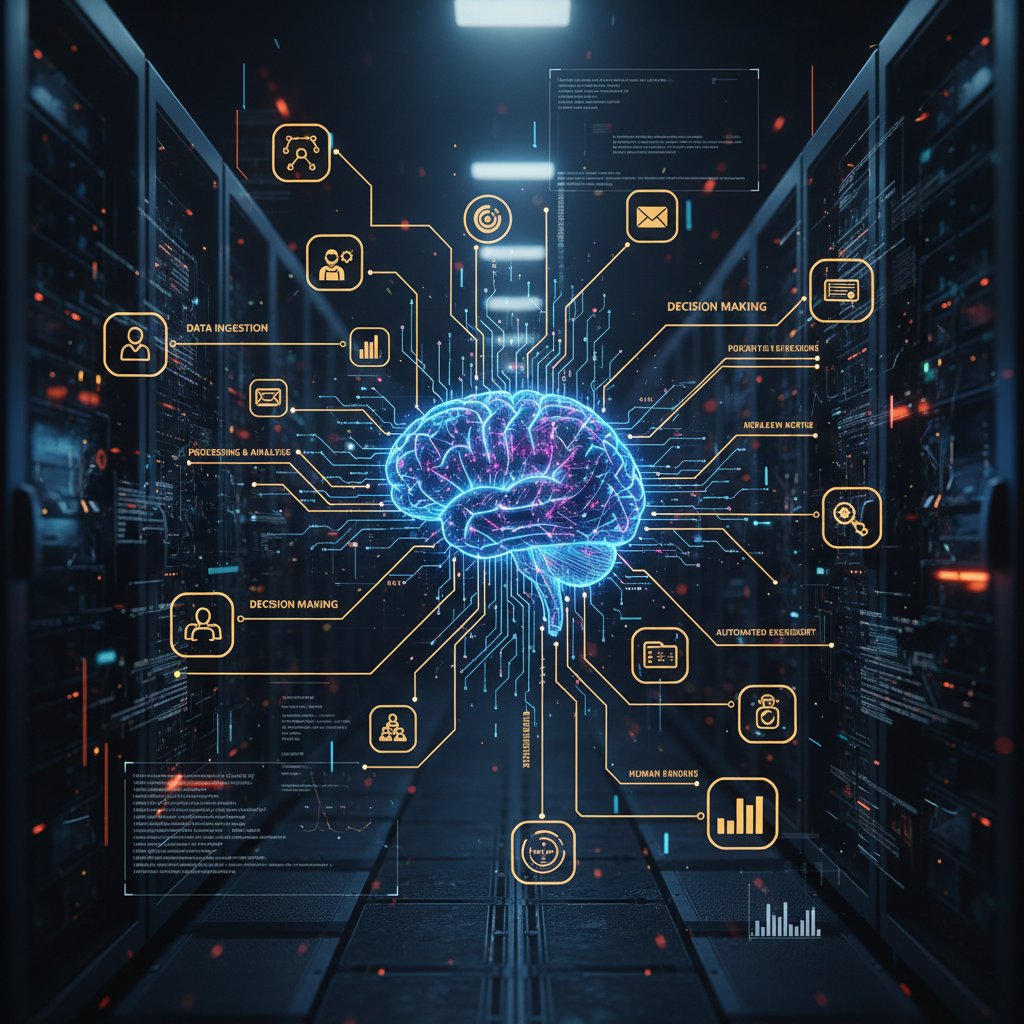
Training data is the beating heart of accuracy. Feed the system high-quality, up-to-date information and you get magic. Feed it garbage, and you amplify confusion—an insight highlighted by duperrin.com. Security and privacy are non-negotiable: modern AI assistants use encrypted pipelines, strict access controls, and compliance auditing to earn trust. And with continuous learning, these systems adapt as your enterprise evolves—growing smarter, not stale.
Who is it for? Debunking the ‘only for techies’ myth
The old myth: only IT or digital natives can wrangle AI. The new reality: the best enterprise AI-powered digital workplace assistants are designed for everyone in the organization, from HR to operations to finance.
- HR teams can automatically categorize and route candidate emails, manage onboarding checklists, and quickly answer policy questions.
- Finance departments streamline client communication, track invoice approvals, and automate compliance reminders.
- Marketing agencies coordinate campaigns, manage approvals, and keep stakeholders aligned without drowning in threads.
- Healthcare providers schedule appointments, manage follow-ups, and reduce administrative errors.
- Project managers keep teams on task, surface blockers, and ensure deadlines aren’t missed.
- Operations teams coordinate logistics, track escalations, and automate status reporting.
- Administrative professionals slash manual scheduling, handle calendar clashes, and minimize human error.
The best systems prioritize accessibility—a gentle learning curve, natural language interaction, and seamless integration into the tools people already use. Real-world accessibility means less time learning, more time doing—and the democratization of AI’s benefits across every function.
History repeats: why most enterprise AI assistants failed (until now)
The rise and fall of the digital assistant hype
Today’s AI-powered digital workplace assistant stands on the shoulders of a long, checkered history. From the infamous paperclip (Clippy) to today’s so-called “digital coworkers,” the dream has always been frictionless help. The reality? More often, frustration and unmet expectations.
- 1997: Microsoft’s Clippy debuts—annoying more than assisting.
- 2001: Early enterprise chatbots surface—rigid, rule-based, easily stumped.
- 2011: Siri launches, bringing voice-driven AI to the mainstream.
- 2013-2016: Slackbots and simple workflow automations enter team chat.
- 2017-2019: AI chatbots proliferate in customer service, but most are glorified FAQs.
- 2020-2022: Pandemic drives digital adoption; bot fatigue sets in.
- 2023: RAG models and contextual intelligence enter the scene.
- 2024: Enterprises experiment with task automation in email and chat.
- 2025: Next-gen assistants achieve integration across tools and real natural language understanding.
Despite this rapid evolution, most earlier attempts fell flat: limited integrations, canned responses, and brittle workflows turned excitement into apathy. According to Moveworks, previous generations suffered from a “data ownership crisis”—no clear source of truth, leading to hallucinations and confusion.
2025: What’s different this time?
This time, it’s different—for real. The confluence of RAG models, robust API integrations, and hardened security frameworks has changed the game. Today’s best AI assistants work inside existing ecosystems, not in parallel “app islands,” and focus on automating real, everyday pain points (think: scheduling, task management, actionable insights).
| Feature | Legacy Assistants | Current Assistants | Next-gen (2025) |
|---|---|---|---|
| Task Automation | Basic | Strong | Seamless, proactive |
| Integration | App-specific | Partial ecosystem | Cross-platform |
| Natural Language | Rigid | Conversational | Context-aware |
| AI Hallucinations | High | Moderate | Mitigated (RAG) |
| Data Security | Weak | Strong | Enterprise-grade |
| User Experience | Clunky | Improved | Invisible, intuitive |
Table 2: Feature evolution of digital workplace assistants. Source: Original analysis based on McKinsey 2025 Report, Moveworks, and eluminoustechnologies.com.
Why are adoption rates spiking now? Because the tools finally work with—not against—enterprise reality. The value is measurable, the friction is lower, and the risk of information chaos is finally being managed, not multiplied.
Where the rubber meets the road: real-world wins and failures
Case study: The bold and the burned
Let’s talk about scars. A global enterprise (details anonymized for privacy) dove head-first into AI assistant deployment, seduced by promises of instant productivity. Early hype faded into firefighting as the assistant misunderstood key business terms, routed tasks to the wrong departments, and flooded inboxes with irrelevant suggestions.
"We trusted the hype—and paid the price." — Liam, operations lead, composite interview (2025)
The post-mortem? No single source of data truth, lack of employee training, and zero involvement from business units outside IT. The lesson: AI isn’t a silver bullet. Without a roadmap, context, and alignment, digital assistants amplify confusion instead of relieving it.
Success story: How one team slashed 30% of busywork
On the flip side, a European marketing agency integrated an enterprise AI-powered digital workplace assistant into its campaign coordination. The results? A 40% reduction in campaign turnaround time and a dramatic uptick in client satisfaction. According to case data provided by mebebot.com, teams that leverage centralized, email-based automation see up to 4,000 operator hours saved per quarter—a game-changer for productivity.

What made this rollout succeed? Early investment in training, clear data governance, and buy-in from every department—not just IT. The AI assistant became a digital colleague, not a clumsy overlord.
The hidden costs and rewards no one tells you
For every AI win, there’s a story of unexpected friction. Shadow IT—unauthorized use of apps and scripts—often spikes as staff try to “fix” what the AI gets wrong. Change management is underestimated, and true ROI only emerges after the initial hype dies down.
| Cost/Reward | Upfront | Ongoing | Opportunity | Productivity Impact | Morale Impact |
|---|---|---|---|---|---|
| Software Licensing | High | Medium | N/A | N/A | N/A |
| Integration | Medium | Low | N/A | High | Medium |
| Employee Training | Medium | Low | High | High | High |
| Shadow IT Risk | N/A | Medium | Medium | Low | Low |
| Task Automation | N/A | N/A | High | High | High |
Table 3: Cost-benefit analysis of AI-powered digital workplace assistant deployments. Source: Original analysis based on McKinsey 2025 Report, Moveworks, and mebebot.com.
Actionable advice: Treat adoption as a team sport. Don’t skimp on training or change champions. Monitor for shadow IT and periodically audit workflows for unintended consequences.
The cultural shockwave: how AI teammates change everything
From coworker to co-bot: shifting roles and etiquette
AI assistants aren’t just tools—they’re digital colleagues. For some, that’s a relief; for others, an existential threat. The emergence of AI as both assistant and, occasionally, rival or scapegoat, is reshaping workplace etiquette.
- AI as unbiased meeting moderator, flagging interruptions and tracking action items.
- Bias detection in email threads—surfacing patterns humans miss.
- Early warning system for burnout—flagging overloaded team members.
- On-demand research, surfacing contextual links to internal knowledge bases (like futurecoworker.ai).
- Streamlined compliance monitoring—catching policy violations before they spread.
- Dynamic project assignment—matching people to tasks based on workload, not politics.
- AI-powered onboarding for new employees, minimizing ramp-up time.
- Automating routine feedback, making performance reviews less painful.
The etiquette? Still in flux. Some teams anthropomorphize their AI, giving it a name and personality. Others demand transparency (“Is this a human or a bot?”). Trust issues abound, especially when the AI makes a mistake—or worse, when it’s right and exposes human error.
Surveillance or support? Privacy, ethics, and empowerment
Here’s the hard truth: with great data comes great responsibility. Employees fear surveillance, and rightfully so. AI assistants are capable of parsing every message, every file, every calendar invite. The ethical line between enabling productivity and creeping into Big Brother territory is razor-thin.
The expectation that AI systems explain their decisions in clear, understandable language. Not just “what” was done, but “why.”
The earned confidence that enterprise systems will use data ethically, securely, and solely for the stated purpose—not for covert monitoring or “gotcha” audits.
Empowerment vs. surveillance is a spectrum, not a binary. According to Microsoft Worklab, 2025, enterprises that foreground transparency and employee choice see higher adoption and satisfaction. Leaders must set the tone: clear policies, regular audits, and open feedback loops.
The burnout paradox: can AI assistants actually save us?
More tech often means more stress. But for a growing segment of workers, AI-powered digital workplace assistants are defusing—not fueling—burnout.
"My AI teammate felt more human than half my team." — Sofia, HR manager, composite interview (2025)
The paradox: while automation can threaten jobs, it also eliminates the kind of digital drudgery that saps morale. According to Moveworks, organizations that leverage AI for Tier 0/1 support (IT, HR, payroll) see measurable reductions in administrative burnout and error rates. The key? AI must supplement, not supplant, human judgment—freeing people for the kind of work that drives real meaning and engagement.
How to choose your intelligent enterprise teammate: a critical buyer’s guide
What really matters: must-have features vs. shiny distractions
Don’t be seduced by the demo. The features that actually matter are often invisible: seamless integration, iron-clad security, contextual intelligence, and bulletproof privacy. The biggest red flag? Vendors who can’t explain how their AI makes decisions—or protect your data.
- Define your pain points (email overload, task chaos, missed deadlines).
- Map required integrations (Gmail, Outlook, Slack, Teams, etc.).
- Insist on RAG or equivalent for hallucination prevention.
- Evaluate privacy controls—who sees what, and when.
- Test with real workflows, not canned scripts.
- Prioritize user experience—how fast can a non-techie get value?
- Demand clear metrics (time saved, task automation rates).
- Check support and onboarding resources.
- Include all stakeholders in the pilot phase.
User experience and support matter more than any whiz-bang feature. If you can’t get help when things go sideways, adoption will stall—guaranteed.
Red flags and green lights: spotting the difference
Risk is everywhere, but it’s manageable if you know what to look for.
- Overpromising “zero friction” integration—no such thing.
- No transparency on data usage or storage.
- Vague AI explainability (“just trust the algorithm”).
- Minimal support resources or user training.
- Frequent outages and slow response times.
- No independent security or privacy certifications.
- Vendor lock-in with hidden fees or proprietary formats.
Vetting claims is a contact sport. Ask for real customer references. Run a pilot with your most complex workflows. If a vendor can’t answer tough questions, keep looking.
Integration headaches: what IT won’t tell you
Real talk: even the best AI-powered digital workplace assistant can trip on legacy systems, weird data formats, or homegrown scripts. Integration is always messier than the sales deck suggests.

Actionable tips? Build an integration map before you buy. Assign an internal champion. Start with a small, high-impact workflow before scaling. And always, always involve IT—preferably before contracts are signed.
Making it real: steps to successful adoption (and what to avoid)
Readiness checklist: is your team set up for success?
Before you even touch a demo, check your organizational pulse:
- Document existing pain points.
- Inventory your current tools and workflows.
- Establish data ownership and access policies.
- Identify integration requirements.
- Build a cross-functional project team.
- Secure executive sponsorship.
- Plan and allocate a training budget.
- Set up metrics for success (KPIs).
- Communicate transparently with all stakeholders.
- Schedule regular reviews and iteration cycles.
Common barrier? The temptation to “pilot and forget.” Continuous stakeholder engagement and feedback loops are critical to avoid shelfware.
Driving adoption: from skeptics to superfans
Change doesn’t stick by accident. Smart teams invest in engagement strategies: “lunch and learns,” peer champions, and open forums for feedback. Every rollout uncovers hidden benefits beyond the obvious.
- Cross-team visibility into critical workflows.
- Reduction of unconscious bias in task assignments.
- Faster ramp-up for new hires.
- Greater compliance with regulatory requirements.
- Enhanced data-driven decision making.
- More equitable workload distribution.
When it comes to trusted perspectives and industry trends, resources like futurecoworker.ai are invaluable for staying both critical and current.
Measuring what matters: KPIs and feedback loops
Set success metrics that actually reflect value: time saved, error reduction, employee satisfaction, and process throughput. Don’t just count logins—measure real impact.
| KPI | Baseline | 3 Months Post-Launch | 12 Months Post-Launch |
|---|---|---|---|
| Average Email Response Time | 8 hrs | 5 hrs | 3 hrs |
| Task Completion Rate | 65% | 80% | 90% |
| Employee Satisfaction | 6/10 | 7.5/10 | 8.5/10 |
| IT Support Tickets | 200/mo | 120/mo | 90/mo |
Table 4: Statistical summary of adoption KPIs. Source: Original analysis based on McKinsey 2025 Report, Moveworks, and Microsoft Worklab 2025.
Continuous improvement is non-negotiable. Regular check-ins, user surveys, and post-mortems should be part of your DNA—otherwise, you risk sliding back into chaos.
What’s next: the future of AI-powered workplace collaboration
Emerging trends: what’s coming in the next 12 months
AI-powered digital workplace assistants aren’t standing still. The next wave is about deeper personalization, smarter context, and even more seamless orchestration between platforms. Expect to see expanded use of AI for bias detection, real-time coaching, and bridging gaps between structured and unstructured data.

These trends aren’t just technical upgrades—they represent a cultural shift. The line between team and tool is blurring, forcing enterprises to confront what collaboration really means.
Controversies, debates, and the path forward
Job displacement. AI bias. Over-regulation. The debate about AI in the workplace is as fierce as ever. As one digital strategist put it:
"We can’t outsource critical thinking to code." — Jordan, digital strategist, composite interview (2025)
Staying critical and adaptable is more important than ever. The smart play? Treat AI as a tool for amplifying human judgment—not replacing it.
Takeaways for leaders—and rebels
Here’s the raw truth: The enterprise AI-powered digital workplace assistant is not a magic bullet, but it’s also not a mirage. It’s a lever. Use it carelessly, and you’ll add noise. Use it wisely, and you’ll transform what it means to be a team in 2025: faster, smarter, more human.
The challenge—and opportunity—is to rethink not just the tech stack, but the very fabric of collaboration. The future isn’t about AI taking over; it’s about humans and machines finding a genuinely new way to work together.

Ready to join the rebellion? Start by demanding better—more clarity, more transparency, and a digital teammate that actually works for you.
Sources
References cited in this article
- Mebebot 2025(mebebot.com)
- Moveworks(moveworks.com)
- McKinsey 2025 Report(mckinsey.com)
- Microsoft Worklab 2025(microsoft.com)
- ProofHub Collaboration Stats 2025(proofhub.com)
- Contus Collaboration Software(contus.com)
- Coherent Market Insights(coherentmarketinsights.com)
- Statista(statista.com)
- Harvard Business Review(hbr.org)
- UC Today(uctoday.com)
- CIO.com(cio.com)
- TEKsystems 2024 Report(teksystems.com)
- Mooncamp Digital Transformation Stats(mooncamp.com)
- Alvarez & Marsal 2025(alvarezandmarsal.com)
- BizTech Magazine(biztechmagazine.com)
- Eluminous Technologies(eluminoustechnologies.com)
- AIMultiple(research.aimultiple.com)
- Menlo Ventures(menlovc.com)
- CIO Dive(ciodive.com)
- Microsoft Blog 2025(blogs.microsoft.com)
- World Economic Forum(weforum.org)
- Axios(axios.com)
- Parrott Benefit Group(parrottbenefitgroup.com)
- Maestro Labs(maestrolabs.com)
- ClickUp(clickup.com)
- GoSearch.ai(gosearch.ai)
- Salesforce 2024 Report(salesforce.com)
- ZDNet(zdnet.com)
- Deloitte 2024(www2.deloitte.com)
- Lumenalta AI Readiness Checklist 2025(lumenalta.com)
- Cisco AI Readiness Assessment(cisco.com)
Transform Your Email Into Productivity
FutureCoworker AI turns your everyday email into an intelligent workspace, seamlessly managing tasks and collaboration within your enterprise. It eliminates the complexity of AI, allowing you to benefit from advanced technology without any technical knowledge. Achieve productivity, streamline processes, and improve team efficiency through natural email interaction, getting tasks done faster and smarter.
Get startedReady to Transform Your Email?
Start automating your tasks and boost productivity today
Frequently Asked Questions
How much time do knowledge workers spend managing email each week?
According to Microsoft Worklab 2025 research cited in the article, knowledge workers spend up to 28% of their week managing email.
What are the organizational consequences of email overload mentioned in the article?
The McKinsey 2025 Report cited in the article identifies miscommunication, duplicated work, missed opportunities, and a culture of reactivity instead of strategic action as organizational consequences of email chaos.
What psychological impact does email accumulation have on employees?
According to the article, as unread email counts grow, so does employee anxiety, as workers fight the existential dread of missing something important while their cognitive bandwidth shrinks.
Is this article a promotional piece for enterprise AI assistants?
No—the article explicitly states it is 'not another love letter to automation' and describes itself as 'a reality check' that unmasks brutal truths rather than offering glossy marketing.
Continue Reading
Keep exploring Intelligent enterprise teammate

Enterprise AI Assistants: What They Deliver, What They Don't
Enterprise AI-powered collaboration assistants reshape how teams manage email and priorities. This article examines the capabilities, limitations, and actual business impact behind the marketing.

Enterprise Intelligent Assistant or Coworker You Can’t Ignore
Discover insights about enterprise intelligent assistant

Intelligent Enterprise Collaboration Assistants: Do They Work?
Intelligent enterprise collaboration assistants promise to untangle workplace chaos. This article examines how AI-powered tools address collaboration breakdowns and what they actually deliver.

Smart Enterprise Productivity Assistants: Hype, Risks and Real Wins
Discover insights about smart enterprise productivity assistant

Enterprise AI-Powered Productivity Assistant Platforms: Reality Vs. Hype
Enterprise AI-powered productivity assistant platforms promise seamless collaboration, but integration challenges and data privacy risks often go unmentioned.

Enterprise AI-Powered Business Assistant Software’s Real Risks and Wins
Discover insights about enterprise AI-powered business assistant software


