


Enterprise AI-Powered Collaboration Assistants: Hype, Risk, Payoff
Written with AI assistance under our editorial guidelines
Enterprise AI collaboration assistants can automate administrative tasks and cut inbox clutter by up to 90 percent, but they struggle with nuance and emotional context. While $13.8 billion in 2024 enterprise AI spending reflects optimism about saving time and reducing workplace chaos, the technology still falls short of truly understanding what matters most to teams and preserving authentic human collaboration.
What if the next mundane email you send—another status update, a project ping, a desperate plea for someone to stick to their deadline—wasn’t just caught in an endless loop of half-read responses? What if it triggered a cascade of intelligent actions, reorganized your team’s priorities, and surfaced insights you didn’t even know you needed? Welcome to the messy, exhilarating, and sometimes dystopian world of the enterprise AI-powered collaboration assistant. This isn’t just about shiny software or the overhyped “future of work.” It’s about reclaiming your workday from the chaos of digital noise, discovering the raw reality behind the hype, and understanding why that “intelligent enterprise teammate” in your inbox is so much more—and sometimes much less—than its glossy marketing suggests. Buckle up: we’re cutting through the pseudo-optimism and getting real about AI collaboration in 2025.
Welcome to the age of the AI enterprise teammate
Why your inbox is broken—and what AI can (and can't) do
Let’s face it: your inbox is a battlefield. Between the river of unread emails, the endless “per my last message” chains, and those pseudo-urgent notifications, even the most organized knowledge worker is drowning. According to the Menlo Ventures 2024 Report, enterprise AI spending surged to a staggering $13.8 billion—a sixfold increase from the previous year—driven largely by the promise of saving time and taming this very chaos (Menlo Ventures, 2024). But can AI truly fix what’s broken?
The answer is both exhilarating and sobering. AI assistants are automating the slog—summarizing meetings, following up, generating content, and organizing your communications. Yet, for every minute saved, there’s an uncomfortable question: Is the AI really making things easier, or is it just shuffling the digital deck chairs? The truth lies somewhere in between—AI can cut down “admin time” by up to 90% in some teams, but it still stumbles on nuance, context, and the emotional subtext that makes human collaboration so maddeningly complex (and, sometimes, so effective).

"The real test isn’t whether AI can summarize your inbox—it’s whether it can surface what actually matters, and do it without killing the human spark of collaboration." — Sybill Blog, 2023
The real-world pain: Collaboration chaos in the modern workplace
Every enterprise leader knows the symptoms: missed deadlines, endless status meetings, and teams spinning their wheels on the same old miscommunications. Collaboration chaos isn’t just an annoyance—it’s a productivity killer. Recent research from Google Cloud highlights that 80% of enterprises used third-party generative AI tools in 2023, but many quickly realized that true collaboration chaos requires not just better automation, but smarter orchestration and deep integration (Google Cloud, 2024).
The pain is not theoretical. In finance and operations, AI assistants have slashed administrative overhead, but in hybrid and distributed teams, the technology’s rough edges are exposed. Hybrid work amplifies misalignment, and fragmented tools create new silos as fast as they dissolve old ones. The upshot? AI is only as good as the ecosystem it plugs into—and the human workflows it supports or disrupts.
According to data from multiple industry reports, here’s how collaboration chaos bites:
| Symptom | Impact on Productivity | AI Solution Potential |
|---|---|---|
| Email overload | 20-30% time wasted | High |
| Missed follow-ups | Lost revenue, delays | Moderate to High |
| Meeting fatigue | Employee burnout | High (with smart summary) |
| Inefficient task tracking | Project delays | High |
| Context switching between platforms | Cognitive overload | Moderate |
Table 1: How collaboration chaos manifests and the AI solution potential. Source: Original analysis based on Menlo Ventures, 2024, Google Cloud, 2024
The rise of the intelligent enterprise teammate
The AI-powered collaboration assistant isn’t just another bot. Unlike legacy workflow automations, today’s intelligent teammates—think Google Workspace’s Gemini, Sybill AI, and advanced offerings from Zoom—are embedded deep in your workday, parsing messages, surfacing insights, and even adapting their “tone” to fit your team’s culture.
The killer feature? Large context windows. Gemini Pro, for example, can process entire documents, flagging what matters and discarding the noise. AI teammates personalize communications, support hybrid collaboration, and integrate across platforms—offering a single point of truth in a world addicted to fragmentation.
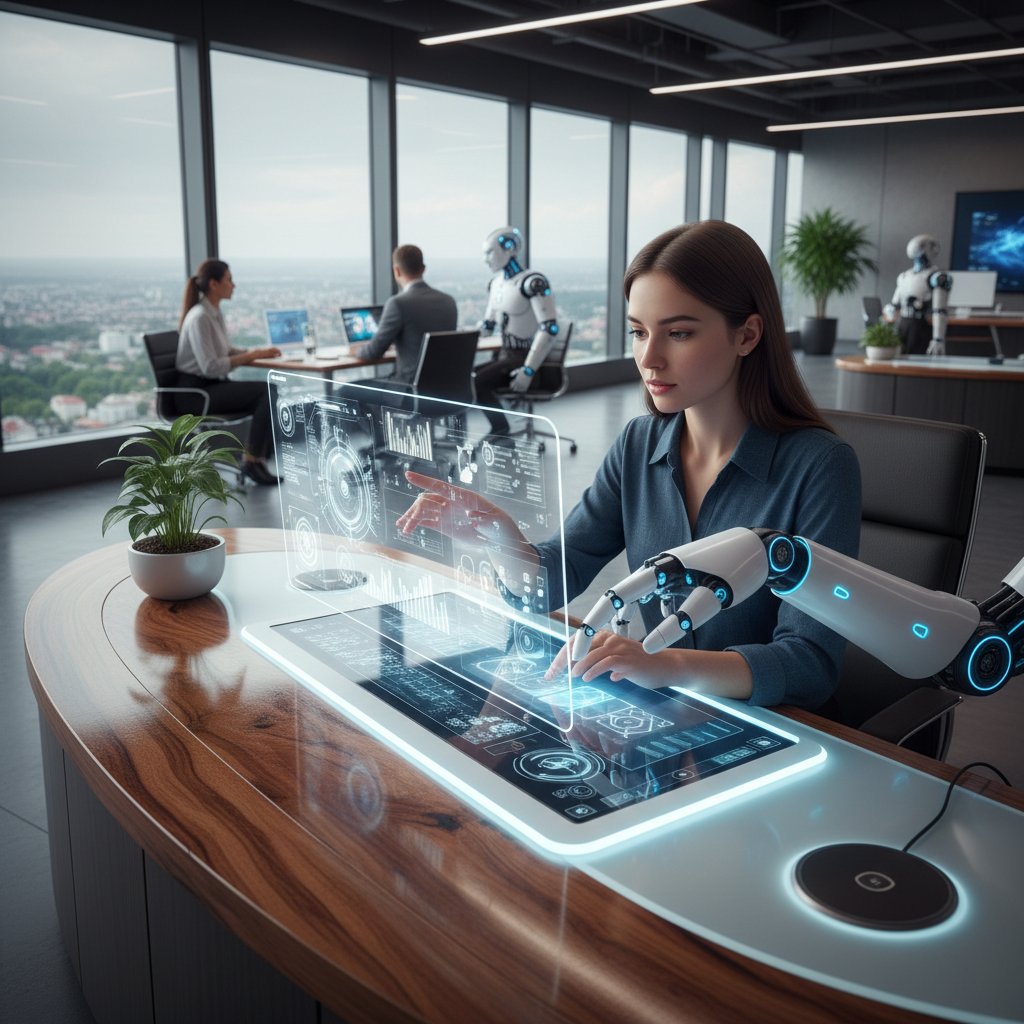
- AI assistants bridge the gap between platforms, syncing tasks, notes, and meetings from email to project boards.
- Large context windows enable summary and analysis of entire threads—not just snippets—delivering real context.
- Personalization features let teams adjust communication tone, style, and response patterns.
- Seamless integrations mean AI assistants can pull data from project management, CRM, and scheduling tools, offering a holistic view.
- Real-time adaptation allows AI teammates to support both synchronous and asynchronous collaboration, critical for global teams.
What exactly is an enterprise AI-powered collaboration assistant?
Definition (beyond the vendor marketing)
Strip away the buzzwords, and an enterprise AI-powered collaboration assistant is a digital entity embedded within your work stack—email, chat, project tools—designed to organize information, automate actions, and facilitate meaningful teamwork, all with minimal human prompting. Unlike generic chatbots, these “intelligent enterprise teammates” analyze context, predict needs, and act autonomously within defined guardrails.
A software solution leveraging artificial intelligence (NLP, ML, automation) to orchestrate, streamline, and enhance digital collaboration across enterprise workflows.
An AI agent that not only responds to commands but actively participates in team communication, task delegation, and decision support—learning from interactions and adapting to organizational culture.
Key components and how they work together
In practice, these assistants are a symphony of parts:
First, natural language processing (NLP) engines parse messages and documents, extracting meaning, intent, and urgency. Second, workflow orchestration modules act as the conductor—routing tasks, setting reminders, and managing context across platforms (email, project boards, calendars). Third, integration layers bridge disparate tools, pulling and pushing data as needed. Finally, adaptive learning modules allow these assistants to refine their recommendations, personalize communication, and avoid repeating mistakes.
The magic—and the risk—lies in how these components interplay. If one part fails (say, NLP misreads a passive-aggressive email), the entire chain can collapse, amplifying errors instead of preventing them.

The spectrum: From simple bots to full-fledged AI coworkers
Not all “AI assistants” are created equal. The spectrum runs from basic rule-based bots (think: simple auto-responses or calendar schedulers) to fully integrated AI teammates capable of nuanced understanding and autonomous action. Here’s how they stack up:
| Feature/Capability | Rule-based Bot | Assisted AI (Semi-Autonomous) | Full AI Teammate (Autonomous) |
|---|---|---|---|
| Email parsing | Basic keywords | Contextual understanding | Full thread comprehension |
| Task management | Manual triggers | Suggestive automation | Proactive, automated |
| Integration depth | Single platform | Multiple platforms | Enterprise-wide, cross-tool |
| Personalization | None | Basic (user-level) | Dynamic (team and org-level) |
| Learning/adaptation | Static | Limited | Continuous, AI-driven |
Table 2: The evolution of enterprise AI-powered collaboration assistants. Source: Original analysis based on Sybill Blog, 2023, Google Cloud, 2024
The broken promises: Common myths and harsh realities
Debunking the plug-and-play fantasy
The enterprise software graveyard is littered with failed “plug-and-play” AI solutions. The reality: enterprise AI-powered collaboration assistants are only as effective as the data, workflows, and buy-in they receive. As much as vendors promise instant productivity boosts, the integration journey is anything but frictionless.
"Enterprise AI doesn’t magically fix broken workflows. It amplifies what works—and ruthlessly exposes what doesn’t." — Menlo Ventures, 2024
- Out-of-the-box AI assistants often require weeks (or months) of customization before delivering value.
- Siloed data and incompatible tools can cripple even the most advanced AI solution.
- Employee resistance and “shadow IT” workarounds remain major barriers to adoption.
- Without ongoing training and feedback loops, AI assistants stagnate, becoming glorified auto-responders.
AI will replace your team? Not so fast
“AI will replace your job” is a headline designed to sell fear—and, occasionally, software. The truth is messier. While some roles (especially in admin-heavy sectors) are shrinking, most teams see AI assistants as partners, not replacements. According to industry analysis, 81% of enterprises rely on closed-source, centralized AI—indicating a preference for augmentation over wholesale replacement (Menlo Ventures, 2024).
In reality, AI excels at automating repetitive, low-value work. But it still struggles with ambiguity, emotional signals, and nuanced decision-making. The best AI teammates handle the grunt work, freeing human talent for strategic thinking and creative problem-solving.

What marketers aren't telling you (and why it matters)
Here’s what the glossy demos omit:
- Value decay: AI assistants demand ongoing tuning and feedback to stay relevant.
- Integration headaches: Connecting to legacy systems can be a nightmare—many features may remain inaccessible.
- Security trade-offs: More integration means bigger attack surfaces and potential data leakage.
- Cultural mismatch: AI tuned for a startup may flop in a risk-averse bank or government agency.
The myth that enterprise AI assistants work “out of the box” without significant customization, integration, and organizational change.
The reality that AI is most valuable as a force multiplier—amplifying human strengths rather than replacing them outright.
How AI-powered collaboration assistants actually work (under the hood)
Natural language understanding and workflow orchestration
The core engine driving enterprise AI-powered collaboration assistants is natural language understanding (NLU). These models don’t just parse words—they analyze intent, urgency, sentiment, and context, pulling actionable tasks from sprawling email threads. Once intent is recognized, workflow orchestration modules assign tasks, set reminders, and manage dependencies across linked platforms.

This orchestration is where the magic (and risk) happens. Misinterpretations can trigger wild chains of automation, escalating minor issues or missing critical context. That’s why best-in-class assistants, like those referenced by futurecoworker.ai, maintain tight feedback loops and human-in-the-loop controls.
Adaptive learning: How your AI teammate gets smarter (or doesn't)
AI assistants aren’t static—they’re learning engines. Every interaction offers new data for fine-tuning responses, improving recommendations, and personalizing tone. But adaptation is not guaranteed. Stale data, rigid rules, or lack of feedback can stunt an assistant’s growth.
| Learning Method | Adaptation Speed | Example Use Case | Limitation |
|---|---|---|---|
| Manual feedback loops | Slow | Correction after errors | Labor-intensive |
| Semi-automated tuning | Moderate | Dynamic prioritization | Needs periodic intervention |
| Continuous learning | Fast | Real-time personalization | Risk of drift/misalignment |
Table 3: How AI-powered collaboration assistants learn and adapt. Source: Original analysis based on Sybill Blog, 2023, Google Cloud, 2024
Integration nightmares: The hidden complexity
No matter how smart the AI, integration remains a minefield. Each enterprise has its own cocktail of legacy systems, cloud platforms, security protocols, and quirky workflows. Even the best assistants can stumble here, leading to data silos or outright failure.
The hidden costs:
-
Custom connectors may be required for nonstandard apps, driving up implementation time.
-
API rate limits and data privacy policies can throttle automation.
-
Security reviews are mandatory but often slow, introducing weeks of delay.
-
Continuous maintenance is needed as platforms evolve.
-
Integration rarely works “out of the box”—expect delays and detours.
-
Each new platform adds exponential complexity.
-
Maintenance is ongoing; neglect leads to broken automations and lost trust.
The new workplace: How AI-powered assistants are changing enterprise culture
From gatekeeper to game-changer: Who really benefits?
AI-powered collaboration assistants are transforming the power dynamic within organizations. By automating routine communication, they shift the gatekeeper role (often held by overburdened admins) to a shared “AI teammate” model. This democratizes access to information, allowing junior staff to surface insights, flag issues, and participate more fully.
But not everyone wins equally. Teams with strong digital literacy and adaptable cultures reap the biggest rewards, while those slow to adapt can find themselves further marginalized.
"AI assistants don’t just speed things up—they level the playing field, empowering new voices and surfacing hidden talent." — Zoomtopia, 2023
Resistance, anxiety, and the human side of AI collaboration
Despite the hype, many employees remain wary. The anxiety isn’t just about job loss—it’s about autonomy, surveillance, and the erosion of informal “watercooler” moments. According to industry research, resistance is highest in organizations that roll out AI with little training or transparency (Menlo Ventures, 2024). Cultural onboarding and clear communication are essential.

Case study: The messy reality of an AI rollout
Take, for example, a mid-sized marketing agency that implemented an AI-powered collaboration assistant in early 2024. Initial excitement gave way to confusion as the AI auto-categorized critical client requests as “low priority,” resulting in near-missed deadlines.
- The rollout began with minimal training, leading to widespread misuse.
- Employees circumvented the assistant, reverting to manual tracking.
- After two weeks, feedback loops were established, allowing the AI to “learn” team priorities.
- Productivity improved, but only after significant human oversight and process adjustment.
- The agency reported a 40% reduction in campaign turnaround time—but only after embracing AI as a partner, not a replacement.
The promise and peril: Security, privacy, and trust in the age of AI coworkers
Data, compliance, and the new surveillance culture
AI-assisted collaboration sits at the crossroads of convenience and compliance. Every message parsed, every meeting summarized, becomes new data subject to privacy scrutiny. For regulated industries, this raises red flags—especially as AI assistants gain deeper access to sensitive communications.
| Risk Factor | Description | Mitigation Strategy |
|---|---|---|
| Data leakage | AI misroutes sensitive info | Rigorous access controls |
| Compliance breaches | Unintentional policy violations | Automated audit trails |
| Surveillance culture | Employee monitoring, loss of trust | Transparent AI disclosures |
| Model bias | Embedded bias in recommendations | Regular audits, diverse data |
Table 4: Key risks and mitigations in enterprise AI-powered collaboration. Source: Original analysis based on Menlo Ventures, 2024, Sybill Blog, 2023
Trust but verify: Red flags and safeguards
Trust in AI assistants is earned, not granted. Enterprise leaders must remain vigilant:
- Always demand transparency about what data is accessed and how it’s used.
- Favor solutions with robust audit logging and user controls.
- Regularly review permissions and integrations for drift or shadow access.
- Insist on clear, plain-English disclosures for employees—ambiguity breeds suspicion.
What can go wrong—and how to prevent disaster
AI assistants, when misconfigured or poorly monitored, can escalate risks. Disaster prevention involves a mix of proactive governance and continual oversight.
- Conduct a thorough data privacy impact assessment before deployment.
- Implement user-level consent protocols and granular access controls.
- Establish a rapid-response plan for misfires, including rollback options.
- Regularly retrain and audit your AI models to prevent bias and drift.
- Communicate openly—honest mistakes handled transparently build trust.
"The only thing riskier than deploying AI without oversight is assuming your AI won’t make mistakes." — As industry experts often note, based on consensus across recent enterprise AI case studies
Beyond efficiency: Unexpected benefits and hidden costs
Hidden ROI: What the spreadsheets don’t show
Enterprises often oversimplify the ROI case for AI-powered collaboration assistants, focusing solely on time saved or headcount reduced. But the real dividend is subtler—improved decision velocity, reduced error rates, and a more resilient, adaptive culture.

Unfortunately, hidden costs lurk as well—training, change management, and integration maintenance often dwarf initial license fees. The organizations that thrive are those that budget for the marathon, not the sprint.
The cognitive toll: Collaboration fatigue, now with AI
Ironically, as AI assistants automate more tasks, they can also create new layers of “digital fatigue.” Constant nudges, overzealous reminders, and the pressure to respond instantly can erode focus and morale.
-
Employees report “AI notification fatigue” when assistants lack smart filtering.
-
Over-automation can obscure context, forcing humans to double-check outputs.
-
The shifting boundary between personal and professional communications amplifies stress.
-
AI overload can lead to decreased job satisfaction and higher churn.
-
Strategic focus is needed to balance automation with cognitive well-being.
-
Regular feedback can help recalibrate AI nudges to support, not overwhelm, the team.
Who wins, who loses: Power shifts in the enterprise
AI adoption is not an equalizer by default. Early adopters, tech-savvy teams, and those with direct access to AI configuration benefit most. Admin roles may shrink, while data science and “AI wrangling” emerge as new gatekeeper functions.
| Role | Impact (Short Term) | Impact (Long Term) |
|---|---|---|
| Admin/Support | Reduced workload | Role evolution |
| Middle management | Enhanced oversight | Need new skills |
| Knowledge workers | Time savings | Higher-value work |
| IT/Data specialists | Increased demand | Key gatekeepers |
Table 5: Shifting roles as AI-powered collaboration assistants reshape enterprise teams. Source: Original analysis based on Menlo Ventures, 2024, Sybill Blog, 2023
How to choose an AI-powered collaboration assistant (without getting burned)
The decision framework: What really matters?
Cut through the vendor noise with a clear-eyed decision process:
- Map your core workflows—understand where inefficiency and friction live.
- Prioritize solutions with proven integrations to your existing stack.
- Evaluate security, compliance, and user controls rigorously.
- Insist on transparent pricing, including support and maintenance.
- Demand credible references and real-world case studies.
Checklist: Is your enterprise ready?
Implementing an AI teammate isn’t for everyone. Use this checklist to gauge your readiness:
-
Do you have clean, accessible data and clear workflows?
-
Is your team digitally literate and open to process change?
-
Are security and compliance requirements clearly understood?
-
Do you have champions at both executive and operational levels?
-
Is there budget for ongoing support and change management?
-
Existing workflows are mapped and documented.
-
Key platforms support robust API integrations.
-
Change management resources are in place.
-
Stakeholders are engaged and informed.
Red flags: When to walk away
Not all AI solutions are created equal—know when to cut your losses:
-
Lack of transparency about data handling or model training.
-
Overpromising “plug-and-play” functionality with no real references.
-
Vendor reluctance to provide security documentation or audit logs.
-
Poor user experience or no clear rollout plan.
-
Unclear data privacy disclosures.
-
No real-world enterprise deployments.
-
Inflexible integration options.
-
Vendor lock-in and absence of exit strategy.
Step-by-step: Implementing your intelligent enterprise teammate
Preparation: Setting realistic goals and expectations
Before writing your first prompt, set the stage for success:
- Define clear objectives—what will AI save, improve, or enable?
- Identify key workflows for automation—start small, scale fast.
- Assign ownership—who manages AI configuration and feedback?
- Establish metrics—how will you measure progress?
Pilot, roll-out, and beyond: What to expect at every stage
A successful AI implementation unfolds in phases:
First, launch a controlled pilot with a cross-functional team. Expect glitches, confusion, and plenty of feedback. Second, use insights from the pilot to tune workflows, retrain models, and develop documentation. Third, roll out organization-wide, layering in user training and continuous support.
- Launch pilot with defined scope and success criteria.
- Gather feedback, refine configurations, and document processes.
- Scale up with phased roll-out, ensuring consistent communication.
- Monitor performance, retrain AI as needed, and celebrate quick wins.
Measuring success: What metrics matter now?
Success isn’t just about headcount reduction. Look for:
| Metric | Why It Matters | How to Measure |
|---|---|---|
| Time saved per employee | Direct productivity gain | Pre/post-implementation logs |
| Task completion rates | Efficiency improvement | Automated task tracking |
| Error/exception frequency | AI reliability | Error logs, manual audits |
| Employee satisfaction | Morale, adoption | Surveys, retention rates |
Table 6: Key metrics for measuring AI-powered collaboration assistant success. Source: Original analysis based on Menlo Ventures, 2024, Sybill Blog, 2023
Beyond the buzz: Contrarian takes and surprising insights
Why 'human-in-the-loop' is still non-negotiable
No matter how advanced your AI, humans remain essential. The best AI teammates act as force multipliers—not autocrats.
"Automation amplifies strengths, but only thoughtful oversight prevents disaster. The golden rule: AI works best with human judgment in the loop." — As industry experts often note, reflecting current consensus
Unconventional uses for AI-powered collaboration assistants
Think beyond the inbox:
- Facilitate anonymous employee feedback loops, surfacing issues without fear of reprisal.
- Analyze tone and sentiment to flag burnout or conflict before escalation.
- Manage knowledge bases, dynamically updating FAQs based on real queries.
- Serve as onboarding guides for new hires, automating routine Q&A.
- Monitor compliance in regulated industries, flagging policy violations proactively.
What if the AI doesn’t get it? When to trust your gut
Even the smartest AI teammates have blind spots—misreading sarcasm, missing context, or reinforcing existing biases. When in doubt, trust your instincts over the algorithm.
Sometimes, the most powerful thing you can do is question the AI’s output, escalate to a human, and learn from the misfire. Growth comes not from blind adoption, but from critical partnership.
The future of work: What’s next for AI and enterprise collaboration?
Glimpse ahead: Emerging trends for 2025 and beyond
While speculation is forbidden, current trends suggest several “next steps” already shaping the present:
- Larger context windows are enabling assistants to process entire project histories, not just isolated messages.
- AI-driven personalization is tailoring communication tone to individual and cultural preferences.
- Hybrid work models demand assistants that can seamlessly toggle between synchronous and asynchronous support.

| Trend | Current Status | Impact |
|---|---|---|
| Context-aware assistants | Expanding rapidly | Deeper insights |
| Real-time adaptation | Increasing adoption | Dynamic workflows |
| Cross-platform integration | Still challenging | Unified collaboration |
| Personalization | Major focus area | Higher engagement |
Table 7: Observable trends in AI-powered collaboration assistant deployment. Source: Original analysis based on Menlo Ventures, 2024, Google Cloud, 2024
Expert predictions: What insiders expect in the next 3 years
"The real breakthrough isn’t smarter automation—it’s AI assistants that understand, adapt, and amplify the quirks of human collaboration." — Google Cloud, 2024
Will AI make us more human—or less?
The honest answer is: it depends on how we use it. AI assistants can free us from drudgery, creating space for real connection and creative work. Or, if misused, they can strip away nuance, flattening communication into algorithmic noise. The choice is collective—and deeply human.
The best enterprise AI-powered collaboration assistants, like those referenced by futurecoworker.ai, don’t erase humanity. They amplify it—if, and only if, we remain vigilant, skeptical, and willing to adapt.
Your move: How to reclaim your workday in the age of intelligent teammates
Quick reference: Survival guide for the AI-powered workplace
- Question everything—never assume your AI gets it right.
- Build feedback loops into every workflow.
- Prioritize transparency—demand plain-language disclosures from vendors.
- Train your team, not just your AI.
- Celebrate wins, but learn fast from failures.
Recap: The brutal truth—and the opportunity
The enterprise AI-powered collaboration assistant is no longer science fiction. It’s here, embedded in your inbox, quietly restructuring how you work—sometimes brilliantly, sometimes clumsily, always indelibly. The truth? AI isn’t magic. It won’t fix broken workflows or mend toxic cultures. But, harnessed wisely, it can cut the chaos, reclaim your time, and transform email from a black hole into a productivity engine.
Adopting an AI-powered teammate means embracing complexity, staying skeptical of hype, and committing to continual adaptation. The opportunity is real—but so are the challenges. The difference between chaos and clarity is how you lead, learn, and hold your AI accountable.

Where to go from here: Resources and next steps
- Explore in-depth analyses and case studies at futurecoworker.ai.
- Review your organization’s current digital workflows—map redundancies and friction points.
- Consult verified implementation guides from authoritative sources such as Google Cloud, 2024 and Menlo Ventures, 2024.
- Attend webinars and peer forums to learn from organizations already leveraging AI assistants.
- Establish a multidisciplinary AI adoption task force—include IT, operations, HR, and end users.
- Keep up with evolving best practices by subscribing to industry research and thought leadership.
This is the age of the AI enterprise teammate. The only question is: will you master it, or will the chaos master you?
Sources
References cited in this article
- Menlo Ventures 2024 Report(menlovc.com)
- Google Cloud: Real-world Gen AI Use Cases(cloud.google.com)
- Sybill Blog(sybill.ai)
- Zoomtopia 2023(kurmi-software.com)
- Econsultancy 2024 AI Trends(econsultancy.com)
- WEKA 2024 Global Trends in AI(weka.io)
- SoftKraft 2024 Enterprise AI Trends(softkraft.co)
- PCMag: Biggest AI Failures 2024(pcmag.com)
- Digital Society Blog(hiig.de)
- McKinsey State of AI(mckinsey.com)
- OfficeRnD Collaboration Tech Guide(officernd.com)
- Dropbox: Collaboration Chaos(blog.dropbox.com)
- Zoom: Collaboration Stats(zoom.com)
- Rackspace CTO Vision(fair.rackspace.com)
- Gartner Technology Trends(gartner.com)
- GetGuru: Enterprise AI(getguru.com)
- Blue Prism(blueprism.com)
- AWS: Enterprise AI(aws.amazon.com)
- IBM AI Trends(ibm.com)
- IEEE Spectrum AI Index 2024(spectrum.ieee.org)
- Yellow.ai Chatbot Stats(yellow.ai)
- Full Stack AI: Myths(fullstackai.co)
- Forbes Tech Council(forbes.com)
- Eviden AI(eviden.com)
- SAS AI Predictions 2024(sas.com)
- AIPRM: AI Replacing Jobs(aiprm.com)
- Atlassian AI Collaboration Report(atlassian.com)
- MIT News: AI Assistant Monitors Teamwork(news.mit.edu)
- Slack: Collaborative Intelligence(slack.com)
- TopApps.AI: AI Collaboration Tools(topapps.ai)
- Bain: Scale to AI Everywhere(bain.com)
- Medium: Memory Systems in AI Collaboration(medium.com)
- Forbes: Impact of AI on Company Culture(forbes.com)
- WEF: AI 2025 Workplace(weforum.org)
- BCG: AI Case Studies(generativeaienterprise.ai)
- Accenture: AI-led Processes(newsroom.accenture.com)
- Zscaler 2024 AI Security Report(zscaler.com)
- Forbes: Privacy and Trust in the AI Age(forbes.com)
- IAPP: Consumer Perspectives(iapp.org)
Transform Your Email Into Productivity
FutureCoworker AI turns your everyday email into an intelligent workspace, seamlessly managing tasks and collaboration within your enterprise. It eliminates the complexity of AI, allowing you to benefit from advanced technology without any technical knowledge. Achieve productivity, streamline processes, and improve team efficiency through natural email interaction, getting tasks done faster and smarter.
Get startedReady to Transform Your Email?
Start automating your tasks and boost productivity today
Frequently Asked Questions
How much has enterprise AI spending increased according to the article?
According to the Menlo Ventures 2024 Report cited in the article, enterprise AI spending surged to $13.8 billion, representing a sixfold increase from the previous year.
What specific tasks can AI collaboration assistants automate?
AI assistants are automating summarizing meetings, following up on communications, generating content, and organizing communications.
By how much can AI assistants reduce admin time according to the article?
The article states that AI can cut down 'admin time' by up to 90% in some teams, though it still struggles with nuance, context, and emotional subtext in human collaboration.
What is the core challenge AI collaboration assistants face according to the article?
The article indicates that while AI can summarize and organize information, the real test is whether it can surface what actually matters and do so without diminishing the human element of collaboration.
Continue Reading
Keep exploring Intelligent enterprise teammate

Enterprise AI-Powered Digital Workplace Assistant: Myth Versus Reality
Article examines myths, practical benefits, and implementation challenges.

Intelligent Enterprise Collaboration Assistants: Do They Work?
Intelligent enterprise collaboration assistants promise to untangle workplace chaos. This article examines how AI-powered tools address collaboration breakdowns and what they actually deliver.

AI Collaboration Assistants: Real Impact and Hidden Risks
Smart enterprise AI-powered collaboration assistants address email overload and enterprise communication chaos.

AI-Powered Enterprise Team Collaboration Tools: What Works in Practice
AI-powered enterprise team collaboration tools promise to simplify teamwork, but the reality is more complex. This article examines what actually works and what falls short.

How AI-Powered Enterprise Collaboration Assistants Actually Work in Practice
AI-powered enterprise collaboration assistant software promises seamless teamwork but delivers complexity.

Enterprise AI-Powered Business Assistant Software’s Real Risks and Wins
Discover insights about enterprise AI-powered business assistant software