


Schedule Workflow with Ai: Why It Matters in 2025 and How Teams Get It Right
Written with AI assistance under our editorial guidelines
In 2026, AI-powered scheduling systems will enable teams to boost productivity while preventing burnout by automating manual workflow tasks, reducing meeting overhead, and eliminating communication bottlenecks. Organizations adopting intelligent automation can cut time waste, administrative fatigue, and opportunity costs while maintaining clear task ownership and accountability across teams.
You don’t need another productivity pep talk or a cookie-cutter list of scheduling apps. You need the raw truth about workflow, the hidden costs of getting it wrong, and the hacks that’ll actually let you breathe in the digital crossfire of 2025. The world is drowning in meetings, notifications, and “urgent” tasks that land like grenades. If you’re still running your team’s schedule workflow like it’s 2018, you’re bleeding money, time, and—let’s be real—a piece of your sanity.
This guide unpacks the dirty secrets behind enterprise scheduling, exposes the AI-fueled disruptions reshaping how teams work, and reveals the hacks that top performers have quietly adopted. Here, you’ll find sharp analysis, real stories of workflow chaos and triumph, and actionable, research-backed advice. Whether you’re a manager, a team lead, or a survivor of the endless email apocalypse, read on. You’re about to see how schedule workflow mastery isn’t just about “time management”—it’s about survival.
Why schedule workflow matters more than ever in 2025
The hidden costs of bad scheduling
Every minute lost to poor schedule workflow is a minute siphoned from your bottom line. According to recent findings, 80% of organizations are pivoting to intelligent automation by 2025—not for the buzzword, but because the alternative is unsustainable overhead and lost revenue (Source: Complex.so, 2024).
Poor scheduling doesn’t just mean missed deadlines; it creates a domino effect—project bottlenecks, manual errors, employee burnout, and an avalanche of “urgent” tasks that were avoidable. The direct costs are clear (delayed projects, overtime, client churn), but the indirect ones—like eroded trust and declining morale—are harder to quantify and even harder to fix.
| Hidden Cost | Description | Real-world Impact |
|---|---|---|
| Time Waste | Hours lost on rescheduling, chasing approvals | Delayed launches, missed quotas |
| Admin Burnout | Mental fatigue from constant micromanagement | Turnover, absenteeism |
| Opportunity Cost | High-value work sidelined by reactive firefighting | Stalled innovation, lost deals |
| Errors & Duplicates | Manual entry mistakes, double bookings | Client complaints, project overruns |
| Miscommunication | “Lost in inbox” tasks, unclear ownership | Finger-pointing, accountability lapses |
Table 1: Hidden costs of poor schedule workflow in 2025.
Source: Original analysis based on Complex.so, 2024, we360.ai, 2024
"When you don’t have a robust workflow, every emergency becomes your problem—and eventually, chaos becomes the status quo." — Extracted from we360.ai, 2024

Scheduling chaos: A day in the life
Imagine this: It’s 9:00 AM. The day’s schedule looks tight but manageable. Suddenly, a client shifts a meeting, a teammate calls out sick, and a “quick” sync turns into a time vortex. By noon, your deep work is toast, your admin tasks have doubled, and you’re drowning in Slack pings asking, “Did you see this?”
This isn’t hypothetical. According to data from Readlax, 2024, most professionals spend 30-40% of their workday just managing—rather than doing—work. Multiply that across teams, and the cost is staggering.
- Lost focus blocks: The best work happens in focused sprints, not endless context switches. Disrupted schedules kill deep work.
- Reactive admin: Every manual adjustment wastes more time than you think—especially when multiplied across a team.
- Feedback bottlenecks: Collaboration turns into a game of telephone instead of a streamlined process when scheduling is ad hoc.
- Burnout spiral: The more you chase your tail, the less effective you become. Poor scheduling equals chronic stress.

How to break the cycle? It starts with acknowledging the real stakes and understanding how modern workflow tools—like intelligent scheduling assistants—can help you claw back control.
How remote work changed the scheduling game
The pandemic didn’t just move meetings onto Zoom; it shattered the old rules of availability, accountability, and asynchronous work. In 2025, hybrid and remote-first teams face new scheduling puzzles:
| Office Era | Hybrid/Remote Era | Core Scheduling Shift |
|---|---|---|
| 9–5 Visibility | Location-agnostic flexibility | Focus on deliverables |
| Synchronous tasks | Asynchronous collaboration | More self-scheduled work |
| Static routines | Dynamic, real-time adjustments | Need for agile tools |
Table 2: The evolution of scheduling from traditional office to hybrid/remote-first models.
Source: Original analysis based on Clockwise, 2024, Readlax, 2024
Today’s teams juggle global time zones, personal obligations, and shifting priorities. Scheduling is no longer about “when is everyone free?” but “how do we maximize focus and momentum, wherever people are?”
This means more reliance on AI-driven tools, automated reminders, and collaborative platforms that sync in real time. The best teams don’t just schedule—they orchestrate. They use performance metrics, feedback loops, and automation to ensure every hour counts—without burning people out.
Debunking the biggest schedule workflow myths
Myth: Automation means less control
One of the most persistent myths is that workflow automation puts your schedule on autopilot—and out of your hands. In reality, the best automated systems enhance control by surfacing priorities, flagging conflicts, and giving you real-time visibility into your team’s bandwidth.
"Automation, when designed right, doesn’t replace human judgment—it amplifies it." — Extracted from Complex.so, 2024
Smart scheduling tools don’t just block off calendar slots. They analyze task dependencies, predict resource shortages, and help you adapt. You’re not losing control; you’re gaining the capacity to focus on what actually matters.
Myth: Scheduling tools are only for techies
Let’s kill this idea right now. Modern workflow scheduling platforms have ditched the jargon and steep learning curves. Solutions like Trello, Clockwise, and especially AI-driven assistants such as FutureCoworker.ai are designed for everyone—from the spreadsheet-averse to the power user.
- Zero-code interfaces: No scripts, no coding, just drag-and-drop simplicity.
- AI recommendations: Get smart suggestions for task prioritization and meeting times, no manual input needed.
- Plug-and-play integrations: Seamless syncing with your existing tools—email, chat, project boards—without an IT degree.
If you can send an email, you can master intelligent scheduling.
And here’s the kicker: the real barrier isn’t tech—it’s mindset. Teams that resist new tools are usually clinging to old habits, not wrestling with software.
Myth: More meetings = more productivity
The tyranny of the recurring meeting is alive and well—and dead wrong. According to Readlax, 2024, excessive meetings are the number one productivity killer in enterprise teams.
| Frequency of Meetings | Productivity Impact | Notes |
|---|---|---|
| Daily Standups | Neutral/Positive | Only if under 15 mins |
| Weekly Check-ins | Positive | Asynchronous preferred |
| Ad Hoc Syncs | Negative | Disrupts deep work |
| Recurring “Status” | Negative | Often redundant |
Table 3: Meeting frequency vs. productivity impact in modern teams.
Source: Readlax, 2024
Stacking calendars with back-to-backs doesn’t boost alignment—it eats into focus, feeds multitasking, and kills morale. The smartest teams are ruthless: fewer, faster, and more purposeful meetings.
Inside the intelligent workflow revolution
What makes a workflow ‘intelligent’?
Intelligent workflow isn’t about fancy labels—it’s about systems that adapt, predict, and optimize themselves based on real-time data. Here’s what sets them apart:
- Context-aware scheduling: Algorithms adjust priorities based on urgency, effort, and impact—automatically.
- AI-powered insights: The system surfaces bottlenecks, recommends changes, and learns from past disruptions.
- Integrated automation: Routine tasks (like reminders, approvals, and updates) run in the background, not on your plate.
Key Terms:
A scheduling system that combines automation, analytics, and AI to create dynamic, adaptive processes that respond to real-time changes.
The ability for a system to prioritize and reschedule tasks based on shifting deadlines, dependencies, and team availability.
Tools and practices that enable seamless work across remote and in-office teams, blending synchronous and asynchronous communication.

AI, human, or hybrid? Scheduling’s new power struggle
The question isn’t “Will AI replace my scheduling?” It’s “How can humans and AI partner without stepping on each other’s toes?” The answer: hybrid models, where the grunt work is automated, but critical judgment calls remain human.
- Humans: Set the vision, approve exceptions, handle complex negotiations.
- AI: Automates repetitive scheduling, flags conflicts, suggests optimal times.
- Hybrid: AI handles the tedious 80%; humans intervene for the messy 20%.
"The best workflow isn’t about choosing sides. It’s about leveraging AI to do what it does best—so humans can do what only they can do." — Adapted from Clockwise, 2024
The organizations thriving right now are those that don’t fear the “robot coworker”—they embrace it as a teammate.
How futurecoworker.ai fits into the new ecosystem
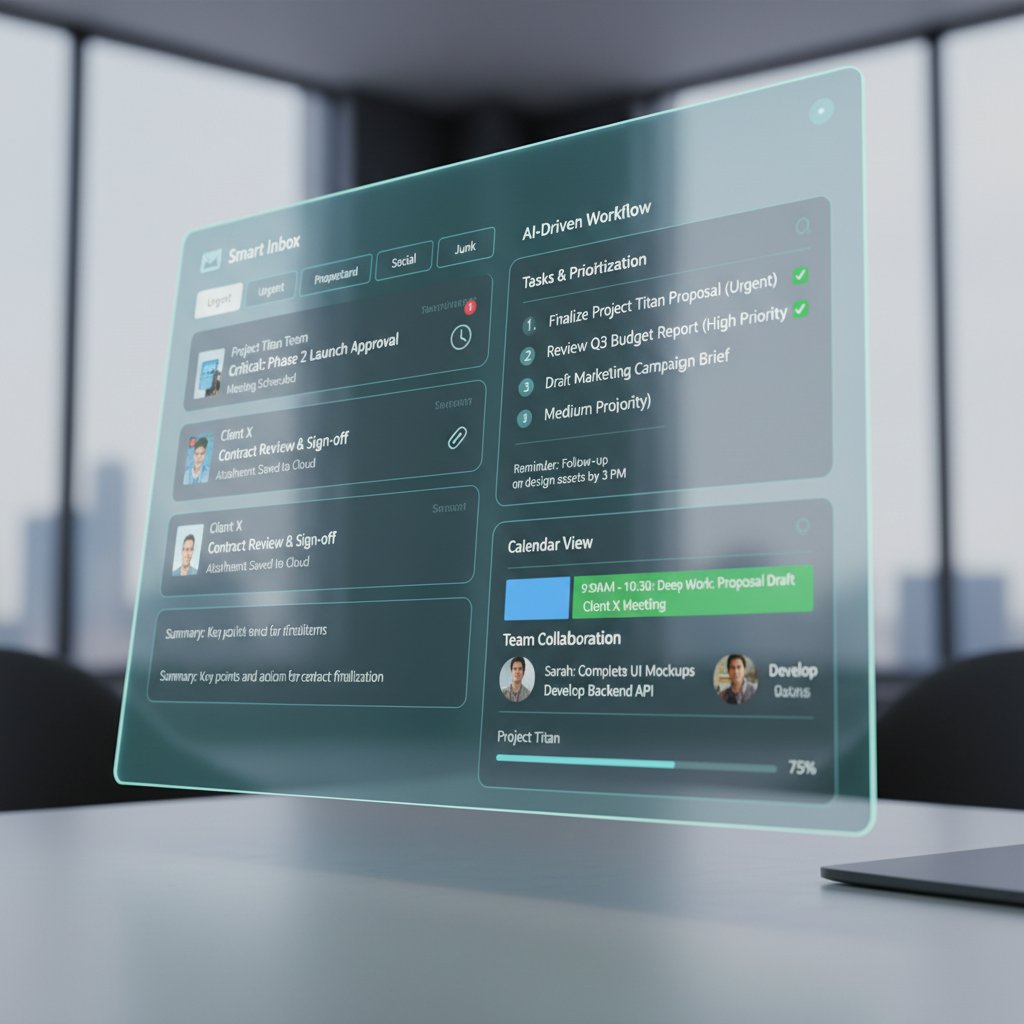
Platforms like futurecoworker.ai embody this hybrid revolution. By turning your everyday email into an intelligent workspace, they minimize friction between communication and action. You assign, approve, and track—all without leaving your inbox or learning a new interface.
The real value isn’t just in the automation; it’s in the insights. These tools highlight bottlenecks, suggest who’s overloaded, and give you X-ray vision into your team’s real capacity. It’s workflow scheduling that’s both smart and seamless—no technical barrier, just results.
Step-by-step: How to master schedule workflow fast
Quick self-assessment: Is your workflow broken?
Before you fix your schedule workflow, you need to know where the cracks are. Here’s a quick gut check:
- Are deadlines regularly slipping—without clear reasons?
- Does your team spend more time talking about work than doing it?
- Is your calendar packed with low-impact meetings or status updates?
- Do you often scramble to find the latest version of a task or document?
- Are urgent tasks eating into deep work blocks?
- Is feedback slow or inconsistent?
- Are priorities unclear, or constantly shifting?
- Is burnout or frustration a recurring theme in team check-ins?
- Do you lack visibility into who’s doing what—and when?
If you answered “yes” to more than three, your workflow isn’t just cracked—it’s hemorrhaging productivity.

The 9-step fix: From chaos to clarity
Ready to rebuild? Here’s a research-backed blueprint:
- Audit your workflow: Map every recurring task, meeting, and handoff.
- Identify bottlenecks: Use time-tracking tools or AI reports to find where work stalls.
- Clarify priorities: Adopt a method like Ivy Lee—six must-do tasks per day, ranked by impact.
- Automate admin: Use platforms that turn emails and chats into action items.
- Block deep work: Schedule focus sprints (e.g., 9–11 AM); guard them fiercely.
- Delegate and escalate: Assign tasks based on strengths, not who’s “free.”
- Sync asynchronously: Replace meetings with status updates and feedback loops.
- Schedule breaks: Automate reminders to prevent burnout—yes, even for leaders.
- Review, reflect, refine: Weekly check-ins to tweak what’s not working.
Implementing these steps isn’t a one-and-done fix. It’s a habit—a relentless pursuit of efficiency and sanity.
Common mistakes—and how to dodge them
Even the best teams stumble. Here’s what to look out for:
- Overcomplicating with too many tools: Stick to platforms that integrate, not duplicate.
- Ignoring feedback: Schedule workflow is only as good as the input you collect and act on.
- Micromanaging every detail: Trust the system, and your people.
- Skipping the post-mortem: Without regular reviews, old problems resurface.
Stay vigilant, tweak relentlessly, and remember: the goal isn’t perfection—it’s momentum.
Real-world workflow case studies: Wins, fails, and lessons
Enterprise success story: Sync or swim
A global fintech company faced chronic delays due to fragmented task tracking across email, spreadsheets, and Slack. By consolidating their workflow through an AI-powered assistant, they cut project delivery times by 25%. The team automated meeting scheduling, routed approvals instantly, and surfaced bottlenecks before they became emergencies.
| Metric | Before AI Workflow | After AI Workflow |
|---|---|---|
| Project Delivery Time | 12 weeks | 9 weeks |
| Missed Deadlines | 15% | 2% |
| Employee Burnout Score | High | Moderate |
| Client Satisfaction | 72% | 91% |
Table 4: Impact of AI-driven schedule workflow on enterprise project management.
Source: Original analysis based on [futurecoworker.ai case studies], Readlax, 2024

Scheduling disasters that made headlines
Sometimes, the best lessons come from epic fails:
- Tech company launch derailed: Manual scheduling led to overlapping workstreams—product was delayed by three months.
- Marketing agency meltdown: Overbooking caused a campaign to miss its launch window, costing a six-figure client.
- Healthcare confusion: Lack of automated scheduling for patient appointments resulted in double bookings and patient complaints.
- Finance team overload: Relying on email for task assignment led to missed compliance deadlines and regulatory fines.
"Mistakes in scheduling don’t just cost hours—they can cost reputations, clients, and sometimes, millions in lost revenue." — Paraphrased from Complex.so, 2024
What agile teams do differently
Agile isn’t just a buzzword—these teams live and breathe adaptive scheduling:
- Set clear, time-boxed sprints and review points.
- Use AI-driven scrums that identify blockers before they stall progress.
- Prefer asynchronous updates over daily standups when possible.
- Celebrate incremental wins to keep morale high.
Agile teams treat scheduling as a living system, not a static plan. They iterate, automate, and never accept chaos as inevitable.
The dark side: Burnout, surveillance, and workflow gone wrong
When automation backfires
Automation isn’t a silver bullet. Poorly configured systems can create new problems:
In some companies, automated reminders became so frequent that employees tuned them out—missing crucial deadlines. In others, rigid workflows left no room for creative detours, stifling innovation and morale.
| Failure Mode | Cause | Consequence |
|---|---|---|
| Notification fatigue | Excessive automated alerts | Missed tasks, disengagement |
| Rigid rules | Overly prescriptive flows | Lack of innovation, frustration |
| Shadow workflows | Employees bypass systems | Data gaps, accountability loss |
| Surveillance creep | Over-tracking productivity | Privacy concerns, low trust |
Table 5: Common failure modes in automated schedule workflow systems.
Source: Original analysis based on we360.ai, 2024, Complex.so, 2024
Surveillance or support? The new ethical minefield
AI-driven scheduling tools can track productivity, monitor availability, and log every move. The question is: Are they supporting employees, or watching them?
"The line between support and surveillance is razor-thin. It’s up to managers to wield these tools ethically, prioritizing trust over control." — Paraphrased from Readlax, 2024
It’s the difference between giving your team superpowers and making them feel like suspects. Transparency and clear boundaries are non-negotiable.
Safeguards and sanity checks
To keep your workflow human-centric:
- Set clear privacy policies: Define what’s tracked and why.
- Offer opt-outs: Let people disable intrusive features.
- Audit algorithms: Regularly review for bias or errors.
- Prioritize feedback: Act on concerns, not just metrics.
- Balance automation with autonomy: Don’t let the system dictate every move.
A workflow that respects people will always outperform one that just counts clicks.
Comparing top scheduling approaches: What actually works?
Manual vs. automated vs. intelligent: The showdown
| Approach | Pros | Cons | Best For |
|---|---|---|---|
| Manual | High flexibility, low tech | Time-consuming, error-prone | Small teams |
| Automated | Fast, reduces admin workload | Can be inflexible, needs setup | Growing orgs |
| Intelligent | Adaptive, proactive, data-driven | Requires buy-in, cost of adoption | Scaling teams |
Table 6: Comparing manual, automated, and intelligent scheduling for enterprise teams.
Source: Original analysis based on Complex.so, 2024, we360.ai, 2024
Manual workflows break at scale; automated ones can become brittle. Intelligent systems provide the sweet spot—agility and oversight.
Industry spotlights: Healthcare, agencies, logistics
- Healthcare: Automated appointment scheduling reduces double bookings and errors—boosting patient satisfaction and cutting admin load.
- Marketing agencies: AI-powered campaign calendars speed up delivery and adapt to real-time client feedback.
- Logistics: Intelligent dispatch systems optimize routes, minimize delays, and cut resource waste.

Feature matrix: Choosing your scheduling weapon
| Feature | Manual | Automated | Intelligent |
|---|---|---|---|
| Task Assignment | Yes | Yes | Yes |
| Conflict Detection | No | Yes | Yes |
| Priority Re-ranking | No | Limited | Yes |
| AI Insights | No | No | Yes |
| Integration w/ Email | No | Yes | Yes |
| Real-Time Adjustments | No | Limited | Yes |
| Burnout Prevention | No | No | Yes |
Table 7: Scheduling features by approach.
Source: Original analysis based on [futurecoworker.ai], Readlax, 2024
Manual and automated tools get the job done—until your needs outgrow their limits.
Workflow scheduling in the wild: Unconventional uses and smart hacks
Hidden benefits experts won’t tell you
Mastering schedule workflow unlocks more than just “efficiency”:
- Talent retention: Burnout drops when workloads are balanced—and that keeps A-players on board.
- Better innovation: Less time spent on admin means more brainpower for creative work.
- Client delight: Fast, consistent delivery builds trust and attracts new business.
- Sustainability: Automation reduces wasted resources—good for the planet, great for your budget.

Unconventional hacks from real teams
- AI-powered daily check-ins: Teams use bots to pulse-check workload and morale every morning.
- Reverse scheduling: Block time for deep work first, then fit meetings around it—never the other way.
- Rotating “focus days”: Assign one day per week as meeting-free for heads-down tasks.
- Task “gamification”: Award points for hitting workflow goals—turning productivity into a friendly competition.
These hacks aren’t just trendy—they’re proven to keep teams motivated and resilient.
How to future-proof your workflow
- Invest in integrations: Choose tools that work with your existing stack.
- Standardize playbooks: Document your scheduling processes for easy onboarding.
- Prioritize upskilling: Teach teams how to use new tools—and why it matters.
- Embrace feedback: Iterate based on what’s working (and what isn’t).
- Stay flexible: The only constant in scheduling is change.
The teams that thrive are those who treat workflow as a living system, not a static checklist.
The future of scheduling: Predictions and provocations
What’s coming next: AI, autonomy, and beyond
The next wave isn’t just more automation—it’s autonomy. Systems that self-correct, reallocate resources, and flag burnout before it hits. But the biggest shift? Scheduling that adapts to people, not the other way around.

"The future of scheduling is human-centric AI—tools that serve the people, not just the process." — Paraphrased from Clockwise, 2024
Why most teams will get workflow wrong (and how to beat them)
- Clinging to legacy tools: Old habits die hard, but they also kill progress.
- Under-investing in training: You can’t automate your way out of ignorance.
- Overlooking feedback: The best systems fail if no one’s listening.
- Ignoring burnout signals: Productivity at the expense of well-being is a losing game.
The winners? Teams who adapt, listen, and never stop optimizing.
Your 2025 action plan: Staying ahead of the chaos
- Run a workflow audit—today. Map gaps, bottlenecks, and wasted effort.
- Streamline your toolset. Cut the bloat, double down on integrations.
- Automate the repeatable. Free up time for creative, strategic work.
- Schedule sanity, not just tasks. Block breaks, deep work, and feedback time.
- Measure what matters. Track outcomes, not just hours logged.
- Foster psychological safety. Give people room to speak up.
- Iterate relentlessly. Review, tweak, and evolve your workflow weekly.

Glossary and jargon buster: Understanding schedule workflow lingo
Essential terms explained
A set of processes and tools designed to organize, prioritize, and automate the assignment and tracking of tasks within an organization.
The use of software or AI to execute routine tasks and processes with minimal human intervention, reducing error and increasing speed.
A productivity method in which periods of the day are reserved for focused work on specific tasks, minimizing distractions.
Frequently shifting between tasks or types of work, often leading to reduced productivity and increased mental fatigue.
Working together on projects or tasks without needing to be online or present at the same time—key in remote teams.
A classic productivity hack: each day, list your six most important tasks in priority order—then tackle them sequentially.
Similar but different: Workflow vs. process vs. schedule
| Term | Definition | Key Difference |
|---|---|---|
| Workflow | Series of tasks to achieve a specific outcome | Focuses on execution |
| Process | High-level steps outlining how work gets done | Focuses on the “how” |
| Schedule | Timetable for when specific tasks or meetings occur | Focuses on timing |
Table 8: Core distinctions between workflow, process, and schedule for enterprise teams.
Source: Original analysis based on [futurecoworker.ai], Complex.so, 2024
Understanding these differences helps teams choose the right approach for the results they want.
Bonus section: Adjacent topics every workflow scheduler needs to know
Integrating schedule workflow with project management
A disconnected schedule is a project killer. Here’s how to blend workflow with project management for real impact:
- Align task deadlines with project milestones—no more last-minute scrambles.
- Use AI to cross-reference tasks, dependencies, and resource allocation.
- Automate handoffs between workflow and project boards for seamless updates.

Security and privacy: What you can’t ignore
Workflow tools handle sensitive information. Don’t get complacent:
- Use platforms with end-to-end encryption.
- Restrict access to sensitive schedules or projects.
- Regularly review permissions—especially post-team changes.
- Audit data retention policies to avoid stale or risky information.
Protecting privacy isn’t just compliance—it’s trust.
Staying vigilant and proactive about security keeps your schedule workflow running smoothly and your data safe.
Cross-team collaboration: Breaking the silos
Collaboration thrives when schedules and workflows are transparent:
- Centralize communication: Use one platform for all team updates.
- Agree on priorities: Set shared goals and expectations across departments.
- Map dependencies: Visualize how one team’s work impacts another’s.
- Automate updates: Push changes in one workflow to all affected teams.
Breaking silos boosts clarity, cuts rework, and keeps everyone marching in the same direction.
Conclusion
Mastering schedule workflow isn’t about chasing the latest app—it’s about facing brutal truths, adopting next-gen hacks, and never settling for chaos as the cost of doing business. The most resilient teams blend automation, feedback, and disciplined processes to stay one step ahead. They know that intelligent scheduling is more than a tech upgrade—it’s a strategy for survival and success in a world that demands more from every minute. Embrace these lessons, leverage tools like futurecoworker.ai, and turn your schedule from a source of stress into a competitive edge. Every hour reclaimed is a victory—you just have to claim it.
Sources
References cited in this article
- we360.ai(we360.ai)
- Complex.so(complex.so)
- Readlax(readlax.com)
- Clockwise(getclockwise.com)
- Applied Innovation(appliedinnovation.com)
- Kissflow(kissflow.com)
- FlowWright(flowwright.com)
- Latamforce(latamforce.com)
- Forbes Advisor(forbes.com)
- Gallup/Flexos(flexos.work)
- Forbes Tech Council(forbes.com)
- Digital Fractal(digitalfractal.com)
- World Economic Forum(weforum.org)
- G2 Learn(learn.g2.com)
- Spiceworks(spiceworks.com)
- EL PAÍS English(english.elpais.com)
- Entrepreneur(entrepreneur.com)
- Forbes(forbes.com)
- Integranxt(integranxt.com)
- Appian(appian.com)
- TechTarget(techtarget.com)
- IBM(ibm.com)
- Evolution.ai(evolution.ai)
- Cordoniq(cordoniq.com)
- Stackby(stackby.com)
- TryMorph(trymorph.com)
- ProjectManagementScope(projectmanagementscope.com)
- INSEAD(insead.edu)
- OfficeRnD(officernd.com)
- Advsyscon(advsyscon.com)
- Calendar.com(calendar.com)
- Toggl Blog(toggl.com)
- LinkedIn(linkedin.com)
- Digital Project Manager(thedigitalprojectmanager.com)
- Orq.ai(orq.ai)
- Kissflow(kissflow.com)
- Research.com(research.com)
- MDPI/Axioms(mdpi.com)
- Shyftplan(shyftplan.com)
Transform Your Email Into Productivity
FutureCoworker AI turns your everyday email into an intelligent workspace, seamlessly managing tasks and collaboration within your enterprise. It eliminates the complexity of AI, allowing you to benefit from advanced technology without any technical knowledge. Achieve productivity, streamline processes, and improve team efficiency through natural email interaction, getting tasks done faster and smarter.
Get startedReady to Transform Your Email?
Start automating your tasks and boost productivity today
Frequently Asked Questions
What percentage of organizations are moving to intelligent automation for scheduling by 2025?
According to the article, 80% of organizations are pivoting to intelligent automation by 2025, driven by the unsustainability of current overhead and revenue losses.
What are the main hidden costs of poor schedule workflow?
The article identifies five key hidden costs: time waste from rescheduling, admin burnout from constant micromanagement, opportunity costs when high-value work is sidelined by firefighting, errors and duplicates from manual entry, and miscommunication leading to accountability lapses.
How does poor scheduling affect employees beyond missed deadlines?
Poor scheduling creates a domino effect that includes employee burnout, eroded trust, and declining morale—indirect costs that are harder to quantify and fix compared to direct impacts like delayed projects and overtime.
Is this guide focused only on time management techniques?
No, the article emphasizes that schedule workflow mastery is about 'survival,' not just time management—it encompasses managing the broader impacts of meetings, notifications, and urgent tasks on organizational health and employee well-being.
Continue Reading
Keep exploring Intelligent enterprise teammate

Workflow Scheduling: Preventing Chaos and Burnout at Scale
Workflow scheduling prevents project overruns and workforce burnout. This article explains the real costs of poor scheduling and the tactics that protect team capacity.

How Intelligent Task Scheduling Is Reshaping Modern Work
Schedule tasks intelligently with AI automation to reduce workplace stress. This article examines how intelligent scheduling shapes productivity, burnout, and control at work.

Help with Calendar Chaos: Why Conventional Fixes Fail
Help with calendar chaos reduces burnout and restores focus. This article explains why conventional calendar fixes fail and presents research-backed strategies for better schedule management.

Workflow Scheduler: Why Teams Struggle and What Changes It
Workflow scheduler adoption often masks hidden costs and productivity myths. This article examines why chaos persists, exposes stubborn misconceptions, and outlines tactics top teams use.

Task Scheduling Is Broken: the New Rules of Productivity in 2026
Discover insights about task scheduling

Schedule Management: Why Most Systems Fail Ambitious Teams
Schedule management isn't just organizing tasks. This article explains nine hidden forces behind burnout, exposes flawed productivity myths, and provides actionable frameworks for real efficiency.


