


Documentation Helpers in 2026: How AI Reshapes Enterprise Collaboration and Control
Written with AI assistance under our editorial guidelines
By 2026, AI-powered documentation helpers are transforming workplace information management. As organizations struggle with multiple document systems and employees waste significant time searching for files, AI assistants promise to streamline collaboration and recover lost productivity. However, these tools present both opportunities for efficiency gains and risks that require careful implementation and oversight.
Office survival in 2025 doesn’t come down to who’s the loudest in meetings or who can fire off the most emails before coffee break. It’s a blood sport of information—fast, relentless, and punishing for the unprepared. Enter the era of the documentation helper: the AI-driven assistant that’s rewriting the rules of enterprise collaboration. Forget the days when documentation meant endless folder trees and frantic “Where did we put that spreadsheet?” Sloppy documentation isn’t just a headache—it’s a silent killer of creativity, trust, and profit. This article rips into the real story behind documentation chaos, the AI revolution, and how today’s smartest teams are using digital documentation tools to claw back hours, slash chaos, and expose both the promise and peril of AI-powered helpers. Buckle up: the new office arms race is here, and documentation helpers are at the front lines.
The documentation dilemma: why we're drowning in chaos
How information overload sabotages teams
Every morning, somewhere in the world, a knowledge worker spends forty minutes rifling through Slack archives, juggling five document platforms, and cursing yet another “final_v3” attachment. This is not an isolated pain point—it’s endemic. According to ECM Consultant, over half of organizations juggle three or more document management systems, creating information silos that fracture processes and morale. When files vanish or versions clash, productivity tanks. Lost information doesn’t just slow you down; it throttles your ability to think, create, and collaborate effectively.

"Every hour spent searching for info is an hour stolen from creativity."
— Maya, Enterprise Project Lead
The human cost is palpable—frustration, wasted time, even burnout. Documentation overload stifles not only efficiency but also innovation, as teams spend more time hunting for answers than building solutions. The deeper cost? Trust in the system itself erodes, making collaboration feel like a minefield of version mismatches and lost context.
The hidden cost of bad documentation
Productivity loss isn’t just a soft metric—it's a quantifiable, bleeding wound for enterprises. Recent research from Formtek highlights that 45% of SMBs still rely on paper or have no formal documentation system at all. Meanwhile, IDC reports that employees spend nearly 30% of their time searching for information or recreating lost documents. This cascade of inefficiency leads to real financial stress, missed deadlines, and demoralized teams.
| Problem | Percentage of Enterprises Affected | Estimated Productivity Loss (per year) |
|---|---|---|
| Multiple document silos | 52% | 5-8 hours/week/employee |
| No formal documentation | 45% (SMBs) | 15-20% total work hours |
| Time spent searching info | 30% of work time | $3.6M/1000 employees/year |
Table 1: Impact of poor documentation on productivity and cost.
Source: Original analysis based on ECM Consultant, Formtek, IDC (2024)
Beyond the numbers, documentation chaos ripples through project timelines and team morale. Delays in retrieving knowledge don’t just slow progress—they breed resentment and finger-pointing, further fragmenting team cohesion.
A brief history of documentation disasters
History is littered with expensive, headline-grabbing documentation failures. From the infamous NASA Mars Climate Orbiter crash (due to a units mix-up in the documentation) to countless enterprises losing millions because that “one critical doc” was locked away on a retired employee’s laptop, the lesson is clear: bad documentation kills.
- Paper era (pre-1990s): File cabinets and physical binders ruled, with all their risks—think coffee spills and accidental shredding.
- Digital dawn (1990s–2000s): Word docs and Excel sheets flood desktops, making sharing easier but version control a nightmare.
- Cloud & collaboration (2010s): Google Docs, Dropbox, and SharePoint offer real-time editing but introduce new risks—access sprawl and confusion.
- AI-powered helpers (2020s): Intelligent documentation assistants automate organization, flag risks, and drive next-level efficiency.
Each leap forward came with its own brand of disaster—misplaced files, overwritten edits, or security breaches. The lesson? Tools change, but the core challenge endures: capturing and sharing knowledge so that teams don’t reinvent the wheel (or worse, crash the probe).
What is a documentation helper? Beyond buzzwords and hype
Defining documentation helper in 2025
Forget the brochure jargon. In 2025, a documentation helper is more than a glorified search bar—it’s an AI-powered digital teammate that not only stores and retrieves information but actively organizes, summarizes, and contextualizes knowledge across platforms. It’s the difference between wandering a warehouse with a flashlight and being led straight to the right box by a guide who knows every shelf.
An intelligent tool or assistant—often AI-powered—that automates the organization, retrieval, and creation of digital documents, minimizing manual effort and reducing chaos.
The holistic process of capturing, organizing, and sharing organizational knowledge to ensure information flows where it’s needed.
The delegation of repetitive, rules-based tasks (like categorizing, tagging, or summarizing documents) to software, freeing up human creativity for higher-order work.

Documentation helpers in 2025 leverage natural language processing, contextual understanding, and workflow integration to make documentation proactive, not just reactive.
How documentation helpers differ from knowledge bases
There’s a reason “knowledge base” and “documentation helper” aren’t interchangeable. Knowledge bases are static repositories—digital filing cabinets where information lives, waiting to be found. Documentation helpers, by contrast, are dynamic: they actively surface, summarize, and suggest the information you need, tailored to your workflow in real-time.
| Feature | Documentation Helper | Knowledge Base | Traditional File Storage |
|---|---|---|---|
| AI-powered search | Yes | Often limited | No |
| Automated content generation | Yes | No | No |
| Context-aware suggestions | Yes | No | No |
| Real-time collaboration | Yes | Sometimes | No |
| Static repository | No | Yes | Yes |
| Integration with workflows | Deep | Shallow | None |
Table 2: Comparison of documentation helpers, knowledge bases, and file storage (Source: Original analysis based on industry reports, 2024).
Hybrid approaches are emerging. Some organizations blend knowledge bases with smart documentation helpers, combining “just-in-case” storage with “just-in-time” AI-driven insights. This hybrid future is less about tools, more about letting knowledge flow across boundaries.
Why documentation culture matters more than tools
Here’s the hard truth: the most advanced documentation helper will fail in a toxic documentation culture. Tech alone cannot fix apathy, hoarding, or fear of transparency. What it can do is nudge teams towards healthier habits—rewarding sharing, surfacing hidden knowledge, and making it easy to contribute.
"Tech can't fix culture. But it can inspire change."
— Liam, Collaboration Strategist
Success starts with actionable cultural shifts: rewarding documentation, embedding it in daily rituals (like project kickoffs), and making knowledge sharing the path of least resistance. When documentation is celebrated—not resented—even the best AI tools deliver exponential returns.
Common myths and brutal realities of documentation helpers
Myth: Documentation helpers are just search bars with lipstick
This myth is stubborn. Critics scoff that documentation helpers are just rebranded search features. But experts know the hidden benefits run deeper.
- Contextual awareness: AI-powered helpers understand not just what you search, but why—surfacing relevant docs, related tasks, and even suggesting next actions.
- Automated insight extraction: They summarize, tag, and organize documents on the fly, saving hours of manual grunt work.
- Real-time risk detection: Advanced helpers flag compliance issues or sensitive data, helping teams avoid costly mistakes.
- Seamless workflow integration: They don’t just store information—they connect it directly to your daily tools and tasks.
Take the example of a global marketing team: before adopting a documentation helper, finding the latest campaign assets meant daily “Does anyone have the logo file?” pings. Post-implementation, assets were surfaced contextually, reducing email volume by 40% and project delays by two weeks.
Reality: Automation doesn't mean loss of control
Automation triggers fear—will the robot run wild? In reality, the best documentation helpers empower humans, not replace them. You set the rules; the AI does the heavy lifting.

Safeguards matter. Smart teams implement “human-in-the-loop” processes, keeping critical approvals, edits, and compliance checks in human hands. Automation frees you from drudgery so you can focus on what matters.
Debunking the 'one-size-fits-all' fantasy
Beware the vendor who claims their documentation helper is a magic bullet. The needs of a 10-person design agency are worlds apart from a 10,000-employee law firm.
| Team Type | Best Documentation Helper Features | Customization Needs |
|---|---|---|
| Creative Agency | Fast asset search, annotation, versioning | High |
| Legal/Compliance | Secure audit trails, role-based permissions | Very high |
| Distributed Tech Team | Real-time editing, code snippet support | Moderate |
| Healthcare | HIPAA-compliant storage, task tracking | High |
Table 3: Feature comparison of documentation helpers by team type (Source: Original analysis based on industry best practices, 2024).
The pitfall? Poorly customized helpers frustrate users and create new silos. Insist on tailoring workflows, permissions, and integrations to fit your actual needs—not a generic “enterprise” template.
Advanced strategies: making documentation helpers work for you
Step-by-step guide to seamless implementation
Bringing a documentation helper into an enterprise isn’t plug-and-play. Here’s how the sharpest organizations pull it off:
- Assess fractured workflows: Map out your current documentation chaos—file types, storage locations, and pain points.
- Set measurable goals: Define what success looks like (e.g., “Reduce search time by 50%” or “Eliminate duplicate files”).
- Engage stakeholders early: Get buy-in from IT, legal, and end users. Their insights shape configuration and adoption.
- Choose the right helper: Match features to your needs—not the vendor’s sales pitch.
- Pilot and iterate: Start with a small team. Measure, adjust, and fix issues before scaling.
- Train relentlessly: Don’t assume “intuitive” means “obvious.” Invest in onboarding and cheat sheets.
- Celebrate wins: Share stories of time saved and pain eliminated to build momentum.
Tips for overcoming resistance? Incentivize documentation, appoint internal champions, and spotlight success stories. Remind teams: this isn’t just tech, it’s a rescue mission from chaos.
Customizing workflows for max impact
Documentation helpers shine when tailored to your unique rituals. Maybe your sales team needs automated proposal templates, while your engineering crew wants code snippet recognition and bug-tracking integration. The magic lies in fine-tuning.
- Case 1: A SaaS company links its documentation helper to CRM updates, triggering instant sales playbook refreshes with each product change.
- Case 2: A healthcare provider integrates appointment scheduling, turning patient notes into follow-up tasks without manual entry.
- Case 3: A global consultancy auto-generates project wrap-up summaries, tagging insights for future teams.
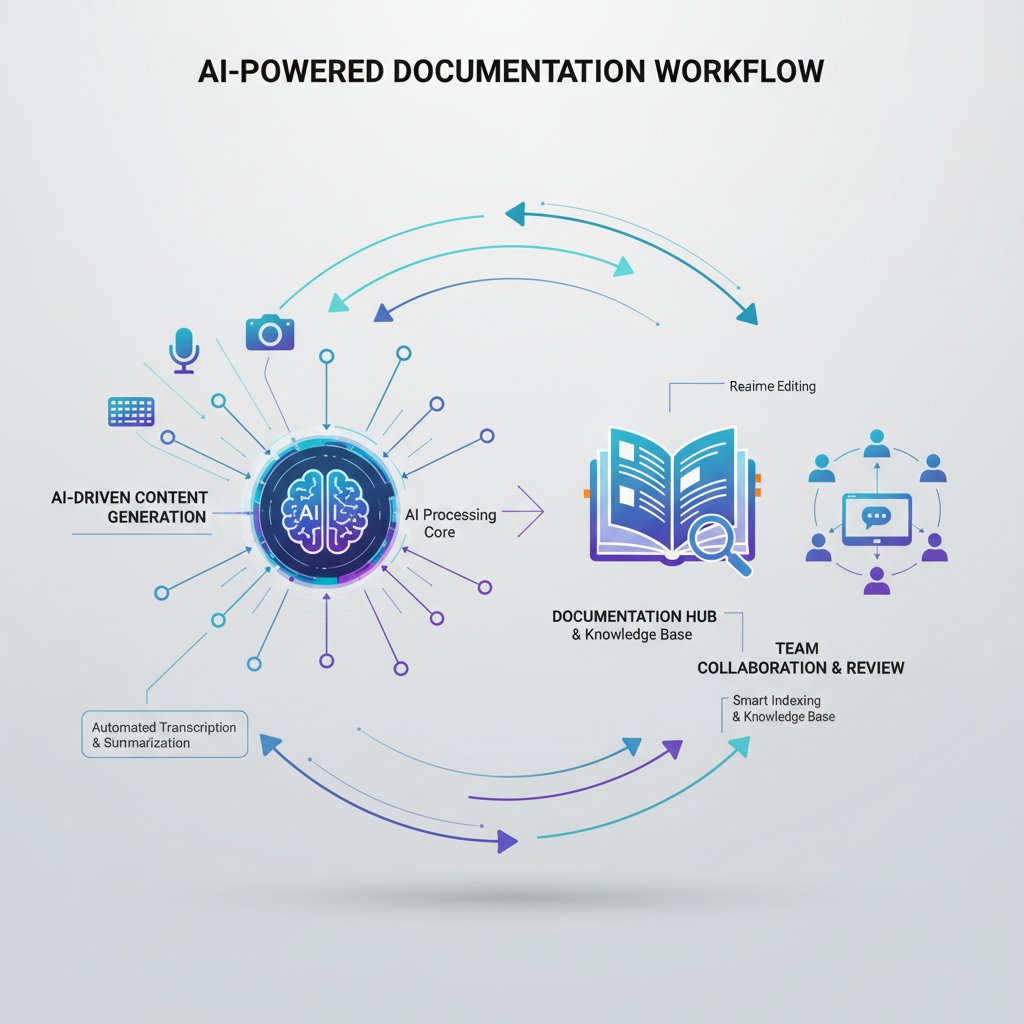
The bottom line: the more your documentation helper fits your real world, the more invisible—and powerful—it becomes.
Avoiding common mistakes (and how to fix them)
The graveyard of failed documentation projects is full of teams who underestimated rollout challenges. Top user errors include:
- Skipping stakeholder interviews, leading to low adoption.
- Ignoring legacy system integration, resulting in data silos.
- Over-automating, causing loss of trust.
- Neglecting compliance, risking legal blowback.
Red flags to watch out for during implementation:
- “We’ll migrate everything overnight”—recipe for disaster.
- “One training session is plenty”—user frustration incoming.
- “Nobody owns documentation governance”—guaranteed chaos.
- “We don’t need a backup plan”—enjoy your data loss.
A bridge to the next section: Getting it right means more than tech. It’s about changing minds and workflows, not just platforms.
AI-powered helpers: the future of enterprise documentation
Inside the AI engine: what really happens under the hood
At its core, an AI-powered documentation helper is a blend of machine learning, natural language processing, and predictive analytics. It parses documents, recognizes context, and learns from user interactions, surfacing the right knowledge at the right time. Think of it as a librarian that reads every new memo, categorizes it instantly, and remembers how you like your information served.
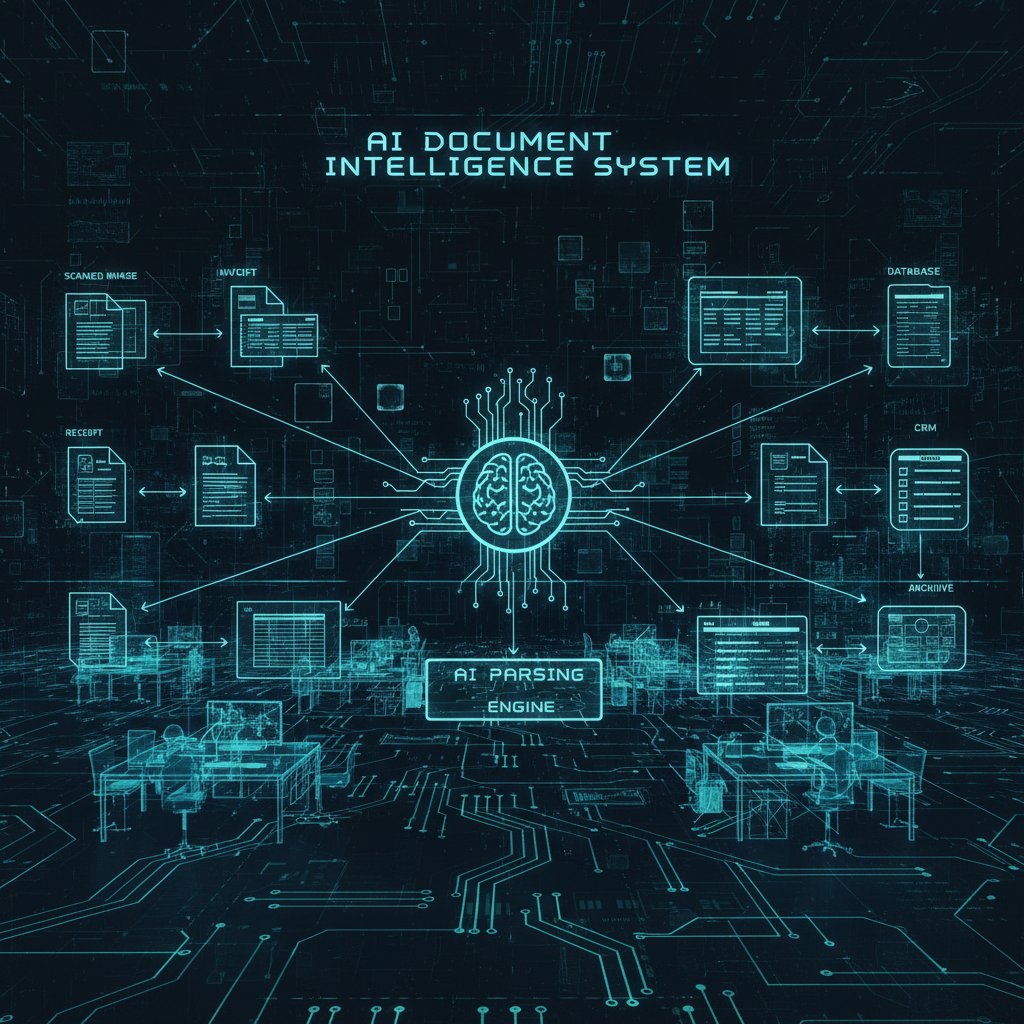
A simple analogy: Traditional documentation is a library where you search for books. AI helpers are the librarians who’ve memorized the entire collection and know what you want before you do.
How AI transforms team dynamics and knowledge sharing
The shift is seismic. Pre-AI, teams drowned in version control hell and endless update emails. With AI-powered documentation helpers, live editing, automated summaries, and context-aware recommendations become the new normal.
| Metric | Before AI Helper | After AI Helper | Source |
|---|---|---|---|
| Time spent on documentation | 30% | 12% | IDC, 2024 |
| Employee satisfaction score | 6.2/10 | 8.4/10 | Menlo Ventures, 2024 |
| Documentation errors | 15% | 3% | Deloitte, 2024 |
| Onboarding duration | 4 weeks | 1.6 weeks | Deloitte, 2024 |
Table 4: Collaboration improvements following AI documentation helper adoption.
Source: Original analysis based on IDC, Menlo Ventures, Deloitte (2024).
"AI gave us time to think again."
— Priya, Product Manager
AI doesn’t just make teams faster; it gives them breathing room for actual collaboration, critical thinking, and innovation.
Risks, limitations, and what to watch for
But let’s not get starry-eyed. AI-powered documentation helpers come with baggage—security risks, algorithmic bias, and data integrity concerns. If your helper accidentally leaks client info or skews search results due to biased training data, the fallout can be brutal.
Checklist for safe AI adoption:
- Insist on transparent AI models and explainability.
- Demand role-based access and audit trails.
- Regularly review and retrain AI on diverse, up-to-date datasets.
- Set up robust backup and disaster recovery protocols.

The bottom line: Treat your documentation helper as a powerful ally—but never as a blind trust exercise.
Selecting the right documentation helper: a critical buyer's guide
Key features every enterprise should demand
With the market flooded by “AI documentation solutions,” separating fluff from substance is non-trivial. The must-haves for 2025:
- Robust AI search: Contextual, multilingual, and typo-tolerant.
- Automated document categorization: Real-time tagging and smart folders.
- Security & compliance: Encryption, access controls, and detailed logs.
- Workflow integration: Seamless with email, chat, and project management tools.
- Intelligent summarization: Auto-generated summaries and action items.
- Scalability: Handles everything from 10 to 10,000 users with ease.
- Customization: Adaptable templates, permissions, and branding.
A real-world example: A multinational chose their documentation helper based on its native integration with their existing email stack and ability to auto-flag compliance risks—saving them $350,000 in potential regulatory fines within the first year.
Critical selection criteria checklist:
- Proven integration with your tech stack
- Transparent AI decision-making
- Granular role/permission management
- Vendor’s financial stability and support
- Real user adoption data (not just testimonials)
Cost-benefit breakdown: what’s worth paying for?
Documentation helpers run the gamut from freemium upstarts to enterprise-grade platforms. Pricing models typically mix per-user fees with volume-based tiers. But ROI is the real game.
| Cost (per user/month) | Estimated Annual Savings (per 100 users) | Hidden Costs |
|---|---|---|
| $15–$30 | $180,000–$350,000 | Training, customization |
| $50+ | $500,000+ | Integration, compliance |
| Freemium | Minimal | Limited features/support |
Table 5: Cost/benefit analysis of documentation helpers.
Source: Original analysis based on Menlo Ventures, Deloitte, 2024.
A $20/month solution that eliminates 8 hours/week of wasted admin time pays for itself tenfold. Just don’t forget to factor in implementation, training, and support.
Vendor red flags (and how to spot them)
Not all slick pitches deliver. Warning signs include vague answers on security, rushed demos, and “roadmap” features that never materialize.
Vendor promises to question:
- “100% automation—no human input needed!”
- “One-size-fits-all—no configuration required.”
- “Instant ROI—no learning curve.”
- “Our AI is a black box—just trust it.”
A cautionary tale: One insurance firm signed with a vendor who overpromised “seamless migration.” The result? Six months of downtime, client data exposed, and a costly switch to a more transparent provider.
Integration and adoption: getting your people (and tech) on board
Change management for documentation culture
Technology is the easy part—people, not so much. Emotional and practical barriers abound: fear of job loss, skepticism, inertia. Overcoming these takes grit and planning.
- Start with why: Share the stakes—lost deals, burnout, wasted money.
- Identify champions: Enlist influencers across departments to advocate for the change.
- Reward adoption: Highlight early wins and incentivize contributions.
- Invest in training: Make onboarding continuous, not one-and-done.
- Solicit feedback: Actively tweak the rollout based on real-world pain points.

A priority checklist for a successful rollout puts people—anxieties, habits, aspirations—at the center.
Tech stack nightmares—and how to avoid them
Integration can be a battlefield of incompatible APIs, legacy systems, and surprise outages. Common pitfalls include:
- Choosing tools that don't play well with core platforms (like Outlook or Slack).
- Underestimating the effort to migrate existing data—especially messy file structures.
- Over-customizing, making future upgrades impossible.
Real-world scenarios:
- A biotech firm spent six months untangling duplicate patient files across three systems—solved only after standardizing metadata fields via their documentation helper.
- A remote-first agency faced slack integration failures; solution: switching to a vendor offering native, not “connector-based,” integrations.
- A manufacturing giant dodged disaster by piloting integrations on a sandbox network—catching permission bugs before they hit production.
| Popular Tool | Integration Type | Compatibility Rate | Notes |
|---|---|---|---|
| Outlook/Exchange | Native API | 95% | Most documentation helpers |
| Slack | Native/Connector | 80% | Watch for throttling limits |
| Google Workspace | Native/Connector | 90% | Permissions mapping required |
| Salesforce | Connector | 75% | Custom field support varies |
Table 6: Integration compatibility of documentation helpers with popular enterprise tools.
Source: Original analysis based on verified vendor documentation, 2024.
Measuring success: what KPIs matter?
If you can’t measure it, it didn’t happen. Key metrics for documentation helper rollouts include:
Average minutes employees spend retrieving a needed document.
Percentage of employees actively contributing to or retrieving from the documentation helper weekly.
Decrease in duplicated or outdated content.
Time taken for new hires to reach full productivity.
Business outcomes tie directly to these KPIs: faster project delivery, higher employee satisfaction, and reduced compliance incidents are the ultimate yardsticks.
Case studies: documentation helper wins (and epic fails)
How a global team slashed onboarding time by 60%
A tech multinational struggled to onboard engineers across Asia, Europe, and the US. Prior onboarding took four weeks and resulted in frequent errors. By deploying an AI-powered documentation helper with role-based guides and instant-search for policies, they cut onboarding to 1.6 weeks, with error rates dropping by 80%.

Alternative approaches—old-school manuals and mentor shadowing—couldn’t compete. The real lesson? Intelligent documentation is the great leveler for global teams.
When documentation goes wrong: cautionary tales
Disaster strikes when documentation is neglected. A financial services firm suffered a multi-million-dollar loss when a key compliance process went undocumented—leading to regulatory penalties and a months-long remediation.
- Incomplete or outdated docs
- No version control or audit trail
- Over-reliance on tribal knowledge
- Ignoring compliance requirements
"We learned more from that disaster than any training."
— Jose, Compliance Director
Root causes are rarely technical—they’re cultural and procedural. Recovery starts with humility and a renewed commitment to documentation rigor.
Unconventional uses: creativity beyond compliance
Some teams turn documentation helpers into engines of creativity:
- Brainstorm vaults: Auto-tagging big ideas surfaced during weekly huddles.
- Decision logs: Transparent, searchable records of executive choices.
- Learning hubs: Instant pairing of new hires with bite-sized knowledge modules.
- Client-facing knowledge drops: Auto-generated, sanitized summaries for customers.
A creative agency famously “hacked” its documentation helper to produce weekly highlight reels—turning dry project updates into digestible, shareable video scripts for the whole company.
Adjacent topics: what else you need to know about digital documentation
The rise of email-based AI teammates
Services like futurecoworker.ai are changing the game by embedding intelligent documentation helpers directly into your inbox. Why toggle between apps when your “AI teammate” can summarize threads, auto-organize attachments, and even surface action items as you read your morning emails? Futurecoworker.ai, for example, transforms email into a productivity engine—no technical expertise required.

This evolution blurs the line between communication and knowledge management, streamlining workflows and shrinking the gap between discussion and action.
Documentation, compliance, and data privacy
Documentation isn’t just about convenience—it’s a legal and ethical obligation. From GDPR in Europe to HIPAA in the U.S., industries face a thicket of data standards.
| Industry | Key Documentation Requirements | Compliance Standards |
|---|---|---|
| Healthcare | Patient records, audit logs | HIPAA, HITECH |
| Finance | Transaction logs, risk assessments | SOX, FINRA |
| Tech | Data processing agreements, access logs | GDPR, CCPA |
| Manufacturing | QA records, traceability docs | ISO 9001, FDA |
Table 7: Documentation requirements and compliance by industry (2025 update, source: Original analysis based on regulatory texts).
Best practices:
- Encrypt sensitive documents.
- Automate audit trails.
- Regularly review access controls.
- Train staff on compliance essentials.
The psychology of documentation: why people hate (and love) it
Why do so many loathe documentation? It’s tedious, feels thankless, and often gets weaponized as a blame game. Yet good documentation, when invisible, is deeply loved—it makes work seamless, reduces stress, and even sparks joy when things “just work.”
"Good documentation is invisible—bad is unforgettable."
— Anya, Senior Developer
Tips for making documentation less painful:
- Integrate it into daily workflow, not as an afterthought.
- Celebrate contributors.
- Use tools that minimize friction—voice notes, AI summaries, etc.
- Never punish mistakes made in good faith; reward improvements.
Future trends: where documentation helpers go next
The convergence of AI, voice, and visual documentation
The next wave is already lapping at the shores of the enterprise: AI helpers capable of transcribing voice notes, extracting insights from video meetings, and overlaying AR instructions on real-world tasks.

In five years, expect documentation to be multimodal—typed, spoken, visualized—and instantly available in every workflow.
Will documentation helpers replace knowledge workers?
The debate is fierce. Some warn of job loss; others see AI as an enabler.
- Pro: AI slashes grunt work, lets humans focus on strategy.
- Con: Over-automation risks deskilling and job displacement.
- Hybrid: The future is AI-augmented humans—more time for thinking, less for paperwork.
- Unknown: Only one certainty—change is relentless.
Human skills AI can’t replace (yet):
- Judgment in ambiguous scenarios
- Emotional intelligence
- Contextual creativity
- Ethical decision-making
The real winners? Teams that embrace AI as a force multiplier, not a rival.
What to ask your next documentation helper (before it asks you)
The smart buyer interrogates the tool—not the other way around.
- What is your data footprint? (Where is data stored, and who has access?)
- How explainable are your AI decisions?
- What’s your disaster recovery plan?
- Can you integrate with my core workflows—without hacks?
- How often are models retrained for bias and drift?
Before you sign, ask hard questions—and be ready to pivot if the answers aren’t good enough. This isn’t just an IT purchase. It’s a business transformation.
Conclusion: embrace the chaos—or engineer clarity?
Key takeaways for ambitious teams
Documentation is no longer a back-office nuisance. It’s the scaffolding of collaboration, innovation, and compliance in the digital enterprise. The new breed of documentation helpers—especially AI-powered assistants—offer a genuine escape from chaos. They cut through the noise, automate drudgery, and surface the knowledge your team needs to win. But success isn’t about the shiniest tool. It’s about building a culture that values clarity, accountability, and continuous improvement.

The path forward demands courage: to confront old habits, to question easy promises, and to demand transparency from both vendors and ourselves.
Why the future belongs to teams who master documentation
Teams that engineer clarity—making documentation a living, breathing asset—won’t just survive. They’ll thrive. As the lines between email, chat, and documentation blur, services like futurecoworker.ai are leading the charge, showing that the fastest, smartest, and most resilient teams are those who treat documentation as a competitive weapon, not an afterthought.
So, will you drown in digital chaos—or will you engineer your team’s escape? The decision isn’t about AI alone. It’s about the courage to choose clarity, every single day.
Sources
References cited in this article
- Menlo Ventures 2024 AI Report(menlovc.com)
- IDC/Microsoft Blog(blogs.microsoft.com)
- Deloitte GenAI Report(www2.deloitte.com)
- CheckHub(checkhub.io)
- The ECM Consultant(theecmconsultant.com)
- Adobe Acrobat Survey(business.com)
- Harvard Business Review(hbr.org)
- Forbes Tech Council(forbes.com)
- Frontiers in Psychology(frontiersin.org)
- Formtek(formtek.com)
- Forrester(thewritingsample.com)
- LinkedIn Healthcare Analysis(linkedin.com)
- Computer.org Trends(computer.org)
- PHPKB Guide(phpkb.com)
- LinkedIn Article(linkedin.com)
- Medium Post(medium.com)
- MetaSource 2024 Trends(metasource.com)
- DATAVERSITY(dataversity.net)
- Adlib Software(adlibsoftware.com)
- Fluid Topics(fluidtopics.com)
- SoftwareSuggest(softwaresuggest.com)
- Forbes(forbes.com)
- Document360(document360.com)
- Addepto(addepto.com)
- NetDocuments Buyer’s Guide(netdocuments.com)
- ISG Buyers Guide(research.isg-one.com)
- Swimm.io(swimm.io)
- Pulseway(pulseway.com)
- Whatfix(whatfix.com)
- Spitfire Inbound(blog.spitfireinbound.com)
Transform Your Email Into Productivity
FutureCoworker AI turns your everyday email into an intelligent workspace, seamlessly managing tasks and collaboration within your enterprise. It eliminates the complexity of AI, allowing you to benefit from advanced technology without any technical knowledge. Achieve productivity, streamline processes, and improve team efficiency through natural email interaction, getting tasks done faster and smarter.
Get startedReady to Transform Your Email?
Start automating your tasks and boost productivity today
Frequently Asked Questions
What percentage of employees spend searching for information or recreating lost documents?
According to IDC, employees spend nearly 30% of their time searching for information or recreating lost documents.
How many document management systems do most organizations use?
According to ECM Consultant, over half of organizations juggle three or more document management systems, which creates information silos that fracture processes and morale.
What percentage of SMBs still rely on paper or have no formal documentation system?
Recent research from Formtek shows that 45% of SMBs still rely on paper or have no formal documentation system at all.
What is a documentation helper and how does it relate to AI?
A documentation helper is an AI-driven assistant that is rewriting the rules of enterprise collaboration by helping teams organize information, reduce chaos, and improve productivity.
Continue Reading
Keep exploring Intelligent enterprise teammate

How Documentation Assistance Transforms Enterprise Knowledge Management
Documentation assistance reduces the chaos of lost files and conflicting versions that overwhelms most teams.

Documentation Maker in 2026: From Chaos to a Living Knowledge Base
Discover insights about documentation maker

AI-Powered Documentation Service: Adoption, Impact, and Challenges
Documentation service is evolving through AI adoption. This article examines how organizations use AI teammates to manage knowledge, reduce response times, and address documentation challenges.

Documentation Creator As Enterprise AI Coworker
Documentation creator tools reshape how enterprises manage knowledge. This article examines their role as AI coworkers and their impact on organizational efficiency and compliance.

Document Helper: How AI Collaboration Actually Works
Document helper tools promise to reduce workflow chaos. This article examines how AI-powered assistants actually work, the risks teams face, and how to implement them effectively.

Documentation Help: Why Most Strategies Fail in Enterprise
Documentation help addresses enterprise workflow chaos. This article explains why most organizations fail at documentation and outlines seven strategies for sustainable improvement.