


Documentation Designer: the Role Preventing Million‑dollar Mistakes
Written with AI assistance under our editorial guidelines
A documentation designer organizes and systemizes how companies create, manage, and access their information. By preventing chaos in file systems and reducing time spent searching for documents, this role saves organizations millions annually. Poor documentation costs US businesses over eight billion dollars yearly in wasted time and resources.
When chaos erupts in the enterprise, it rarely starts with a server crash or a missed deadline. It starts with something far subtler—documentation gone feral. If you’ve ever spent hours hunting for a single file, rewritten the same spec for the third time, or felt that surge of panic as legal asks for proof you can’t produce, you already know: documentation is the silent backbone of the corporate world. Yet, most organizations treat it as an afterthought. Enter the documentation designer—part architect, part therapist, part rebel—wielding the power to drag your company from the brink of information collapse. This is a deep dive into why documentation design is the linchpin of enterprise survival, how ignorance is costing you millions, and what edge-cutting professionals are doing to future-proof their workflow. Buckle up. The truth about documentation design isn’t just uncomfortable—it’s transformative.
Why documentation chaos is killing your company
The unseen cost of bad documentation
Every minute spent searching for a missing document is a dollar slipping down the drain. According to a 2023 report by Adobe Acrobat, 48% of employees admit they struggle to find documents quickly, while 47% find filing systems so confusing that they routinely give up and start anew. The result? An estimated 4+ hours wasted per week per employee just searching for documents—time that could have powered innovation, solved client problems, or even just given someone a real lunch break. The financial hemorrhage is even starker: US businesses waste upwards of $8 billion annually managing paper documents alone (Armstrong Archives, 2024). Digital disarray isn’t cheap either; 91% of organizations report wasteful cloud spending, often due to neglected or poorly organized document management resources.

Let’s break down the carnage:
| Pain Point | Statistic (% or Value) | Source/Year |
|---|---|---|
| Struggle to find documents | 48% of employees | Adobe Acrobat, 2023 |
| Find filing systems confusing | 47% of employees | Adobe Acrobat, 2023 |
| Duplicate doc creation | 64% of workers | Adobe Acrobat, 2023 |
| Employee time wasted searching | 4+ hours/week | Adobe Acrobat, 2023 |
| Paper document cost (US biz) | $8 billion/year | Armstrong Archives, 2024 |
| Org. face app integration woes | 80-90% | MuleSoft, 2023 |
| Time lost to manual file sharing | up to 80% | Whale.io, 2024 |
Table 1: The staggering hidden costs of documentation chaos in the enterprise. Source: Adobe Acrobat, 2023, [Armstrong Archives, 2024], [MuleSoft, 2023], [Whale.io, 2024]
"You never realize what you lose until someone asks you for it." — Maya, documentation architect
Enterprise horror stories: when documentation fails
It’s not hyperbole—documentation meltdowns have destroyed companies. Take the infamous case where a global retailer’s compliance audit failed because years of process documentation were scattered, contradictory, or missing. Fines ran into the millions, but the real damage was reputational: clients lost trust, and top talent jumped ship. In healthcare, 20% of medical malpractice cases in the US are linked directly to documentation failures (Harvard RMF, 2024)—missing patient notes, outdated treatment protocols, lost consent forms.
It doesn’t end there. In finance, teams have watched deals vaporize when no one could find the due diligence documents. In tech, product launches stumble when dev teams work from conflicting specs, and in marketing, campaigns stall entirely because content calendars vanish into the ether. These aren’t outlier stories. They’re daily reality for any enterprise that fails to treat documentation as a first-class citizen.
Red flags that documentation trouble is brewing:
- Teams relying on “that one person” who “knows where stuff is”
- Multiple versions of the same document floating on drives, email, cloud
- Audits and onboarding dragging on for weeks due to missing materials
- Rushed updates made without version control, leading to contradictory info
- No clear ownership for key knowledge bases or process docs
The list is endless, but the pattern is always the same: documentation is ignored until the day it detonates. That’s the cue for the rise of the documentation designer—a role built to prevent catastrophe before it strikes.
Why most companies ignore the problem—until it’s too late
Why do leaders let this rot fester? For starters, documentation isn’t sexy. It’s rarely tied to direct revenue, so it gets budget crumbs and last-minute attention. There’s a stubborn psychological block too: documentation is “someone else’s problem” until a lawsuit, an outage, or a mass walkout lands on the C-suite’s desk.
Many believe a fancy new platform will fix everything—cloud, AI, or the latest knowledge management fad. But technology without design is just noise on a server.
"They only call me when the fires start." — Jon, startup founder
The brutal reality: documentation design isn’t a line item. It’s the infrastructure that keeps the lights on and the lawsuits at bay. Proactive documentation design delivers resilience, clarity, and efficiency—if you don’t make it a priority, you’re gambling with your company’s future.
The evolution: from technical writer to documentation designer
A brief, brutal history of documentation roles
Let’s rewind. In the analog era, documentation was a pile of binders in a dusty back office, updated by a lone technical writer armed with a red pen. The digital explosion of the late 1990s and 2000s shifted process docs, user manuals, and policies onto shared drives, but the core approach barely changed—just digital paper, slightly less flammable.
The real transformation began with the SaaS revolution and the rise of agile methodologies. Continuous deployment demanded living documentation that evolved with products. Suddenly, static manuals were obsolete. The technical writer morphed into something more strategic: part information architect, part process analyst, part UX advocate.
| Year/Period | Role Name | Core Tools | Key Responsibilities | Notable Shift |
|---|---|---|---|---|
| 1970s-1980s | Technical Writer | Typewriter, WordProc | Manual creation, policy documentation | Analog to digital |
| 1990s | Technical Writer | Word, Intranet | Digital docs, basic version control | Shared drives emerge |
| 2000s | Documentation Specialist | Wiki, HTML | Collaborative editing, intranet management | Web docs rise |
| 2010s | Information Architect | CMS, Knowledge Base | Structuring info, taxonomy, searchability | UX focus |
| 2020s | Documentation Designer | AI, Workflow Automation | Strategy, integration, culture & compliance | Design + AI |
Table 2: Timeline of documentation role evolution and milestones. Source: Original analysis based on FluidTopics, FileCenter, 2024, Business.com, 2023

The surge in complexity, compliance demands, and remote work forced new roles to emerge. The documentation designer isn’t just a writer—they’re a system thinker, a process optimizer, and a relentless advocate for knowledge as a strategic asset.
What makes a documentation designer different?
Let’s set the record straight: a documentation designer is not “just a fancy technical writer.” While technical writers focus on clarity, accuracy, and readability, documentation designers architect the entire ecosystem. They blend the precision of a writer, the vision of an information architect, and the strategic savvy of a knowledge manager.
Hidden benefits documentation designer experts won’t tell you:
- Build living systems, not static docs—your wiki finally stays relevant
- Slash onboarding time by creating a single source of truth
- Nail compliance and audit-readiness without scramble or chaos
- Reduce tribal knowledge bottlenecks (no more “go ask Sam”)
Definition list:
- Documentation designer: Orchestrates the creation, integration, and governance of all organizational knowledge assets, ensuring they’re usable, adaptable, and strategically aligned.
- Information architect: Structures digital information for maximum accessibility and findability, often focusing on navigation, taxonomy, and user experience.
- Knowledge manager: Oversees the processes and tools for capturing, distributing, and leveraging knowledge across the organization.
These definitions matter—documentation designers operate at the intersection, moving beyond “write, upload, repeat” to holistic design. Next up: the mindset and skills that separate the best from the rest.
What does a documentation designer actually do?
Core responsibilities, demystified
What does a documentation designer’s day look like? Imagine orchestrating a cross-departmental project: mapping current documentation, identifying gaps, and designing new workflows that make sense to humans (not just compliance bots). On Monday, they’re running workshops to untangle a web of outdated SOPs. By Wednesday, they’re integrating AI-powered search into the knowledge base. Friday? Training teams to actually use the new system—because design is nothing without adoption.
Three real-world scenarios:
- Merging acquired companies’ knowledge bases: Preventing post-merger chaos by auditing, deduplicating, and harmonizing processes.
- Rolling out new compliance protocols: Creating clear, actionable guides that legal, HR, and ops can all understand—and follow.
- Automating onboarding: Designing a journey where new hires find everything they need in minutes, not weeks.
Step-by-step guide to a typical documentation project lifecycle:
- Audit: Inventory existing documentation assets, interview stakeholders, and map pain points.
- Analysis: Identify redundancies, gaps, and areas of risk (e.g., compliance, tribal knowledge).
- Design: Architect the new information structure, workflows, and access controls.
- Build: Create new documentation, migrate legacy content, and implement tools.
- Test: Run usability sessions, gather feedback, and refine the approach.
- Launch: Roll out with training, communication, and support.
- Iterate: Monitor adoption, collect metrics, and continuously improve.

These steps aren’t just theory—they tie directly to outcomes like reduced time-to-productivity, lower error rates, and measurable cost savings. The skills required? That’s where the real magic starts.
Beyond the job description: creative and strategic impact
Documentation designers aren’t just process wonks—they’re the cultural glue. By shaping how information flows, they influence how teams collaborate, innovate, and respond to crises. In one tech firm, the documentation designer built a living knowledge portal that even the CMO loved. In a healthcare provider, documentation design slashed patient onboarding errors by 35%. At a fintech startup, an embedded designer built bots that auto-documented code changes, blowing up old silos.
"We’re part therapist, part architect, part rebel." — Priya, AI specialist
Here’s the secret: documentation designers don’t just “tidy things up.” They reimagine the culture of knowledge—making it inclusive, discoverable, and actionable. If you want your company to thrive in the information age, these are the folks you want at the table.
The anatomy of effective documentation design
Key elements of a winning documentation strategy
Clarity, accessibility, adaptability—these aren’t buzzwords, they’re survival traits. Effective documentation strategy starts with ruthless clarity. Documents must be readable, jargon-proof, and up-to-date. Accessibility means knowledge is where people need it, when they need it—not hidden in a labyrinth of folders. Adaptability ensures documentation evolves with the business, not against it.
| Best Practice | Tech Industry | Healthcare | Finance | Retail |
|---|---|---|---|---|
| Single source of truth | Yes | Partial | Yes | Partial |
| Version control | Extensive | Moderate | High | Low |
| Searchable knowledge base | Advanced | Limited | Moderate | Low |
| Compliance integration | Moderate | High | High | Moderate |
| Feedback loop | Strong | Emerging | Moderate | Weak |
Table 3: Feature matrix comparing documentation design best practices across core industries. Source: Original analysis based on FluidTopics, FileCenter, 2024
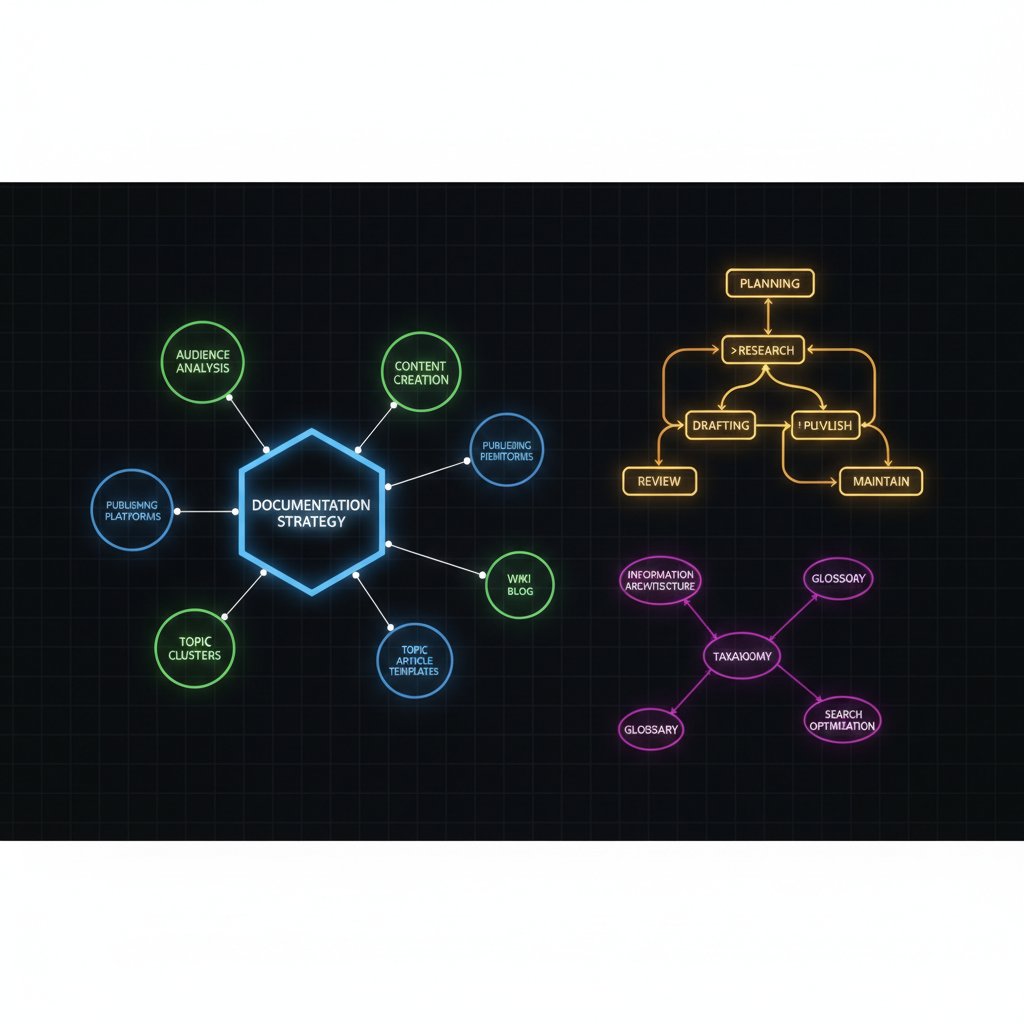
But even the best strategies can stumble—usually due to classic mistakes.
Common mistakes and how to avoid them
Let’s get real about the top five documentation design mistakes:
- Treating documentation as a one-off project: Docs get stale, fast. Build for evolution, not perfection.
- Failing to define ownership: If everyone owns the docs, no one does.
- Ignoring user feedback: Write for your users, not your ego.
- Overcomplicating access: Too many permissions, too much red tape—people just bypass the system.
- Lack of integration: Documentation that doesn’t sync with workflows is doomed to irrelevance.
Red flags when hiring documentation designers:
- No hands-on experience with cross-functional teams
- Focuses only on writing, ignores systems and design thinking
- Dismisses feedback or avoids direct user interaction
- Sees tools as silver bullets, not enablers
To build a bulletproof feedback loop:
- Schedule regular doc reviews with real users
- Track usage and search analytics
- Tie documentation updates to product/process releases
- Incentivize contributions and recognize doc champions
In sum: documentation is never “done.” Build processes that keep it alive, relevant, and ruthlessly effective.
The AI-powered revolution: documentation designer meets intelligent teammates
How AI is changing documentation forever
The AI wave isn’t just another shiny object—it’s upending documentation design from the ground up. Tools like FutureCoworker AI act as intelligent enterprise teammates, turning messy email threads into structured, searchable knowledge. But here’s the kicker: AI doesn’t replace the documentation designer. It supercharges their impact.
Three ways AI augments human documentation designers:
- Automated content extraction: AI pulls key info from comms, reducing manual grunt work.
- Real-time insights: AI-powered dashboards surface bottlenecks, compliance gaps, and usage metrics.
- Personalized access: AI tailors documentation delivery to user roles, slashing onboarding time.
| Tool/Feature | Human-Only Docs | AI-Augmented Docs | Adoption Rate (2024) |
|---|---|---|---|
| Auto-tagging | No | Yes | 45% |
| Semantic search | Weak | Strong | 52% |
| Workflow integration | Manual | Automated | 60% |
| Feedback loops | Slow | Real-time | 38% |
Table 4: Current market analysis of AI-powered documentation tools and adoption rates. Source: Original analysis based on [MuleSoft, 2023], [Adobe Acrobat, 2023]

Yet AI has its limits—it can’t read organizational nuance or replace critical human judgment. We’ll get to what AI can’t do—yet—in a moment.
Risks, rewards, and the human factor
With great automation comes great risk. Over-automating documentation can lock in errors, propagate outdated info at lightning speed, and make it impossible for users to challenge or correct the system. Mitigation? Keep humans in the loop, insist on transparent feedback, and anchor every workflow in strategic intent.
The new breed of documentation designer needs sharp data literacy, AI fluency, and serious change management chops—on top of the classic writing and architectural skills.
Priority checklist for integrating AI into documentation workflows:
- Audit existing documentation for structure and quality
- Select AI tools that integrate with your actual workflows—not just your wishlist
- Train teams on AI’s strengths and limits
- Monitor adoption and adjust based on real-time analytics
- Maintain regular human reviews to catch edge cases
"AI is my co-pilot, not my replacement." — Maya
The upshot: the smart organizations balance automation and human oversight, using AI to boost—not bulldoze—documentation quality.
Documentation designer vs. technical writer vs. knowledge manager: the showdown
Role-by-role breakdown
The boundaries between documentation designer, technical writer, and knowledge manager are blurring, but distinctions matter. A technical writer crafts clear documentation, a knowledge manager oversees the flow and governance of information, and a documentation designer architects the whole system for adaptability and strategic value.
| Role | Strengths | Weaknesses | Best Use Cases |
|---|---|---|---|
| Technical Writer | Clarity, accuracy, readability | May lack strategic vision | Product manuals, SOPs |
| Knowledge Manager | Governance, taxonomy, structure | May be detached from day-to-day ops | Compliance, onboarding |
| Documentation Designer | Systemic vision, integration | Can be seen as “overhead” | Digital transformation, M&A integration |
Table 5: Side-by-side comparison of documentation roles and their value. Source: Original analysis based on Business.com, 2023

Why does this matter? Because as the enterprise becomes more complex and cross-functional, knowing who owns what is the only way to avoid the knowledge bottleneck.
The hybrid future: new job titles, new challenges
Hybrid roles are taking over. From “Documentation Product Owners” to “Knowledge Experience Designers,” these multi-skilled pros are combining technical know-how with design thinking and process optimization.
Real-world blended roles:
- In a SaaS company, a “Content Operations Lead” merges tech writing with workflow automation.
- In consulting, a “Collaboration Architect” builds bridges between disparate teams and knowledge bases.
- In healthcare, a “Process Documentation Specialist” ensures every protocol update flows from compliance to the frontlines in under 24 hours.
Timeline of documentation designer evolution and future projections:
- Technical Writer (analog) → 2. Digital Writer (basic CMS) → 3. Information Architect (taxonomy, search) → 4. Documentation Designer (systemic, integrated) → 5. AI-Augmented Knowledge Designer (now)
The next 2-5 years will see even more hybridization, with documentation design skills bleeding into product, HR, compliance, and beyond.
How to implement documentation design in your enterprise
Step-by-step playbook for getting started
If you’re staring into the abyss of documentation chaos, don’t panic—start with a plan. Building an effective documentation design function isn’t rocket science, but it does require ruthless honesty and buy-in at every level.
Step-by-step guide to implementation:
- Conduct a documentation audit: What exists, what’s missing, who owns what?
- Map user journeys: How do employees interact with documentation in their daily work?
- Define your “single source of truth”: Pick your platform, set rules for access and updates.
- Design governance and feedback loops: Who maintains, who reviews, and how does it evolve?
- Roll out with training and comms: Adoption is everything—if no one uses it, it’s useless.
- Monitor, measure, iterate: Tie documentation metrics to real business outcomes.
Hidden costs and benefits to anticipate:
- Upfront investment in tools and training (worth it—ROI is real)
- Temporary productivity dip as teams learn new systems
- Resistance from “this is how we’ve always done it” folks
- Long-term gains: faster onboarding, better compliance, higher employee satisfaction

Measuring success? That’s where KPIs come in.
Measuring impact: KPIs and outcomes
Key metrics for documentation design success:
- Time to find a document: Should trend downward—think minutes, not hours
- Onboarding duration: New hires up to speed faster
- Error rates in processes: Drop as docs become clearer, more accessible
- Compliance incidents: Fewer last-minute fire drills
- User feedback scores: Rising satisfaction and engagement
| KPI | Baseline (Pre-Design) | Target (Post-Design) | Monitored By |
|---|---|---|---|
| Avg. search time (min) | 40 | 10 | Analytics dashboard |
| Onboarding duration (days) | 14 | 7 | HR surveys |
| Process error rate (%) | 12 | 3 | Quality audits |
| Compliance incident count | 8/year | 1/year | Legal/Compliance logs |
| User satisfaction score | 3.2/5 | 4.7/5 | Internal polling |
Table 6: Example KPI dashboard for documentation design initiatives. Source: Original analysis based on [Adobe Acrobat, 2023], [Armstrong Archives, 2024]
When you tie documentation outcomes directly to business goals, the value becomes undeniable. Tip: build in quarterly reviews, and don’t be afraid to pivot.
The culture shock: how documentation design transforms organizations
Shifting mindsets and breaking silos
Documentation design isn’t just about files—it’s about people. By creating open, accessible systems, documentation designers break down silos and boost cross-team collaboration. In one case, a manufacturing firm slashed process handoff time by 50% thanks to a shared knowledge base. In a marketing agency, campaign coordination sped up by 40% after documentation was revamped. Even in finance, client onboarding became a breeze—no more “lost in the shuffle” moments.
Unconventional ways documentation design breaks down barriers:
- Embedding “doc champions” in every team to drive adoption
- Holding open “doc sprints” that bring together ops, product, and support
- Turning documentation reviews into company-wide events—complete with prizes

But no transformation comes without resistance.
Overcoming resistance and driving adoption
Common sources of resistance:
- “We don’t have time for documentation”
- Fear of exposing knowledge gaps
- Change fatigue (“another system, really?”)
Strategies to win buy-in:
- Tie documentation improvements directly to pain points (missed deadlines, failed audits)
- Celebrate small wins and recognize contributors
- Offer hands-on training, not just slide decks
Definition list:
- Documentation debt: The accumulation of outdated, incomplete, or missing documentation that drags down productivity.
- Living documentation: Dynamic, continuously updated docs that reflect the current reality of processes and products.
Sustaining momentum takes grit—keep the lines of communication open, and make documentation design a core part of your organizational DNA.
Case studies: when documentation design saved (or doomed) a project
Success stories from the field
Consider the global tech company that merged with two competitors. Their onboarding time plummeted from 30 days to 10 thanks to a documentation redesign spearheaded by a dedicated designer. In healthcare, a provider cut admin errors by 35% after implementing living documentation with real-time feedback loops. Meanwhile, a finance firm saw a 30% drop in client communication errors post-revamp.
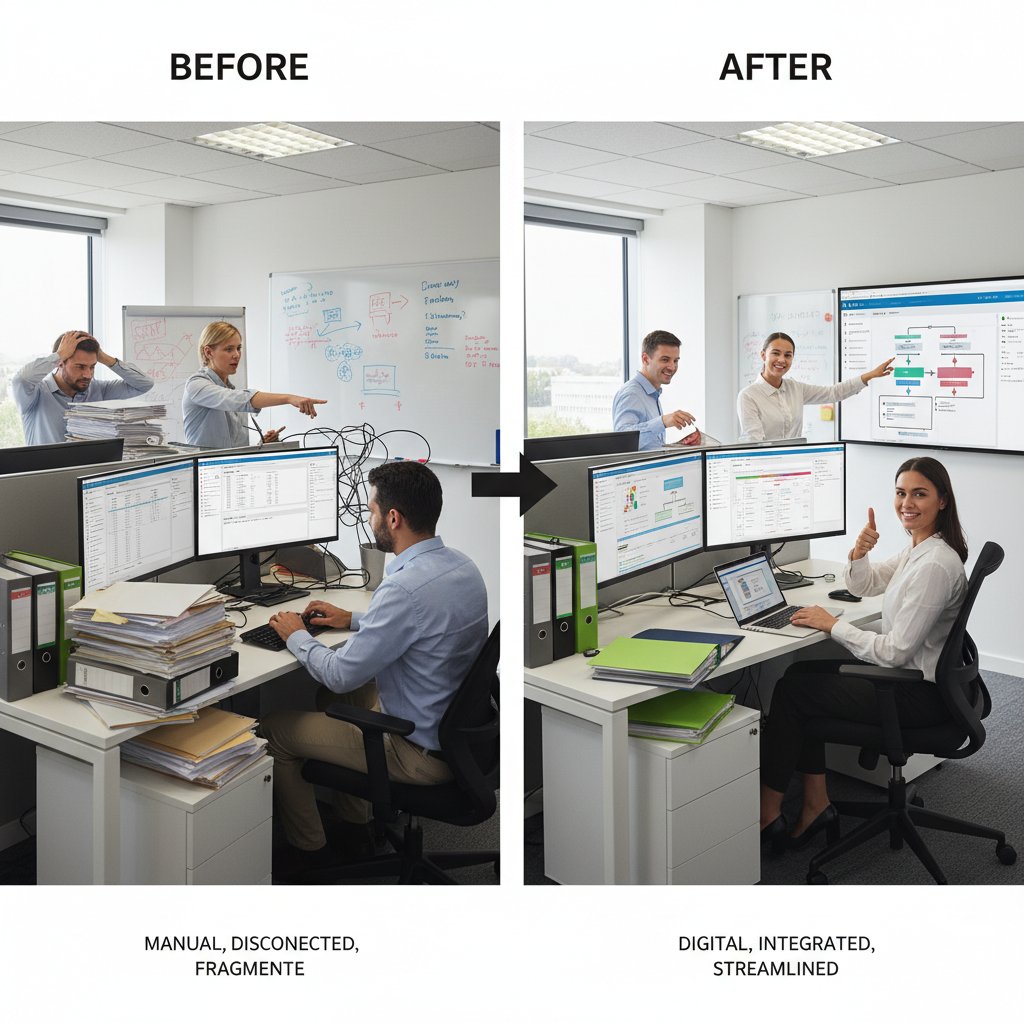
But not every story is a triumph.
Cautionary tales: lessons from failure
One startup launched a documentation overhaul—but skipped user feedback, leading to even greater confusion. Another invested heavily in AI tooling but ignored governance; they ended up automating outdated, error-laden processes. A retail giant thought a wiki would “fix everything”—it languished, unused, because training was an afterthought.
"We thought we could wing it—never again." — Jon
The lesson? Hubris is expensive. Failure is a harsh but effective teacher—if you let it change your approach.
Debunking the myths: what documentation designers wish you knew
Top misconceptions, debunked
The myths are persistent—and damaging. “Documentation designers are just glorified secretaries.” “AI has made them obsolete.” “Only big companies need documentation design.” All dead wrong.
Hidden truths documentation designers wish leaders understood:
- Good documentation design saves more money than it costs
- AI and automation amplify—not replace—human expertise
- Small teams need documentation design just as much (if not more) than enterprises
- Documentation design is a strategic lever, not a checkbox
The career path? It’s real—and demand is only rising as organizations realize the true cost of knowledge chaos.
The future: why documentation design is only getting bigger
Trends driving demand:
- Remote work: Distributed teams need bulletproof documentation to stay aligned
- Compliance pressure: Regulatory fines don’t care about your messy wiki
- AI adoption: The more automation, the more crucial human design oversight becomes
Priority checklist for future-proofing your documentation strategy:
- Build for adaptability, not perfection
- Invest in cross-training for hybrid roles
- Make feedback loops non-negotiable
- Tie documentation KPIs to real business outcomes
- Keep a human in the loop—always

Forward-thinking leaders are already reaping the rewards. Ignore documentation design at your peril.
Adjacent roles and emerging trends in documentation
The rise of knowledge architects and information strategists
As the workplace gets more complex, new roles are emerging at the intersection of documentation, information science, and business strategy. Knowledge architects design the blueprints for information flow. Information strategists align documentation with organizational goals.
Cross-functional documentation teams are the new normal. In tech, product managers, engineers, and documentation designers now work side by side. In healthcare, compliance, clinical, and HR meet weekly to keep protocols current. In finance, documentation strategists partner with risk and audit—building compliance into the DNA of every process.
Definition list:
- Knowledge architect: Designs systems and structures for optimal information flow, resilience, and findability.
- Information strategist: Aligns documentation and knowledge assets with strategic business outcomes, bridging silos and driving adoption.
Staying relevant means cross-training, curiosity, and a willingness to smash old silos for good.
Documentation disasters: prevention and rapid response
The anatomy of a documentation crisis? It usually starts with a knowledge gap—someone leaves, a process changes, but the docs don’t. Before you know it, error rates spike and chaos reigns.
Step-by-step rapid response plan for documentation failures:
- Isolate the affected process or team
- Conduct a “hot wash” to identify documentation gaps
- Mobilize a crisis doc team—don’t go it alone
- Patch critical gaps with minimum viable documentation
- Build a root cause analysis into your next doc review
Building resilience means designing for change, not just stability. Make crisis response part of your documentation playbook—not an afterthought.
In conclusion: documentation design isn’t just for the risk-averse or the hyper-organized. It’s a core strategic capability for every modern enterprise. Whether you’re wrangling AI teammates or battling compliance dragons, the documentation designer is your ace in the hole. Invest now—or pay dearly later.
Sources
References cited in this article
- Business.com - 7 Statistics That Will Make You Rethink Your Document Management Strategy(business.com)
- FluidTopics - 9 Documentation Challenges and How to Solve Them(fluidtopics.com)
- FileCenter - Document Management Statistics(filecenter.com)
- Harvard RMF - 2024 Candello Report(rmf.harvard.edu)
- Whale.io - Documentation Statistics(usewhale.io)
- Forbes - The True Cost of Bad Data(forbes.com)
- Enterprise League - Document Management Overhaul(enterpriseleague.com)
- Greenlight Guru - Document Management Horror Stories(greenlight.guru)
- JachOOs - Technical Writing Changes(jachoos.com)
- ClickHelp - Techwriting Salary Dynamics(clickhelp.com)
- Docker AI Trends Report 2024(docker.com)
- AI Magazine - Top 10 AI Trends(aimagazine.com)
- Kaplan - Documentation Designer Job Description(jobs.community.kaplan.com)
- Glassdoor - Document Designer Career(glassdoor.co.uk)
- FluidTopics - Technical Documentation Trends(fluidtopics.com)
- PHPKB - Technical Documentation Guide(phpkb.com)
- Pharmuni.com - Documentation Mistakes(pharmuni.com)
- HT Engineering - Documentation Dysfunction(htengineering.com)
- McKinsey Global AI Survey 2024(mckinsey.com)
- DocumentLLM - AI Document Processing(documentllm.com)
- ClickHelp - Knowledge Management vs Technical Writing(clickhelp.com)
- Technical Writer HQ - Knowledge Manager Job Description(technicalwriterhq.com)
- SciencePOD - Technical Content Writer(sciencepod.net)
- BLS - Technical Writer Outlook(bls.gov)
- Knowmax - Knowledge Management Statistics(knowmax.ai)
- Forbes - State of Hybrid Workplaces 2024(forbes.com)
- Owl Labs - State of Hybrid Work 2024(owllabs.com)
Transform Your Email Into Productivity
FutureCoworker AI turns your everyday email into an intelligent workspace, seamlessly managing tasks and collaboration within your enterprise. It eliminates the complexity of AI, allowing you to benefit from advanced technology without any technical knowledge. Achieve productivity, streamline processes, and improve team efficiency through natural email interaction, getting tasks done faster and smarter.
Get startedReady to Transform Your Email?
Start automating your tasks and boost productivity today
Frequently Asked Questions
What is a documentation designer and what do they do?
A documentation designer is a professional who acts as part architect, part therapist, and part rebel, working to organize and manage enterprise documentation systems. They help prevent information collapse by designing effective documentation systems and workflows.
How much time do employees waste searching for documents?
According to the article, employees waste an estimated 4+ hours per week per employee just searching for documents, with 48% of employees struggling to find documents quickly.
What is the annual financial cost of poor documentation management in the US?
US businesses waste upwards of $8 billion annually managing paper documents alone, and 91% of organizations report wasteful cloud spending often due to neglected or poorly organized document management resources.
What percentage of workers create duplicate documents?
According to the article, 64% of workers engage in duplicate document creation, contributing to documentation chaos.
Why is documentation often treated poorly in organizations?
The article indicates that most organizations treat documentation as an afterthought, despite it being described as the silent backbone of the corporate world.
Continue Reading
Keep exploring Intelligent enterprise teammate

Documentation Design: the Operating System for Enterprise Scaling
Documentation design shapes how fast ideas scale and teams collaborate. This article explains how solid documentation design reduces information waste and enables enterprise growth.

Documentation Experts and Enterprise Project Failure
Documentation experts play a critical role in enterprise operations. This article examines how poor documentation has caused major project failures and why documentation expertise matters.

Design Documentation: Nine Truths About Preventing Failure
Design documentation helps teams avoid chaos and ship faster. This article covers nine key truths about documentation's role in preventing project failure.

Documentation Preparation: the Hidden System Behind Teams That Win
Discover insights about documentation preparation

Why an Expert in Documentation Drives Enterprise Success
An expert in documentation shapes enterprise productivity and information control. This article examines the business impact of documentation mastery and why it matters.

Documentation Development: Enterprise Risk and Competitive Advantage
Documentation development affects enterprise performance and innovation. This article explains the hidden costs of poor documentation and the strategies leaders must adopt today.




