


AI-Powered Enterprise Productivity Software’s Real Risks and Wins
Written with AI assistance under our editorial guidelines
AI-powered enterprise productivity software delivers real benefits, but success requires managing expectations and investing in proper implementation. While over 70 percent of enterprises experimented with generative AI, fewer than 20 percent increased budgets for widespread adoption, revealing a gap between vendor promises and actual results. Teams must navigate steep learning curves and cultural shifts to realize meaningful productivity gains rather than expecting immediate transformation.
The AI-powered enterprise productivity revolution has arrived, but not as a parade of frictionless automation or a bandwagon of overnight success stories. Instead, it’s a parade with potholes, detours, and more than a few bruised egos. As organizations scramble to adopt intelligent enterprise teammates—AI coworkers that promise to streamline collaboration, automate the mundane, and untangle email chaos—the narrative is shifting from breathless hype to hard-nosed reality. The gap between vendor promises and what teams actually experience is wide enough to swallow a few careers, and yet, beneath the surface, real and surprising wins emerge for those who can navigate the messy middle.
If you think AI-powered enterprise productivity software means easy button efficiency, strap in. This deep dive uncovers the raw, unvarnished truths, the hidden risks, and the wins no one’s talking about—complete with relentless candor and research-backed insights. Whether you’re a leader, team manager, or just the person who wants fewer emails and more time to think, understanding the complex landscape of intelligent enterprise teammates might just save your next quarter.
Why the AI-powered productivity revolution is nothing like you imagined
From hype to reality: The broken promises of enterprise AI
The corporate world has always been susceptible to tech hype, but nothing matches the fever pitch that AI-powered enterprise productivity software reached in recent years. Slick demo videos and bold claims about eliminating busywork seduced decision-makers into expecting instant transformation. The reality? Most teams discovered that “plug-and-play” was little more than a myth. According to a 2025 McKinsey study, more than 70% of enterprises experimented with generative AI, but fewer than 20% actually increased their budgets to support widespread adoption. The disconnect between expectation and reality left teams grappling with steep learning curves and underwhelming initial results.
"Most teams expected magic. What they got was another learning curve." — Jordan, Senior IT Project Lead, (quote)

The result is a growing awareness that AI isn’t a silver bullet. It’s an evolving toolkit—one that requires just as much human adaptation as technical integration. As the initial sheen wears off, enterprises are forced to reckon with not only the technical challenges but also the cultural shift required to realize meaningful productivity gains.
Defining AI-powered enterprise productivity software (without the buzzwords)
So what really qualifies as AI-powered enterprise productivity software? Strip away the marketing fluff, and you’re left with platforms that use artificial intelligence—especially machine learning and natural language processing—to automate, optimize, or augment the core workflows of knowledge workers. These tools don’t just suggest smarter email responses or calendar invites; they can turn unstructured communication into actionable task lists, organize team knowledge, and even summarize sprawling email threads to spotlight what matters.
Key AI productivity terms defined:
- AI-powered productivity software: Enterprise applications leveraging artificial intelligence to automate, optimize, or augment core business processes, from emails to project management.
- Intelligent enterprise teammate: An AI system embedded within everyday workflows, acting as a digital coworker that can categorize, prioritize, and even initiate tasks autonomously.
- Generative AI: Algorithms that create new content (text, images, summaries) based on learned patterns, especially useful for summarizing emails or generating reports.
- Closed-source AI: Proprietary AI platforms with restricted access to code and data models, dominant in the enterprise space.
The difference between “AI-enhanced” and “AI-dependent” platforms matters. AI-enhanced tools add intelligent features to familiar software (think: smart email suggestions), while AI-dependent platforms rebuild the workflow around AI as the central engine (think: email that manages itself). The deeper the AI integration, the greater the transformation—and the greater the risk of disruption if things go wrong.
The evolution: How we got from paper memos to intelligent enterprise teammates
To appreciate today’s AI productivity landscape, it helps to look back. The journey from analog busywork to digital autonomy is littered with both spectacular leaps and faceplants.
- Paper memos and inbox trays: The original bottleneck, where every task was manual and error-prone.
- Early office software (1980s-1990s): Word processors and spreadsheets digitize basic workflows.
- Email and digital calendars: Communication explodes, but so does overload.
- Collaboration platforms (late 2000s): Slack, Teams, and others try to tame the chaos—sometimes adding more noise.
- Rule-based workflow automation: Tools like Zapier let power users stitch apps together, but require technical setup.
- AI-powered productivity assistants (2020-2022): Smart reply, scheduling bots, and predictive analytics start to appear.
- Intelligent enterprise teammates (2023-now): AI systems like futurecoworker.ai promise seamless, email-driven task management and collaboration without the technical headaches.
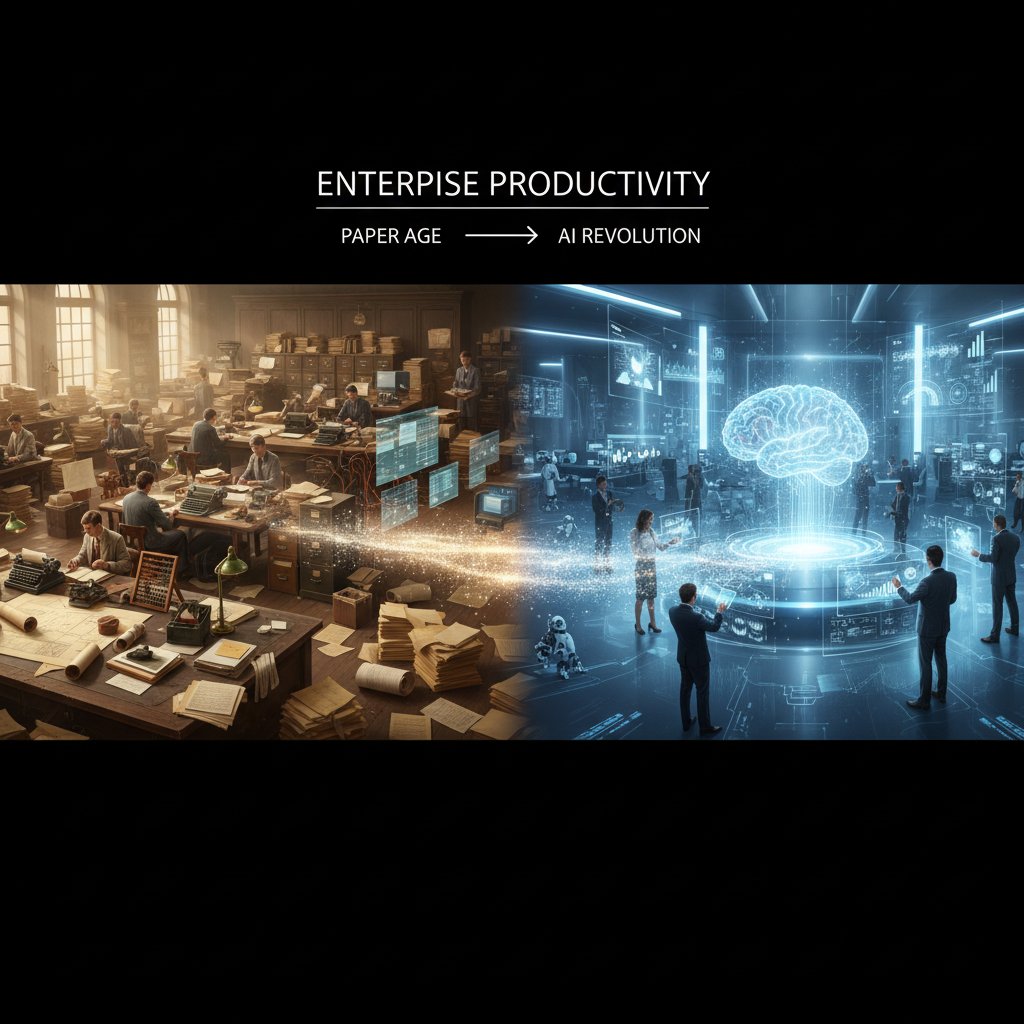
Each leap brought speed and complexity in equal measure. The arrival of AI-powered enterprise productivity software marks the first time digital coworkers can act proactively—cutting across email, meetings, and knowledge management to actually drive work forward.
The dark side: What nobody tells you about AI at work
The hidden costs of ‘smart’ productivity: Integration, burnout, and more
It’s tempting to fixate on AI’s upside—automation, efficiency, and cost savings. But the fine print is where things get interesting. Integrating AI-powered productivity software into sprawling enterprise stacks is rarely trivial. Hidden costs lurk in technical integration, user training, and the labyrinth of “shadow IT”—unofficial tools employees adopt out of frustration with top-down choices.
| Cost Category | Traditional Software | AI-powered Software | Notes |
|---|---|---|---|
| Licensing/Subscription | Predictable | Often per-user | Vendors push per-user AI pricing; IT resists |
| Integration | Moderate | High | AI requires custom APIs, workflow adjustments |
| Training | Established | Steep curve | Employees face “yet another learning curve” |
| Shadow IT | Manageable | Rising | Employees experiment with unvetted AI tools |
Table 1: Comparison of direct and indirect costs between traditional and AI-powered productivity software.
Source: Original analysis based on [Deloitte 2024], [Menlo Ventures 2024].
The psychological toll is just as real. Constantly shifting platforms, unclear accountability, and algorithmic decision-making can leave employees feeling disempowered, or worse—burned out from navigating tools that were supposed to make their lives easier.
Who’s watching whom? Surveillance, privacy, and the new digital workplace
If you think AI teammates are just about efficiency, think again. Many enterprises quietly deploy AI-powered monitoring—scanning emails, tracking keystrokes, even analyzing tone—to gauge productivity. While some of this is framed as “digital wellness,” it raises chilling questions about workplace surveillance and data privacy.
"If you’re not sure who’s training whom, check the data logs." — Alex, workplace privacy advocate (quote)
Employee pushback is growing, as people realize that data collected for “productivity insights” can easily morph into surveillance. Recent research from Forbes, 2025 details how digital trust is now a top factor in successful AI rollouts. Organizations must balance insight with privacy—or risk revolt from the very teams they hope to empower.
Mythbusting: Why AI won’t (and can’t) replace your whole team
It’s a persistent myth that AI-powered productivity software is out to replace humans en masse. The real story is more nuanced—and less threatening. AI is at its best augmenting human strengths, not eliminating them.
- AI can automate repeatable workflows, but creative problem-solving and relationship-building remain stubbornly human.
- Generative AI can summarize emails and suggest next steps, but final decisions and context still require human judgment.
- AI teammates never call in sick, but they can miss nuance, irony, or team politics.
- Employees often lead AI adoption, customizing tools to solve their own workflow pain points. Leadership usually plays catch-up.
- 81% of enterprise AI is closed-source, limiting flexibility and forcing teams to adapt to vendor roadmaps.
- AI is not infallible—algorithmic bias, hallucination, and context errors still plague even the most advanced systems.
- The biggest gains come when teams blend AI automation with human oversight—neither is enough alone.
By recognizing these realities, organizations can shift from a replacement mindset to one of augmentation—using AI-powered productivity software to eliminate drudgery and unlock new realms of collaboration.
Inside the machine: How AI-powered enterprise productivity software really works
Beyond the buzz: The tech behind the teammate
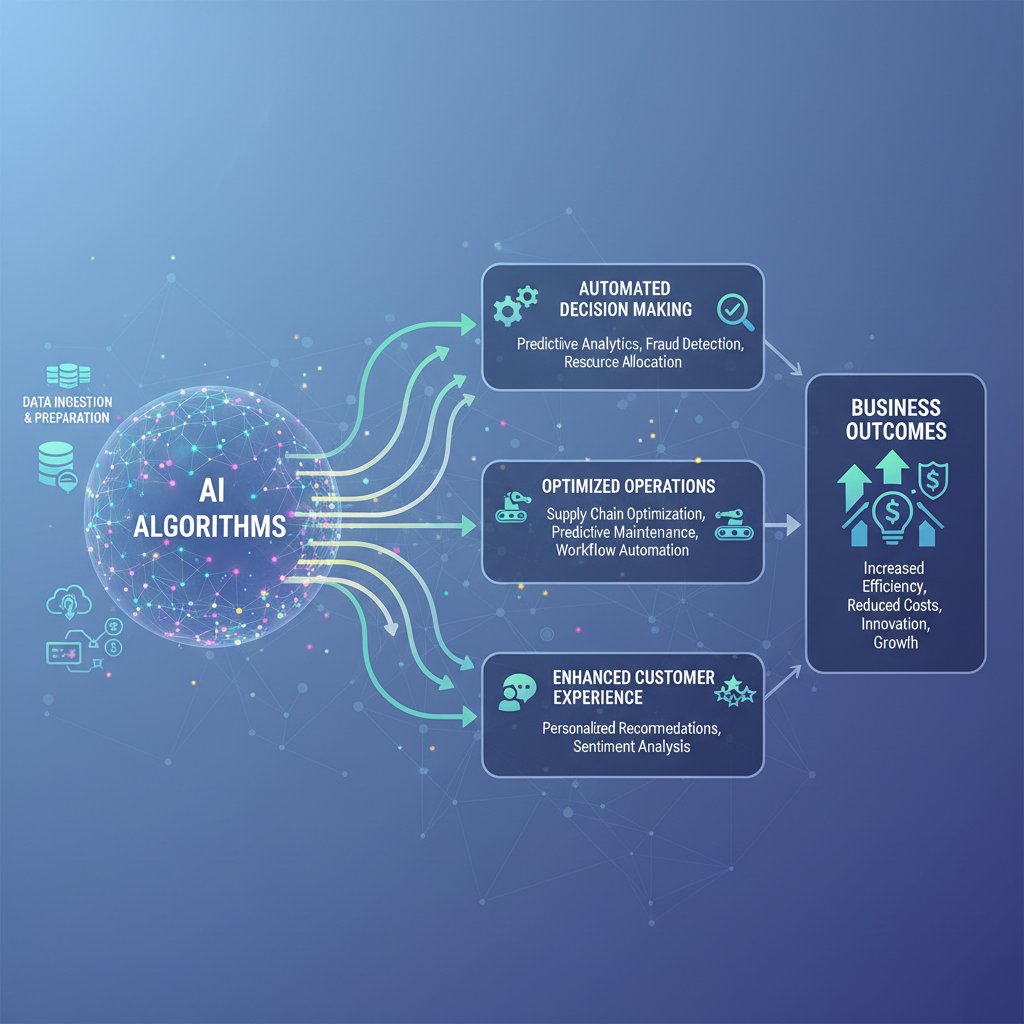
At the core of today’s intelligent enterprise teammates are advances in natural language processing (NLP), large language models (LLMs), and workflow automation engines. These technologies aren’t just parsing text; they’re extracting intent, prioritizing tasks, and learning from user behavior to optimize everything from email triage to meeting scheduling.
| Engine Type | Key Functionality | Example Use Cases |
|---|---|---|
| NLP (Natural Language Processing) | Understands intent from text | Email sorting, summary generation |
| Automation Orchestration | Chains tools and actions | Task delegation, meeting scheduling |
| Recommendation Systems | Suggests next actions | Project planning, knowledge management |
| Generative AI | Creates new content | Drafting replies, summarizing threads |
Table 2: Feature matrix comparing major types of AI productivity engines. Source: Original analysis based on [Menlo Ventures 2024], [Forbes 2025].
The real magic happens when these engines are layered into “contextual intelligence”—the ability to understand not just what’s written, but why, and what should happen next. Platforms like futurecoworker.ai specialize in managing this complexity without exposing users to the underlying technical chaos.
Bringing it all together: Integration with legacy systems and tools
Integrating AI-powered productivity software into the tangled web of legacy enterprise tools is a high-stakes game. According to the latest Menlo Ventures report, the integration challenge is one of the primary reasons why enterprises stall at the pilot phase. The technical side involves connecting AI systems to email, calendars, CRMs, and knowledge bases—often through brittle APIs and custom middleware.
To avoid the most common pitfalls, organizations should:
- Map existing workflows: Understand how information currently moves through the organization.
- Identify integration points: Target high-impact connectors (email, project management, document storage).
- Pilot with a small group: Test for real-world friction before scaling.
- Invest in change management: Prepare teams for new processes and tools.
- Monitor shadow IT: Watch for unsanctioned workarounds that signal unmet needs.
- Refine and iterate: Use feedback loops to improve rollout.
The hard truth is that no AI productivity tool is a drop-in replacement for the messiness of real human workflows. The winners are those who combine technical rigor with empathy for how teams actually work.
Security and compliance: Can you really trust an AI coworker?
When deploying AI-powered productivity software, security and compliance can’t be an afterthought. AI teammates handle sensitive data—emails, contracts, internal communications. The risks include data leaks, unauthorized access, and compliance violations under standards like GDPR or SOC 2.
Best-in-class platforms focus on end-to-end encryption, transparent data usage policies, and regular audits. But technical controls alone aren’t enough.
"Trust is built with transparency, not just encryption." — Priya, Chief Information Security Officer (quote)
Frameworks such as ISO/IEC 27001 and the NIST AI Risk Management Framework are becoming the de facto standards for evaluating and auditing AI-powered enterprise productivity software. Before committing to a platform, leaders should demand clarity on how data is handled and insist on the right to audit.
Winners and losers: Real-world stories from the AI-powered office
Success stories: When AI teammates actually deliver
Take the example of a mid-size technology firm that adopted AI-powered email task management. Months after rollout, internal surveys revealed a 25% improvement in project delivery speed. Automated triaging and summarization meant fewer missed deadlines and shorter meetings. According to the team lead, the shift wasn’t just quantitative—it was cultural. Teams began to trust the AI with routine coordination, freeing up time for creative work.

Post-implementation metrics went beyond traditional ROI: reduced burnout, higher employee satisfaction, and positive feedback from clients who noticed faster response times. Far from being cold or robotic, the AI teammate became a trusted facilitator—catching details humans missed and surfacing actionable insights from the email deluge.
Crash and burn: Lessons from failed AI productivity rollouts
Not all stories have happy endings. In one well-publicized case, a global marketing agency rushed to deploy an AI-powered collaboration tool—without adequately mapping workflows or training staff. The result? Chaos. Projects stalled as employees bypassed the new system in favor of old habits.
| Failure Point | Warning Sign | Consequence |
|---|---|---|
| No workflow mapping | Confused users | Low adoption |
| Insufficient training | Rising support tickets | Frustration |
| Ignored shadow IT | Unvetted tools in use | Data fragmentation |
| Overpromised automation | Unmet expectations | Loss of trust |
Table 3: Autopsy of a failed rollout—missteps, warning signs, and consequences. Source: Original analysis based on [Deloitte 2024], [Forbes 2025].
The moral? Recognize red flags early, and don’t confuse automation with instant adaptation. The most successful teams course-correct—asking for employee feedback, iterating fast, and being honest about what’s not working.
Unconventional triumphs: Weird ways real teams use AI coworkers
Not every win looks like a Gartner case study. Across industries, teams are hacking AI-powered productivity software in creative, even bizarre ways:
- A healthcare provider uses AI email summaries to identify at-risk patients from appointment notes.
- A legal firm deploys AI to spot subtle inconsistencies in long client correspondence threads.
- Retail managers use AI teammates to automate staff schedule changes based on sentiment extracted from emails.
- Nonprofits leverage AI-driven reminders to keep fundraising campaigns on track—without extra admin headcount.
- Engineering teams run “AI retrospectives” by auto-summarizing project postmortems.
- A university admissions office uses AI to flag application emails containing critical attachments.
These offbeat uses suggest the future lies in flexibility—the ability of AI-powered productivity software to morph and adapt to edge-case workflows, not just generic business processes.
How to choose: The definitive guide to picking your intelligent enterprise teammate
Self-assessment: Are you ready for AI-powered productivity?
Before buying into the AI-powered productivity promise, organizations need a brutal self-assessment. Readiness isn’t just about budget or IT horsepower—it’s about mindset, culture, and the hunger to experiment.
- Leadership buy-in: Is there commitment beyond buzzwords?
- Open feedback culture: Will teams speak up about what works (and what doesn’t)?
- Workflow transparency: Are existing processes mapped and understood?
- Change management plan: Is there a strategy for training and adaptation?
- Clear success metrics: Do you know what “good” looks like?
- IT infrastructure: Can you support integrations and data flows?
- Security posture: Are compliance frameworks in place?
- Employee champions: Do you have early adopters to seed momentum?
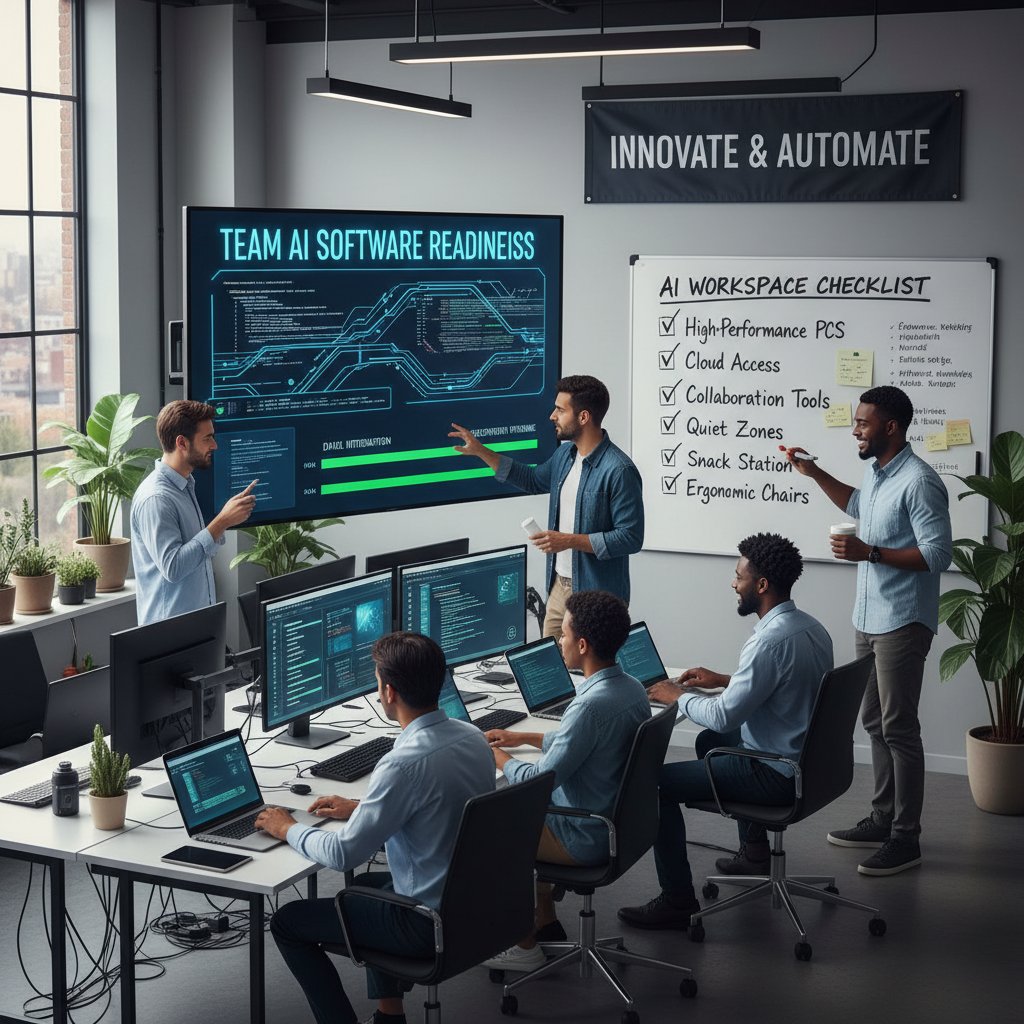
If you can’t answer “yes” to most of these, slow down—rushing to adopt isn’t just risky; it’s expensive.
What really matters: Features, integrations, and red flags
Choosing an intelligent enterprise teammate means looking past noisy marketing and focusing on what drives real results.
Key features explained:
- Seamless email integration: The AI must work where employees already live—the inbox.
- Task automation: Turning emails into actionable tasks automatically.
- Smart prioritization: Surfacing what matters, not just what’s new.
- Collaborative intelligence: Helping teams coordinate, not just individuals.
- Actionable insights: Summarizing threads, extracting deadlines, and highlighting blockers.
- Security & compliance: End-to-end encryption, audit trails, and data sovereignty.
- No-code customization: Letting non-technical users tweak workflows.
Red flags to watch for:
- Lack of transparency in AI decision-making.
- Closed integration ecosystem—doesn’t play well with other tools.
- Vendor lock-in or hard-to-extract data.
- No clear data privacy policies.
- Overhyped claims of “magic” automation.
- Unresponsive support or stagnant product roadmap.
- Lack of user feedback loops.
- Minimal security certifications or compliance evidence.
Comparison table: How the top AI productivity tools stack up
In a crowded market, side-by-side comparisons clarify the landscape. Below is a head-to-head on key features—note that futurecoworker.ai is highlighted as a strong general resource for AI-powered team productivity based on its commitment to seamless email integration and natural workflow management.
| Feature/Platform | futurecoworker.ai | Competitor A | Competitor B |
|---|---|---|---|
| Email task automation | ✔️ | ➖ | ➖ |
| Ease of use | ✔️ | ➖ | ➖ |
| Real-time collaboration | ✔️ | ➖ | ✔️ |
| Intelligent summaries | ✔️ | ➖ | ➖ |
| Meeting scheduling | ✔️ | ✔️ | ➖ |
Table 4: Side-by-side comparison of leading AI-powered enterprise productivity software.
Source: Original analysis based on [Menlo Ventures 2024], [Deloitte 2024].
To interpret: Seek solutions strong in integration, automation, and user experience—not just a checklist of AI buzzwords.
Implementation decoded: Making AI-powered productivity software work for you
Avoiding the pilot project graveyard
Why do so many enterprise AI rollouts stall, languish, or crash? The reasons are rarely technical—they’re human. Leaders overpromise, employees underprepare, and pilot projects get lost in the fog of “innovation theater.”
- Set realistic expectations: Don’t promise overnight transformation.
- Start small, iterate fast: Pilot with a single team or process.
- Map workflows first: Know what you’re automating.
- Train both humans and AI: Employees and algorithms both need feedback.
- Secure early wins: Celebrate quick successes to build momentum.
- Monitor, measure, adjust: Don’t “set and forget.”
- Communicate constantly: Keep stakeholders informed at every turn.
Securing buy-in is about more than memos—it’s about demonstrating value, listening to feedback, and being ruthlessly honest about what’s not working.
Training humans and machines: Building real synergy
Building synergy between humans and AI isn’t a one-off event. It’s an ongoing dance of upskilling, feedback, and trust-building. Organizations that thrive prioritize both technical training (how to use the software) and mindset coaching (why it matters).
Fostering collaboration instead of resistance means giving employees agency—let them shape how AI integrates with their daily grind. The most successful implementations are co-created, not imposed.

Measuring ROI (and why most teams get it wrong)
Quantifying the ROI of AI-powered productivity software is notoriously tricky. Savings aren’t just about fewer emails—they’re about time reclaimed, mistakes avoided, and projects delivered faster.
| Metric | Average Improvement | Common Measurement Error |
|---|---|---|
| Project delivery speed | +25% | Attributing gains to AI alone |
| Email response time | -30% | Ignoring baseline variability |
| Employee satisfaction | +20% | Survey bias |
| Cost per project | -18% | Not accounting for training costs |
Table 5: Statistical summary of real-world productivity gains and common measurement errors. Source: Original analysis based on [McKinsey 2025], [Deloitte 2024].
To set up meaningful metrics, track both quantitative (time, money) and qualitative (morale, client feedback) indicators over time.
Culture shift: The new rules of working with AI teammates
Power dynamics: When your coworker is an algorithm
The etiquette of working with AI coworkers is still being written. As algorithms become part of the team, old power dynamics are upended. Who gets credit for a project delivered on time—the humans or the AI? Who owns mistakes when an algorithm misfires?
"AI won’t take your job, but it might change who gets promoted." — Casey, Organizational Psychologist (quote)
Leaders are learning to navigate these shifting sands—rewarding teams that adapt, and redefining what “collaboration” really means in a hybrid human-AI workforce.
Inclusive by design: Making AI work for every employee
AI-powered productivity software isn’t truly transformative unless it’s accessible and equitable. Yet bias in algorithms, inaccessible interfaces, and language barriers still hold many employees back.
- Audit algorithms for bias regularly and transparently.
- Provide training in multiple formats (not just text-heavy guides).
- Build feedback loops for non-technical users to report issues.
- Prioritize accessibility—voice, text, screen reader compatibility.
- Offer customization to respect diverse work styles.
- Monitor for uneven adoption across departments or roles.
- Partner with employee groups to co-design features.
Inclusion isn’t a checkbox—it’s a continuous process. The best platforms are evolving alongside new accessibility and fairness standards.
Resilience and well-being in the age of AI work
Blending humans and AI at work carries mental health implications. Some employees thrive with digital teammates, while others feel alienated or overwhelmed. Building resilience is about setting boundaries—limiting after-hours notifications, for instance—and encouraging teams to use AI as a support, not a crutch.
Organizations that invest in well-being—through transparent communication, regular check-ins, and mental health resources—see higher engagement and lower burnout.

Looking forward: What’s next for AI-powered enterprise productivity software?
The next frontier: Autonomous teammates, not just assistants
The narrative is shifting from AI as a passive assistant—waiting for commands—to autonomous collaborators that anticipate needs and drive projects forward. Already, teams are experimenting with AI that doesn’t just suggest actions but takes them, escalating only when human input is needed.

Near-future scenarios include AI teammates that negotiate meeting times across organizations, synthesize knowledge from thousands of emails, and even propose new workflows based on observed inefficiencies.
The regulatory wild west: What new laws could change everything
The legal landscape for AI in the workplace is evolving rapidly. Leaders must stay vigilant—what’s compliant today may be illegal tomorrow.
- AI transparency requirements: Laws mandating disclosure of algorithmic decisions.
- Data sovereignty rules: New rules for where and how employee data is stored.
- Algorithmic audit mandates: Regular third-party reviews of AI decision-making.
- Bias mitigation standards: Hard limits on discriminatory outcomes.
- Digital worker rights: Early debates on the rights of AI teammates (ownership, accountability).
Staying ahead means monitoring not only local laws but also cross-border impacts for global teams.
Must-know trends: What the data says about the future of work
Current adoption stats paint a picture of rapid, if uneven, transformation. According to Menlo Ventures, AI enterprise productivity spending surged from $2.3B in 2023 to $13.8B in 2024. Gartner projects the market value will hit $60B by 2025. Yet, 81% of the market remains closed-source—a trend that limits customization but reassures IT leaders concerned about security.
| Year | Enterprise AI Spending | Closed-source Market Share | Projected Market Value |
|---|---|---|---|
| 2023 | $2.3B | 76% | $25B |
| 2024 | $13.8B | 81% | $40B |
| 2025 | (projected) | 81%+ | $60B |
Table 6: Market outlook and adoption statistics for AI-powered productivity software. Source: [Menlo Ventures 2024], [CompTIA 2024].
Organizations like futurecoworker.ai are well-positioned as neutral navigators—helping enterprises transition from email chaos to actionable, AI-driven workspaces.
The bottom line: Rethinking productivity in the age of AI-powered teammates
Key takeaways: What leaders need to remember
The age of AI-powered enterprise productivity software is here—but it’s not easy, nor is it optional. The workplaces that thrive are those willing to confront the hard truths, challenge the myths, and build resilience into every level of their organization.
- Start with people, not tech: Adoption is cultural before it’s technical.
- Map your real workflows: Automate bottlenecks, not just “what’s easy.”
- Invest in transparency and trust: Privacy and security are non-negotiable.
- Measure what matters: Go beyond vanity metrics to real business outcomes.
- Champion inclusion and accessibility: AI must work for everyone.
- Iterate relentlessly: The only constant is change.
Moving forward with confidence means treating AI as a teammate—not a threat—and letting human ingenuity be the ultimate force multiplier.
Final reflection: Are you ready to work with (not for) AI?
Picture this: a handshake—not between two executives, but between a human and a glowing, digital AI hand. The challenge isn’t to outsource our responsibilities, but to partner with algorithms that free us to do more of what matters. As you consider your next move, ask not whether your team is ready for AI—but whether your culture is ready for radical collaboration.

If you’re serious about cutting through the noise and building a smarter, more resilient workforce, start by assessing your own readiness. Explore resources like futurecoworker.ai—not as a vendor pitch, but as a gateway to what’s possible when intelligent enterprise teammates are built for real people, in the real world.
Sources
References cited in this article
- McKinsey Workplace AI Adoption(futureframe.substack.com)
- Menlo Ventures 2024 Report(menlovc.com)
- Deloitte AI Revenue Uplift(www2.deloitte.com)
- Forbes AI Revolution(forbes.com)
- Exploding Topics AI Stats(explodingtopics.com)
- CEPR Macroeconomic Productivity Gains(cepr.org)
- OECD Miracle or Myth(oecdecoscope.blog)
- Brookings AI Productivity(brookings.edu)
- Bloomberg AI Productivity(bloomberg.com)
- Forbes AI Reality Check(forbes.com)
- Deloitte State of Generative AI(www2.deloitte.com)
- TechTarget AI Expectation vs Reality(techtarget.com)
- Psico-smart Future of Productivity(psico-smart.com)
- Team-GPT AI Tools(team-gpt.com)
- Forbes Dark Side of AI(forbes.com)
- WEF Global Risk Report 2024(futureofbeinghuman.com)
- AI Business Risks(aibusiness.com)
- AI Infrastructure Report(ai-infrastructure.org)
- Virtasant AI Workplace(virtasant.com)
- Forbes AI Workload(forbes.com)
- TLC Creative on AI Surveillance(tlciscreative.com)
- CleverControl Monitoring Trends(clevercontrol.com)
- Forbes AI Surveillance(forbes.com)
- Forbes AI Architecture(forbes.com)
- Bain AI Everywhere(bain.com)
- DATAVERSITY NLP 2024(dataversity.net)
- IBM Enterprise AI(ibm.com)
- Forbes Modernize Legacy Tech(forbes.com)
- OvatioTech AI Integration(ovatiotech.com)
- Medium Snowflake AI Integration(medium.com)
- Compunnel Security Compliance(compunnel.com)
- Wiz AI Compliance(wiz.io)
- Aristek Systems AI Compliance(aristeksystems.com)
- TheDataScientist Microsoft Office 2024(thedatascientist.com)
- The Verge Copilot Pricing(theverge.com)
- Accenture AI-Led Processes(newsroom.accenture.com)
- IDC/Microsoft AI Trends(blogs.microsoft.com)
- Skim AI Enterprise Stats(skimai.com)
- Dashworks AI Criteria(dashworks.ai)
- Digital Adoption AI Tools(digital-adoption.com)
- Cisco AI Readiness Index(cisco.com)
- AIIM GenAI Readiness(info.aiim.org)
- Forbes on AI Organizational Culture(forbes.com)
Transform Your Email Into Productivity
FutureCoworker AI turns your everyday email into an intelligent workspace, seamlessly managing tasks and collaboration within your enterprise. It eliminates the complexity of AI, allowing you to benefit from advanced technology without any technical knowledge. Achieve productivity, streamline processes, and improve team efficiency through natural email interaction, getting tasks done faster and smarter.
Get startedReady to Transform Your Email?
Start automating your tasks and boost productivity today
Frequently Asked Questions
What percentage of enterprises have actually increased budgets for widespread AI adoption after experimenting with it?
According to a 2025 McKinsey study, while more than 70% of enterprises experimented with generative AI, fewer than 20% actually increased their budgets to support widespread adoption.
What was the main disconnect between vendor promises and actual enterprise experiences with AI productivity software?
Vendors promised instant transformation and 'plug-and-play' solutions, but teams discovered the reality involved steep learning curves and underwhelming initial results, revealing that AI is not a silver bullet but an evolving toolkit requiring significant human adaptation.
Why has the narrative around AI-powered enterprise productivity shifted?
The narrative has shifted from breathless hype to hard-nosed reality, as organizations have discovered the gap between vendor promises and what teams actually experience is substantial, requiring cultural shifts and genuine human adaptation beyond just technical integration.
Continue Reading
Keep exploring Intelligent enterprise teammate

AI-Driven Enterprise Task Management’s Hidden Risks and Rewards
Discover insights about AI-driven enterprise task management

Smart Enterprise Productivity Assistants: Hype, Risks and Real Wins
Discover insights about smart enterprise productivity assistant

How AI-Powered Enterprise Productivity Management Software Is Reshaping Teams
Enterprise spending on AI productivity tools reached $13.8B in 2024. This article examines how AI-powered enterprise productivity management software is reshaping team collaboration and the real challenges organizations face.

Intelligent Enterprise Productivity Assistants: Benefits, Costs, ROI
Intelligent enterprise productivity assistants promise efficiency gains but carry hidden costs and workplace risks.

Enterprise AI-Powered Productivity Software: What Works and What Breaks
Enterprise AI-powered productivity software reshapes team workflows. This article examines what these platforms actually do, the disruptions they create, and the unspoken tradeoffs for businesses.

AI-Enabled Enterprise Productivity Tools: Promise Vs Real Impact
Discover insights about AI-enabled enterprise productivity tools