


Administrate Paperwork Like an AI-Era Pro, Not a Burned-Out Clerk
Written with AI assistance under our editorial guidelines
Modern enterprises lose approximately 3.6 hours per employee weekly to paperwork inefficiency, costing the US alone 10.5 billion annual hours. Automation and strategic process redesign can reclaim this lost time, transforming administrative chaos into streamlined operations while preserving employee wellbeing and competitive advantage.
Let’s drop the pretense: paperwork isn’t just a “necessary evil”—it’s the silent handbrake stalling enterprises across the globe. In a world that promises digital transformation at every turn, why do we still find ourselves buried under mountains of forms, approvals, and document chaos? To administrate paperwork isn’t merely to file or scan; it’s to wage a daily war against inefficiency, burnout, and lost revenue. The stakes? Substantial. According to multiple industry reports, automation can claw back up to 3.6 hours per worker each week, while the US alone loses 10.5 billion hours annually to paper-based processes. This article exposes the real cost of admin hell, pulls back the curtain on the myths you’ve been sold, and delivers radical, expert-backed strategies to administrate paperwork—without losing your sanity or your business edge. Prepare yourself for a deep dive that blends raw numbers, lived experience, and unvarnished truth. If you’re ready to shake off paperwork paralysis and transform chaos into clarity, read on.
The silent epidemic: how paperwork hijacks your productivity
The hidden cost of inefficiency
Modern enterprises drown in a sea of documentation—not because they want to, but because procedures, regulations, and legacy habits pile up like sediment. According to the latest data from ElectroIQ (2024), the average employee wastes up to 3.6 hours per week navigating paperwork. Now, scale that across a hundred-person company, and you’re watching nearly 400 hours evaporate every week into the black hole of “admin.” Multiply that by months and years, and the numbers are staggering. The US federal government alone clocked 10.5 billion paperwork hours in 2023, with private sector figures not far behind.

| Year | Average Weekly Hours Lost per Employee | Estimated National Admin Hours (US) | Estimated Revenue Lost (USD) |
|---|---|---|---|
| 2010 | 2.1 | 7.8 billion | $185 billion |
| 2024 | 3.6 | 10.5 billion | $236 billion |
Table 1: Statistical summary comparing time and money lost to paperwork in 2024 vs. 2010
Source: Original analysis based on [ElectroIQ, 2024], [Gitnux, 2024], [Gallup, 2023]
“Paperwork is the invisible thief of innovation.” — Jordan, productivity consultant
The bottom line? Every overstuffed inbox, misplaced file, and redundant approval isn’t just an annoyance—it’s a measurable drag on your team’s capacity to create, collaborate, and compete.
Why paperwork persists: a historical perspective
Paperwork didn’t materialize overnight. Its roots stretch back to ancient Sumerian clay tablets, Roman ledgers, and the scribes of the Han Dynasty—each iteration promising more order, yet in reality entrenching bureaucracy deeper. Fast forward to the digital age, and you’ll find most businesses still clutching paper or outdated digital substitutes, even as they dream of a paperless utopia.
5 reasons paperwork still dominates despite digital advances:
- Regulatory inertia: Laws and compliance regimes are built on documentation, often lagging behind tech innovation by years or even decades.
- Legacy systems: Many organizations run on a mishmash of old software and file cabinets, making transition risky and costly.
- Trust in tangible records: For some, a signed paper holds more weight than a digital “click”—especially in legal or financial sectors.
- Broken digital adoption: Digital tools are often bolted on without rethinking the workflow, leading to digital clutter rather than true efficiency.
- Cultural resistance: Long-standing habits and “this is how we’ve always done it” attitudes stifle change.
This historical inertia explains why even the most tech-savvy organizations still face paperwork nightmares. The struggle isn’t just technological—it’s deeply cultural and procedural, making true transformation a multifaceted challenge that most leaders underestimate.
The emotional toll: burnout, stress, and missed opportunities
Beyond the numbers, administrate paperwork takes a heavy psychological toll. Eighty percent of workers report stress stemming from communication breakdowns—much of it rooted in paperwork, lost emails, or unclear processes (ElectroIQ, 2024). Cluttered workspaces aren’t just unsightly; they slash productivity by 20% on average, according to Gitnux (2024).
Late nights spent hunting for missing forms or chasing approvals fuel cynicism, disengagement, and burnout. It’s not a stretch to say that paperwork overload is a silent epidemic, quietly sapping motivation and creativity across industries.
Hidden costs of paperwork admins won’t tell you:
- Increased absenteeism due to stress-related illnesses
- Higher turnover rates in admin-heavy roles
- “Shadow work” after hours to catch up on documentation
- Decline in creative problem-solving and innovation
- Missed business opportunities from slow responses
- Erosion of trust within teams due to lost or delayed documents
- Loss of top talent who refuse to drown in bureaucracy

The ripple effects go far beyond wasted time—they reshape workplace culture, drain morale, and, ultimately, cut into your bottom line. The unspoken truth: mastering paperwork isn’t just an operational necessity—it’s a survival skill for any ambitious enterprise.
Debunking the myths: what you get wrong about administrating paperwork
Myth #1: Going paperless solves everything
It’s the rallying cry of every overworked admin: “Let’s just go paperless.” But reality bites. Digital doesn’t mean easy—or efficient. Too often, clunky digital systems replace paper with a labyrinth of folders, unread emails, and systems that don’t talk to each other. The illusion of progress masks new forms of chaos.
| Model | Pros | Cons | Real-world pitfalls |
|---|---|---|---|
| Manual | Legally robust, tangible, familiar | Slow, error-prone, hard to track | Lost files; bottlenecks from manual signatures |
| Digital | Searchable, scalable, remote access | Tech learning curve, security risks | Digital sprawl; data loss from mismanagement |
| Hybrid | Flexibility, redundancy, accessibility | Complexity, syncing issues | Duplication, version control nightmares |
Table 2: Manual, digital, and hybrid paperwork models—pros, cons, and real-world pitfalls
Source: Original analysis based on [Docuphase, 2024], [ProDrive IT, 2024]
“Paperless is a buzzword, not a panacea.” — Taylor, operations manager
The upshot? “Paperless” is only as good as your processes, training, and willingness to rethink how work actually gets done.
Myth #2: More rules mean more control
Many managers tackle paperwork chaos by layering on more checklists, approvals, and policies. The result? Bureaucratic quicksand. Instead of clarity, workers navigate a maze of rules that contradict, overlap, or defy logic, amplifying the very disorder they were meant to control.
Red flags your paperwork process is broken:
- Employees spend more time on documentation than doing core work.
- Multiple versions of the same form circulate at once.
- Approvals bottleneck at one or two “gatekeepers.”
- Staff rely on “side channels” or undocumented workarounds.
- Nobody can explain why a given step exists.
- Compliance audits routinely uncover gaps or redundancies.

If your process is a guessing game, layering on new controls will only magnify confusion. Instead, simplicity, transparency, and clarity must be the true north.
Myth #3: Automation means zero oversight
Automation gets sold as a magic bullet—a fantasy where bots quietly run the office while humans sip espresso. Reality? Automation without oversight is a recipe for disaster. Human judgment remains essential to interpret nuance, handle exceptions, and spot errors or fraud.
Key automation terms you should know:
Workflow: The sequence of steps a document takes from creation to completion. Poorly defined workflows can stall even the best tools.
OCR (Optical Character Recognition): Tech that scans and digitizes handwritten or printed text for searchability. Crucial for legacy document conversion, but not infallible.
Audit trail: A record of every action taken on a document—vital for compliance and accountability.
Retention policy: Rules governing how long documents are kept and when they’re destroyed. A legal and operational minefield if mishandled.
Approval matrix: Predefined rules about who can sign off on what—essential for delegation and speed.
No amount of automation can replace the need for smart oversight, regular audits, and clear escalation paths. The best systems combine technology with human judgment, ensuring flexibility and compliance.
Before we dive into frameworks that actually work, remember: radical improvement starts with breaking the myth cycle.
From chaos to clarity: radical frameworks for paperwork mastery
The anatomy of an efficient paperwork workflow
A truly efficient workflow is more than a tidy desk or a slick app. It’s deliberate, systematic, and—above all—transparent. Whether you’re handling client contracts, HR files, or compliance forms, the basics are the same.
Step-by-step guide to mastering administrate paperwork:
- Map the process: Document each step, who owns it, and pain points.
- Digitize at the source: Use OCR or e-forms to capture data immediately.
- Centralize storage: Store documents in a secure, searchable platform.
- Standardize templates: Eliminate form variety; create standardized, branded templates.
- Automate approvals: Use workflow tools to route docs automatically.
- Label and index: Tag documents with metadata for rapid retrieval.
- Train staff: Ensure everyone knows protocols, tools, and escalation paths.
- Monitor and audit: Regularly review process metrics and compliance.
- Declutter ruthlessly: Purge obsolete files and streamline constantly.

Streamlined workflows don’t just cut time—they reduce errors, boost morale, and free up resources for real value creation.
The hybrid model: analog meets digital
Not all paperwork can—or should—go fully digital. In heavily regulated sectors or global teams, analog and digital often coexist for good reason. Hybrid models, when managed well, deliver both flexibility and resilience.
| Tool/Platform | Paper Support | Digital Features | Collaboration | Security | Best Use Case |
|---|---|---|---|---|---|
| Office 365 | Limited | Robust | High | High | Team docs, contracts |
| Google Workspace | None | Robust | High | Medium | Cloud-first teams |
| Dedicated DMS (e.g., M-Files) | Some | Advanced | Medium | High | Compliance, legal |
| Traditional file server | Yes | Basic | Low | Low | Legacy archives |
| Paper filing | Full | None | None | Low | Hard copy mandates |
Table 3: Feature matrix comparing tools/platforms for hybrid document management
Source: Original analysis based on [Docuphase, 2024], [ProDrive IT, 2024]
The trick? Avoid duplication. Use digital for speed and collaboration; retain physical copies only where legally or operationally necessary. Many organizations find that a hybrid approach, with clear boundaries and strict protocols, delivers the best results.
When to delegate, automate, or eliminate
Every paperwork task begs the same question: Should I do this—or can someone (or something) else handle it? The answer depends on risk, frequency, and value.
Unconventional uses for paperwork delegation:
- Outsource invoice processing to specialized third parties
- Employ AI to triage and route incoming forms
- Let cross-functional “paperwork squads” handle documentation surges
- Assign documentation review to interns for fresh eyes (with oversight)
- Crowdsource policy updates through staff feedback rather than top-down memos
Priority checklist for paperwork optimization:
- Identify non-core paperwork tasks
- Assess risk of errors or data breaches
- Evaluate automation potential
- Test with a small pilot group
- Implement clear success metrics
- Reinforce training and accountability
- Audit regularly for improvement areas
- Eliminate redundant steps ruthlessly
The net effect? Less busywork, more brains on real problems, and a team that feels empowered—not encumbered—by process.
Case studies: victories and failures in paperwork administration
Disaster averted: how one startup dodged compliance catastrophe
A SaaS startup found itself on the brink of a regulatory disaster: hundreds of onboarding forms piled up, unsigned NDAs, and a looming audit. Their solution? A rapid intervention—digitize all forms using OCR, implement a cloud-based DMS, and deploy automated reminders for missing signatures. Within weeks, compliance rates shot from 62% to 99%.
| Date | Issue Identified | Intervention | Result |
|---|---|---|---|
| Feb 2024 | NDA backlog | OCR digitization, e-signatures | 87% completion in 3 days |
| Mar 2024 | Compliance audit | Automated reminders, audit trail | Passed audit, zero fines |
| Apr 2024 | Ongoing training | Staff workshops | 99% compliance sustained |
Table 4: Timeline of paperwork problem, intervention, and results
Source: Original analysis based on [Docuphase, 2024], [Get Organized Now, 2024]
“We learned more from that paperwork crisis than any training.” — Morgan, founder
Scaling up: paperwork lessons from a fast-growing enterprise
A mid-sized marketing firm slashed turnaround times by 40% after overhauling their paperwork workflow. They centralized documents in Google Workspace, standardized templates, and empowered staff to automate approval chains. Productivity leapt—and so did client satisfaction.
Top 7 paperwork hacks used by scaling companies:
- Use metadata to index everything—never hunt for files again.
- Schedule quarterly “paperwork purges” to prevent bloat.
- Automate recurring approvals for common forms (vacation, expenses).
- Train all new hires on digital filing from day one.
- Set up shared cloud folders with strict access controls.
- Back up critical documents offsite—physical and digital.
- Create “paperwork champions” in each department to drive adoption.
The lesson? Growth without paperwork discipline is a recipe for disaster. Even small teams can scale smart by copying enterprise best practices—adapted for their size.
When good systems go bad: learning from paperwork meltdowns
One high-profile case: a multinational’s payroll system failed when a poorly tested automation script deleted hundreds of records—leading to missed paychecks, regulatory fines, and a PR crisis.
Critical mistakes to avoid when scaling paperwork systems:
- Skipping user testing and training
- Rushing integrations with legacy tools
- Ignoring compliance requirements in new markets
- Neglecting backup and disaster recovery
- Over-automating without exception handling
- Allowing role creep in document approvals
- Failing to regularly audit for errors and fraud
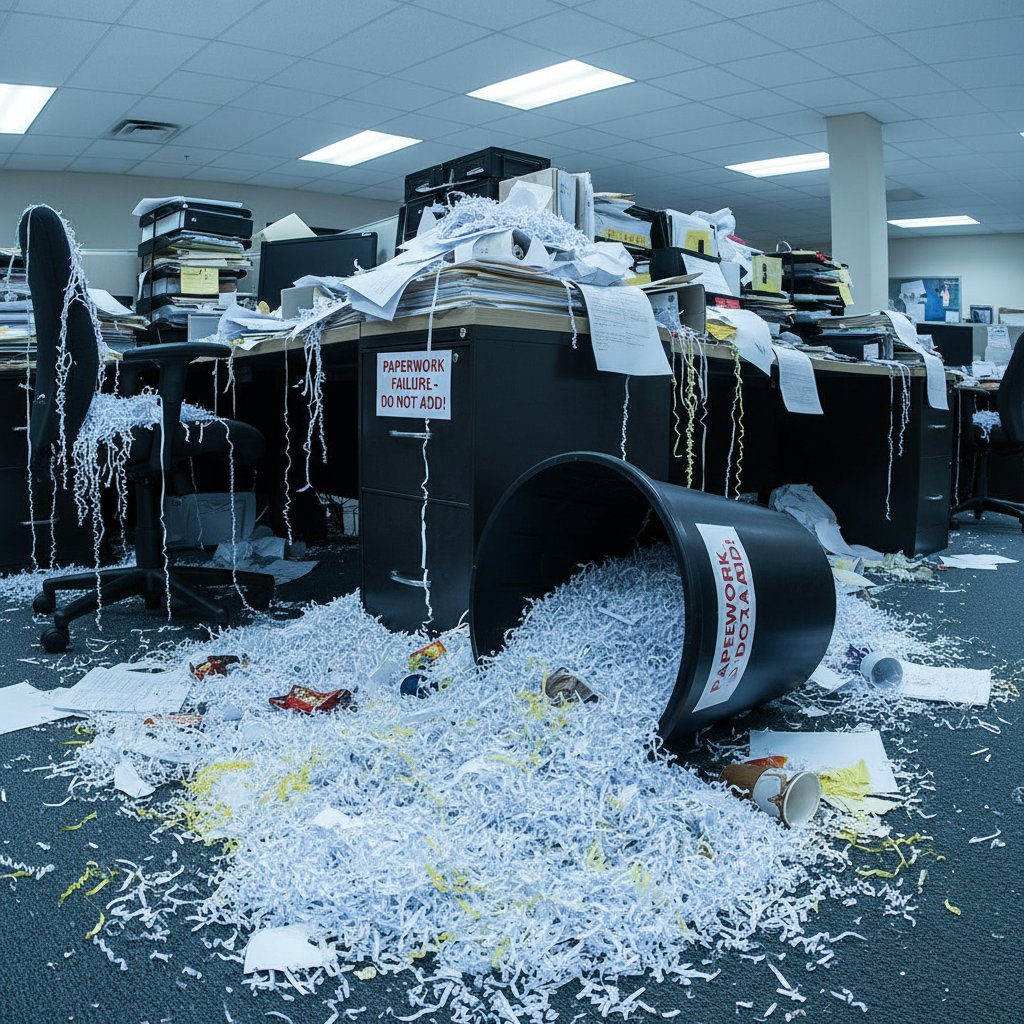
The moral: even the shiniest system can implode if you neglect the fundamentals.
The future is now: AI, automation, and the rise of the intelligent enterprise teammate
How AI is rewriting paperwork rules
AI-powered document processing isn’t science fiction—it’s a lived reality in 2025. Tools with natural language understanding, smart automation, and context-aware workflows are transforming the way businesses administrate paperwork. According to recent research, AI reduces manual paperwork by up to 60%, boosts compliance accuracy, and enables real-time insights that were previously impossible with human-driven processes.

“AI doesn’t replace judgment, it amplifies it.” — Riley, digital transformation lead
Smart automation handles repetitive grunt work—indexing, filing, approval routing—while humans focus on exceptions, relationship-building, and strategy.
The role of futurecoworker.ai and other AI teammates
AI-based coworkers like futurecoworker.ai are rewriting the script on administrate paperwork. Instead of siloed tools, they live inside your existing workflows—automating, organizing, and surfacing insights directly where the work happens.
Hidden benefits of AI paperwork teammates:
- Proactive reminders that reduce missed deadlines
- Instant document summarization and extraction of key data
- Seamless integration with email and other communication platforms
- Context-aware prioritization of urgent tasks
- Support for remote and hybrid teams with unified access
- Reduced human error in document routing and approvals
AI teammates aren’t just about speed—they’re about clarity, control, and freeing teams to focus on what matters. Preparing your organization for this transformation means investing in training, change management, and ongoing evaluation of what should (and shouldn’t) be automated.
Risks, red flags, and how to stay in control
With great automation comes great responsibility. Over-reliance on automation can create new vulnerabilities—missed context, “automation bias,” or even compliance failures if systems drift out of sync.
Common AI and automation pitfalls:
Automation bias: Blind trust in automated results, leading to overlooked mistakes.
Data drift: Gradual changes in document formats or processes that break automation.
Lack of transparency: Black-box systems that make decisions nobody can explain.
Over-automation: Automating tasks that require human judgment—like contract negotiation.
Security gaps: Weak controls that expose sensitive data or create new attack vectors.
Are you automating paperwork responsibly?
- Do you regularly review and update automation rules?
- Are there clear escalation paths for exceptions?
- Is your team trained to spot and flag errors?
- Does your system log every action for auditability?
- Are backups and disaster recovery tested frequently?
- Is human oversight built into every critical process?
- Do you review automation ROI and adjust as needed?
Mastery isn’t just about speeding up—it’s about staying in command.
Practical playbook: actionable strategies for every paperwork scenario
Small business, big impact: paperwork hacks for lean teams
For small teams, every wasted hour is a big deal. The right paperwork hacks can deliver outsized results—no fancy software required.
7 paperwork shortcuts for small businesses:
- Scan receipts and contracts with free OCR apps—ditch the shoebox.
- Use cloud-based spreadsheets for approvals instead of email threads.
- Set weekly paperwork “power hours” to batch process forms.
- Delegate bill payments to accounting services with digital dashboards.
- Share templates for common documents via Google Drive or Office 365.
- Automate appointment reminders using basic calendar tools.
- Outsource annual compliance reviews to specialized consultants.
| Option | Upfront Cost | Ongoing Cost | Typical Savings | Best Fit |
|---|---|---|---|---|
| Outsourcing | Medium | Medium | High (time, risk) | Regulatory docs, payroll |
| In-house (manual) | Low | High | Low | Custom or infrequent |
| In-house (digital) | Medium | Low | Medium | Day-to-day operations |
Table 5: Cost-benefit analysis of outsourcing vs. in-house paperwork handling
Source: Original analysis based on [Get Organized Now, 2024], [ElectroIQ, 2024]
Small business? Start simple. The right combination of delegation, templates, and basic digital tools goes further than you think.
Enterprise scale: taming the paperwork beast at large organizations
For big companies, paperwork is a beast that’s always hungry. Scalable solutions are non-negotiable.
10 steps to enterprise-grade paperwork administration:
- Conduct a baseline paperwork audit across all departments.
- Centralize document storage—with strict access controls.
- Standardize forms and templates enterprise-wide.
- Automate routing for leave, expenses, and contracts.
- Train every employee on digital protocols.
- Implement DMS with full-text search and audit trail.
- Schedule annual “paperwork hackathons” for process improvement.
- Partner with legal/compliance for retention policy reviews.
- Integrate paperwork workflows with core business platforms.
- Monitor metrics and celebrate improvements publicly.

Enterprise paperwork mastery isn’t just about tech. It’s about governance, culture, and relentless optimization.
Remote and hybrid work: paperwork without walls
Distributed teams bring new paperwork headaches—missing signatures, version control nightmares, and security concerns.
Paperwork solutions for distributed teams:
- Use e-signature platforms for all contracts
- Cloud docs with granular permissions for collaboration
- Real-time chat integration for approvals and status updates
- Scheduled backups to guard against data loss
- Mobile-friendly document scanning for field teams
- Clear SOPs for naming, organizing, and archiving files
As remote work cements itself as standard practice, digital collaboration tools aren’t optional—they’re survival gear. The right systems turn paperwork from an anchor into an engine for team agility.
Beyond the basics: advanced paperwork strategies nobody talks about
Gamifying paperwork: can fun destroy bureaucracy?
What if paperwork wasn’t a slog but a shared game? Some organizations are turning paperwork completion into competitions, complete with leaderboards, badges, and even small prizes.
Creative gamification ideas for paperwork:
- Departmental scoreboards tracking on-time form submissions
- Monthly “paperwork hero” awards for process improvements
- Time-challenge contests for rapid document processing
- Cross-team challenges with rewards for zero-error sprints
- Mystery audits with surprise bonuses for 100% compliance

Injecting fun doesn’t just lighten the mood—it drives real improvements in speed and accuracy.
The dark side: paperwork as a tool for control and gatekeeping
Not all paperwork is benign. In many organizations, documentation becomes a weapon—used to stall, exclude, or hoard information.
Warning signs your paperwork is being misused:
- Approvals that require unnecessary sign-offs from “gatekeepers”
- Forms that ask for irrelevant or excessive information
- Policies that change frequently without explanation
- Document “silos” that block transparency and collaboration
- Lack of clarity about who owns or controls a process
- Punitive use of paperwork to enforce hierarchy or settle scores
When paperwork becomes a means of control, trust erodes and innovation stalls. Ethical paperwork management means designing processes for clarity, access, and shared ownership—not power plays.
Organizations must ask: does our paperwork empower, or entrap?
Unconventional wisdom: paperwork lessons from outside the business world
Sometimes the best paperwork hacks come from where you least expect them.
5 paperwork tricks borrowed from unexpected fields:
- Healthcare: Use color-coded folders/labels for triage—instantly spot urgent docs.
- Law enforcement: Chain of custody logs for sensitive files—track every handoff.
- Film production: Call sheets with “one version only” rules—no confusion, no chaos.
- Sports teams: Post-practice debriefs to review what worked—apply to paperwork audits.
- Libraries: Barcode/check-out systems for physical files—know who has what, always.

Adapting proven tactics from outside your bubble brings fresh perspective—and serious results.
Glossary: paperwork jargon decoded for real-world use
Essential terms every paperwork pro should know
Retention policy: How long documents are legally or operationally kept. Crucial for compliance, especially in regulated fields.
Wet signature: A physical, handwritten signature. Still required for certain legal or financial documents.
Chain of custody: A process for tracking every person or system who handles a document—key in law, healthcare, and security.
Certified copy: An official duplicate of a document, verified as true to the original.
Indexing: The process of tagging and categorizing documents for rapid retrieval.
Full-text search: The ability to search the entire contents of documents—not just titles or metadata.
Destruction protocol: The method for securely destroying sensitive documents—digital and paper.
Audit trail: A record of every action performed on a document, vital for accountability.
Version control: Systems for managing changes and preventing accidental overwrites.
Approval matrix: A clear outline of who can approve what in a workflow.
Clarity in terminology is a superpower—shared vocabulary cuts confusion and accelerates every process.
Demystifying digital: key concepts in modern paperwork tools
E-signature: A legally binding digital signature, compliant with global regulations.
Digital vault: A highly secure, encrypted repository for critical documents.
Workflow automation: Tools that route documents, collect signatures, and trigger alerts automatically.
Metadata: Data about data—tags, keywords, date stamps—for rapid search.
OCR (Optical Character Recognition): Converts scanned or handwritten docs to searchable text.
AI teammate: An AI tool embedded in workflows, optimizing paperwork and task management.
Understanding these terms isn’t just trivia—it’s the toolkit for mastering digital paperwork in the modern enterprise.
Conclusion: why paperwork mastery is your unfair advantage in 2025
Synthesis: turning paperwork from burden to breakthrough
Here’s the unvarnished truth: paperwork, for all its frustrations, is the infrastructure of modern business. The organizations that thrive are those that transform paperwork from an obstacle into a competitive weapon. Whether you’re a scrappy startup, a sprawling enterprise, or a team of five working remotely, radical efficiency in administrate paperwork is the lever that frees time, unlocks innovation, and shields against risk.
By applying the expert-backed playbooks, frameworks, and unconventional wisdom in this article, you can break the cycle of paperwork paralysis. Ditch the myths, embrace the best of digital—and analog—tools, and put human judgment back in the driver’s seat.
“Master paperwork, master your destiny.” — Avery, workflow strategist
Your next move: making paperwork work for you
Ready to stop drowning and start winning? Here’s your actionable, no-excuses checklist.
Checklist—are you ready to revolutionize paperwork?
- Have you mapped every major paperwork process end-to-end?
- Is your document storage centralized, secure, and searchable?
- Are templates and naming conventions standardized organization-wide?
- Is automation deployed—wisely—where it delivers true ROI?
- Does your team understand and use the tools available?
- Are compliance, retention, and audit protocols clear and enforced?
- Do you regularly measure, review, and improve your paperwork systems?

If you’re missing more than two boxes, now’s the time for radical change. Administrate paperwork like your business (and sanity) depends on it—because it does.
For further expert insights and tools to take your workflow to the next level, visit futurecoworker.ai. Transform chaos into clarity—one task, one document, one radical strategy at a time.
Sources
References cited in this article
- Docuphase: 9 Steps to Document Management Transformation(docuphase.com)
- Get Organized Now: Ending the Paperwork Nightmare(getorganizednow.com)
- ProDrive IT: 9 Ways to End Paper Waste(prodriveit.co.uk)
- ElectroIQ: Workplace Productivity Statistics(electroiq.com)
- US Bureau of Labor Statistics(bls.gov)
- Gallup: State of the Global Workplace(timedoctor.com)
- LiveNOW from FOX: Government Retirement Paperwork Mine(livenowfox.com)
- American Action Forum: Paperwork Burden Report(americanactionforum.org)
- IRS: Debunking 1099-K Myths(irs.gov)
- Corodata: The Truth on Going Paperless(corodata.com)
- IRS: Paperless Processing Initiative(irs.gov)
- Niskanen Center: How to Fix the Paperwork Reduction Act(niskanencenter.org)
- SMcKnight: AI and Automation in Administration(smcknight.com)
- Comidor: Workflow Optimization Best Practices(comidor.com)
- Medium: Mastering Prompting Frameworks for AI Tools(medium.com)
- ShareFile: Document Management Best Practices(sharefile.com)
- FileCenter: Document Management Statistics(filecenter.com)
- AuditBoard: SOX Program Automation(auditboard.com)
- Iress: Automating Financial Planning(iress.com)
- Business.com: Document Management Statistics(business.com)
- Norton Rose Fulbright: IRA Successes and Failures(projectfinance.law)
- Integricom: CrowdStrike 2024 Lessons(integricom.net)
- FDIC: US Regional Bank Failures(fdic.gov)
- Rossum: AI Agents for Paperwork(rossum.ai)
- Avasant: Intelligent Automation Services 2023–2024(avasant.com)
- Planet Compliance: AI, Risk, and Compliance 2024(planetcompliance.com)
- KPMG: AI Regulations 2024(kpmg.com)
- White & Case: 2024 Annual Report Risk Factors(whitecase.com)
- FinCEN: Red Flags for Fraud(fincen.gov)
Transform Your Email Into Productivity
FutureCoworker AI turns your everyday email into an intelligent workspace, seamlessly managing tasks and collaboration within your enterprise. It eliminates the complexity of AI, allowing you to benefit from advanced technology without any technical knowledge. Achieve productivity, streamline processes, and improve team efficiency through natural email interaction, getting tasks done faster and smarter.
Get startedReady to Transform Your Email?
Start automating your tasks and boost productivity today
Frequently Asked Questions
How much time do employees waste on paperwork each week?
According to ElectroIQ (2024), the average employee wastes up to 3.6 hours per week navigating paperwork, which scales to nearly 400 hours lost weekly across a 100-person company.
What is the total annual cost of paperwork inefficiency in the US?
The US federal government alone logged 10.5 billion paperwork hours in 2023, with an estimated $236 billion in revenue lost to paperwork-based processes nationally.
What time savings can automation provide?
According to industry reports cited in the article, automation can recover up to 3.6 hours per worker each week.
Has the time wasted on paperwork increased over the past decade?
Yes, the average weekly hours lost per employee increased from 2.1 hours in 2010 to 3.6 hours in 2024, while estimated national admin hours grew from 7.8 billion to 10.5 billion.
Continue Reading
Keep exploring Intelligent enterprise teammate

Assist with Paperwork Without Hiring: the AI Teammate Approach
Discover insights about assist with paperwork

Handling Paperwork Chaos: What Actually Reduces Admin Burden
Paperwork creates lost productivity, burnout, and rising costs. This article explains the real impact and covers research-backed strategies to handle paperwork efficiently.

Paperwork Assistance: Why Most Solutions Fail and What Works
Paperwork assistance addresses the hidden costs of administrative overload. This article explores why paperwork drains productivity and presents seven evidence-based strategies to regain control.

Process Paperwork Without Pain: the AI Power Shift in 2026
Discover insights about process paperwork

The Hidden Costs of Paperwork and How to Reduce Them
Help with paperwork drains productivity and budgets. This article explains the hidden costs, debunks myths, and outlines seven strategies using AI and workflow design.

How Enterprises Manage Paperwork at Scale
Manage paperwork effectively by treating it as a system rather than a chore. This article explains organizational and technological strategies enterprises use to reduce chaos.




