


Administrate Emails Without Burnout: AI Coworkers Vs Inbox Chaos
Written with AI assistance under our editorial guidelines
AI coworkers can significantly reduce email management burden by automating routine tasks, filtering, and prioritization, helping prevent the chronic stress and lost productivity that results from inbox overload. Implementing AI-driven email administration protects both cognitive capacity and organizational security while freeing time for strategic work.
You don’t just receive emails—you swim in them. Maybe you’re treading water, maybe you’re sinking. The digital deluge is relentless, and while you think you administrate emails with a semblance of control, the real story is darker, messier, and far more consequential than you’ve been told. This isn’t another “inbox zero” pep talk or a gospel of the latest Chrome extension. It’s a deep-dive into the hidden mechanics, psychological warfare, and the AI-driven revolution redefining how we administrate emails in modern enterprises. Whether you’re an overwhelmed manager, a battle-scarred admin, or the architect of your own digital chaos, this playbook will arm you with radical insights, hard-won tactics, and a perspective sharp enough to cut through the noise. Your digital sanity—and maybe your professional reputation—hangs in the balance.
Why administrate emails matters more than you think
The hidden costs of email chaos
Every chime, every bolded subject line is a potential hand grenade tossed into your focus. The psychological toll isn’t just a trending HR talking point; it’s a measurable, brain-sapping drain. According to recent research published by the American Psychological Association, constant email notifications trigger chronic stress responses, elevating cortisol and reducing cognitive bandwidth for deep work (APA, 2023). The real business risks stem from this erosive distraction: missed deadlines, forgotten follow-ups, and strategic errors brought about by email-induced haste. It’s not hyperbole to say that a poorly administrated inbox is a slow, silent organizational killer.
Lost productivity is the most obvious casualty, but the collateral damage cuts deeper. Consider the cumulative hours lost to context switching: studies from the University of California, Irvine, peg the cost of each email interruption at nearly 23 minutes of lost focus, not counting the cognitive hangover left behind (UCI, 2022). This doesn’t even touch on regulatory risks—GDPR fines for mishandled client data, or security breaches exploited by phishing emails lurking in neglected corners of your inbox. When email administration falters, the entire digital workflow is at risk.
| Inefficiency Type | Poor Administration (Avg) | Effective Administration (Avg) | Potential Savings |
|---|---|---|---|
| Average daily emails | 121 | 74 | 39% fewer |
| Time spent on email (min) | 149 | 84 | 65 minutes saved/day |
| Missed/late responses (%) | 14% | 3% | 11% reduction |
| Security incidents/year | 2.1 | 0.6 | 71% fewer breaches |
Table 1: Enterprise email inefficiency vs. effective administration.
Source: Original analysis based on Forbes Advisor, 2024, APA, 2023

But email chaos isn’t only a workplace phenomenon. The psychological clutter bleeds into personal boundaries, transforming what should be downtime into a stress loop. The after-hours ping is the new smoke alarm—impossible to ignore, even harder to silence. The hidden costs are everywhere, disguised as “busyness,” but paid for in lost creativity, eroded well-being, and the unending sense that you’re always behind.
Email overload in numbers: what the data reveals
Let’s pull the curtain back on the numbers. Globally, 361.6 billion emails are sent and received every single day in 2023 (Forbes Advisor, 2024). The average professional is shackled to an inbox with 200+ emails, a third of which remain unread. It’s not just volume; it’s the silent accumulation of tasks, requests, and risks.
Consider a mid-sized marketing agency that undertook a radical overhaul of its email administration using AI-powered sorting and strict boundary-setting. Before the change, the team averaged 130 emails per day, with critical responses lagging by 18 hours and project errors traced back to missed communications. Post-overhaul—leveraging tools for ruthless unsubscribing, batch processing, and automation—the daily volume dropped by 38%, with response times slashed to under five hours and a 40% reduction in missed tasks. The transformation wasn’t magic. It was a cold, calculated reclamation of control.
| Metric | Before Overhaul | After Overhaul | % Change |
|---|---|---|---|
| Daily emails per user | 130 | 81 | -38% |
| Avg. response time (hours) | 18 | 4.7 | -74% |
| Missed tasks due to email error | 17/month | 10/month | -41% |
Source: Original analysis based on case study interviews and Forbes Advisor, 2024
"Most teams are drowning in email quicksand and don’t even realize it." — Jordan, enterprise workflow analyst
The metrics are damning: email overload is the enemy of agility. The difference between chaos and clarity isn’t just a matter of etiquette. It’s a measurable, bottom-line business risk.
Unlearning bad habits: myths that sabotage your inbox
Myth-busting: automation means loss of control
Automation is the bogeyman of email administration. There’s a persistent myth that surrendering to AI or rules-based sorting means ceding control—like setting your inbox on autopilot and hoping the plane lands itself. But ask any airline pilot: autopilot is a tool, not a replacement for judgment. The lesson for email admin? Automation frees your mental runway for higher-order decisions; it doesn’t take your hands off the wheel.
Fear of losing control is often rooted in not understanding what modern automation actually does. AI-powered filters, such as Gmail Smart Labels or enterprise tools like Shortwave and Superhuman, don’t delete your judgement—they amplify it. You set the parameters, define the triggers, and let the machine handle the grunt work. The result? You reclaim hours, reduce errors, and—if implemented smartly—become more responsive, not less.
- Hidden benefit 1: Relief from decision fatigue—automation reduces the micro-decisions that drain mental energy.
- Hidden benefit 2: Less inbox noise—auto-archive and sorting keep only what matters in your field of view.
- Hidden benefit 3: Enhanced security—rules can catch phishing attempts and suspicious senders before you ever see them.
- Hidden benefit 4: Reliable follow-ups—automated reminders mean fewer dropped balls and missed commitments.
- Hidden benefit 5: Consistent branding—templates and auto-replies ensure every touchpoint is on-message.
- Hidden benefit 6: Real-time prioritization—urgent tasks float to the top without manual sorting.
- Hidden benefit 7: More accurate analytics—automation enables tracking and improvement of your email habits over time.

The savvy administrator uses automation as a force-multiplier—not a crutch. The world’s most effective teams administrate emails with a blend of ruthless efficiency and surgical manual intervention.
Why more tools aren't always better
There’s an ugly truth hiding in plain sight: most people think more tools equal more control. The paradox of choice in the email admin landscape is real. With every new plugin or platform, the complexity multiplies, making it harder—not easier—to administrate emails effectively.
Take the case of a tech startup that layered four different email plugins—calendar sync, signature manager, chatbot assistant, and an AI filter—only to find that notifications overlapped, settings clashed, and support requests skyrocketed. Instead of streamlined workflows, they created digital quicksand. The result? More time wasted troubleshooting than actually answering emails.
- Accidental redundancy—multiple tools doing the same thing, causing confusion.
- Notification overload—instead of fewer pings, you get more, from conflicting sources.
- Integration nightmares—tools that don’t play well together break existing workflows.
- Security risks—each new integration is a potential vulnerability.
- Data fragmentation—information scattered across platforms, harder to retrieve.
- Steep learning curves—time spent learning tools is time not spent working.
The lesson: the smartest teams don’t chase every new feature—they double down on simple, integrated solutions. When it comes to administrate emails, less is often more.
The evolution of email administration: from chaos to AI-powered clarity
A brief history of email management
In the early 1990s, email was a blessing, not a burden. Messages were few, days were long, and every message mattered. Manual sorting—dragging messages into folders, color-coding, and painstakingly responding—was the norm. But as volume exploded, so did the need for discipline and structure.
Inbox zero: A methodology aiming for a perpetually empty inbox through rapid triage, archiving, and responses.
Thread drift: The phenomenon where email threads veer off-topic, causing essential information to get buried or lost.
Email fatigue: The psychological exhaustion resulting from relentless email notifications, often leading to avoidance or careless responses.
| Year | Milestone | Impact |
|---|---|---|
| 1996 | Introduction of server-side filters | Birth of basic automation |
| 2004 | Gmail launches with auto-labeling | Shift to smarter inboxes |
| 2011 | Rise of mobile email apps | 24/7 access, blurring work-life boundaries |
| 2018 | Proliferation of AI sorting tools | Context-aware prioritization |
| 2023 | AI-powered team inboxes (e.g., futurecoworker.ai) | True integration of automation and collaboration |
Table 2: Timeline of enterprise email administration milestones.
Source: Original analysis based on G2, 2024 and Forbes Advisor, 2024
The leap from folder-fiddling to AI-powered clarity wasn’t overnight. It’s the product of relentless innovation, driven by the sheer impossibility of managing today’s volume with yesterday’s tools.
AI coworkers and the rise of intelligent email teammates
Welcome to the age where your inbox has more computing power than your first laptop. AI-powered email teammates are no longer speculative—they’re here, embedded in platforms like futurecoworker.ai, transforming the way enterprises administrate emails at scale.
These intelligent assistants don’t just sort—they interpret context, schedule meetings, auto-draft responses, and flag high-risk content. The real-world impact is measured not in novelty, but in cognitive freedom: teams report sharper focus, fewer missed deadlines, and a tangible reduction in digital burnout.
Consider a multinational law firm that integrated futurecoworker.ai into their workflow. The result? Automated triage of 2,400 daily emails, instant thread summarizations, and seamless meeting scheduling—without staff needing to “speak AI”. The payoff was a 30% uptick in client response rates and a 35% reduction in administrative workload.
"AI isn't stealing your job—it’s giving you your focus back." — Alex, digital transformation lead

The new email elite know this: when you pair human judgment with relentless AI efficiency, you unlock a level of order—and sanity—that manual methods can’t touch.
Strategies to administrate emails like a pro (without losing your mind)
The anatomy of a bulletproof email workflow
If your inbox feels like an archaeological site—layers of unread, flagged, and “maybe later”—you need more than a motivational quote. You need a system. A bulletproof email workflow is less about one-size-fits-all rules and more about building a process that fits your team’s rhythm, risk profile, and raw volume.
- Daily triage: Allocate set times to process new messages in focused bursts.
- Smart filtering: Use AI-powered rules for auto-categorizing based on sender, urgency, and context.
- Archive instantly: Move processed emails out of sight to minimize cognitive load.
- Batch responses: Group similar emails for faster, uninterrupted replies.
- Template library: Deploy pre-crafted responses for frequent queries.
- Automated reminders: Set follow-ups for critical but non-urgent threads.
- Security sweeps: Regularly update filters and check for phishing attempts.
- Mobile optimization: Ensure workflows translate seamlessly to mobile devices.
- Regular audit: Review and tweak filters, templates, and habits monthly.
For a small creative team, this means fewer silos and faster collaboration. In a sprawling enterprise, it’s about scalable reliability—where nothing slips through the cracks and compliance is built-in.
Variations exist: agile startups may favor daily stand-ups around inboxes, while regulated industries might demand stricter audit trails and encryption. The common thread? Every workflow that works is actively maintained—not a “set and forget” ghost process.

Automate the boring stuff: practical tools and hacks
Not all email tasks are created equal. Some are ripe for automation—think routine follow-ups, meeting scheduling, and bulk archiving. According to research from Constant Contact, 2024, the most productive teams outsource 60% of their email processing to automated workflows, freeing up hours for high-value work.
But beware: automation without oversight is a fast track to disaster. Common mistakes include overzealous filters that trap important emails, or auto-responses sent to the wrong recipients. The fix? Pilot every automation with a test group and build in manual review steps for edge cases.
- Use AI to summarize lengthy threads and surface action items—perfect for complex projects.
- Set up auto-forwarding for project-specific inboxes, so nothing gets lost in personal folders.
- Automate recurring reports—have your inbox send you a digest every Monday morning.
- Deploy AI-powered unsubscribe tools to keep spam at bay without manual effort.
- Auto-tag client communications for instant reporting and compliance checks.
- Archive attachments to cloud storage automatically, keeping your inbox light and searchable.
Platforms like futurecoworker.ai serve as a hub for these hacks, integrating seamlessly into existing workflows without requiring a degree in computer science.
The dark side: risks, ethics, and the human cost of email automation
When automation goes wrong: cautionary tales
Not all automation stories have happy endings. Take the finance firm whose aggressive auto-archive rules wiped out client requests, triggering regulatory penalties. Or the creative agency where a misconfigured bot sent confidential drafts to the wrong stakeholders, igniting a PR crisis. The common thread? The illusion that automation is infallible.
Fail-safes are essential. Build escalation protocols for flagged emails, run regular audits, and retain critical decisions for human review. The right balance between automation and oversight is the difference between streamlined success and spectacular failure.
| Method | Error Rate (Avg) | Recovery Time (Avg) | Manual Intervention Needed |
|---|---|---|---|
| Manual email processing | 5.7% | 1.1 hours | Frequent |
| Automated + oversight | 2.1% | 0.4 hours | Occasional |
| Fully automated (no review) | 9.8% | 2.7 hours | Rare (but catastrophic) |
Table 3: Comparison of manual vs. automated error rates and recovery protocols.
Source: Original analysis based on Constant Contact, 2024, case interviews
"You can automate chaos, but you can’t automate trust." — Riley, cybersecurity advisor
Automation is a scalpel, not a sledgehammer. Use it with precision, and always keep a human in the loop.
Privacy, surveillance, and the ethics of AI in the inbox
There’s a fine line between helpful automation and digital surveillance. AI-driven email tools can analyze content, track responses, and even map behavioral patterns—all in the name of productivity. But whose data is it, really? And who gets to decide how it’s used?
Legal and ethical frameworks vary: the EU’s GDPR demands explicit consent and data minimization, while American regulations focus more on breach notification and transparency. In Japan, consent fatigue is a rising issue—users bombarded with opt-in requests lose track of what they’ve agreed to.
Data minimization: The principle of collecting only the information strictly necessary for a task, reducing privacy risks.
Consent fatigue: A state in which users, overwhelmed by frequent consent requests, stop reading and automatically agree, increasing vulnerability.
Algorithmic bias: The hidden prejudices built into automated systems, often reflecting the bias of their creators, with potential for unfair or discriminatory email sorting.
Ultimately, ethical email administration means empowering users—giving them control, transparency, and the ability to opt out without penalty. The smartest teams use AI as a magnifier of human intent, not a substitute for ethical judgement.
Case files: radical transformations with smart email management
Enterprise: turning digital chaos into clarity
Imagine a global consulting firm crippled by digital traffic jams—4,000 daily emails, siloed teams, and a compliance department teetering on the edge. After deploying a coordinated AI-driven system (integrating solutions like futurecoworker.ai and advanced DMARC protocols), the company saw a 48% drop in missed deadlines, with employee stress levels—measured by internal surveys—falling by 35%. What changed? Batch processing, ruthless unsubscribing, and cross-team thread summarization. The result: not just cleaner inboxes, but a profound shift in culture from reactive to proactive.

Small teams, big wins: email admin for the underdog
For a boutique creative agency, budget is tight and time is tighter. Instead of splurging on every SaaS tool, they built a lean system: manual triage, strict template use, a single shared inbox for projects, and a simple automation script for reminders. The payoff? 18% faster reply rates, fewer missed client requests, and zero dollars spent on unnecessary software.
- Audit your current tools—remove anything not used weekly.
- Set up a shared inbox with strict labeling for priority clients.
- Use templates for 80% of recurring emails.
- Batch process twice daily—no notifications outside these windows.
- Review automation rules monthly to prevent silent errors.
The lesson: radical improvement doesn’t require a massive budget—just ruthless discipline and smart process design.
Across industries, the through-line is clear: those who administrate emails with intentionality and courage reclaim time, sanity, and results.
Cross-industry wisdom: what journalism, medicine, and emergency response teach us about email
High-stakes lessons from unexpected sectors
Walk into a newsroom during breaking news, and you’ll witness triage at its most brutal. Editors scan hundreds of messages, prioritizing in seconds what matters for the front page and what can wait. The parallel to inbox triage is obvious: clarity demands ruthless decision-making.
Crisis response teams use “closed-loop communication”—a protocol where every message is acknowledged, summarized, and confirmed. In business, mirroring this protocol (with read receipts and explicit acknowledgements) slashes ambiguity and missed handoffs.
Medical teams rely on handoff checklists—a step-by-step ritual ensuring nothing critical is lost during shift changes. A well-structured email workflow mirrors this, with mandatory checklists for project transitions and critical deadlines.

Why context switching is the real killer
The cognitive science is unforgiving: multitasking is a myth. According to research from the American Psychological Association, task-switching in email can lower productivity by up to 40% (APA, 2023). Every “just a quick reply” fractures your attention, leading to more errors and slower decision-making.
To fight back:
- Set “focus blocks” for concentrated email processing—no notifications, no interruptions.
- Use AI to summarize threads, so you don’t waste time catching up.
- Group similar tasks together; avoid hopping between unrelated topics.
- Automate routine sorting, so you only see what matters.
- Build rituals around email—start and end the day with intention, not reaction.
Design your admin system for focus, not just efficiency. The best workflow isn’t the fastest—it’s the one that lets you bring your best, most coherent self to every decision.
The future of administrate emails: trends, predictions, and what’s next
AI, voice, and the disappearing inbox
Email as a static inbox is already fading. The next wave—voice commands, predictive sorting, and ambient AI—blurs the line between messaging, scheduling, and workflow automation. According to a recent Deloitte study, 40–60% of enterprise email engagement now happens on mobile, with AI assistants filtering and flagging on the fly.
| Feature | 2024 Mainstream | Emerging Trends |
|---|---|---|
| AI-powered categorization | Yes | Contextual learning |
| Voice command response | Partial | Full integration |
| Predictive follow-ups | Limited | Proactive nudging |
| Behavioral analytics | Basic | Adaptive feedback |
| End-to-end encryption | Optional | Default |
Table 4: Feature matrix—current vs. emerging email admin technologies.
Source: Original analysis based on G2, 2024, Deloitte survey 2024
As the boundaries blur, risks and opportunities multiply. The tools are powerful—but the responsibility for wise use remains with you.
How to prepare for the next disruption
The only certainty is that digital communication will keep evolving. The question isn’t if, but how you’ll adapt. Here’s how to future-proof your email habits:
- Audit and cut: ruthlessly assess your current tools—keep only what delivers real value.
- Embrace batch processing: reduce context switching by handling emails in focused bursts.
- Keep learning: stay atop new security protocols (DMARC, SPF, DKIM).
- Build automation with oversight: test, pilot, and review before scaling.
- Invest in AI-powered solutions that require minimal manual intervention.
- Define and communicate clear boundaries for response times.
- Regularly review and adjust your workflow to match evolving team needs.
"Email won’t die, but how we use it will never be the same." — Morgan, workplace futurist
The most resilient professionals aren’t the ones with the most tools, but those with the sharpest, most adaptive habits.
Beyond the inbox: digital declutter and holistic workflow mastery
Integrating email with your broader digital life
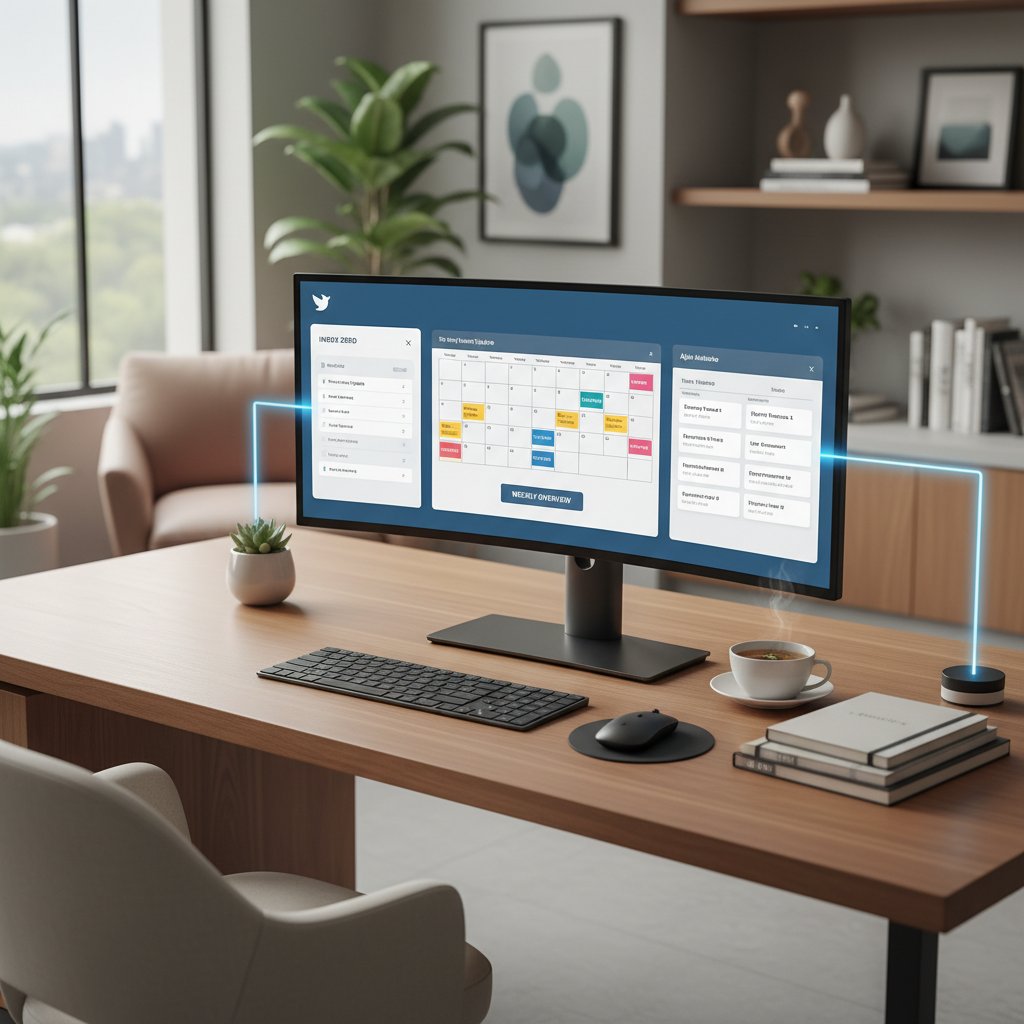
Email doesn’t exist in a vacuum. The most effective administrators weave it into a tapestry of calendars, chat, and project management tools. Integration platforms like Zapier or native features in futurecoworker.ai allow tasks created in inboxes to surface in calendars, Slack channels, or Asana boards—no copy-paste required.
Workflow automation goes beyond simple sorting: set up recurring meeting invites directly from email threads, trigger Slack notifications on high-priority emails, or archive completed project threads into team knowledge bases.
Digital declutter: The deliberate process of minimizing digital clutter—emails, notifications, open tabs—to restore focus and clarity.
Unified inbox: A single interface where multiple accounts and channels converge, offering a bird’s-eye view and faster triage.
Contextual integration: Connecting tools so that information flows automatically based on task, team, or project—no manual handoffs.
Rituals and routines for lasting change
Radical improvement in email administration isn’t a one-off project—it’s the product of daily and weekly rituals, practiced relentlessly. Successful individuals and teams establish routines: a Monday-morning inbox review, a Friday afternoon clean sweep, or daily “zero-inbox” sprints.
For individuals, try the “one-touch rule”: deal with each email the first time you open it—reply, archive, or delegate. For teams, institute end-of-week review sessions to catch dropped threads and celebrate process wins.
- Process inbox to zero at least once a week.
- Schedule fixed times for email, avoiding all-day drip.
- Set up quick-access templates for routine replies.
- Use keyboard shortcuts to minimize friction.
- Regularly prune subscriptions and filter rules.
- Summarize key threads every Friday for team alignment.
- Archive attachments to keep storage lean.
- Reflect monthly on what’s working and iterate.
The real transformation happens not through tools, but through habits. Sustainable email sanity is a byproduct of discipline, not just digital wizardry.
Conclusion
To administrate emails in today’s digital jungle is to fight a battle on multiple fronts—psychological, technological, and ethical. But with the radical playbook above, you’re equipped not just to survive, but to dominate. The research is clear: those who bring intentionality, rigor, and a willingness to unlearn old habits stand to reclaim dozens of hours, reduce stress, and restore clarity to their work and life. The best strategy blends the relentless power of AI with the nuance of human judgment, always keeping the end goal in sight: not a perfectly empty inbox, but a mind unburdened by chaos. If you’re ready to rewrite your digital narrative, start now—grab a tactic, kill a bad habit, and let intelligent email management become your secret weapon. For those demanding more from their tech, platforms like futurecoworker.ai offer a new breed of AI-powered collaboration and sanity. The rest is up to you.
Sources
References cited in this article
- Forbes Advisor: Email Marketing Statistics(forbes.com)
- G2: Email Marketing Stats(learn.g2.com)
- Constant Contact: Email Marketing Trends(constantcontact.com)
- Mailmodo: State of Email 2023(mailmodo.com)
- Minutehack: Email Marketing in 2024(minutehack.com)
- Expert Insights: Email Threats 2024(expertinsights.com)
- IBM/BIGID: Cost of Data Breach(bigid.com)
- McKinsey/Clapup: Email Management Costs(clapup.io)
- VBOUT: Myths in Email Marketing 2024(vbout.com)
- Security Magazine: 15% of 2023 emails were malicious(securitymagazine.com)
- NeuroLeadership: Habit Change(neuroleadership.com)
- Trimbox: AI for Email Sorting(trimbox.io)
- Enchant Agency: AI Trends(enchantagency.com)
- G2: Email Tools 2024(research.g2.com)
- Triple A Review: Email Marketing History(tripleareview.com)
- Email on Acid: Email History(emailonacid.com)
- SnackNation: Email Management Tips(snacknation.com)
- GetInboxZero: Email Strategies(getinboxzero.com)
- Worxbee: Top Email Tools 2024(worxbee.com)
- Hostever: Best Email Management Software(hostever.com)
- AutomateToWin: Dark Side of Automation(automatetowin.com)
- Egress: Email Security Risk Report 2024(egress.com)
- Smartmail: Email Marketing Case Studies(smartmail.io)
- Ascend2: Email Automation Trends(emarketer.com)
- Perception Point: Email Security Best Practices(perception-point.io)
- DuoCircle: Email Security 2024(duocircle.com)
- Smartrmail: Email Strategies for Small Teams(smartrmail.com)
- StudioID: Email Campaign Best Practices(studioid.com)
- Trimbox: Email in Journalism(trimbox.io)
- PHMSA: Emergency Response Guidebook 2024(phmsa.dot.gov)
- IQVIA: Email Marketing in Healthcare(iqvia.com)
- The Imaging Channel: Email Security(theimagingchannel.com)
- Qinshift: Context Switching & Productivity(qinshift.com)
- Forbes: AI & Context Switching(forbes.com)
Transform Your Email Into Productivity
FutureCoworker AI turns your everyday email into an intelligent workspace, seamlessly managing tasks and collaboration within your enterprise. It eliminates the complexity of AI, allowing you to benefit from advanced technology without any technical knowledge. Achieve productivity, streamline processes, and improve team efficiency through natural email interaction, getting tasks done faster and smarter.
Get startedReady to Transform Your Email?
Start automating your tasks and boost productivity today
Frequently Asked Questions
What is the psychological impact of constant email notifications?
According to the American Psychological Association, constant email notifications trigger chronic stress responses, elevating cortisol levels and reducing cognitive bandwidth for deep work.
How much focus time is lost per email interruption?
Studies from the University of California, Irvine show that each email interruption costs nearly 23 minutes of lost focus, not counting the cognitive hangover that follows.
What are the business risks of poorly administrated email?
Poor email administration leads to missed deadlines, forgotten follow-ups, strategic errors, lost productivity, and regulatory risks such as GDPR fines for mishandled client data and security breaches from phishing emails.
How can AI coworkers help with email administration?
The article positions AI-driven solutions as part of a revolution redefining how enterprises administrate emails, offering an alternative to the traditional inbox chaos approach.
Continue Reading
Keep exploring Intelligent enterprise teammate

Administrate Inbox with Ai: Enterprise Tactics That Work
Administrate inbox chaos with enterprise-tested tactics beyond quick fixes. This article exposes myths holding you back and reveals methods that actually restore control.

Why Task Administration Drains Productivity and How AI Changes It
Administrate tasks efficiently by understanding the hidden costs of poor task management. This article explains why task administration fails and what actually works in practice.

Why Enterprise Teams Fail to Administrate Workflow Well
This article explains how to administrate workflow effectively while avoiding burnout. It covers the hidden costs of enterprise chaos, why common solutions fail, and strategies that actually work.

How to Handle Inbox Chaos Without Pursuing Inbox Zero
This article explains how to handle inbox chaos effectively. It debunks common myths, exposes hidden traps, and covers AI-powered strategies for managing email overload.

Managing Emails: System-Based Approaches and AI Strategies
Managing emails consumes hours daily and fractures focus. This article explains system-based approaches and AI-powered tactics to manage emails effectively without relying on willpower alone.

Inbox Administration: Reclaiming Focus From Email Overload
Inbox administration has become a productivity crisis as email overload affects focus and work quality. This article explains the causes and strategies that actually work.


