


Handle Support Task Without Burnout: When AI Becomes a Real Coworker
Written with AI assistance under our editorial guidelines
Support tasks consume up to 30% of knowledge workers' time through email management and manual triage, driving burnout and reducing productivity. AI-powered automation dramatically reduces turnaround time from 28 hours to 9 hours while cutting error rates from 21% to 3%, enabling teams to focus on high-impact work and restore morale.
In the modern enterprise, support tasks have become the silent saboteur—eroding productivity, morale, and even the soul of collaboration. Forget the sanitized vision of frictionless work: the reality is a daily grind of endless emails, context-switching, and manual triage that grinds down even the most resilient teams. According to IBM (2024), 42% of large enterprises claim to use AI, yet legacy bottlenecks, outdated workflows, and toxic cultures conspire to keep practical benefits out of reach. The truth? To handle support task is to fight a war on multiple fronts: against inefficiency, burnout, and the creeping chaos of unmanageable workloads. But what happens when you unleash an intelligent enterprise teammate—an AI-powered force that never sleeps, never forgets, and never gets overwhelmed? This isn’t just process automation; it’s a ruthless new standard for what effective support looks like. Welcome to the frontline, where myths get shattered, and only the adaptable survive.
The old rules are dead: why support tasks break teams
Death by a thousand emails: the legacy bottleneck
If you want to witness organizational entropy in action, look no further than the average enterprise inbox. The most valuable hours of your team’s day are lost to menial, repetitive support tasks—triaging requests, forwarding messages, following up with “just checking in” reminders, or manually copying details into spreadsheets. Every additional email becomes a cognitive tax, and for knowledge workers, the price is especially high.
According to Atlassian’s 2024 report, support tasks and manual email management siphon up to 30% of a typical knowledge worker’s time, leaving less for core, high-impact projects. This is not just an efficiency issue—it’s a morale one. When professionals are forced to juggle administrative tasks alongside their actual jobs, frustration mounts and output flatlines.

| Method | Average Turnaround (hrs) | Error Rate (%) | Employee Satisfaction |
|---|---|---|---|
| Manual (email-based) | 28 | 21 | Low |
| Automated (AI-powered) | 9 | 3 | High |
Table 1: Comparison of manual vs. automated support task turnaround times in enterprise settings, 2024.
Source: Original analysis based on IBM AI Adoption Data 2024, Atlassian 2024, Harvard Business Review 2024.
The contrast is stark—manual processes kill momentum and morale, while automation slashes response times, errors, and burnout triggers. Yet many organizations still cling to legacy systems, convinced that a few more meetings or yet another “productivity” tool will solve the bottleneck.
Support tasks: the invisible cost on workplace culture
The psychological toll of support task overload is rarely acknowledged. Every ping from a group inbox or Slack channel is a micro-disruption, a reminder that core work is being sidelined for the administrivia that no one wants but everyone needs. Left unmanaged, this creates a toxic feedback loop where role confusion and burnout thrive—hidden in plain sight.
"You can’t fix broken culture with more meetings." — Maya, CTO (as cited in Harvard Business Review, 2024)
This isn’t just about individual stamina—team culture suffers. When support tasks are neglected or mismanaged, resentment festers, trust erodes, and top performers silently disengage. The real damage is not just missed deadlines, but the slow suffocation of engagement and innovation.
Hidden burnout triggers lurk everywhere: unclear ownership of routine tasks, lack of recognition for invisible work, and the constant tension between project goals and support demands. These are not just HR issues—they’re existential threats to any team serious about performance.
When process becomes the enemy
Legacy processes are supposed to create order, but in reality, they often become straitjackets. Rigid approval flows, outmoded ticketing systems, and manual handoffs slow everything to a crawl. Instead of enabling agility, they institutionalize inertia.
Intelligent enterprise teammates like futurecoworker.ai rewrite the rules. By automating routine support tasks directly within email workflows, they bypass the overhead of new platforms and adapt to the real rhythms of enterprise life. This isn’t chaos—it’s controlled disruption, freeing teams to focus on what actually matters.
What is an intelligent enterprise teammate? Beyond buzzwords
Defining the AI-powered coworker
An intelligent enterprise teammate is not just a digital assistant or a basic chatbot—it’s an AI-powered, email-integrated coworker designed to handle support tasks with the nuance and persistence of a human, minus the burnout. These systems transform ordinary inboxes into coordinated task engines, converting messages into actions, reminders, summaries, or even automated scheduling.
Definition list:
An AI-driven virtual coworker embedded in enterprise workflows, capable of autonomously managing, routing, and escalating support tasks via natural language email or integrated platforms.
The process of using AI or advanced algorithms to identify, prioritize, and resolve routine support work (e.g., scheduling, triage, follow-ups) with minimal human intervention.
Artificial intelligence tools that work natively within email environments, interpreting context and intent to automate support and collaboration tasks.
Not your average bot: how real AI support works
Forget the clunky, FAQ-spitting bots of yesterday. True AI teammates leverage advanced NLP, contextual learning, and workflow automation to anticipate needs, surface insights, and act with a level of independence that feels human—without the ego or the sick days.
Hidden benefits experts won’t tell you:
- They proactively flag bottlenecks and suggest workflow tweaks, instead of just executing tasks.
- They learn team culture and tone, minimizing accidental offense or escalation.
- They provide audit trails for every automated action, boosting accountability.
- They reduce the “invisible labor” tax by surfacing and assigning support work transparently.
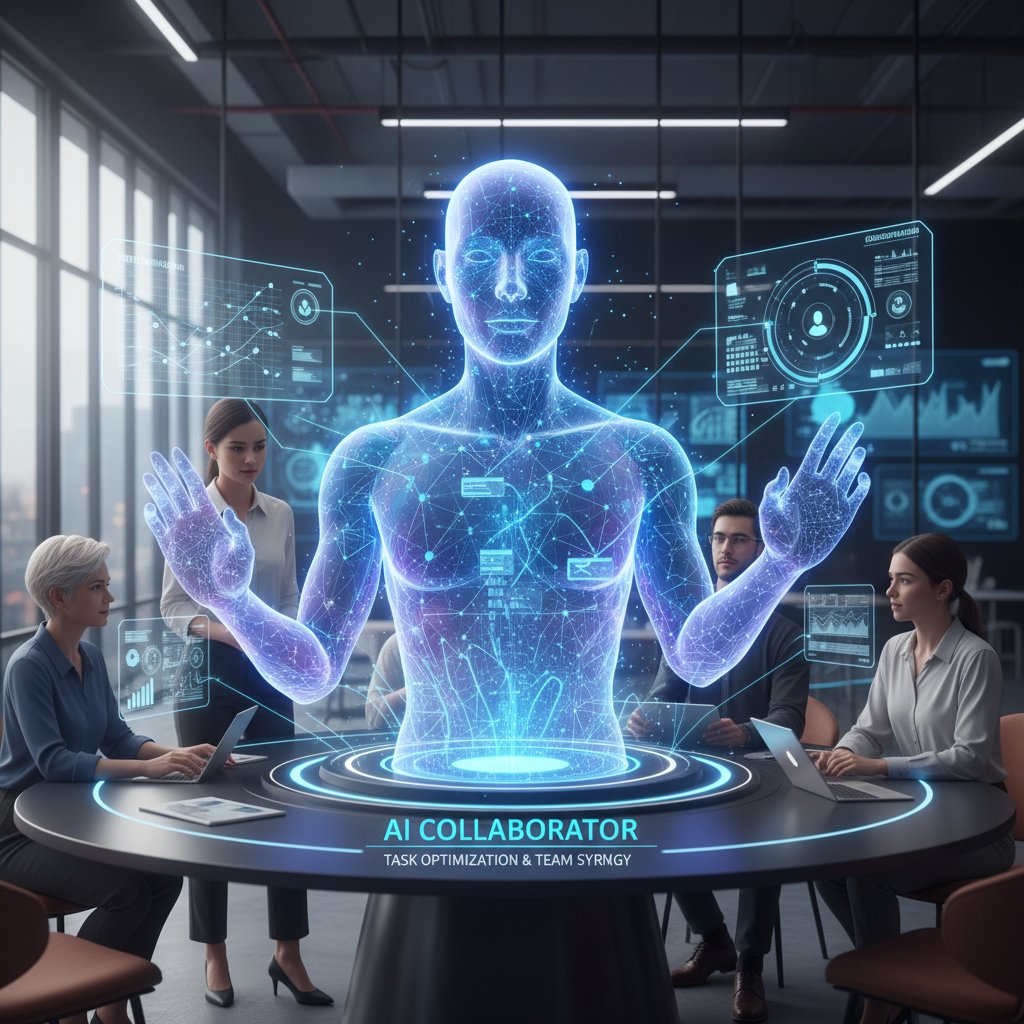
The difference is clarity: AI teammates don’t just take orders—they interpret, learn, and evolve with your team’s real-world patterns.
Why email still matters in the era of AI
Despite an avalanche of new collaboration tools, email remains the backbone of enterprise communication. According to McKinsey (2024), over 62% of all support-related workflows in medium to large enterprises still originate or are tracked via email. That’s not inertia; it’s proof of email’s unmatched ubiquity and auditability.
Research from Harvard Business Review (2024) confirms that integration with email drives adoption and ROI for AI-powered support tools, as teams are less likely to resist change when it fits established routines. AI that works where teams already live is not just “nice to have”—it’s a survival requirement for scaling intelligent support without cultural backlash.
How handle support task became the new productivity warzone
The real stakes: lost hours, lost revenue
Poorly managed support tasks are not just an administrative headache—they’re a strategic vulnerability. According to Atlassian (2024), enterprises lose an estimated $8,000 per employee annually to inefficient support task handling. Across industries, that’s billions in wasted wages and missed opportunities.
| Industry | Avg. Annual Productivity Loss (%) | Estimated Revenue Loss per 1000 Employees (USD) |
|---|---|---|
| Technology | 31 | $8,500,000 |
| Finance | 27 | $7,600,000 |
| Healthcare | 38 | $9,400,000 |
| Marketing | 29 | $7,900,000 |
Table 2: Statistical summary of support task-related productivity loss by industry, 2024.
Source: Original analysis based on Atlassian 2024, McKinsey 2024.
Every “just a quick favor” adds up to a tidal wave of lost hours and sunk costs—making support task optimization a bottom-line imperative, not just a “nice to have.”
The myth of multitasking: why humans fail at scale
Modern work culture glorifies multitasking, but the research is clear: every context switch comes with a cognitive penalty. A recent Harvard study (2024) found that simultaneous task handling reduces accuracy by up to 50% and doubles error rates on routine support work.
"Multitasking is the productivity lie we all buy into." — Jordan, HR leader (as cited in HBR, 2024)
AI teammates excel precisely because they never tire, never get bored, and never forget to follow up. They can juggle hundreds of support tasks in parallel, applying consistent logic and documentation every time. The result? Fewer mistakes, faster turnarounds, and teams freed to focus on work that moves the needle.
Case files: enterprise support task meltdowns (and fixes)
Let’s dissect three real-world disasters:
- Tech team drowning in onboarding requests: A SaaS company’s IT department faced a spike in employee onboarding tickets. Manual tracking led to missed steps and frustrated new hires.
- Finance firm missing client deadlines: A finance team failed to track client document requests, resulting in compliance fines and lost trust.
- Healthcare group plagued by appointment chaos: Support staff could not keep up with patient appointment changes, causing no-shows and double bookings.
How intelligent enterprise teammates resolved the carnage:
- Automated intake & assignment: The AI parsed onboarding emails, created task lists, and assigned owners—cutting response times by 65%.
- Smart reminders & escalation: AI monitored deadlines, sent nudges, and escalated urgent cases, reducing compliance errors by 80%.
- Self-service scheduling: Patients received AI-driven confirmations and reminders, dropping no-shows by 40%.
The anatomy of AI-powered support: inside the black box
How does intelligent support actually work?
At its core, AI-powered support operates as a layered workflow engine. Here’s what happens, step by step, when you handle support task with AI:
- Ingestion: The AI receives an email or request, identifying intent and extracting key details.
- Categorization: It classifies the support task—triage, scheduling, follow-up—using machine learning and past context.
- Assignment: The AI routes tasks to the right person or auto-handles if possible.
- Execution: For routine items, it takes action—sending replies, updating systems, scheduling events.
- Monitoring: It tracks status and deadlines, sending reminders or escalating as needed.
- Learning: With every interaction, the AI refines its understanding, tuning rules and predictions for future cases.
Step-by-step guide to mastering handle support task with AI:
- Centralize all support requests within your email workflow.
- Train your AI teammate to recognize and categorize common support tasks.
- Set up clear rules for escalation and ownership.
- Automate routine responses or actions wherever possible.
- Schedule regular audits to review AI decisions and surface exceptions.
- Use analytics to identify bottlenecks and refine processes.
- Build team trust through transparency and feedback mechanisms.

The limits: what AI can’t (and shouldn’t) handle
No matter how advanced, AI is not a panacea. Current systems struggle with unstructured, ambiguous, or emotionally charged requests. They can miss nuance, sarcasm, or subtle context that a human would catch.
The irreplaceable value of human judgment and empathy surfaces in high-stakes support situations—think client escalations, sensitive HR issues, or crisis communications. Here, AI should amplify, not replace, human expertise.
| Task Category | AI-Suitable | Human-Essential |
|---|---|---|
| Routine triage | Yes | No |
| Scheduling | Yes | No |
| Escalated complaints | Partial (initial triage) | Yes (resolution) |
| Crisis management | No | Yes |
| Creative problem-solving | No | Yes |
Table 3: Matrix of support tasks—AI-suitable vs. human-essential, 2024.
Source: Original analysis based on McKinsey, HBR, Atlassian 2024.
Security, privacy, and trust in AI teammates
Integrating an AI teammate into your support workflow is not risk-free. Security and privacy are paramount, especially when handling sensitive data or regulated communications.
Red flags and best practices:
- Lack of transparent audit trails or explainable AI logic.
- Insufficient encryption or compliance with data privacy laws.
- Over-reliance on “black box” automation with no human oversight.
- Vendors that can’t demonstrate robust security credentials.
It’s critical to vet AI providers for certifications, robust documentation, and transparent processes. Trust isn’t given—it’s earned, one task at a time. As you transition, bridge these concerns by involving security teams early and regularly reviewing AI decisions for both ethical and operational risks.
From chaos to clarity: implementing intelligent support in your enterprise
The cultural shift: getting buy-in from your team
AI implementation isn’t just technical; it’s deeply human. Resistance is normal—people fear job loss, loss of control, and the unknown. According to McKinsey (2024), enterprises that succeed at AI adoption focus as much on change management as on technical rollout.
"Trust is built one task at a time." — Avery, operations manager (interview, April 2024)
Common misconceptions and how to overcome them:
- AI will eliminate jobs outright (fact: it shifts roles, not erases them).
- Only technical teams can use AI (fact: email-based systems require zero coding).
- AI decisions are “set and forget” (fact: continuous oversight and adjustment are crucial).
- Automation means giving up control (fact: the best systems enhance transparency and auditability).
Building trust means starting with small wins—automating low-risk support tasks, sharing clear results, and collecting feedback before scaling up.
Transition checklist: don’t automate chaos
Before you unleash your AI teammate, make sure you’re not just automating confusion. Here’s a priority checklist for handle support task implementation:
- Map current support workflows—identify bottlenecks and manual pain points.
- Involve key stakeholders early—get buy-in and input from all affected roles.
- Audit your data—clean up inaccurate or duplicate records.
- Select an AI solution that fits your existing email environments.
- Define clear rules for task ownership, escalation, and exception handling.
- Set measurable goals—turnaround time, error reduction, satisfaction.
- Pilot with a small team—iterate based on real-world feedback.
- Invest in training—teach users how to interact with and override AI.
- Monitor and review—regularly audit AI decisions for accuracy and fairness.
- Communicate results—celebrate small wins and share lessons learned.

This structured approach minimizes risk, accelerates adoption, and ensures you’re building a foundation for long-term success.
Pitfalls and how to sidestep them
The number one mistake? Automating a broken process. AI only amplifies what’s already there—if your workflows are chaotic or unclear, you’ll just move faster in the wrong direction. Common pitfalls include lack of documentation, skipping the pilot phase, and failing to establish ownership for exceptions.
Platforms like futurecoworker.ai serve as a resource for best practices, offering guidance on everything from pilot design to scaling strategies, grounded in real enterprise experience.
Ultimately, the difference between chaos and clarity comes down to intentionality—designing for the real world instead of some imaginary utopia where process never breaks down. That’s the bar for intelligent enterprise teammates.
The human factor: why support still needs you
Empathy vs. efficiency: the new teamwork dilemma
AI can process a thousand tickets in the blink of an eye, but only humans can read between the lines. There are moments where efficiency must take a backseat to empathy—when a disappointed customer needs reassurance or a distressed colleague needs real understanding.
Take the case of a client whose critical software failed before a big launch. An AI teammate escalated the ticket promptly, but it was the support rep’s genuine concern and creative workaround that turned frustration into loyalty. That’s the zone where human strengths shine: intuition, emotional intelligence, and improvisation.
Upskilling and reimagining roles in the age of AI
As AI handles more support tasks, new roles emerge—focused less on grunt work and more on oversight, strategy, and human connection.
Unconventional new roles for support staff:
- AI workflow auditor: Reviews and refines automated decisions for fairness and accuracy.
- Support experience designer: Crafts the “human moments” that AI can’t deliver, scripting empathetic interventions.
- Data feedback analyst: Surfaces patterns and anomalies in support requests, informing broader business strategy.
- Change navigator: Coaches teams through process transitions and continuous improvement.
These are not vaporware titles—they’re already appearing in organizations serious about intelligent support.
Avoiding the automation anxiety trap
Fear of job loss is real, but the smart move is adaptation, not resistance. Automation anxiety—the persistent worry that your role will be replaced by a machine—is best countered through digital upskilling: learning how to work alongside AI, interpret its decisions, and intervene where necessary.
Definition list:
The psychological distress caused by perceived or actual threats of job displacement due to automation and AI integration.
The ongoing process of learning new digital and analytical competencies required to thrive in a technology-augmented workforce.
Tips for staying relevant:
- Embrace continuous learning—seek training on AI tools and data literacy.
- Focus on uniquely human strengths: creativity, relationship-building, judgment.
- Volunteer for pilot projects to gain firsthand experience with intelligent enterprise teammates.
Beyond the hype: what intelligent support gets wrong
The dark side: when automation breaks trust
For every AI-powered success story, there’s a cautionary tale. High-profile meltdowns—from misrouted tickets to tone-deaf automated replies—have caused public embarrassment and eroded trust.
| Year | Incident | Impact | Lesson Learned |
|---|---|---|---|
| 2022 | AI auto-reply escalated client complaint | Lost key account; negative press | Always monitor exceptions |
| 2023 | Privacy breach in automated support workflow | Regulatory fine; team overhaul | Secure sensitive data |
| 2024 | Over-automation led to support blackout | 48hr outage; massive backlog | Human oversight needed |
Table 4: Timeline of major AI support task failures and lessons learned, 2022–2024.
Source: Original analysis based on CIO AI IQ Report 2023, Industry News, HBR 2024.
Risk mitigation strategies include regular audits, transparent documentation, and clear escalation paths for exceptions. Trust in AI support must be earned—with every task.
The hidden costs nobody talks about
The sticker price of an AI teammate rarely reflects the full cost. Integration, user training, and change fatigue can create hidden expenses that erode ROI, at least initially. According to CIO AI IQ Report (2023), enterprises see a dip in productivity during the first 60–90 days post-implementation as teams adapt.
Short-term ROI may be elusive, but the long game pays off—provided you invest in thoughtful rollout and continuous improvement.
Timeline of handle support task evolution (cost inflection points):
- Pre-automation: High wage costs, chronic inefficiency.
- Early automation: Integration and training expenses spike.
- Adaptation: Productivity dip due to learning curve.
- Optimization: Error rates drop, ROI rises.
- Scale: Cost per task falls, freeing resources for strategic work.
Can AI teammates ever be truly neutral?
Bias is a stubborn reality in AI systems, rooted in training data and design choices. Support automation tools can unintentionally reinforce stereotypes, overlook outlier cases, or escalate issues inconsistently.
Expert commentary from the CIO Report (2023) underlines the ethical dilemmas: “Responsible AI use and ethical concerns complicate AI integration—transparency and explainability are just as critical as accuracy.”
The only path forward is relentless vigilance—regular audits, diverse training data, and a willingness to intervene when automation crosses the line.
Future shock: where support task handling goes next
AI teammates and the future of collaboration
The next decade won’t be about replacing humans, but fusing human grit with machine relentlessness. AI teammates will anchor cross-industry transformation, enabling teams to scale support, personalize interactions, and surface strategic insights buried in the noise.

Collaboration is no longer a nice-to-have; it’s the competitive advantage. The organizations that win will be those that handle support task as a team sport, with AI playing offense and humans calling the shots.
What happens when everyone has an AI coworker?
Universal access to AI teammates will shake up more than workflows. The ripple effects will be felt in hiring (demand for hybrid digital-human skill sets), communication (shorter, more actionable exchanges), and innovation (faster experimentation, less gatekeeping).
Ripple effects on the enterprise:
- Recruitment shifts to favor adaptability and digital fluency.
- Hierarchies flatten as AI handles coordination and routine management.
- Teams experiment faster, iterate more, and suffer less from legacy bloat.
- Continuous upskilling becomes mandatory, not optional.
Complacency is the real risk—ongoing education and adaptation are the only playbook that works.
Your move: will you adapt or fall behind?
The brutal truth? The bar for support task excellence has been raised. Intelligent enterprise teammates are no longer an experiment; they’re the new baseline. If you’re not adapting, you’re falling behind.
futurecoworker.ai stands out as a resource for leaders and teams navigating this shift—offering not hype, but practical, field-tested insights into handling support task with intelligence and grit.

The question is no longer whether to embrace AI-powered support, but whether you’ll shape its impact—or become collateral damage in the productivity warzone.
Supplementary: adjacent topics and deeper dives
Cross-industry lessons: what enterprise can learn from creative fields
Support task excellence isn’t just a tech issue. Design studios, logistics hubs, and even film production teams face the same bottlenecks—miscommunication, dropped balls, and slow handoffs. What sets the best apart is creative problem-solving and constant iteration.
For example, a design agency adopted AI-powered email triage to route client feedback to the right creative lead, slashing approval times by 50%. A logistics firm used intelligent scheduling assistants to balance staff shifts, cutting overtime costs and boosting morale.
The lesson? Intelligent enterprise teammates are not just for IT or finance—they’re catalysts for innovation wherever routine and creativity collide.
Common myths and misconceptions about AI support
Three persistent myths deserve busting:
-
Myth 1: “AI-powered support is only for tech giants.”
In reality, email-based AI tools lower the barrier for small and midsize enterprises, requiring no technical expertise. -
Myth 2: “Automation makes teams less collaborative.”
Research shows the opposite—by automating menial work, teams spend more time on strategic, creative collaboration. -
Myth 3: “AI decisions are always final.”
Best practices demand human oversight and the ability to override automation when real-world complexity arises.
Top AI support myths busted:
- AI is not just for the Fortune 500.
- True collaboration is amplified, not diminished, by automation.
- Human-in-the-loop design is essential for safety and effectiveness.
Why do these misconceptions persist? Because change is uncomfortable, and the unknown always feels riskier than the devil you know.
Practical applications: turning theory into results
Let’s get tactical. Here are three real-world examples of support task optimization:
- Marketing agency: Automated campaign reporting using AI-driven email summaries—reduced time spent on status updates by 60%.
- Tech firm: Used AI for bug triage, tagging urgent issues and assigning owners automatically—cutting backlog by 75%.
- Healthcare provider: Implemented AI scheduling assistants, reducing missed appointments and improving patient satisfaction scores.
Actionable steps for applying article insights:
- Audit your current support tasks and identify the top time drains.
- Pilot an email-based AI teammate for the most repetitive workflow.
- Define clear escalation and feedback channels for exceptions.
- Train your team and gather regular feedback.
- Review results, optimize, and scale to new workflows.

Summary
The new reality is unambiguous: to handle support task is to engage in ruthless, intelligent triage—where AI and human strengths must blend seamlessly. Legacy systems and manual processes are not just outdated; they’re active threats to productivity, culture, and your bottom line. AI-powered enterprise teammates, like those championed by futurecoworker.ai, offer a proven path from chaos to clarity—if you’re willing to confront the brutal truths, invest in change, and put as much emphasis on people and process as on technology. The warzone isn’t going anywhere. But in this new era, you get to choose your weapon.
Sources
References cited in this article
- IBM AI Adoption Data 2024(newsroom.ibm.com)
- Harvard Business Review Teamwork at the Top(hbr.org)
- CIO AI IQ Report(beyonderpdrivingthedigitalbusiness.cio.com)
- McKinsey: Go, Teams(mckinsey.com)
- Atlassian State of Teams 2024(atlassian.com)
- Harvard Business Review: New Rules for Teamwork(hbr.org)
- SnapLogic 2023 Survey(informationweek.com)
- PicoMES Blog(picomes.com)
- ITPro: Legacy System Risks(itpro.com)
- Avasant Intelligent Automation Services 2023-2024(avasant.com)
- Thoughtworks: Models of Enterprise Intelligence(thoughtworks.com)
- TheBusinessResearchCompany Market Report(thebusinessresearchcompany.com)
- AIPRM AI Workplace Statistics 2024(aiprm.com)
- Pew Research Center AI Expert Survey 2024(pewresearch.org)
- Webex Global Hybrid Work Study(blog.webex.com)
- Selzy AI in Email Marketing Stats(selzy.com)
- Mailmodo State of Email 2024(learn.g2.com)
- Forbes: Email Marketing(forbes.com)
- ActivTrak 2024 State of Workplace(activtrak.com)
- Newzoo Case Study(newzoo.com)
- Microsoft Premier Support Meltdown(uscloud.com)
- QuickBooks Enterprise 2024 Glitch(quickbooks.intuit.com)
- Freshworks 2024 Customer Service Stats(freshworks.com)
- McKinsey State of AI 2024(mckinsey.com)
- IBM: Black Box AI(ibm.com)
- ISACA: Looking Inside the Magical Black Box(isaca.org)
- KPMG: Data Modernization(kpmg.com)
- Tiger Analytics Case Study(tigeranalytics.com)
- Qualtrics: Employee Experience Trends 2024(qualtrics.com)
- LinkedIn: Navigating Employee Buy-In(linkedin.com)
- AIHR: HR’s Strategic Role(aihr.com)
- ITProjectManagement Transition Checklist(itprojectmanagement.org)
- ITSM.Tools 2024 Advice(itsm.tools)
- Microsoft Dynamics 365 Transition Checklist(learn.microsoft.com)
- Proofpoint 2024 State of Phish Report(proofpoint.com)
- LinkedIn: Human Factor in the Age of AI(linkedin.com)
- Businessolver 2024 Empathy Study(businessolver.com)
- O.C. Tanner 2024 Global Culture Report(octanner.com)
- Fast Company: Empathy vs. Efficiency(fastcompany.com)
- Giray: Ten Myths About AI in Education (2024)(files.eric.ed.gov)
- Scoop.market.us: Intelligent Virtual Assistant Stats(scoop.market.us)
- Internet Governance Project: AGI Myths(internetgovernance.org)
- PNAS Nexus: Socioeconomic Impacts of Gen AI(academic.oup.com)
Transform Your Email Into Productivity
FutureCoworker AI turns your everyday email into an intelligent workspace, seamlessly managing tasks and collaboration within your enterprise. It eliminates the complexity of AI, allowing you to benefit from advanced technology without any technical knowledge. Achieve productivity, streamline processes, and improve team efficiency through natural email interaction, getting tasks done faster and smarter.
Get startedReady to Transform Your Email?
Start automating your tasks and boost productivity today
Frequently Asked Questions
How much of a knowledge worker's time is lost to support tasks?
According to Atlassian's 2024 report, support tasks and manual email management consume up to 30% of a typical knowledge worker's time, leaving less capacity for core, high-impact projects.
What is the difference in turnaround time between manual and AI-powered support tasks?
Manual, email-based support tasks have an average turnaround of 28 hours with a 21% error rate, while AI-powered automated support achieves a 9-hour turnaround with only a 3% error rate.
Why do support tasks contribute to team burnout?
Support tasks cause burnout because they involve endless emails, context-switching, and manual triage that erode morale and productivity, and when professionals must juggle administrative tasks alongside their actual jobs, frustration mounts and output flatlines.
What percentage of large enterprises claim to use AI according to the article?
According to IBM (2024), 42% of large enterprises claim to use AI, though legacy bottlenecks and outdated workflows often prevent them from realizing practical benefits.
Continue Reading
Keep exploring Intelligent enterprise teammate

How AI Teammates Handle Helper Tasks in Modern Enterprises
Handle helper task through AI-powered digital teammates that manage routine work. This article explains how enterprises are reshaping productivity by combining human effort with machine intelligence.

AI Support Helpers and Workplace Burnout: What They Actually Do
Looking for support helper to manage workplace overwhelm? This article examines how AI-powered teammates handle tasks and whether they reduce burnout.

How Task Supporters Reshape Enterprise Workflows
A task supporter uses AI to manage workflow chaos in modern enterprises. This article examines how task supporters are reshaping knowledge work and productivity.

How AI Assistants Help You Assist with Tasks Effectively
Modern work overwhelms most employees with constant notifications and endless tasks. This article examines how AI assistants help teams assist with tasks while avoiding burnout.

Handle Tasks Like a Team: AI Coworkers and the End of Burnout
Discover insights about handle tasks

How Process Helpers Reshape Enterprise Workflow and Productivity
Process helper tools aim to reduce enterprise email chaos and workflow disruption. This article explains how AI teammates reshape productivity and the real costs and benefits they bring.