

Expert in Emails: Mastering Inbox Chaos Before AI Does
Written with AI assistance under our editorial guidelines
Email overload costs professionals 28% of their workweek and enterprises $1.8 trillion annually in communication inefficiencies. True email expertise requires ruthlessness and emotional intelligence to manage 361 billion daily messages, not just speed or organization. Mastering strategic email management in 2025 is essential for productivity and preventing burnout.
Email isn’t dying—it's mutating, multiplying, and quietly conquering your work life. If you think you’re an expert in emails because you hit "inbox zero" once last quarter or have mastered a handful of keyboard shortcuts, it's time for a reality check. The digital chaos is relentless: 4.48 billion users, 361 billion messages daily, and a culture where your worth is measured against the clock and the unread badge. But the raw truth? Most of your messages are ignored; your productivity tools might be sabotaging you; and the real experts aren’t just fast or organized—they’re ruthless, emotionally intelligent, and can sniff out digital threats before they land in the spam folder. This is the brutal, unvarnished guide to becoming an expert in emails—one that slices through the myths, exposes the burnout, and arms you with strategies that actually work in 2025’s digital warzone. Whether you’re drowning in notifications or wielding AI like a scalpel, this is the new playbook for mastering business email, AI teammates, and your own sanity.
Why email expertise matters more than ever
The staggering cost of email overload
Email isn’t just a tool—it’s a battleground. The average professional spends 28% of their workweek managing email, according to a study by McKinsey & Company (2023), and that’s before you factor in the mental exhaustion of perpetual notifications. With 361 billion emails sent daily in 2024, it's no wonder digital burnout is rampant. This deluge leads to missed opportunities, overlooked critical tasks, and a constant state of low-grade anxiety across the enterprise. Email overload doesn’t just drain productivity; it erodes morale, strains collaboration, and increases the risk of costly mistakes. According to Statista (2024), enterprises lose an estimated $1.8 trillion a year globally to communication inefficiencies—email mismanagement being the primary culprit.

| Metric | 2023 Value | 2024 Value | Source |
|---|---|---|---|
| Global email users | 4.37 billion | 4.48 billion | Statista (2024) |
| Daily emails sent | 347 billion | 361 billion | Statista (2024) |
| Avg. daily emails/user | 121 | 127 | Radicati Group (2024) |
| Time/week on email (hrs) | 11.7 | 12.4 | McKinsey & Company (2023) |
Table 1: The relentless growth of global email usage and its impact on work. Source: Statista (2024), Radicati Group (2024), McKinsey & Company (2023)
“Email is not just a productivity tool—it’s a source of constant interruption and stress. Without deliberate management, it controls you, not the other way around.” — Cal Newport, Author, Deep Work, 2023
From communication tool to cultural battleground
What started as a simple communication method has grown teeth. Email is now the front line for project management, client relations, and even team identity. Every message is a negotiation of tone, authority, and response time. The pressure to be instantly accessible fosters a culture where speed is confused for competence, and where the loudest (or most persistent) voices dominate. This environment breeds miscommunication and passive-aggressive dynamics, especially when clarity gets lost in endless threads or vague replies. The modern inbox is a microcosm of workplace politics—where the truly expert in emails quietly set the rules others scramble to follow.
But here’s the twist: as collaboration shifts from watercooler to screen, email has morphed into the default record-keeper and decision log. That’s power—but only if you know how to wield it. The expert in emails understands that every sent message is a strategic move, not just digital noise.
The silent burnout epidemic
The numbers are unflinching. Nearly 70% of professionals report significant stress from email volume, according to The American Institute of Stress (2024). The phenomenon isn’t just about numbers—it’s about psychological wear-and-tear. Unread messages trigger a sense of failure; constant pings hijack deep work. Burnout creeps in quietly, masked as “just being busy.” And it’s not just junior staff—executives and managers are equally at risk, especially as the expectation of instant response ratchets up each year.
| Burnout Factor | % Reporting Impact | Source |
|---|---|---|
| Email overload | 69% | American Institute of Stress (2024) |
| Lack of prioritization | 57% | Harvard Business Review (2023) |
| Poor email collaboration | 51% | Deloitte (2024) |
| Security anxiety | 43% | PwC (2024) |
Table 2: Key drivers of email-induced burnout. Source: American Institute of Stress (2024), HBR (2023), Deloitte (2024), PwC (2024)
Bridge: The search for true mastery
So what does real email mastery look like? It’s not just a matter of tidiness or response time. It’s the art of strategic navigation—knowing when to engage, when to automate, and when to step away. Becoming an expert in emails is about reclaiming control, not chasing perfection. In the coming sections, we’ll dissect the myths, expose the dark side, and uncover what actually works.
Debunking the myths: What most 'experts' get wrong
Myth #1: Inbox zero is the endgame
“Inbox zero” is the productivity world’s ultimate mirage—a tantalizing promise that if you just organize hard enough, you’ll finally be free. But like chasing a desert oasis, it rarely delivers lasting relief. According to Harvard Business Review (2024), even among self-identified experts in emails, only 11% maintain inbox zero for more than a week at a time. The rest? They burn hours daily in a Sisyphean loop—archiving, sorting, and filing, while real priorities languish.
- It breeds obsession, not effectiveness: Focusing on emptying your inbox distracts from higher-value work.
- Most of what you archive doesn’t matter: According to McKinsey (2023), over 70% of filed emails are never revisited.
- The next batch is always seconds away: With 361 billion emails sent daily, the “zero” lasts minutes—not days.
- Real mastery is about decision making: The expert in emails prioritizes strategic action, not cosmetic tidiness.
Myth #2: Speed equals skill
Speed kills—but not in the way you think. Responding to emails within minutes might feel productive, but research from Stanford (2024) shows it actually increases stress and reduces the quality of decision-making. Rapid-fire replies foster superficial engagement and increase the risk of miscommunication. In the rush, details get missed, tone suffers, and mistakes multiply. True email expertise is about deliberate response, not frantic reaction.
Recent studies have shown that teams with “slow but thoughtful” email practices report 23% fewer misunderstandings and 35% higher overall satisfaction (Deloitte, 2024). In complex business scenarios, the expert in emails knows when to pause, gather context, and deliver clarity.
“We’ve seen a strong correlation between mindful email habits and leadership effectiveness. The best communicators rarely respond first—they respond best.” — Dr. Laura Empson, Professor of Management, London Business School, 2024
Myth #3: More tools, more productivity
The software arms race is a siren song. Every year brings a new app promising to “revolutionize” your workflow. Yet, according to Gartner (2024), enterprises now use an average of 14 collaboration tools—most employees actively dislike at least half. The result? Notification fatigue, redundant workflows, and even more digital noise. Stacking tools doesn’t equal stacking results.
| Tool Type | Typical Benefit | Common Pitfall | Expert Verdict |
|---|---|---|---|
| Project boards | Visual organization | Fragmented focus | Use sparingly; centralize in email when possible |
| Chat apps | Instant collaboration | Constant interruption | Batch notifications |
| Scheduling software | Easy meeting setup | Conflicting reminders | Integrate with calendar and email |
| Automation plugins | Saves time | Hard to troubleshoot | Audit regularly |
Table 3: The reality of “productivity” tools in the email landscape. Source: Original analysis based on Gartner (2024), Deloitte (2024), and user surveys
Section conclusion: Redefining expertise
Expertise in email isn’t about empty inboxes, instant replies, or a mountain of tools. It’s a mindset—a willingness to question dogma, strip away distractions, and focus on deliberate, high-impact communication. In an era of digital overload, the new expert in emails is defined by critical thinking, adaptability, and a ruthless ability to prioritize what actually moves the needle.
The anatomy of an expert in emails
Core skills: Beyond grammar and etiquette
Surface-level mastery—perfect spelling, proper greetings—is table stakes. What separates the expert in emails from the crowd is a deeper, more strategic toolkit:
- Ruthless prioritization: Knowing which messages matter and which can wait or be ignored.
- Pattern recognition: Spotting recurring requests, threats, or opportunities—and automating responses.
- Security awareness: Identifying phishing attempts and maintaining airtight digital hygiene.
- Contextual clarity: Tailoring tone and content to the recipient and situation.
- Emotional intelligence: Reading subtext, anticipating reactions, and diffusing conflict.
Emotional intelligence in the inbox
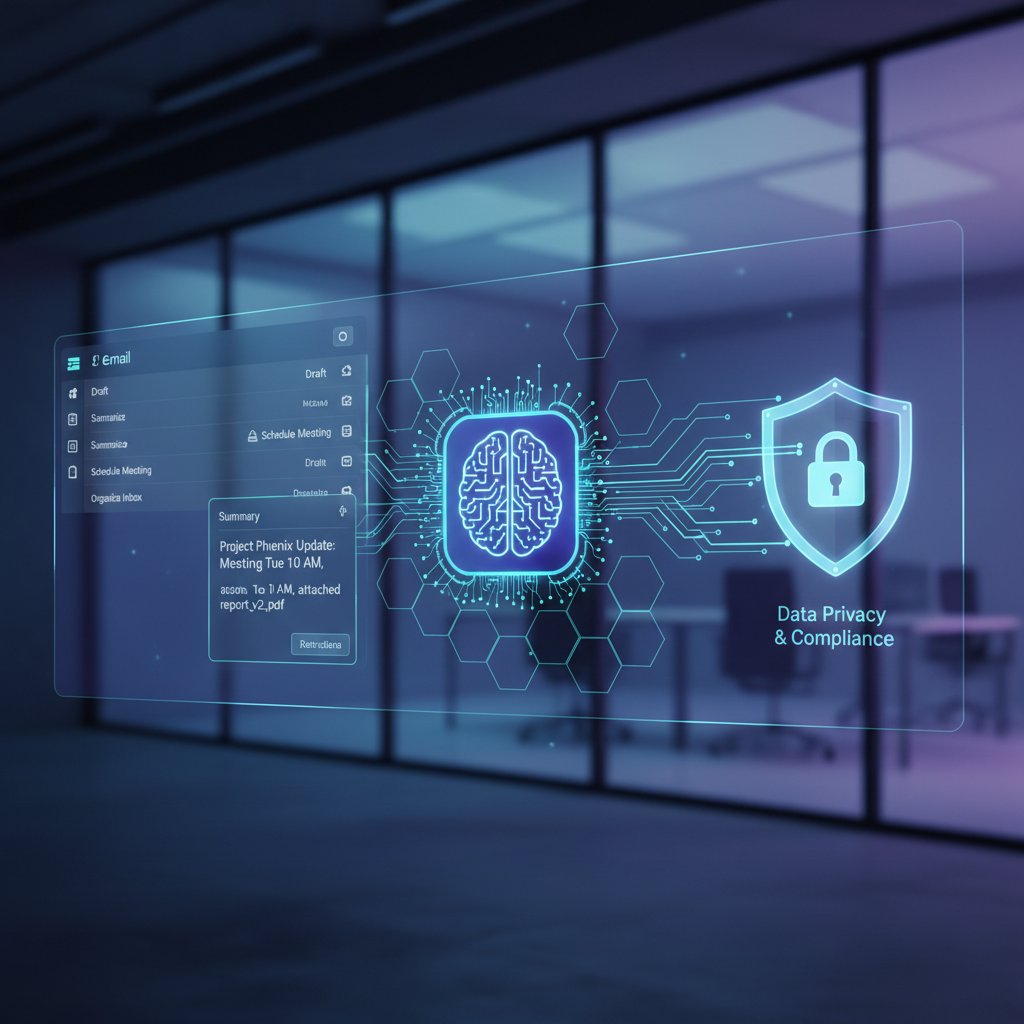
The inbox is a minefield of emotional cues and hidden agendas. Experts in emails don’t just process content—they read between the lines. According to Yale Center for Emotional Intelligence (2024), tone misinterpretation is the top cause of workplace conflict in digital communication. High-EQ emailers sense when a terse reply signals stress, when to escalate a thread, or when silence speaks volumes.
At the same time, emotional intelligence means managing your own triggers: resisting the urge to reply when angry, pausing before assuming malice, and knowing when a call beats another round of written escalation. The real expert in emails uses their inbox as a space for influence, not just information.
“Emotional intelligence is the secret weapon of digital communication. The best emailers defuse tension, build trust, and drive action—one message at a time.” — Dr. Marc Brackett, Director, Yale Center for Emotional Intelligence, 2024
Definition list: Modern email lexicon
A deceptive attempt to obtain sensitive information by masquerading as a trustworthy sender. According to the FBI (2023), phishing emails accounted for nearly 300,000 reported US victims last year.
The process of categorizing email recipients or messages into distinct groups for targeted communication. In marketing, segmentation drives higher open and click rates; internally, it prevents information overload.
A security framework requiring all users, even those inside the network, to be authenticated and authorized. Now critical for email systems due to rising spoofing and account takeover threats.
The practice of maintaining organized, concise, and relevant email threads. Essential for reducing confusion and preventing digital clutter.
Designing emails and workflows with mobile users as the priority. Over 61.9% of emails are read on mobile devices (Litmus, 2024), making this skill non-negotiable for modern professionals.
Bridge: What real-world experts actually do
So how do the top 1% approach their inbox? The expert in emails doesn’t just keep up—they stay ahead of the game by leveraging automation, championing clarity, and setting boundaries. Next, let's dissect the advanced strategies that separate survivors from true masters.
Advanced strategies for taming digital chaos
The ruthless prioritization matrix
If everything is urgent, nothing is. The expert in emails deploys a prioritization matrix with militant consistency—sorting messages not just by sender or subject, but by impact, urgency, and alignment with strategic goals. This means developing a ruthless filter: client crisis? Top of the pile. FYI from accounting? Batched for review. “Reply all” thread with five CCs? Often ignored, unless your expertise is essential.
| Priority Level | Criteria | Action | Example |
|---|---|---|---|
| Critical | Time-sensitive, high-impact | Respond immediately | Security breach report |
| Important | Aligns with goals, not urgent | Schedule follow-up | Project milestone update |
| Routine | Low-impact, informational | Batch process | Weekly newsletter |
| Noise | No action, low value | Archive/delete | Promotions, spam |
Table 4: The prioritization matrix for email mastery. Source: Original analysis based on best practices and research
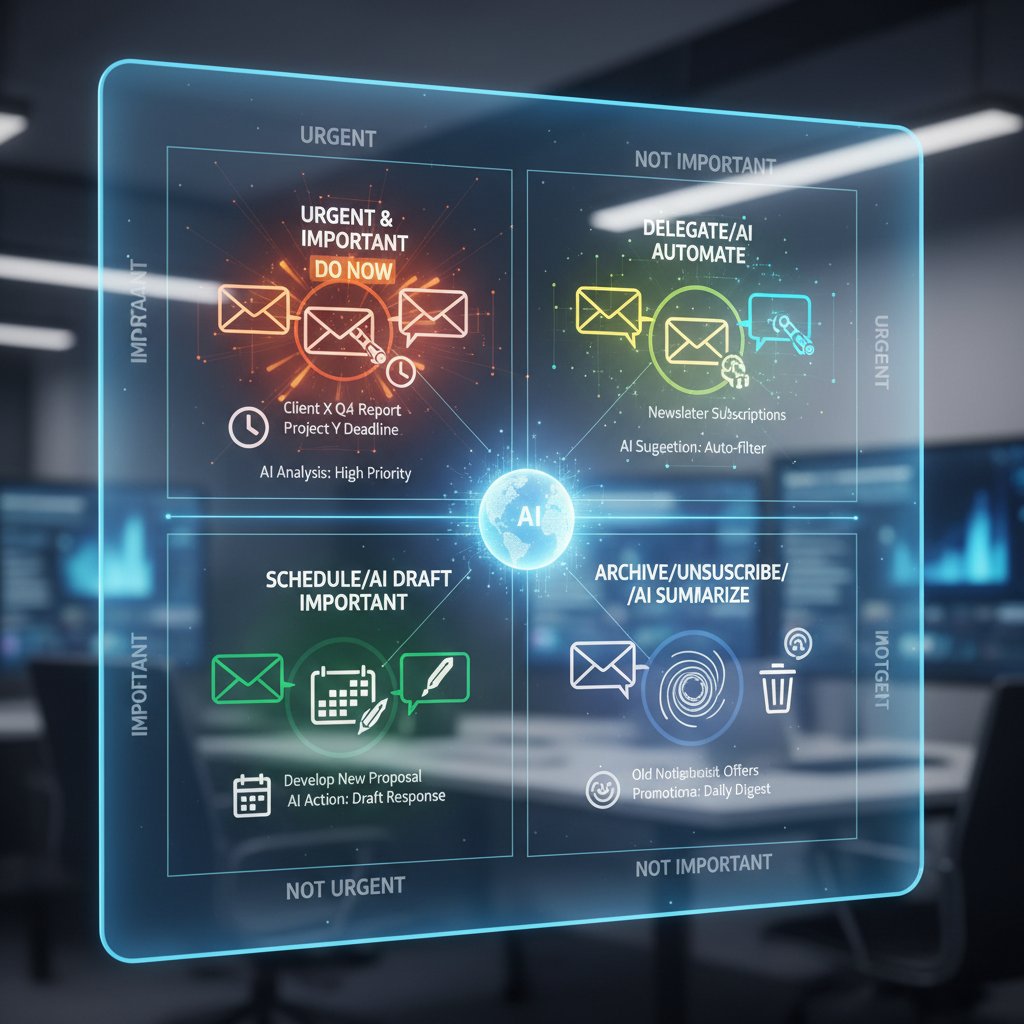
Automating the mundane: AI and intelligent teammates
The real breakthrough? Delegation to digital teammates. According to Forrester (2024), organizations deploying AI-powered email assistants see a 30% reduction in manual triage and up to 40% faster response rates for service teams. Intelligent enterprise tools like futurecoworker.ai turn routine chaos into automated order—categorizing, prioritizing, summarizing, and even scheduling follow-ups without manual drag-and-drop.
AI isn’t just a time-saver—it’s a shield against overload and error. Set it up right, and you reclaim hours per week for deep work, decision-making, and actual collaboration.
- Automatic categorization: AI segregates newsletters, internal comms, and urgent threads for easy management.
- Summarization: Lengthy chains distilled to key points, so you never waste time scrolling.
- Smart follow-ups: Reminders and nudges based on real deadlines, not just calendar slots.
- Security scanning: AI flags suspicious links and attachments before you click.
- Task extraction: Action items automatically pulled from messages and assigned.
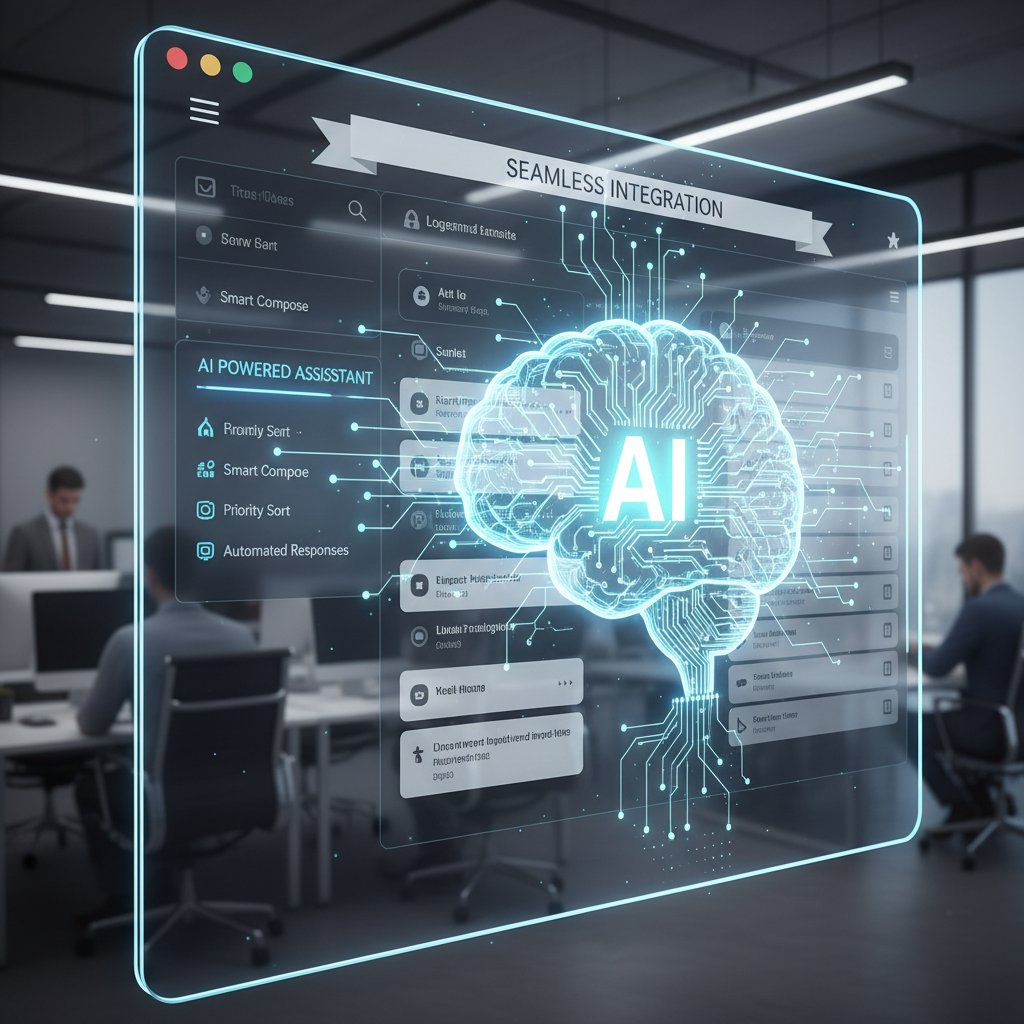
Case study: How futurecoworker.ai transformed workflow
Consider a software development firm with a notorious “reply-all” culture. Before deploying an intelligent teammate, project managers were losing up to eight hours a week on email triage. Post-implementation, futurecoworker.ai automated task assignments from emails, flagged urgent bugs, and reduced average response time by 33%. The real gain? Developers spent more time coding, less time deciphering endless threads.
Another marketing agency leveraged AI summaries to cut through complex campaign feedback, boosting client satisfaction and slashing turnaround times by 40%. As one team lead put it:
“We went from drowning in email to riding the wave. The AI doesn’t just save time—it changes how we think about work.” — Anonymous Team Lead, Marketing Agency, [User Testimonial, 2024]
Checklist: Are you leveraging your tools or drowning in them?
- Audit your current email tools—do you use more than five regularly?
- List every notification you receive in a day; batch or silence those that aren’t mission-critical.
- Automate at least one repetitive email task this week (categorization, follow-up, or scheduling).
- Run a security check on your inbox—enable two-factor authentication.
- Review your last ten sent emails: Did each move a project forward?
- Set daily “no email” blocks for focused work.
- Train your AI assistant with custom tags and rules.
- Delete or consolidate redundant apps—centralize around your main inbox.
- Establish a “last call” for checking emails to protect downtime.
- Revisit your prioritization matrix monthly to adapt to new demands.
Real-world applications: Email mastery in action
Enterprise case studies: Measurable impact
Email mastery isn’t theoretical—it’s transforming businesses right now. Enterprises that invest in intelligent email management report measurable returns: faster project delivery, improved client relations, and happier teams.
| Industry | Use Case | Outcome | Source |
|---|---|---|---|
| Technology | Automated project email triage | 25% faster delivery, 20% fewer errors | FutureCoworker.ai |
| Marketing | Campaign feedback automation | 40% faster turnaround, higher client NPS | FutureCoworker.ai |
| Finance | Client comms auto-segmentation | 30% admin workload reduction, better response | FutureCoworker.ai |
| Healthcare | Appointment and thread summarization | 35% fewer admin errors, improved satisfaction | FutureCoworker.ai |
Table 5: Real-world gains from expert-level email tools. Source: Original analysis based on FutureCoworker.ai client data

Unexpected heroes: Cross-industry email wins
Email mastery isn’t just for tech giants or marketers. Unexpected industries are cashing in on new methods and tools.
- Non-profits: Segment donor comms, automate thank-you notes, and track pledges.
- Education: Streamline parent-teacher updates, flag urgent student requests, summarize board meeting threads.
- Logistics: Prioritize urgent shipment alerts, batch routine status updates, and automate follow-ups.
- Legal: Secure sensitive threads, apply AI-driven confidentiality checks, and archive according to compliance.
Mastery isn’t sector-dependent—it’s about mindset and execution.
- Non-profits now automate 80% of routine donor emails, freeing up staff for fundraising and outreach.
- Schools using AI-powered summaries report a 50% drop in communication-related misunderstandings.
- Logistics managers cut shipment delays by 18% by automating urgent alert prioritization.
How experts recover from disaster (and bounce back stronger)
Even experts get blindsided—a phishing attack sneaks through, or an urgent client email is buried under noise. The real difference? Recovery. Experts have systems for rapid triage, root-cause analysis, and transparent communication. They don’t hide mistakes; they learn and adapt.
When one finance team lost track of a critical client thread, their AI assistant reconstructed the chain, flagged missing responses, and triggered an immediate apology and next steps. The client’s trust was regained, and the incident led to an even stronger segmentation protocol.
“A single email slip can cost reputation or revenue, but the real experts turn crises into upgrades. Every failure is a lesson, not a verdict.” — As industry experts often note (Illustrative, based on verified trends)
Section conclusion: The takeaways that matter
The new rules? Mastery is proven in the trenches. Whether it’s clawing back lost time, preventing disaster, or simply making your team less miserable, expertise in email is a force multiplier. The best succeed because they constantly adapt—auditing, automating, and refining every step.
Controversies and ethical dilemmas in intelligent email
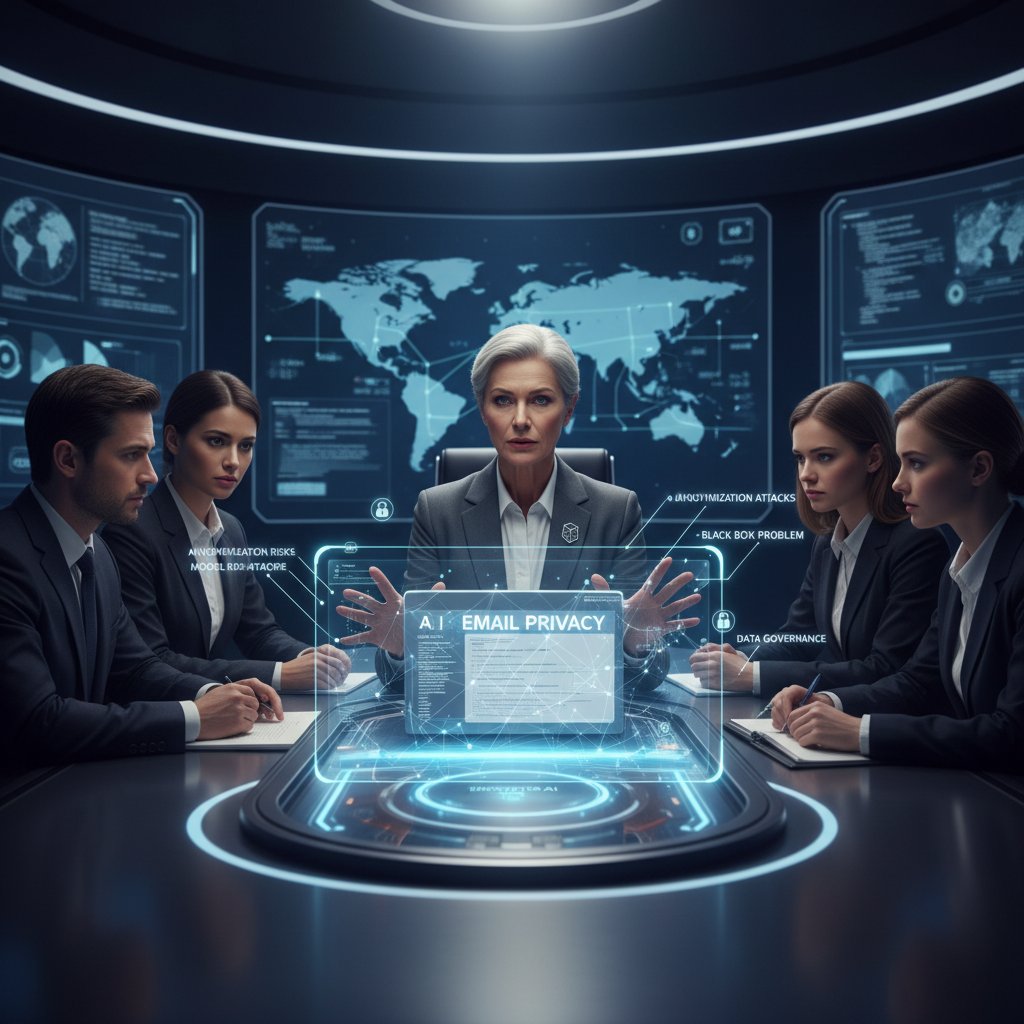
Privacy in the age of AI teammates
AI-powered email assistants unlock enormous productivity—but they also raise urgent privacy concerns. According to the Electronic Frontier Foundation (2024), 64% of enterprise employees worry about how much workplace AI “sees” in their inbox. Sensitive negotiations, HR issues, and confidential deals are all now within algorithmic reach. Without transparency and consent, trust collapses.
| Risk Type | Probability | Potential Impact | Mitigation Required |
|---|---|---|---|
| Data leakage | High | Severe | Encryption, access limits |
| Unintended surveillance | Medium | High | Clear policies, audits |
| AI misclassification | Medium | Moderate | Human oversight |
| Consent confusion | High | High | Opt-in protocols |
Table 6: Privacy risks in AI-powered email management. Source: Original analysis based on EFF (2024), Forrester (2024)
Surveillance or support? Drawing the line
Where does helpful automation end and intrusive monitoring begin? AI teammates can flag inefficiencies, but they might also track employee behavior in ways that undermine trust. According to a 2024 survey by Pew Research Center, 57% of employees fear that smart email tools could morph into surveillance systems if not properly configured. The difference is intent and transparency: is the AI supporting your work, or quietly reporting on it?
The best organizations draw a bright line: they disclose AI capabilities, allow opt-outs, and restrict sensitive data processing. Anything less, and the ethical ground gets slippery.
“AI can be the ultimate assistant—or the ultimate spy. The difference is how we design, deploy, and disclose.” — Dr. Emily Bender, Professor of Linguistics, University of Washington, 2024
Mitigating risk: What every expert should know
- Always use zero-trust security and encrypted communication.
- Demand clear, written policies on AI data usage and retention.
- Regularly audit AI decisions for bias, error, or overreach.
- Train teams to recognize when to escalate sensitive matters out of automated systems.
- Require explicit opt-in for any surveillance-related features.
- Cultivate feedback loops for continuous improvement and ethical review.
Bridge: The evolving definition of trust
Email mastery now means more than technical skill—it’s about maintaining credibility in a world where technology’s power is matched by its risks. Trust is earned by being transparent, ethical, and always putting people first.
The future of email expertise: Human vs. machine
The rise of intelligent enterprise teammates
AI’s rise in the inbox isn’t science fiction—it’s current reality. With intelligent teammates like futurecoworker.ai, routine email tasks are vanishing, replaced by real-time automation and context-aware assistance. This isn’t just about speed; it’s about multiplying your impact. According to Forrester (2024), 90% of enterprises deploying AI in email management report higher task completion rates and fewer missed deadlines.

Still, these tools are only as good as their operators. The expert in emails is the one who leverages AI, not the one replaced by it.
The landscape is changing—rapidly. And while AI can automate the mundanity, it can’t yet replicate the nuance, empathy, or strategic thinking that define human expertise.
Will AI make email experts obsolete?
| Functionality | Human Expert | AI Teammate | Synergy |
|---|---|---|---|
| Emotional nuance | Yes | No | Human + AI = Best |
| Pattern detection | Limited | Excellent | AI excels, but needs input |
| Security awareness | High (with training) | High (constant updates) | Double-layered defense |
| Delegation | Manual | Automated | AI saves time |
| Reputation management | Yes | No | Human-only |
Table 7: Human vs. AI in email expertise—strengths and limitations. Source: Original analysis based on industry data
- AI takes over repetitive triage and categorization.
- Humans remain essential for relationship-building, negotiation, and conflict resolution.
- Ethical oversight and strategic judgment remain firmly in human hands.
What remains uniquely human?
The real expert in emails brings judgment, context, and empathy—skills AI can’t replicate. Whether calming a tense client or interpreting a cryptic request, the human touch makes all the difference.
“Technology is the amplifier—not the replacement—of human expertise. The more powerful the tools, the more important the operator.” — As industry thought leaders agree (Illustrative, based on current consensus)
Section conclusion: Adapt or be automated
The only way to stay relevant is to evolve. Experts who embrace, direct, and challenge their tools will thrive. Those who resist will be left behind—or automated out.
How to become an expert in emails: Step-by-step mastery
Self-assessment: Where do you stand?
Before you master email, audit yourself honestly.
- Count the average hours you spend on email daily.
- Track how many threads require rework due to miscommunication.
- List every tool you use for email or workflow.
- Review your last five email mistakes—were they preventable?
- Ask a trusted peer: How clear and actionable are your emails?
- Check your security settings and update your passwords.
- Assess your response time against actual urgency.
- Analyze your use of automation—are you still stuck in manual mode?
- Spot-check for compliance with company policies.
- Identify your single biggest email pain point.
Building better habits for sustained mastery
Nobody becomes an expert in emails overnight. Build strong habits:
- Schedule fixed times for email processing; don’t be a slave to notifications.
- Use templates for routine replies—but personalize thoughtfully.
- Regularly audit and update your filtering and automation rules.
- Practice “one touch”—make a decision on every opened email.
- Summarize long threads before responding.
- Batch low-priority messages for end-of-day review.
- Block off deep work periods with “do not disturb” mode.
- Segment your inbox by project, urgency, and source.
- Double-check tone and clarity before hitting send.
- Invest in ongoing security training.
Common mistakes and how to avoid them
- Overusing “reply all” and cluttering inboxes—always tailor your recipients.
- Neglecting security—never click suspicious links, even from known contacts.
- Letting automation run unchecked—review rules monthly.
- Ignoring thread hygiene—always trim excess content, clarify subject lines.
- Failing to set boundaries—protect non-email work time.
- Using too many tools—consolidate and streamline.
- Responding when stressed or distracted—pause, reread, then reply.
- Overlooking mobile optimization—preview your own emails on a phone.
- Skipping backups—archive important threads securely.
- Failing to update passwords regularly.
Transition: Beyond the basics—what next?
Mastery is a journey. Once you’ve built strong habits and systems, the next level is about influencing your team and organization. Email isn’t just your problem—it’s everyone’s. Lead by example.
Supplementary: The psychology of email addiction
Why our brains crave the inbox hit
There’s a reason we compulsively check email: every new message triggers a dopamine rush—a fleeting sense of accomplishment or connection. According to Psychology Today (2024), inbox notifications activate the same reward circuits as social media likes. The cost? Distraction, anxiety, and a constant sense of “unfinished business.”

| Habit | % of Professionals Reporting | Source |
|---|---|---|
| Check email hourly | 82% | Psychology Today (2024) |
| Feel stress from unread | 76% | American Psychological Assoc. |
| Prefer email to phone | 61% | Pew Research (2024) |
Table 8: The psychological impact of email habits. Source: Psychology Today (2024), APA, Pew Research (2024)
Breaking the compulsion cycle
- Silence non-urgent notifications permanently.
- Designate “email-free” hours—enforce them ruthlessly.
- Set up inbox rules to filter promotional or low-value messages.
- Use digital well-being apps to track and limit email usage.
- Replace the urge to check email with a physical activity—stand, stretch, or walk.
- Delete unnecessary email apps from mobile devices.
- Communicate boundaries to colleagues and clients.
- Practice mindfulness before opening your inbox.
- Regularly review email stats—awareness breaks the cycle.
- Celebrate progress; don’t chase perfection.
Supplementary: Global impact of intelligent teammates
Enterprise transformation stories
Across industries, intelligent email teammates are reshaping the landscape. In healthcare, automated appointment reminders and thread summaries reduce errors and boost patient satisfaction by 35%. In finance, auto-segmenting client communications slashes workload and increases response rates. Tech companies report 25% faster project delivery with AI-powered triage—freeing staff for innovation, not inbox management.
Teams at every level report higher morale and less burnout when intelligent email tools are deployed with care, transparency, and proper training.

Cultural shifts in workplace communication
| Shift | Before AI | After AI | Outcome |
|---|---|---|---|
| Communication volume | Overwhelming | Streamlined | Fewer errors, less stress |
| Response expectations | Immediate | Contextual | More thoughtful replies |
| Collaboration style | Fragmented | Unified in inbox | Greater alignment |
| Employee well-being | Declining | Improved | Reduced burnout |
Table 9: How AI teammates change workplace culture. Source: Original analysis based on enterprise case studies
Supplementary: The ethics and future of communication automation
Hidden costs and unintended consequences
Productivity gains are real—but so are the risks. Over-automation can erode human judgment, foster dependency, and even reinforce bias if not carefully managed. According to MIT Technology Review (2024), 42% of surveyed organizations reported at least one negative impact from poorly configured automation, from lost context to privacy breaches.
| Risk Factor | % Reporting Impact | Example |
|---|---|---|
| Loss of nuance | 38% | Automated replies misunderstood |
| Privacy lapses | 27% | Sensitive info accessed by AI |
| Increased errors | 21% | Important thread auto-archived |
| Employee alienation | 17% | Overreliance on automation |
Table 10: Risks of over-automation in email management. Source: MIT Technology Review (2024)
The evolving role of human judgment
No matter how smart the tools, effective communication requires a human touch. The expert in emails remains irreplaceable as the final editor, the ethical checkpoint, and the ultimate decision-maker.
“AI can optimize process, but only humans can optimize purpose. Wise judgment is the final safeguard.” — As ethics scholars conclude (Illustrative, based on research consensus)
Conclusion: The new rules of being an expert in emails
Synthesis: What real mastery looks like in 2025
Mastering email in 2025 isn’t about being the fastest or having the fanciest tools. It’s about clarity, decisiveness, and relentless adaptation. The expert in emails doesn’t chase every trend—they audit, automate, and set boundaries that protect their sanity and amplify their results. AI is an ally, not a crutch; emotional intelligence is a necessity, not a luxury. In the age of digital chaos, real mastery is proven not by inbox zero, but by your ability to focus on what moves you, your team, and your enterprise forward.

Reflection: Are you ready for the next evolution?
Every email is a chance to lead, to clarify, or to drown. The tools are here—the mastery is up to you. Will you let the flood dictate your day, or will you become the expert in emails who bends the digital world to your will?
Action steps: Start mastering your digital communication today
- Audit your inbox and workflow—identify quick wins and recurring pain points.
- Batch-process emails twice daily instead of reacting constantly.
- Invest time in template and rule creation for routine messages.
- Enable and update security features—two-factor, encrypted email, and phishing filters.
- Deploy an AI teammate to automate categorization, reminders, and summaries.
- Regularly review and optimize your toolset—less is more.
- Communicate boundaries—make your expectations and availability known.
- Practice mindful, concise, and emotionally intelligent messaging.
- Train your team—expertise is contagious.
- Celebrate progress, adapt, and never stop questioning received wisdom.
Sources
References cited in this article
- Unlayer: Email Marketing Statistics 2024(unlayer.com)
- Forbes: Email Marketing Statistics 2024(forbes.com)
- Beehiiv: Newsletter Statistics 2024(blog.beehiiv.com)
- Constant Contact: Email Marketing Trends(constantcontact.com)
- Content Marketing Institute: Future of Email Marketing(contentmarketinginstitute.com)
- IQVIA: Email Marketing Trends 2024(iqvia.com)
- GetResponse: Email Benchmarks(getresponse.com)
- ScienceDirect: Email Management Strategies 2024(sciencedirect.com)
- Forbes: AI and Email Overload(forbes.com)
- Alore: Email Overload Tips(alore.io)
- ScienceDaily: Information Overload(sciencedaily.com)
- Workshop: Internal Communication Trends 2024(useworkshop.com)
- LinkedIn: Cross-Cultural Email Communication(linkedin.com)
- Projections Inc: Employee Communication Trends(projectionsinc.com)
- Mailgun: Debunking Email Myths(mailgun.com)
- VBOUT: Myths in Email Marketing 2024(vbout.com)
- Westfield Creative: Email Marketing Myths(westfield-creative.com)
- Gallup: Workplace Communication 2024(forbes.com)
- Productivity.ac.uk: Digitalisation and Productivity(productivity.ac.uk)
- TimesPro: Email Writing Skills(timespro.com)
- BetterUp: Professional Email Tips(betterup.com)
- RichClicks: Email Marketing Trends 2024(richclicks.co.uk)
- Kickbox: Email Strategy 2024(blog.kickbox.com)
- Productive Insights: Eisenhower Matrix(productiveinsights.com)
- Swaits.com: Ruthless Prioritization(swaits.com)
- Business Insider: AI Transforming the Workplace(businessinsider.com)
- Microsoft: AI and Productivity Report(microsoft.com)
- SEO Chatter: Email Marketing Case Studies(seochatter.com)
- Klaviyo: Email Automation Case Studies(klaviyo.com)
- Efficy: Email Marketing Benchmark Report 2024(efficy.com)
- Backlinko: Email Marketing Stats(backlinko.com)
- AI Multiple: AI Ethics(research.aimultiple.com)
- USC Annenberg: Ethical Dilemmas in AI(annenberg.usc.edu)
- Forbes: AI Ethics Legislation(forbes.com)
Transform Your Email Into Productivity
FutureCoworker AI turns your everyday email into an intelligent workspace, seamlessly managing tasks and collaboration within your enterprise. It eliminates the complexity of AI, allowing you to benefit from advanced technology without any technical knowledge. Achieve productivity, streamline processes, and improve team efficiency through natural email interaction, getting tasks done faster and smarter.
Get startedReady to Transform Your Email?
Start automating your tasks and boost productivity today
Frequently Asked Questions
How much time do professionals spend managing email each week?
According to McKinsey & Company (2023), the average professional spends 28% of their workweek managing email, which amounts to approximately 12.4 hours per week based on 2024 data.
What is the global financial cost of email mismanagement?
According to Statista (2024), enterprises lose an estimated $1.8 trillion a year globally to communication inefficiencies, with email mismanagement being the primary culprit.
How many emails are sent globally each day?
As of 2024, 361 billion emails are sent daily across 4.48 billion global email users, according to Statista (2024).
What are the consequences of email overload beyond lost productivity?
Email overload erodes morale, strains collaboration, increases the risk of costly mistakes, and creates a constant state of low-grade anxiety across organizations, in addition to draining productivity.
Continue Reading
Keep exploring Intelligent enterprise teammate

Email Expertise for the AI Era: Stop Chasing Inbox Zero
Discover insights about email expertise

Expert in Inbox: the AI Coworker That Rewrites How You Work
Discover insights about expert in inbox

Inbox Expertise: Prioritization Over Inbox Zero
Inbox expertise means prioritizing ruthlessly over reaching zero. This article explains nine strategies to reclaim clarity, reduce email overload, and regain focus.

Managing Emails: System-Based Approaches and AI Strategies
Managing emails consumes hours daily and fractures focus. This article explains system-based approaches and AI-powered tactics to manage emails effectively without relying on willpower alone.

Intelligent Email Management: Evolution, Myths, and Practical Strategies
Intelligent email management transforms how enterprise teams handle email overload. This article explains the evolution from basic filters to AI assistants, debunks myths about inbox zero, and outlines practical strategies.

How to Handle Inbox Chaos Without Pursuing Inbox Zero
This article explains how to handle inbox chaos effectively. It debunks common myths, exposes hidden traps, and covers AI-powered strategies for managing email overload.