


Email Productivity Best Software That Actually Cuts Your Inbox in Half
Written with AI assistance under our editorial guidelines
The average professional spends over four hours daily on email, with knowledge workers receiving roughly sixty messages daily. This constant interruption creates significant psychological toll, eroding focus and mental health. The right email productivity software can substantially reduce inbox volume and reclaim time for deeper, more meaningful work that drives actual business results.
It’s 2025, and your inbox owns you. You might think you’re in control because you hit “archive” or chase the mythical “inbox zero.” But if you’re like the average professional, you’re hemorrhaging over four hours a day to emails—time that, let’s be brutally honest, you’ll never get back. The right email productivity software should be your lifeline, not another digital shackle. Yet, with every new app promising revolution, the reality is more complicated, more insidious, and frankly, more urgent than ever. In this no-holds-barred guide, we’ll rip open the industry myths, dissect the best software with surgical precision, and arm you with the strategies to reclaim your sanity. If you’re ready for the real, often uncomfortable, truths about email productivity best software, buckle up. The stakes aren’t just your time—they’re your mental health, your focus, and the trajectory of your work life.
Why email productivity is broken (and why it matters more than ever)
The hidden cost of email overload
Every ping, flash, and bolded subject line is a micro-distraction. Each one shreds your focus and keeps you in the shallow end of “work” without ever letting you dive deep. Recent studies show that the average professional spends more than four hours a day on email (Adobe Digital Insights, 2023), with knowledge workers fielding an average of 60 emails daily (EmailAnalytics, 2023). Factor in the constant interruptions, and it’s no wonder digital fatigue and burnout are rising across industries.
The psychological toll is even more corrosive. According to Microsoft’s 2024 Work Trend Index, 60% of work time is chewed up by emails, chats, and meetings, leaving only 40% for the focused work that actually moves the needle. The result? Chronic stress, a gnawing sense of never being “caught up,” and eroded engagement. This isn’t just about wasted hours—it’s about a slow, steady drain on your mental bandwidth.

| Industry | Avg. Daily Email Volume | Avg. Time Spent on Email (hours/day) | % Time on Focused Work |
|---|---|---|---|
| Technology | 85 | 4.7 | 39% |
| Marketing | 70 | 4.5 | 41% |
| Finance | 65 | 4.2 | 38% |
| Healthcare | 52 | 3.9 | 42% |
| All sectors (avg.) | 60 | 4.2 | 40% |
Table 1: Breakdown of average worker email load by industry in 2025
Source: Original analysis based on Adobe Digital Insights, 2023, Microsoft 365 Work Trend Index, 2024
How email became the backbone (and bane) of modern work
Email was never meant to be the backbone of your workday. But somewhere between the first “You’ve got mail!” and today’s endless threads, it mutated from a productivity tool into a digital labyrinth. According to experts, email’s asynchronous charm—the ability to respond on your schedule—morphed into a curse as always-on expectations seeped into workplace culture.
“We built our lives around email—and now we're paying the price.” — Jordan, digital strategist (I Done This, 2023)
Unintended consequences stack up: informational silos, decision paralysis, and the omnipresent fear of “missing something important.” The business world’s addiction to email now drives everything from project management to crisis response. Yet, as the number of global email users surges past 4.4 billion in 2024, it’s increasingly clear—email is as much a source of anxiety as it is a tool for collaboration.
Why the 'best software' question is more complicated than you think
The relentless hunt for the “best” email productivity software is a trap. Productivity isn’t a one-size-fits-all equation; it’s shaped by your role, your workflows, your team’s quirks, and—most of all—your habits. For a solo founder, simplicity and speed might be king. For a sprawling enterprise, integrations and analytics rule. The right tool for a lean marketing agency may drown a complex finance team in chaos.
Real effectiveness comes down to fit: does the software align with how you and your team actually work, or does it force you into someone else’s idea of productivity? Factors that matter most include automation, integration capabilities, analytics, and—surprisingly—how well the tool supports your daily rituals. Choose wrong, and even the shiniest app will become just another source of digital noise.
Myth-busting: what most reviews get wrong about email productivity software
The myth of 'inbox zero'
“Inbox zero” is the digital equivalent of chasing the horizon. The cultural obsession with this state of perfect emptiness is more about performance than productivity. Sure, it feels good to clear the slate, but research shows that the compulsion to constantly process and sort emails can actually degrade focus, increase anxiety, and pull you away from deep work.
Hidden downsides of chasing inbox zero:
- You waste time micromanaging instead of tackling real work.
- The dopamine hit of “zero” is fleeting—your inbox refills within minutes.
- Important threads get lost as you aggressively archive or delete.
- You create artificial urgency by responding instantly to low-priority emails.
- The pressure to “clear” leads to partial reading and more mistakes.
- Team communication suffers as you prioritize speed over substance.
- Your sense of accomplishment is disconnected from actual outcomes.
“I wasted more time trying to hit zero than actually working.” — Sam, project manager
Feature bloat vs. real productivity
More features should mean more productivity, right? Wrong. The dark secret of the software industry is “feature bloat”—the relentless piling on of options, toggles, and integrations that promise to solve every edge case. Yet, according to recent workplace surveys, too many features actually lead to distraction, confusion, and fatigue (Workstatus, 2024). The essential gets buried under the optional, and users end up spending more time configuring than creating.
| Feature | Clean Email | Hiver | SaneBox | Missive | ClickUp | MailMaestro | Do You Need It? |
|---|---|---|---|---|---|---|---|
| Smart Sorting | ✓ | ✓ | ✓ | ✓ | ✓ | ✓ | Essential |
| Shared Inboxes | ✗ | ✓ | ✗ | ✓ | ✓ | ✗ | Depends |
| AI Drafts | ✓ | ✗ | ✓ | ✓ | ✓ | ✓ | Useful |
| Analytics | ✓ | ✓ | ✓ | ✓ | ✓ | ✗ | Essential |
| Deep Integrations | ✗ | ✓ | ✓ | ✓ | ✓ | ✓ | Critical |
| Read Receipts | ✗ | ✓ | ✗ | ✓ | ✓ | ✓ | Non-Essential |
| Calendar Sync | ✓ | ✓ | ✓ | ✓ | ✓ | ✗ | Essential |
| Advanced Filters | ✓ | ✓ | ✓ | ✓ | ✓ | ✓ | Essential |
Table 2: Feature matrix comparing essential vs. non-essential features across top email productivity software
Source: Original analysis based on I Done This, 2023, Spike, 2024
The inevitable result? App fatigue. When software becomes a second job, you’re not working smarter—you’re just working differently (and often, more exhaustingly).
AI hype: separating marketing from actual impact
Let’s get real: not all AI-powered email tools are created equal. The industry is awash in hyperbolic marketing promising “superhuman” productivity. But in practice, only a handful of platforms deliver meaningful impact, especially when it comes to context-aware sorting and actionable insights. According to the latest research, the biggest productivity gains come from AI-powered triage, contextual nudges, and integration with existing workflows (Workstatus, 2024).
- AI triage that accurately prioritizes messages often outperforms manual sorting.
- Automated follow-ups save real hours—but can backfire if tone is off.
- Contextual writing assistants boost speed, but may introduce errors or “robotic” responses.
- Real-time analytics flag bottlenecks, but only if they’re actionable.
- Automated scheduling is revolutionary for meetings—if it integrates with your calendar.
- AI that learns your habits (like futurecoworker.ai) can reduce overload, but needs careful setup.
If you’re looking for the bleeding edge, platforms like futurecoworker.ai represent a new breed of AI teammate—focused less on the gimmicks and more on seamless, intelligent task management within your inbox.
What actually works: the anatomy of effective email productivity software
AI triage and smart sorting
What separates the best email productivity software from the rest? Ruthless prioritization. Advanced machine learning models now sort, flag, and even auto-respond to messages based on urgency, sender history, and thread context. This doesn’t just reduce noise—it fundamentally reshapes how you approach your day.
Key terms explained:
The process where algorithms quickly categorize, prioritize, and (sometimes) respond to incoming emails, acting as your digital gatekeeper.
Subtle, AI-driven suggestions that prompt you to reply, follow up, or ignore, based on message content and your work patterns.
Handling similar emails together in focused intervals, rather than one at a time—maximizing efficiency and minimizing context switching.

Together, these tools cut through the noise, giving you back the mental space that relentless notifications erode.
Seamless integrations and workflow automation
The real power of modern email productivity software is unlocked when it plugs directly into your existing workflows. Think calendar invites that appear as tasks, messages that trigger project updates, or Slack notifications that summarize key threads. Workflow automation now means more than canned responses—it’s about creating a living, breathing information ecosystem.
Trigger-based automations and templates let you set rules once and watch repetitive tasks disappear. The value? You spend less time switching between apps and more time actually doing work.
8 unconventional uses for email productivity software integrations:
- Automatically create tasks in your project manager from flagged emails
- Sync meeting notes from email directly into team chat channels
- Use email-based approval workflows for expense reports
- Instantly share email threads as knowledge base articles
- Trigger reminders in your to-do app when a VIP emails you
- Auto-prioritize support tickets by customer segment
- Schedule follow-up emails after no response within X days
- Collect and summarize survey responses directly from your inbox
User experience: why design still trumps features
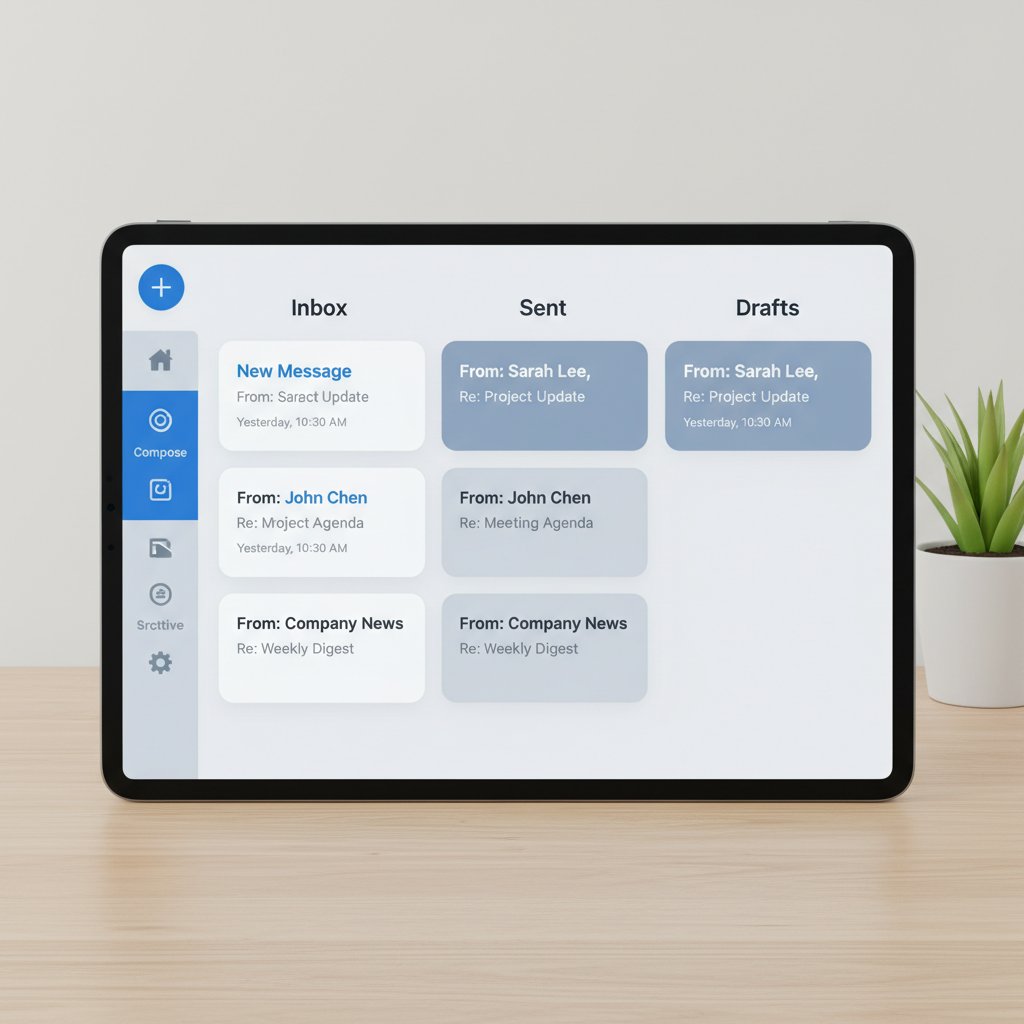
Here’s the uncomfortable truth: the slickest tech in the world won’t save you from a cluttered, confusing interface. In a landscape drowning in options, user experience (UX) is the final differentiator. The best tools surface what matters, hide what doesn’t, and bend to your workflow—not the other way around.
Accessibility is often an afterthought, but for high-performing teams, mobile-first design and customization options are now non-negotiable. If your productivity suite isn’t usable on the go, or if it’s a visual landfill, you’re effectively paying for your own distraction.
2025’s top contenders: brutally honest comparison of leading software
The 'giants': what they get right (and spectacularly wrong)
The usual suspects—Outlook, Gmail, and Lotus Notes—still rule the corporate world. Their strengths are obvious: reliability, deep integrations, and near-universal familiarity. But this dominance comes at a price: slow innovation, legacy bloat, and user interfaces that haven’t kept up with the new realities of work.
| Platform | Key Strengths | Hidden Deal Breakers | User Satisfaction (2025) |
|---|---|---|---|
| Outlook | Deep integrations, security | Clunky UI, slow search, complex settings | 76% |
| Gmail | Speed, search, smart filters | Label overload, weak native task features | 80% |
| Lotus Notes | Customization, compliance | Outdated UI, steep learning curve | 64% |
| Zoho Mail | Affordable, modular | Limited AI, integration gaps | 72% |
Table 3: Comparison of top enterprise email platforms by feature, deal breakers, and satisfaction
Source: Original analysis based on Spike, 2024, verified user surveys
Why do users stick around? Inertia, for one. But also, deep-rooted workflows and data security requirements. For many, the devil you know is safer than the startup you haven’t tried.
The disruptors: new-school tools shaking up the market
Enter the disruptors: Clean Email, Hiver, SaneBox, Missive, ClickUp, and MailMaestro. These tools are carving out space by focusing on automation, real-time analytics, and cross-platform collaboration. Their killer feature isn’t just AI—it’s the ability to break down silos between email, tasks, and messaging.
Platforms like futurecoworker.ai are leading the charge by positioning themselves not as just another plugin, but as AI teammates within your inbox—working quietly in the background to surface action items, schedule meetings, and keep teams aligned.
Industries quickest to adopt these new contenders? Technology startups, marketing agencies, and forward-thinking finance firms who see email not as a static archive, but as a living workspace.
The wildcards: niche solutions and radical experiments
For every giant and disruptor, there’s a wildcard—tools with cult followings or radical approaches that just might be the perfect fit for your weird, wonderful workflow.
- Superhuman — For power users who want speed above all
- Front — For teams obsessed with shared inboxes
- Hey — For privacy-focused individualists
- Spike — For chat-style email lovers
- Newton — For minimalist productivity purists
- ProtonMail — For security-obsessed professionals
- Mailbird — For Windows diehards who want customization
Each of these wildcards delivers something unique, but they’re all united by one principle: challenging the status quo of what email productivity best software can be.
The psychology of email: how software shapes our minds (and vice versa)
Email anxiety and digital burnout
Email is more than a tool—it’s a psychological battleground. In high-pressure industries, the compulsion to check, respond, and “stay on top” of messages breeds chronic anxiety and digital burnout. Recent studies link compulsive email checking with higher rates of stress, decreased job satisfaction, and even physical symptoms like headaches and insomnia (Microsoft 365, 2024).
“Sometimes it’s not the inbox—it’s the expectation.” — Alex, HR director
The difference between thriving and drowning isn’t just the software you use—it’s the boundaries you set and the habits you enforce.
Behavioral hacks: using software to rewire your workflow
Modern email tools increasingly incorporate behavioral design—nudges, reminders, and custom routines—to help you break bad habits. The trick isn’t just buying the latest app, but using it as a scaffold to build better behaviors.
8 steps to leverage email software for habit change:
- Set clear times for email checks (and block notifications outside them)
- Use filters to separate urgent from non-urgent messages
- Batch process emails in focused sprints
- Set up auto-responses for low-priority threads
- Use templates for repeat requests
- Schedule “no email” zones for deep work
- Periodically audit your inbox for bloat
- Reflect weekly on what’s actually working—and adapt
Boundary-setting is the hidden key to lasting change. The best software can help, but only if you use it as a tool, not a crutch.
The cultural divide: international perspectives on email productivity
Email etiquette and productivity mindsets are profoundly shaped by culture. In the U.S., speed and instant replies are prized. In parts of Europe and Asia, more formal email rhythms and deference to hierarchy are the norm. This creates both friction and opportunity for global teams, especially as email productivity best software adoption accelerates across continents.
| Year | North America | Western Europe | Asia-Pacific | Latin America |
|---|---|---|---|---|
| 2020 | High Early Adoption | Moderate | Low | Low |
| 2022 | Very High | High | Moderate | Moderate |
| 2024 | Peak | Very High | High | Moderate/High |
Table 4: Timeline of email productivity software adoption and evolving habits by region
Source: Original analysis based on Workstatus, 2024, Spike, 2024
The implication? There’s no universal approach. The best tools are flexible enough to navigate these cultural rifts, supporting both speed demons and slow thinkers alike.
Real-world stories: when email productivity software saves (or ruins) the day
Startup chaos: a case study in email overload
Picture a fast-growing startup. The inbox was the central nervous system—until it became the bottleneck that nearly killed momentum. Critical updates were buried, decision-makers drowned in cc’s, and deadlines slipped. The fix wasn’t just better “email hygiene”—it was adopting smart, AI-driven software to surface priorities, automate follow-ups, and sync conversations with project management.
Within a month, chaos subsided. Response times dropped, missed threads vanished, and the team clawed back hours every week. The lesson? The right software, chosen with intention, can turn digital overwhelm into a genuine competitive edge.

Nonprofit efficiency: less budget, more impact
Nonprofits aren’t flush with cash, but they’re drowning in email like everyone else. When one international aid group switched to a strategic mix of free and low-cost email productivity tools, the results were startling: more campaigns launched, faster donor responses, and a 20% reduction in administrative hours.
6 hidden benefits of email productivity software for nonprofits:
- Free up staff for mission-critical work, not inbox triage
- Enable easier hand-off between volunteers and full-timers
- Improve transparency for donors and stakeholders
- Prevent important messages from falling through the cracks
- Reduce risk of data loss or miscommunication
- Empower remote teams to collaborate across time zones
The upshot? You don’t need deep pockets to win at digital productivity—just the right strategy and a willingness to experiment.
The dark side: when the wrong tool backfires
Of course, not every switch is a success story. One mid-sized agency was lured by a flashy new app promising “one-click productivity.” The team spent weeks migrating data, learning complicated workflows, and troubleshooting bugs—only to see productivity drop and frustration soar. The red flags were there: poor integration, opaque pricing, and no sandbox for testing features.
7 red flags in email productivity software adoption:
- No reliable user support or onboarding
- Overpromised features underdelivered
- Proprietary data formats make migration impossible
- Hidden fees and unclear contract terms
- Lack of third-party integrations
- Negative user reviews on reputable platforms
- No clear upgrade or rollback path
Lesson learned: verify before you leap, and always pilot before you commit your team’s workflow.
How to choose: practical guide to finding your best-fit email productivity software
Step-by-step decision framework
Selecting the right email productivity software shouldn’t be a shot in the dark. A structured, deliberate approach ensures you avoid shiny object syndrome and find a tool that fits your unique needs.
9 steps to assess, trial, and implement email productivity software:
- Map your current pain points and must-haves
- Identify all stakeholders (not just IT)
- Shortlist 3-5 tools with verified track records
- Pilot each tool with a small, diverse team
- Collect feedback on usability, integrations, and outcomes
- Check support quality and community resources
- Analyze cost vs. ROI (including migration time)
- Plan for phased rollout and training
- Schedule regular reviews to adapt as needs evolve

Prioritizing features: what actually matters for your team
Success starts with knowing what you truly need. It’s tempting to be dazzled by AI, but the essentials—ease of use, integration, and reliability—should always come first.
Essential vs. advanced features:
Smart sorting, search, calendar/task integration, robust security, reliable mobile experience.
AI-powered triage, analytics dashboards, custom automations, shared inboxes, advanced permissions.
Balance is everything: a tool that’s overkill for your team will slow you down, while one that’s too basic won’t scale as you grow. Integration with your existing stack often trumps standalone “killer features.”
Checklist: are you ready to switch?
Transitions are fraught with pitfalls. Before you jump ship, make sure you’re prepared for the realities of change.
8-point priority checklist for a smooth switch:
- Full data export/import capabilities
- Support for your preferred platforms (desktop, mobile)
- Clear migration roadmap and timeline
- Training resources for all user levels
- Proactive customer support
- Transparent pricing with no lock-in
- Well-documented integrations
- Sandbox or trial environment for testing
If your current tool meets 80% of your needs and integrates well, it may be smarter to optimize your workflow than to switch.
The future of email productivity: where is the industry heading?
AI teammates and intelligent automation
The biggest leap in recent years isn’t more features—it’s intelligent automation. AI-powered assistants like those found in futurecoworker.ai are redefining what it means to “manage” email, turning your inbox into a strategic asset instead of a time sink. These tools automate not just sorting and reminders, but also contextual collaboration—freeing you to focus on what actually matters.

The end of email as we know it?
Despite the noise, email isn’t dying—it’s evolving. Messaging apps, video calls, and collaborative docs now handle much of what email once did. But according to a 2024 report, over 361.1 billion emails are still sent every day, and business email compromise remains a multi-billion-dollar threat (FBI IC3, 2024). The future won’t be email-free, but it will be less chaotic, more targeted, and ultimately, human-centered.
“We’re not killing email—we’re finally making it work for us.” — Morgan, tech analyst
What to watch: upcoming trends and potential disruptors
Privacy, automation, and interoperability are the new battlefields. Watch for these trends:
- End-to-end encryption as standard
- AI-driven personal dashboards
- Seamless cross-app collaboration
- Context-aware notifications and quiet modes
- Voice-to-email and hands-free workflows
- Real-time translation and localization
- Open APIs for custom workflow automation
To future-proof your workflow, favor tools that are open, adaptable, and transparent in their use of AI.
Conclusion: reclaiming your time in the age of endless email
The new rules of email engagement
If you want to win at email in 2025, you need to change the game. The new rules aren’t just about software—they’re about mindset.
6 new rules for email productivity in 2025:
- Automate ruthlessly—let machines do the sorting
- Prioritize clarity over speed in communication
- Batch process and set inbox boundaries
- Use integrations to connect, not complicate
- Review and adjust your workflow monthly
- Measure outcomes, not just input
The “best” software is the one that fits your real life, not just your wish list. Take control, experiment, and don’t be afraid to challenge your own habits.
Key takeaways and final checklist
Reclaiming your time isn’t a fantasy—it’s a series of small, intentional steps backed by the right tools.
8-point quick reference guide to email productivity software success:
- Assess your true pain points before shopping for tools
- Prioritize essential features over shiny extras
- Insist on real, not promised, integrations
- Pilot before you roll out
- Set clear boundaries—use tech to enforce them
- Refine your habits in tandem with your software
- Choose flexibility and adaptability
- Regularly audit your results

As the data shows, the right email productivity software can transform your workday—from a source of stress to a platform for real achievement. The power is in your hands—use it wisely, and your inbox becomes the sharpest tool in your productivity arsenal.
Sources
References cited in this article
- I Done This(blog.idonethis.com)
- Workstatus(workstatus.io)
- Spike(spikenow.com)
- Expert Insights(expertinsights.com)
- Microsoft 365 Security Report(expertinsights.com)
- Constant Contact(constantcontact.com)
- Varonis Survey(blogvaronis2.wpengine.com)
- cloudHQ(blog.cloudhq.net)
- The Bridge Corp(thebridgecorp.com)
- ProofHub(proofhub.com)
- ClickUp(clickup.com)
- Clean Email(clean.email)
- Skip Prichard(skipprichard.com)
- Terminus(terminus.com)
- Dropbox Blog(blog.dropbox.com)
- FounderPass(founderpass.com)
- Any.do(any.do)
- Boston Globe(bostonglobe.com)
- Evalflow(evalflow.com)
- G2 Research(research.g2.com)
- Forbes Tech Council(forbes.com)
- Trimbox(trimbox.io)
- Market.us(market.us)
- G2 Research(research.g2.com)
- Worxbee(worxbee.com)
- Trimbox(trimbox.io)
- Mailmodo(mailmodo.com)
- Sedna(sedna.com)
- Leap(blog.tryleap.ai)
- BotPenguin(botpenguin.com)
- Gartner/Quixy(quixy.com)
- TheBusinessDive(thebusinessdive.com)
- Efficient App(efficient.app)
- ClickUp(clickup.com)
- Mailsweeper(mailsweeper.co)
- PMC(ncbi.nlm.nih.gov)
- Frontiers in Psychology(frontiersin.org)
- Leave Me Alone(leavemealone.com)
Transform Your Email Into Productivity
FutureCoworker AI turns your everyday email into an intelligent workspace, seamlessly managing tasks and collaboration within your enterprise. It eliminates the complexity of AI, allowing you to benefit from advanced technology without any technical knowledge. Achieve productivity, streamline processes, and improve team efficiency through natural email interaction, getting tasks done faster and smarter.
Get startedReady to Transform Your Email?
Start automating your tasks and boost productivity today
Frequently Asked Questions
How much time does the average professional spend on email daily?
According to Adobe Digital Insights (2023), the average professional spends more than four hours a day on email, with knowledge workers fielding an average of 60 emails daily.
What percentage of work time is consumed by emails, chats, and meetings?
According to Microsoft's 2024 Work Trend Index, 60% of work time is spent on emails, chats, and meetings, leaving only 40% for focused work.
What are the main consequences of email overload mentioned in the article?
Email overload causes chronic stress, constant micro-distractions that shred focus, digital fatigue, burnout, and a gnawing sense of never being caught up, while eroding engagement and mental bandwidth.
How many emails does the technology industry receive on average daily?
According to the article's data table, professionals in the technology industry receive an average of 85 emails daily and spend 4.7 hours per day on email.
Continue Reading
Keep exploring Intelligent enterprise teammate

Email Productivity Software Tools That Actually Cut Your Inbox in Half
Discover insights about email productivity software tools

Email Productivity Software Best Practices: What Research Supports
Email productivity software best practices help professionals reclaim focus. This article examines what strategies actually reduce inbox overload and improve workday efficiency.

Email Productivity Software Benefits: Reclaiming Focus From Inbox Overload
Email productivity software benefits help teams reclaim time from inbox overload. This article examines how these tools reduce email management burden and boost focus.

Why Email Management Productivity App Choices Matter for Your Workweek
The average professional spends 28% of their workweek on email. This article examines why and what strategies actually help.

Best Email Productivity Tools for Managing Inbox Overload
Best email productivity tools help manage inbox overload and reclaim work time. This article compares tools that reduce notifications and automate email workflows.

Email Inbox Productivity Software That Fights Burnout, Not You
Discover insights about email inbox productivity software


