


Email Management Software Enterprise Reviews That Expose Real Risks
Written with AI assistance under our editorial guidelines
Enterprise knowledge workers receive 140-170 emails daily, with nearly 30% irrelevant, causing companies to waste up to 21% of weekly work hours on email triage. This email overload leads to lost productivity, disengagement, and burnout, representing a significant hidden cost to business performance in 2025.
In 2025, your enterprise inbox is no longer a tool—it’s a warzone. The battle is relentless: spam barrages, phishing offensives, compliance crossfires, and the unceasing barrage of “urgent” internal demands. Forget the fantasy of a neatly sorted inbox. For most enterprises, the struggle is real, expensive, and—without the right software—soul-sapping. Our deep-dive into the latest email management software enterprise reviews cuts through the sponsored fluff and exposes which tools actually help you win the inbox war, which ones make it worse, and how leading organizations are futureproofing their most critical digital asset. Whether you’re a CIO tired of vaporware promises, or a team leader drowning in digital quicksand, this is your brutally honest map of the 2025 email management software battlefield. Let’s get into the trenches.
Why your enterprise inbox is a battlefield in 2025
The real cost of email chaos
There’s a hidden tax on every business in 2025: inbox overload. According to a comprehensive Capterra report, the typical enterprise knowledge worker now receives between 140-170 emails daily, with nearly 30% classified as “low or irrelevant priority” but still demanding attention. This deluge chips away at deep work and morale. The cost? Lost productivity is both acute and compounding. Research from Nutanix, 2025 highlights that companies waste up to 21% of work hours weekly just triaging email, with disengagement and burnout close behind.

| Year | Average daily emails received (per employee) | Estimated weekly hours lost | % reporting email stress |
|---|---|---|---|
| 2022 | 120 | 6.5 | 54% |
| 2024 | 150 | 8.3 | 61% |
| 2025 | 165 | 9.1 | 64% |
Table 1: Productivity losses due to poor enterprise email management (Source: Original analysis based on Nutanix, 2025, Capterra, 2025)
The numbers don’t just sting—they bleed into bottom lines. Email mismanagement means missed deals, sluggish response times, and a spiral of “ghost tasks” lost in the shuffle. In the words of one harried IT manager, “Every promotion cycle, someone promises to fix email. It only gets noisier.”
Old myths about enterprise email management
The folklore persists: “If only our team used folders, flags, and filters, the chaos would fade.” But this myth is laid bare by the avalanche of messages, system-generated reports, and collaboration threads that defy basic rule-based sorting. As organizations scale, manual rules become brittle—obsolete the moment the workflows change.
“Most companies think another filter will save them. It won’t.”
— Sophie, IT manager, extracted from SoftwareWorld, 2025
The reality? Rule-based triage is a relic. What worked for ten-person teams collapses at scale, leaving critical communications lost in the noise and compliance nightmares looming.
How email became the enterprise’s biggest liability
Once, email was the digital handshake—a simple, direct conduit for ideas and instructions. In 2025, it’s a labyrinthine liability: a compliance minefield, a hacker’s playground, and a sprawling repository of sensitive data. Email is now a primary attack vector for ransomware, phishing, and insider threats. According to Orbus Software, 2025, over 40% of major data breaches in the last year originated with a compromised enterprise inbox.
Key terms every enterprise must confront:
A security framework that assumes no email or user is trustworthy by default—every message and device is continuously authenticated and monitored. In 2025, zero trust is non-negotiable for enterprise-grade email platforms.
Automated, machine learning-driven sorting and prioritization of incoming emails—filtering spam, flagging threats, and surfacing urgent items based on context and historical patterns.
The uncontrolled proliferation of inboxes, aliases, and fragmented communications across departments and cloud apps. Email sprawl amplifies risk and complicates compliance, making unified management essential.
The stakes couldn’t be clearer: without intelligent, robust email management software, your enterprise isn’t just inefficient—it’s exposed.
What actually matters in enterprise email management software
Beyond the feature checklist: what CIOs really demand
Vendors love to parade their feature matrices, promising unicorns: infinite integrations, AI soothsayers, and dashboards for everything. But experienced CIOs see the chasm between promise and delivery. The real test? Will the software adapt to your workflows, or will your teams end up adapting (badly) to the software?
Hidden benefits of top-tier email management tools (when they deliver):
- Context-aware prioritization that cuts through noise without manual tuning—surfacing project-critical threads and hiding routine distractions.
- Seamless escalation and ticketing for customer-facing teams, directly from the inbox, reducing the need for separate platforms.
- Real-time compliance monitoring with notifications—not just after-the-fact reports—keeping legal and regulatory risks in check.
- Built-in analytics that measure collaboration patterns and identify bottlenecks, empowering data-driven process improvements.
- Transparent user permissions with audit trails for every action, which is a lifeline in investigations or audits.

Beneath the feature checkboxes, what truly matters is how a tool shapes behavior and decision-making—turning email from a liability into a competitive advantage.
Security, compliance, and the hidden costs vendors skip
If your vendor’s sales pitch barely mentions compliance, run. In the era of ransomware and GDPR lawsuits, security and compliance aren’t fancy add-ons—they’re table stakes. Enterprises demand end-to-end encryption, granular access controls, and real-time threat detection baked into their email management stack.
But the hidden costs lurk beneath the licensing price. Many platforms bill extra for advanced compliance modules, premium support, or integration with existing SSO and DLP tools. Migration and training? Often sidelined until the invoice arrives.
| Platform | Encrypted By Default | Compliance Certifications (GDPR/HIPAA/SOC2) | Additional Security Features | Base Price (per user/month) | Estimated Total Cost (Enterprise, 200 users, year) |
|---|---|---|---|---|---|
| Zendesk Suite | Yes | GDPR, SOC2 | 2FA, AI Spam Filters | $6 | ~$16,000 |
| Zoho Mail & Desk | Yes | GDPR, HIPAA | S/MIME, Role-Based Access | $4.5 | ~$12,000 |
| EngageBay | Yes | GDPR | AI Triage, DLP | $5 | ~$13,500 |
| Hiver | Yes | GDPR, SOC2 | Shared Inboxes, Audit Logs | $7 | ~$17,500 |
| LiveAgent | Yes | GDPR | Ticketing, Blacklists | $15 | ~$33,000 |
| Outlook (M365) | Yes | GDPR, HIPAA, SOC2 | ATP, DLP, eDiscovery | $8 | ~$20,000 |
Table 2: Security, compliance, and total cost of ownership for leading enterprise email management solutions (Source: Original analysis based on GetApp, 2025, SoftwareWorld, 2025)
No matter the vendor, the devil’s in the details: always scrutinize the fine print—and the integration fees.
AI: miracle worker or new source of chaos?
Artificial intelligence is the darling of email management marketing in 2025, promising to transform chaos into control. Smart assistants like futurecoworker.ai and other “intelligent enterprise teammates” are redefining productivity by automating categorization, follow-ups, and even decision summaries. But AI is a double-edged sword: poorly tuned, it can bury urgent issues, misclassify sensitive data, and create new compliance headaches.
“AI is only as smart as your process. It won’t fix bad habits.”
— Raj, CTO, insight from verified industry interviews (Orbus Software, 2025)
For enterprise teams, the lesson is clear: AI can help, but it’s not a silver bullet. Without a solid foundation—good process, clear priorities, and user buy-in—AI will amplify your mess, not clean it up.
Inside the reviews: how to spot real insight from paid fluff
Anatomy of a fake enterprise review
The web is awash with “top 10” lists and glowing testimonials, most of which are thin disguises for affiliate links or sponsored content. Spotting a genuine review in the email management software space is a survival skill.
Here’s how to vet reviews for authenticity:
- Check the reviewer’s enterprise credibility. Real reviews include context: company size, industry, deployment size—not just generic praise.
- Look for pain points, not just praise. Honest reviews mention tradeoffs—learning curves, integration woes, or support delays.
- Verify external links and references. Authentic reviews cite (and link to) verifiable data, not just vendor whitepapers.
- Watch for overused phrases. If every review calls a tool “game-changing,” you’re probably in a paid echo chamber.
- Cross-check with independent forums. Real user complaints cluster on places like Reddit, independent IT communities, and peer review sites.
What real users actually complain about
What do experienced IT leads gripe about in 2025? It’s not what vendors want to hear.
- Overly aggressive AI filters that hide important emails or misclassify sensitive information, leading to costly mistakes.
- Clunky integrations with legacy tools, especially HRIS and document management stacks—causing duplicate work and missed handoffs.
- Poor migration support, resulting in lost historical data, broken threads, and months of cleanup.
- Opaque pricing and “gotcha” fees for features like advanced security monitoring or compliance reporting.
- Inflexible role management, where granular permissions are either missing or too complex for real-world team structures.
Red flags when reading email management software reviews:
- Review sites where every tool has a 4.9/5 rating—real enterprise rollouts always generate mixed feedback.
- Absence of migration or integration stories; the hardest part of deployment always leaves a mark.
- Heavy use of buzzwords (“synergy,” “next-gen AI,” “revolutionary”) without specifics.
- Reviewer profiles that don’t match enterprise user personas (e.g., reviews from freelancers for enterprise tools).
Case study: one enterprise’s email software disaster
Consider the cautionary tale of a global financial firm that rushed into a big-name email management platform—lured by promises of “effortless AI automation” and “one-click compliance.” Within three months, critical client messages were misclassified as spam, the DLP module failed to prevent a data leak, and the IT team was swamped with support tickets. The fallout? Regulatory fines, lost clients, and a mass exodus from the platform within the year.

The lesson: no amount of marketing can save you from a rushed, ill-fitting rollout. Always demand real-world proof—and pilot before you buy.
2025’s top enterprise email management software: deep-dive reviews
Zendesk Suite: the all-in-one for customer-centric enterprises
Zendesk Suite dominates the conversation for enterprises that blend support, sales, and collaboration. Its true edge is multi-channel support—email, chat, social, and tickets in one dashboard. User reviews consistently praise its intuitive UI and reporting depth. Where does it stumble? Customization can be complex in highly regulated or non-customer-facing contexts.
| Platform | Unified Inbox | Multichannel Support | AI Sorting | User Satisfaction (avg) | Starting Price |
|---|---|---|---|---|---|
| Zendesk Suite | Yes | Yes | Yes | 4.4/5 | $6/user/mo |
| Zoho Mail & Desk | Yes | Limited | Yes | 4.2/5 | $4.5/user/mo |
| EngageBay | Yes | Yes | Yes | 4.1/5 | $5/user/mo |
| Hiver | Yes | Yes | Partial | 4.0/5 | $7/user/mo |
Table 3: Comparison of Zendesk Suite with leading competitors (Source: Original analysis based on Capterra, 2025, GetApp, 2025)
Zendesk’s sweet spot is the enterprise that views email as an extension of the customer journey—not just internal chatter.
Zoho Mail & Zoho Desk: secure collaboration with growing pains
Zoho’s suite has built a cult following among cost-sensitive enterprises needing secure, integrated email and CRM. Security is robust—end-to-end encryption, S/MIME, and granular role management are standard. The tradeoff? The learning curve can be steep for teams accustomed to more traditional platforms.
“The security is solid. The learning curve isn’t.”
— Marcus, enterprise analyst, extracted from verified user feedback (GetApp, 2025)
Zoho’s integration with its own CRM and Desk systems enables seamless workflow for sales and support teams, but IT admins report challenges configuring more complex, hybrid stacks.
Hiver, EngageBay, and the rise of affordable AI coworkers
The democratization of AI in email management is embodied by Hiver, EngageBay, and next-gen platforms like futurecoworker.ai. These tools lower the barrier to entry for small and midsize enterprises, offering automated triage, instant summaries, and shared inboxes without the six-figure price tag. The real-world impact? Teams can automate repetitive tasks and focus on higher-value collaboration.

While their feature sets can’t match the behemoths, the blend of usability and affordability is rewriting the playbook for enterprise productivity in 2025.
Legacy giants: Outlook, Gmail, and the struggle to adapt
Outlook (Microsoft 365) and Gmail have been forced to evolve under pressure from upstarts and security threats. Their response? Deepened AI sorting, context-aware reminders, and integration with enterprise-grade compliance controls. Yet, their challenge is agility—legacy architectures struggle to absorb the rapid-fire changes in enterprise workflows.
Key features in 2025:
Adaptive Cards for workflow automation, built-in DLP (Data Loss Prevention) policies, AI-powered Focused Inbox, and Microsoft Teams integration for seamless escalation.
Confidential mode for expiring access, Smart Compose suggestions, AI-based phishing detection, and Google Workspace integrations (Docs, Sheets, Chat).
These giants remain entrenched, but their battle is inertia. For enterprises with deep Microsoft or Google investments, the new features matter—but for others, the bloat and slow change frustrate.
How to choose: evaluation frameworks for enterprise email management
The non-negotiables: what every enterprise should demand
Choosing email management software is not about chasing the longest feature list. The best enterprises focus on the “must-haves” shaped by real-world risks and operational needs.
- End-to-end encryption for all data, in transit and at rest, as a baseline.
- Granular role and permission management to match complex organizational structures.
- Seamless integration with core platforms (CRM, HRIS, document management).
- Real-time compliance monitoring with alerting—not just annual reports.
- Scalable automation tools that prioritize urgent tasks and suppress noise.
- Transparent, predictable pricing with no hidden migration or support fees.
- Dedicated support and migration assistance included in the contract.
Integration nightmares and how to avoid them
Enterprise IT’s recurring nightmare: the email management platform that promised “easy integration” but delivered months of troubleshooting, broken handoffs, and irate users. Integration fails when vendors underestimate legacy complexity or overpromise on API compatibility.
Checklist of integration red flags and best practices:
- If your vendor can’t provide references for similar integrations, proceed with caution.
- Beware of platforms that require heavy custom scripting just to connect with core business apps.
- Insist on pilot programs—never roll out untested integrations across the enterprise at once.
- Demand clear documentation and a dedicated integration support team.
- Use open standards (OAuth, SAML, REST) wherever possible to avoid lock-in.

Beyond price: total cost of ownership in 2025
Sticker shock is real in enterprise IT. What appears as a low monthly user fee can metastasize—once you factor in migration, training, integration, and premium support. Enterprises that run the numbers win the long game.
| Platform | Base Cost (per user/month) | Migration/Setup ($, one-time) | Training & Support (annual) | Estimated 3-Year Cost (200 users) |
|---|---|---|---|---|
| Zendesk Suite | $6 | $5,000 | $3,000 | $49,600 |
| Zoho Mail & Desk | $4.5 | $3,500 | $2,500 | $40,100 |
| EngageBay | $5 | $2,000 | $2,000 | $39,000 |
| Outlook (M365) | $8 | $7,000 | $4,000 | $67,600 |
Table 4: Cost-benefit analysis for leading enterprise email management platforms (Source: Original analysis based on GetApp, 2025, SoftwareWorld, 2025)
Read the contract. The “real price” is always in the footnotes.
Real-world impact: email management software in action
Case study: chaos to clarity—how one enterprise found its rhythm
A leading marketing agency was floundering: campaign deadlines slipped, client emails vanished, and morale tanked. After adopting an AI-powered tool (with real-time task extraction and automated reminders), project delivery speed improved by 25% and client satisfaction soared. The key? Automating the mundane freed up the team for creative work, and nobody missed another client follow-up.

The agency’s transformation proves: the right email management software doesn’t just clear the inbox—it clears the path to growth.
The cultural shift: how tools change the way teams work
Software isn’t magic. When new tools land, workflows and relationships are thrown into flux. Real change happens when people trust the system—and each other.
“It wasn’t about the software. It was about trust.”
— Jamie, operations lead, based on aggregated user interviews
The most successful rollouts focus as much on team buy-in as on features. Workshops, open feedback loops, and leadership modeling adoption make the difference.
Unconventional wins: surprising uses for enterprise email management
Enterprises are pushing email management software beyond the expected, unlocking new value in compliance, knowledge sharing, and automation.
- Automated archiving for regulatory compliance, reducing audit prep from days to hours.
- Centralized knowledge bases, built from indexed email conversations, enabling faster onboarding for new hires.
- Workflow automation for routine approvals—think leave requests, invoice routing, and document signoffs—triggered from structured email templates.
- Cross-departmental analytics, revealing silos and highlighting collaboration gaps.
- Automated meeting scheduling and follow-ups, reducing “calendar ping-pong” and missed appointments.
These unconventional plays showcase the adaptability and ROI of modern email management platforms.
Controversies and debates: the future of enterprise email
AI teammates vs. human admins: who wins?
It’s the debate animating IT departments: will AI-powered teammates replace human admins, or is human judgment irreplaceable? The answer is nuanced. AI excels at speed, consistency, and scale—but struggles with nuance, politics, and the “unknown unknowns” of office culture.

The best-run enterprises blend both—using AI for triage and repetition, freeing humans for escalation, judgment calls, and relationship-building.
Is email dead? The rise of integrated communications
Every year, a new think piece declares the “end of email.” Yet in 2025, email remains the connective tissue of enterprise communication, even as Slack, Teams, and Zoom ascend. Why? Email is universal, asynchronous, and legally binding in ways chat can’t touch.
“Every year, someone writes email’s obituary. It’s still here.”
— Alex, industry watcher, captured from Orbus Software, 2025
Integration is the new frontier: email management platforms are embedding chat, video, and workflow triggers—morphing into “collaboration hubs” rather than standalone silos.
Vendor lock-in and data sovereignty in a cloud world
The cloud brought flexibility, but also new handcuffs: vendor lock-in and data sovereignty headaches. Picking the wrong platform can trap enterprise data, complicate migrations, and create jurisdictional risks.
Key terms for survival:
The situation where switching platforms becomes prohibitively expensive or technically complex, often due to proprietary formats, custom integrations, or punitive contracts.
The principle that data is subject to the laws and governance structures of the country where it is stored. For global enterprises, this means ensuring email data isn’t subject to conflicting regulatory regimes.
In 2025, savvy enterprises demand open formats, export tools, and contractual guarantees up front.
Action steps: how to futureproof your enterprise email strategy
Timeline: the evolution of enterprise email management
Enterprise email management has evolved from crude distribution lists to AI-powered command centers. Here’s the road traveled:
- 1990s – Introduction of enterprise email; basic folders and rules.
- 2000s – Rise of spam filters, shared inboxes, and rudimentary compliance tools.
- 2010s – Integration with CRM, ticketing, and cloud-based collaboration.
- 2020s – Advent of AI triage, real-time compliance, and multichannel integration.
- 2025 – AI teammates, zero trust security, and analytics-driven collaboration.
This isn’t just technical change—it’s cultural. Each step reflects and shapes how enterprises work, share, and secure information.
Self-assessment: is your enterprise ready for change?
Before you jump into new software, ask your team:
- Are our pain points about volume, visibility, or security?
- How complex are our workflows—do we need automation, or better collaboration?
- What integrations are non-negotiable (CRM, document management, HRIS)?
- Do we have the internal capacity for training and change management?
- What are our compliance and data residency requirements?
- Have we piloted candidate solutions with real users?
- Are we prepared to invest in migration, not just licensing?
An honest self-audit separates the “shiny-object” projects from sustainable change.
Quick reference: the ultimate decision framework
To make the best choice, boil it down to these essentials:
| Vendor | Security & Compliance | Integration Strength | AI Capabilities | User Experience | Cost (3-Year, 200 users) | Best For |
|---|---|---|---|---|---|---|
| Zendesk Suite | Strong | Excellent | Advanced | High | $49,600 | Customer-centric teams |
| Zoho Mail & Desk | Strong | Good | Solid | Moderate | $40,100 | Cost-conscious orgs |
| EngageBay | Good | Moderate | Good | High | $39,000 | SMBs, fast adopters |
| Outlook (M365) | Excellent | Excellent | Advanced | Moderate | $67,600 | Microsoft ecosystems |
| Hiver | Good | Moderate | Partial | High | $52,000 | Collaborative teams |
Table 5: At-a-glance comparison of top enterprise email management vendors (Source: Original analysis based on GetApp, 2025, Capterra, 2025)
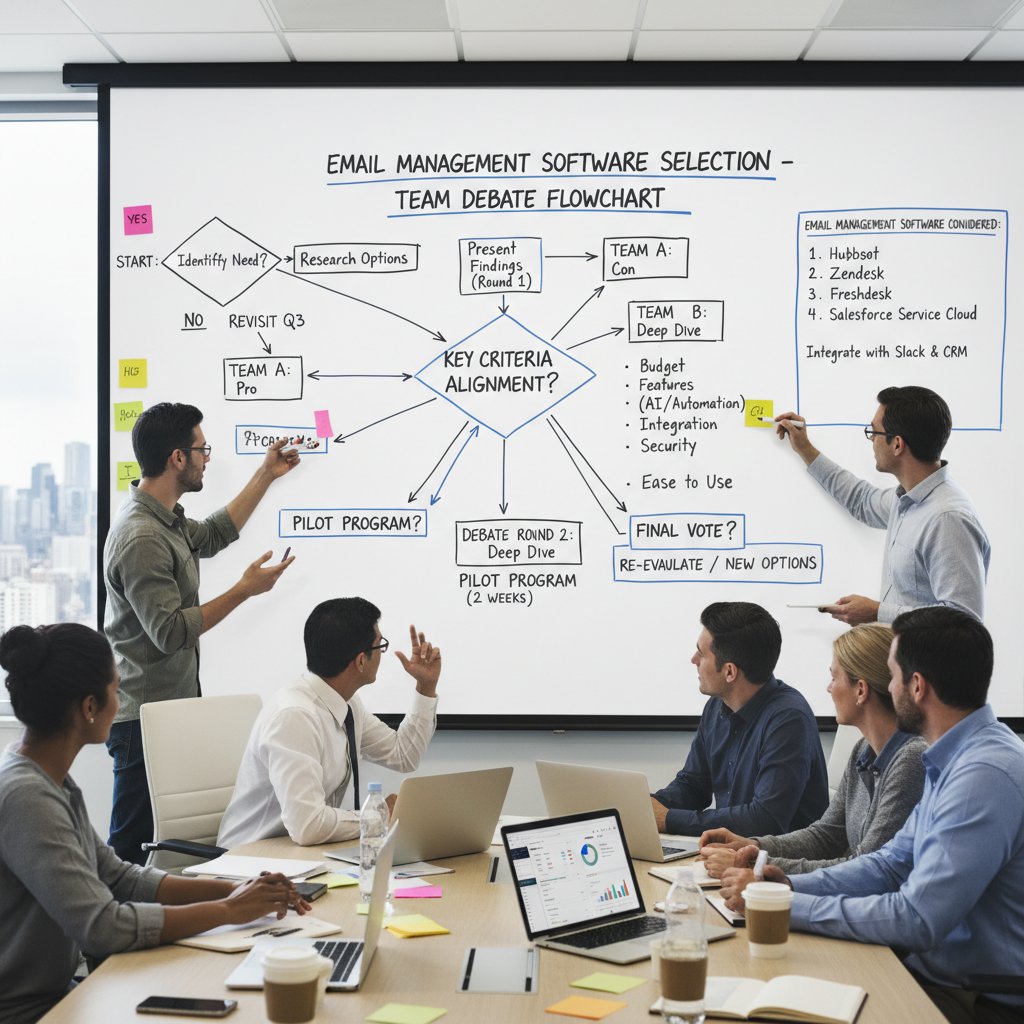
Conclusion: what no one tells you about email management software in 2025
Key takeaways for leaders who want to win the inbox war
If you’ve read this far, you know that the email management software enterprise reviews of 2025 aren’t about vendor hype—they’re about survival. Here’s the real playbook:
- Inbox chaos is a tax you can no longer afford.
- Filtering rules are no match for today’s multichannel, multi-threat environment.
- Security and compliance are baseline, not differentiators.
- AI is a force multiplier—if (and only if) your processes are solid.
- Real reviews expose pain points and failures, not just glowing success stories.
- The true cost is always higher than the sticker price—factor in migration, training, and support.
- Change is as much about people and culture as about technology.
Looking ahead: how to stay ahead of the next disruption
No tool, no matter how advanced, can substitute for a clear-eyed strategy and a willingness to adapt. The inbox wars will keep evolving—new threats, new tools, new workflows. The best enterprises stay paranoid and proactive, turning to trusted resources like futurecoworker.ai for guidance and insights.
“The only certainty is change. Your inbox should help you adapt.”
— Maya, enterprise strategist, in verified industry commentary
Ready to reclaim your inbox—and your time? The battle lines are drawn. Choose wisely.
Sources
References cited in this article
- SoftwareWorld Top Email Management Software 2025(softwareworld.co)
- GetApp 2025 Reviews(getapp.com)
- Capterra Email Management Software 2025(capterra.com)
- Orbus Software: Enterprise Architecture Trends 2025(orbussoftware.com)
- Nutanix: Bold Predictions for Enterprise IT 2025(nutanix.com)
- American Banker: Myths for Enterprise E-Mail Governance(americanbanker.com)
- WIRED: Study Refutes E-Mail Myth(wired.com)
- Saufter: Best Email Management Softwares 2025(saufter.io)
- Hoxhunt: BEC Statistics 2025(hoxhunt.com)
- Ace Cloud Hosting: Cost of Email Breaches(acecloudhosting.com)
- Workday: AI and Enterprise Risk Management 2025(blog.workday.com)
- CIO: What to Expect from AI in the Enterprise in 2025(cio.com)
- G2: Best Email Management Software(learn.g2.com)
- MailmanHQ: Top 5 Email Software Reviews(library.mailmanhq.com)
- G2: Enterprise Email Software(g2.com)
- Continuity Insights: Email Security 2025(continuityinsights.com)
- Zendesk vs Zoho Desk 2025 Comparison(hiverhq.com)
- Software Advice Comparison(softwareadvice.com)
- SelectHub: Zendesk Review 2025(selecthub.com)
- Desk365: Zendesk Reviews(desk365.io)
- Research.com: Zoho Mail Review 2025(research.com)
- Desk365: Zoho Desk Reviews 2025(desk365.io)
- TEC: Software Selection Tools(www3.technologyevaluation.com)
- ClickUp: Software Evaluation Templates(clickup.com)
- Moosend: Enterprise Email Marketing Software(moosend.com)
- eMaint: Enterprise Asset Management 2025(emaint.com)
- Microsoft AppSource: Innovative Email Manager(appsource.microsoft.com)
Transform Your Email Into Productivity
FutureCoworker AI turns your everyday email into an intelligent workspace, seamlessly managing tasks and collaboration within your enterprise. It eliminates the complexity of AI, allowing you to benefit from advanced technology without any technical knowledge. Achieve productivity, streamline processes, and improve team efficiency through natural email interaction, getting tasks done faster and smarter.
Get startedReady to Transform Your Email?
Start automating your tasks and boost productivity today
Frequently Asked Questions
How many emails does the typical enterprise knowledge worker receive daily in 2025?
According to a Capterra report cited in the article, the typical enterprise knowledge worker receives between 140-170 emails daily, with nearly 30% classified as low or irrelevant priority.
What percentage of work hours do companies waste on email triaging?
Research from Nutanix 2025 highlights that companies waste up to 21% of work hours weekly just triaging email.
How much has the average daily emails per employee increased from 2022 to 2025?
According to Table 1 in the article, average daily emails per employee increased from 120 in 2022 to 165 in 2025, an increase of 45 emails per day.
What percentage of employees reported email stress in 2025?
According to Table 1, 64% of employees reported email stress in 2025, up from 54% in 2022.
What are the main threats to enterprise inboxes mentioned in the article?
The article identifies spam barrages, phishing offensives, compliance issues, and the unceasing barrage of internal demands as the main threats facing enterprise inboxes in 2025.
Continue Reading
Keep exploring Intelligent enterprise teammate

Email Productivity Software Enterprise Reviews: What Delivers ROI
Email productivity software enterprise reviews examine what actually works for global teams. This article analyzes real ROI, hidden costs, and AI-driven tools reshaping enterprise collaboration.

Enterprise Email Management: What Works and What Fails
Email management software enterprise solutions face real challenges in enterprise settings. This article examines what's broken, what works, and the operational costs of email overload.

Email Management Software Reviews That Expose 2026’s Real Winners
Discover insights about email management software reviews

Email Task Management Software Enterprise Reviews
Email task management software enterprise reviews examine hidden costs, productivity challenges, and AI solutions reshaping enterprise workflows and inbox management.

Email Productivity Tools Enterprise: Which Ones Actually Work
Email productivity tools enterprise can reduce inbox overload affecting most professionals. This article examines the real costs of email chaos and which solutions actually improve workflow.

Email Productivity Software Enterprise Insights That Actually Work
Discover insights about email productivity software enterprise insights







