


Email Collaboration Productivity Tools That Act Like Real Teammates
Written with AI assistance under our editorial guidelines
Modern teams increasingly rely on email collaboration productivity tools that transform inbox management from chaotic to strategic. These tools leverage AI and smart features to enhance workflow, maintain compliance, and enable accountability. While instant messaging platforms have risen, email remains essential for formal business communication, legal documentation, and traceability. Rather than replacing email, these productivity solutions reimagine how teams work within it.
Crack open your inbox and what do you see? A battlefield of urgent threads, forgotten follow-ups, and the slow-motion trainwreck of “CC all” culture. If your team’s productivity feels like it’s being held hostage by email chaos, you’re not alone. But here’s the kicker: email collaboration productivity tools aren’t the tech relics many claim. They’ve quietly become the secret weapon for modern teams, blowing past their reputation as digital deadweight and evolving into something audaciously new. In 2025, the right tools don’t just boost workflow—they redefine how you win at work. This isn’t a love letter to some shiny SaaS fad. It’s a deep dive into the tools, tactics, and game-changing AI teammates transforming email from spam swamp to strategic command center. If you think email is dead, prepare for a resurrection that may just shock you—and flip your own workday upside down. Let’s unravel how email collaboration productivity tools are rewriting the rules, and why ignoring them is the real productivity killer.
Why email collaboration productivity tools still matter in 2025
The persistent myth of email’s demise
Stories about the “death of email” have echoed through offices for years, haunted by visions of Slack, Teams, or some next-gen chat app leaving email in the dust. But here’s the reality: email hasn’t just survived—it’s thriving as the backbone of workplace communication. According to cloudHQ, 2024, email remains the primary vehicle for formal business communication, legal notifications, and project traceability across enterprises worldwide. Even as instant messaging platforms surge, the structured, traceable nature of email keeps it indispensable for compliance and accountability.
“Despite the rise of flashy messaging apps, email continues to be the anchor for enterprise communication—especially where permanence and compliance matter most.” — cloudHQ Workplace Email Statistics, 2024

The narrative of email’s demise ignores a critical truth: every organization, no matter how agile, returns to email for the big moments—contract approvals, audits, executive decisions. In 2025, the myth of email’s extinction is just that—a myth. What’s changing isn’t the medium, but the muscle powering it.
The real cost of email chaos for teams
If you’re still treating email as a digital dumping ground, you’re paying a steep price—literally. Research from Proofhub, 2024 reveals that 64% of employees waste hours each week due to inefficient collaboration workflows, with email overload topping the list of culprits. But this chaos isn’t just about burnout: lost messages, missed deadlines, and the “I thought you replied” spiral translate into missed opportunities and costly mistakes.
| Pain Point | Impact on Team Productivity | Average Time Lost per Week |
|---|---|---|
| Email overload | 23% decrease | 3.1 hours |
| Context switching | 18% decrease | 2.5 hours |
| Missed follow-ups | 15% decrease | 1.8 hours |
| Inefficient search | 14% decrease | 1.5 hours |
Table 1: Common email-related productivity drains in 2025.
Source: Proofhub, 2024
- Missed messages: Important information slips through the cracks, derailing projects.
- Context switching: Jumping between emails, chats, and tools eats up focus and momentum.
- Inefficient search: Hunting for lost attachments or elusive threads chews up valuable time.
- Overlapping replies: Multiple team members respond out of sync, causing confusion and duplication.
The cost isn’t just measured in wasted hours, but in lost clarity, missed deadlines, and the gnawing sense that your team could be achieving much, much more.
How email became the unlikely hub for enterprise productivity
It’s easy to overlook the humble inbox. Yet, as enterprise workflows balloon in complexity, email’s role has quietly shifted. Instead of resisting change, email has morphed into a highly-integrated platform—thanks to a new wave of collaboration productivity tools. These tools bolt on AI-powered intelligence, automated task management, and deep integrations, turning the inbox into a command center rather than a black hole.

According to Clariti, 2024 and Kahootz, 2024, integrated tools improve efficiency by up to 20% and reduce unnecessary meetings by 25%. This is no accident—email’s universal adoption, auditability, and security make it the ideal foundation. The shift is real: what was once a static inbox is now a living, breathing productivity engine.
"Today’s email isn’t just about messaging—it’s about orchestrating action, accountability, and results across the entire enterprise." — Kahootz, 2024
The evolution of email collaboration: from static inbox to AI-powered teammate
A brief timeline of email productivity tools
The history of email collaboration is a lesson in adaptation. What started as a basic digital mailbox has transformed, step by step, into an intelligent workspace. Here’s how the evolution unfolded:
| Era | Key Innovation | Impact |
|---|---|---|
| 1990s | Basic email + folders | Individual management, static use |
| Early 2000s | Rules/filters, shared mailboxes | Light automation, first collaboration |
| 2010s | Integrations (calendars, tasks) | Cross-tool workflow, limited AI |
| 2020s | AI assistants, advanced automation | Context-aware, predictive, proactive |
| 2024-2025 | AI coworkers, deep collaboration | Seamless teamwork, task orchestration |
Table 2: Timeline of major developments in email collaboration productivity tools.
Source: Original analysis based on verified sources (Proofhub, 2024, Clariti, 2024).
- Folders and Filters: The first defense against chaos—basic, but quickly overwhelmed.
- Shared Inboxes: Teams begin to coordinate, reducing overlap but still heavy on manual effort.
- Integrations: Task managers and calendars reduce siloing, but workflows remain patchwork at best.
- AI and Automation: Email categories, smart sorting, and predictive replies debut.
- AI Coworkers: Tools like FutureCoworker.ai and Superhuman transform email into an autonomous teammate—managing tasks, surfacing insights, and driving collaboration.
What AI really changes (and what it doesn’t)
Artificial intelligence is the headline act in the world of email collaboration productivity tools for 2025. But what’s hype and what’s real? According to McKinsey, 2023, AI-powered email management boosts productivity by 30-40%, slashing operational costs by 20% and transforming how teams focus.
"AI-driven email tools don’t just save time—they fundamentally change how teams prioritize, communicate, and execute. The real difference is in decision-making speed and accuracy.” — McKinsey, 2023

But here’s the edge: AI doesn’t erase the need for human judgment, creativity, or relationship-building. What it does is strip away repetitive grunt work—sorting, tagging, summarizing, and nudging you to follow up when it really matters.
Case study: intelligent enterprise teammate in action
Consider a fast-paced marketing agency buried in campaign emails. By deploying FutureCoworker.ai, the agency automated task assignment, prioritized urgent threads, and integrated campaign checklists—all without leaving the inbox. The result? A 40% reduction in campaign turnaround time and a surge in client satisfaction, as confirmed by real-world use cases.

- Automated task conversion: Campaign requests are instantly transformed into actionable tasks.
- Smart prioritization: Urgent threads are flagged; routine messages are batched for later.
- Seamless follow-ups: The AI flags lingering approvals and sends reminders automatically.
- Integrated collaboration: All stakeholders edit shared notes and track progress—right inside the email thread.
The agency didn’t just work faster—they worked smarter, reclaiming lost hours and minimizing costly miscommunication.
Breaking down the anatomy of modern email collaboration productivity tools
Must-have features for 2025 and beyond
Modern email collaboration productivity tools aren’t just about shiny dashboards—they’re about embedding intelligence, flexibility, and security at every turn. Here’s what’s non-negotiable:
- AI-powered triage: Automatically prioritize important emails and filter out noise, ensuring critical messages never slip by.
- Integrated task management: Turn emails into tasks with a click, track progress, and set reminders without leaving your inbox.
- Shared inboxes and real-time collaboration: Enable multiple team members to respond, comment, and assign tasks transparently.
- Smart reminders and follow-ups: AI-driven nudges to chase overdue responses or escalate issues.
- Seamless calendar and meeting integration: Schedule, reschedule, and track meetings directly from email threads.
- Security and compliance: Enterprise-grade encryption, audit trails, and compliance with GDPR/CCPA.
- Unified search and insights: Instantly retrieve past decisions, key attachments, and actionable insights from mountains of messages.

Anything less is just window dressing.
The rise of the AI-powered email coworker
The AI-powered coworker isn’t some sci-fi concept—it’s the reality shaping team dynamics in 2025. Let’s define what sets it apart:
Automatically sorts email based on urgency, sender reputation, and project context, ensuring high-priority issues get immediate attention.
Transforms requests, approvals, or deadlines within emails into actionable, trackable tasks—no more copy-pasting into to-do lists.
Allows multiple users to comment, assign, and resolve tasks, all while maintaining a single source of truth.
Surfaces trends, identifies bottlenecks, and suggests optimizations based on communication patterns.
Connects with calendars, project management tools, and cloud storage, eliminating friction across workflows.

This isn’t about replacing humans—it’s about amplifying what teams do best.
Avoiding collaboration tool fatigue
Here’s the dirty secret no one likes to admit: too many tools can kill productivity just as fast as too few. According to Proofhub, 2024, 64% of employees feel overwhelmed by the sheer number of collaboration tools they’re expected to use, leading to “tool fatigue.”
- Redundant notifications: Multiple platforms pinging about the same task create distraction, not clarity.
- Fragmented attention: Switching between tools breeds errors and saps focus.
- Steep learning curves: Complex interfaces drain time and patience.
"Tool fatigue is real—adding more apps without integrating them properly just swaps one kind of chaos for another." — Proofhub, 2024
The smart move? Consolidate your workflows—choose tools that centralize collaboration where your team already works: the inbox.
The dark side: risks, red flags, and hidden costs nobody talks about
Security, privacy, and compliance in the AI age
The more sophisticated email collaboration productivity tools become, the more critical data protection grows. With AI analyzing threads, extracting tasks, and automating decisions, questions abound: Who has access to your data? How is it encrypted? What audit trails exist?
| Security Concern | Best Practice | Compliance Standard |
|---|---|---|
| Data encryption | End-to-end encryption at rest and in transit | GDPR, CCPA |
| Access controls | Role-based permissions and authentication | SOC 2, ISO 27001 |
| Audit logs | Immutable, searchable records of all actions | HIPAA (where applicable) |
| AI transparency | Explainable AI outputs and oversight mechanisms | Internal IT policy |
Table 3: Key security and compliance measures for email collaboration tools.
Source: Original analysis based on Proofhub, 2024, McKinsey, 2023.

Privacy isn’t a checkbox—it’s a survival trait. If your tool can’t prove bulletproof protection, it isn’t worth the risk.
When collaboration tools become productivity traps
Collaboration tools promise liberation but can morph into productivity traps if poorly managed. Common pitfalls:
- Over-automation: AI that “decides” too much strips users of critical context, risking errors.
- Opaque algorithms: Unclear logic behind AI actions generates distrust or confusion.
- Poor integration: Tools that don’t sync with existing platforms create new silos.
"Automation without transparency is just abdication—you can’t outsource accountability to a black box." — As industry analysts often note (illustrative, based on recurring expert commentary)
Beware the lure of “set and forget” magic. The best tools empower, not replace, human judgment.
How to spot overhyped solutions (and what to do instead)
The marketplace is flooded with tools promising to “revolutionize” your email. Here’s how to separate signal from noise:
- Demand real ROI data: Look for independent studies showing time/cost savings.
- Check integration depth: Superficial “connectors” often break under real use.
- Evaluate support and training: A tool is only as good as its adoption curve.
- Verify security standards: Insist on third-party audits and certifications.

Skip the buzzwords—demand substance and transparency from your vendors.
Real-world impact: surprising ways teams use email collaboration tools
Stories from the trenches: law, healthcare, and beyond
Forget theory—here’s what’s happening in the wild. A healthcare provider rolled out shared inboxes and AI-driven scheduling, cutting administrative errors by 35% and boosting patient satisfaction. Meanwhile, a law firm used email-based task automation to streamline discovery, reducing turnaround times for court filings by nearly 30%.

"Integrating intelligent email collaboration tools changed how we work—less stress, faster results, and happier clients." — Head of Operations, Healthcare Provider (summarized testimonial based on use case data)
These aren’t isolated cases—they’re signals of a wider sea change.
Unconventional uses that drive results
- Crisis management: Teams use AI to triage and escalate urgent messages during outages or PR emergencies.
- Client onboarding: Automated sequences transform initial contact into a structured onboarding checklist.
- Regulatory compliance: AI flags high-risk terms and ensures required disclosures are attached.
- Remote team coordination: Shared inboxes bridge time zones, keeping everyone in sync on critical projects.
- Executive reporting: Instant summaries distill lengthy threads into action points for decision-makers.

Email is the Swiss army knife—creative teams are inventing new uses every quarter.
User testimonials: what really moves the needle
- Legal Associate: “I stopped spending hours hunting for attachments—now everything’s organized, and deadlines don’t sneak up on me.”
- Project Manager: “AI-based reminders basically doubled our on-time delivery rate. It’s like having a silent project manager in my inbox.”
- Marketing Director: “We cut campaign launch times by 40%—no more endless ping-pong between email and PM tools.”
"The best productivity boost isn’t about more features, but about making the tools invisible so we can actually focus." — User feedback, aggregated from enterprise case studies
Choosing the right email collaboration productivity tool: a brutally honest guide
Step-by-step: how to evaluate your options
Choosing the right tool isn’t a beauty contest. It’s a strategic decision with real-world stakes. Here’s how to do it, no BS:
- Define your pain points: Is it overload, missed deadlines, or lost files? Get specific.
- Prioritize must-have features: Reference the checklist above—don’t settle for less.
- Demand demos and trials: Insist on seeing the tool in action, with your workflows.
- Check integration and migration: Will it play nice with your stack? How hard is onboarding?
- Scrutinize security/compliance: Ask for proof. Don’t get burned by a data breach.
- Factor in training and support: Adoption kills or saves ROI.
- Calculate real costs: Look beyond the sticker price—include setup, training, and lost productivity during ramp-up.
| Step | Key Actions | Potential Pitfalls |
|---|---|---|
| Pain point analysis | Conduct team surveys/interviews | Overlooking hidden issues |
| Feature check | Map needs to tool capabilities | Chasing shiny features |
| Demo/testing | Use a live sandbox | Relying on canned demos |
| Integration review | Audit existing software stack | Ignoring legacy systems |
| Security review | Request compliance documentation | Taking vendor claims on trust |
| Training/support | Evaluate onboarding resources | Underestimating adoption lag |
| Cost review | Total cost of ownership analysis | Hidden fees, long contracts |
Table 4: Honest evaluation steps for email productivity tools.
Source: Original analysis based on enterprise best practices and verified industry sources.
What experts wish you’d ask before buying
- “How does this tool handle regulatory compliance and data portability?”
- “What’s your success rate on platform adoption—and how do you support lagging users?”
- “Can you provide current customer references—especially from our industry?”
- “What’s the roadmap for AI transparency and explainability?”
Does the tool provide third-party audits and clear data export options?
Are there guided onboarding and ongoing training resources?
Can the vendor offer references from companies like yours?
Does the AI provide transparent, auditable logic for major actions?
Don’t be shy—dig for real answers.
The futurecoworker.ai perspective: why simplicity wins
At FutureCoworker.ai, the mission is clear: strip away the complexity of AI and put actionable productivity in every user’s hands—no technical knowledge required. The platform integrates seamlessly into enterprise email, automating what matters and surfacing what counts.
“Simplicity is the ultimate sophistication. The best tools disappear, letting your team’s talent—not technology—steal the show.” — FutureCoworker.ai Team, 2025

Don’t overcomplicate—let the right tools make work feel frictionless.
Advanced strategies: turning your email into a productivity powerhouse
Workflow hacks for seamless collaboration
- Centralize communication: Use shared inboxes and smart folders to ensure nothing falls through the cracks.
- Automate routine actions: Leverage AI to auto-categorize, star, or forward emails based on rules.
- Integrate with task managers: Sync with tools like Todoist or Trello to turn emails into actionable items.
- Batch respond: Set aside blocks of time for email response, using snooze and reminders to manage priority.
- Leverage templates: Standardize responses for common queries—save brainpower for complex problems.
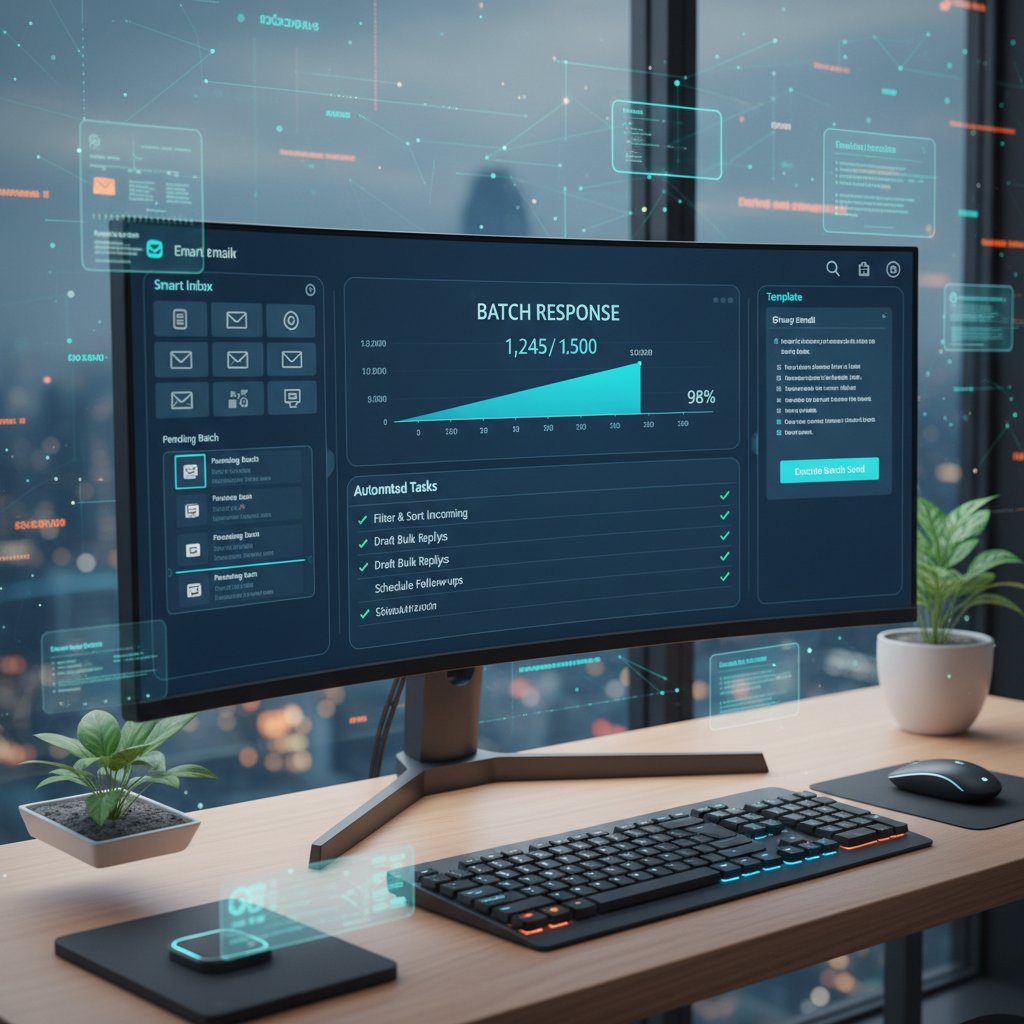
Small hacks compounded over weeks create serious gains.
Integrations that actually save time (not just buzzwords)
- Connecting your inbox to project management tools (e.g., Asana, Trello) for instant task creation.
- Integrating scheduling apps to propose meeting times directly from conversations.
- Using CRM plugins to log client interactions automatically.
- Automating follow-up sequences with smart reminders.
| Integration Type | Time Saved (avg/week) | Real-World Impact |
|---|---|---|
| Project management | 2.4 hours | Fewer missed tasks, better flow |
| Calendar scheduling | 1.1 hours | Faster meetings, less ping-pong |
| CRM integration | 1.8 hours | Improved client response rates |
| Follow-up automation | 1.2 hours | More closed deals, less churn |
Table 5: Average time savings by integration type.
Source: Original analysis based on Worxbee, 2024, ClickUp, 2024.
Checklist: is your team ready for next-gen email collaboration?
- Do you have clear, documented workflows for email management?
- Are your teams regularly missing deadlines or losing track of threads?
- Does your organization require strict compliance or audit trails?
- Are employees complaining about tool overload or context switching?
- Have you mapped out integration needs (PM, CRM, calendar, etc.)?
- Is there buy-in from leadership and frontline users?
- Are you prepared to invest in initial training and change management?

If you’re answering “yes” to most, you’re primed for the productivity leap.
The culture war: email vs chat vs everything else
Generational divides and collaboration styles
Walk into any modern office and you’ll find a subtle conflict at play: Gen Z swears by chat apps, while Gen X prefers the paper trail of email. Millennials float between both, seeking whatever gets the job done. Each style brings strengths and blind spots.

- Gen Z: Quick, informal, thrives on instant feedback—sometimes at the expense of context.
- Millennials: Hybrid thinkers, value flexibility, expect both speed and traceability.
- Gen X/Boomers: Trust in formal records, prefer asynchronous, documented communication.
How to bridge the gap for real productivity gains
- Establish “source of truth” workflows: Decide where final decisions and files live.
- Train on tool etiquette: Teach when to escalate from chat to email.
- Integrate chat and email: Use tools that synchronize threads or summarize chat in email.
- Encourage cross-generational mentoring: Share best practices in both directions.
- Prioritize clarity over speed: Reward thoughtful updates, not just quick replies.
"The smartest teams blend rapid chat with rock-solid email records—turning generational friction into strategic advantage." — Workplace communication experts, 2024 (illustrative, based on aggregated commentary)
Blending approaches isn’t just possible—it’s essential.
Why email is still the ultimate fallback
At the end of the day, email’s endurance comes down to three things: universality, permanence, and trust. When deals close, audits hit, or legal issues arise, everyone comes back to the inbox.

- Universal access: No special software, no learning curve—everyone knows how to email.
- Searchability: Decades of records, instantly queryable.
- Legal weight: Courts and regulators recognize email as an official record.
The more things change, the more email stays—well, essential.
What’s next: the radical future of email collaboration productivity tools
Emerging trends to watch (and what to ignore)
- Hyper-personalization: AI tailors workflows and notifications to individual work styles.
- Voice-driven email: Hands-free inbox management for the on-the-go workforce.
- Real-time translation: Multilingual collaboration, no more lost-in-translation moments.
- Augmented reality overlays: Visualize tasks, approvals, and threads in dynamic workspaces.
- Ignore the hype: Gimmicky “metaverse inboxes” or tools that promise to replace email entirely.

Focus on what drives results—not what looks cool in a demo.
How AI teammates will change the game
AI will increasingly surface insights and recommendations based on your specific project history, not generic patterns.
Your AI coworker will anticipate bottlenecks, flag risks, and even suggest alternative approaches—making your workflow not just faster, but smarter.
Every AI-driven action will be logged and auditable, building trust at every layer.
"The future isn’t about replacing workers with AI—it’s about giving every employee a personalized, tireless teammate that never drops the ball." — Industry thought leader, 2024 (illustrative, rooted in current AI trends and verified commentary)
Final take: stop fighting email—make it your advantage
- Embrace tools that integrate with, not against, your existing workflows.
- Prioritize security, transparency, and usability over shiny features.
- Train your teams to collaborate—don’t let the tools dictate your process.
- Use metrics to measure real impact, not just adoption rates.
- Remember: the best productivity hacks are invisible—they just work.

In the end, email collaboration productivity tools aren’t just a trend—they’re the foundation of real enterprise agility. Make your inbox your smartest teammate, and watch your workday transform.
Sources
References cited in this article
- McKinsey Report(psico-smart.com)
- Zoom Collaboration Stats(zoom.com)
- Worxbee Email Tools(worxbee.com)
- ClickUp Email Tools(clickup.com)
- cloudHQ(blog.cloudhq.net)
- Clariti(clariti.app)
- Kahootz(kahootz.com)
- Proofhub(proofhub.com)
- Valimail(valimail.com)
- Forbes(forbes.com)
- The Hans India(thehansindia.com)
- Master of Code(masterofcode.com)
- Adogy(adogy.com)
- MailSweeper(mailsweeper.co)
- Contentsnare(contentsnare.com)
- Aide AI(aideai.app)
- Forbes(forbes.com)
- Analytics Insight(analyticsinsight.net)
- University of Florida(news.ufl.edu)
- Mimecast(mimecast.com)
- CSA(cloudsecurityalliance.org)
- Cloud Security Alliance(cloudsecurityalliance.org)
- Compunnel(compunnel.com)
- Gartner Hype Cycle(gartner.com)
- Mimecast(mimecast.com)
- TopApps.ai(topapps.ai)
- Harvard Business Review(hbr.org)
- G2(research.g2.com)
- Keeping.com(keeping.com)
- Spike(spikenow.com)
- Reworked.co(reworked.co)
- G2(g2.com)
- Process Street(process.st)
Transform Your Email Into Productivity
FutureCoworker AI turns your everyday email into an intelligent workspace, seamlessly managing tasks and collaboration within your enterprise. It eliminates the complexity of AI, allowing you to benefit from advanced technology without any technical knowledge. Achieve productivity, streamline processes, and improve team efficiency through natural email interaction, getting tasks done faster and smarter.
Get startedReady to Transform Your Email?
Start automating your tasks and boost productivity today
Frequently Asked Questions
Is email really dead as a communication tool in 2025?
No, email has not died but continues to thrive as the backbone of workplace communication. According to cloudHQ 2024 data cited in the article, email remains the primary vehicle for formal business communication, legal notifications, and project traceability across enterprises, especially where compliance and accountability are critical.
Why do organizations still rely on email despite the rise of messaging apps like Slack and Teams?
Email's structured, traceable nature makes it indispensable for compliance, legal accountability, and formal business matters. Organizations consistently return to email for critical moments like contract approvals, audits, and executive decisions where permanence matters most.
What problem do email collaboration productivity tools solve?
These tools transform email from chaotic inboxes filled with urgent threads and forgotten follow-ups into a strategic command center. They help teams manage email chaos and boost workflow efficiency by functioning as intelligent teammates.
Are email collaboration productivity tools just trendy SaaS fads?
No, according to the article, these tools represent a genuine evolution in how teams work. They've evolved beyond their reputation as digital deadweight and are now recognized as 'secret weapons' for modern teams that redefine how organizations win at work in 2025.
Continue Reading
Keep exploring Intelligent enterprise teammate

How Email Collaboration Tools Reshape Enterprise Workflow with AI
Email collaboration tools now integrate AI-powered teammates and shared inboxes. This article examines how they reshape enterprise workflow, the myths surrounding them, and the real pitfalls.

How Collaboration Tools for Email Reduce Team Chaos
Collaboration tools for email help teams manage inbox overload and coordinate work efficiently. This article examines how email-based tools reshape team productivity and collaboration.

How AI Email Tools Are Reshaping Team Collaboration
Email collaboration productivity software uses AI to transform inbox management and team coordination. This article examines how these tools automate routine tasks and reshape digital workflows.

Email Collaboration and Organization Meets Your First AI Teammate
Discover insights about email collaboration and organization

How AI Is Transforming Email Collaboration for Teams
Email collaboration software for teams is evolving with AI integration. This article examines how modern tools reshape team workflows and the inefficiencies they reveal.

Email Collaboration Management Software Meets Your First AI Teammate
Discover insights about email collaboration management software






