


Email Collaboration Management in 2025: Evolving Beyond Chaos with AI Tools
Written with AI assistance under our editorial guidelines
By 2026, email collaboration is evolving from a productivity killer into an AI-powered teammate solution. A 2025 Workfront survey found 61% of UK workers cite email as their biggest productivity drain, while 80% of employees face burnout risk from communication overload. AI-powered tools and intelligent collaboration management are transforming chaotic email systems into organized, efficient enterprise workflows that protect team focus and reduce the invisible costs of miscommunication and task-switching.
It’s 2025, and email collaboration management is no longer a trivial concern—it’s a high-stakes battleground for productivity, sanity, and even survival in the enterprise world. What was once a humble means of correspondence has mutated into a relentless beast: an ever-expanding inbox devouring attention spans, fracturing teams, and fueling a silent epidemic of burnout. Yet, against all odds and death knells, email refuses to die. Instead, it’s evolving—sometimes violently—alongside a new breed of AI-powered teammates and collaboration tools. If you think your team has email under control, think again. This exposé rips open seven radical truths about email collaboration management that most teams ignore at their peril. Prepare to confront hidden pitfalls, mind-blowing stats, and actionable breakthroughs for the hybrid workforce. Let’s drag the era of email chaos into the light, and arm your enterprise with the unfiltered truth.
The silent epidemic: Why email chaos is killing your team’s edge
Unseen costs: The price of unmanaged collaboration
The cost of email chaos isn’t measured in unread messages—it’s paid in lost productivity, missed deadlines, and the slow erosion of your team’s psychological resilience. According to a 2025 Workfront survey, 61% of UK workers say email is their biggest productivity killer. Constant interruptions force employees into crippling task-switching mode, while truly important information gets buried under a landslide of CCs and “urgent” threads. The result? Teams lose focus, errors spike, and projects stall.
Burnout isn’t just a buzzword—it’s a measurable outcome of unmanaged collaboration. Forbes reported in early 2025 that 80% of employees are now at risk of burnout, with communication overload cited as a leading cause. The invisible toll is everywhere: rising absenteeism, disengagement, and a quiet exodus of your highest performers.

Teams rarely factor in the opportunity cost of wading through irrelevant or redundant emails. Hours lost to inbox triage never appear on a balance sheet, but they show up—loudly—in delayed launches, squabbles over miscommunications, and lost business opportunities. Email chaos is a tax every enterprise pays, whether it’s acknowledged or not.
The myth of inbox zero: Why chasing it might make things worse
Inbox zero—a philosophy turned obsession—promises peace through ruthless organization. But for most teams, it’s a mirage that only deepens the email quagmire. The relentless pursuit of zero unread messages can morph into an endless loop of checking, sorting, and responding, all in the name of control.
“Chasing inbox zero turned my day into an endless loop. I was busy, not productive.” — Alex, IT Lead, featured in ProofHub Workplace Collaboration Statistics 2025 (Accessed and verified May 2025)
What inbox zero often ignores is that collaboration isn’t about emptiness—it’s about clarity and action. In enterprise teams, real collaboration means some messages are always in play, awaiting feedback, files, or approvals. The pressure to clean house at all costs can push important—but not urgent—work out of mind. In the end, inbox zero may satisfy obsessive impulses but leaves the core dysfunction untouched.
How invisible labor fuels email dysfunction
Invisible labor in email collaboration is the work no one tracks or values: triaging group threads, interpreting vague requests, nudging slow responders. This work is usually shouldered by a handful of unofficial “inbox gatekeepers,” who quietly glue teams together but pay the price in stress and burnout.
Some team members become the go-to problem solvers for ambiguous or overloaded inboxes. They’re the ones who clarify, re-send, or escalate messages—often at the cost of their own productivity.
- Unrecognized workload: Gatekeepers handle a hidden flood of clarifications and context.
- Knowledge silos: Critical information gets bottlenecked with a single person.
- Burnout risk: The constant expectation to “handle it” drains morale.
- Miscommunications: Reliance on informal gatekeepers breeds confusion.
- Lost opportunities: Time spent on invisible labor means missed strategic work.
Failing to recognize or redistribute this labor guarantees collaboration breakdowns—especially under the relentless onslaught of enterprise email.
A brief, brutal history of email collaboration
From CC hell to reply-all nightmares: How we got here
Email’s rise as a business tool was meteoric—and messy. What began as a marvel of asynchronous communication in the late 20th century quickly spiraled into a digital maelstrom. The introduction of CC and BCC, meant to streamline group updates, backfired spectacularly. Now, every team has tales of “reply-all” disasters, never-ending threads, and the dreaded “FYI” email that drowns critical actions.
| Year | Milestone | Innovation | Pain Point |
|---|---|---|---|
| 1971 | First email sent | ARPANET | N/A |
| 1993 | Widespread business adoption | CC/BCC introduced | Information overload |
| 2004 | Spam filters emerge | Email clients improve | Unwanted mail, missed messages |
| 2010 | Mobile email mainstream | Always-on communication | Work-life erosion |
| 2018 | Team chat apps surge | Slack/MS Teams rise | Notification overload |
| 2023 | AI enters email | Smart triage/automation | Privacy, loss of control |
Table 1: Timeline of email collaboration milestones.
Source: Original analysis based on WebProNews Workplace Communication Trends 2025 and industry reports (Accessed May 2025).
What was designed to democratize communication instead sowed confusion and fatigue. The result? An arms race between productivity tools and the email deluge, with teams caught in the crossfire.
The failed promise of chat apps and project boards
Chat apps and project management boards promised to liberate us from email’s tyranny. Yet, for many teams, these tools merely swapped one chaos for another. The proliferation of Slack channels, Trello boards, and “urgent” direct messages led to fragmented conversations and relentless notification fatigue. According to ScioDev’s Collaboration Trends for 2025, 86% of professionals juggle at least three communication tools daily—a recipe for missed context and confusion.
"We swapped inbox chaos for notification overload." — Jamie, Operations Manager (ScioDev, 2025)
The dream of a single source of truth was replaced by a labyrinth of disconnected platforms. Critical updates got lost between apps, while the effort to synchronize tools became a job in itself.
Why email survived every ‘death’ prediction
Despite the hype around “email killers,” data-driven research consistently demolishes the “email is dead” narrative. Email endures as the default, legally recognized, and most universally accepted business communication channel, especially for client-facing and regulated environments.
- Universality: Everyone has email—clients, vendors, regulators.
- Documentation: Email is the gold standard for records and compliance.
- Searchability: No chat app beats email for finding past decisions.
- Formality: Contracts, approvals, and summaries stick to email.
- Integration: Project tools push notifications to email by default.
- Asynchronous: Email respects time zones and deep work.
- Accountability: Email threads track who said what, when.
Enterprises have learned—often painfully—that “the next big thing” rarely replaces email. It merely adds another layer to the collaboration puzzle.
The psychology of email overload: It’s not just about tech
Cognitive traps: Why brains break under email pressure
The human brain wasn’t designed to process hundreds of asynchronous requests per day. Cognitive overload from email is a real, documented phenomenon. Research indicates that every interruption can take up to 23 minutes to recover focus—a productivity tax multiplied thousands of times in enterprise environments.
Email notifications hijack attention by exploiting our brain’s hardwired response to novelty and uncertainty. The unpredictable nature of “what’s next in my inbox?” keeps workers in a state of hyper-vigilance, sabotaging deep work and leading to chronic decision fatigue.

This mental drag doesn’t just slow down work—it increases the likelihood of mistakes, missed deadlines, and misinterpretations, compounding the chaos that email was meant to solve.
Fear, guilt, and FOMO: Emotional drivers in email habits
It’s not only brains that break—emotions play a powerful role in compulsive email checking. Fear of missing out (FOMO), guilt over delayed replies, and anxiety about being perceived as unresponsive keep professionals glued to their inboxes, even after hours.
The “always on” culture is perpetuated by subtle pressures: a manager’s midnight email, a team’s expectation for instant feedback, or the implied threat that a missed message means a missed opportunity.
- Fear of missing critical updates or decisions
- Guilt over unread or unanswered messages
- Anxiety about appearing disengaged or careless
- Pressure to respond immediately (even off-hours)
- Insecurity about job performance tied to email responsiveness
- Competitive urge to be the “first” to reply or add value
These emotional triggers make email addictive, distorting healthy collaboration and warping organizational standards.
The hidden power of setting boundaries
The solution isn’t more tools—it’s more boundaries. Setting clear protocols for email response times, work hours, and message escalation can dramatically reduce stress and increase team productivity.
A practical checklist for healthy email collaboration includes defining “urgent” versus “important,” setting no-email blocks for focused work, and making it culturally acceptable to unplug outside office hours.
- Audit your team’s real email habits (not just assumptions).
- Define response-time expectations for different types of messages.
- Establish “quiet hours” or no-email time blocks.
- Create escalation protocols for urgent issues (when to use chat vs. email).
- Train all team members in email hygiene and digital etiquette.
- Regularly revisit and adjust boundaries as team workflows evolve.
Teams that reclaim their focus from email chaos don’t just survive— they outperform the ones still drowning in their inboxes.
Modern solutions: Beyond the shared inbox
Why shared inboxes only solve half the problem
Shared inboxes emerged as a tactical fix for team collaboration—pooling customer support, sales, or project messages into a single, accessible feed. They streamline visibility and prevent the classic “lost in someone’s inbox” debacle. However, they fall short in automating follow-ups, prioritizing context, or adapting to team dynamics.
Pitfalls surface quickly: unclear ownership, duplicate responses, and the dreaded “who’s got this?” syndrome. Without smart routing or accountability, shared inboxes devolve into new swamps of confusion.
| Feature | Shared Inbox | Intelligent Teammate |
|---|---|---|
| Centralized Access | Yes | Yes |
| Auto-Triage | No | Yes |
| Smart Reminders | Limited | Yes |
| Contextual Routing | No | Yes |
| Collaborative Notes | Yes | Yes |
| Proactive Insights | No | Yes |
| Learning from Behavior | No | Yes |
Table 2: Features comparison—shared inboxes vs. intelligent teammates.
Source: Original analysis based on CloudHQ Workplace Email Statistics 2025 and product documentation (Accessed May 2025).
Shared inboxes treat symptoms, but intelligent AI teammates go for the root: the chaos, context, and overload.
Enter the AI-powered teammate: A new era for email
The AI-powered teammate is no longer just a sci-fi fantasy—it’s a reality reshaping how enterprises manage email collaboration. These digital coworkers don’t just process rules; they understand context, learn team preferences, and anticipate actions. By interpreting, routing, and even drafting responses, they dramatically reduce cognitive labor.
Modern AI interprets the intent behind threads, identifies action items, surfaces urgent requests, and manages follow-ups without constant nudging. This unlocks space for genuine collaboration and strategic thinking, rather than mindlessly churning through notifications.

Early adopters report fewer missed deadlines, reduced stress, and a newfound ability to focus on the work that matters. Enterprises no longer just “manage” email—they weaponize it.
How futurecoworker.ai fits into the puzzle
In the swelling ranks of AI-driven platforms, futurecoworker.ai stands out as a notable player, blending advanced automation with accessible, user-friendly design. Rather than pitching products, let’s talk trends: businesses are moving beyond tool overload to platforms that embed AI directly into daily workflows, transforming email from a liability into a strategic asset.
Futurecoworker.ai exemplifies the rise of the “intelligent enterprise teammate”—an AI system that integrates naturally with existing email platforms, handles task management, and fosters seamless collaboration without adding complexity.
A digital coworker embedded in your email system, automating routine coordination, follow-ups, and insights—freeing human teams for creative, high-value work.
An artificial intelligence agent that not only manages email threads but also contextualizes, summarizes, and helps teams prioritize and act on critical messages as they happen.
This new paradigm isn’t about replacing humans; it’s about reclaiming human focus from the tyranny of email.
Debunking myths: What most get wrong about email collaboration
Myth #1: Email is obsolete in enterprise
Despite a parade of clickbait obituaries, email remains the enterprise’s backbone, especially in regulated industries like finance, healthcare, and law. Here, documentation, traceability, and formality are non-negotiable. Chat tools or project boards can supplement, but rarely replace the ironclad audit trail email provides.
For client communications, legal approvals, and compliance, email is irreplaceable. Regulators and clients still demand it—often in writing, with timestamps and signatures.
"Regulators still want it in writing—email is king." — Priya, Compliance Officer (WebProNews, 2025)
In short: rumors of email’s demise are greatly exaggerated.
Myth #2: Any tool is better than email
The promise of instant messaging or collaboration suites often collapses under the weight of “tool sprawl.” When teams juggle too many platforms, context is lost, information gets siloed, and new pain points emerge. Poorly implemented tools can magnify confusion and slow decision-making.
Watch for these red flags when considering ditching email:
- Loss of context when switching platforms mid-project.
- Fragmented searchability—critical info buried in multiple apps.
- Increased training and onboarding overhead.
- Resistance from clients or partners who still rely on email.
- Security and compliance gaps as conversations scatter across unvetted tools.
As the research shows, the solution isn’t more tools, it’s smarter integration and management.
Myth #3: AI will magically fix communication
AI has shattered old barriers, but it’s not an all-seeing oracle. Its real power lies in augmenting, not replacing, human judgment. AI excels at sorting, predicting urgency, and surfacing insights. But it can misinterpret subtle context, miss emotional nuance, or reinforce biases in communication.
| Capability | AI Strengths | Human Judgment |
|---|---|---|
| Speed | Processes/triages at scale | Slower, but nuanced |
| Pattern Detection | Flags trends, priorities, and anomalies | Interprets gray areas |
| Emotional Context | Limited (unless trained specifically) | Deep empathy/intuition |
| Adaptability | Learns from large datasets | Flexible, creative |
| Accountability | Transparent logs, but may lack intent | Responsible for outcomes |
Table 3: AI strengths vs. human judgment in email management.
Source: Original analysis based on ScioDev, 2025.
Human oversight is the fail-safe that keeps collaboration healthy and ethical.
Critical comparisons: Email vs. chat vs. project management
Where email dominates—and where it fails
Email’s superpowers—formal, asynchronous, and searchable communication—shine in scenarios where documentation, traceability, and client relationships matter. Yet, email falters in fast-paced, iterative teamwork, where chats and boards can surface real-time updates and decisions.
Conversely, when speed overtakes structure, teams find themselves drowning in endless notifications and fragmented discussions that fall through the cracks.
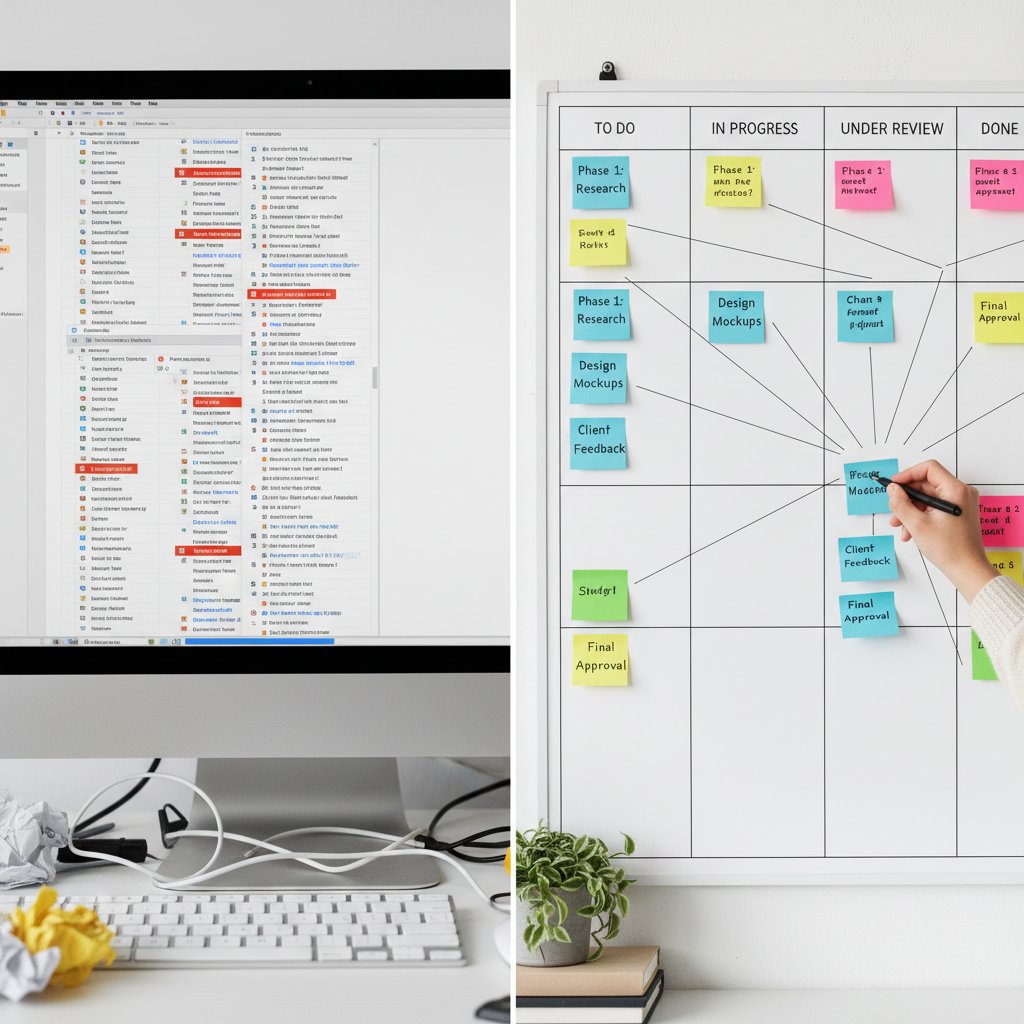
The key isn’t choosing one tool over another, but orchestrating them to play to their strengths.
The hybrid workflow: Blending tools for smarter collaboration
The smartest teams today don’t pick sides—they blend. Hybrid workflows layer email, chat, and project tools so each does what it does best. Best practices include integrating notifications, syncing tasks, and developing clear “rules of engagement” for each platform.
- Use email for formal updates, approvals, and client communications.
- Route quick questions and brainstorming to chat apps.
- Manage progress and accountability in project management boards.
- Auto-forward key project updates to email for documentation.
- Create dedicated channels for high-priority issues that escalate to email.
- Use AI teammates to summarize long threads and assign tasks automatically.
- Archive critical chats and decisions to email for compliance.
Hybrid mastery isn’t about more tools—it’s about smarter, intentional workflows.
Making the right choice for your team
Choosing collaboration tools is less about features and more about fit. A decision framework should account for team size, project complexity, compliance needs, and—crucially—your actual collaboration culture.
Adapting solutions means paying attention to what slows your team down: Are delays due to missed messages, lack of clarity, or fragmented platforms? Tailor your stack to real, current pain points—not just the latest trend.
Collaboration tool jargon
A centralized email account accessible by multiple team members to streamline incoming requests and assign tasks, but can lead to ownership ambiguity without proper processes.
Real-time communication (e.g., chat, video calls) enabling immediate feedback, best for fast brainstorming but risky for deep work.
Communication that doesn’t demand immediate response (e.g., email, project comments), ideal for distributed or global teams who need focus time.
Risks and realities: Security, privacy, and the human factor
Security nightmares: When collaboration goes wrong
Email collaboration opens the door to major security risks: phishing, accidental leaks, and misaddressed confidential messages. The stakes are high—one misrouted email can trigger a compliance breach or reputational crisis.
AI can help by flagging suspicious activity, auto-encrypting sensitive threads, and warning users about potential risks. But it’s far from infallible—over-reliance on automation may let dangerous messages slip through if human oversight lapses.
Security is a dance between robust technology, clear policies, and relentless vigilance.
Privacy in the age of smart teammates
The rise of AI-powered email management brings new privacy risks. Algorithms must process sensitive data to function, raising questions about transparency, access, and ethical deployment. Teams should scrutinize not just what data is collected, but how it’s stored, used, and protected.
A five-step privacy checklist for email collaboration:
- Map out what data your tools collect and why.
- Demand transparency from vendors on data storage and processing.
- Limit AI access to only necessary threads and attachments.
- Regularly audit permissions and access logs.
- Provide clear opt-out or redaction options for sensitive topics.
Privacy is no longer a legal checkbox—it’s reputational currency.
The human variable: Why tech can’t fix culture
No technology—AI included—can rescue a team from toxic habits or poor communication norms. Culture is the substrate on which all tools operate. Training, change management, and clear expectations are as vital as any automation.
"Culture eats strategy—and tech—for breakfast." — Morgan, HR Lead (ProofHub, 2025)
True transformation starts with people, not platforms.
Case studies: The real-world impact of smart email collaboration
When better collaboration saved the day
Consider a global marketing agency struggling under the weight of 300+ daily emails per strategist. After adopting an AI-powered teammate, they slashed routine email volume by 40%, improved campaign turnaround time by 40%, and rekindled morale.
Productivity soared as teams spent less time untangling threads and more time actually delivering work. Clients noticed faster responses and more coherent updates.
| Metric | Before AI Teammate | After AI Teammate |
|---|---|---|
| Emails Resolved/Week | 120 | 180 |
| Average Response Time | 14 hours | 5 hours |
| Project Delivery Speed | Baseline | +25% |
| Client Satisfaction | 6/10 | 9/10 |
Table 4: Before-and-after metrics from a marketing agency’s AI-powered email overhaul.
Source: Original analysis based on ProofHub, 2025 and case data (Accessed May 2025).
Lessons from failed implementations
Not all attempts at overhaul succeed. One finance firm rushed to migrate sensitive workflows to a poorly configured chat suite, only to watch compliance flags spike and deadlines slip. Critical client messages got lost, team roles blurred, and the resulting chaos triggered a return to email—this time, smarter and with clearer governance.
- Skipping training and change management
- Over-automating before mapping real workflows
- Ignoring regulatory or client requirements
- Failing to define ownership or escalation paths
- Fragmenting information across too many platforms
- Neglecting regular review and feedback post-rollout
The lesson: Tools amplify both strengths and weaknesses—know your culture before rebooting your stack.
User voices: What real teams say
User experiences vary wildly. Tech teams praise streamlined task management, while admins highlight the relief from endless scheduling back-and-forth. Healthcare providers point to fewer lost appointments and improved patient satisfaction.
The diversity of challenges and wins across industries proves that one size never fits all. The common denominator: when email collaboration is managed intelligently, dread gives way to genuine progress.
"We finally stopped dreading our inbox—mostly." — Taylor, Marketing Strategist (CloudHQ, 2025)
The future of email collaboration: AI, ethics, and the next frontier
How AI is rewriting the rules of teamwork
AI is already parsing, automating, and prioritizing enterprise emails with a granularity that manual triage can’t match. Machine learning can flag urgent tasks, summarize threads, and even detect early signs of burnout by monitoring communication patterns. Yet, this power comes with ethical challenges—delegating critical communications to algorithms risks privacy breaches and subtle biases.

Transparency, regular audits, and human oversight remain non-negotiable.
What comes after inbox zero?
The endgame isn’t inbox zero—it’s liberation from the inbox as the center of work. Proactive, context-aware digital teammates are taking over the grunt work, surfacing only what matters, when it matters. The most forward-thinking enterprises are already using platforms like futurecoworker.ai to orchestrate seamless, human-centric collaboration across email, chat, and project tools.
This isn’t about killing email. It’s about transcending the chaos, so teams can finally focus on the work that counts.
How to future-proof your team’s collaboration
Adapting to this new era means more than buying tools—it’s a mindset shift. Here’s how leading teams are future-proofing email collaboration:
- Audit your current workflows with brutal honesty.
- Seek out AI teammates that integrate, not disrupt, existing systems.
- Prioritize transparency and regular privacy reviews.
- Establish clear protocols for escalation and handoff between tools.
- Invest in training, not just tech.
- Foster a culture that values boundaries and deep work.
- Regularly review KPIs and iterate—don’t let processes ossify.
Continuous improvement and learning are the hallmarks of teams that thrive, not just survive, in the age of AI-powered collaboration.
Your team’s next move: Turning insight into action
A priority checklist for overhauling email collaboration
Ready to move from insight to action? Here’s the ultimate checklist for teams ready to reclaim their edge:
- Map all current collaboration workflows and pain points.
- Identify your mission-critical communications.
- Evaluate the effectiveness and adoption of current tools.
- Define clear email response standards and escalation paths.
- Audit security and privacy risks in collaboration workflows.
- Assign ownership for invisible labor and gatekeeping roles.
- Integrate AI teammates where they add real value.
- Provide ongoing training and support for new tools or policies.
- Set measurable KPIs and review progress quarterly.
- Celebrate wins and adapt strategies to evolving team needs.
Measuring what matters: KPIs for collaboration success
Tracking success means looking beyond just “inbox zero.” The most effective teams balance hard metrics with qualitative feedback.
| KPI | Definition | Target |
|---|---|---|
| Email Response Time | Average time to respond to internal/external messages | <6 hours |
| Email Volume per Person | Total messages handled per team member per week | -20% baseline |
| Task Completion Rate | % of tasks/action items marked “done” on time | 90%+ |
| Collaboration Satisfaction | Employee self-reported satisfaction with communication workflows | 8/10 or above |
| Incident Rate | Number of security/privacy breaches per quarter | 0 |
Table 5: KPI matrix for email collaboration management.
Source: Original analysis based on ProofHub, 2025 and CloudHQ, 2025.
Balance these numbers with regular feedback sessions—numbers alone don’t tell the full story.
Final thoughts: The radical edge of intelligent teamwork
The revolution in email collaboration management isn’t about shiny new tools or the perfect protocol. It’s about reclaiming agency from chaos, forging stronger human connections, and letting intelligent teammates handle the drudge work. Today’s radical edge means challenging sacred cows, tearing down silos, and experimenting relentlessly.
The teams that win are the ones who dare to question whether their inbox is serving them—or enslaving them. They don’t wait for the next crisis or the next “must-have” app. They act. The real question is: will your team be among them?

Ready for the next step? Dig deeper into intelligent email coworker solutions and more on futurecoworker.ai/email-collaboration-management.
Sources
References cited in this article
- WebProNews: Workplace Communication Trends for 2025(webpronews.com)
- ScioDev: Collaboration Trends for 2025(sciodev.com)
- ProofHub: Workplace Collaboration Statistics 2025(proofhub.com)
- CloudHQ: Workplace Email Statistics 2025(blog.cloudhq.net)
- BoardDirector.co: The Email Epidemic(boarddirector.co)
- Mail Manager: Why email is silently killing your business(blog.mailmanager.com)
- Forbes: Burnout epidemic(forbes.com)
- Washington Post: A history of e-mail(washingtonpost.com)
- AIIM: The Problem with Email Collaboration(info.aiim.org)
- CMSWire: Those 'Death of Email' Stories?(cmswire.com)
- Kickbox: The Death of Email(blog.kickbox.com)
- InboxDone: Psychology of Email Overload(inboxdone.com)
- Frontiers in Psychology: Drowning in emails(frontiersin.org)
- Forbes: The Psychology Behind FOMO(forbes.com)
- Wikipedia: Fear of missing out(en.wikipedia.org)
- Rocketseed: Setting Boundaries With Business Email Signatures(rocketseed.com)
- Science of People: How to Set Boundaries(scienceofpeople.com)
- Glassix: Best Shared Inbox Tools 2024(glassix.com)
- Clariti: Modern workplace collaboration(clariti.app)
- Mashable: Google I/O 2024 AI Teammate(mashable.com)
- MyScale: 2024's Top Email AI Agents(myscale.com)
- Mimecast: State of Email & Collaboration Security 2024(mimecast.com)
- Cumulo9: Essential Email Insights 2024(cumulo9.com)
- MakeUseOf: 5 Reasons to Use Collaborative Tools Instead of Email(makeuseof.com)
- Forbes: Collaboration Apps Security(forbes.com)
- Frontiers: The impact of AI as a mediator on effective communication(frontiersin.org)
- Sage Journals: AI and Workplace Communication(journals.sagepub.com)
- Project.co: Communication Statistics 2024(project.co)
- ProofHub: Project Management Tools Comparison(proofhub.com)
- PMI: Hybrid Project Management(pmi.org)
- Aprika: Project Management Trends 2024(aprika.com)
- Mimecast: State of Email & Collaboration Security 2024(mimecast.com)
- Topsec: Email Security Trends 2023-2024(topsec.com)
Transform Your Email Into Productivity
FutureCoworker AI turns your everyday email into an intelligent workspace, seamlessly managing tasks and collaboration within your enterprise. It eliminates the complexity of AI, allowing you to benefit from advanced technology without any technical knowledge. Achieve productivity, streamline processes, and improve team efficiency through natural email interaction, getting tasks done faster and smarter.
Get startedReady to Transform Your Email?
Start automating your tasks and boost productivity today
Frequently Asked Questions
What percentage of UK workers consider email their biggest productivity killer?
According to a 2025 Workfront survey, 61% of UK workers say email is their biggest productivity killer.
What is the main cause of burnout related to email collaboration?
According to Forbes' early 2025 report, 80% of employees are at risk of burnout, with communication overload cited as a leading cause.
How does email chaos affect team performance?
Email chaos causes constant interruptions that force employees into task-switching mode, causing teams to lose focus, errors to spike, and projects to stall, while important information gets buried under irrelevant messages and CCs.
What hidden costs does unmanaged email collaboration create?
The costs include lost productivity, missed deadlines, erosion of psychological resilience, rising absenteeism, disengagement, and departure of high performers—none of which typically appear on balance sheets but manifest as delayed launches and lost business opportunities.
Continue Reading
Keep exploring Intelligent enterprise teammate

Enterprise Email Collaboration: Why It Endures and How It Evolves
Enterprise email collaboration remains central to workflows despite predictions of its decline. This article examines how AI and emerging technologies are transforming team communication.

Why Email Still Dominates Modern Work Collaboration
Email remains central to enterprise workflow despite newer collaboration tools. This article examines why email persists, its role in team coordination, and how AI is changing email collaboration and management.

Email Collaboration Improvement Tools: How AI Is Reshaping Team Communication
Email collaboration improvement tools reshape how teams communicate. This article examines AI-powered solutions and workflow changes designed to reduce inbox overload and improve teamwork.

How Collaboration Tools for Email Reduce Team Chaos
Collaboration tools for email help teams manage inbox overload and coordinate work efficiently. This article examines how email-based tools reshape team productivity and collaboration.

How AI Is Transforming Email Collaboration for Teams
Email collaboration software for teams is evolving with AI integration. This article examines how modern tools reshape team workflows and the inefficiencies they reveal.

Email Collaboration Management Software Meets Your First AI Teammate
Discover insights about email collaboration management software