


Email Collaboration Productivity Apps Are Becoming AI Coworkers
Written with AI assistance under our editorial guidelines
Email collaboration productivity apps powered by AI are emerging as solutions to digital overload. Rather than adding more tools, these AI-backed applications integrate workflows and reduce notification chaos. By centralizing communication and automating routine tasks, they help teams reclaim focus and combat the burnout caused by managing multiple fragmented platforms simultaneously.
It’s 2025, and if you’re not already crushed by your inbox, you’re probably suffocating under the weight of too many “productivity” apps promising to save you. Here’s the unfiltered truth: today’s so-called collaboration tools are supposed to unlock efficiency, but for most enterprise teams, they deliver an endless barrage of notifications and a daily grind of digital whack-a-mole. The landscape feels like a minefield—one click, and you’re scattered across Slack threads, Teams channels, Zoom meetings, and still, the humble email refuses to die. The result? A paradoxical burnout: more tech, less clarity, less real work. This guide pulls no punches. We’re diving into what actually works now, including how the right email collaboration productivity app—backed by AI and ruthless workflow discipline—can help you claw back time, focus, and sanity. Prepare to challenge your assumptions and discover seven radical strategies to finally outsmart the chaos.
The brutal truth about collaboration apps: why more tools mean less productivity
The hidden cost of digital overload
The rise of workplace apps has been nothing short of explosive—according to recent data, over 25% of U.S. workers juggle more than 11 apps daily just to get through their jobs (Reworked, 2023). While these platforms were built to connect teams, streamline communication, and automate dull tasks, the reality is more sinister. App sprawl breeds information silos, where crucial details vanish between a dozen logins and “urgent” pings. The result? A brain-splitting barrage of notifications that fracture attention spans, multiply mistakes, and turn even the most focused workers into anxious multitaskers. Keeping.com’s latest survey shows 30% of employees report increased communication challenges despite adopting more tools. Instead of empowering teams, endless app-hopping is fueling a new wave of digital burnout.

It doesn’t end at lost time. App fatigue breeds a subtle, chronic anxiety—worry over missing key messages, struggling to remember which platform hides the latest file, and exhaustion from constant context-switching. Real-world productivity actually drops: project completion slows, mistakes rise, and creativity gets buried under repetitive admin. According to EnterpriseAppsToday (2024), effective digital collaboration can boost productivity by up to 30%—but only if tools are integrated, strategic, and not multiplying unnecessarily.
Why email won't die (and why that's good)
For years, every shiny new “collaboration suite” has declared email obsolete. And yet, email is still the backbone of modern work-life. Its resilience is legendary—because, unlike closed chat silos or niche project tools, email is universal, asynchronous, and doesn’t demand your attention every 30 seconds. It allows for deep work, documented trails, and external communication no app can replace.
“Every time a new tool arrives, email is declared dead. But it keeps coming back stronger.” — Alex, enterprise IT lead
Far from being a relic, email’s very universality is its strength. You can talk to anyone—inside or outside your organization—without worrying about which platform they’re on. And unlike many chat-based tools, email leaves you in control, letting you dictate when to engage or shut out the noise.
The myth of the silver bullet app
Let’s be real: most collaboration platforms promise the moon—“one app to rule them all”—and rarely deliver. The onboarding alone can chew up weeks, only for teams to find themselves saddled with more complexity, not less. Frustration builds as users are forced to relearn workflows, migrate data, and adapt to platform quirks that never quite fit.
Here are ten red flags to watch out for when evaluating a collaboration app:
- Locked ecosystems: Apps that make it hard to export data or integrate with other tools.
- Fake AI: Features that are little more than glorified keyword matching, but marketed as “smart automation.”
- Opaque pricing: Hidden fees, usage caps, or unclear seat licensing.
- Privacy-washing: Claims of security with no real transparency or controls.
- Constant notifications: Encouraging more interruptions instead of better focus.
- Shallow integrations: Surface-level connections that break with real-world workflows.
- All-or-nothing adoption: Tools that require your whole team to switch at once.
- Steep learning curves: Overly complex UIs or jargon-heavy set-up processes.
- Limited support: Poor documentation or slow issue resolution.
- One-size-fits-all mentality: Tools that ignore the unique needs of your industry or role.
A brief history of email’s evolution: from inbox to intelligent teammate
How email became the backbone of the enterprise
Back in the 1990s, email was an expensive luxury—a tool reserved for executives and tech-forward organizations. But as the web exploded, email quickly became the foundation of business communication, outlasting faxes and pagers and enabling a new era of global teamwork. The humble inbox was where deals were struck, projects coordinated, and entire enterprises managed.
Why did email win? Because it was open, persistent, and universal. Everyone had an address; nobody needed training to use it. As platforms like Outlook and Gmail matured, the inbox turned from a digital mailbox into a command center—organizing contacts, calendars, files, and conversations in one persistent place.
| Year | Key Milestone | Impact on Productivity |
|---|---|---|
| 1990s | Corporate email adoption | Universal communication, async work |
| 2000s | Attachment handling, spam filters | Reliable file sharing, less junk |
| 2010s | Mobile email, cloud sync | Always-on, on-the-go access |
| 2020s | Collaboration features (threads, comments) | Real-time projects, fewer silos |
| 2023–2025 | AI-powered teammates | Task automation, intelligent sorting, deep insights |
Table 1: Timeline of email collaboration productivity app evolution.
Source: Original analysis based on Statista, 2024 and Expert Insights, 2024.
AI enters the inbox: hype vs. reality
The last few years have seen an influx of AI features into traditional email clients. From spam filters that actually catch spam, to smart replies and predictive sorting, the promise was always the same: less grunt work, more focus. But the initial rollouts were met with skepticism—users feared “robotic” outputs, privacy breaches, or simply more gimmicks. Adoption hurdles were real, as teams struggled to trust algorithms with sensitive or complex communications.
“AI isn’t about replacing humans—it’s about rescuing them from busywork.” — Jordan, digital transformation consultant
The reality? When well executed, AI in email unclogs bottlenecks. According to ClickUp (2024), AI-powered features in apps like Outlook and Gmail now save up to 30% of email management time and slash phishing attacks by 94%. The biggest gains come when AI steps in to handle the repetitive, mindless parts—so humans can spend more time on critical thinking and strategy.
The rise of the 'smart teammate' concept
A significant shift is underway: email collaboration productivity apps powered by AI are no longer just passive tools. They’re evolving into proactive digital coworkers—“smart teammates”—that anticipate needs, surface key info, and nudge teams toward action.
The difference between automation and real collaboration is stark. Automation might file your emails or set up a canned response. A smart teammate, by contrast, understands context, connects dots across projects, and actively helps teams prioritize what matters most.
Definition list:
An AI-powered app that doesn’t just automate repetitive tasks, but actively collaborates with users—surfacing insights, coordinating actions, and facilitating decisions. Example: An email tool that recognizes a project deadline, reminds relevant stakeholders, and proposes a consolidated summary for next steps.
A platform that automates isolated actions (like filtering messages, flagging spam, or setting calendar invites) but lacks deeper context or true collaboration features. Example: An email rule that automatically sorts messages into folders.
Inside the modern email collaboration productivity app: anatomy of a digital coworker
Core features that actually move the needle
Not all features are created equal. The best email collaboration productivity apps in 2025 share a set of critical capabilities:
- Intelligent task tracking: Turn email threads into actionable to-do lists, automatically assign and remind, and update progress for teams.
- Seamless file sharing: No more hunting through attachments—files are organized and shareable within context.
- Context-aware notifications: Alerts adapt to urgency and project phase, cutting distraction and surfacing what matters most.
| Feature | Legacy Email | Modern App | AI-Powered Teammate |
|---|---|---|---|
| Basic messaging | Yes | Yes | Yes |
| Threaded conversations | Limited | Yes | Yes |
| Task automation | No | Partial | Full |
| Smart reminders | No | Partial | Yes |
| Context-aware suggestions | No | No | Yes |
| Analytics & insights | No | Limited | Advanced |
| Seamless integration | No | Partial | Yes |
Table 2: Feature comparison matrix—legacy email vs. modern app vs. AI-powered teammate.
Source: Original analysis based on ClickUp, 2025 and Expert Insights, 2024.

These core features lead to measurable impact. Real-time collaboration and threaded conversations, for example, have been shown to speed up project completion by 20% (Keeping.com, 2024). Integration with project management tools can push productivity even higher—up to 25% gains, according to ClickUp.
Hidden benefits experts won't tell you
Beyond the obvious time-saving perks, a great email collaboration productivity app delivers subtler, deeper benefits:
- Context consolidation: Centralizes discussions, files, and action items so you spend less time searching and more time executing.
- Reduced decision fatigue: Smart filtering and prioritization help users focus on what truly matters, not just what’s noisy.
- Improved accountability: Transparent assignment and tracking reduce finger-pointing and clarify responsibilities.
- Enhanced analytics: Managers can spot workflow bottlenecks and optimize team habits with real data.
- Better compliance: Automated archiving and secure sharing mean fewer regulatory headaches.
- Amplified team morale: Less busywork means more room for creativity, innovation, and job satisfaction.
- Scalable onboarding: New hires ramp up faster when everything they need is in one organized hub.
A recent study from Keeping.com (2024) found that analytics in email apps help managers optimize workflows, while quiet, context-driven reminders ensure nothing slips through the cracks. AI is increasingly surfacing critical insights previously buried under mountains of irrelevant messages.
Pitfalls and red flags: what to avoid in 2025
The biggest traps for buyers are “AI-washed” products (where intelligence is skin-deep) and privacy-washing (where data is at risk behind a veneer of security claims). Hidden costs, such as per-user pricing that balloons with growth or features locked behind expensive tiers, can also burn companies.
Priority checklist for evaluating an email collaboration productivity app:
- Assess integration depth—does it connect with your core tools, or just pay lip service?
- Test real AI functionality—don’t settle for “smart” features that aren’t truly intelligent.
- Examine privacy and security claims—demand transparency about data handling.
- Review pricing models—watch for creeping subscription fees or “enterprise” upcharges.
- Ask for reference clients—see who’s actually using the tool at scale.
- Check for vendor lock-in—ensure you can export your data at any time.
- Evaluate support and onboarding—look for self-serve help and fast-response teams.
- Pilot with a real use case—don’t just accept a demo, put the app in the trenches.
Case studies: how real teams broke free from inbox hell
The sales team that closed 30% more deals
A mid-sized enterprise’s sales team was drowning in fragmented communications—leads lost in email, updates scattered across multiple apps, and response times slipping. After integrating an intelligent email teammate, they centralized all deal-related threads, automated follow-ups, and tracked responsibilities in real time.
| Metric | Before | After |
|---|---|---|
| Response time | 24 hours avg | 6 hours avg |
| Closed deals/month | 12 | 16 |
| Team satisfaction | 62% | 88% |
Table 3: Sales team outcomes before and after adopting an AI-powered email collaboration productivity app.
Source: Original analysis based on ClickUp, 2025 and Reworked, 2024.
The healthcare admin that cut burnout rates
Healthcare admin teams are especially susceptible to email overload—scheduling, compliance, urgent patient inquiries, and endless paperwork. One such team turned to an AI-powered productivity app, automating appointment booking, consolidating messages, and triggering timely follow-ups. The result? Burnout rates dropped, patient satisfaction rose, and mistakes all but vanished.

According to internal analytics, the team reduced administrative errors by 35% and improved response rates, freeing staff for higher-value work.
The creative agency that reclaimed its spark
In creative industries, fragmented tools can stifle inspiration. One agency watched morale plummet as designers and copywriters juggled Slack, email, Trello, and shared drives—never quite sure where the latest feedback or source file lived. By switching to a unified email collaboration platform, they restored clarity, focus, and creative flow.
“We stopped drowning in threads and started making magic again.” — Casey, creative director
Debunking myths: what most people get wrong about email collaboration productivity apps
Myth #1: All email apps are the same
It’s a dangerous misconception. Today’s market brims with products called “email apps,” but their capabilities and intent vary wildly.
Definition list:
A traditional tool for sending and receiving messages—think Outlook or Thunderbird. Basic, reliable, but rarely collaborative.
A next-generation platform that layers on real-time collaboration, automated task management, analytics, and AI-powered insights. Example: A tool that parses threads for deadlines, assigns action items, and generates project summaries.
Myth #2: AI features mean loss of control
Some fear that bringing AI into the inbox means ceding too much power to algorithms. In reality, the best apps are designed to amplify user agency—filtering out digital noise, surfacing what matters, and offering transparent, user-friendly controls.
Safeguards like manual overrides, detailed activity logs, and clear data privacy disclosures are best practices you should demand. AI is a teammate, not a dictator.

Myth #3: Email is obsolete
Despite the hype around chat and task-based apps, email remains irreplaceable for external and asynchronous workflows. Its openness and persistence make it the lingua franca of enterprise communication. Modern email collaboration productivity apps now integrate seamlessly with emerging platforms—blending chat, project management, and document sharing into a single, cohesive experience.
Unconventional uses for email collaboration productivity apps:
- Organizing cross-company projects with external stakeholders
- Triggering automated workflows from specific keywords or senders
- Consolidating regulatory compliance documentation
- Generating instant, searchable summaries of meeting threads
- Coordinating global teams across time zones without chat overload
- Archiving critical knowledge for future onboarding or audits
Choosing the right email collaboration productivity app: a 2025 buyer's guide
Step-by-step guide to vetting solutions
The market is crowded, and decision fatigue is real. Here’s how to cut through the noise:
- Map your team's core workflows: Identify what really matters—don’t get distracted by gadgets.
- List must-have integrations: Check compatibility with your existing platforms.
- Test real-world scenarios: Use your own data, not just vendor demos.
- Demand transparency: Ask tough questions about privacy, security, and data handling.
- Evaluate support channels: Fast, multi-channel help is non-negotiable.
- Pilot with a small team: Start with a critical project before a full rollout.
- Dig into analytics: Look for actionable insights, not vanity metrics.
- Scrutinize pricing: Understand every fee, overage, and long-term commitment.
- Check references: Talk to current users in similar industries.
- Document exit strategies: Ensure you can export all your data, anytime.
Cutting through the hype is easier when you leverage resources like futurecoworker.ai, which offers deep dives, practical comparisons, and real-world use cases to guide buyers without the usual marketing spin.
Key criteria for enterprise teams
For large teams, certain requirements are non-negotiable. Scalability, robust security (especially as DDoS attacks have quadrupled in 2024—Expert Insights), intuitive UX, and real integration with project management tools are table stakes. Balancing the urge for bleeding-edge innovation against the need for stability and compliance is the art of the modern IT leader.

Avoiding vendor lock-in and hidden costs
Long-term traps lurk in the fine print: data export restrictions, forced upgrades, and rising per-user fees are common. Negotiation strategies include demanding pilot programs, requesting detailed SLAs, and insisting on transparent pricing.
Red flags when negotiating with app vendors:
- Data export only available in proprietary formats
- Long lock-in periods with penalties for early exit
- “Required” onboarding or consulting fees
- Analytics features locked behind expensive tiers
- Inconsistent integration updates
- Limited admin controls or user roles
- Lack of third-party security audits
The future of the inbox: where enterprise collaboration goes from here
Emerging trends: AI, automation, and beyond
The latest generation of email collaboration productivity apps are evolving into predictive, context-aware assistants. These tools now anticipate what users need—surfacing project risks, flagging urgent approvals, and even composing draft responses based on workflow history. The lines are blurring between email, chat, and project management as platforms consolidate, offering a single pane of glass for all work.

Recent research from Scoot Market (2025) notes that while collaboration software revenue hit $7.42B in 2024, the real differentiator now is how intelligently these platforms orchestrate work, not just how many features they pack in.
The culture shift: from busywork to meaningful work
Perhaps the biggest change isn’t technical at all. It’s a cultural reset: teams that cut digital clutter and empower AI teammates find more time for deep thinking, strategic projects, and real creative flow. When “busywork” is no longer the default, satisfaction and output rise together.
“When the noise drops, real work finally begins.” — Morgan, enterprise productivity coach
What to expect by 2030
While this guide avoids speculation, current trajectories point to ever-tighter integration between AI, workflow automation, and knowledge management. The inbox is fast becoming a central command hub, not just a message dump. Yet, smart teams are already preparing—not by chasing the shiniest trend, but by demanding transparency, interoperability, and a relentless focus on the human side of work.
| Feature/Capability | 2025 (Now) | 2030 (Projected) |
|---|---|---|
| AI-driven task automation | Widespread | Fully autonomous |
| Smart summaries/insights | Common in top tools | Universal, granular |
| Workflow integration | Seamless with core platforms | All-in-one work hubs |
| Security/compliance | Standardized, robust | Adaptive, predictive |
| Team collaboration | Real-time, contextual | Proactive, anticipatory |
Table 4: 2025 vs. 2030—email collaboration productivity app features and capabilities.
Source: Original analysis based on current verified market data.
Practical steps: making your email app your smartest teammate
Checklist: is your current workflow broken?
How do you know it’s time for a change? Watch for these classic symptoms of email chaos:
- You’re regularly missing deadlines due to email overload.
- Important updates get lost in endless threads.
- Files and feedback are scattered across multiple platforms.
- Your team dreads checking their inbox.
- Manual sorting and tagging eat up hours every week.
- Notifications constantly interrupt deep work.
- No clear ownership or accountability for tasks.
If you nodded along to more than two, it’s time to rethink your setup.
Quick wins for instant productivity gains
You don’t need a total overhaul to see improvements. Simple steps like customizing notification settings, enabling threading, and using built-in AI for smart filtering can deliver immediate results. Apps like futurecoworker.ai offer built-in recommendations for smarter sorting, task assignment, and meeting scheduling—all from within your existing inbox.
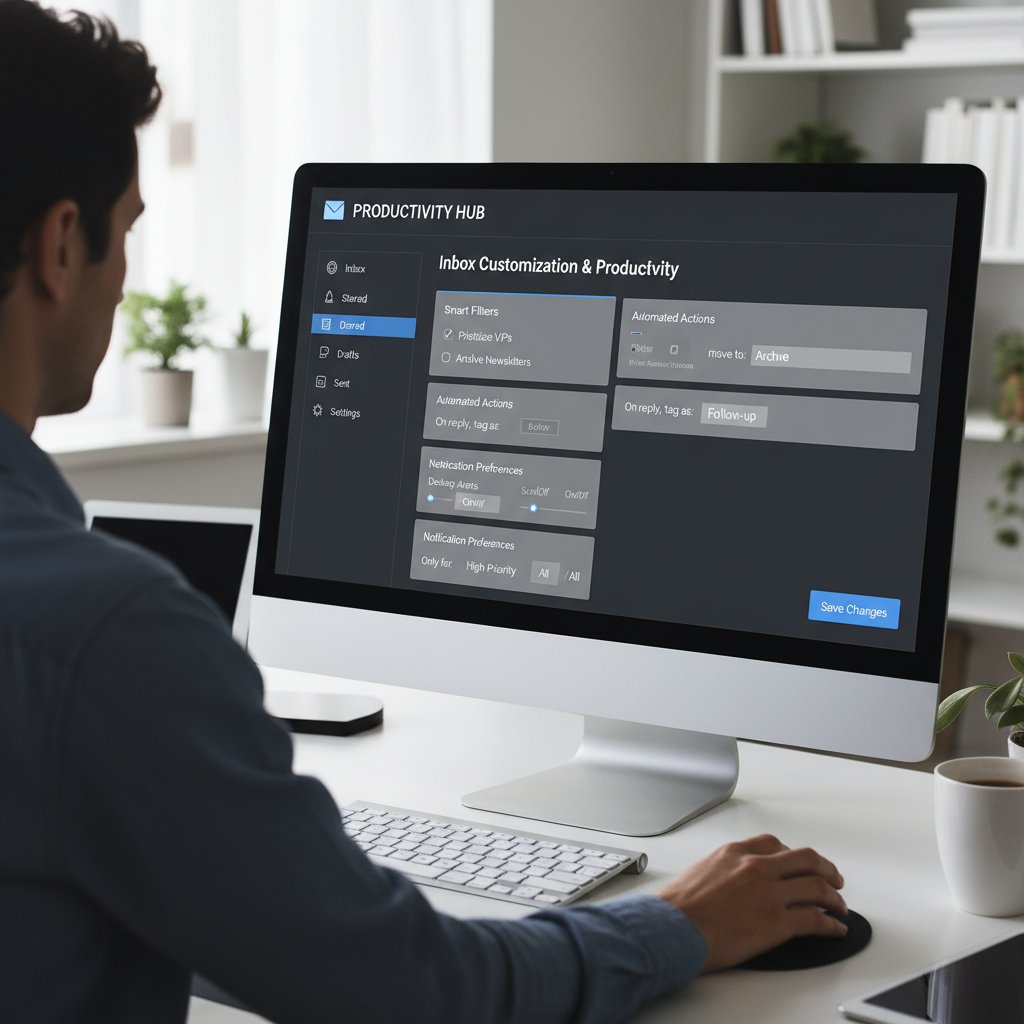
Leverage these habits for quick wins: batch email processing, use snooze/follow-up features, and consolidate project updates into actionable summaries.
Integrating AI teammates without the tech headache
Modern AI-powered email collaboration productivity apps are designed for non-technical users. Forget coding or complex configuration—intuitive onboarding, clear workflows, and responsive support are now the norm. Companies like futurecoworker.ai provide resources, playbooks, and expertise to ensure even the least tech-savvy team member gets up to speed.
Tips for smooth integration of AI email teammates:
- Start with a clear workflow goal (e.g., project tracking or meeting scheduling).
- Lean on vendor onboarding guides and training resources.
- Pilot with a small, motivated team before scaling company-wide.
- Provide feedback—help the AI learn your language and workflows.
- Regularly review analytics to tune performance and surface new opportunities.
Conclusion: reclaiming your time and sanity—what’s next for digital teamwork?
There’s no denying it: the email collaboration productivity app revolution is here, and it’s not about adding more tech for tech’s sake. It’s about ruthless focus—integrating the right tools, automating busywork, and transforming your inbox from a source of dread into your smartest, most reliable teammate.
As we’ve seen, the right approach—grounded in strategy, not hype—can boost output, reduce burnout, and restore genuine collaboration. The real lesson? Don’t be seduced by app-of-the-month fads or silver-bullet promises. Instead, embrace platforms that put humans first, demand transparency, and deliver measurable impact.

Your next move is simple: audit your current workflow, test the waters with a top-tier app, and leverage resources like futurecoworker.ai to guide you through the noise. Outsmart the chaos, reclaim your time, and make your digital coworker work for you—not the other way around.
Sources
References cited in this article
- Expert Insights: Microsoft 365 Usage and Security 2024(expertinsights.com)
- ClickUp: Email Productivity Tools 2025(clickup.com)
- Reworked: Top Productivity Tools 2024(reworked.co)
- Scoop Market: Collaboration Software Statistics 2025(scoop.market.us)
- Zoom: Workplace Collaboration Statistics 2024(zoom.com)
- ZDNet: Why Email Will Never Die(zdnet.com)
- Constant Contact: Email Marketing Statistics 2024(constantcontact.com)
- Firewater: Email is Not Dead 2023(firewater.net)
- Medium: No Silver Bullet(medium.com)
- Structure and Interpretation: Still No Silver Bullet?(sicpers.info)
- Email on Acid: History of Email(emailonacid.com)
- Knak: History of Email Marketing(knak.com)
- Allwork.Space: AI and Collaboration Tools(allwork.space)
- Grandview Research: AI Productivity Tools Market(grandviewresearch.com)
- Appspace: Gartner Digital Workplace Summit 2024(appspace.com)
- No Jitter: 2024 Digital Workplace Trends(nojitter.com)
- cloudHQ: Workplace Email Statistics 2025(blog.cloudhq.net)
- ProofHub: Workplace Collaboration Statistics 2025(proofhub.com)
- NiftyPM: Best Email Productivity Apps(niftypm.com)
- Keeping.com: Email Collaboration Software(keeping.com)
- SuperOffice: Sales Productivity Tools(superoffice.com)
- Microsoft: Sales Copilot Blog(microsoft.com)
- Spark: Official Site(sparkmailapp.com)
- Product Hunt: Spark Product Info(producthunt.com)
- Harvard Business Review: Collaboration Tools Overwhelm(hbr.org)
- The Productive Hack: Debunking Productivity Myths(theproductivehack.com)
- Oberlo: Most Used Email Clients 2024(oberlo.com)
- GetResponse: Email Marketing Benchmarks 2024(getresponse.com)
- Forbes: AI and Workplace Communication(forbes.com)
- The Digital Project Manager: Best Email Collaboration Software 2025(thedigitalprojectmanager.com)
- Efficient App: Best Email Clients 2025(efficient.app)
Transform Your Email Into Productivity
FutureCoworker AI turns your everyday email into an intelligent workspace, seamlessly managing tasks and collaboration within your enterprise. It eliminates the complexity of AI, allowing you to benefit from advanced technology without any technical knowledge. Achieve productivity, streamline processes, and improve team efficiency through natural email interaction, getting tasks done faster and smarter.
Get startedReady to Transform Your Email?
Start automating your tasks and boost productivity today
Frequently Asked Questions
What percentage of U.S. workers use more than 11 apps daily?
According to recent data cited in the article, over 25% of U.S. workers juggle more than 11 apps daily just to get through their jobs.
What percentage of employees report increased communication challenges despite adopting more tools?
According to Keeping.com's latest survey, 30% of employees report increased communication challenges despite adopting more tools.
How much can effective digital collaboration boost productivity?
According to EnterpriseAppsToday (2024), effective digital collaboration can boost productivity by up to 30%—but only if tools are integrated, strategic, and not multiplying unnecessarily.
What are some negative effects of app sprawl and digital overload mentioned in the article?
App sprawl creates information silos, breeds notifications that fracture attention spans, multiplies mistakes, causes digital burnout, slows project completion, increases errors, and buries creativity under repetitive admin work.
What psychological effect does app fatigue have on employees according to the article?
App fatigue breeds subtle, chronic anxiety, including worry over missing key messages, difficulty remembering which platform contains important files, and exhaustion from constant context-switching.
Continue Reading
Keep exploring Intelligent enterprise teammate

How AI Email Tools Are Reshaping Team Collaboration
Email collaboration productivity software uses AI to transform inbox management and team coordination. This article examines how these tools automate routine tasks and reshape digital workflows.

How AI Is Transforming Email Collaboration for Teams
Email collaboration software for teams is evolving with AI integration. This article examines how modern tools reshape team workflows and the inefficiencies they reveal.

Seven Truths About Email Collaboration and Productivity Software
Email collaboration and productivity software shapes modern work despite persistent limitations. This article examines seven core challenges and practical solutions for improving digital teamwork.

How Email Collaboration Tools Are Reshaping Workplace Productivity
Email collaboration productivity tools transform inbox chaos into strategic workflow. This article examines the tools, tactics, and AI teammates reshaping team productivity in 2025.

How Collaboration Tools for Email Reduce Team Chaos
Collaboration tools for email help teams manage inbox overload and coordinate work efficiently. This article examines how email-based tools reshape team productivity and collaboration.

Email Collaboration Management Software Meets Your First AI Teammate
Discover insights about email collaboration management software


