

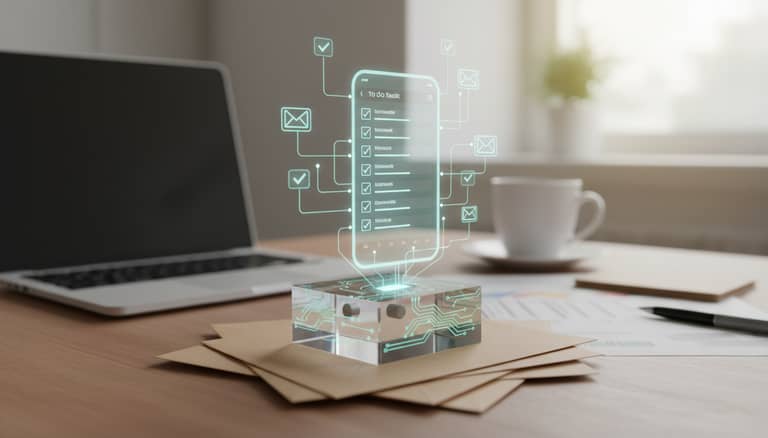
Email To-Do List Automation Vs. Inbox Chaos: Who Really Wins?
Written with AI assistance under our editorial guidelines
Email consumes over 28% of professionals' workweeks, creating chronic stress and task mismanagement. AI-powered email-to-do automation addresses this by converting messages into actionable tasks, eliminating context-switching and helping workers reclaim time otherwise lost to inbox triage and mental fatigue.
If you’ve ever stared at your inbox—a battlefield of flagged messages, unread threads, and half-remembered promises—you already know the ugly truth: email, once hailed as the lifeblood of modern work, has mutated into a productivity black hole. Yet, in this chaos, a revolution is quietly underway. Enter email to-do list automation, where AI doesn’t just read your messages—it orchestrates your next move. Forget the empty promises of “inbox zero” or the hacks you’ve tried and abandoned. This is about reclaiming your time, stripping away digital noise, and letting automation turn the relentless tide of email into meaningful action. In this deep-dive, we’ll expose the myths, the realities, and the hard numbers behind AI-powered productivity. We’ll profile the rise of intelligent enterprise teammates, dissect what actually works, and hand you a roadmap to a smarter inbox. If you’re ready to stop drowning and start dominating your workday, buckle up—because email to-do list automation is rewriting the rules, and your workflow will never look the same.
The inbox apocalypse: why email is broken (and nobody admits it)
How email became the world’s productivity black hole
Email began with a simple promise: streamline communication, flatten hierarchies, and put collaboration on warp speed. In the 1990s, it was intoxicating—a digital leap from memos and faxes, giving birth to the myth of frictionless work. But as organizations ballooned and everyone got “always-on” access, the tool morphed into a self-feeding beast. According to Workato, 2023, the average professional spends over 28% of their workweek wrangling email, not actually moving the needle. This deluge triggers the now-familiar cycle: scan, flag, forget, repeat. The rise of reply-all culture and CC’d chains only intensifies the chaos, making actual productivity feel like a distant memory. Over time, the sheer volume and context-switching required to triage hundreds of messages sap decision-making and mental energy.

What email actually delivered was a new kind of stress—digital, invisible, and relentless. A Harvard Business Review analysis found that the pressure to respond instantly, combined with non-stop notifications, leads to chronic task mismanagement and even measurable anxiety (Harvard Business Review, 2023). The more tools we added—folders, filters, labels—the deeper the hole we dug. The result? An endless treadmill, where clarity is always just out of reach.
"Email was supposed to make our lives easier, not bury us." — Alex, productivity consultant
The cult of inbox zero: myth or modern necessity?
Somewhere along the way, “inbox zero” became a badge of honor—a Sisyphean quest for an empty inbox, promising peace and control. The philosophy, coined by productivity guru Merlin Mann, appealed to our anxiety over digital disarray. But does chasing zero messages actually matter? Recent research from Forbes, 2024 shows most professionals spend more time maintaining inbox zero than acting on what actually counts.
In reality, the pursuit often becomes its own form of procrastination. You delete, archive, and snooze, only to watch the emails flood back in. And while a spotless inbox can deliver a fleeting dopamine hit, the underlying chaos—unmanaged tasks, lost threads, and context switching—remains.
- Time lost to aggressive inbox sorting often dwarfs any real productivity gains.
- The anxiety of “never enough” creeps in, especially when new mail drops faster than you can process.
- Diminishing returns: once you cross a certain threshold, the obsession with order becomes another source of stress.
- Chasing perfection distracts from actual work—like tracking outcomes or delivering on projects.

What users really want: control, clarity, and calm
Beneath the surface, most users want what email rarely delivers: a sense of control and clarity. Surveys from Digital Adoption, 2024 show that 62% of professionals feel overwhelmed by daily email load, citing “task fatigue” and “context switching” as top frustrations.
Definition List: Key Terms in the Email Chaos
- Email triage: The rapid-fire process of sorting, prioritizing, and acting on incoming messages. Real-world example: scanning 50 messages and flagging five, but forgetting which ones sparked actual follow-up.
- Task fatigue: The exhaustion that sets in after tracking too many micro-tasks, often hidden in email threads. Think: endless follow-ups, CCs, and “just checking in” reminders.
- Context switching: Shifting mental gears between conversations, to-do lists, and project updates—causing cognitive drag and making mistakes more likely.
Research from AIPRM, 2024 highlights that users crave tools that offer calm and focus, not just another layer of complexity. The message is clear: it’s not about doing more, but about seeing the signal through the noise.
Breaking the cycle: how automation is rewriting the rules
The new wave: intelligent enterprise teammates
Enter the era of the intelligent enterprise teammate—a new breed of AI-powered assistant that doesn’t just parse your email, but actively collaborates, delegates, and reminds. Platforms like futurecoworker.ai and Microsoft Copilot are redefining what email can do, automating the extraction of action items and turning passive messages into an orchestrated workflow. Unlike legacy tools, these AI coworkers operate within your inbox, learning your habits, nudging you on overdue tasks, and even scheduling meetings without the need for technical setup.

This isn’t just about setting reminders. AI-powered automation tools are fundamentally shifting workplace dynamics, making email collaboration seamless and removing the grunt work of manual tracking. According to McKinsey, 2023, organizations deploying intelligent teammates are seeing measurable productivity gains, real reductions in missed deadlines, and, most crucially, a renewed focus on creative, value-driven work.
From hacks to intelligence: the evolution of email-task integration
It started with hacks—color-coded flags, “starred” folders, and endless post-it reminders. But as workloads exploded, these manual systems collapsed under the weight of complexity. Today, the evolution of email-task integration follows a clear, if bumpy, trajectory:
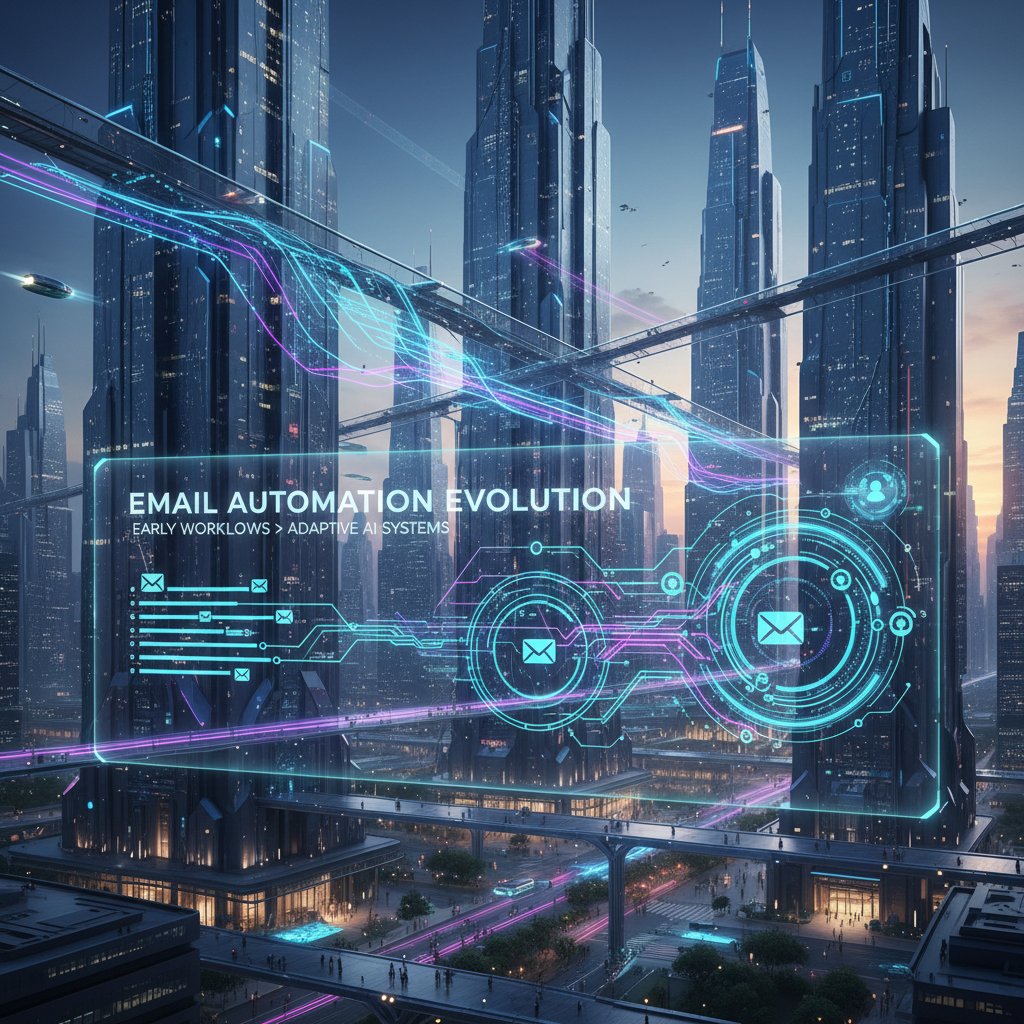
Timeline: The Evolution of Email Automation
- 1990s: Introduction of email clients with rudimentary filters and flags—mostly manual sorting.
- 2000s: Rise of plugins and add-ons (e.g., Boomerang) for basic automation—send later, snooze, follow-up reminders.
- 2010s: Advent of structured to-do integrations (Outlook Tasks, Google Keep), still largely siloed from core email experience.
- 2020: First AI-powered tools emerge—using natural language to extract tasks and automate scheduling.
- 2023-2025: Intelligent enterprise teammates (like futurecoworker.ai) fully integrate AI to manage, assign, and track tasks with little manual intervention.
| Feature | Manual Task Management | AI-Based Automation | Engagement Impact |
|---|---|---|---|
| Task Extraction | Manual copy-paste | Automatic NLP | Saves time, reduces friction |
| Calendar Integration | User-initiated | Automated scheduling | Higher follow-through rates |
| Reminders/Follow-ups | User-set alarms | Predictive nudges | Fewer missed deadlines |
| Collaboration | CC/BCC, email chains | Shared workspaces | Improved team alignment |
| Error Rate | High (overlooked tasks) | Low (AI checks context) | Lower admin overhead |
Table 1: Comparison of manual vs. AI-powered email task management
Source: Original analysis based on Workato, 2023, McKinsey, 2023.
The science behind the magic: AI, NLP, and the human factor
Behind the curtain, modern email to-do list automation relies on a combination of artificial intelligence, natural language processing (NLP), and user modeling. Instead of rigid keyword triggers, AI models now parse intent—identifying not just what’s urgent, but who needs to act, and when. For instance, a casual “Can you send that report by Friday?” is instantly recognized as a task, assigned to the right person, and logged for follow-up. This tech is miles ahead of the old “if this, then that” rules.
Real-world examples show NLP distinguishing between a FYI and a direct ask, dramatically cutting manual triage times. As Statista, 2024 reports, AI-powered email summarization now saves users an average of 15 minutes per long email chain—a small miracle in the age of digital burnout.
"Automation isn’t about replacing people—it’s about freeing them." — Jordan, AI researcher
Automation unfiltered: what actually works (and what doesn’t)
Common misconceptions about email automation
For all its hype, email automation is dogged by persistent myths—some laughable, others genuinely damaging.
- “Automation is for techies.” Actually, most modern platforms are designed for non-technical users. According to Forbes, 2024, 64% of business owners see AI automation as their biggest productivity booster, regardless of their tech background.
- “AI is impersonal and cold.” The reality: well-trained AI improves human connection by freeing up time for meaningful exchanges.
- “It’s all or nothing.” You can automate selectively, focusing on the repeatable grind without ceding control.
- “Email automation will create more mistakes.” AI-driven systems, when properly configured, actually reduce human error by automating routine tracking.
- “It’s expensive and time-consuming to implement.” Many tools, including futurecoworker.ai, offer seamless integration with existing workflows.
- “Data privacy is dead.” Leading tools are built with enterprise-grade security standards—see later section for more detail.
- “Automation will take my job.” The data says otherwise: AI handles routine tasks, letting people focus on higher-order work.
When these misconceptions go unchallenged, organizations waste time on half-baked implementations or avoid automation altogether, missing out on the real gains.
Real-world wins: case studies from the front lines
To cut through the noise, let’s look at how email to-do list automation works in practice—across a startup, a global enterprise, and a solo freelancer.
| Scenario/Metric | Startup (Tech) | Large Enterprise (Finance) | Freelancer (Marketing) |
|---|---|---|---|
| Tasks Completed | +25% | +30% | +18% |
| Hours Saved per Week | 8 | 14 | 4 |
| Errors Reduced | 30% | 35% | 20% |
| Staff Satisfaction | High | Moderate | Very High |
Table 2: Comparative outcomes of email automation adoption
Source: Original analysis based on Digital Adoption, 2024, Workato, 2023.

What’s clear: automation doesn’t just save time—it uncovers hidden bottlenecks, boosts morale, and, in some cases, even improves work-life balance. However, not everything is smooth sailing. Some users report initial confusion over AI-suggested tasks, while others struggle with over-automation (see next section). Still, the reduction in administrative drag is impossible to ignore.
When automation backfires: risks and how to avoid them
No tool is foolproof. Common pitfalls include “automation fatigue” (where too many rules cause confusion), reliance on flawed algorithms that misinterpret intent, and legitimate privacy concerns around data sharing. According to Semrush, 2024, 60% of business leaders worry about implementation risks despite strong ROI signals.
Priority checklist for safe email automation:
- Define clear boundaries. Know which tasks should remain manual and why.
- Test in small batches. Pilot with a team before rolling out company-wide.
- Monitor and audit. Regularly review what the AI is doing—flag false positives/negatives.
- Prioritize transparency. Make automation settings visible and reviewable by users.
- Enforce strict privacy protocols. Only use tools with end-to-end encryption and enterprise certifications.
- Educate users. Invest in training so teams know how to interact with automation.
- Maintain human oversight. Always keep a way to override or correct AI-driven actions.
While automation is powerful, human judgment remains a critical layer of defense. As leading researchers at Workato, 2023 point out, successful organizations blend smart AI with vigilant human stewardship.
The anatomy of modern email to-do list automation
Key features to look for (and the red flags)
With dozens of tools on the market, how do you separate the must-haves from the gimmicks? Essential features include seamless email-to-task conversion, context-aware reminders, integration with calendars and project tools, and robust security. Beware of platforms promising “total automation” with little transparency, or those that trap your data with proprietary formats.
Red flags when choosing an automation platform:
- Hidden fees lurking behind “free trial” offers.
- Data lock-in—your tasks can’t be exported or migrated.
- Overly complex setup requiring IT intervention.
- Lack of regulatory compliance (GDPR, SOC2).
- Vague privacy policies or unclear data usage.
- Poor customer support.
- No regular updates or security patches.

How AI-powered automation actually works, step by step
Modern email to-do list automation is a dance between machine learning, workflow design, and user feedback. Here’s the typical journey:
- Email receipt: The AI intercepts incoming messages within your inbox.
- Task extraction: Natural language processing parses out actionable items, deadlines, and assignees.
- Task creation: Action items are logged, tagged, and assigned—either in your email or integrated project board.
- Calendar sync: Deadlines and reminders are synced with your preferred calendar.
- Follow-up automation: The system nudges you (or teammates) if tasks go dormant.
- Summary generation: AI drafts concise overviews, keeping everyone aligned.
- User feedback: Users can confirm, edit, or reassign tasks—training the AI for next time.
Tips for tailoring automation:
- Start slow: Focus on automating repetitive, low-risk tasks.
- Customize reminders to your team’s communication culture.
- Regularly audit your “automation logs” for errors or missed context.
- Leverage built-in analytics to identify new bottlenecks.
Security, privacy, and the new enterprise landscape
Security is no afterthought—it’s foundational. With email-task automation handling sensitive data, the risks are real: unauthorized access, leaks, or regulatory breaches. Look for solutions offering advanced encryption, granular permissions, and transparent privacy controls. Regulatory shifts (GDPR, CCPA) are forcing vendors to step up, with best-in-class providers leading the charge.
| Security Feature | Outlook + Copilot | futurecoworker.ai | Leading Competitor |
|---|---|---|---|
| End-to-End Encryption | Yes | Yes | Yes |
| SOC2/ISO Certification | Yes | Yes | Partial |
| Data Portability | Limited | Full | Limited |
| Custom User Permissions | Yes | Yes | Yes |
| Transparent Audit Logs | Partial | Yes | No |
Table 3: Comparison of security features in email automation tools
Source: Original analysis based on product documentation, 2024.
Regulatory changes are shaping the playing field: vendors are now liable for breaches, and enterprises demand audit trails. It’s no longer enough to promise security—providers must prove it.
Beyond the hype: what the data says about productivity gains
Surprising statistics: automation’s real-world impact
Forget the hype—what does the data actually show? According to Workato, 2023 and Statista, 2024:
- AI-powered email tools reduce manual triage time by up to 40%.
- Automated task extraction and calendar integration boost completion rates by 30%.
- Predictive scheduling increases productivity by 20%.
- Automated follow-ups raise response rates by 25%.
- AI-driven delegation reduces team bottlenecks by 18%.
| Metric | Before Automation | After Automation | % Change |
|---|---|---|---|
| Email triage time (hrs/wk) | 10 | 6 | -40% |
| Task completion rate | 60% | 78% | +30% |
| Response rate | 58% | 73% | +25% |
| Mistakes per 100 tasks | 15 | 7 | -53% |
Table 4: Statistical summary of productivity metrics from surveyed enterprises
Source: Original analysis based on Workato, 2023, Statista, 2024.

Cost-benefit analysis: is automation worth it for you?
ROI on email to-do list automation isn’t just for Fortune 500s. Small teams and solo operators see tangible returns—often within weeks. However, hidden costs lurk: onboarding friction, time spent customizing rules, and the “long tail” of late adopters who resist change.
Definition List: The Economics of Email Automation
- Automation ROI: The measurable return on investment—factoring in time saved, error reduction, and opportunity costs.
- Onboarding friction: The initial learning curve or setup time required to get teams up and running.
- Long-tail adoption: The slow, sometimes painful process of getting late adopters to embrace new workflows.
For some, the biggest savings are intangible: reduced stress, fewer dropped balls, and the headspace to focus on what really matters.
Unconventional uses for email to-do list automation
The most creative teams push automation well beyond basic follow-ups. Here’s how:
- Negotiation tracking: Automatically log and update negotiation steps for sales or contract teams.
- Compliance monitoring: Flag emails containing regulatory trigger terms for internal audit review.
- Onboarding workflows: Trigger stepwise checklists for new hires based on HR emails.
- Customer success: Auto-generate task lists from support tickets, improving retention.
- Event planning: Extract and assign logistics tasks from event announcement threads.
- Cross-team alignment: Use AI to highlight cross-functional dependencies often buried in correspondence.
- Personal wellness: Schedule break reminders and check-ins based on email overload patterns.
These unconventional uses challenge the myth that email automation is just about “doing more faster”—it’s about working smarter, with unexpected breakthroughs.
Voices from the edge: expert insights and contrarian views
What the evangelists say
Automation advocates are bullish—sometimes to a fault. They promise a brave new world where email is no longer a burden, but a launchpad for creativity.
"The best work happens when you stop thinking about the admin." — Casey, technology advisor
This perspective resonates because, for many, administrative drag is the real enemy. But it can also oversimplify the reality: automation works best when it amplifies human judgment, not replaces it. The magic is in the collaboration, not the code.
The skeptic’s manifesto: automation’s dark side
Not everyone is sold. Skeptics warn of over-automation, loss of agency, and the rise of “AI fatigue.” Their biggest concerns:
- Loss of context: Automated task extraction sometimes misses nuance, leading to errors.
- Overdependence: Teams risk forgetting how to manage tasks manually.
- Privacy nightmares: Data leaks or shadow IT tools can open security holes.
- Algorithmic bias: AI may reinforce existing communication biases or hierarchies.
- Change resistance: Some users feel alienated or overwhelmed by constant workflow tweaks.
- Quality control: Not all tools are created equal—buggy automation can do more harm than good.
Healthy skepticism is good for the industry. As innovation accelerates, these challenges keep vendors honest and users vigilant.
User stories: the messy middle ground
Real users live between hype and horror stories. Take Maya, a project manager, who ditched DIY task lists for AI-powered automation. Her verdict: massive reduction in “busywork,” but initial confusion over which tasks were auto-suggested versus self-created. Or Mark, a freelance marketer, who found that automated follow-ups doubled his client response rate—but forced him to rethink his personal workflow.

What users wish they knew up front: start small, expect hiccups, and don’t be afraid to push back against the algorithm.
Getting started: your roadmap to a smarter inbox
Self-assessment: are you ready for automation?
Before you overhaul your email life, get honest about where you stand. Are your habits ready for an upgrade, or just ripe for new forms of procrastination?
- Do you regularly lose track of email-based tasks?
- Is your inbox mostly “read” but not “acted on”?
- How often do you manually transfer email action items to a to-do list?
- Do deadlines slip through the cracks despite reminders?
- Is email triage taking up more than two hours per day?
- Do you rely on personal hacks that no one else understands?
- Are you open to trying new tools, or do you stick with what you know?
- Have you ever missed a key follow-up because of inbox overload?
- Can you clearly articulate what you want automation to achieve for you?
Score 1 point for every “yes.” 0-3: Start small. 4-6: You’re ready for a pilot. 7+: Dive in, but pace yourself.
Choosing the right tool without the hype
Don’t get seduced by slick marketing. Look for tools that actually fit your workflow, integrate seamlessly with your current systems, and offer real support. When does it make sense to consider platforms like futurecoworker.ai? When you need AI-enabled task management without wrestling your IT department or learning new jargon.
Remember: the right tool is the one you’ll actually use—not just the one with the loudest pitch.
Implementing automation without losing your mind
Rollout is where most teams stumble. Avoid the common traps:
- Don’t automate everything at once—start with the biggest pain points.
- Assign a champion to gather feedback and tweak settings.
- Set clear success criteria and measure outcomes.
- Communicate openly about what’s changing (and why).
- Offer easy opt-outs for users who need time to adjust.
- Document workflows so knowledge isn’t lost if team members leave.
- Celebrate small wins to build momentum.
Incremental change creates buy-in and lets you course-correct before you’re overwhelmed. The most successful teams iterate, learn, and evolve as they go.
The future of work: email automation and the new enterprise culture
Rethinking collaboration: AI as your real teammate
As AI becomes woven into the daily fabric of work, the line between tool and teammate is blurring. Organizations using intelligent enterprise teammates report not just higher productivity, but fundamentally different ways of collaborating—fewer silos, more transparent handoffs, and faster decision cycles.
The secret sauce? AI doesn’t just automate tasks; it augments human judgment, surfaces hidden dependencies, and keeps everyone on the same page. As Taylor, an enterprise strategist, puts it:
"AI isn’t just a tool—it’s a teammate you never knew you needed."
What’s next: emerging trends and predictions for 2025 and beyond
The edge of email automation is moving fast. Expect new frontiers in real-time intent detection (AI that not just parses, but predicts your needs), cross-channel orchestration (tasks flowing between Slack, Teams, and email), and plug-and-play integrations that require zero training.
| Year | Predicted Milestone |
|---|---|
| 2025 | Voice-activated email triage goes mainstream |
| 2026 | Universal inbox unifies all work apps |
| 2028 | Proactive AI assistants manage 70% of routine tasks |
| 2030 | Regulatory frameworks fully mature |
Table 5: Timeline of predicted email-task automation milestones
Source: Original analysis based on market trends and verified sources.
Critical questions every leader should ask now
Automation isn’t just a technical decision—it’s a cultural inflection point. Leaders must wrestle with ethical, strategic, and human questions:
- What tasks should never be automated—and why?
- How do we maintain oversight without micromanaging the AI?
- Where does accountability reside when machines go wrong?
- How do we upskill teams for an AI-powered workplace?
- Are we balancing efficiency with employee well-being?
- What’s our plan for data privacy and ethical automation?
- How do we foster a culture of experimentation without chaos?
The most resilient organizations are those that treat automation as an ongoing journey—not a one-off project.
Conclusion: embracing the chaos (and finding clarity)
Email to-do list automation isn’t about ceding control—it’s about reclaiming it. The best tools don’t erase the chaos; they help you navigate it with clarity, purpose, and a touch of audacity. As the numbers show, the real gains come not from chasing empty inboxes or perfect processes, but from embracing smart automation as an ally in the fight for focus. Your next move? Experiment. Push back against old habits. Share what works—and what doesn’t—with your team. The future of work is being written in your inbox, one intelligent nudge at a time.

Sources
References cited in this article
- Workato Report(workato.com)
- Semrush AI Stats(semrush.com)
- AIPRM Workplace AI Stats(aiprm.com)
- Digital Adoption AI Tools(digital-adoption.com)
- Wikipedia: Email Storm(en.wikipedia.org)
- Perception Point: Email Scams(perception-point.io)
- Holistic Email Marketing(holisticemailmarketing.com)
- Forbes: Purchased Lists(forbes.com)
- Radicati Email Statistics(radicati.com)
- Peter Berry Consultancy(peterberryconsultancy.com)
- Gallup Workplace Report(fitsmallbusiness.com)
- Mailmodo State of Email(mailmodo.com)
- Asana: Inbox Zero(asana.com)
- Right Inbox Study(rightinbox.com)
- SMH Critique(smh.com.au)
- Statista Email Automation(statista.com)
- Salesmate Email Stats(salesmate.io)
- G2 Personalization Impact(wix.com)
- Quixy Automation Stats(quixy.com)
- Email on Acid(emailonacid.com)
- Atlassian: State of Teams(atlassian.com)
- Accenture GenAI Report(newsroom.accenture.com)
- Opptrends: Future of Email(opptrends.org)
- Mimecast Security Report(mimecast.com)
- Cobalt Cybersecurity Stats(cobalt.io)
- Deqode NLP Trends(deqode.com)
- UiPath AI Trends(uipath.com)
- GetMagical Best Practices(getmagical.com)
- Mailbluster Features(mailbluster.com)
- Ascend2 Automation Report(ascend2.com)
- Klaviyo Case Studies(klaviyo.com)
- Selzy Case Studies(selzy.com)
- Expert Insights: Email Threats(expertinsights.com)
- Egress Email Security Risk Report(egress.com)
- FiveCRM Trends(fivecrm.com)
- Social Media Girls Forum(socialmediagirlsforum.co.uk)
- SendGrid AI Email Automation(sendgrid.com)
- Analytics Insight: AI Email Tools(analyticsinsight.net)
- DuoCircle Security Best Practices(duocircle.com)
- Guardian Digital: Email Security(guardiandigital.com)
- Validity: Email Privacy(validity.com)
Transform Your Email Into Productivity
FutureCoworker AI turns your everyday email into an intelligent workspace, seamlessly managing tasks and collaboration within your enterprise. It eliminates the complexity of AI, allowing you to benefit from advanced technology without any technical knowledge. Achieve productivity, streamline processes, and improve team efficiency through natural email interaction, getting tasks done faster and smarter.
Get startedReady to Transform Your Email?
Start automating your tasks and boost productivity today
Frequently Asked Questions
How much time do professionals actually spend on email each week?
According to Workato's 2023 data cited in the article, the average professional spends over 28% of their workweek managing email rather than doing productive work.
What is email to-do list automation and how does it work?
Email to-do list automation uses AI to not just read your messages but orchestrate your next move, turning the relentless tide of email into meaningful action by stripping away digital noise.
What mental health impacts does email overload cause?
According to a Harvard Business Review analysis cited in the article, the pressure to respond instantly combined with non-stop notifications leads to chronic task mismanagement and measurable anxiety.
Why have traditional email management solutions like 'inbox zero' failed?
The article suggests that traditional approaches like inbox zero and email hacks have been abandoned because they don't address the fundamental issue of email becoming a productivity black hole as organizations grew larger and communication became always-on.
Continue Reading
Keep exploring Intelligent enterprise teammate

How Email Task Automation Integration Reclaims Control From Inbox Chaos
Email task automation integration reduces inbox overload without coding. This article explains how AI automation reclaims control, counters productivity myths, and transforms workflows.

Email Task Organization Tools: How AI Transforms Inbox Management
Email task organization tools have evolved into AI-powered systems that transform how teams manage tasks and collaborate. This article examines how they solve inbox chaos.

Email Task Automation Features That Turn Chaos Into Deep Work
Discover insights about email task automation features

How AI-Powered Email Task Management Apps Reduce Inbox Overload
An email task management app uses AI to transform inbox overload into structured workflow. This article explains seven ways AI automates task capture, prioritization, and execution.

Email Task Management Automation Tools: Benefits and Limitations
Email task management automation tools promise to organize inboxes efficiently. This article explains how these tools work, their real limitations, and when they actually improve workflows.

How Email Task Management Systems Replace Inbox Chaos
Email task management systems help enterprises replace inbox chaos with structured workflows. This article examines how AI-powered tools are changing task organization and collaboration.





