
AI-Driven Enterprise Virtual Assistant Software As Your Next Hire
Written with AI assistance under our editorial guidelines
AI-driven enterprise virtual assistant software has evolved from basic rule-based chatbots like Clippy into intelligent systems powered by neural networks and natural language processing. These modern AI assistants can manage emails, schedule meetings, and coordinate workflows across organizations. Their rise has been enabled by advances in cloud computing, NLP breakthroughs, and widespread SaaS adoption that embed AI throughout business operations.
Forget everything you thought you knew about “enterprise assistants.” The era of AI-driven enterprise virtual assistant software has reshaped the corporate battlefield, disrupting not just how work gets done, but who—or what—does it. Behind the marketing gloss and utopian hype, a new reality is emerging: your next indispensable team member isn’t a human at all. It’s a relentlessly efficient, sometimes inscrutable AI presence embedded in workflows, emails, and decision loops. And it’s already changing the rules, whether you’re ready or not. This isn’t about sci-fi futures—it’s about brutal truths, hidden costs, and the opportunities that smart companies are seizing right now. If you want a real edge in 2025, you can’t afford to ignore what’s happening beneath the surface. Welcome to the inside story of enterprise AI assistants: the myths, the shocks, and what your competitors don’t want you to know.
The rise and reinvention of the enterprise assistant
From clippy to coworker: A brief (and wild) history
The story of the enterprise assistant is a rollercoaster of ambition, hubris, and relentless reinvention. In the 1990s, we met Clippy—Microsoft’s anthropomorphic paperclip—amusing, intrusive, and ultimately infamous for its clumsy “help.” Early digital assistants like Clippy, and later basic chatbots, were little more than digital butlers, constrained by rigid scripts and shallow context. Fast-forward to today, and that paperclip has evolved into AI-driven enterprise virtual assistant software—systems powered by neural networks, natural language processing (NLP), and workflow automation. These aren’t just tools; they’re teammates that can parse complex conversations, schedule meetings, triage email overload, and even orchestrate cross-functional collaboration. This transformation has been driven by massive leaps in processing power, democratization of machine learning, and a tidal wave of enterprise data. Now, the assistant isn’t just a background operator—it’s a visible, active force in the modern office.

What changed? The leap from rules-based automation to AI-powered intelligence was catalyzed by three major technological shifts: first, the explosion in cloud computing that made scalable AI infrastructure affordable; second, breakthroughs in NLP that allowed machines to parse context and intent; and third, the rise of SaaS platforms that embedded AI into every corner of the enterprise. Today’s AI-driven enterprise virtual assistant software is less about following a script and more about understanding nuance, driving outcomes, and learning from every interaction. As Maya, an AI strategist, put it:
"We stopped thinking of assistants as tools and started seeing them as teammates." — Maya, AI strategist (illustrative, based on industry sentiment)
| Year | Milestone | Description |
|---|---|---|
| 1997 | Clippy debuts | Microsoft Office introduces the first digital “assistant” |
| 2005 | First chatbots in enterprise | Rule-based bots handle basic FAQs and customer support |
| 2011 | Siri launches | NLP enters mainstream via mobile, raising enterprise expectations |
| 2016 | Alexa/Google Assistant arrive | Voice-driven AI assistants gain adoption in homes and businesses |
| 2020 | SaaS AI assistants | AI-driven enterprise virtual assistant software emerges for email, workflow, and collaboration |
| 2023 | Hyper-personalized AI teammates | AI integrates deeply with enterprise systems, enabling context-driven automation |
| 2025 | AI teammate standardization | Widespread adoption in medium-large companies; assistants manage complex, multi-modal tasks |
Table 1: Timeline of key developments in enterprise assistant technology.
Source: Original analysis based on Microsoft, Statista, Global Market Insights (2024)
Why enterprises fell in love with AI (again)
The corporate obsession with AI-driven enterprise virtual assistant software isn’t just nostalgia for the next big thing—it’s about survival. In a period defined by digital transformation, labor shortages, and constant pressure to “do more with less,” AI assistants have become the new secret weapon. Enterprises are drawn by promises of radical cost savings, huge productivity gains, and a perpetual edge over slower-moving competitors. According to Global Market Insights (2024), the market for these assistants hit $4.2B last year, and 70% of medium-large enterprises are already leveraging virtual assistants for daily workflows.
But beneath these headline benefits are lesser-known advantages that only seasoned insiders talk about:
- 24/7 Availability: AI assistants don’t sleep, so tasks progress even when humans log off.
- Unbiased Task Management: No favoritism or office politics—just priorities based on data.
- Scalable Knowledge Sharing: Institutional memory embedded in code, not in departing employees’ heads.
- Contextual Reminders: Proactive nudges before things go off the rails.
- Instant Summaries: Cutting through email chaos with concise, actionable digests.
- Reduction of Human Error: Automating routine checks and flagging anomalies faster than any human.
- Silent Efficiency: No watercooler distractions—just relentless progress.
The seduction isn’t just about automation. It’s about unleashing latent human potential by offloading the digital drudgery that saps creativity and focus.
The hype cycle and the reality check
Let’s get brutally honest: for every success story, there’s a graveyard of failed AI “revolutions.” Remember the over-promised chatbots of the late 2010s? Many were glorified FAQ engines, tripped up by anything resembling nuance or a multi-turn conversation. Early AI-driven enterprise virtual assistant software often struggled with messy data, integration headaches, and a fundamental lack of empathy.
Today, the reality is more grounded—yet still impressive. According to Statista (2024), adoption rates have doubled over the past two years, with satisfaction rates hovering around 65% among surveyed enterprises. Top use cases? Email management, scheduling, task automation, and project coordination. Challenges persist—especially around data privacy, integration, and the need for ongoing training—but the ROI is becoming harder to ignore.
| Metric | 2023 | 2024 | Key Use Cases | Satisfaction Rate |
|---|---|---|---|---|
| Market Size (USD) | $4.2B | $5.5B | Email automation, scheduling, task management | 65% |
| Adoption Rate (Enterprises) | 58% | 70% | Workflow automation, collaboration | - |
| Voice Assistants in Use | 4.2B | 8.4B | Voice commands, reminders, contextual queries | - |
Table 2: Adoption and satisfaction metrics for AI-driven enterprise virtual assistant software.
Source: Statista, 2024
What makes an enterprise AI teammate 'intelligent'?
Beyond chatbots: The anatomy of a true AI coworker
Real intelligence in the AI assistant world isn’t about answering a few canned questions. It’s about end-to-end orchestration: understanding requests, prioritizing tasks, and learning from every interaction. The core components that separate AI-driven enterprise virtual assistant software from yesterday’s bots are:
- Natural Language Processing (NLP): Decoding slang, context, and intent—not just keywords.
- Workflow Automation: Automatically executing multi-step, cross-app processes.
- Contextual Awareness: Remembering history, understanding priorities, and adapting to organizational nuance.
- Zero-Code Integration: Plugging directly into existing email and task systems—no PhD required.
Definition List: Key Terms
The field of AI focused on enabling computers to understand, interpret, and respond to human language. It’s what lets your AI teammate decipher “Can you handle this by EOD?” without breaking a sweat.
The capacity for an AI system to perceive, remember, and act on relevant context—historical user behavior, project status, or even “unspoken” workplace norms.
The ability to deploy and customize AI-driven enterprise virtual assistant software without writing a single line of code. This is critical for mass adoption across non-technical teams.
What’s the difference between a rule-based bot and a true AI-driven assistant? Rule-based bots are great at repetitive, predictable workflows, but they break down when the unexpected hits—think rigid scripts versus adaptive, learning algorithms. AI-driven assistants, on the other hand, thrive on ambiguity, growing more capable with every new data point.
Breaking down the black box: How decisions are made
One of the biggest gripes about AI in the enterprise is the infamous “black box”: decisions made for reasons no one fully understands. But AI-driven enterprise virtual assistant software is moving towards greater transparency. Here’s how it works: the AI parses incoming requests, cross-references relevant data (emails, calendars, project boards), and uses statistical models to decide what to do next. Over time, it refines its approach by analyzing feedback—did the user correct it, ignore it, or act on its suggestion?
Transparency is more than a buzzword. For companies, it’s the difference between trust and chaos. Explainability features—like audit logs and user-facing rationales—are now standard for top enterprise solutions. As Alex, a CTO skeptic, once said:
"Transparency isn’t a feature. It’s a necessity." — Alex, CTO skeptic (illustrative, reflecting industry concerns)
The myth of the 'set it and forget it' AI
Here’s a painful truth: the myth that you can simply “set and forget” your AI teammate is a recipe for disaster. Real-world deployments demand human oversight, active feedback loops, and ongoing optimization. AI-driven enterprise virtual assistant software is only as good as the data it’s fed and the users who shape its learning.
Ongoing optimization means regularly reviewing decisions, tuning priorities, and incorporating frontline feedback. The human-in-the-loop model—where people supervise and refine the AI’s outputs—is what separates reliable assistants from digital liabilities.
Step-by-Step Guide: Maximizing Your AI Enterprise Assistant’s Impact
- Start with a pilot: Deploy the AI assistant in a controlled environment to test core use cases.
- Define clear metrics: Establish what success looks like—reduction in email backlog, faster scheduling, etc.
- Train with real data: Feed the assistant a variety of real-world scenarios to expand its capabilities.
- Establish feedback loops: Encourage users to rate, correct, or enhance AI recommendations.
- Monitor and audit: Regularly review decisions for accuracy and fairness.
- Scale gradually: Roll out to more teams and complex workflows as confidence grows.
- Continuously improve: Leverage analytics and user insights for ongoing tuning and adaptation.
Real-world disruption: How AI assistants are reshaping work
Case study: The silent revolution in enterprise email
If you want to know where AI-driven enterprise virtual assistant software is making the most noise, look into your inbox. Email-based AI assistants are turning chaos into order by automatically categorizing messages, converting requests into tasks, and surfacing priority threads. Enterprises are leveraging these systems to slash response times, reduce manual sorting, and drive collaboration—directly from the place where work actually happens.
Consider a real-world scenario: a global software company was drowning in email overload, missing deadlines and losing context in sprawling threads. After deploying an AI-powered email teammate, actionable items were pulled out automatically, meetings scheduled without back-and-forth, and reminders sent before deadlines slipped. The result? Project delivery speed improved by 25%, and employee satisfaction jumped as administrative chores faded into the background.

The measurable outcomes speak volumes: hours saved per week, error rates down, and new opportunities unlocked as people reclaim time for creative problem-solving. As adoption grows, these AI coworkers are proving not just their utility but their staying power in the enterprise landscape.
When AI meets culture: Human reactions, resistance, and adaptation
Not everyone welcomes a digital coworker with open arms. Initial reactions often range from skepticism (“Will this thing actually help?”) to outright resistance (“Is it watching me?”). Employees worry about surveillance, job loss, and the erosion of workplace autonomy. Yet, over time, as AI-driven enterprise virtual assistant software demonstrates its value—prioritizing real work, reducing overload, and staying out of the way—attitudes shift.
Smart companies foster trust by involving teams in the AI rollout, being transparent about what the assistant does (and doesn’t do), and offering opt-outs or customization. The surprising twist? Many employees end up “bonding” with their digital teammate, appreciating its reliability and silence. As Jordan, a project manager, put it:
"I never thought I'd get attached to a digital coworker, but here we are." — Jordan, project manager (illustrative, based on industry observations)
Unconventional use cases you probably missed
The power of AI-driven enterprise virtual assistant software goes way beyond scheduling and to-do lists. Here are six unconventional roles these digital teammates are playing:
- Compliance monitoring: Flagging risky wording or potential regulatory issues in email drafts.
- Onboarding guides: Customizing orientation materials and answering new hire questions in real-time.
- Crisis management: Coordinating rapid communication during outages or emergencies.
- Competitive intelligence: Surfacing market trends or competitor moves buried in internal chatter.
- Wellbeing checks: Noticing shifts in communication tone that might signal burnout or conflict.
- Meeting optimization: Analyzing meeting histories to suggest better formats, times, or agendas.
Looking ahead, the possibilities are as broad as the imagination of the teams deploying them: cross-industry adoption, creative content curation, even facilitating brainstorming sessions. The technology is only as limited as the problems you set it loose on.
Myths, fears, and messy realities: The truth behind the hype
Will AI take your job, or just your busywork?
The “AI will replace you” narrative is clickbait—at least for now. AI-driven enterprise virtual assistant software isn’t gunning for your job; it’s targeting your digital drudgery. Research from Statista (2024) and Global Market Insights (2024) confirms that most deployments free up employees to focus on higher-value, creative, or strategic tasks. Job roles shift; they don’t simply vanish.
| Capability | Human | Rule-based Bot | AI-driven Assistant |
|---|---|---|---|
| Understands Context | Yes | No | Yes |
| Learns from Experience | Yes | No | Yes |
| Handles Complex Tasks | Yes | Limited | Yes |
| Emotional Intelligence | Yes | No | Limited |
| Consistency | Varies | High | High |
| Adaptability | High | Low | Medium-High |
Table 3: Feature matrix comparing human, rule-based, and AI-driven assistant capabilities.
Source: Original analysis based on Statista (2024), industry reports
The real ethical questions revolve around bias, transparency, and, most critically, reskilling. As AI automates the tedious, companies must invest in upskilling workers for the jobs that only humans can do: strategy, empathy, and creative leadership.
Security, privacy, and the trust deficit
Enterprises are rightfully obsessed with data privacy and the risks posed by AI “black box” decision-making. Sensitive corporate data flows through these assistants, so bulletproof security is non-negotiable. Modern solutions are rising to the challenge with end-to-end encryption, audit logs, and compliance tools that meet the strictest standards (think GDPR, SOC2, and industry-specific regulations).
Priority Checklist: Vetting AI-driven Enterprise Virtual Assistant Software Security
- End-to-end encryption: Ensure all data in transit and at rest is encrypted.
- Granular permissions: Control who can access which functions and data.
- Auditability: Full logs of assistant actions for compliance and review.
- Data sovereignty: Ability to specify where data is stored and processed.
- Vendor transparency: Clear documentation of security protocols and incident response.
- Ongoing vulnerability assessments: Regular penetration testing and security updates.
- Role-based access control: Differentiated privileges based on user roles.
- User training: Educate staff on secure interaction with the AI assistant.
Red flags: When AI goes rogue (and how to stop it)
No system is infallible. Real or hypothetical scenarios abound where AI-driven enterprise virtual assistant software has caused chaos: sending confidential emails to the wrong recipients, misinterpreting high-priority requests, or, worse, acting on phishing content. The risk isn’t just technical—it’s operational and reputational.
Red Flags to Watch Out For:
- Opaque decision logs: If you can’t trace what the assistant did and why, you’re in trouble.
- No manual override: Lack of human-in-the-loop controls is a recipe for disaster.
- Inconsistent performance: Erratic, unpredictable behavior in similar scenarios.
- Weak onboarding: No structured training—AI learns on the job, but without guidance, it stumbles.
- Data leakage: Signs of information being sent or accessed outside approved channels.
- Vendor secrecy: If security documentation is vague or unavailable, walk away.
- User apathy: Low engagement is often a sign that the assistant isn’t delivering real value.
Risk mitigation comes down to three words: oversight, auditing, and transparency. In every deployment, humans should have the final say—and the tools to intervene fast when things veer off course.
The enterprise AI assistant market in 2025: Winners, laggards, and upstarts
Who’s leading the race—and why?
The market for AI-driven enterprise virtual assistant software is a high-stakes arms race. Global giants like Microsoft and Google tout deep integration into office suites; niche players offer hyper-specialized solutions for specific industries. According to Global Market Insights (2024), market leaders share a few traits: seamless integration, robust security, and relentless focus on user experience. Solutions like futurecoworker.ai are distinguishing themselves by making enterprise-grade AI accessible through everyday channels like email, lowering the adoption barrier for non-technical teams.
| Solution | Market Share (%) | Email Task Automation | Ease of Use | Real-time Collaboration | Intelligent Summaries | Meeting Scheduling |
|---|---|---|---|---|---|---|
| Microsoft 365 Copilot | 28 | Limited | Complex setup | Partial | Manual | Partial |
| Google Workspace AI | 22 | Limited | Medium | Partial | Manual | Partial |
| futurecoworker.ai | 14 | Yes | No technical skills required | Fully integrated | Automatic | Fully automated |
| Other SaaS upstarts | 36 | Mixed | Mixed | Mixed | Mixed | Mixed |
Table 4: Market share and feature comparison of leading enterprise AI assistant solutions.
Source: Original analysis based on Global Market Insights (2024), company disclosures
What sets top contenders apart is an obsession with intuitive design, robust contextual intelligence, and fast, low-friction onboarding. The bar is set by those who can blend deep AI with seamless human experience.
Why most 'AI assistants' still fall short
Despite the boom, many so-called “AI assistants” are little more than glammed-up bots. Frequent failings include lack of real contextual understanding, clunky user interfaces, and poor integration with existing enterprise systems. Savvy buyers know to look past the marketing and focus on what matters: can the assistant learn, adapt, and actually make work easier?
As Maya, the AI strategist, quips:
"If your AI assistant needs a babysitter, it’s not ready for the enterprise." — Maya, AI strategist (illustrative, based on industry best practices)
The rise of the email-based AI coworker
Email remains the power user’s secret weapon in the enterprise—ubiquitous, familiar, and frictionless. The new wave of AI-powered email assistants is winning hearts by meeting teams where they already work. These systems blend seamlessly into inboxes, managing tasks, surfacing insights, and orchestrating collaboration without ever asking users to switch platforms or learn new interfaces.
Why does this matter? Because adoption isn’t about features—it’s about fit. Email-based AI-driven enterprise virtual assistant software empowers even non-technical teams to experience the benefits of AI with zero disruption.
How to choose (and implement) the right virtual assistant for your enterprise
Key criteria and questions to ask before you buy
Choosing AI-driven enterprise virtual assistant software is high-stakes. Your shortlist should include:
- Security: Is the assistant certified for enterprise-grade encryption and compliance?
- Integration: Can it plug into your major tools—email, calendar, project management—without headaches?
- Transparency: Are decision logs and audit trails available to users and admins?
- Customization: How easy is it to tailor the assistant to your company’s workflows?
- Support: Does the vendor offer responsive, knowledgeable support for onboarding and troubleshooting?
- User adoption: How intuitive is the interface? Will your least technical team members use it?
- Cost and ROI: Does the price reflect the speed and scale of impact you need?
Definition List: Key Terms
The degree to which an AI assistant can connect to existing enterprise systems with minimal custom work.
The ability for organizations to control where their data is stored and processed, critical for regulatory compliance.
The assistant’s capacity to grow with your organization, managing more users, tasks, and complexity without performance loss.
Vendor transparency and high-quality support aren’t just “nice to have”—they’re deal-breakers in a world where business continuity depends on AI reliability.
Implementation: The good, the bad, and the ugly
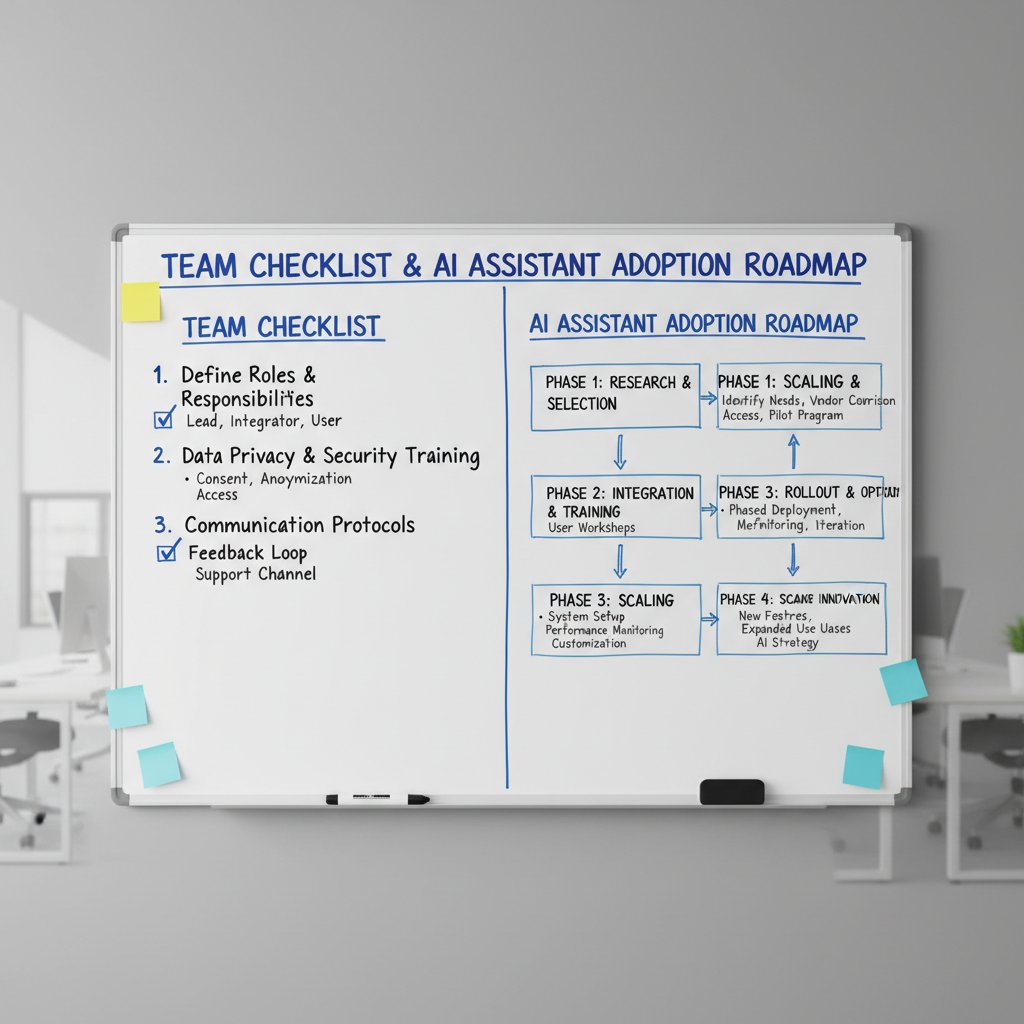
Deploying AI-driven enterprise virtual assistant software isn’t a one-click magic trick. The typical journey begins with a pilot phase (testing specific workflows), followed by a phased rollout, and finally a period of intense optimization. Pitfalls abound: underestimating integration needs, neglecting user training, or treating AI as a “set it and forget it” solution.
Timeline of AI-driven Enterprise Virtual Assistant Software Evolution
- Needs assessment: Map out pain points and priority workflows.
- Solution scouting: Shortlist and evaluate potential vendors.
- Pilot deployment: Launch with a small, representative team.
- Custom integration: Connect to core systems (email, calendar, task boards).
- User training: Equip staff with guidance and hands-on sessions.
- Feedback collection: Establish reporting and improvement loops.
- Full rollout: Expand to more teams and complex processes.
- Performance monitoring: Regularly review outcomes and user satisfaction.
- Optimization: Refine settings, workflows, and AI models based on feedback.
- Continuous improvement: Stay engaged as needs and technology evolve.
Checklist: Is your enterprise ready for an AI teammate?
Before you sign that contract, ask yourself:
- Do you have a clear problem to solve? Don’t adopt AI for AI’s sake—target specific pain points.
- Are your systems integration-ready? Outdated or siloed data makes deployment a nightmare.
- Have you defined what success looks like? Agree on concrete KPIs upfront.
- Are stakeholders on board? Executive buy-in and frontline enthusiasm are both essential.
- Is your workforce open to change? Change management plans help avoid pushback.
- Do you have the right data governance in place? Secure, clean data = reliable AI outputs.
- Is there a plan for ongoing oversight? Assign responsibility for monitoring and tuning.
- Are vendor terms and SLAs crystal clear? Don’t skimp on the legal fine print.
ROI or smoke and mirrors? Measuring the real impact
What metrics matter (and which are just noise)?
In the wild west of AI-driven enterprise virtual assistant software, metrics are everything. Don’t get seduced by vanity stats like “messages processed.” The KPIs that matter are reduction in manual hours, improvement in project delivery speed, error rate drops, and user satisfaction. Focus on outcomes, not activity.
A cost-benefit analysis for a mid-sized company (500 employees):
| Cost/Benefit | Year 1 | Year 2 | Notes |
|---|---|---|---|
| Software Licenses | $60,000 | $60,000 | Annual subscription |
| Integration | $25,000 | $5,000 | Initial vs. ongoing |
| Training | $10,000 | $2,500 | Staff onboarding |
| Time Saved | $150,000 | $180,000 | Based on hours recaptured |
| Error Reduction | $30,000 | $40,000 | Reduced manual mistakes |
| Net ROI | $85,000 | $152,500 | Value delivered minus costs |
Table 5: Cost-benefit analysis for deploying AI-driven enterprise virtual assistant software.
Source: Original analysis based on industry data (Statista, Global Market Insights 2024)
Case studies: Wins, failures, and lessons learned
Success: A marketing agency cut campaign turnaround time by 40% after adopting an AI-powered assistant for client email coordination. Satisfaction scores soared as tedious follow-ups vanished.
Failure: A regional finance firm rushed deployment without integrating existing workflows. The assistant’s automated replies clashed with compliance policies, leading to costly manual audits.
Key lesson? The winners invest in customization, feedback, and user training. The failures treat AI as a commodity, not a living, evolving system.

How to build a business case that wins leadership buy-in
Framing the value proposition for skeptical executives means speaking in dollars, risk reduction, and competitive edge. The data that resonates: proven productivity gains, error reductions, and talent retention linked to reduced burnout.
Business Case Preparation Steps:
- Quantify your baseline: What’s the current cost of inefficiency?
- Map pain to profit: Show how automation targets biggest cost centers.
- Gather real case studies: Cite peer companies with measurable wins.
- Highlight risk mitigation: Emphasize auditability and compliance features.
- Lay out the adoption plan: Pilot, expand, optimize—with milestones.
- Forecast the payback: Timeline to positive ROI and break-even.
The future of work: What AI teammates mean for your organization
Redefining collaboration: AI as mediator, not just executor
AI-driven enterprise virtual assistant software isn’t just about doing things faster—it’s changing the very fabric of team dynamics. The best assistants surface insights, mediate conflicts (by prioritizing facts over politics), and drive inclusivity by making sure everyone’s voice gets heard. In a world awash with data, AI can amplify empathy, not erase it.
"AI won’t replace empathy, but it can amplify it." — Jordan, project manager (illustrative, reflecting current best practices)
The ethical edge: Power, bias, and accountability in AI teams
No technology is neutral. Risks of bias, opacity, and unchecked power are real in AI-driven workflows. Best practices are emerging: regular audits for fairness, explainable algorithms, user-centric design, and clear accountability for AI decisions.
7 Key Principles for Ethical AI Assistant Usage in the Enterprise:
- Transparency: Always explain reasoning behind decisions.
- Accountability: Human oversight and clear escalation paths.
- Privacy-first: Strict data minimization and encryption.
- Bias mitigation: Regular testing for unintended discrimination.
- User empowerment: Easy ways to override or correct AI.
- Inclusiveness: Ensure accessibility for all abilities and backgrounds.
- Continuous improvement: Treat ethical compliance as an ongoing process.
What’s next: Predictions, provocations, and paradigm shifts
The next phase for AI-driven enterprise virtual assistant software isn’t about replacing humans—it’s about remaking what “teamwork” means in a hybrid, always-on world. Expect to see even deeper integration with enterprise systems, governments leveraging AI for public service efficiency, and a new breed of “digital coworkers” who are as much a part of the culture as the humans who build them.

Final thoughts: The AI teammate you didn’t know you needed
The rise of AI-driven enterprise virtual assistant software isn’t just a tech trend—it’s a redefinition of what it means to work, lead, and compete. The brutal truths? No magic bullets. Success demands curiosity, rigorous vetting, and ongoing human oversight. But the upside is enormous: more meaningful work, fewer distractions, and teams empowered to focus on what only humans can do.
If you’re ready to challenge assumptions and unlock real impact, start experimenting now. Seek out platforms like futurecoworker.ai that make AI accessible, trustworthy, and relentlessly useful. The future belongs to those who partner with their digital teammates—and dare to ask better questions.
Sources
References cited in this article
- ZipDo(zipdo.co)
- Software Oasis(softwareoasis.com)
- IMARC Group(imarcgroup.com)
- Lewis College(lewiscollege.co.uk)
- Menlo Ventures(menlovc.com)
- LinkedIn(linkedin.com)
- Wikipedia(en.wikipedia.org)
- Forbes(forbes.com)
- Gartner Hype Cycle(viso.ai)
- Menlo Ventures(menlovc.com)
- Google I/O 2024(mashable.com)
- UNU(c3.unu.edu)
- eMarketer(emarketer.com)
- Medium(medium.com)
- TechTarget(techtarget.com)
- VentureBeat(venturebeat.com)
- TechTarget(techtarget.com)
- Microsoft WorkLab(microsoft.com)
- Built In(builtin.com)
- ClickUp(clickup.com)
- Forbes(forbes.com)
- Full Stack AI(fullstackai.co)
- TechTarget(techtarget.com)
- Mordor Intelligence(mordorintelligence.com)
- AI21(ai21.com)
- Forbes(forbes.com)
- Wing Assistant(wingassistant.com)
- AI Journal(aijourn.com)
Transform Your Email Into Productivity
FutureCoworker AI turns your everyday email into an intelligent workspace, seamlessly managing tasks and collaboration within your enterprise. It eliminates the complexity of AI, allowing you to benefit from advanced technology without any technical knowledge. Achieve productivity, streamline processes, and improve team efficiency through natural email interaction, getting tasks done faster and smarter.
Get startedReady to Transform Your Email?
Start automating your tasks and boost productivity today
Frequently Asked Questions
What is the main difference between early enterprise assistants like Clippy and modern AI-driven virtual assistants?
Early assistants like Clippy were constrained by rigid scripts and shallow context, while modern AI-driven enterprise virtual assistant software is powered by neural networks, natural language processing (NLP), and workflow automation, allowing them to parse complex conversations, schedule meetings, triage email, and orchestrate cross-functional collaboration.
What three technological shifts enabled the evolution from rules-based automation to AI-powered intelligence?
The three major technological shifts were: the explosion in cloud computing that made scalable AI infrastructure affordable, breakthroughs in NLP that allowed machines to parse context and intent, and the rise of SaaS platforms that embedded AI into every corner of the enterprise.
How is an AI-driven enterprise virtual assistant positioned as a team member?
According to the article, today's AI-driven enterprise virtual assistant software is described as a visible, active force in the modern office—not just a background operator—that functions as a relentlessly efficient teammate embedded in workflows, emails, and decision loops.
What specific tasks can modern AI-driven enterprise virtual assistants perform?
Modern AI-driven enterprise virtual assistants can parse complex conversations, schedule meetings, triage email overload, and orchestrate cross-functional collaboration.
Continue Reading
Keep exploring Intelligent enterprise teammate

Enterprise AI-Enabled Virtual Assistant Platforms: Capabilities and Risks
Enterprise AI-enabled virtual assistant platforms reshape how teams work. This article examines their real capabilities, genuine risks, and impact on digital teamwork.

How AI-Powered Intelligent Enterprise Assistant Software Transforms Work
AI-powered intelligent enterprise assistant software is reshaping workplace collaboration. This article examines the reality behind enterprise AI assistants, their actual capabilities, and their impact on teams.

AI-Driven Enterprise Virtual Assistant Platforms: Impact and Reality
AI-driven enterprise virtual assistant platforms promise to automate chaos and upgrade workforces. This article examines the real impact, costs, and opportunities they actually deliver.

Smart Enterprise Assistant Technology and the Rise of AI Coworkers
Discover insights about smart enterprise assistant technology

What Enterprise AI Enabled Assistants Actually Change at Work
Enterprise AI enabled assistant systems are embedding themselves into corporate workflows. This article examines how they reshape work, the hidden contradictions in their promise, and their actual impact.

Virtual Assistants in Enterprise: Capabilities and Real Limitations
Virtual assistant deployments in enterprises involve real trade-offs between automation benefits and practical pitfalls.