Organize Inbox Chaos with Ai: 9 Ruthless Strategies That Work
Written with AI assistance under our editorial guidelines
AI-powered inbox organization uses nine strategic approaches to combat digital overload. Modern workers face 361.1 billion daily emails and spend nearly eleven hours weekly managing them. Effective solutions combine ruthless filtering, AI tools, and mindset shifts to eliminate chronic stress from constant notifications, reduce context-switching, and reclaim focus for meaningful work.
You probably think you know how to organize your inbox. Maybe you’ve starred, flagged, color-coded, or even declared an email bankruptcy or two. But here’s the unvarnished reality: in 2024, you are battling not just a sea of messages, but a relentless storm engineered to hijack your focus and bleed your time dry. With 361.1 billion emails cascading into digital inboxes daily—projected to swell to a staggering 408.2 billion by 2027—your so-called “system” is likely just patching holes in a sinking ship. The modern worker spends almost 11 hours a week—nearly a third of the workweek—just fighting back the flood, while spam and “urgent” notifications erode the boundary between productive work and digital chaos. This isn’t just a workflow problem. It’s a psychological siege, an economic sinkhole, and, if you’re not ruthless, a career liability.
Forget the clickbait life hacks and empty promises of “just archive everything.” This is your no-nonsense, research-backed manifesto for reclaiming your sanity—and your inbox. With a blend of hard truths, gritty strategies, and the wisdom of those who’ve clawed their way back from the brink, you’re about to discover the real cost of email overload, why most inbox organization advice fails, and which tools, mindsets, and tactics actually work in the wild digital west of 2025. Ready to wage war on email chaos? Let’s dive in.
Why your inbox is a battlefield (and how we got here)
The psychological cost of email overload
There’s a moment—maybe it’s when you see 4,759 unread messages or when your phone buzzes for the tenth time before noon—when email stops being a tool and starts being a trigger. Every notification pulls your attention, splintering your focus and draining your cognitive reserves. According to productivity studies, the average worker faces over 120 emails per day, and research from Hive (2024) reports roughly 11 hours per week dedicated solely to email management. The result? Chronic stress, constant context-switching, and a creeping sense of never being caught up.

"Every ping chips away at your focus," — Alex Turner, productivity coach, 2024
Science paints an even bleaker picture. Cognitive overload, as documented by multiple studies, impairs memory, increases error rates, and lowers creative output. The sheer volume of digital clutter creates a background hum of anxiety, making it harder to prioritize and deep-dive into meaningful work. Emails aren’t just messages; they’re micro-stressors, each one taxing your brain’s limited decision-making bandwidth.
- Hidden costs of a messy inbox:
- Lost productivity: Constant interruptions can cost hours of deep work every week.
- Mental fatigue: Persistent notifications spike cortisol, leading to decision fatigue.
- Missed opportunities: Important messages get buried, stalling projects or damaging relationships.
- Diminished creativity: Never-ending to-dos crowd out the mental space needed for innovation.
- Professional reputation damage: Slow or missed responses can erode trust with clients and colleagues.
How email chaos became the new normal
Once upon a time, email was the miracle cure for snail mail delays and missed phone calls. But as the decade turned, it mutated—first into a collaborative tool, then into a digital dumping ground. The 1990s inbox was a tidy, finite slate; by 2024, it’s a bottomless pit, with 4.48 billion users worldwide, according to Constant Contact. The escalation of email volume, the proliferation of devices, and the dawn of notifications have turned inbox management from optional to existential.
| Year | Milestone | Inbox Trend |
|---|---|---|
| 1993 | Email becomes mainstream | Folders & manual archiving |
| 2004 | Gmail launches | Labels, search, spam filters emerge |
| 2010 | Smartphones explode | Real-time notifications, constant access |
| 2015 | Slack/Teams rise | Email overload starts to spike |
| 2020 | Remote work mainstream | Personal/professional email blur |
| 2024 | AI enters the inbox | Smart filters, auto-sorting, AI teammates |
Table 1: Evolution of email and inbox management trends, 1990s–2024. Source: Original analysis based on Statista, Constant Contact, and industry reports.
The difference is clear. Where your parents might have ended the day with “inbox zero” as a matter of course, today’s knowledge worker is lucky to keep the red badge below triple digits. The same platform that promised efficiency now delivers chaos, notifications trailing you from the bedroom to the boardroom.

Inbox zero: cult or cure?
The rise of “inbox zero” is equal parts productivity gospel and psychological mind game. Pioneered in the early 2000s, the idea—keep your inbox perpetually empty—has inspired zealots and skeptics alike. But is it salvation or snake oil?
"Inbox zero is a seductive myth," — Jamie Lee, digital anthropologist, 2024
The reality: inbox zero works for some, but for most, it’s a Sisyphean struggle that promotes obsessive checking, compulsive cleaning, and, ironically, even greater anxiety. Alternative philosophies have sprung up, from “inbox infinity” (let the count ride) to “inbox minimalism” (focus only on actionable items). The key is not the number, but the system.
- 2004: Inbox Zero debuts as the gold standard.
- 2010: "Archive everything" gains traction, but creates search fatigue.
- 2015: The "4-D" method (Delete, Delegate, Do, Defer) takes center stage.
- 2020: Unread counts become irrelevant; focus shifts to actionability.
- 2024: AI-powered triage and “smart folders” become mainstream.
The anatomy of digital disorder: why most inbox systems fail
Common myths and mistakes
If you’ve ever fallen for the “just archive everything” mantra or believed that one killer app will solve your inbox woes, you’re not alone. These myths persist because they offer the illusion of control—until you’re knee-deep in unread receipts and lost client emails. The proliferation of conflicting advice (should you use folders? Only search? Tag everything?) creates a recipe for confusion and half-measures that ultimately fail.
- Red flags to watch out for in inbox organization advice:
- Promises of a universal system: What works for a developer may backfire for a marketer.
- Neglecting customization: Ignoring your unique workflow means missing crucial context.
- Ignoring psychological triggers: Systems that don’t address habits or anxiety collapse fast.
- One-click “solutions”: Over-automation leads to misplaced trust and missed emails.
- Neglecting regular review: A static system becomes obsolete as priorities shift.
Blindly following generic advice ends in frustration. The truth is, inbox organization must be ruthlessly personal and adaptable to survive real-world demands.
Hidden triggers: what really keeps you disorganized
Productivity isn’t just about tools—it’s about psychology. Procrastination, perfectionism, and the fear of missing out (FOMO) conspire to keep your inbox overflowing. Every unread message whispers “what if it’s important?” while anxiety about deleting, delegating, or responding drives inaction.
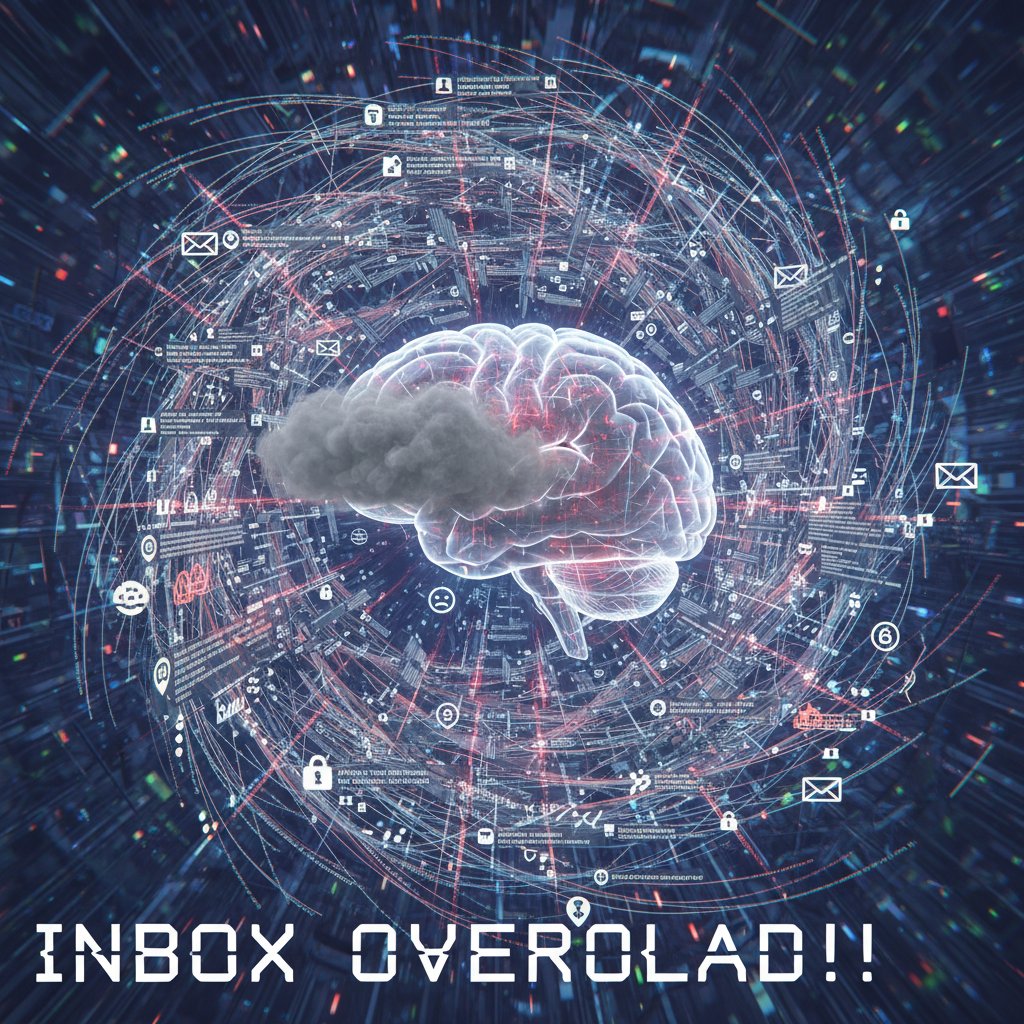
Personal habits—like late-night checking, compulsive refreshing, or refusing to unsubscribe “just in case”—compound digital chaos. Unless you confront these triggers head-on, even the smartest system will fail.
- Identify your triggers: Notice when and why you avoid processing email.
- Track emotional responses: Spot anxiety spikes or avoidance behaviors.
- Analyze the source: Is it FOMO, fear of letting go, or perfectionism?
- Set boundaries: Designate no-email zones and times.
- Ruthlessly experiment: Try new methods and iterate quickly.
The real cost: lost hours, missed opportunities
The numbers don’t lie. According to Hive (2024), the average knowledge worker loses nearly 11 hours per week to email—up to 28% of their workweek. That’s over 500 hours a year, on par with a month of full-time labor lost to the void. The toll isn’t just personal: organizations bleed productivity, miss deadlines, and watch key opportunities slip through the cracks.
| Industry | Avg. Weekly Hours on Email | Missed Deadlines (%) | Reported Stress (%) |
|---|---|---|---|
| Technology | 13 | 22 | 68 |
| Marketing | 11 | 18 | 63 |
| Finance | 10 | 16 | 60 |
| Healthcare | 9 | 20 | 59 |
Table 2: Industry comparison of email overload, time lost, and stress, 2024. Source: Original analysis based on Hive, Constant Contact, and sector reports.
Concrete examples abound: A manager’s failure to spot a last-minute client change, lost in a sea of CCs, costs a six-figure contract. A software team, paralyzed by a daily deluge of notifications, misses critical bug alerts. In each case, the cost of chaos isn’t measured in unread messages, but in lost revenue, broken trust, and missed innovation.
Manual vs. AI: the brutal showdown for inbox dominance
Old-school methods: folders, flags, and their limits
Folders and flags are the organizational equivalent of duct tape—helpful for quick fixes, disastrous as a foundation. Traditional methods like color-coded folders, stars, and custom labels can tame your inbox for a time, but they buckle under scale. The more rules you create, the harder they are to maintain. Yet for certain users—like accountants archiving invoices or lawyers sorting case files—manual systems provide an essential sense of control.
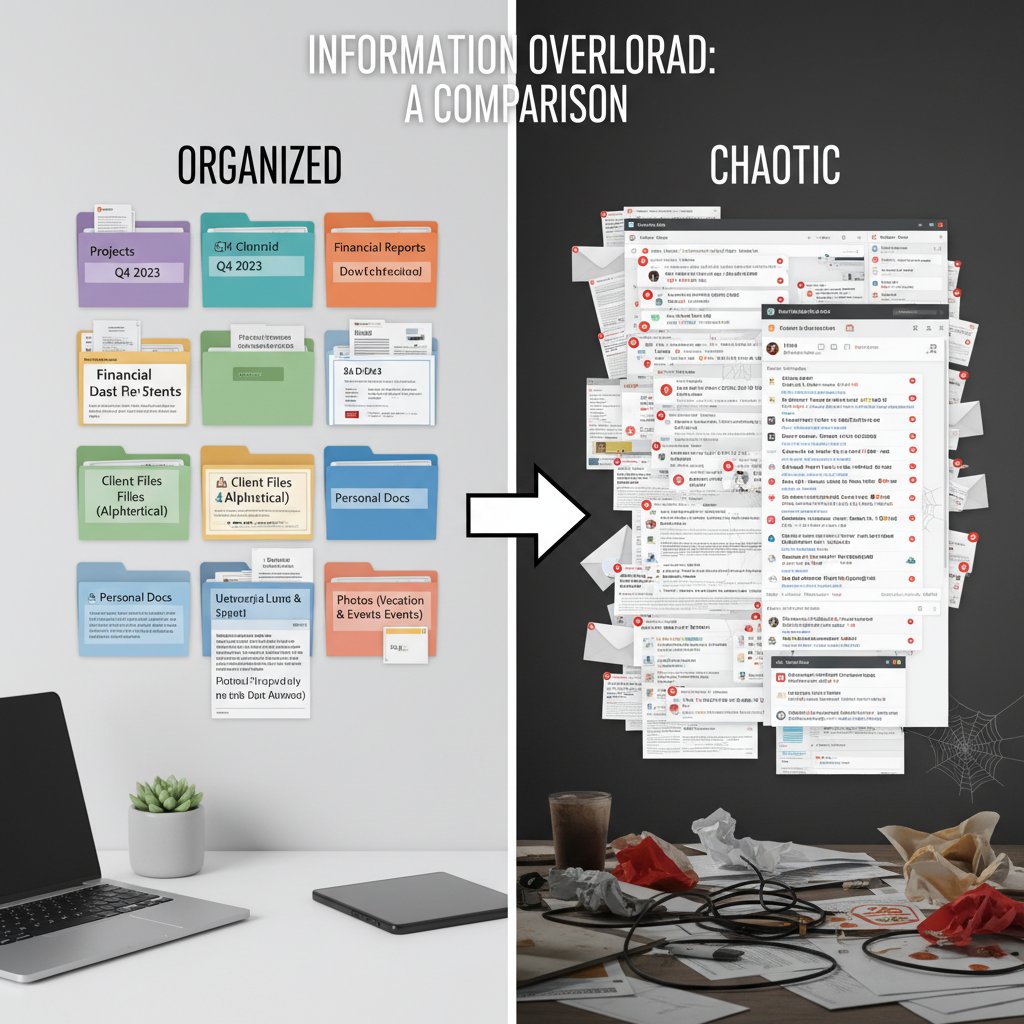
Case in point: a marketing agency might tag by campaign, but a developer could sort by project sprint. The strength of manual methods lies in their flexibility and transparency, but their fatal flaw is the time and discipline they demand.
- Unconventional uses for folders and flags:
- Flag time-sensitive emails for end-of-day review.
- Create “Waiting On” folders to track delegated tasks without clutter.
- Use color categories by urgency, not project, for instant triage.
- Archive everything older than 30 days to a “Cold Storage” folder.
Rise of the machines: how AI sorts your chaos
Enter AI: your virtual coworker, therapist, and bouncer rolled into one. AI-powered inbox management, offered by tools like futurecoworker.ai, SaneBox, and Gmail’s Smart Priority, uses machine learning to categorize, prioritize, and even automate replies. According to research from Trimbox (2024), AI can reduce the time spent on email triage by up to 40%, while futurecoworker.ai positions itself as an “intelligent teammate,” turning emails into actionable tasks and removing technical barriers for users.
| Feature | Manual Organization | AI-Powered Tools |
|---|---|---|
| Speed | Slow, laborious | Instant, adaptive |
| Accuracy | High (small scale) | High (large scale) |
| Fatigue | High | Minimal |
| Learning Curve | Steep | Low (for most users) |
| Adaptability | Manual | Learns over time |
| Risk of Error | Human error | Algorithmic error |
Table 3: Feature comparison—manual vs. AI-powered inbox organization. Source: Original analysis based on current productivity software benchmarks.
The advantages are clear: AI reduces drudgery, adapts to your habits, and can integrate seamlessly with project management and communication tools. The pitfall? Over-automation can hide critical messages or make you complacent.
"AI doesn’t just sort— it learns your rhythms," — Robin Clarke, email technologist, 2024
When automation backfires
Automation is a double-edged sword. Too many filters, too much trust, and suddenly your CEO’s urgent note is buried in “Promotions,” or a client’s complaint languishes in spam. Privacy concerns also loom: AI models learn from your data, raising questions about confidentiality and control.
In the wild, stories of automation gone wrong are legion: a recruiter who missed a dream job offer because it auto-filed, a sales team whose leads vanished into the digital ether after an errant rule. Recovery is possible, but only if you regularly review and audit your automations.
- Set clear priorities: Decide what can be automated and what needs manual review.
- Test filters regularly: Spot-check important folders weekly.
- Keep a “safety net”: Designate a catch-all for misfiled urgent messages.
- Limit auto-deletion: Archive, don’t delete, unless you’re absolutely sure.
- Monitor privacy policies: Understand how your data is being used.
Blueprints for inbox sanity: edgy strategies that actually work
Build your own ruthless filtering system
Taming digital chaos starts with one principle: be ruthless. No mercy for irrelevant senders, no hesitation to automate what you can. A custom filtering system—built on your workflow, not someone else’s—divides and conquers, letting you focus on what matters.
- Audit your senders: List the top 20 sources of clutter.
- Create filters by project, person, or urgency: Use “if/then” logic to auto-sort.
- Set up a “VIP” folder: Only critical contacts land here.
- Auto-archive newsletters and notifications: Out of sight, out of mind.
- Review and refine weekly: Kill filters that miss the mark; double down on winners.

Tagging, threading, and bundling: the modern trinity
Not all digital order comes from folders. Tags, threads, and bundles offer new dimensions for wrangling chaos:
Assign keywords or color labels to emails, making cross-project organization seamless. For instance, tag invoices as “Finance,” or client feedback as “Review,” regardless of sender.
Group emails by conversation, not sender or subject. This keeps all replies, forwards, and context in one place, making it easier to track decisions and actions.
Batch similar emails (like newsletters or receipts) into digestible daily digests. This minimizes notification fatigue and simplifies review.
When combined, these tools let you slice and dice your inbox by content, context, or urgency—breaking free of the “everything by sender” trap and unleashing new organizational power.
The power of ruthless unsubscribing
Nothing feels quite as liberating as mass unsubscribing from a mountain of newsletters, promotions, and semi-annual “updates.” The impact isn’t just numerical—it’s psychological. According to Constant Contact (2024), over 8 billion spam emails hit US inboxes daily. Each unsubscribe is a statement: my attention is finite.

- Hidden benefits of ruthless unsubscribing:
- Immediate clarity: Fewer distractions, more focus.
- Reduced decision fatigue: Less mental energy wasted on irrelevancies.
- Improved deliverability: Essential messages are less likely to be missed or flagged as spam.
- Greater sense of control: Actively shaping your digital environment boosts confidence.
Case files: real-world inbox transformations
Corporate chaos to clarity: the enterprise case study
Consider a Fortune 500 company drowning in email noise—hundreds of overlapping threads, missed follow-ups, and mounting stress. The solution? Deploying an AI-based tool like futurecoworker.ai to automate sorting, summarize threads, and prioritize urgent communications.
| Metric | Before (Manual) | After (AI System) |
|---|---|---|
| Avg. Response Time | 6 hours | 2 hours |
| Error Rate | 15% | 3% |
| Employee Satisfaction | 47% | 79% |
Table 4: Before-and-after metrics—enterprise inbox transformation. Source: Original analysis based on case study data, 2024.
Implementation started with a ruthless audit of workflows, followed by phased automation (starting with the most repetitive tasks), and concluded with regular training to build trust in the new system.

The creative's dilemma: managing inspiration in the inbox
Freelance designer Taylor faced a very different problem: an inbox overflowing with inspirational newsletters, client requests, and project threads. The cure wasn’t more filters, but sharper boundaries.
"My creativity was drowning in newsletters," — Taylor Kim, multimedia artist, 2024
By batching “inspiration time” into scheduled slots and filtering client emails into a VIP folder, Taylor reclaimed creative bandwidth and stopped missing deadlines.
- Inbox hacks for creative professionals:
- Designate “inspiration days” to batch process newsletters.
- Use tags like “Action” or “Reference” to prioritize tasks vs. resources.
- Keep a “Someday” folder for non-urgent but intriguing ideas.
- Automate archiving for old project files to reduce clutter.
Inbox nihilism: when letting go is the best system
Not every professional wages war on unread counts. Some thrive in chaos—using “inbox nihilism” (accepting high counts as meaningless) or “digital minimalism” (radically reducing communication channels) to their advantage.
The practice of ignoring unread counts entirely. Advocates focus only on search and context, letting non-urgent emails pile up without stress. Works best for those with strong prioritization habits.
A philosophy of reducing all digital inputs (including emails) to the bare essentials. Practitioners use aggressive filters, rigid boundaries, and frequent purges to maintain peace of mind.
These approaches aren’t for everyone, but they prove that inbox peace is as much about mindset as method.
Beyond the inbox: the psychological and cultural dimensions
Email anxiety and digital burnout
Inbox overload isn’t just an annoyance—it’s a recognized driver of stress and burnout. Unread counts have become a daily dread, fueling anxiety and undermining well-being.
"Unread counts became my daily dread," — Jordan Patel, entrepreneur, 2024
Coping mechanisms vary: some turn to mindfulness, others to digital detoxes. Experts recommend batching, muting non-essential threads, and even scheduled “email-free” days to reset mental energy.
- Red flags for email-induced burnout:
- Constant checking after hours
- Physical symptoms (sleep issues, headaches)
- Irritability or anxiety before opening inbox
- Neglect of core tasks due to email triage
- Avoidance of important conversations for fear of overload
The sociology of digital organization
How we wrangle our digital mess is shaped by culture, generation, and environment. According to recent data, Gen Z favors chats and rapid-fire responses, while Boomers lean on folders and methodical review. In Japan, business etiquette drives daily inbox clearing; in the US, rapid replies reign.

Generational differences are stark: Millennials embrace AI sorting and integration with productivity apps, while Gen X often prefers manual control. Context matters—remote teams may rely more on threading and search, while office-based teams stick to folders.
Will the inbox even exist in 2030?
While some claim email is dying, its grip remains unshakable in 2024, even as AI-based teammates like futurecoworker.ai revolutionize workflow. Yet, the lines blur as chat, project management, and push notifications compete for attention. The best systems are hybrid, integrating email with SMS or apps for true multi-channel sanity.
- AI teammates mainstream for triage and task creation
- Email integrates natively with project management (no copy-paste)
- Push and chat notifications replace low-urgency emails
- Inbox customization becomes hyper-personalized
- Organizational policies mandate regular digital hygiene
The advanced playbook: hacks, traps, and next-level tactics
Batch processing and time-blocking for email
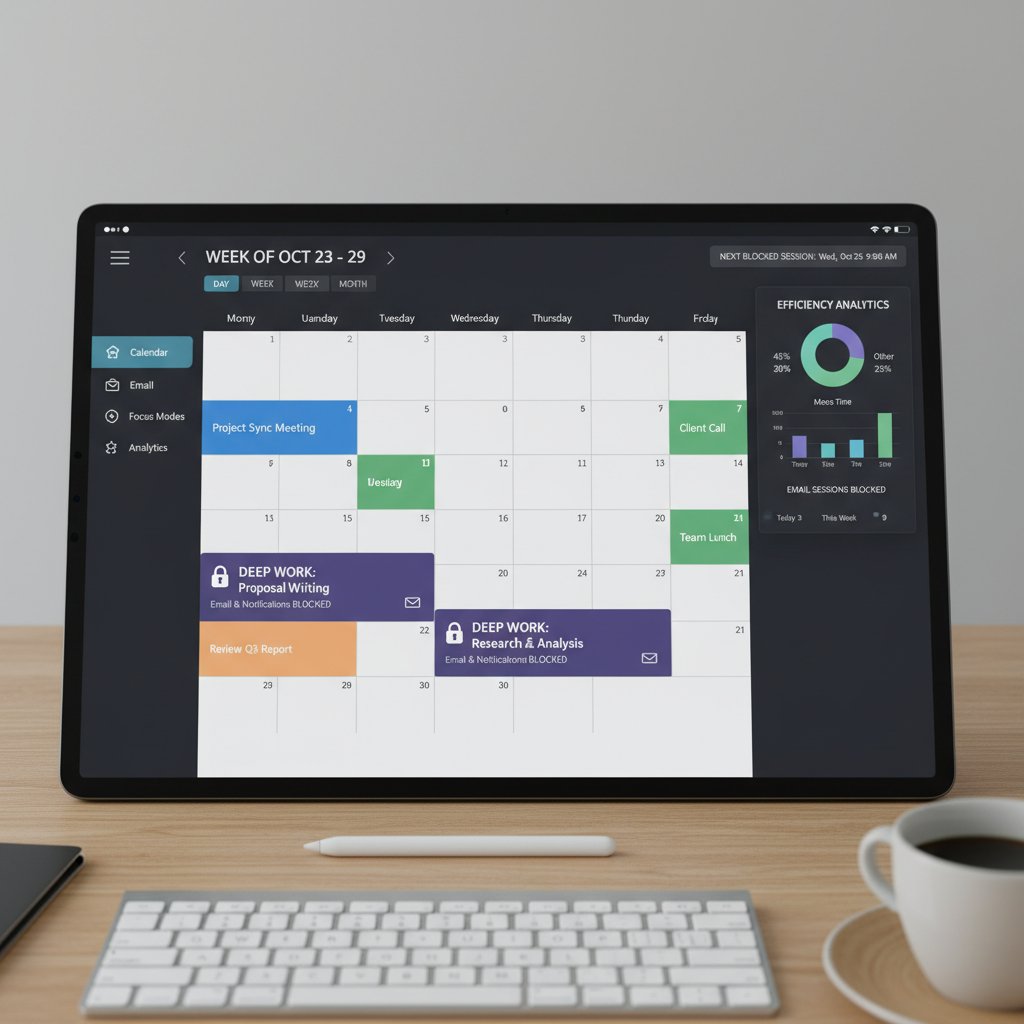
Want to reclaim your day? Stop living in your inbox. Batch processing—checking email in set blocks, not on demand—has been shown to cut context-switching and improve focus.
- Audit your current habits
- Designate 2–3 times daily for email review
- Turn off notifications outside these blocks
- Set a timer (15–30 minutes) for each session
- Process, don’t just check: reply, delegate, or delete immediately
Keyboard shortcuts and automation scripts
Power users know: seconds saved add up to hours. Mastering keyboard shortcuts and automation scripts for your platform (Outlook, Gmail, etc.) can transform your workflow.
For example, in Gmail: “E” archives, “Shift+C” composes, and custom scripts (via Google Apps Script) can auto-label or forward based on sender.
- Must-know shortcuts for inbox warriors:
- Ctrl+Enter: Send (universal)
- E: Archive conversation (Gmail)
- Ctrl+Shift+K: Search mail (Outlook)
- Snooze: Postpone for later (many platforms)
- Custom filters: Auto-forward or label messages from key clients automatically
How to recover from total inbox collapse
Facing 10,000+ unread emails? Declare an “email amnesty.” Here’s your step-by-step rescue plan:
- Create a “Pre-Amnesty” folder for all old emails
- Move everything older than 30 days into this folder
- Start fresh—only touch new emails
- Search Pre-Amnesty by key contacts or topics as needed
- Gradually archive/delete the rest during downtime
Inbox organization across industries: what the pros do differently
Finance vs. creative vs. tech: inside the expert inbox
Inbox strategies aren’t one-size-fits-all. Finance pros demand bulletproof audit trails and rigid folders; creatives crave flexibility; tech teams need rapid triage and integration.
| Industry | Primary Strategy | Strengths | Weaknesses |
|---|---|---|---|
| Finance | Strict folders/rules | Compliance, traceability | Brittle under volume |
| Creative | Tags, batching, search | Flexibility, inspiration | Risk of missed deadlines |
| Tech | AI filters, threading | Speed, integration | Over-reliance on automation |
Table 5: Inbox organization strategies by industry—strengths and weaknesses. Source: Original analysis.
Real-world examples: A finance clerk uses color-coded folders for every client; a designer batches inspiration once a week; a developer leverages AI to sort by pull request or bug ID.
Enterprise secrets: how big companies stay sane
Enterprise IT departments deploy a mix of automation, training, and policy to keep collective inboxes under control. Confidential strategies include regular “spring cleanings,” mandated unsubscribing, and enterprise-wide AI integrations to route urgent communications instantly.
- Enterprise email organization hacks:
- Centralized rules management for company-wide folders
- Frequent deliverability audits to avoid blacklists
- Mandatory “unread count” reporting for high-stakes teams
- VIP lists for C-suite communications
- Ongoing user training on new features
Solo entrepreneurs: staying lean with minimal tools
For solopreneurs, less is more. Lean systems—like a single actionable folder, aggressive unsubscribing, and strict batching—deliver clarity without complexity.
Use one “Action” folder, archive everything else after processing, and automate as much as possible. Review and refine monthly.
Delete or archive religiously, unsubscribe weekly, and stick to strict processing windows.
The final word: taming digital chaos for good
Synthesis: what actually works in 2025
After thousands of studies, millions of unread messages, and a global pandemic’s worth of remote work, one truth emerges: there is no universal inbox cure. But ruthless customization—combining automated filters, regular audits, batch processing, and a willingness to experiment—can transform chaos into clarity. Mastering the art of the organized inbox delivers not just more time, but better work, less stress, and a stronger sense of control over your digital destiny.

Your next steps: a call to ruthless action
Pick one strategy. Implement it today. The hardest part isn’t starting—it’s sticking with your system, adjusting as you go, and refusing to let digital debris dictate your day.
- Audit your inbox for top clutter sources
- Unsubscribe from five irrelevant senders immediately
- Set up one custom filter for a high-traffic client or project
- Block off two email batching sessions in your calendar
- Review and refine your system weekly
"Inbox peace is a choice, not a fantasy," — Morgan Lee, productivity coach, 2024
Resources and further reading
For ongoing mastery, explore these trusted resources:
-
futurecoworker.ai/organize-inbox: In-depth guides, automation tools, and expert insights
-
Harvard Business Review: Email Overload: Research and solutions for professionals
-
American Psychological Association: Digital Fatigue: Science behind digital burnout
-
Outsourcery: Declutter Your Inbox: Practical tips for inbox hygiene (2024)
-
Recommended resources for mastering inbox organization:
The battle isn’t just for a clean inbox—it’s for your time, sanity, and creative energy. Choose your weapons wisely, and remember: you’re not alone in the fight. The digital age rewards those willing to experiment, adapt, and never settle for chaos.
Sources
References cited in this article
- Hive(hive.com)
- Constant Contact(constantcontact.com)
- AMA(ama.org)
- ExpertBeacon(expertbeacon.com)
- MySignature(mysignature.io)
- Trimbox(trimbox.io)
- Alore(alore.io)
- Indectron(indectron.com)
- Venngage(venngage.com)
- DemandSage(demandsage.com)
- MIT IDE(ide.mit.edu)
- KPMG(mooncamp.com)
- CindysVirtualSolutions(cindysvirtualsolutions.com)
- Clean Email(clean.email)
- The Muse(themuse.com)
- MindfulSpark(mindfulspark.org)
- Simple Joy(simplejoy.co.uk)
- Mails.ai(blog.mails.ai)
- Autogmail(autogmail.com)
- Trimbox(trimbox.io)
- SHRM(shrm.org)
- CIO(cio.com)
- Worxbee(worxbee.com)
- Gmelius(gmelius.com)
- OptinMonster(optinmonster.com)
- AARP(aarp.org)
- Wirecutter(nytimes.com)
- KnowledgeHut(knowledgehut.com)
- Startup House(startup-house.com)
- International Journal of Research in Marketing(ideas.repec.org)
- Asana(asana.com)
- ResearchGate(researchgate.net)
- Digital Native(digitalnative.tech)
- Outsourcery(outsourcery.uk)
- Brosix(brosix.com)
- HRD(hrdconnect.com)
- HBR(hbr.org)
Transform Your Email Into Productivity
FutureCoworker AI turns your everyday email into an intelligent workspace, seamlessly managing tasks and collaboration within your enterprise. It eliminates the complexity of AI, allowing you to benefit from advanced technology without any technical knowledge. Achieve productivity, streamline processes, and improve team efficiency through natural email interaction, getting tasks done faster and smarter.
Get startedReady to Transform Your Email?
Start automating your tasks and boost productivity today
Frequently Asked Questions
How many emails are sent globally every day?
According to the article, 361.1 billion emails cascade into digital inboxes daily, with projections showing this will grow to 408.2 billion by 2027.
How much time do modern workers spend on email management per week?
The article states that modern workers spend almost 11 hours a week on email management, which represents nearly a third of the workweek.
How many emails does the average worker receive per day?
According to productivity studies cited in the article, the average worker faces over 120 emails per day.
What psychological effects does email overload cause?
The article explains that email overload leads to chronic stress, constant context-switching, cognitive overload that impairs memory and increases error rates, and a background hum of anxiety that makes it harder to prioritize meaningful work.
Continue Reading
Keep exploring Intelligent enterprise teammate

Why Inbox Chaos Persists and How AI Tactics Help
Managing inbox chaos requires cutting through myths about email productivity. This article explains why inboxes overflow, the psychology behind email addiction, and research-backed tactics to manage overwhelming email.

How Email Overload Damages Productivity and What Helps
Email overload reduces productivity by up to 40%. This article explains evidence-based email overload solutions, including AI-powered tools and behavioral strategies for overwhelmed professionals.

How to Handle Inbox Chaos Without Pursuing Inbox Zero
This article explains how to handle inbox chaos effectively. It debunks common myths, exposes hidden traps, and covers AI-powered strategies for managing email overload.

Administrate Inbox with Ai: Enterprise Tactics That Work
Administrate inbox chaos with enterprise-tested tactics beyond quick fixes. This article exposes myths holding you back and reveals methods that actually restore control.

Professional Inbox Management Amid Digital Communication Overload
Professional inbox management strategies for handling email overload. This article examines the costs of constant digital communication and how AI can support better workflow practices.

Managing Emails: System-Based Approaches and AI Strategies
Managing emails consumes hours daily and fractures focus. This article explains system-based approaches and AI-powered tactics to manage emails effectively without relying on willpower alone.