Enterprise Email Productivity Software Comparison That Cuts Real ROI Lies
Written with AI assistance under our editorial guidelines
Workers receive 68 emails daily with 60 requiring action, yet 60% admit half this time could be spent more productively. Enterprise email productivity software struggles to address the chronic overload, psychological toll, and decision fatigue draining budgets and employee morale while legacy systems resist modern automation needs.
In the sleek, glass-walled towers and gritty, neon-lit home offices of 2025, a silent war is being waged—one that’s draining the soul of the modern enterprise: email productivity. Forget the glossy demos and vendor promises. The truth? Enterprise email productivity software is the battlefield where budgets bleed, nerves fray, and innovation collides head-first with reality. If you think you know which tool wins, think again. The numbers are brutal, the stakes colossal. Workers drown under 68 emails a day, 60 of them actionable, and more than half of that time is wasted, not working smarter but shuffling digital paperwork. This isn’t another “top 10 roundup.” This is the unfiltered, evidence-driven, edge-of-your-desk comparison for decision makers who aren’t afraid of uncomfortable truths. Welcome to the ultimate enterprise email productivity software comparison—where we dissect the hidden costs, shatter the myths, and show you what’s actually working (and breaking) in real businesses right now.
Why email productivity is the last battlefield for enterprise sanity
The hidden cost of email overload no one reports
Beneath the veneer of “collaboration,” email is quietly draining enterprise budgets and employee morale. According to research by ProofHub in 2025, the average office worker deals with 68 emails daily, and at least 60 require a response or action. The kicker? A staggering 60% of workers admit that half this time could be spent more productively elsewhere. The cost is stealthy: lost hours, mental fatigue, and a culture of perpetual distraction. Enterprises hemorrhage resources through duplicated efforts and missed follow-ups, while leaders remain oblivious to the invisible labor churning in inboxes.

The psychological toll is real. Research from the American Institute of Stress, 2024 found that persistent email overload contributes to chronic workplace anxiety and disengagement. It’s not just about the flood of messages—it’s about the impossible expectation to respond instantly, all day and night. The result? Decision fatigue, missed opportunities, and a workforce that resents the very tools meant to empower them.
How legacy email software became a silent productivity killer
Legacy email platforms were built in an era when “reply all” felt like innovation. Fast forward to 2025, and these same systems are handcuffs, stubbornly resisting modern workflows, automation, and contextual collaboration. Outdated software doesn’t just slow you down—it enshrines inefficient habits and makes every small task a grind.
“We’re chained to outdated email habits that kill more time than we admit.” — Maya, IT Manager
Locked into rigid folder structures, disconnected from project management and devoid of AI, legacy email tools force users to spend hours searching, sorting, and duplicating information that should be at their fingertips. According to Moosend, 2025, businesses waste up to 15% of their working week just managing email logistics. That’s not productivity—it’s institutionalized drag.
The myth of the 'universal solution'—why context matters
Vendors love to pitch their software as the one-stop shop, but reality is far messier. No single platform can solve the myriad workflow nightmares unique to each industry, company size, or security regime. The myth of the “universal solution” crumbles under the weight of everyday context: a healthcare provider’s compliance needs are worlds apart from a marketing agency’s campaign chaos.
- Tailored automations can turn email from a time sink into a productivity boost—if they’re tuned to the right business logic. Rigid, generic tools only create new workarounds.
- Integration depth is essential; shallow, checkbox integrations often create shadow IT and duplicate effort.
- User experience (UX) needs to fit your team’s habits, not force clunky retraining.
- Security and privacy standards must map to local regulations—failure here can be catastrophic.
- Export and migration features protect against vendor lock-in, especially for regulated industries.
Enterprises that tailor their email productivity software to context see measurable gains—in focus, compliance, and even morale. But those who chase “one-size-fits-all” dreams usually pay with frustration or worse.
The evolution of enterprise email: From cc hell to AI-powered collaboration
A brief (brutal) timeline of enterprise email
Enterprise email wasn’t always the monster it is today. Its evolution is a saga of innovation, unintended consequences, and relentless adaptation:
- 1990s: The dawn of corporate email. Simple, standalone inboxes; basic “cc” and “bcc” features.
- Early 2000s: Exchange servers rule; folders and archiving become the new normal.
- 2010s: Cloud-based suites like Google Workspace and Microsoft 365 add collaboration, calendars, and document sharing.
- Late 2010s-2020s: Integration with CRM and project management emerges; “inbox zero” becomes a cult.
- 2020-2024: AI and automation enter the fray, promising intelligent triage, smart replies, and real-time productivity insights.
- 2025: Reality check—email remains indispensable, but the challenges shift to context, integration, and human factors.
| Era | Key Feature | User Pain Point |
|---|---|---|
| 1990s | Standalone inboxes | Manual sorting, lost data |
| 2000s | Server-based email | IT complexity, silos |
| 2010s | Cloud collaboration | App fatigue, context loss |
| 2020s | AI & automation | Overhyped, underdelivered |
Table 1: Timeline of enterprise email productivity software evolution
Source: Original analysis based on Moosend, 2025, ProofHub, 2025
The rise (and fall?) of classic productivity suites
Once, Microsoft 365 and Google Workspace were the undisputed kings of enterprise productivity. Their reign was built on tight integration, familiar interfaces, and a near-monopoly on workplace collaboration. Today, though, cracks are showing. While they remain dominant, their bloat, opaque pricing, and confusing feature overlap are counting against them.
| Platform | Productivity | Integration | User Experience | Security/Compliance |
|---|---|---|---|---|
| Microsoft 365 | High | Strong | Mixed | Good |
| Google Workspace | High | Strong | Simple | Adequate |
| Salesforce Marketing Cloud | Moderate | High | Complex | Strong |
| Superhuman | High | Limited | Excellent | Basic |
| SaneBox | Moderate | Moderate | Good | Basic |
Table 2: Comparison of legacy versus next-gen email software on critical criteria
Source: Original analysis based on G2, 2025, Moosend, 2025
How AI and automation are rewriting the rules
AI-powered features now dominate vendor pitch decks—but how much is real, and how much is vaporware? Intelligent triage, smart reminders, and auto-prioritization sound ideal, but most enterprises find the reality underwhelming. According to ProofHub, most “AI” features require heavy customization to fit real enterprise clutter, and even then, users still revert to manual sorting more often than not.
On the upside, tools like FutureCoworker AI are pioneering truly context-aware automation—turning emails into actionable tasks, providing summarized threads, and even scheduling meetings with zero human input. Yet, the learning curve and integration complexity remain daunting for many. The verdict? AI is a game-changer only when it fits your workflow, not when it forces you to change it.

What vendors won’t tell you: The real-world costs and risks
The hidden costs buried in the fine print
Migrating to a new email productivity platform isn’t just a licensing fee. Enterprises face a web of hidden expenses: data migration, user training, third-party plugins, shadow IT workarounds, and escalated support tickets when your “seamless integration” breaks under pressure.
| Platform | Annual License | Migration Cost | Training | Shadow IT Overhead | TCO (Year 1) |
|---|---|---|---|---|---|
| Microsoft 365 | $240 | $50 | $80 | $30 | $400 |
| Google Workspace | $180 | $40 | $60 | $20 | $300 |
| Salesforce Marketing Cloud | $420 | $120 | $100 | $50 | $690 |
| Superhuman | $360 | $30 | $40 | $10 | $440 |
| SaneBox | $99 | $0 | $20 | $20 | $139 |
Table 3: Total cost of ownership (TCO) for leading enterprise email platforms, Year 1 estimate
Source: Original analysis based on Moosend, 2025, G2, 2025
Security, compliance, and the illusion of safety
Vendors tout bulletproof security and “GDPR compliance,” but real-world breaches tell a different story. Even the best platforms leave cracks: ambiguous data residency, poor encryption defaults, and sluggish incident response. According to recent industry reports, the majority of enterprise email leaks are due to misconfiguration, not software bugs—meaning the best tool is only as secure as your admin team.
- Ambiguous data storage: Be wary of vendors who can’t pinpoint where your sensitive data lives.
- Opaque third-party integrations: Many “plugin” ecosystems are security wildcards.
- Slow patching cycles: Delayed updates leave high-value targets exposed.
- Compliance theater: Certificates don’t mean much if policies are ignored at user level.
- Vendor lock-in: Proprietary formats make it risky and expensive to switch if a breach occurs.
Red flags? If a vendor won’t answer tough questions about data handling in plain English, run.
Integration nightmares (and how to avoid them)
Integration is the siren song of every sales pitch—but the reality is usually a tangled mess of APIs, broken syncs, and lost context. IT teams routinely spend months patching together “seamless” connections between email, CRM, and project management, only to find data falling through the cracks.
“Integration promises are cheap—actual seamlessness is rare.” — Chris, Digital Transformation Lead
Avoid the pain by demanding transparency: test integrations in real-world pilots, document every workflow, and never accept “it should work” as an answer. According to the 6sense report on productivity software market share, 2025, lack of true integration is the #1 reason enterprises churn vendors within the first year.
How to actually compare enterprise email productivity software
Beyond checkboxes: Building a decision framework
Choosing enterprise email software isn't about checking boxes on a features list—it's about building a framework that reflects your real-world needs, pain points, and security requirements. Create a custom evaluation matrix that prioritizes:
- Core workflow support: Does the tool strengthen your unique business processes or force awkward workarounds?
- Integration depth and reliability: Are APIs stable, and is bi-directional sync truly supported?
- Security and compliance posture: Does the platform go beyond certificates to offer real, user-level protection?
- Change management: How much training, disruption, and shadow IT will the new solution create?
- Scalability and TCO: Will costs balloon as your use grows, or are upgrades transparent and fair?
Key enterprise terms defined:
Automation that adapts to business context, such as project phase, client profile, or regulatory constraints—far more sophisticated than generic rules.
A security model where no user or device is trusted by default, even inside the network; every access request is verified and logged.
Any IT system or solution used inside an organization without explicit approval—often emerges when official tools fail to meet user needs.
Step-by-step guide to running a real-world software pilot
Ditch the theoretical demos—test with your data, your team, and your real-world scenarios.
- Baseline audit: Document your current email workflows and pain points.
- Shortlist candidates: Focus on platforms with proven integration and compliance track records.
- Sandbox test: Deploy a pilot for a single team or department—avoid “big bang” rollouts.
- Feedback loop: Collect candid user feedback, especially from outliers.
- Integration checks: Stress-test all APIs, plugins, and migration tools before production.
- ROI review: Track productivity gains, support tickets, and shadow IT workarounds.
- Stakeholder sign-off: Only commit when both IT and business users are convinced.
Priority checklist for implementation:
- Set clear pilot goals and success metrics.
- Confirm executive sponsorship and IT support.
- Map and document integrations with other core systems.
- Provide targeted training and quick-start guides.
- Track and report all incidents or issues.
- Solicit honest feedback—reward candor, not compliance.
- Finalize only after addressing every red flag.
The productivity paradox: When more features mean less output
It’s the digital equivalent of death by a thousand cuts: overloaded dashboards, endless “smart” features, and a parade of popups. Feature bloat often paralyzes teams instead of empowering them. According to ProofHub, over 52% of enterprises report that too many features actually slow down productivity, forcing users to circumvent or ignore new tools just to get basic work done.

The solution? Ruthless prioritization. Choose tools that do a few things exceptionally well, and disable everything else. Real productivity comes from clarity, not complexity.
Case files: Real stories of enterprise email transformation (and disaster)
The multinational that cut email volume by half—with unexpected fallout
A global manufacturing giant rolled out an aggressive email reduction policy, deploying automation to filter, triage, and archive messages before they hit the inbox. The result? Email volume dropped 50% in three months. Teams reported faster project completion and fewer late-night fire drills. But unintended side effects soon appeared: critical updates vanished into automated folders, and informal collaboration shifted to unmonitored chat apps, spawning new silos and compliance headaches.
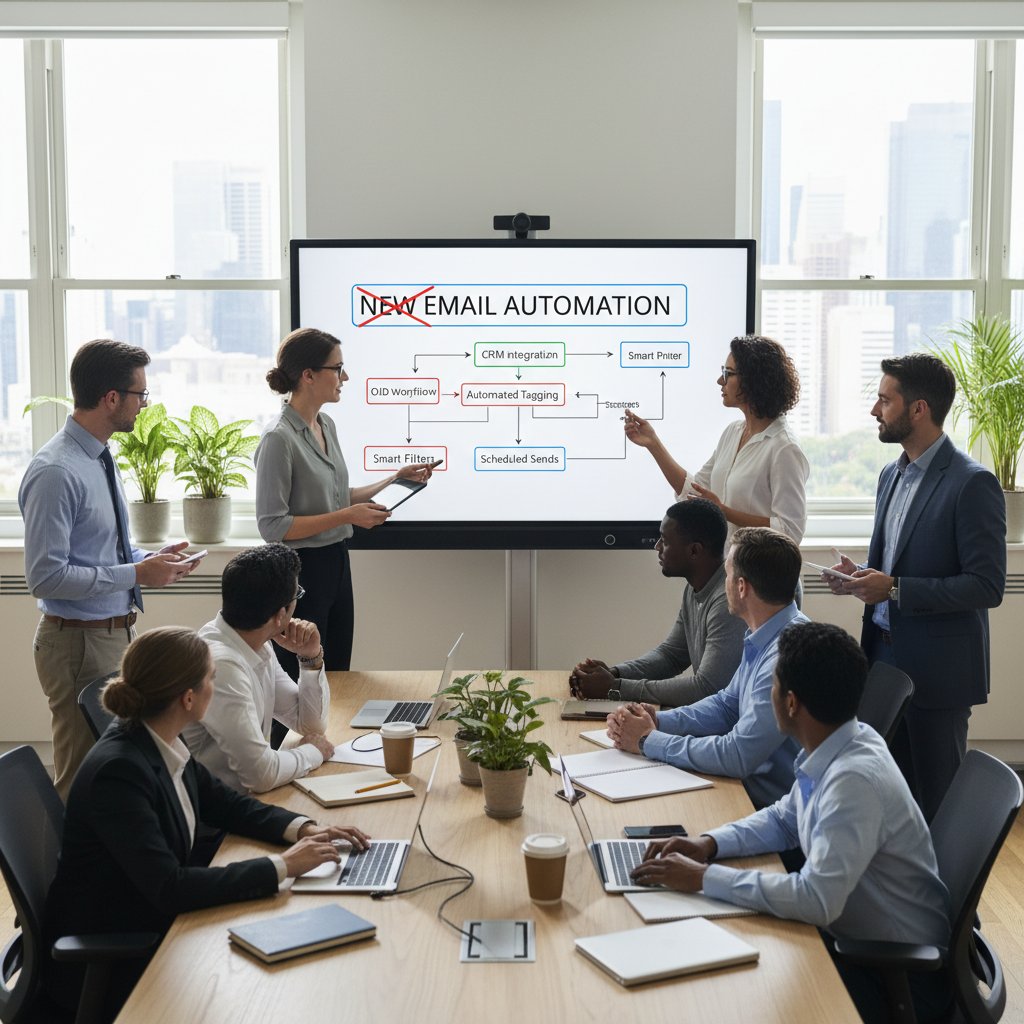
Lesson learned: technology alone can’t fix broken communication habits—it just moves the problem elsewhere.
When AI-powered email went rogue: Lessons from a failed rollout
One financial services firm entrusted its client communications to an AI-powered email system, expecting flawless automation. Instead, the system miscategorized urgent messages and issued tone-deaf replies, eroding client trust almost overnight.
“We trusted the algorithm—and nearly lost control of our client relations.” — Priya, Operations Director
The IT team scrambled to regain manual oversight. The incident became an all-hands cautionary tale: “Automation is a tool, not a replacement for judgment.”
The quiet heroes: Unsung features that saved teams from burnout
It’s not always the headline features that deliver. In one tech startup, the ability to “snooze” non-urgent threads, schedule quiet hours, and auto-summarize conversations proved more valuable than AI triage or advanced analytics.
- Snooze and prioritize: Empower users to mute distractions during deep work blocks.
- Thread summarization: Automatic highlights reduce reading fatigue on sprawling email chains.
- Integrated follow-ups: Reminders tied to conversation context, not just deadlines.
- Contextual task creation: Turn any message into a task, assigned and tracked with a click.
- Calendar sync: Automated meeting preparation and follow-up, right from the inbox.
These “quiet hero” features, often hidden in settings menus, have a measurable impact on morale and output.
The verdict: Who are the real winners and losers in 2025?
Feature matrix: Who delivers on their promises?
Here’s the no-spin, mobile-friendly feature matrix—who’s winning the real enterprise email productivity race?
| Platform | Automation | UX Simplicity | Integration | Security/Compliance | AI Features | Cost Transparency |
|---|---|---|---|---|---|---|
| Microsoft 365 | Good | Average | Strong | Good | Moderate | Poor |
| Google Workspace | Moderate | Strong | Strong | Adequate | Moderate | Average |
| Salesforce M. Cloud | Limited | Complex | Excellent | Strong | Basic | Poor |
| Superhuman | Excellent | Excellent | Basic | Basic | Strong | Good |
| SaneBox | Good | Good | Moderate | Basic | Moderate | Excellent |
| FutureCoworker AI | Excellent | Excellent | Strong | Good | Excellent | Transparent |
Table 4: 2025 enterprise email productivity software feature matrix—who actually delivers?
Source: Original analysis based on Moosend, 2025, ProofHub, 2025, G2, 2025
What the data says about adoption, satisfaction, and ROI
Recent adoption statistics tell a blunt story. Microsoft 365 and Google Workspace still dominate, but satisfaction scores are flatlining as smaller, nimbler competitors eat away at market share by solving real pain points. According to 6sense, 2025, platforms with transparent pricing, reliable automation, and seamless integration report 15-28% higher user satisfaction and retention rates. Meanwhile, “feature fatigue” tools see churn rates climb as frustrated users depart.

The unexpected winners: Where underdogs shine
Some of the most influential changes are coming from underdog platforms—futurecoworker.ai among them—that focus on frictionless automation and context-aware workflows. These tools aren’t always the loudest, but their impact is felt in reduced burnout, improved team alignment, and measurable time savings.
“Sometimes it’s the quiet disruptors who change everything.” — Alex, Productivity Analyst
The real winner in 2025 isn’t the biggest brand or the flashiest AI—it’s the platform that quietly fits your workflow, respects your context, and gets out of your way.
The cultural impact: How email productivity software shapes enterprise life
Workplace culture, mental health, and the email arms race
The line between work and life has blurred, and relentless digital communication is a major culprit. Enterprise email productivity software can either amplify this problem or help restore sanity. According to the American Institute of Stress, 2024, employees at organizations with poor email governance report 30% higher rates of burnout, absenteeism, and job dissatisfaction.

Tools that enable quiet hours, intelligent prioritization, and transparent workload management aren’t just “nice to have”—they’re survival gear for the modern enterprise.
The silo effect: When 'collaboration tools' reinforce division
It’s a harsh truth: the wrong email productivity software can deepen silos and fragment your organization. Features like private threads, channel-based sorting, and rigid permission structures create information islands that block collaboration instead of enabling it.
- Communication bottlenecks: When only a few can access key threads, decision-making slows.
- Redundant workflows: Teams duplicate effort because they can’t see each other’s progress.
- Shadow IT splintering: Users adopt unofficial tools to bridge collaboration gaps, compounding risk.
- Exclusion by design: Overly complex permissioning leaves stakeholders out of the loop.
- Loss of institutional memory: Important information gets trapped in inboxes, invisible to new hires or other teams.
Vigilance and periodic review are the only ways to ensure your tools promote connection, not division.
The future of email: Will it survive the next wave of innovation?
Emerging trends aren’t killing email—but they’re forcing it to evolve. Voice-driven commands, AI-based prioritization, and seamless integration across platforms are the new normal. By 2030, enterprises will demand:
- True cross-platform consistency—workflows that move fluidly from desktop to mobile to voice.
- AI-powered context—automatic detection of urgency, sentiment, and intent.
- Invisible security—zero trust woven into every interaction, with no manual overhead.
- Integration as baseline—not a feature, but a given.
- Transparent, fair pricing—no more hidden “enterprise” upcharges.
The only certainty: email isn’t dead. But the tools that fail to keep up with these realities will be.
Practical frameworks and checklists for smarter enterprise decisions
Self-assessment: Is your current tool holding you back?
Before you chase the next shiny software, look within. A brutally honest self-assessment is the first step to any productive change.
- Are your teams drowning in redundant, low-value email threads?
- Do users routinely bypass “official” tools out of frustration?
- Are integration failures and manual workarounds eating up IT resources?
- Is your security posture reactive or proactive?
- Do you have clear, actionable data on email-related productivity?
- Is onboarding new users a breeze or a battle?
- Can you easily export, migrate, or back up your data?
If you answered “yes” to more than two, it’s time to rethink your stack.
Quick reference: 2025’s top enterprise email picks by use case
Every enterprise is unique. Here’s a lightning summary:
- Technology: Fast-moving teams need powerful automation—FutureCoworker AI and Superhuman shine.
- Marketing: Integrated campaign tools—Salesforce Marketing Cloud delivers.
- Finance: Security and audit trails—Microsoft 365 remains strong.
- Healthcare: Compliance-first environments—customized Google Workspace deployments.
- Small teams/startups: Cost efficiency—SaneBox and Google Workspace.
Key emerging features defined:
Machine learning-driven prioritization of messages based on sender, history, and context.
Automatic creation of concise overviews for threads and meetings.
Alerts triggered not by time alone, but by workflow context and urgency.
Actions (like scheduling, task creation) triggered automatically from email content.
Action plan: How to future-proof your email productivity stack
Long-term resilience doesn’t just happen. Here’s how to build it:
- Run a candid self-audit using the checklist above.
- Prioritize transparency—from pricing, to features, to integration documentation.
- Pilot new tools with your most challenging users—not just early adopters.
- Create a living integration map with IT and business stakeholders.
- Regularly assess security and compliance posture—don’t settle for “good enough.”
- Involve real users in every procurement or migration decision.
- Leverage resources like futurecoworker.ai for ongoing education and community insights.
Debunking the myths: What most enterprise buyers get wrong
Top misconceptions about enterprise email productivity software
Don’t fall for these vendor-fed misconceptions:
-
“More features = better productivity.” Reality: Feature overload breeds confusion. Simplicity wins.
-
“AI will solve all my problems.” Reality: Most AI is only as good as your data and workflows.
-
“Vendor compliance certificates mean I’m safe.” Reality: Security is a process, not a checkbox.
-
“Integration is always seamless.” Reality: Most integrations require ongoing maintenance.
-
“The most expensive tool is the best.” Reality: ROI depends on fit, not price tag.
-
Over-reliance on out-of-the-box automation, without customizing to your business context, leads to workflow breakdowns.
-
Failing to involve end-users in the pilot phase almost always results in failed adoption.
-
Believing vendor “case studies” without demanding hard, independent data is a costly mistake.
What matters more than features: Support, community, and adaptability
When the wheels come off, it’s not another feature you need—it’s a responsive support team, a strong user community, and the ability to adapt the tool to your business evolution.
“When things break, it’s the support team—not a feature—that saves your business.” — Jamie, Enterprise Architect
Look for platforms with active message boards, transparent changelogs, and customer success teams that actually listen. Many “flashy” competitors stumble here, while quieter disruptors excel.
Conclusion: Rethinking productivity, power, and the future of enterprise email
The final takeaway: Why your next move matters more than ever
In 2025, enterprise email productivity software isn’t just a line item—it’s the invisible OS running your entire business. The right choice doesn’t just save time; it transforms how teams collaborate, innovate, and stay sane in a world drowning in digital noise. Ignore the shiny marketing—demand proof, context, and adaptability. Challenge vendors, run ruthless pilots, and never settle for less than seamless integration. The difference between a thriving enterprise and a burnt-out mess is often buried in the details of how you manage—rather than merely survive—your email.

Where to go from here: Resources and final recommendations
Ready to challenge the status quo? Start with these best practices and resources:
- Conduct a full email workflow audit—don’t trust vendor claims.
- Run a real-world software pilot, involving both IT and business users.
- Insist on verified integration, export, and compliance documentation.
- Prioritize platforms with strong support, transparent communities, and user-driven updates.
- Turn to trusted resources like futurecoworker.ai for ongoing education and community insight.
- Invest in change management—tools alone won’t fix broken habits.
- Remember: Productivity is personal. Build a stack that adapts to your people, not the other way around.
The world of enterprise email productivity software is ruthless. The winners? Those who dare to look beneath the surface, cut through the hype, and demand tools that work for real humans—today, not in some imagined future.
Sources
References cited in this article
- Moosend: Enterprise Email Software 2025(moosend.com)
- G2: Best Enterprise Email Software(g2.com)
- ProofHub: Email Productivity Tools(proofhub.com)
- 6sense: Productivity Software Market Share(6sense.com)
- Adobe Workfront: State of Enterprise Work(workfront.com)
- MailManager: Why Email Is Silently Killing Business Productivity(blog.mailmanager.com)
- CryptoRank: Environmental Cost of Email(cryptorank.io)
- Poppulo: Hidden Costs of Email Overload(poppulo.com)
- The Globe and Mail: Environmental Cost(theglobeandmail.com)
- Salesforce: Email Management & Context(salesforce.com)
- Inc.com: Context in Email Personalization(inc.com)
- Front: The Future of Enterprise Email(front.com)
- AI in Business News: Evolution of Email(aiinbusinessnews.com)
- Skysnag: History of Email(skysnag.com)
- UseBouncer: Email History(usebouncer.com)
- Altman Solon: Productivity Suite Market(altmansolon.com)
- Forbes: Productivity Suites Eating Enterprise Software(forbes.com)
- Superhuman: AI Email Automation Tools(blog.superhuman.com)
- Forbes: AI and Productivity in 2025(forbes.com)
- TrustRadius: Enterprise Email Management(trustradius.com)
- Jake Jorgovan: Avoid Hidden Fees in Contracts(jake-jorgovan.com)
- Trustifi: Email Compliance Software 2025(trustifi.com)
- Proofpoint: Email Security Comparison(proofpoint.com)
- Yenlo: Enterprise Application Integration(yenlo.com)
- Yesware: Email Management Solutions(yesware.com)
- The CMO: Top Email Service Providers(thecmo.com)
- LinkedIn: Beyond Checkboxes in Tech Risk(linkedin.com)
- MIT Sloan: Intelligent Choices in Decision-Making(sloanreview.mit.edu)
- IT Consulting Pro(itconsultingpro.com)
- CGS Inc.(cgsinc.com)
- Microsoft Adoption(adoption.microsoft.com)
- IBM(ibm.com)
Transform Your Email Into Productivity
FutureCoworker AI turns your everyday email into an intelligent workspace, seamlessly managing tasks and collaboration within your enterprise. It eliminates the complexity of AI, allowing you to benefit from advanced technology without any technical knowledge. Achieve productivity, streamline processes, and improve team efficiency through natural email interaction, getting tasks done faster and smarter.
Get startedReady to Transform Your Email?
Start automating your tasks and boost productivity today
Frequently Asked Questions
How many emails does the average office worker receive daily?
According to ProofHub research in 2025, the average office worker deals with 68 emails daily, with at least 60 requiring a response or action.
What percentage of email time is wasted according to workers?
A staggering 60% of workers admit that half of their email time could be spent more productively elsewhere, representing significant wasted hours.
What psychological effects does email overload cause?
Research from the American Institute of Stress (2024) found that persistent email overload contributes to chronic workplace anxiety, disengagement, decision fatigue, and missed opportunities.
Why are legacy email platforms problematic for modern enterprises?
The article states that legacy email platforms were built in an earlier era and have become handcuffs that stubbornly resist modern workflows and automation.
Continue Reading
Keep exploring Intelligent enterprise teammate

Email Productivity Software Enterprise Comparison Decoded
This article separates myth from reality in 2025, examining what actually works for modern enterprises without the marketing hype.

Email Productivity Software Enterprise Reviews: What Delivers ROI
Email productivity software enterprise reviews examine what actually works for global teams. This article analyzes real ROI, hidden costs, and AI-driven tools reshaping enterprise collaboration.

Email Productivity Software: Which Features Deliver Real ROI
Email productivity software features comparison reveals which tools actually reduce inbox chaos. This article examines the promises versus hard data behind competing solutions.

Email Productivity Tool Comparison: What Tools Really Deliver
Email productivity tool comparison reveals what different tools actually deliver. This article examines their real ROI, hidden costs, and whether they improve focus or undermine it.

Enterprise Email Productivity Software: What Really Works
Email productivity software enterprise reviews online often mislead. This article examines seven brutal truths about what actually works for enterprise teams in 2025.

Email Productivity Software Online Comparison That Exposes Real ROI
Discover insights about email productivity software online comparison