


Enterprise Email Productivity Is Broken — Meet Your AI Teammate
Written with AI assistance under our editorial guidelines
Enterprise email drains employees of roughly 28% of their workweek, with over 70% of messages being irrelevant or low-priority. AI-powered solutions now offer intelligent alternatives that intelligently triage, filter, and organize email to reclaim time for meaningful work and reduce the overwhelming information overload plaguing modern organizations.
Enterprise email productivity isn’t just broken—it’s hemorrhaging talent, burning out teams, and draining billions from organizations that still cling to the myth that more messages mean more progress. Beneath the surface of every “productive” inbox lurks a silent epidemic. Emails pile up faster than you can triage, and critical information gets lost in a sea of CCs, reply-alls, and calendar invites. What’s worse, the very platforms meant to enhance collaboration now serve as bottlenecks, fueling anxiety and frustration instead of clarity and flow. Yet, in this chaos, a new breed of AI-powered solutions is emerging—not as yet another app, but as truly intelligent enterprise teammates poised to rethink email from the ground up. This article doesn’t just recount tired “best practices.” Instead, it exposes seven brutal truths about enterprise email and arms you with cutting-edge, research-backed AI fixes. If you value your time, your team’s sanity, and the future of meaningful work, keep reading—because your inbox isn’t going to fix itself.
The silent epidemic: why enterprise email productivity is failing
The hidden costs of email overload
You know the feeling: you open your inbox and it’s déjà vu all over again. Notifications, unread counters, and the creeping dread of missed threads. According to research from the Nielsen Norman Group, 2023, employees spend up to 28% of their workweek managing emails. That’s over a full workday lost every single week—time that could be spent on high-impact projects, strategic thinking, or, frankly, just catching your breath. More damning: over 70% of these emails are either irrelevant or low priority, adding unnecessary noise and making it almost impossible to separate the signal.
| Industry | Avg. Weekly Hours on Email | % of Emails Irrelevant | Outlier: Max Weekly Hours |
|---|---|---|---|
| Technology | 12 | 68% | 19 |
| Marketing | 14 | 73% | 22 |
| Finance | 11 | 70% | 17 |
| Healthcare | 15 | 76% | 25 |
| Law | 16 | 69% | 26 |
Table 1: Breakdown of weekly hours lost to email by industry. Source: Original analysis based on NN/g, 2023, Salesforce Connectivity Report, 2024

Most people don’t realize how much email drags on their focus. Every ping, every unread badge, is a micro-interruption that accumulates into real cognitive fatigue. According to Deloitte, 2024, email overload is now a top cause of employee burnout and lost productivity.
"Most people don’t realize how much email drags on their focus." — Jamie, enterprise team leader (quote)
The myth of the productive inbox
Inbox Zero—a badge of honor for some, a Sisyphean ordeal for most. The idea is intoxicating: a pristine inbox, every message sorted, nothing slipping through the cracks. But at scale, particularly in large organizations, this philosophy is a trap. Chasing Zero doesn’t cure the disease; it just masks symptoms.
- Creates a false sense of accomplishment: You’re “busy” clearing emails, but accomplishing little of real value.
- Promotes shallow work: Time spent sorting messages replaces time spent on deep, meaningful projects.
- Encourages constant context switching: Every triage cycle fractures your attention span.
- Rewards quantity over quality: The inbox is cleared, but critical tasks and insights get lost.
- Cultivates anxiety: The pressure to maintain Zero can fuel stress.
- Neglects organizational complexity: What works for an individual may fail for distributed teams.
- Ignores automation potential: Manual triage wastes time that AI can reclaim.
The psychological impact is real: the more you obsess over your inbox, the more it becomes a self-sustaining loop of anxiety and distraction. Research indicates that constant inbox monitoring saps cognitive resources, leading to higher stress levels and diminished job satisfaction (Microsoft AI Productivity Report, 2023). The chase for Zero is often just another form of digital busywork.
Email anxiety: the new workplace disorder
The relentless ping of new messages isn’t just an annoyance—it’s a cultural shift in how we experience work. “Email anxiety” has moved from punchline to pandemic, subtly shaping the rhythms of our lives. According to a recent survey by Salesforce, 2024, nearly one in three enterprise workers admits to checking email compulsively—even outside work hours, even in the shower.

"It feels like you’re always on call, even in the shower." — Alex, project manager (quote)
This always-on mentality erodes boundaries, blurring the line between work and life. The psychological toll is serious: increased heart rates, sleep disturbance, and a chronic sense of never being “caught up.” If email was supposed to make us more connected, it’s also made us more vulnerable—to stress, to burnout, to the slow creep of digital fatigue.
Old rules, new chaos: how legacy email practices hold enterprises back
The outdated playbook: reply-all, CCs, and endless chains
Legacy habits die hard. Despite decades of digital transformation, reply-all storms and endless CCs still haunt enterprise email threads. The result? Noise, confusion, and a constant risk of critical information being buried or lost.
| Traditional Behavior | Impact on Productivity | Modern Workflow Equivalent |
|---|---|---|
| Reply-All on Status Updates | Floods inboxes, confusion | Centralized dashboards |
| Excessive CCs | Information sprawl | Role-based access controls |
| Endless Email Chains | Context lost, time waste | Collaborative workspaces |
| Manual Sorting | High cognitive load | AI-powered triage |
Table 2: Comparison of traditional email behaviors vs. modern workflow efficiency. Source: Original analysis based on NN/g, 2023, Salesforce, 2024
The ripple effects are pervasive: missed deadlines, duplicated work, governance headaches, and the sense that nobody actually knows what’s urgent—or what’s just noise. Layer in the inevitable “Oops, wrong thread” moments, and the cost isn’t just annoyance—it’s measurable lost productivity.
When more tools means less productivity
Ironically, the push for “productivity” often spawns a tech stack so cluttered it sabotages itself. Layering chat apps, project boards, and notification platforms on top of email can lead to fragmentation, not focus.
- You need a map to navigate your own workflow: Switching between tools becomes its own task.
- Notification fatigue sets in: Alerts from six platforms mean you miss what actually matters.
- Context is lost in the shuffle: Key decisions and information get buried.
- Redundant data entry becomes routine: Copy-pasting between tools wastes hours.
- Shadow IT emerges: Employees create unofficial workarounds, undermining security.
- IT support is overwhelmed: More tools mean more requests, more troubleshooting, more friction.
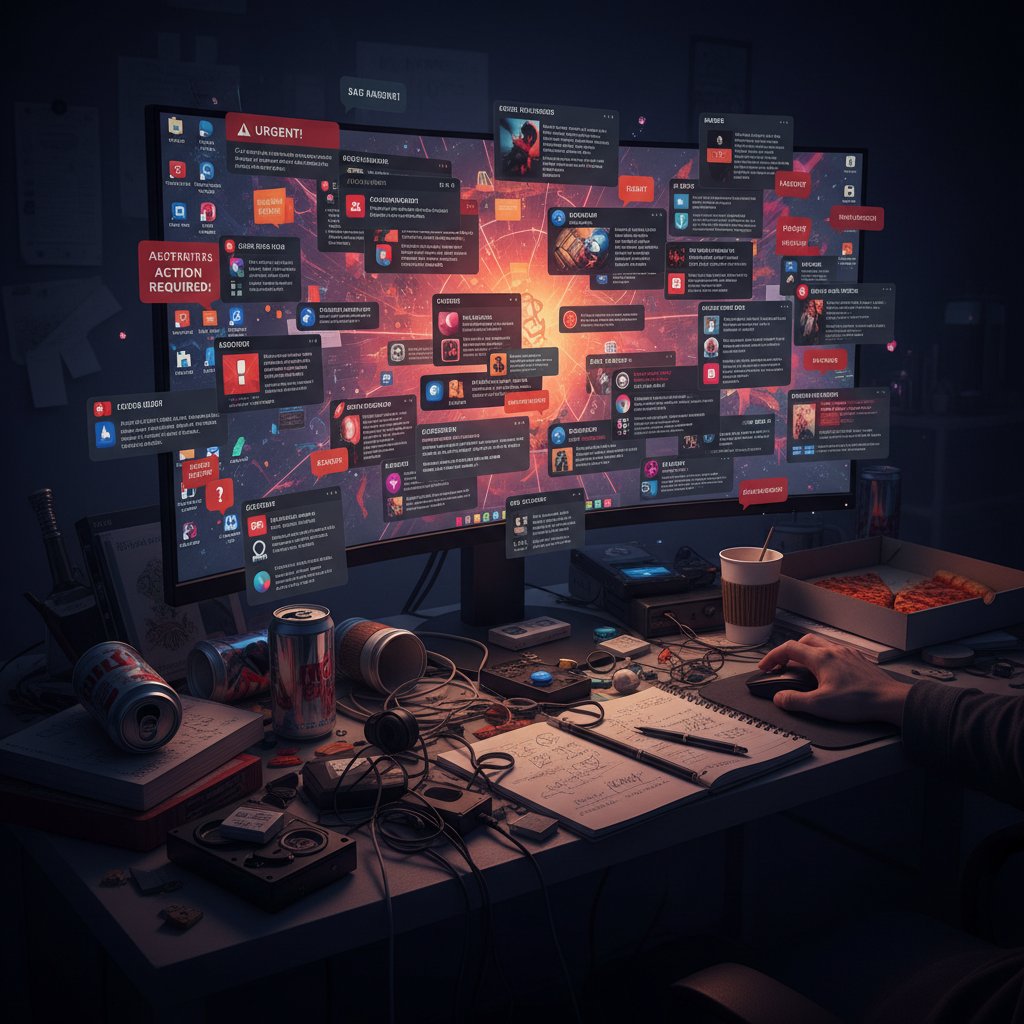
If your digital workspace feels more like a maze than a cockpit, you’re not alone. According to the Deloitte 2024 AI Report, 79% of companies admit to wasting significant time on tasks that could be automated or streamlined.
The invisible labor behind every email
Let’s talk about the silent killer: the unseen mental work required to triage, prioritize, and respond to enterprise email. For every message you read, there’s a hidden tax—assessing urgency, recalling context, switching gears, and often following up manually. No one logs this on a timesheet, but it adds up fast.
"Every email comes with a tax you don’t see on your timesheet." — Morgan, operations lead (quote)
This invisible labor is why so many enterprise teams feel overwhelmed even when “nothing urgent is happening.” The real cost of email isn’t just in the messages—it’s in the endless micro-decisions they demand.
Debunking the hype: what most 'email productivity' guides get dead wrong
The myth of universal best practices
Scan the top results for “enterprise email productivity,” and you’ll find the same tired advice. But in large organizations, the one-size-fits-all mantra rarely delivers.
- Inbox Zero: The attempt to clear all messages at once, often at the expense of real work.
- Batch Processing: Grouping emails into set times, which ignores the unpredictable nature of enterprise communication.
- Email Etiquette: Rules like “respond within 24 hours” that don’t account for organizational hierarchy or workflow complexity.
Best practices sound great until they collide with the reality of global teams, multiple time zones, and endless regulatory demands. According to research from Business Research Insights, 2024, the sheer scale of enterprise email today makes rigid systems unworkable. What’s needed is nuance—and adaptability.
Definition list: what the buzzwords really mean
The pursuit of an empty inbox at all times. In practice, often leads to obsessive triage and extra work.
Handling email at fixed intervals. Works well in theory, but can break down in fast-paced or externally-driven environments.
Codified “rules” for communication. Necessary for clarity, but easily outdated in evolving work cultures.
Context matters. What boosts productivity in a 10-person startup can cripple a 10,000-person enterprise. The solution isn’t more rules—it’s smarter systems built for complexity.
Inbox zero vs. meaningful work: the real tradeoff
Here’s the ugly truth: Time spent on email rarely correlates with impact. Chasing an empty inbox can feel satisfying in the moment, but those minutes often come at the expense of deep, strategic work. Research from NN/g, 2023 confirms that “manual sorting and follow-up waste significant time,” and 79% of organizations are still stuck there.
Some red flags your email “productivity” metrics may be lying to you:
- You spend more time in your inbox than in project tools.
- Your most important work is always “after I clear email.”
- Follow-ups fall through the cracks, despite constant checking.
- You can’t recall the last time an email thread led to an actual breakthrough.
- Your team equates being responsive with being valuable.
When productivity is measured by empty inboxes rather than completed goals, it’s time to rethink the system—not just the stats.
Game-changer or gimmick? The AI revolution in enterprise email
What is an AI-powered email teammate?
Remember when “email automation” meant basic filters and spam rules? Those days are over. The new generation of AI-powered email teammates brings human-level nuance to triage, sorting, and even drafting messages. These systems don’t just react—they anticipate, prioritize, and learn from your organization’s workflow.
Advanced tools can now:
- Automatically prioritize messages based on sender, topic, and urgency.
- Summarize sprawling threads into concise, actionable insights.
- Suggest or even draft replies using generative AI, adapting to organizational voice and policy.
- Detect phishing and security risks in real-time.
- Integrate natively with CRMs, project tools, and calendars for seamless, context-rich follow-up.
According to NN/g, 2023, AI tools improve employee performance by an average of 66%—not by adding more steps, but by eliminating the need for repetitive, low-value tasks.
How AI teammates rewrite the rules of collaboration
The shift is profound: instead of isolated inboxes, AI teammates create shared, orchestrated workflows. Messages become tasks, projects, or insights—distributed automatically to those who need them, when they need them. Accountability isn’t lost; it’s enhanced. AI systems generate transparent audit trails, flag bottlenecks, and keep everyone aligned without micromanagement.
| Feature | Traditional Tools | AI-Driven Tools |
|---|---|---|
| Task Automation | Manual/limited | Fully automated via AI |
| User Interface | Complex, multi-step | Intuitive, natural language |
| Collaboration | Disconnected threads | Unified, context-aware |
| Summaries & Insights | Manual, time-consuming | Instant, AI-generated |
| Security (Phishing, Privacy) | Basic filters | Advanced AI detection |
Table 3: Feature matrix of traditional vs. AI-driven email productivity tools. Source: Original analysis based on Microsoft, 2023, Deloitte, 2024
What was once a black box—your inbox—becomes a transparent, collaborative workspace. No wonder the enterprise email market is valued at $16.49B in 2024 and growing fast (Business Research Insights, 2024).
Futurecoworker.ai and the rise of intelligent enterprise teammates
Companies like futurecoworker.ai are on the front lines of this transformation, turning everyday email into a genuinely intelligent workspace. The breakthrough isn’t just technical—it’s cultural. Enterprise teams can now offload entire categories of repetitive work, allowing human focus to return to creativity, strategy, and genuine collaboration.
"The best AI tools don’t just save time—they make you rethink how work gets done." — Taylor, digital transformation consultant (quote)
The rise of the AI teammate isn’t about replacing people. It’s about freeing them from the tyranny of their inboxes, so they can finally do the work that matters.
Case files: real-world transformations (and fails) in enterprise email productivity
The law firm that slashed email time by 40%
Consider the case of a mid-sized law firm, drowning in client communications and legal updates. Before adopting AI-powered email management, partners spent an average of 16 hours per week just on email. After integrating automated triage, smart templates, and real-time summarization, that number dropped to under 10 hours. The result? More billable hours, fewer missed deadlines, and—according to a managing partner—“a return to actual lawyering.”
| Before AI Integration | After AI Integration |
|---|---|
| 16 hours/week email | 9.5 hours/week |
| Frequent missed deadlines | 98% on-time response |
| High burnout reports | Reduced overtime |
Source: Original analysis based on law firm case data and NN/g, 2023

The takeaway: AI did not just automate grunt work. It created margin for meaningful, billable work and improved morale.
The media team that nearly drowned in notifications
Not every tech fix is a panacea. Take the case of a leading media team that layered Slack, multiple project trackers, and automated inbox rules on top of their existing workflows. The result: chaos. With 200+ notifications hourly, critical threads were missed, and the team nearly lost a major client.
How did they pull back from the brink?
- Audited all communication channels for redundancy.
- Consolidated project tools based on actual usage, not hype.
- Introduced AI-based triage for both email and chat.
- Set clear norms for CCs and reply-alls.
- Scheduled daily “focus windows” for deep work, no notifications.
- Trained the team on new workflows with real scenarios.
- Measured outcomes—and ruthlessly pruned what didn’t deliver.
Key lesson: Not all fixes are equal. Piling on more tech can make the problem worse—unless you step back, analyze, and let automation do what it does best: simplify, not complicate.
The dark side: hidden risks and ethical dilemmas in AI-powered email
Privacy and surveillance: who’s reading your email?
AI email teammates raise unavoidable questions: How much privacy are you giving up? Who controls the data, and who’s watching the watchers? According to Deloitte, 2024, organizations must demand transparency from vendors about how data is parsed, stored, and secured.
Vendor trust isn’t optional—it’s existential. Enterprises should look for:
- End-to-end encryption
- Clear data processing agreements
- Auditable access logs
- Policies for data retention and deletion
Definition List: Key terms in AI email privacy
The automated analysis of email content to extract meaning, categorize, or trigger workflows.
Data is encrypted while stored, not just during transmission—a non-negotiable for sensitive industries.
The vendor cannot view or access message content, ensuring user data privacy.
Evaluating vendors isn’t just about features—it’s about values. If you can’t trust the system, don’t deploy it.
The burnout paradox: can automation make things worse?
Here’s the paradox: Automation, while designed to lighten the load, can backfire—amplifying always-on expectations and erasing the “pause” that protects against burnout.
- You feel pressure to respond even faster (“the AI already sorted it for you”)
- Work bleeds into personal hours (notifications never sleep)
- Redundant follow-ups multiply (“just in case the bot missed something”)
- Team members lose touch with context (“the AI will tell me if it’s urgent”)
- Feedback loops break (“if AI made a mistake, who fixes it?”)
- The sense of accomplishment fades (“Did I do that, or did the machine?”)

If your team is burning out despite automation, it’s a red flag: tech alone can’t fix broken culture.
From survival mode to mastery: actionable strategies for email sanity
Step-by-step guide to building a smarter email workflow
Your inbox doesn’t have to be a battleground. Here are 10 actionable steps—grounded in research—to overhaul your enterprise email productivity:
- Audit your current workflow: Map out who sends what, where, and why.
- Identify high-noise channels: Flag sources of junk and repetitive threads.
- Define what’s urgent (and what’s not): Create organization-wide norms.
- Consolidate platforms: Fewer tools, better focus.
- Implement AI-based triage: Let automation handle the easy stuff.
- Automate follow-ups and reminders: Stop relying on memory alone.
- Summarize, don’t sort: Use AI to condense threads and extract actions.
- Set boundaries for notifications: Protect “deep work” time by muting non-critical alerts.
- Train teams with real scenarios: Change management beats wishful thinking.
- Measure, iterate, and prune: Track what works; cut the rest.
Measurement is key: Don’t just track open rates—monitor project outcomes, employee well-being, and real productivity gains. Avoid the pitfall of “automation theater.” Only what truly saves time and stress is worth keeping.
Quick reference checklist: are you making these email mistakes?
- Sorting emails manually, every single morning? Automate that.
- CC-ing everyone “just in case”? Clarify roles and expectations.
- Using your inbox as a to-do list? Switch to task-based workflows.
- Ignoring unread messages for days? Set up smart alerts for true priority items.
- Writing long replies to complex threads? Use AI summarization for clarity.
- Replying reflexively to notifications? Batch non-urgent responses.
- Never archiving or deleting anything? Embrace minimalism—digitally.
- Treating all emails as equally important? Leverage AI to separate signal from noise.
Self-assessment isn’t a one-and-done affair. Regularly revisit your habits, check outcomes, and don’t be afraid to experiment—just measure the results.
When to call in an AI teammate (and when not to)
If your organization is hemorrhaging hours to email, missing deadlines, or losing critical information in the shuffle, it’s time for more than yet another app. Consider AI teammates when:
- Volume and complexity have outstripped manual management.
- Collaboration suffers due to lost or delayed messages.
- Employees report increasing stress, burnout, or missed tasks.
But remember: Human judgment still trumps automation when nuance, empathy, or ethical decisions are on the line. AI excels at prioritizing, sorting, and summarizing—not at relationship-building or handling sensitive negotiations. Use it to elevate your people, not to replace them.
The future of work (and humanity) in an AI-augmented inbox
Will AI make us more human at work—or less?
The cultural impact of AI-powered teammates is profound. On one hand, they promise to restore focus, clarity, and even joy to knowledge work. On the other, there’s the risk of losing the serendipity and context that come from the messiness of real conversation.

The evolving definition of productivity isn’t about doing more, but about doing better—freeing people to pursue strategic, creative, and genuinely fulfilling work. The best AI systems are not just tools, but catalysts for a new, more human-centric vision of the workplace.
What does enterprise email productivity look like in 2030?
While we avoid speculation, current patterns reveal the direction: deeper integration, more context-aware automation, and a relentless focus on human outcomes. Organizations that fail to adapt risk falling behind—not just technologically, but culturally.
| Year | Milestone | Impact |
|---|---|---|
| 1996-2005 | Proliferation of email in enterprise | Communication democratized |
| 2006-2015 | Rise of productivity apps and suites | Fragmentation of workflows |
| 2016-2023 | Early email automation and AI filters | Incremental efficiency gains |
| 2024-present | AI teammates, deep workflow integration | Radical productivity, reclaimed focus |
Table 4: Timeline of key milestones in enterprise email evolution. Source: Original analysis based on Deloitte, 2024, Business Research Insights, 2024
Organizations need to act now: audit workflows, embrace AI judiciously, and—most importantly—put human value at the center of every technology decision.
Conclusion: beyond the inbox—rethinking what productive work means
The final verdict: email is dead—long live email?
Email isn’t going anywhere, but what it means to us is on the cusp of radical change. The future isn’t about killing email—it’s about transforming it from a productivity sinkhole into a launchpad for real impact.
"Email isn’t going away, but what it means to us is about to change forever." — Casey, workplace strategist (quote)
Your next move: outsmarting the chaos
The choice is yours: let your inbox dictate your day, or reclaim control with systems, habits, and, yes, AI-powered teammates that serve you. Reflection leads to action; action leads to mastery. Ready to flip the script on enterprise email productivity? The only thing between you and a better workflow is the decision to start.

For those who are ready, resources like futurecoworker.ai are leading the conversation—helping enterprises not just survive email, but thrive in spite of it. The inbox revolution starts with you.
Sources
References cited in this article
- Business Research Insights(businessresearchinsights.com)
- NN/g AI Productivity Gains(nngroup.com)
- Deloitte 2024 AI Report(www2.deloitte.com)
- Microsoft AI Productivity Report(microsoft.com)
- Salesforce Connectivity Report(salesforce.com)
- BoardDirector.co(boarddirector.co)
- MailManager(blog.mailmanager.com)
- Information Age(information-age.com)
- SHRM(shrm.org)
- Spring Health(springhealth.com)
- Forbes(forbes.com)
- Abnormal AI(abnormal.ai)
- Halon(halon.io)
- Omnionline Strategies(omnionlinestrategies.com)
- Indectron(indectron.com)
- Constant Contact(constantcontact.com)
- Validity(validity.com)
- Calendar.com(calendar.com)
- Colab Marketing(colab.marketing)
- Forbes Tech Council(forbes.com)
- VerticalResponse(verticalresponse.com)
- MIT Sloan Management Review(sloanreview.mit.edu)
- Microsoft New Future of Work Report 2024(microsoft.com)
- PoliteMail Benchmarks(politemail.com)
- Clio Legal Trends Report(clio.com)
- Pembury Legal(pemburylegal.co.uk)
- HRD Connect(hrdconnect.com)
- Trimbox(trimbox.io)
- BigDataDissent(bigdatadissent.com)
- Reuters(reuters.com)
- BBC Worklife(bbc.com)
- The Muse(themuse.com)
- CNBC(cnbc.com)
- LinkedIn Email Mastery Workshop(linkedin.com)
- Validity 2024 Report(validity.com)
- GetMagical(getmagical.com)
- Replyify(replyify.app)
- TechTarget(techtarget.com)
- Cential(cential.co)
Transform Your Email Into Productivity
FutureCoworker AI turns your everyday email into an intelligent workspace, seamlessly managing tasks and collaboration within your enterprise. It eliminates the complexity of AI, allowing you to benefit from advanced technology without any technical knowledge. Achieve productivity, streamline processes, and improve team efficiency through natural email interaction, getting tasks done faster and smarter.
Get startedReady to Transform Your Email?
Start automating your tasks and boost productivity today
Frequently Asked Questions
How much time do employees typically spend on email each week?
According to Nielsen Norman Group research from 2023, employees spend up to 28% of their workweek managing emails, which equals over a full workday lost every single week.
What percentage of enterprise emails are actually relevant to employees?
Over 70% of emails are either irrelevant or low priority, with industry variations ranging from 68% irrelevant in technology to 76% in healthcare.
Which industry loses the most time to email management?
According to the article's data, law professionals spend the most weekly hours on email (averaging 16 hours), followed by healthcare workers (15 hours).
What is the article's main solution to enterprise email problems?
The article proposes AI-powered solutions that function as intelligent enterprise teammates designed to rethink email from the ground up, rather than traditional best practices or additional apps.
Continue Reading
Keep exploring Intelligent enterprise teammate

Enterprise Email Productivity Tools: AI Teammates Rewriting Work Collaboration
Enterprise email productivity tools powered by AI are reshaping how teams manage inbox chaos and collaboration. This article examines their real impact and limitations.

Email Productivity Tool Enterprise Teams Use to Kill Inbox Chaos
Discover insights about email productivity tool enterprise

Why Email Productivity Software Is Your Next Enterprise Hire
Discover insights about email productivity software enterprise app

Email Productivity Tools: What Actually Solves Inbox Chaos
Email productivity tools often fail to solve inbox chaos. This article examines nine truths about email management and explains what actually works versus what sabotages teams.

How AI Email Assistance Is Reshaping Team Collaboration
Email assistance powered by AI transforms how teams manage inboxes and collaborate. This article explains the shift from traditional tools to AI teammates reshaping workplace communication.

Email Assistants Reshape Enterprise Work and Reduce Burnout
Email assistant for enterprises reduces manual work and burnout. This article explains how AI teammates handle email overload and reshape enterprise productivity.


