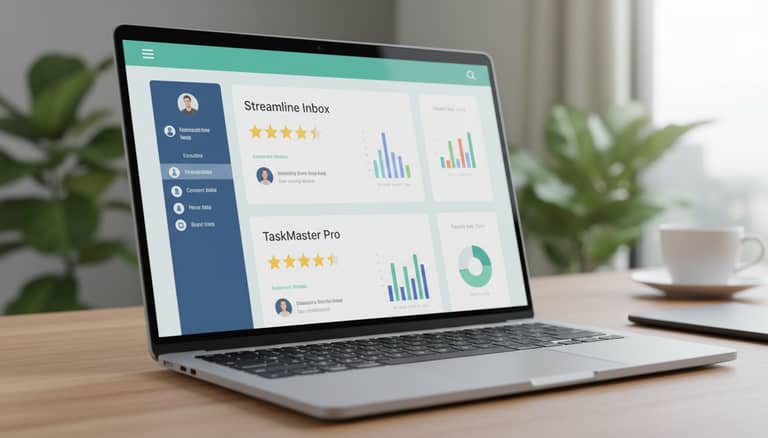
Email Task Management Software Reviews: What Actually Works and What Costs More
Written with AI assistance under our editorial guidelines
Email task management software has become essential as 4.48 billion users handle 361.1 billion daily emails, yet most reviews hide real costs behind marketing hype. This analysis exposes which tools genuinely work versus those creating new problems, revealing that nearly 70% of office workers use their inbox as a task manager, despite email never being designed for that purpose.
Inbox zero? Please. If you work in the real world, you know that email task management software reviews rarely tell the whole story. Beneath the surface of polished interfaces and slick AI promises, there are truths, half-truths, and a fair bit of chaos waiting for anyone thinking about upgrading their productivity stack. In 2025, the game is more crowded—and more consequential—than ever: with over 4.48 billion email users globally and a mind-bending 361.1 billion emails sent daily (Statista, 2024), the way you handle your digital workload isn’t just about “efficiency”—it’s a survival strategy.
The stakes are high. The battle for inbox sanity has spawned an army of tools, from the minimalist to the bloated, and AI “teammates” that promise to make email frictionless… but sometimes add new headaches. As enterprise teams, startups, and freelancers wage war on email overload, the real winners and the real costs often get buried in star ratings and marketing hype. This deep-dive exposes what actually works, what falls apart, and the unfiltered truths about email task management software—backed by real data, candid reviews, and voices from the digital frontlines. Ready for a little inbox reality check?
The rise (and mess) of email-based task management
How email became the accidental project manager
Email wasn’t born as a productivity tool. It was meant for messages—quick exchanges, a digital letter, maybe a CC to the boss for good measure. But corporate reality is stubborn. As early as the late 1990s, employees found themselves using overflowing inboxes as ad-hoc task lists: “flag for follow-up,” “mark as unread,” “forward to myself.” It was functional, messy, and almost universal. According to research from TechnologyAdvice, by 2023, nearly 70% of office workers admitted to using their inbox as a task manager at least some of the time.

Pain points weren’t hard to spot: messages lost in labyrinthine folders, vital tasks buried beneath a stack of CCs, and endless manual copying between email and to-do apps. As the volume of messages ballooned, so did the cost in missed deadlines and stress. That pressure birthed the first wave of email task management tools—plugins and add-ons that layered basic organization atop legacy email clients. But even then, the line between communication and coordination was blurry at best.
Why inbox-driven work is addictive—and dangerous
Let’s get real: email task management is addictive. The rush of clearing notifications, the micro-hit of dopamine when something’s marked “done”—these psychological hooks are hardwired into modern knowledge work. But the costs are less visible, and far more insidious.
- Constant interruptions: Frequent notifications fragment your day, making deep work nearly impossible. Recent research from G2 shows that workers who check email every 6 minutes lose up to 28% of productive time.
- Never-ending to-do list: The inbox perpetually fills, giving a false sense of progress as you churn through tasks that never end.
- Context-switching fatigue: Switching between emails, apps, and actual work generates cognitive drag, increasing stress and risk of mistakes.
- Fear of missing out (FOMO): The pressure to respond quickly to every message fuels anxiety and reactive work habits.
- Lost priorities: Urgent requests often displace important long-term projects, distorting your actual goals.
- Inefficient collaboration: Email was never designed for real-time team coordination, leading to missed handoffs and duplicated effort.
- Decision fatigue: The constant triage of messages and tasks wears down mental resilience, contributing to burnout.
Context-switching is the silent killer here. The more your brain leaps between email and actual work, the more exhausted—and less productive—you become. According to a recent TechnologyAdvice survey, teams relying on inbox-driven workflows report 32% higher burnout rates than those with separate, intentional task management systems.
The evolution: from folders to AI-powered teammates
Folders and flags couldn’t keep up. By the early 2020s, the tidal wave of messages forced a paradigm shift: plugins, browser extensions, and, eventually, full-blown AI-powered assistants entered the ring. Platforms like futurecoworker.ai, ClickUp’s email integration, and Zoho’s intelligent workflows started promising not just organization, but actual decision-making support: automatic task extraction, delegated assignments, and real-time insights—all nestled inside your inbox.

Post-2022, AI became less about buzzwords and more about survival. Suddenly, teams weren’t just sorting email—they were collaborating, automating, and analyzing patterns straight from their inbox. Yet, for every workflow revolution, there was an equal measure of skepticism: could AI really “get” your priorities? Or was it just another layer of noise in an already crowded tech landscape?
Exposing the myths: what email task management software can’t fix
Myth #1: More features mean more productivity
It’s a classic trap. New tools roll out with ever-expanding feature lists: Gantt charts, AI summaries, integration galore. Yet, research from G2 and user reviews consistently reveal a hard truth—complexity often backfires. According to Hostever’s 2024 review roundup, teams that switched to feature-heavy platforms spent 18% more time on setup and onboarding, and only 7% reported a net productivity boost.
"Sometimes less is more—complexity kills productivity." — Jenna, digital workplace consultant
Over-engineered solutions rarely solve the chaos at the root. When every click, tag, and automated workflow becomes one more thing to manage, the supposed “productivity” gain dissolves into time spent configuring, resisting, or simply ignoring the software.
Myth #2: One tool fits all teams
Culture eats software for breakfast. What works for a fast-moving startup can suffocate a legacy enterprise or frustrate a fully remote team. The same tool that delights a developer can drive a marketer up the wall. Here’s how team type shapes suitability:
| Team Type | Best Fit Tools | Potential Pitfalls |
|---|---|---|
| Remote | Todoist, Notion | Sync delays, notification chaos |
| Hybrid | Outlook, ClickUp | Integration overload |
| Legacy | Outlook, Zoho Projects | Steep learning curve |
| Startup | Superhuman, monday.com | Lack of structure, feature gaps |
| Enterprise | Wrike, Zoho Projects | Cost, administrative complexity |
Table 1: Suitability of popular email task management tools for different team archetypes
Source: Original analysis based on G2, 2024, TechnologyAdvice, 2024.
Real-world mismatches abound. Teams often inherit tools based on executive preference or legacy contracts, not actual workflow needs. The result? Low adoption, shadow IT, and a quiet rebellion as employees revert to old habits or personal spreadsheets.
Myth #3: AI will do your work for you
Let’s torch the hype: AI can organize, prioritize, and suggest—but it can’t think for you. The risks of over-automation are real: misfiled tasks, overlooked nuances, and algorithmic decisions that clash with human judgment.
Key terms in the AI task management jungle:
Using machine learning to automatically identify action items in emails—sometimes helpful, sometimes hilariously wrong.
The tech that lets software “understand” human language. Great for summaries, but context can still be lost.
Rules and triggers that move tasks between lists, assign owners, or send reminders—powerful, but not infallible.
Bots that suggest or make assignments for you. When accurate, it’s a dream; when wrong, it’s a nightmare.
The holy grail—software that knows what matters to you. Still, far from perfect in 2025.
Dashboards and data visualizations that show where time goes (and where it disappears).
Human oversight is non-negotiable. AI can flag what looks urgent, but only you know what’s truly important. Over-reliance leads to missed priorities, miscommunication, and—worst-case—critical failures buried by automation.
What actually works: 2025’s best email task management tools
How do you measure 'best' in a world of hype?
“Best” is a slippery word in the world of email task management software. Star ratings get gamed, and marketing claims are a dime a dozen. Our approach: combine verified user satisfaction data from G2, TechnologyAdvice, and real-world testimonials, with hands-on experience from teams across industries.
| Tool | Price | Ease of Use | Integration | AI Features | User Ratings (2024) |
|---|---|---|---|---|---|
| ClickUp | $$ | Moderate | Strong | Yes | 4.7/5 |
| Todoist | $ | Easy | Excellent | Limited | 4.6/5 |
| Wrike | $$$ | Moderate | Extensive | Yes | 4.5/5 |
| monday.com | $$ | Moderate | Strong | Yes | 4.4/5 |
| Notion | $ | Moderate | Good | Limited | 4.2/5 |
| Zoho Projects | $$ | Moderate | Extensive | Yes | 4.4/5 |
| Outlook | $$ | Easy | Built-in | Moderate | 4.5/5 |
| Superhuman | $$$ | Easy | Minimal | No | 4.3/5 |
Table 2: Feature matrix of top email task management tools (2025) Source: Original analysis based on G2, 2024, TechnologyAdvice, 2024.
We prioritized price transparency, real user ratings, integration depth, and actual AI value—not just marketing buzzwords.
The real winners: tools users actually love
When user reviews spike above 400 per quarter and satisfaction scores near 4.7/5, the signal is hard to ignore. ClickUp, Todoist, and Outlook are consistently praised for making task management feel frictionless. According to G2’s 2024 insights, ClickUp’s email integration and Todoist’s one-click “add to task” feature are game-changers for many busy professionals.
"I finally stopped dreading Mondays." — Ava, team leader

User testimonials highlight the value of simplicity and reliability over feature overload. Teams love tools that “just work”, don’t require a PhD to set up, and integrate seamlessly with existing email flows.
The dark horses and flops no one warns you about
But not every tool earns its hype. Some platforms crack under real-world pressure: buggy sync, hidden upgrade fees, or automation that turns your inbox into a black hole.
- Inconsistent mobile apps: A feature-rich desktop app is useless if the mobile experience is broken.
- Opaque pricing: “Free” plans that gatekeep essentials behind steep upgrades.
- Overpromising AI: Features that sound magical, but deliver clunky results or inconsistent automation.
- Integration overload: Tools that connect to everything, but nothing works smoothly.
- Vendor lock-in: Exporting your data? Good luck.
- Slow support: When something breaks, help is nowhere to be found.
- Security gaps: Poor documentation around data privacy, especially with email access.
- Excessive notifications: More noise, not less—a productivity killer in disguise.
Red flags often surface only after the honeymoon phase. The lesson: peer behind the curtain, run real-world pilots, and read the most critical user reviews—not just the glowing ones.
Case studies: behind the scenes of real teams
When email task management saved the day
Consider the story of a mid-sized software team facing project delays and inbox chaos. After switching from a hodgepodge of spreadsheets and manual email triage to a unified tool (ClickUp, paired with Gmail integration), workflow bottlenecks vanished. According to team members, visibility improved overnight and accountability soared, cutting project delivery times by 25%.
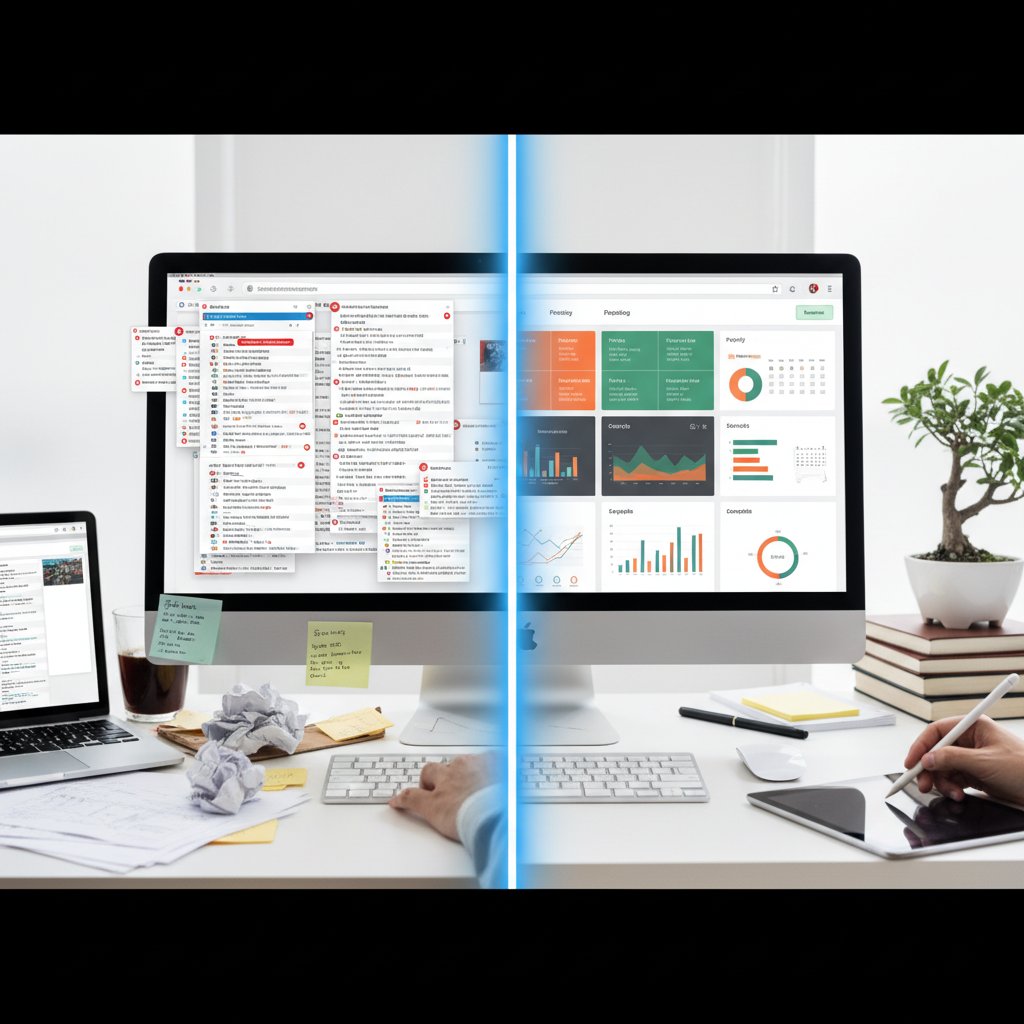
The key? Automation handled routine categorization while human oversight focused on exceptions and strategy. The team reported less friction, fewer missed tasks, and a measurable drop in stress.
When it all went wrong: cautionary tales
Not every story ends in triumph. A finance firm migrated to an overhyped AI platform, expecting miracles. Instead, workflow rules misfired, urgent client emails got lost, and the team spent weeks untangling automated chaos.
"We lost weeks untangling automated chaos." — Luis, operations manager
Actionable lessons? Never trust “set-and-forget” automation. Run controlled pilots, keep manual checkpoints, and involve end users in tuning workflows before rolling out system-wide changes.
How teams hack their email tools for survival
Necessity breeds cleverness. Many teams quietly “hack” their platforms to fill in the gaps left by official features:
- Email-to-task forwarding: Bypass native integrations by setting up inbox rules to forward key emails to a task app with specific labels.
- Shared inboxes with color coding: Assign colors based on priority instead of relying on automated sorting—simple, visual, effective.
- Manual daily review rituals: A 10-minute morning skim to adjust auto-generated tasks, ensuring priorities match reality.
- Task templates in drafts: Create reusable draft emails as quick task templates, speeding up assignment and follow-ups.
- Shadow IT integrations: Use Zapier or similar tools to bridge missing connections between platforms.
- Split personal and work flows: Separate inboxes for project work and “admin” tasks to reduce decision fatigue.
- Feedback loops: Build regular feedback into the process, so the tool adapts to actual team needs, not just vendor vision.
The psychology of email overload—and how software really helps (or hurts)
Why inbox anxiety is real
It’s not just you. The constant ping of inbox notifications gnaws at your focus and your nerves. According to research from Statista (2024), the average office worker now receives 121 emails per day—each one a potential demand, deadline, or hidden task. The result: a creeping sense of anxiety and the fear you’re always falling behind.

Recent workplace surveys show that 60% of employees cite email as their top source of daily stress, surpassing even in-person meetings and chat apps. The emotional toll is real: distractions breed irritability, while the sheer volume of digital “noise” leads to mental exhaustion.
Can software actually reduce burnout?
Does throwing more tools at the problem help? The answer: maybe—but only if software is part of a broader workflow rethink. According to a 2024 TechnologyAdvice study, companies that adopted email-integrated task managers saw burnout rates drop from 35% to 22%—but only when combined with clear processes and boundaries.
| Metric | Before Tool Adoption | After Tool Adoption |
|---|---|---|
| Average burnout rate | 35% | 22% |
| Missed deadlines | 29% | 17% |
| Self-reported stress | 7.8/10 | 6.1/10 |
Table 3: Workplace burnout and performance metrics, before and after adopting email task management tools (2023-2025)
Source: TechnologyAdvice, 2024
Tips for mindful use:
- Set hard boundaries—batch process emails instead of reacting in real-time.
- Regularly review and fine-tune automation rules.
- Use analytics features to spot overload patterns and adjust accordingly.
- Prioritize tools that simplify, not complicate, your digital environment.
AI-powered coworkers: game-changer or just more noise?
The promise: AI as your intelligent enterprise teammate
AI-powered email coworkers, like futurecoworker.ai, promise to transform chaos into clarity: automating repetitive categorization, surfacing urgent requests, suggesting deadlines, and even summarizing sprawling threads. Marketing claims you’ll “never miss a task again”—but does reality match the pitch?
Five advanced AI features, decoded:
AI “reads” your emails, pulls out action items, and creates tasks—sometimes faster than any human could.
Algorithms assess urgency/context, pushing real priorities to the top of your list.
Reminders that trigger based on your actual workflow, not just preset times.
Team inboxes that auto-delegate and escalate tasks for smoother collaboration.
AI-generated summaries of long threads, so you don’t waste time skimming 30-reply chains.
In practice, users report huge wins on high-volume, low-complexity tasks. But nuanced decision-making—the “should I reply or escalate?” moments—still demand a human brain.
The risks: privacy, bias, and decision fatigue
With great automation comes great risk. Giving third-party tools deep access to your inbox isn’t just a technical concern—it’s a trust issue.
- Data privacy gaps: Vague terms about how your emails are analyzed or stored.
- AI hallucinations: Bots making decisions on incomplete or misunderstood information.
- Bias reinforcement: Algorithms that learn your “habits”—including bad ones.
- Opaque logic: Black-box AI that can’t explain its choices.
- Escalation overload: Too many “urgent” flags, not enough actual prioritization.
- Vendor dependency: When a tool becomes mission-critical, changing platforms is painful.
Expert tip: Always vet data policies, run pilot programs, and insist on transparency from vendors. In regulated industries, ensure compliance checks are routine—not afterthoughts.
How to choose: a brutally honest decision framework
Step-by-step checklist for picking the right tool
- Needs analysis: Identify core workflow pain points.
- User interviews: Gather feedback from actual end-users—don’t rely on top-down assumptions.
- Feature mapping: List must-have vs. nice-to-have features.
- Integration check: Ensure compatibility with your existing email and productivity stack.
- Vendor transparency: Scrutinize privacy policies and support availability.
- Pilot test: Run a small-scale trial with real workloads.
- Analytics review: Use built-in reporting to measure impact.
- Feedback loop: Collect user feedback and adjust workflows.
- Full rollout: Scale only after clear pilot success.
- Post-implementation review: Revisit in 6 months to assess ROI and user satisfaction.
Avoid common traps: don’t get dazzled by AI bells and whistles, and never skip real-world pilots.
Questions to ask vendors (and your own team)
A quick-reference guide for cutting through the sales fog:
- What data does the software access, and how is it stored?
- How does the tool handle integration with Gmail/Outlook?
- Is there a clear export path for tasks and data?
- How are urgent vs. non-urgent tasks flagged?
- What’s the real cost after the “free trial” ends?
- How quickly does support respond to critical issues?
- What’s the vendor’s roadmap for updates and security?
- How are permissions and access managed for teams?
- What’s the learning curve based on real user reviews?
When to walk away: signs you’re better off with a different workflow
Sometimes, no tool is the right tool—especially if:
- Your team is tiny and already communicates well.
- You’re buried in app fatigue and notification overload.
- Critical workflows rely on physical processes or regulated systems incompatible with cloud tools.
"Sometimes, the best productivity boost is hitting unsubscribe." — Sam, product manager
Glossary: decoding the jargon of email task management
Not magic—just code. A bot that can sort, delegate, and sometimes guess what you want before you do.
The mythical state where your email is empty, your soul is light, and you briefly feel in control.
When software tries to parse your emails for action items—sometimes brilliant, sometimes absurd.
The unofficial tools your team uses to skirt around the “official” software nobody likes.
The fine art of making your problems someone else’s—preferably via a click, not a meeting.
Fancy word for “how we actually get stuff done” (as opposed to how the handbook says you should).
That crispy feeling when digital overload makes you want to throw your laptop out the window.
When two tools kind-of talk to each other, until the API breaks.
Robots doing your repetitive work, so you can focus on the stuff only you can mess up.
The dream—software so smooth you forget it’s there, until you need support.
Understanding this jargon is more than semantics; it’s the difference between being sold a fantasy and actually improving your workday.
The future of email task management: what’s next?
Will AI finally kill the inbox—or reinvent it?
Peering over the edge of 2025, it’s clear that AI isn’t eliminating email—it’s refashioning it as a live, collaborative workspace. Instead of static messages, expect intelligent threads that assemble context, tasks, and team input dynamically. The line between “email” and “task manager” blurs further as platforms like futurecoworker.ai and ClickUp embrace more context-aware automation.

Culturally, the rise of AI coworkers is changing norms around responsiveness, focus, and even what’s considered “work.” Successful teams will be those that adapt not just their tech stack, but their habits and expectations.
What to watch: emerging features and red flags
- Context-aware inboxes: Emails sorted by project, urgency, and sender relationship—no more “one size fits all.”
- Voice-driven task input: Dictate tasks directly from meetings or calls.
- Deeper analytics: Real-time dashboards showing actual vs. reported workload.
- Ethical AI standards: Vendors finally spelling out (and auditing) how AI decisions are made.
- Cross-platform dominance: Tools that work seamlessly on every device, every OS.
- Automated compliance: Built-in features for regulated industries.
- Granular permissions: Role-based access, down to the individual task or email.
- Smarter notification controls: AI that learns which alerts you actually need—and which you don’t.
Watch for: feature bloat, hidden upgrade costs, and vague privacy policies. If a feature sounds too good to be true, it probably deserves a closer look.
Your next move: how to stay ahead
Adaptation isn’t just about adopting the latest shiny tool—it’s about building resilient, intentional workflows. Audit your current pain points. Pilot software with real workloads, not demo data. Stay skeptical, but stay curious. The right email task management software won’t solve every problem, but it can give you back time, clarity, and a fighting chance against the chaos.
In the end, it’s not about finding a silver bullet—it’s about designing systems (and choosing tools) that respect your time, your brain, and your team’s unique way of working. So next time you read a glowing review or a dire warning, ask: does this align with the way you work, or just the way someone wants you to work? Transform your inbox from a burden to a hub of real productivity—on your terms.
Sources
References cited in this article
- G2 Email Tools 2024 Insights(research.g2.com)
- TechnologyAdvice Task Management Reviews(technologyadvice.com)
- Hostever Best Email Management Software(hostever.com)
- Constant Contact Email Marketing Stats(constantcontact.com)
- Task Management Software Market Report(thebusinessresearchcompany.com)
- Statista Email Marketing(statista.com)
- Mailmodo State of Email 2023(mailmodo.com)
- Worxbee Best Email Management Tools(worxbee.com)
- SmartSuite Task Management Trends(smartsuite.com)
- Ars Technica: AI & Workload(arstechnica.com)
- Gmelius: AI Email Myths(gmelius.com)
- PwC: AI and Productivity(pwc.com)
- Clean Email Best Software(clean.email)
- G2 Best Email Management(learn.g2.com)
- ClickUp Email Productivity Tools(clickup.com)
- Forbes Advisor Task Management(forbes.com)
- GetApp Comparative Reviews(getapp.com)
- Hiver Team Email Management(hiverhq.com)
- Zendesk Email Management(zendesk.com)
- The Digital Project Manager(thedigitalprojectmanager.com)
- Ossisto Email Management Tools(ossisto.com)
- Stripo Email Task Management(stripo.email)
- ClickUp Teams Hacks(clickup.com)
- GoProof Collaboration Tools(goproof.net)
- Frontiers in Psychology(frontiersin.org)
- Worklife Digital(worklife.digital)
- Outsourcery: Email Overload(outsourcery.uk)
- Aproove: Burnout Reduction(aproove.com)
- ClickUp Task Management(clickup.com)
- MaestroLabs: AI Email Pros/Cons(maestrolabs.com)
- Harvard Business Review: AI Productivity(hbr.org)
- Forbes: AI & Workload(forbes.com)
- Egress Email Security Report(egress.com)
- Zivver Email Security Trends 2025(zivver.com)
- Workplace Privacy Report(workplaceprivacyreport.com)
- Virtosoftware 2025 Review(blog.virtosoftware.com)
- Missive Email Management Guide(missiveapp.com)
- WPBeginner Email Management Picks(wpbeginner.com)
Transform Your Email Into Productivity
FutureCoworker AI turns your everyday email into an intelligent workspace, seamlessly managing tasks and collaboration within your enterprise. It eliminates the complexity of AI, allowing you to benefit from advanced technology without any technical knowledge. Achieve productivity, streamline processes, and improve team efficiency through natural email interaction, getting tasks done faster and smarter.
Get startedReady to Transform Your Email?
Start automating your tasks and boost productivity today
Frequently Asked Questions
What percentage of office workers use their inbox as a task manager?
According to research from TechnologyAdvice cited in the article, nearly 70% of office workers admitted to using their inbox as a task manager at least some of the time as of 2023.
How many emails are sent globally every day?
According to Statista data from 2024, 361.1 billion emails are sent daily worldwide.
What were the original pain points that led to email task management tools?
The main issues included messages lost in complex folder structures, vital tasks buried under CC chains, and the need for manual copying between email and separate to-do apps, all of which wasted time and led to missed deadlines.
How many email users are there globally?
There are over 4.48 billion email users globally, according to Statista 2024 data cited in the article.
Continue Reading
Keep exploring Intelligent enterprise teammate

Email Management Software Reviews That Expose 2026’s Real Winners
Discover insights about email management software reviews

Email Task Management Software Enterprise Reviews
Email task management software enterprise reviews examine hidden costs, productivity challenges, and AI solutions reshaping enterprise workflows and inbox management.

Email Productivity Software: Which Features Deliver Real ROI
Email productivity software features comparison reveals which tools actually reduce inbox chaos. This article examines the promises versus hard data behind competing solutions.

Email Productivity Software Reviews: What Delivers Results
Email productivity software reviews examine which tools genuinely improve workflow efficiency. This article evaluates leading solutions and their real-world effectiveness for professionals.

Email Productivity Software Enterprise Reviews: What Delivers ROI
Email productivity software enterprise reviews examine what actually works for global teams. This article analyzes real ROI, hidden costs, and AI-driven tools reshaping enterprise collaboration.

Email Management Software: Productivity Costs and Tool Trade-Offs
Email management software comparison examines how teams handle hundreds of weekly messages. This article covers productivity costs, hidden traps, and which tools actually reduce email overhead.