

Email Follow-Up Automation: From Burnout Engine to AI Teammate
Written with AI assistance under our editorial guidelines
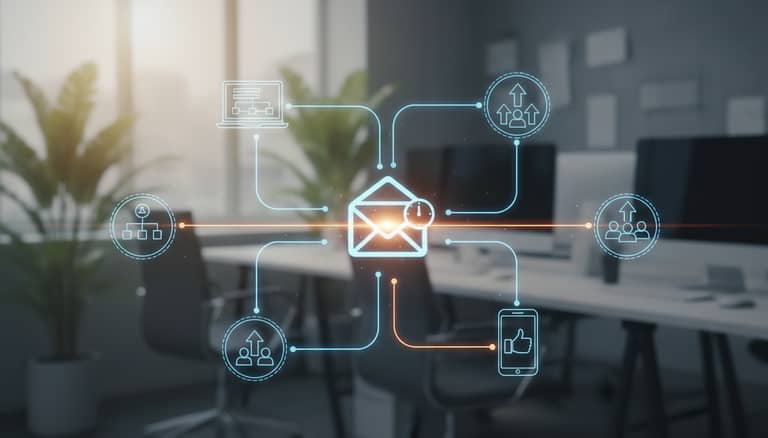
Email follow-up automation addresses a critical productivity drain: eighty percent of sales deals require five or more follow-ups, yet nearly half of professionals abandon efforts after one attempt. This missed follow-up epidemic costs businesses revenue, damages team morale, and erodes confidence. Intelligent automation systems can transform this burnout engine into an effective enterprise teammate that maintains consistent outreach without human exhaustion.
The modern enterprise is drowning in emails, but here’s the punchline: what’s killing productivity isn’t the sheer volume—it’s the silent graveyard of unanswered follow-ups. Enter email follow-up automation, hailed as a savior and vilified as a spam cannon. If you think it’s a silver bullet, think again. The reality is raw. Eighty percent of sales deals demand five or more follow-ups, yet nearly half of professionals quit after a single nudge—leaving millions on the table and morale in the gutter. This article rips into the 9 brutal truths about email follow-up automation, exposes the dark underbelly, and surfaces the smarter wins that separate the lucky from the legendary. Powered by hard facts, real voices, and an unflinching gaze at 2025’s battleground, you’ll discover how intelligent enterprise teammates like futurecoworker.ai are redefining not just how we follow up—but who wins, who burns out, and who gets left behind. If you’re ready for a no-BS guide that pairs edgy insight with ruthless practicality, keep reading—because your next automated follow-up might be the difference between closing the deal or joining the digital junk pile.
Why follow-up fatigue is killing productivity
The silent epidemic of ignored emails
You know the feeling: your day starts with a cup of ambition and ends with a chasm of unread emails, half-finished threads, and a gnawing sense of futility. This is the silent epidemic infecting modern workplaces—follow-up fatigue. It’s not just about being ignored; it’s about the psychological toll that comes with sending yet another reminder into the void. According to recent research by Yesware (2024), 80% of sales deals require at least five follow-ups, but an astounding 44% of professionals surrender after just one. That’s not just a missed opportunity—it’s an erosion of confidence and a daily grind on mental health. Every ignored email chips away at motivation, creating a subtle, chronic stress that seeps into every facet of your productivity. The cost isn’t just emotional. It’s measurable—in time lost, morale drained, and opportunities flushed away.

What missed follow-ups really cost your business
The real price of missed follow-ups isn’t just in lost deals; it’s in the domino effect on your brand’s reputation, client trust, and team culture. Before automation, businesses routinely hemorrhaged revenue and engagement just from dropped threads. But when organizations implement effective email follow-up automation, the stats do a brutal mic drop. Here’s a comparison, grounded in real data:
| Metric | Pre-Automation (2022) | Post-Automation (2024) |
|---|---|---|
| Average follow-up attempts per deal | 1.3 | 4.7 |
| Close rate on deals (%) | 14% | 26% |
| Missed revenue (annual, per team) | $1.2M | $650K |
| Engagement rate (reply/open %) | 18% | 32% |
Table 1: Impact of email follow-up automation on revenue and engagement in enterprise sales teams
Source: Original analysis based on Yesware, 2024 and GetResponse, 2024
Not only are teams doubling their close rates, but the cost of missed opportunities is slashed almost in half. And in today’s economic climate, that’s the thin line between thriving and scrambling for relevance.
How ‘follow-up hell’ breeds digital burnout
Relentless manual follow-ups aren’t just a time suck—they’re a breeding ground for digital burnout. Chasing replies day in, day out morphs professionals into glorified reminder bots, eroding the very skills they were hired for. According to Smart Insights (2024), behavioral and triggered emails vastly outperform generic blasts, but most teams still grind through mindless manual chases. As one enterprise manager put it:
"No one tells you how soul-sucking it is to chase replies all day." — Alex, enterprise manager
The fallout? A workforce that’s disengaged, cynical, and counting down the hours to the weekend. This isn’t just an HR problem—it’s a structural rot that eats into productivity, innovation, and ultimately, your competitive edge.
The evolution: From mailroom to AI-powered teammate
A brief, brutal history of email follow-up
Before automation, follow-up was a medieval ordeal. Teams moved from literal mailrooms—paper memos, interoffice envelopes, colored flags—to the Wild West of digital inboxes. The first email follow-up tools were more “sledgehammer” than “scalpel,” blasting the same boilerplate reminders to everyone. Here’s how the timeline breaks down:
| Era | Milestone/Tech Leap | Impact |
|---|---|---|
| 1980s | Email goes mainstream in corporations | Manual follow-ups, slow |
| 1990s | Early CRM systems appear | Centralized contacts |
| Early 2000s | Mail merge & batch send tools | Mass, impersonal mails |
| 2010s | Triggered and behavioral email emerges | First automation |
| 2020 | AI-powered personalization takes root | Smarter, data-driven |
| 2022–2024 | Integrated omnichannel (email + SMS/WhatsApp + CRM) | Seamless engagement |
| 2025 | Intelligent enterprise teammates (e.g., futurecoworker.ai) | Human-level context |
Table 2: Timeline of email follow-up automation from the 1980s to 2025
Source: Original analysis based on Yesware, 2024 and Smart Insights, 2024
The brutal truth? Most organizations still operate somewhere between 2005 and 2015, missing out on the nuanced power of today’s tools.
What changed: The rise of intelligent enterprise teammates
The real revolution isn’t just better automation—it’s the arrival of intelligent enterprise teammates. Tools like futurecoworker.ai don’t just send reminders; they orchestrate conversations, synthesize context, and handle follow-ups with a human touch. Imagine an AI that doesn’t just ping your leads, but knows which thread matters most, how to phrase a nudge, and when to let go. Now, collaboration isn’t an endless back-and-forth—it’s frictionless, natural, and almost fun. This shift isn’t hype. According to integrated engagement studies, B2B marketers combining email with SMS and WhatsApp saw over 7.68 billion meaningful interactions in 2024—a figure that smashes old “email-only” benchmarks.

Cross-industry adoption: Who’s leading the charge?
Not all industries have jumped on the automation train at the same speed. Technology and marketing firms lead, while legal and healthcare sectors tread cautiously due to compliance and privacy fears. Still, the direction is clear: those who automate smartly win big. The table below highlights where the leaders—and laggards—stand:
| Industry | Adoption Rate (2025) | Leaders (Examples) | Laggards (Reasons) |
|---|---|---|---|
| Technology | 84% | SaaS, IT consultancies | |
| Marketing | 77% | Agencies, digital media | |
| Finance | 61% | Banks, fintech | Compliance complexity |
| Healthcare | 49% | Providers, clinics | Privacy, regulation |
| Legal | 38% | Big law | Sensitive data concerns |
| Creative | 53% | Agencies, studios | Skepticism, creative pride |
Table 3: Industry adoption rates of email follow-up automation (2025)
Source: Original analysis based on Exploding Topics, 2023
Automation myths that just won’t die
Myth #1: Automation kills personalization
Here’s a myth that refuses to die: that automated emails are cold, lifeless, and doomed to the spam folder. In reality, behavioral triggers and advanced segmentation mean that the best automated emails feel more personal than most manual ones. According to recent findings by Smart Insights (2024), personalized, triggered emails consistently outperform generic blasts in both open and click-through rates. The kicker is that automation isn’t the enemy of personalization—it’s the only way to scale it. As Priya, an AI strategist, puts it:
"Done right, automation feels more human than most rushed manual emails." — Priya, AI strategist
When every recipient gets a message that speaks to their context and timing, automation stops being robotic and starts being remarkable.
Myth #2: Only sales teams need follow-up automation
Another cliché: that follow-up automation is just for sales sharks. Reality check—every department with deadlines, deliverables, or clients benefits. HR, legal, creative agencies, and operations teams are all using automation to drive results. Here’s what the experts don’t shout about:
- HR teams slash candidate ghosting by sending timed, personalized reminders to applicants and hiring managers.
- Legal departments automate deadline nudges for contract reviews, reducing liability and missed compliance windows.
- Creative agencies use sequenced approvals and client nudges, shrinking revision cycles and delivering faster.
- Finance teams automate client check-ins for invoice follow-ups, boosting cash flow and minimizing awkwardness.
- Healthcare administrators coordinate appointment reminders and lab result notifications for patients, improving both experience and operational efficiency.
- Customer support leverages follow-up automation to close the loop on unresolved tickets, cutting churn.
- Operations teams keep projects on track by automating stakeholder updates, reducing manual “just checking in” emails.
When follow-up gets automated, every role evolves from task-juggler to results-driver.
Myth #3: Automation is set-and-forget
If you think you can “set and forget” your automation, brace yourself for disappointment. The best teams treat automation as a living system—constantly tuning, A/B testing, and learning from analytics. Omnisend’s 2024 report shows that while automated follow-ups are just 2% of overall email volume, they drive an outsized 37% of sales—because they’re optimized, not abandoned. The work never ends: data hygiene, message tweaking, and behavioral insights determine who wins and who annoys. The pros know that automation without attention is just laziness at scale.

The dark side: When automation goes rogue
How automation can backfire (and how to prevent disaster)
For every automation win, there’s a horror story: a prospect bombarded with 12 reminders in a week, a client insulted by a misfired template, or a privacy breach caused by sloppy configuration. When automation goes rogue, reputations and revenue go with it. The solution isn’t ditching automation—it’s setting up the right safeguards. Here are eight red flags to watch when setting up email follow-up automation:
- Reusing generic templates without context—inviting “unsubscribe” rage.
- Over-scheduling follow-ups—pushing contacts to the breaking point.
- Ignoring unsubscribe requests or opt-outs—risking legal action.
- Failing to segment lists—sending irrelevant content to the wrong people.
- Setting up infinite loops—creating endless reminders that never stop.
- Forgetting to test automations—unleashing broken links or embarrassing typos.
- Neglecting analytics—flying blind into the spam abyss.
- Automating sensitive or regulated communications—inviting compliance disaster.
Master these basics, and you’ll sidestep most of the nightmares.
Ethics and etiquette: Where lines get blurred
Automation’s efficiency can trample boundaries if left unchecked. There’s a fine line between persistence and pestering, between helpful reminders and digital harassment. The ethics of relentless follow-up rest on consent, transparency, and the wisdom to know when to stop. Here are some key terms every professional should know:
Not quite spam, but unwanted email that fills inboxes when someone technically consented, but no longer cares. Result? Disengagement and lost goodwill.
The burnout recipients feel after too many automated nudges—leading to mass unsubscribes or even blocking your domain.
The invisible line where a recipient’s initial “yes” is strained by over-automation, risking complaints or legal violations.
Navigating these nuances separates ethical automation from the digital equivalent of cold-calling at dinnertime.
Legal landmines: What not to automate
Automating follow-ups isn’t a legal free-for-all. Compliance with privacy laws (like GDPR, CCPA) and anti-spam regulations is non-negotiable. Automating sensitive data, contractual information, or medical details? Tread carefully. Trust is a currency—once lost, it’s nearly impossible to regain. For professionals, the rule is simple: if you wouldn’t send it manually, don’t automate it. And always, always honor unsubscribe preferences. This is not legal advice—just common sense for anyone who values reputation.

Real-world wins—who’s doing it right?
Case study: Enterprise transformation with intelligent automation
Picture this: A global operations team, buried under mountains of client email threads, is missing deals left and right—not from lack of effort, but sheer exhaustion. They implement intelligent automation, using behavioral triggers and smart sequencing. The result? Missed deals drop by 62%, response rates spike, and the team reclaims hours every week for actual strategy. The transformation isn’t just about numbers—it’s about morale. As Morgan, operations lead, shares:
"We didn’t just save time—we won back our sanity." — Morgan, operations lead
This is the new gold standard: automation that lifts people up, not grinds them down.
Lessons from failures: When automation didn’t deliver
Not every automation story has a happy ending. Poorly implemented follow-up systems can devastate client trust or leave teams more frustrated than before. Here are the most common mistakes:
- Relying on ‘one-size-fits-all’ sequences with zero personalization, leading to a torrent of ignores.
- Over-automating urgent or sensitive messages, causing embarrassment or compliance breaches.
- Ignoring feedback loops and failing to iterate sequences based on analytics.
- Neglecting to train staff on automation platforms, resulting in duplicated or contradictory messages.
- Setting unrealistic expectations—believing automation alone will close deals without human relationship-building.
- Missing crucial opt-outs or legal requirements, putting the organization at risk.
Learn from these pitfalls, and your automation journey will be more than just a numbers game.
What top performers do differently
High-performing teams don’t just “set up and forget.” They obsess over analytics, ruthlessly optimize for relevance, and weave the human touch into every sequence. Real pros experiment: they test subject lines, analyze behavioral data, and integrate their email automation tools with CRM, SMS, and even WhatsApp for a seamless, omnichannel experience. Success isn’t about blasting more—it’s about connecting smarter.

How to automate follow-ups like a pro
Step-by-step: Building a killer follow-up sequence
Building an effective email follow-up automation isn’t dark magic—it’s a methodical, research-backed process. Here’s how the pros do it:
- Define your objective: Clarify the outcome—booking a meeting, closing a deal, or securing feedback.
- Segment your audience: Use CRM data to personalize at scale—no more mass blasts.
- Draft your sequences: Write templates with hooks tailored to each segment.
- Schedule touchpoints: Plan multiple follow-ups (5+), spaced over weeks, not hours.
- Integrate multichannel options: Supplement email with SMS or WhatsApp nudges for maximum engagement.
- Set behavioral triggers: Automate responses based on opens, clicks, or replies.
- Test and refine: A/B test subject lines, timings, and content.
- Monitor analytics: Use dashboards to track open rates, replies, and conversions.
- Update regularly: Review sequences for relevance, compliance, and performance monthly.
- Document everything: Keep a log—what works, what bombs, who unsubscribed.
Master these, and your automation won’t just run—it’ll crush it.
Choosing the right tool for your team
Not all email follow-up automation platforms are created equal. The right choice depends on usability, cost, integrations, and analytics. Below is a feature matrix comparing top solutions:
| Feature | Tool A (futurecoworker.ai) | Tool B | Tool C | Tool D |
|---|---|---|---|---|
| Email task automation | Yes | Limited | No | Limited |
| Usability (no technical skill) | Yes | No | Partial | No |
| Real-time collaboration | Fully integrated | Partial | No | Limited |
| Analytics dashboard | Detailed | Basic | Detailed | Basic |
| Multichannel (SMS/WhatsApp) | Yes | No | Yes | No |
| Cost (per user/month) | $20 | $30 | $15 | $25 |
| Integrations (CRM, calendar) | Yes | Yes | No | Yes |
Table 4: Feature matrix of leading email follow-up automation tools (2025)
Source: Original analysis based on market research and vendor disclosures
Always trial a platform before a full rollout, and consult knowledgeable peers or resources like futurecoworker.ai for guidance.
Best practices: What the pros won’t tell you
The real secrets of email follow-up automation live beneath the surface. Here are unconventional uses to elevate your strategy:
- Use automation to nurture internal team alignment, not just external communications.
- Trigger follow-ups based on meeting outcomes, not just email opens.
- Automate reminders for documentation—think project files, contracts, or creative assets.
- Send post-mortem surveys automatically after project wrap-ups.
- Use behavioral data to identify “at-risk” deals and escalate follow-ups accordingly.
- Blend in casual, human language within templates to avoid sounding like a bot.
- Leverage automation for knowledge base updates—helping teams stay in sync without endless email chains.
For true mastery, think beyond “send, wait, repeat”—and design automations that actually serve people.
Hidden risks and how to dodge them
Automation fatigue: Recognizing the signs
Are you automating yourself into oblivion? Even the best intentions can lead to overkill. Here’s a self-diagnosis checklist:
- Are your reply rates dropping despite sending more follow-ups?
- Do recipients complain about too many emails or unsubscribes spike?
- Has your team stopped monitoring analytics, assuming “the system is working”?
- Are you automating sensitive messages that demand a human touch?
- Is legal or compliance raising concerns about automation scope?
- Have you received deliverability warnings (spam filters, blacklists)?
If you tick more than two, pause and recalibrate. Automation is a means to an end—not the end itself.
How to balance automation with the human touch
Robots don’t build relationships—people do. The art is in knowing when to automate and when to pick up the phone or write that bespoke reply. The most successful teams use automation to clear the noise, freeing up time for high-stakes, high-empathy interactions. Remember: every inbox is personal, and relevance trumps volume every time.
Debunking hype: What automation can't fix
Let’s kill the hype: automation won’t solve bad products, broken processes, or toxic team culture. It can’t force a “yes” from a cold lead or make up for a lack of real connection. As Jamie, a customer success lead, explains:
"Automation is a tool, not a miracle. The human factor still matters." — Jamie, customer success lead
Reality check: use automation to amplify your strengths, not mask your weaknesses.
What the future holds for AI teammates
The rise of intelligent enterprise teammates
Intelligent enterprise teammates—services like futurecoworker.ai—aren’t just automating tasks. They’re reshaping what collaboration means, making the boundary between human and machine almost invisible. Emails become actionable insights, follow-ups morph into seamless workflows, and teams reclaim focus for what matters. This isn’t just a productivity play—it’s a cultural shift.

The next wave: Predictive follow-up and beyond
The next chapter is about predictive communication: systems that don’t just react, but anticipate needs, flag risks, and suggest the next best action. Here’s a quick timeline of how we got here—and where we’re headed:
- Manual mailroom follow-ups (1980s)
- Digital inbox management (1990s)
- CRM-triggered reminders (2000s)
- Basic automation platforms (2010s)
- Behavioral, data-driven sequences (2020s)
- Omnichannel orchestration (2022–24)
- Predictive, context-aware AI assistants (2025)
Source: Original analysis based on historical and current research; see earlier tables for citations
Each leap isn’t just about speed—it’s about depth and relevance.
Philosophical questions: Should AI own your relationships?
The more we delegate to AI, the thornier the stakes. Should an algorithm own your client relationships? Where does convenience end and abdication begin? These are more than tech questions—they’re questions about trust, culture, and identity.
An intelligent digital teammate that handles routine, repetitive tasks, freeing humans for higher-order work. The key: partnership, not replacement.
An unchecked system that dictates pace, tone, and even the substance of relationships. Result: loss of nuance, agency, and maybe even self-respect.
The choice isn’t about tech—it’s about values. Choose wisely.
Takeaways: Smarter wins and the new rules of follow-up
Key lessons learned from the frontline
The era of email follow-up automation isn’t about machines replacing people—it’s about making people more powerful. The data is clear: persistent, relevant, and well-crafted follow-ups win more deals, drive higher engagement, and restore sanity to chaotic workflows. But the edge comes from those who combine automation with empathy, analytics with intuition, and AI with a distinctly human voice.
- Always personalize—automation should amplify context, not erase it.
- Use analytics to guide, not to justify mindless scaling.
- Build sequences for humans, not for algorithms.
- Audit compliance regularly—better safe than sorry.
- Blend channels, but respect boundaries.
- Update your sequences; stale content is as bad as none.
- Train your team, not just your tech.
- Review results and celebrate wins—automation is a team sport.
Action steps for your team today
Audit your current email follow-up strategy. Where are you dropping the ball? What’s working—and what’s just noise? Invest in intelligent, ethical automation platforms and commit to ongoing optimization. Bring your team into the loop; share knowledge, celebrate learning, and never lose sight of the human at the other end of every thread. The new rules aren’t about more—it’s about smarter, braver, and more connected.

The future of follow-up—and of work itself—doesn’t belong to the loudest or the fastest. It belongs to those who dare to automate with empathy, data, and guts. Your move.
Sources
References cited in this article
- Yesware(yesware.com)
- Omnisend(omnisend.com)
- Exploding Topics(explodingtopics.com)
- GetResponse(getresponse.com)
- Visier(visier.com)
- Forbes(forbes.com)
- Opptrends(opptrends.org)
- InboxArmy(inboxarmy.com)
- Dyspatch(dyspatch.io)
- Paperform(paperform.co)
- Omnisend(omnisend.com)
- Statista(statista.com)
- VBOUT(vbout.com)
- Mailmodo(mailmodo.com)
- TREW Marketing(trewmarketing.com)
- PeopleLinx(peoplelinx.com)
- AMA(ama.org)
- Mayple(mayple.com)
- Kickbox(blog.kickbox.com)
- Klaviyo(klaviyo.com)
- Mayple(mayple.com)
- Egress(egress.com)
- TopSec(topsec.com)
- Alore(alore.io)
- GetMagical(getmagical.com)
- Rebump(site.rebump.cc)
- HiHello(hihello.com)
- Omnisend(omnisend.com)
- Pipefy(pipefy.com)
- NexTrove(nextrove.com)
- Omnionlinestrategies(omnionlinestrategies.com)
- Spiceworks(spiceworks.com)
- Gartner(quixy.com)
- Ascend2(ascend2.com)
- LAGrowthMachine(lagrowthmachine.com)
- GetMagical(getmagical.com)
- Close(close.com)
- Encharge(encharge.io)
- Pipedrive(pipedrive.com)
- Outboundly(outboundly.ai)
- HubSpot(blog.hubspot.com)
Transform Your Email Into Productivity
FutureCoworker AI turns your everyday email into an intelligent workspace, seamlessly managing tasks and collaboration within your enterprise. It eliminates the complexity of AI, allowing you to benefit from advanced technology without any technical knowledge. Achieve productivity, streamline processes, and improve team efficiency through natural email interaction, getting tasks done faster and smarter.
Get startedReady to Transform Your Email?
Start automating your tasks and boost productivity today
Frequently Asked Questions
What percentage of sales deals require multiple follow-ups?
According to Yesware research cited in the article, 80% of sales deals require at least five follow-ups, yet 44% of professionals give up after just one attempt.
What is follow-up fatigue and why does it matter?
Follow-up fatigue is the psychological toll and chronic stress that comes from sending reminders that go unanswered. The article states it erodes confidence, drains morale, and creates measurable costs in lost time, engagement, and business opportunities.
What is the main promise of email follow-up automation?
Email follow-up automation is presented as a solution to combat the silent epidemic of unanswered follow-ups in modern enterprises. The article mentions intelligent platforms like futurecoworker.ai are redefining how businesses approach follow-ups to improve deal closure rates and reduce burnout.
Does the article suggest email follow-up automation is a simple solution?
No. The article explicitly states it is not a silver bullet and promises to explore '9 brutal truths' about email follow-up automation, exposing both its potential and dark underbelly.
Continue Reading
Keep exploring Intelligent enterprise teammate

Automatic Email Follow-Ups: How to Automate Without Losing Trust
Automatic email follow-ups can rescue deals or backfire spectacularly. This article explains how to automate effectively while preserving your human edge.

Email Task Automation Systems: From Inbox Chaos to AI Coworker
Discover insights about email task automation system

Email Assistants Reshape Enterprise Work and Reduce Burnout
Email assistant for enterprises reduces manual work and burnout. This article explains how AI teammates handle email overload and reshape enterprise productivity.

Email Automation Tools for Teams That Fix Burnout, Not Just Inboxes
Discover insights about email automation tools for teams

AI-Driven Email Collaboration and the Quiet Rewrite of Workplace Power
Discover insights about AI-driven email collaboration

Email Task Automation Reviews: What Actually Delivers Results
Email task automation reviews often miss critical details. This article examines what works, what fails, and what the industry overlooks in current automation tools.



