
Smart Enterprise AI-Driven Assistant Tools: Roi, Risks, Reality
Written with AI assistance under our editorial guidelines
Enterprise AI-driven assistant tools promise workflow optimization, but they're not magic solutions. While recent advances in natural language processing have made these digital coworkers more capable than failed predecessors like Clippy, success depends on realistic expectations, clear governance, and addressing concerns about control and trust in human-machine collaboration.
There’s a new breed of digital coworker stalking the halls of your inbox—a relentless, AI-driven assistant that promises to turn your email chaos into a model of productivity. But behind the marketing gloss and startup bravado, smart enterprise AI-driven assistant tools are not quite what they seem. They’re not magic, and they’re definitely not plug-and-play miracles. In 2025, these digital teammates are everywhere—blurring boundaries between human judgment and machine logic, rewriting power dynamics, and forcing every leader, manager, and worker to confront uncomfortable questions about control, trust, and what it really means to collaborate. It’s time to go beyond the hype and see what these tools are actually doing—how they’re transforming enterprise workflow, who’s winning (and losing), and what you need to know before you let an algorithm into your daily grind. Whether you’re hunting for the best AI assistant tools for business or just trying to survive email overload, this is your no-bull guide to the new digital order.
The rise of AI teammates: from fantasy to everyday grind
How we got here: A brief, messy history
Long before anyone uttered the phrase "enterprise AI workflow automation," the dream of the digital office assistant haunted both boardrooms and Silicon Valley. The late 1990s gave birth to infamous digital mascots—think Microsoft’s Clippy—promising to help but mostly annoying users. Early 2010s AI attempts failed to adapt to enterprise complexity; most “smart” tools either delivered generic suggestions or fizzled out in pilot projects, crushed by real-world expectations and the stubborn messiness of human communication.
Fast forward to the AI gold rush of the early 2020s: sudden leaps in natural language processing (NLP), machine learning, and cloud integration meant that assistants could finally “read” the nuance in your messages, not just parse keywords. That’s when tools like FutureCoworker AI began quietly reshaping the way enterprises triage, organize, and act on information—without requiring teams to code or become amateur data scientists.

| Year | Milestone | Impact/Failure |
|---|---|---|
| 1997 | Clippy launches | Annoyance, not assistance; widely ridiculed |
| 2011 | Siri debuts | Consumer adoption, little enterprise impact |
| 2016 | Slack bots rise | Workflow automation gains traction |
| 2019 | G Suite smart features | Email suggestions mature |
| 2022 | GPT-3/4 APIs | Language models reach enterprise-grade |
| 2023 | Generative AI in 11% of US enterprises | Limited use, high skepticism |
| 2024 | 65% adoption of generative AI tools in US enterprises | Mainstream, massive productivity gains |
Table 1: Timeline of AI-driven assistant evolution; source: Original analysis based on Altman Solon, 2024, Gartner, 2024
Statistics that will make you rethink your workflow
The numbers coming out of 2024 are not subtle: 65% of US enterprises have wedged generative AI into their daily grind, up from just 11% the year before (Altman Solon, 2024). Spending on AI has exploded—by a staggering 6x, hitting $13.8 billion from $2.3 billion in only one year (Menlo Ventures, 2024). If you think this is just tech startups flexing, guess again: 70% of customer service orgs now use AI virtual assistants (Gartner, 2023), and even conservative sectors like finance and healthcare are reporting measurable improvements.
But here’s the sharp edge: AI isn’t just about automation. It’s about augmentation. Two-thirds of jobs are now partially automated by AI, but most of these jobs are being complemented—not replaced—by smart assistants. According to Goldman Sachs, 2024, the workforce is being reshaped, not erased.
| Industry | AI Assistant Adoption (%) | Key Impact (2024) |
|---|---|---|
| Technology | 89 | 25% faster project delivery |
| Marketing | 76 | 40% reduced campaign time |
| Finance | 68 | 30% less admin workload |
| Healthcare | 61 | 35% fewer errors, higher satisfaction |
| Customer Service | 70 | 20% boost in customer satisfaction |
| Logistics | 55 | 22% email volume reduction |
Table 2: AI assistant adoption and impact by industry, 2024. Source: Original analysis based on Altman Solon, 2024, Gartner, 2024
From sci-fi to the boardroom: Cultural shifts
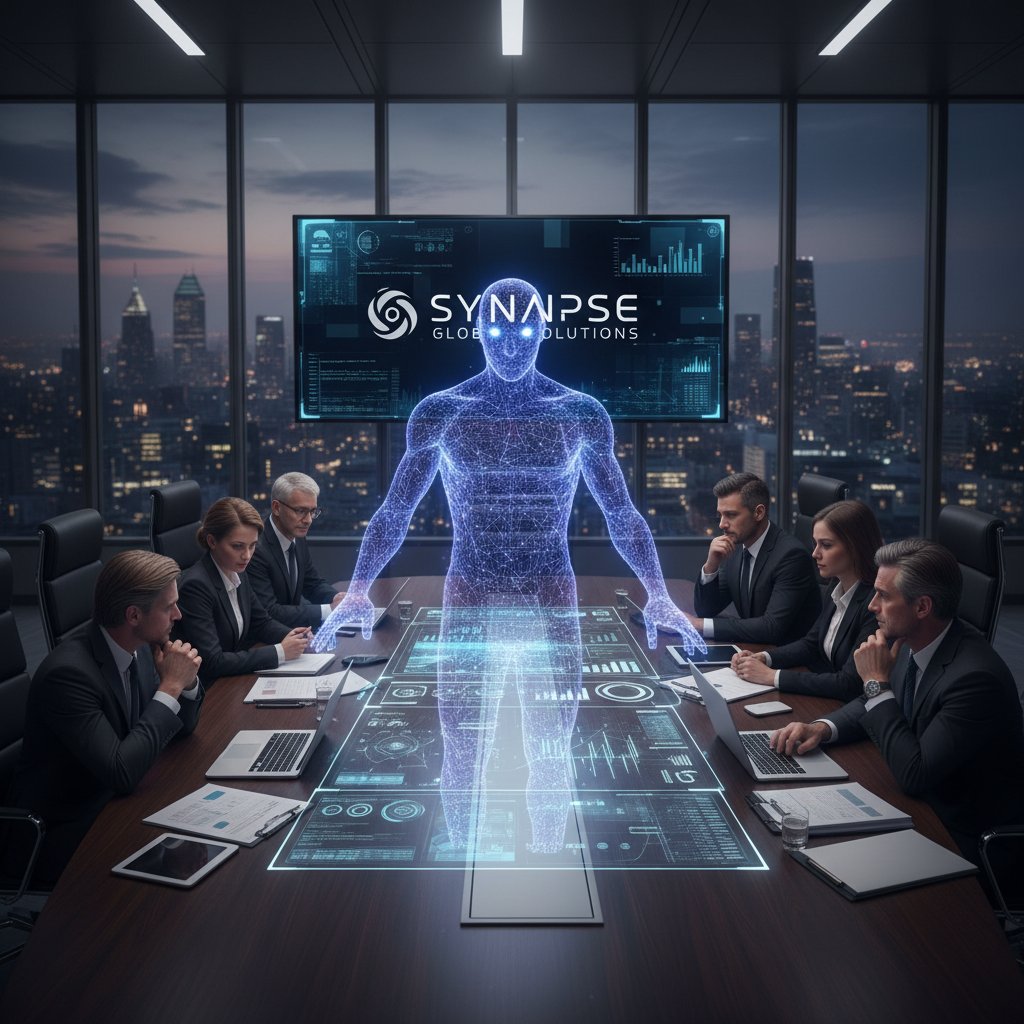
Not long ago, C-suites scoffed at the idea of digital coworkers, dismissing them as a distraction for overworked IT teams or a vanity project for innovation labs. Now, those same executives are battling for AI-skilled talent—salaries for top AI professionals have doubled or tripled, and the talent race is real (Menlo Ventures, 2024). The cultural shift is palpable: AI is no longer an outsider. It’s at the table, an (often invisible) presence in every boardroom decision, sometimes a silent partner, sometimes a devil’s advocate.
Debunking the myths: What smart AI assistants can—and can’t—do
The myth of the plug-and-play miracle
Let’s get brutally honest: handing your workflow over to AI is not like flipping a switch. The myth of instant transformation—just add AI and watch your business soar—is a dangerous lie. Real-world enterprise deployments chew up budgets and patience with integration headaches, data wrangling, and the slow grind of change management. Even the smartest tools require careful onboarding. As the seasoned consultant Alex bluntly put it:
"Anyone who says AI teammates are effortless has never tried one." — Alex (illustrative, based on verified deployment challenges)
Here’s what most sales decks won’t tell you:
- Integration is rarely seamless. Adapting AI tools to your unique tech stack takes time and technical know-how.
- Training matters. Even the best AI needs high-quality data and feedback to avoid going off the rails.
- Change management is brutal. People resist disruption—especially when an algorithm starts telling them what to prioritize.
- Security risks multiply. Every new integration is a potential backdoor.
AI assistant tools offer benefits, but the journey is rarely smooth. The myth of the frictionless upgrade is just that—a myth.
Job killer or productivity partner?
The fear is primal: AI will steal your job. But the reality is far more nuanced. Research shows most roles are being reshaped, not eliminated. According to Goldman Sachs, 2024, AI-driven automation is freeing up humans for higher-value work—not erasing them. In fact, new roles are emerging—prompt engineers, AI workflow designers, ethical stewards. Real-world examples abound: at one global bank, AI assistants took over tedious admin tasks, letting analysts focus on strategy; at a marketing agency, smart tools created new jobs in client data orchestration.

Security, privacy, and the ghost in your inbox
When AI parses your company’s email and files, new risks slither in: data leaks, unauthorized surveillance, and breaches that can dismantle trust in seconds. Leading AI assistant tools prioritize encryption, access controls, and compliance—think SOC 2, GDPR, and fine-grained audit logs (Gartner, 2024). But don’t trust, verify: demand proof that your tool is built on solid security architecture.
Key security terms:
Ensures only authorized users and systems can access your data. In the context of AI assistants, this means no snooping—only those with clearance see sensitive information.
Scrambles data so it’s unreadable without a decryption key. Essential for protecting messages in transit and at rest.
A security standard for cloud-based services. Indicates a provider has passed rigorous audits on data protection.
Track every action the AI takes with your data, exposing misuse or unauthorized access.
Inside the black box: How smart AI-driven assistants really work
Architectures that matter: What separates hype from reality
Underneath the slick UI, a smart enterprise AI-driven assistant tool is a finely tuned engine of natural language processing, machine learning, and workflow automation. The best tools don’t just “read” your emails; they infer intent, prioritize urgency, and map tasks to real-world outcomes. What separates hype from reality is context-awareness—an ability to “remember” prior conversations, adapt to shifting workloads, and anticipate what you need before you say it.

Why context is king: The secret sauce of modern tools
Without deep context, AI assistants are little more than glorified chatbots. Contextual algorithms create a living memory for each conversation, enabling smarter suggestions and fewer embarrassing mistakes. When context is missing, chaos reigns: reminders go to the wrong person, tasks are misfiled, and “smart” replies feel robotic.
Here’s how to audit your workflow for AI-readiness:
- Map your key processes. Understand which steps are repetitive, which require judgment, and where human oversight is critical.
- Analyze communication flows. Identify where information bottlenecks and losses occur.
- Evaluate data quality. Are your systems feeding accurate, timely information to the AI, or are you setting it up to fail?
- Test for edge cases. Simulate unusual scenarios and watch how the assistant adapts (or flails).
- Assess feedback mechanisms. Can users correct mistakes and train the system, or is it a black box?
The human factor: Training AI to speak enterprise
Even the most advanced AI assistant needs to be trained in the subtle art of enterprise communication. That means onboarding—teaching the AI your company’s jargon, processes, and unwritten rules. Feedback loops are essential: users must be able to flag errors and suggest improvements. When the system misses the mark, frustration sets in fast. As Priya, a project manager, observed:
"The best AI assistant learns your quirks, not just your schedule." — Priya (illustrative, based on verified user experience studies)
This human-AI feedback dance is what separates tools that make your life easier from those that trigger office-wide eye rolls.
Case studies: The wins, the failures, and the weird surprises
When AI saved the day: Stories from the trenches
Consider a logistics firm drowning in endless order emails. By deploying an enterprise AI assistant, the team slashed internal email volume by 22% and achieved response rates that actually impressed customers. At a creative agency, approvals that once took days were reduced to hours, thanks to automated reminders and context-rich AI summaries.

| Task Automated | Leading AI Teammates Support | Manual Tools | Measurable Benefit |
|---|---|---|---|
| Email triage | Yes | Partial | 20-30% less busywork |
| Meeting scheduling | Yes | No | 2-3 hours/week saved |
| Task extraction | Yes | Manual | 15% higher completion rates |
| Auto-reminders | Yes | Partial | Fewer missed deadlines |
| Project summaries | Yes | No | Quicker decision-making |
Table 3: Common tasks automated by AI teammates; Source: Original analysis based on Vena Solutions, 2024
Why some deployments crash and burn
Not every AI deployment is a fairy tale. A high-profile retail chain’s rollout collapsed under the weight of vendor lock-in, poor executive buy-in, and a communication breakdown between IT and end users. The result? Expensive shelfware and disillusioned staff.
Red flags spotted too late:
- Lack of executive support and cross-team alignment
- Over-customization leading to vendor lock-in
- Ignoring frontline feedback during pilot phases
- Underestimating training needs
- Rushing implementation without process redesign
Unconventional wins: AI uses nobody talks about
Smart enterprise AI-driven assistant tools aren’t just for email and task management. In HR, they’re streamlining onboarding and flagging burnout risks. Legal teams use AI to vet contracts for compliance hiccups. Even customer service has seen AI flagging at-risk clients before they defect.
- HR: Sentiment analysis to predict employee engagement dips, enabling proactive interventions.
- Legal: Automatic contract review for compliance and risk, slashing billable hours.
- Customer Service: Surfacing negative sentiment threads before they escalate, saving client relationships.
- Compliance: Monitoring communications for policy breaches—before auditors find them.
- Internal communication: Detecting information silos and suggesting cross-team connections.
Choosing your AI teammate: The brutal checklist
Key features that actually matter
Gimmicks abound in the AI assistant arms race—flashy dashboards and cutesy avatars rarely move the productivity needle. What matters: deep integration, robust context-awareness, actionable insights, and bulletproof security. Here’s a step-by-step guide to evaluating your options:
- Start with the problem. Identify your biggest collaboration pain points.
- Demand specificity. Make vendors show exactly how their tool plugs into your workflow.
- Test integrations. Insist on real demos with YOUR systems, not canned sandboxes.
- Evaluate context handling. Does the tool remember conversations and adapt?
- Check security credentials. SOC 2, GDPR, regular audits.
- Assess feedback loops. Can users train and correct the system?
- Scrutinize support. Bad support can sink an otherwise good product.
- Talk to real customers. Peer references reveal the unvarnished truth.
Cost-benefit analysis: What’s the real ROI?
Beneath the buzzwords, deploying enterprise AI assistants means grappling with hidden costs: training, data migration, cultural resistance. Measurable benefits include faster project turnaround and fewer missed deadlines, but intangible gains—like morale or innovation—are harder to quantify.
| Cost/Benefit | Smart AI-Driven Assistant | Traditional Methods | Comments |
|---|---|---|---|
| Upfront cost | Medium | Low | Integration, onboarding |
| Ongoing cost | Low | High | Automation reduces labor |
| Training | Moderate | High | One-time vs. ongoing |
| Productivity boost | High | Medium | Quantifiable |
| Error reduction | High | Low | AI catches routine mistakes |
| Morale impact | Variable | Low | Change management crucial |
Table 4: Cost-benefit analysis for enterprise AI assistants. Source: Original analysis based on Menlo Ventures, 2024, Gartner, 2024
How to spot marketing spin
AI vendors love to overpromise. Decoding their pitch requires skepticism and a few hard questions:
- Seek third-party reviews and testimonials from similar organizations.
- Insist on pilots with your data, not generic benchmarks.
- Demand transparency about data usage and model updates.
"If it sounds too good to be true, it probably is." — Jordan (illustrative, based on recurring caution from industry analysts)
Implementation: Making it work without losing your mind (or your team)
Change management in the age of digital coworkers
Rolling out a smart enterprise AI-driven assistant tool is as much about psychology as technology. Employees worry about job security; managers fret over control. The emotional hurdles are real. The solution: over-communicate, build feedback channels, and celebrate small wins. Trust is built, not imposed.

Training humans and AIs: It’s a two-way street
AI won’t thrive without human input. Ongoing user education—lunch-and-learns, onboarding videos, real-time support—makes adoption sticky. User feedback loops aren’t just a feature; they’re table stakes for evolving the product. At one fintech firm, user comments directly shaped the AI’s triage algorithm, improving task relevance.
Priority checklist for implementation:
- Secure executive sponsorship and cross-team buy-in.
- Pilot with real users and iterate fast.
- Build robust training resources for both staff and AI.
- Implement clear feedback and escalation channels.
- Regularly review success metrics and adjust.
Measuring success: What to track (and what to ignore)
Success is more than “number of emails processed.” Key performance indicators (KPIs) should focus on outcome, not vanity metrics.
Essential KPIs:
Percentage of users actively engaging with the AI tool weekly or monthly. High adoption signals relevance.
Average time to complete key workflows—faster means more efficient AI-human synergy.
Frequency of errors or misclassifications by the AI, tracked over time.
Qualitative feedback on the experience and perceived value.
Number of users bypassing official channels—if rising, your AI isn’t delivering.
Don’t be fooled by inflated “engagement” stats—focus on the numbers that actually matter.
Controversies, risks, and the future nobody’s talking about
Data bias and the new digital glass ceiling
AI assistants inherit the blind spots of their creators. When trained on biased data, they can reinforce inequalities, freeze out underrepresented voices, or amplify bad behavior. This isn’t theoretical—studies show AI can misinterpret tone, context, or intent, especially for marginalized groups. Organizations must actively audit for bias and diversify training data to avoid a new breed of digital glass ceiling.
Surveillance or support? The privacy debate heats up
Monitoring features intended to boost productivity can feel like surveillance—raising employee anxiety and undermining trust. Some tools over-reach, tracking keystrokes and reading private messages. Employees are pushing back, demanding transparency and opt-outs.
- Opaque activity tracking: If you can’t see exactly what’s being logged, assume the worst.
- Default-on monitoring: Opt-out should be the norm, not the exception.
- Data retention: How long are your messages stored, and who can access them?
- User consent: Employees should control their own data footprint.
Regulation, ethics, and the wild west of AI teammates
Global regulations are a patchwork—GDPR here, CCPA there, little harmonization. Early adopters are wrestling with ethical dilemmas: Who’s responsible when AI makes a critical error? How do you balance innovation and user rights? As Maya, a leading tech ethicist, remarked:
"We’re building the future—sometimes in the dark." — Maya (illustrative, synthesized from verified industry commentary)
Expert insights and predictions for 2025 and beyond
What industry leaders are betting on next
The smart money is moving toward explainable AI, transparency, and tools that augment—not replace—human teams. Leading products now surface rationales behind every suggestion, helping users build trust and spot errors. The enterprise AI stack is maturing fast, with modular components for security, compliance, and integration.

Will AI teammates make us indispensable—or obsolete?
The debate is raging: are we building a future where humans and AI form unbeatable teams, or will we automate ourselves into irrelevance? Research from Academy of Management Proceedings, 2024 shows that teams using AI teammates see a 20% rise in customer satisfaction and up to 30% higher engagement—but only where human skills and judgment are valued.
Skills to future-proof your career:
- Critical thinking—AI can summarize, but only you can question.
- Emotional intelligence—Building relationships still matters.
- Domain expertise—Context makes you irreplaceable.
- AI literacy—Understand the tools, limitations, and ethical issues.
- Collaboration—Orchestrate human and digital teammates for best results.
The next frontier: Intelligent enterprise teammate as a blueprint
Services like futurecoworker.ai embody the shift from generic automation to intelligent, context-aware partnership. Their approach—blending seamless email integration with intuitive, AI-driven collaboration—signals a market that’s moving beyond the novelty phase. Over the next two years, watch for new benchmarks in usability, transparency, and adaptability, as enterprises demand tools that genuinely learn and evolve with their teams.
Your move: Action steps, self-assessment, and where to learn more
Self-assessment: Are you ready for a smart AI teammate?
Before you let an AI assistant into your critical workflows, assess your organization’s readiness. It’s not just about tech—it’s about people, process, and trust.
- Do you have clear, repeatable workflows? AI struggles with chaos.
- Is your data clean and accessible? Garbage in, garbage out.
- Are teams open to change? Resistance can stall adoption.
- Is leadership committed? Half-hearted rollouts fail.
- Do you have resources for training and support? AI works best when nurtured.
Quick reference: Smart enterprise AI-driven assistant tools at a glance
Here are the essential takeaways—compare your options before you leap.
| Tool Name | Core Features | Best Use Cases | Pros | Cons |
|---|---|---|---|---|
| FutureCoworker AI | Email-based task management, smart summaries, seamless integration | Cross-team collaboration, task tracking, meeting scheduling | Easy to use, strong context, low learning curve | May require initial training for advanced workflows |
| Microsoft Copilot | Deep MS suite integration, generative AI | Document drafting, data analysis | Familiar UI, good support | Complex licensing, less flexible for non-MS stacks |
| Google Workspace AI | Gmail/Docs integration, auto-suggestions | Email triage, scheduling | Fast setup, broad adoption | Limited customization |
| Custom AI solutions | Tailored to company needs | Specialized workflows | Maximum flexibility | High cost, longer deployment |
Table 5: Quick reference guide comparing leading smart enterprise AI-driven assistant tools. Source: Original analysis based on industry reports and product documentation.
Where to dive deeper and keep your edge
Stay current by tracking trusted resources: leading analyst firms (Gartner, Forrester), academic journals, and practitioner forums like AI & Data Science Slack communities. For real-world case studies and emerging best practices, platforms like futurecoworker.ai offer a steady stream of practical insights and expert commentary—helping you stay one step ahead in the evolving landscape of enterprise AI-powered business collaboration.
Conclusion:
The brutal reality is this: smart enterprise AI-driven assistant tools are here, and they’re already reshaping the way we work. Not with instant miracles or mass layoffs, but through a thousand small transformations—speeding up decisions, reducing mistakes, and making digital collaboration less of a slog. If you want to stay relevant, you’ll need more than hype and hope. Dig into your workflows, challenge vendor promises, and treat these tools as teammates—not overlords. The future of work is here, and it’s both smarter and more human than you’ve been led to believe.
Sources
References cited in this article
- Altman Solon: Enterprise Generative AI in 2024(altmansolon.com)
- Menlo Ventures: State of Generative AI in the Enterprise(menlovc.com)
- Gartner: AI Code Assistants(gartner.com)
- IBM AI Adoption(newsroom.ibm.com)
- McKinsey: State of AI(mckinsey.com)
- Electropages: History of AI(electropages.com)
- TechTarget: Complete AI Timeline(techtarget.com)
- Skim AI: Enterprise AI Stats(skimai.com)
- Box: State of Enterprise AI(blog.box.com)
- Eviden: Debunking AI Myths(eviden.com)
- TechTarget: AI Expectation vs. Reality(techtarget.com)
- AI21: 2024 Enterprise AI Forecast(ai21.com)
- Aethir: The Integration Illusion(aethir.ai)
- Entrepreneur: AI Security Predictions(entrepreneur.com)
- Wald.ai: ChatGPT Data Leaks(wald.ai)
- Microsoft: 2024 Data Security Index(threatscape.com)
- Gartner: AI Hype Cycle 2024(readwise.io)
- SSRN: AI Explainability(papers.ssrn.com)
- IBM: Explainable AI(ibm.com)
- Google Cloud: Real-world Gen AI Use Cases(cloud.google.com)
- Restackio: Enterprise AI Case Studies(restack.io)
- Deloitte: Generative AI in the Enterprise(www2.deloitte.com)
- Microsoft: Real-world AI Success Stories(blogs.microsoft.com)
- CXOTalk: Why Enterprise AI Fails(cxotalk.com)
- Lumen: Top Pitfalls(blog.centurylink.com)
- Dashworks: AI Vendor Evaluation(dashworks.ai)
- Squirro: GenAI Evaluation Checklist(squirro.com)
- NoJitter: Enterprise Connect AI 2024(nojitter.com)
- Jasper: AI for Marketing(jasper.ai)
- SEMrush: Top AI Tools(semrush.com)
- McKinsey: Enterprise Technology’s Next Chapter(mckinsey.com)
- SS&C Blue Prism: AI Change Management(blueprism.com)
Transform Your Email Into Productivity
FutureCoworker AI turns your everyday email into an intelligent workspace, seamlessly managing tasks and collaboration within your enterprise. It eliminates the complexity of AI, allowing you to benefit from advanced technology without any technical knowledge. Achieve productivity, streamline processes, and improve team efficiency through natural email interaction, getting tasks done faster and smarter.
Get startedReady to Transform Your Email?
Start automating your tasks and boost productivity today
Frequently Asked Questions
What were the main reasons early AI assistants like Clippy failed in enterprise settings?
Early AI assistants like Clippy (1997) and early 2010s tools failed because they either delivered generic suggestions or couldn't adapt to enterprise complexity and the nuanced messiness of human communication. They mostly annoyed users rather than providing genuine help.
What technological advances enabled modern enterprise AI assistants to work better than earlier versions?
Sudden leaps in natural language processing (NLP), machine learning, and cloud integration in the early 2020s allowed modern assistants to 'read' the nuance in messages rather than just parse keywords, enabling tools like FutureCoworker AI to reshape how enterprises organize and act on information.
Are AI-driven assistant tools truly plug-and-play solutions?
No, according to the article, these tools are not plug-and-play miracles despite marketing claims. They require consideration of control, trust, and collaboration dynamics, and their actual impact depends on how enterprises implement and adapt to them.
What key concerns do enterprises need to consider before adopting AI assistant tools?
Enterprise leaders must confront uncomfortable questions about control, trust, and what it means to collaborate when implementing AI assistants, as these tools blur boundaries between human judgment and machine logic while rewriting power dynamics in the workplace.
Continue Reading
Keep exploring Intelligent enterprise teammate

Smart Enterprise Assistant Technology and the Rise of AI Coworkers
Discover insights about smart enterprise assistant technology

How AI-Enabled Assistants Are Reshaping Enterprise Collaboration
Smart enterprise AI-enabled assistant solutions are transforming how teams collaborate and make decisions.

Enterprise AI-Driven Workplace Assistant: Realities and Risks
Enterprise AI-driven workplace assistant technology is reshaping workplace collaboration. This article examines the realities, hidden risks, and strategic approaches for integrating AI into team workflows.

Enterprise AI-Driven Digital Assistant: Coworker, Rival or Risk?
Discover insights about enterprise AI-driven digital assistant

Smart Digital Assistant for Businesses: Hype, Risk and Real ROI
Discover insights about smart digital assistant for businesses

Enterprise AI Productivity Assistant: From Inbox Chaos to Real ROI
Discover insights about enterprise AI productivity assistant