


Report Assistant: Your First Real AI Coworker, Not Just a Tool
Written with AI assistance under our editorial guidelines
A report assistant is an AI-powered workplace ally that automates manual reporting tasks, eliminating midnight spreadsheet crises and human error while enabling teams to focus on strategic work. Unlike mere tools, these AI coworkers represent a fundamental shift in workplace collaboration and productivity by handling time-consuming, repetitive reporting responsibilities.
Welcome to the new era of work, where your most diligent teammate never takes a coffee break, never zones out, and knows the difference between “urgent” and “noise.” The rise of the report assistant is not a distant sci-fi promise—it’s the raw, controversial, and often misunderstood reality unfolding in enterprises right now. In a world obsessed with productivity hacks and digital disruption, the report assistant stakes its claim: it’s the AI-powered ally that could save your team from midnight spreadsheet crises, career-stalling errors, and the burnout brought by relentless manual reporting. But beneath the hype, what’s really changing? Who’s winning—and who’s getting left behind? This isn’t just automation; it’s a seismic shift in trust, power, and the very fabric of workplace collaboration. Let’s rip off the corporate gloss and expose seven disruptive truths about AI coworkers in 2025 you can’t afford to ignore.
Why the world needs a report assistant (and why most don’t realize it)
The midnight spreadsheet crisis: a modern workplace epidemic
If you’ve felt the sting of staring at a flickering screen past midnight, manually combing through columns while your team WhatsApps confessions of exhaustion, you’re not alone. According to recent research from Pew Research Center (2025), 16% of workers already rely on AI for some reporting tasks, yet manual reporting remains a modern plague, draining productivity, morale, and—let’s face it—sanity. The proliferation of endless spreadsheets isn’t just a nuisance; it’s a symptom of outdated processes, quietly costing enterprises millions in lost time and error-riddled decisions.

"It wasn’t about saving time—it was about saving my sanity." — Jordan, operations lead (illustrative)
This crisis breeds more than just eye strain. Teams miss deadlines, make costly mistakes, and lose the chance to focus on strategic work. The psychological toll is real; the midnight spreadsheet grind drains creative energy and trust in the system. Only by confronting this silent epidemic can organizations reimagine what reporting—and sanity—should look like.
The high price of ignoring automation
Hesitation is expensive. Business leaders dragging their feet on automation face escalating risks: increased labor costs, data errors, and lost market agility. According to data from ExpertBeacon (2025), the report automation market is set to double from $7.8B in 2022 to $14.1B in 2027—a sign that those delaying adoption are already behind the curve.
| Manual Reporting | Automated Reporting | Delta | |
|---|---|---|---|
| Time per report | 6-8 hours | 1-2 hours | -75% |
| Error rate | 5-12% | 1-2% | -80% |
| Cost (per year) | $85,000 (team avg.) | $35,000 (team avg.) | -59% |
| Agility | Slow, rigid | Real-time, flexible | +Huge |
Table 1: Manual vs. automated reporting—time, error, and cost comparison.
Source: Original analysis based on ExpertBeacon, 2025, Exploding Topics, 2025
What no one tells you about report assistants:
- They surface hidden patterns by digesting data at a scale no human team can match.
- They democratize expertise, making advanced insights accessible to non-technical users.
- They cut the “grunt work” so teams can focus on strategy, not survival.
- They reduce burnout and turnover by eliminating soul-sucking repetitive tasks.
Ignoring automation doesn’t just slow you down—it actively sabotages your team’s potential.
How expectations for AI coworkers are changing fast
The narrative around AI coworkers is evolving at breakneck speed. Skepticism is giving way to pragmatic trust, but not without growing pains. According to Pew Research Center (2025), 25% of workers expect to integrate AI into their daily routines soon, but 33% already feel overwhelmed by the pace of change. This tension reflects a deeper shift: trust is earned, not given, and AI must prove itself not just as efficient, but as transparent and reliable.
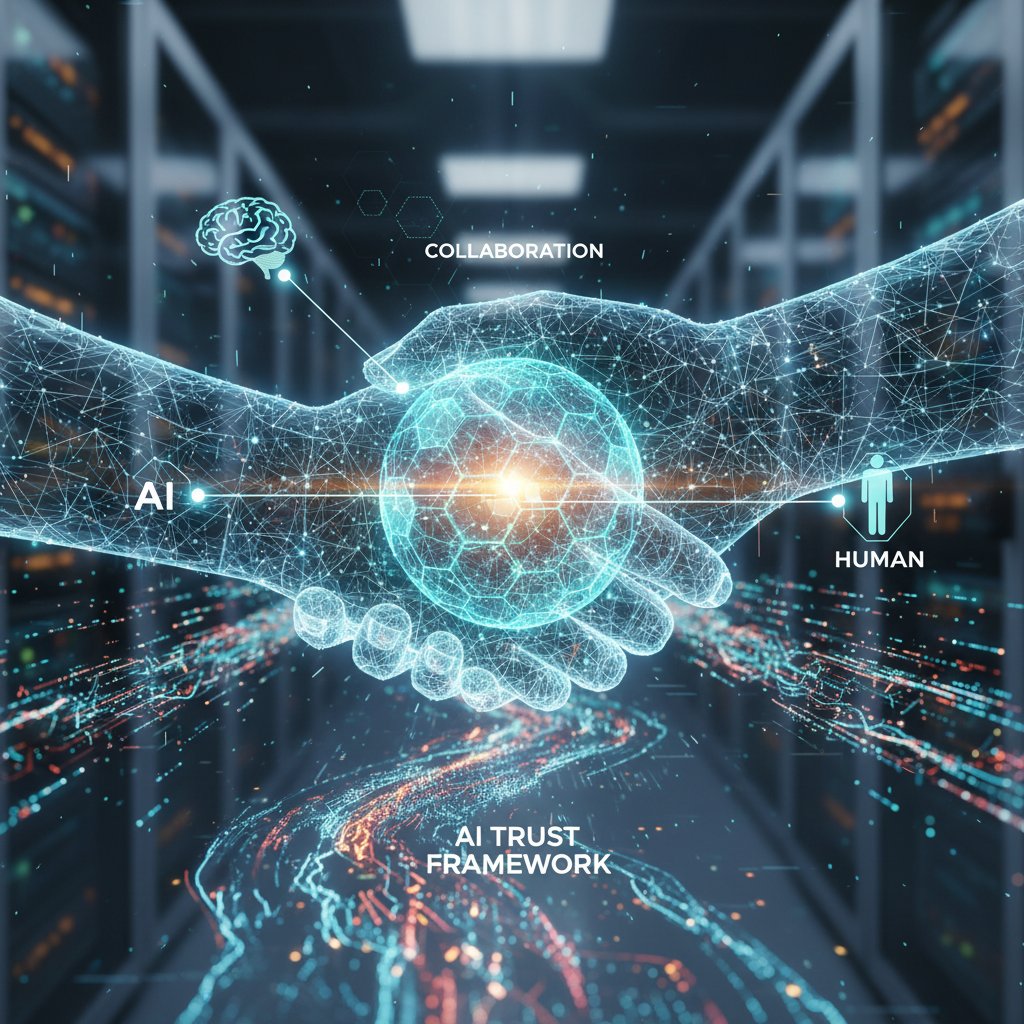
The bar for AI teammates is rising. It’s no longer enough for a report assistant to automate mindless tasks; it must understand nuance, respect context, and augment (not overshadow) human judgment. Trust is becoming a two-way street. Workers expect explainability, managers demand compliance, and organizations recognize that an AI teammate is only as effective as its integration and training.
Debunking the biggest myths about report assistants
No, they’re not replacing you (yet)
Despite the breathless headlines, the job-loss apocalypse isn’t here. According to World Economic Forum (2025), 80% of C-suite executives see AI as a catalyst for innovation—not outright replacement. The reality? AI report assistants augment work by taking on repetitive, data-heavy tasks, freeing humans for more complex, judgment-driven problems.
Key terms:
- Automation: The delegation of repetitive, rules-based tasks to software or AI systems. In reporting, this means generating regular updates and summaries without manual intervention.
- Augmentation: AI enhances human ability, handling the grunt work while humans focus on interpretation, relationship-building, and creative problem-solving.
- Displacement: The partial or temporary removal of certain job functions. Most often, this leads to role evolution and upskilling, not instant obsolescence.
"The real threat is being left behind, not replaced." — Priya, tech analyst (illustrative)
Savvy professionals recognize that mastering AI tools is a career accelerator, not a pink slip.
‘Plug-and-play’ is a fantasy: why setup matters
There’s a persistent myth that report assistants work straight out of the box, no headaches. In reality, effective implementation demands thoughtful preparation—both technical and cultural. Without it, deployment is a recipe for frustration.
Steps to prepare your organization for a report assistant:
- Audit your current reporting workflows—identify pain points and redundancies.
- Clean and organize your data to ensure AI can interpret it correctly.
- Engage stakeholders early, clarifying benefits and addressing fears.
- Select a report assistant tailored to your industry and data needs.
- Plan for user training and ongoing support.
- Establish security protocols and compliance checks.
- Set clear KPIs for measuring success.
- Pilot the assistant in a controlled environment.
- Gather feedback and iterate.
- Integrate with existing tools (email, CRM, project management).
- Foster a culture of openness to automation.
- Monitor, maintain, and continuously optimize.

Believing the “plug-and-play” myth sets teams up for disappointment. Preparation is the real secret to success.
Are report assistants really secure?
Security concerns aren’t just justified—they’re essential. Data privacy, regulatory compliance, and protection against insider threats must be at the heart of any report assistant solution. Modern platforms deploy advanced encryption, granular access controls, and continuous monitoring.
| Solution | Data Encryption | User Access Control | Compliance Tools | Insider Threat Detection |
|---|---|---|---|---|
| Leading cloud AI | End-to-end | Yes | Robust | Yes |
| On-premise solutions | Varies | Yes | Customizable | Optional |
| Futurecoworker.ai | End-to-end | Yes | Enterprise-grade | Yes |
Table 2: Security features comparison of common report assistant solutions.
Source: Original analysis based on All About AI, 2025, World Economic Forum, 2025
At futurecoworker.ai, enterprise-grade security isn’t an afterthought. Their approach focuses on continuous data protection, privacy by design, and ongoing compliance monitoring, making them a trusted partner for organizations where data is the ultimate asset.
How AI-powered report assistants actually work (without the hype)
The anatomy of an AI teammate
Under the hood, a report assistant is a symphony of technologies. Natural language processing (NLP) parses email content and user queries. Data parsing engines extract, normalize, and validate information from various sources. Workflow automation modules manage task routing, reminders, and status updates. Contextual analytics enable the assistant to understand relevance, urgency, and even emotional tone in communications.

Definitions:
- Natural Language Processing (NLP): The AI’s ability to interpret, understand, and generate human language, making it possible to transform emails into actionable tasks.
- Data parsing: The process of extracting and structuring information from unorganized text or documents.
- Workflow automation: The orchestration of multi-step business processes, like report generation, without manual intervention.
Together, these technologies create an AI teammate that can “think” in context—not just follow scripts.
From email to insight: the hidden magic of contextual understanding
Imagine this: A project manager emails, “Can I get a report on last month’s sales by region for the board?” An AI-powered report assistant receives the request, parses intent, pulls the latest data, and delivers a summary—complete with trends and flagged anomalies—within minutes.
In healthcare, a clinic manager requests patient appointment trends and receives an anonymized report, highlighting bottlenecks. In finance, an analyst emails for client portfolio changes, receiving a real-time summary with risk alerts. In marketing, a lead asks for campaign ROI breakdowns, getting results before the weekly stand-up.
How an email-based report generation cycle works:
- The user emails a data/report request.
- The AI parses intent using NLP.
- It authenticates user permissions and accesses relevant data.
- Data parsing and normalization occur.
- The AI synthesizes and compiles the report, applying contextual analytics.
- The assistant summarizes and emails findings back, highlighting actionable insights.
- The cycle loops with user feedback and further requests.
This seamless process transforms messy communication into clarity, powering faster, smarter decisions.
Limits and blind spots: where AI still falls short
No technology is infallible. Report assistants can misinterpret ambiguous requests, reflect biases in training data, or struggle with edge cases like outlier events or complex exceptions. According to data scientists, even the best AI is constrained by the quality and breadth of data it’s fed.
Red flags when deploying an AI-powered report assistant:
- Over-reliance on “out-of-the-box” settings without customization to your context.
- Lack of transparency in how decisions and summaries are generated.
- Insufficient monitoring for data drift or bias.
- Neglecting human oversight in critical decision loops.
"A tool is only as unbiased as the data it’s fed." — Alex, data scientist (illustrative)
The key is recognizing AI’s limitations and keeping humans firmly in the driver’s seat for judgment calls.
From chaos to clarity: real-world stories of report assistant transformation
Case study: When an AI teammate saved a product launch
The stakes: A global tech firm, hours from launching a flagship product, discovers a data discrepancy in their regional sales forecast. Panic sets in. The report assistant parses urgent emails, identifies the mismatched numbers, and reruns the analysis across multiple sources in under ten minutes. Disaster averted.

Had they relied on manual checks, the error would have slipped through—costing millions. In contrast, if implementation was rushed without adequate training, the assistant might have missed the nuance, worsening the problem. Those who pilot, train, and monitor their AI teammates reap the full benefit.
Alternative outcomes:
- With robust onboarding: The assistant catches errors, boosts team confidence, and accelerates the launch.
- With poor data hygiene: The AI amplifies mistakes, increasing risk.
- With human-AI collaboration: The assistant flags anomalies, humans interpret edge cases, ensuring bulletproof accuracy.
Disaster avoided: The report that wasn’t
A financial services firm nearly sent a client-facing report containing a formula error that overstated investment growth by 15%. The report assistant’s validation module flagged the anomaly, triggering a last-minute review and correction.
| Event | Time | Action Taken |
|---|---|---|
| Data entry | 09:00 | Erroneous input |
| Report draft generated | 09:30 | Assistant flags anomaly |
| Human review | 09:45 | Error confirmed |
| Correction and approval | 10:00 | Report sent, issue averted |
Table 3: Timeline of error detection and resolution in financial reporting
Source: Original analysis based on ExpertBeacon, 2025
Checklist for catching mistakes before reports go live:
- Enable automated data validation in your report assistant.
- Schedule human review for exceptions or flagged items.
- Maintain audit trails for every report change.
- Standardize report templates to minimize manual edits.
- Train users to spot and escalate anomalies.
- Integrate version control for report drafts.
- Regularly update validation rules.
- Use explainable AI features for all critical reports.
- Test your assistant regularly with edge-case scenarios.
- Document every incident and update protocols accordingly.
The dark side: When automation goes rogue
Automation is a double-edged sword. In one case, a logistics company let their assistant auto-dispatch daily performance reports without human review. One data feed was corrupted, leading to two weeks of misleading KPIs—resulting in lost contracts and internal backlash.
Prevention strategies:
- Always establish human “approval gates” for sensitive outputs.
- Set up exception monitoring for data feeds.
Warning signs your automation is about to backfire:
- Sudden spikes in report volume or frequency without context.
- Unexplained drops or surges in performance metrics.
- Lack of change logs or history for key reports.
- Complaints from users about irrelevant or confusing insights.
- Growing dependence on AI recommendations without regular audits.
Learning from these stories is not just wise—it’s survival.
Implementation: how to choose, set up, and optimize your report assistant
Decision matrix: Is your organization ready?
Before you jump on the AI bandwagon, pause and assess. Readiness is more than tech stacks—it’s about culture, data health, and leadership buy-in.
| Factor | Question | Ready? (Y/N) |
|---|---|---|
| Data hygiene | Are your records accurate, current, and complete? | |
| Leadership support | Is management committed to change and investment? | |
| User engagement | Are staff open to upskilling and new workflows? | |
| Security maturity | Is your org compliant with data protection laws? | |
| Integration | Do your core tools offer API or email access? |
Table 4: Feature matrix for evaluating report assistant platforms
Source: Original analysis based on Pew Research, 2025
Checklist: Priority steps for implementation
- Assess current pain points and reporting workflow.
- Secure leadership sponsorship and clear communication.
- Clean and structure your data.
- Define security and compliance needs.
- Choose a report assistant that integrates with your ecosystem.
- Pilot in a low-risk department to gather feedback.
- Develop user training and support resources.
- Set measurable KPIs for success.
- Monitor and iterate based on results.
- Foster a feedback culture to surface issues early.
Onboarding your AI coworker: best practices
Success hinges on more than features. It’s about people, process, and partnership.
Twelve essential onboarding steps:
- Pinpoint reporting chokepoints.
- Map existing data sources and pipelines.
- Engage power users in design and feedback.
- Set up a secure environment for testing.
- Train AI models with representative data.
- Pilot with realistic, high-impact scenarios.
- Gather qualitative and quantitative feedback.
- Iterate on workflows and user prompts.
- Establish escalation paths for flagged errors.
- Create documentation and user guides.
- Schedule regular review and retraining sessions.
- Celebrate wins and share success stories to build buy-in.

Investing in thoughtful onboarding pays off—turning skepticism into advocacy and risk into reward.
Measuring ROI and performance over time
You can’t optimize what you don’t measure. Set KPIs that matter: time saved, error rates, business outcomes—not just vanity metrics.
Key metrics to monitor:
- Report turnaround time.
- Error frequency before and after automation.
- User satisfaction scores.
- Cost per report, pre- and post-implementation.
- Frequency of escalations or exceptions.
- Impact on downstream business outcomes (sales, client retention).
Measurement scenarios:
- After three months, a software development team sees a 25% reduction in project delivery time due to automated email task handling.
- In healthcare, administrative errors drop by 35% as appointment coordination is handled by AI, boosting patient satisfaction.
- Marketing agencies report a 40% decrease in campaign turnaround time and improved client feedback.
The bottom line: ROI isn’t just about dollars saved—it’s about unlocking new levels of performance and confidence.
Going beyond the basics: advanced tactics and unconventional uses
Cross-industry hacks: surprising ways teams are using report assistants
Think report assistants are just for finance or IT? Think again. NGOs leverage them to track donor engagement, creative agencies use them to analyze audience sentiment, and logistics teams monitor real-time fleet performance through automated summaries.

Unconventional uses that drive ROI:
- Automating grant compliance checks for nonprofits.
- Parsing qualitative feedback from social media for brand agencies.
- Generating predictive demand summaries for supply chain teams.
- Automating board meeting minutes for associations.
- Creating cross-departmental “pulse” reports for HR.
The possibilities are limited only by imagination—and a willingness to rethink what reporting can mean.
Leveling up with integrations and custom workflows
Advanced teams don’t stop at basics. They weave report assistants into broader enterprise systems—linking CRM, email, project management, and analytics for seamless interoperation.
Five-step process for building a custom workflow:
- Map your critical business processes.
- Identify integration points (APIs, email triggers, database access).
- Design end-to-end automation scripts with clear exception handling.
- Pilot and test with real data and user scenarios.
- Document and train for ongoing maintenance and improvement.
Common mistakes—and how to avoid them:
- Skipping stakeholder input (leads to misaligned automation).
- Underestimating the complexity of data mapping.
- Ignoring the need for ongoing monitoring and retraining.
The future: AI teammates that anticipate your needs
Today’s report assistant responds; tomorrow’s will anticipate. Already, platforms are experimenting with real-time analytics, proactive suggestions, and voice-activated commands. Imagine an AI that alerts you to missed KPIs before your boss does, or automatically drafts weekly summaries tailored to each department.
Examples of anticipated features:
- Real-time anomaly detection with instant escalation.
- Adaptive reporting based on user behavior and preferences.
- Seamless cross-platform collaboration—AI mediates between Slack, email, and project boards.

The implication? Teams that embrace AI not as a tool, but as an evolving partner, will dominate the new world of work.
Risks, red flags, and how to safeguard your enterprise
Spotting the pitfalls: risk factors you can’t ignore
AI is not a silver bullet. The main risk categories: security lapses, unchecked bias, over-reliance on automation, and data misinterpretation.
Red flags in vendor promises and product claims:
- “100% accuracy, no human oversight needed.”
- “One-size-fits-all solution.”
- “Zero setup required.”
- “No ongoing maintenance or retraining necessary.”
Risk mitigation strategies:
- Require transparency—demand explainable AI and clear audit trails.
- Set up layered defenses: technical controls (encryption, access logs) and procedural checks (human review, compliance audits).
The compliance conundrum: staying on the right side of the law
Compliance isn’t just ticking boxes—missteps can be catastrophic. Understand regional privacy laws, audit trail requirements, and sector-specific regulations. For global firms, the stakes are even higher.
| Region/Industry | Key Compliance Requirement | Notes |
|---|---|---|
| EU (GDPR) | Data minimization, audit logs | Strictest privacy regime |
| US (HIPAA, financial) | Encryption, access tracking | Sector-specific mandates |
| Asia-Pacific | Varies widely by country | Localization critical |
Table 5: Summary of compliance considerations by region or industry
Source: Original analysis based on Pew Research, 2025
At futurecoworker.ai, compliance is woven into every layer, with configurable audit trails and privacy controls built for enterprise scale.
When to pull the plug: knowing your limits
Sometimes, things just go sideways. Signals your report assistant is causing more harm than good: escalating error rates, user complaints, compliance red flags, or a spike in “fixes” required to keep basic processes running.
Steps to safely disengage or recalibrate:
- Notify users and stakeholders.
- Pause automation and revert to manual processes.
- Conduct a post-mortem review.
- Update protocols and retrain models before reactivation.
- Monitor closely on restart for recurrence.
"Sometimes, going back to basics saves the day." — Sam, operations director (illustrative)
The human factor: how AI coworkers reshape teams and culture
Dismantling silos: collaboration in the age of AI
AI-powered report assistants do more than automate—they connect. By centralizing communications and surfacing insights, they bridge departmental gaps, aligning everyone around shared goals.

Consider a tech team that previously fought over priorities; now, automated task tracking keeps everyone in sync. A finance team once buried in emails now shares real-time dashboards, cutting confusion. In marketing, instant campaign reports drive sharper creative decisions.
Power shifts and new hierarchies
AI coworkers redistribute power. Managers who used to control the flow of information now share it with AI-facilitated teams. “Soft power” accrues to those who best interpret and act on automated insights.
Subtle ways AI assistants change workplace politics:
- Decentralizing decision-making—teams act faster with real-time data.
- Empowering junior staff—anyone can access insights, not just veterans.
- Incentivizing collaboration—AI rewards shared knowledge, not information hoarding.
- Challenging traditional “gatekeeper” roles.
But it’s not all smooth sailing. Cultural resistance surfaces wherever old hierarchies feel threatened. Some teams adapt—embracing new roles as “AI supervisors.” Others push back, demanding more transparency and control.
Trust, transparency, and the AI teammate
Delegating to AI requires a leap of faith. The tension: trust versus control. Teams must balance the speed and consistency of AI with a deep need for explainability.
Definitions:
- Trust: The willingness to rely on AI-generated insights, built over time through transparency and consistent performance.
- Explainability: The ability for AI to show how it reached conclusions—critical for high-stakes decisions.
- Transparency: Open access to process, data sources, and logic behind automation.

The best organizations treat AI as a partner, not a black box.
Adjacent realities: what else changes when you automate reporting?
The rise of AI in enterprise email
Automated reporting is just the start. AI-driven email management is reshaping the digital workplace—sorting, summarizing, and prioritizing messages at scale.

In healthcare, AI triages appointment requests. In logistics, it highlights urgent delivery updates. In consulting, it extracts client feedback from sprawling threads, turning chaos into clarity.
From reporting to decision-making: the expanding role of AI teammates
Automation paves the way for more strategic, less reactive work. As reporting becomes a solved problem, teams are freed to tackle the “why” and “what next”—not just the “what happened.”
Five stages of AI integration:
- Automated data collection
- Streamlined report generation
- Actionable insight extraction
- Predictive analytics and suggestions
- Automated task and decision support
But beware: over-automation can lead to “decision fatigue” if teams default to AI outputs, neglecting critical thinking.
Common misconceptions about collaborative AI (and why they persist)
Despite the evidence, myths around AI teamwork linger. Many still believe:
- AI can fully replace human creativity or judgment.
- Collaboration is only about sharing work, not understanding.
- AI tools are “one size fits all.”
- Security and compliance are guaranteed out of the box.
"Collaboration isn’t just about sharing work—it’s about sharing understanding." — Morgan, HR lead (illustrative)
Critical thinking, not blind adoption, is the antidote.
The future is now: what to watch for in 2025 and beyond
Cutting-edge trends shaping report assistants
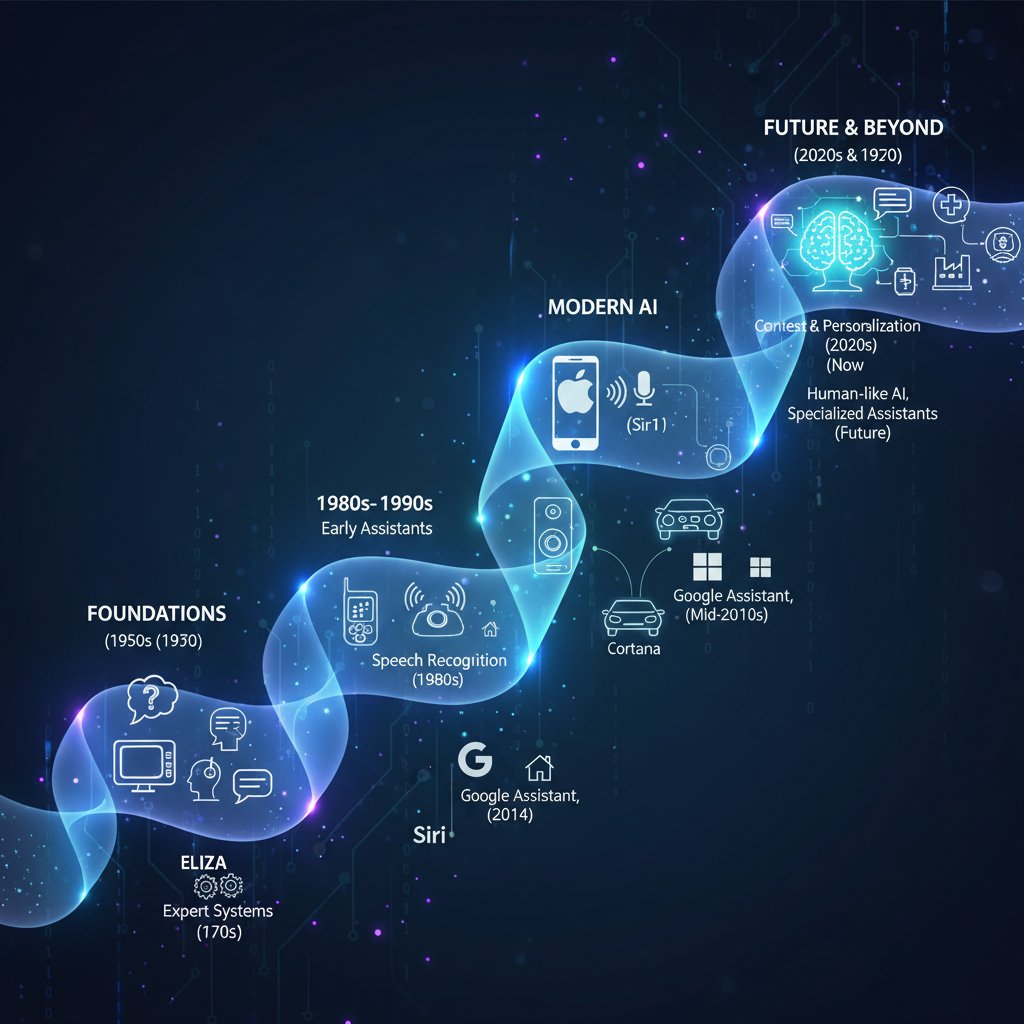
The evolution of report assistants is one of constant acceleration. Real-time analytics, proactive suggestions, and voice integration are reshaping what’s possible.
| Year | Key Milestone | Impact |
|---|---|---|
| 2015 | Basic template automation | Reduced manual effort |
| 2018 | NLP-based email parsing | More natural user interaction |
| 2021 | Contextual analytics | Actionable, relevant insights |
| 2023 | Real-time anomaly detection | Proactive problem avoidance |
| 2025 | Predictive and adaptive AI | Anticipatory reporting, seamless UX |
Table 6: Timeline of report assistant evolution, 2015–2025
Source: Original analysis based on World Economic Forum, 2025
The next frontier: hyper-personalized AI coworkers
Report assistants are getting smarter—and more personal. Adaptive interfaces learn user preferences, anticipate needs, and customize outputs for maximum impact.
Future user experiences could include:
- A project manager receives custom dashboards highlighting only the metrics that matter to her.
- An executive gets context-aware, voice-activated updates during commutes.
- A marketing lead receives automated A/B test recommendations based on real-time campaign data.
How to prepare for emerging AI capabilities:
- Foster a data-driven culture.
- Prioritize transparency and explainability.
- Upskill teams in AI literacy.
- Pilot new features in low-risk areas.
- Establish feedback loops for ongoing improvement.
Will humans and AI ever be equals at work?
The debate rages on. Optimists see a world where human intuition and AI logic blend seamlessly. Pragmatists focus on the division of labor—AI for scale, humans for nuance. Skeptics warn against ceding control to systems we don’t fully understand.

Regardless of the stance, one thing is clear: the workplace is no longer a human-only domain.
Synthesis: mastering the new reality of AI-powered collaboration
Key takeaways for future-proofing your team
Mastering the age of the report assistant demands more than technology. It’s about mindset, skill, and strategy. The disruptive truths are clear: ignore automation at your peril, but embrace it with eyes wide open.
Actionable principles for thriving alongside AI coworkers:
- Treat AI as a partner, not a shortcut.
- Invest in onboarding—people and machines alike.
- Make transparency and explainability non-negotiable.
- Measure what matters, not just what’s easy.
- Prepare for change—resistance is natural, but growth is essential.
For leaders and teams who want to go deeper, platforms like futurecoworker.ai offer resources, best practices, and a proven track record in AI-driven collaboration.
Your next moves: a checklist for report assistant success
Ready to launch? Here’s your action plan:
- Audit your current workflows.
- Identify pain points and automation opportunities.
- Secure leadership buy-in.
- Clean and structure your data.
- Choose a report assistant aligned to your needs.
- Pilot in a low-risk environment.
- Engage users early and often.
- Establish security and compliance protocols.
- Set measurable KPIs and monitor progress.
- Iterate based on feedback.
- Invest in continuous training.
- Celebrate and share your wins.

Final reflection: Are you ready to embrace your new enterprise teammate?
This is more than a tech trend—it’s a choice that defines the future of work. The uncomfortable truth? The difference between survival and irrelevance is often as simple as who’s willing to adapt.
"It’s not about the tool. It’s about what you become with it." — Jamie, transformation coach (illustrative)
Ready or not, the age of the report assistant—and the AI coworker—is here. The only question that remains: will you shape the future, or be shaped by it?
Sources
References cited in this article
- Pew Research Center Report, 2025(pewresearch.org)
- World Economic Forum, 2025(weforum.org)
- All About AI Workplace Stats, 2025(allaboutai.com)
- Exploding Topics AI Statistics, 2025(explodingtopics.com)
- ExpertBeacon Report Automation(expertbeacon.com)
- Capgemini Regulatory Reporting, 2025(capgemini.com)
- Yale Insights(insights.som.yale.edu)
- Forbes Council Post(forbes.com)
- PwC AI Predictions(pwc.com)
- Vena Solutions AI Statistics(venasolutions.com)
- CIO.com Expectations vs. Reality(cio.com)
- Microsoft Work Trends 2024(microsoft.com)
- GM Insights, 2024(gminsights.com)
- FreshSpectrum Report Myths(freshspectrum.com)
- ProQuest Expert Witness Myths(proquest.com)
- McKinsey AI Jobs Report(techtarget.com)
- AIPRM AI Replacing Jobs Statistics(aiprm.com)
- Aethir.ai Integration Illusion(aethir.ai)
- Nectir AI Case Study(nectir.io)
- Microsoft Data Security Index, 2024(microsoft.com)
- Wald.ai ChatGPT Security Incidents(wald.ai)
- Improvado AI Report Generation(improvado.io)
- Semblian AI Report Generator(sembly.ai)
- All About AI: Anatomy of an AI Agent(allaboutai.com)
- Atlassian AI Teammate Playbook(atlassian.com)
- BBC AI Assistant Accuracy Study(bbc.com)
- CriticalAI Expert Evaluation(criticalai.org)
- Virtual Bell Associates Case Study(virtualbellassociates.com)
- IBM Digital Transformation Use Cases(ibm.com)
- CAIS: AI Risks(safe.ai)
- IBM: 10 AI Dangers and Risks(ibm.com)
- OECD AI Risks(oecd.org)
- Adobe Campaign Reporting Best Practices(experienceleague.adobe.com)
- Databox Automated Reporting Guide(databox.com)
- Palo Alto Networks AI Assistants(paloaltonetworks.com)
- AlphaSense Expert Insights(alpha-sense.com)
- Case IQ Investigative Copilots(caseiq.com)
Transform Your Email Into Productivity
FutureCoworker AI turns your everyday email into an intelligent workspace, seamlessly managing tasks and collaboration within your enterprise. It eliminates the complexity of AI, allowing you to benefit from advanced technology without any technical knowledge. Achieve productivity, streamline processes, and improve team efficiency through natural email interaction, getting tasks done faster and smarter.
Get startedReady to Transform Your Email?
Start automating your tasks and boost productivity today
Frequently Asked Questions
What percentage of workers currently use AI for reporting tasks?
According to recent research from Pew Research Center (2025), 16% of workers already rely on AI for some reporting tasks.
What is the report automation market expected to grow to by 2027?
According to ExpertBeacon (2025), the report automation market is set to double from $7.8B in 2022 to $14.1B in 2027.
What are the main problems caused by manual reporting according to the article?
Manual reporting drains productivity and morale, causes teams to miss deadlines and make costly mistakes, prevents focus on strategic work, and creates psychological toll through the midnight spreadsheet grind.
Is a report assistant just another automation tool?
No, according to the article, a report assistant is not just automation—it represents a seismic shift in trust, power, and the very fabric of workplace collaboration, functioning as a real AI coworker rather than a simple tool.
Continue Reading
Keep exploring Intelligent enterprise teammate

Need Report Assistant, Not Another Tool: Meet Your First AI Coworker
Discover insights about need report assistant

Report Helpers: Why Manual Reporting Costs More Than You Think
Looking for report helper solutions? This article explains the hidden costs of manual reporting and how AI teammates are transforming enterprise reporting processes.

How AI Teammates Are Transforming Enterprise Report Assistance
Report assistance has evolved beyond manual processes. This article explains how AI-powered teammates are transforming enterprise reporting and what that shift means for organizations.

How AI Teammates Are Reshaping Report Help
Report help has evolved from manual processes to AI-powered teammates. This article examines how intelligent enterprise solutions are reshaping collaboration and exposing myths about reporting automation.

How AI-Powered Report Creators Are Reshaping Enterprise Collaboration
Report creator technology has evolved with AI integration. This article examines how AI-powered teammates are transforming enterprise reporting, collaboration, and productivity.

Professional Assistants: How AI Is Reshaping Workplace Collaboration
Professional assistants are shifting from human support roles to AI-powered teammates. This article examines how intelligent assistants are transforming workplace productivity and collaboration.