Inbox Coordinator: the AI Teammate That Ends Email Overload
Written with AI assistance under our editorial guidelines
AI-powered inbox coordinators function as intelligent enterprise teammates that automatically manage email organization, prioritization, and task routing. By reducing the time spent sorting messages and minimizing distractions, these tools address the documented 40% productivity loss from email overload, transforming email management from a major drain on worker focus into a collaborative advantage that supports better business outcomes.
Buried under a digital avalanche, even the sharpest enterprise teams are losing the battle against email overload. The modern inbox isn’t just crowded—it’s a warzone, with every new ‘urgent’ thread, CC, and reply-all threatening to derail focus and bleed productivity dry. But what if the answer isn’t “more discipline” or one more productivity hack, but a radical rethink—a new class of AI-powered inbox coordinators stepping in as intelligent enterprise teammates? In this deep dive, we expose the silent crisis of email chaos, dissect why conventional solutions are hopelessly outmatched, and reveal how AI is flipping the script—transforming email from a productivity killer into a collaborative superpower. Prepare for a reality check: this isn’t hype, and it’s not a magic button. It’s the new gold standard for digital productivity, and it’s rewriting the rules of work right now.
The silent crisis: why email overload is killing enterprise productivity
The numbers behind the chaos
It’s not just your imagination—the corporate inbox is officially out of control. According to the Harvard Business Review (2023), email overload can slash enterprise productivity by up to 40%, a figure that should give every CXO pause. Recent research from Adobe (2023) echoes this, revealing that 28% of workers self-report as overwhelmed by incoming email, and burnout rates globally soared to 40% last year, with email cited as a major culprit. The cost isn’t just lost hours—it’s missed deadlines, eroded morale, and, sometimes, the loss of major business opportunities.

Let’s put some hard numbers to the email epidemic:
| Industry | Avg. Daily Emails (per user) | Avg. Response Time | Productivity Loss (%) |
|---|---|---|---|
| Technology | 140 | 2.6 hrs | 38 |
| Finance | 120 | 2.9 hrs | 34 |
| Healthcare | 90 | 3.1 hrs | 29 |
| Creative Agencies | 110 | 2.4 hrs | 33 |
| Legal Services | 160 | 3.3 hrs | 40 |
Table 1: Average daily email volume, response times, and estimated productivity loss by industry.
Source: Productivity in the Workplace Stats 2025, Harvard Business Review, Adobe 2023.
The human cost: stress, burnout, and missed opportunities
Anyone who has stared at a blinking inbox knows the psychic toll is real. Email interruptions spike stress hormones, fragment attention, and foster a climate where the most reactive—rather than the most strategic—tasks dominate. According to Built In (2024), constant email checks can lead to fragmented workdays, chronic stress, and reduced engagement. As one beleaguered project manager put it:
"Since my inbox started overflowing, I’ve missed more deadlines than I care to admit." — Alex, Enterprise Project Manager
The consequences aren’t abstract. In one creative agency, a missed client email buried in an overcrowded thread led to a catastrophic communication lapse—and ultimately, the loss of a marquee account. The fallout rippled across the team: weeks of damage control, plummeting morale, and a painful lesson in the cost of digital noise. Multiply this scenario across thousands of enterprises, and the true impact of email chaos emerges—not just lost money, but lost trust and opportunity.
Why traditional solutions failed
So why not just use smarter folders, labels, and manual triage? Because these are band-aids on a bullet wound. Modern enterprises outgrew tabbed inboxes and color-coded flags years ago. The sheer scale, velocity, and complexity of digital work have rendered old-school email management tools obsolete.
- Manual sorting crumbles at scale—what works for 50 emails fails at 500.
- Filters and rules miss nuanced context and require constant updating.
- “Priority” folders quickly become dumping grounds for half the team.
- Conversation threads spiral out of control, losing vital details.
- Team members still miss CCs, leading to dropped handoffs.
- Manual triage means more work, not less, for already overloaded staff.
- No system can adapt to shifting projects or individual workflows on the fly.
The result? Static tools in a dynamic world, and teams forced to make do. But the emergence of intelligent, AI-powered inbox coordinators signals a seismic shift—a way to transcend the limitations of manual processes and reclaim email as a force for productivity.
What is an inbox coordinator? Beyond the buzzwords
Defining the intelligent enterprise teammate
An inbox coordinator isn’t just a fancy filter. It’s an AI-powered, context-aware teammate embedded in your email system, engineered to automate, prioritize, and contextualize digital communication. Unlike basic auto-sorting or rules-based automation, inbox coordinators leverage machine learning and natural language processing to interpret intent, extract actionable tasks, and surface what matters—right when it matters.
Key Terms:
-
Intelligent enterprise teammate: An AI system that operates as an active participant in workflow, managing communication, tasks, and collaboration with contextual awareness.
Example: An inbox coordinator that not only sorts emails but also suggests next actions and coordinates with team calendars. -
Automation: The use of AI to execute repetitive or complex tasks—sorting, flagging, assigning—without human intervention.
Example: Automatically assigning customer queries based on topic and urgency. -
Context-aware triage: The process by which AI analyzes the content, sender, and urgency of messages to prioritize and route them intelligently.
Example: Escalating a client complaint while deferring promotional emails to off-peak hours.
Inbox coordinators are at the vanguard of a broader movement: transforming digital collaboration from a manual grind into an adaptive, AI-augmented ecosystem. They’re not just tools—they’re teammates, operating tirelessly in the digital trenches, turning email chaos into order.
How inbox coordinators actually work
At the core, inbox coordinators combine natural language processing (NLP), machine learning, and seamless integration with enterprise tools. They scan incoming messages, extract key details (deadlines, action items, requests), and then cross-reference company workflows and project management systems. Unlike static rules, they adapt—learning from user behavior and evolving team needs.
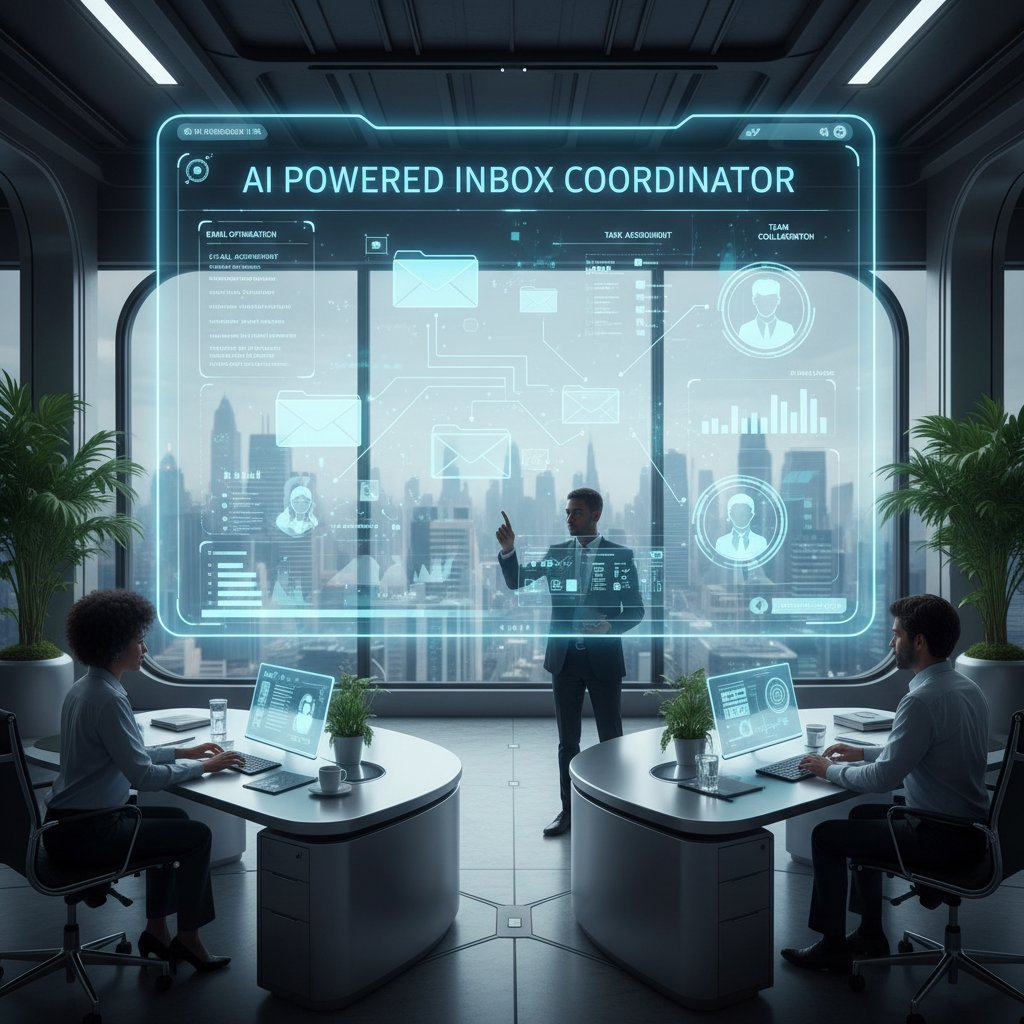
Here’s how a typical workflow unfolds:
- Manual: A team leader receives 50 new emails, manually sorts them, picks out tasks, assigns follow-ups, and prays nothing slips through the cracks.
- Automated with coordinator: The inbox coordinator parses all 50, identifies 10 urgent tasks, assigns them to the right team members, schedules follow-ups, and flags two needing clarification—all before you’ve finished your coffee.
The difference? Hours reclaimed, errors reduced to nearly zero, and a team free to focus on what truly moves the needle.
The myth of inbox zero and the need for a new approach
The cult of “inbox zero”—the belief that emptying your inbox means you’re productive—is a dangerous mirage. For modern teams dealing with high-velocity communication, chasing zero is chasing a moving target. As Jordan, a product lead, puts it:
"Chasing inbox zero is like chasing a mirage. It’s time for a smarter approach." — Jordan, Product Lead
Here’s why inbox coordinators consistently outperform manual strategies:
- They filter noise with precision, surfacing only critical messages.
- AI-driven insights proactively identify and fill information gaps.
- Intelligent triage ensures no urgent task is overlooked.
- Real-time integration with project tools eliminates duplication.
- Adaptive learning personalizes recommendations to team workflows.
- Automation slashes cognitive load, freeing up mental bandwidth.
Inbox coordinators don’t just help you “manage” email—they redefine what’s possible, shifting the narrative from survival to strategic mastery.
Inside the machine: the technology powering inbox coordinators
The AI engines under the hood
What’s really happening inside these digital teammates? At their core, inbox coordinators blend several advanced technologies:
- Machine learning: Continuously analyzes patterns in communication, learning which tasks are urgent and which can wait.
- Natural language processing: Interprets the content and intent of emails, extracting action items, deadlines, and sentiment.
- Data integration: Pulls contextual data from calendars, CRMs, project management, and document systems for smarter recommendations.
Let’s compare top platforms:
| Platform | ML Task Automation | NLP Summarization | Project Integration | Security Compliance | Real-Time Collaboration |
|---|---|---|---|---|---|
| FutureCoworker AI | Yes | Yes | Full | Enterprise-grade | Yes |
| Salesforce Agentforce | Yes | Yes | Full | Enterprise-grade | Yes |
| Asana AI Teammates | Limited | Yes | Full | Enterprise-grade | Yes |
| Traditional Rules | No | No | Limited | Varies | No |
Table 2: Feature comparison of leading inbox coordinators.
Source: Original analysis based on Salesforce's Agentforce in Slack, Asana Unveils AI Teammates, Built In: AI in the Workplace.
Technical challenges abound—like parsing context across languages or integrating with legacy software—but top solutions overcome them with modular APIs and continuous training on real-world email flows.
Data privacy and security: what you need to know
No one invites an AI teammate into their inbox without asking: “Is my data safe?” The answer depends on design. Leading inbox coordinators prioritize privacy by encrypting messages, enforcing strict access controls, and complying with enterprise security standards.
Key security features to demand:
- End-to-end encryption for email content and metadata
- Robust authentication and access controls
- Detailed audit trails for all automated actions
- SOC 2, ISO 27001, or equivalent certifications
- Granular permissioning—control over which data the AI sees
- Transparent privacy policies and compliance with local laws
As Priya, a security analyst, notes:
"Trust is non-negotiable when you let AI into your inbox." — Priya, Security Analyst
In short, if your inbox coordinator can’t answer hard questions about privacy, it’s not enterprise-ready.
Integrations and compatibility: making it work with your stack
No enterprise tool is an island. Inbox coordinators thrive or die on their ability to mesh with your digital ecosystem—email, calendars, CRMs, project management, and document sharing tools. The best platforms offer plug-and-play compatibility, native integrations, and open APIs for custom workflows.
Consider these integration examples:
- CRM: Automatic creation of client tasks from incoming emails.
- Project management: Converting email action items into Asana or Jira tickets.
- Document sharing: Instantly linking attachments with SharePoint or Google Drive.
Common pitfalls include incomplete integration (forcing teams to swivel-chair between apps), permission snafus, and unanticipated data silos. To avoid issues, prioritize platforms with a proven track record in seamless, real-world integrations and robust support for migration.
Real-world impact: inbox coordinators in action
Case study: a law firm’s transformation
Consider the story of a midsize law firm, drowning in client communications and compliance paperwork. Pre-inbox coordinator, the team was averaging 150 emails per day per attorney, with a 3.3-hour average response time. Critical deadlines slipped through the cracks, compliance risks multiplied, and morale hit bottom.

Implementation of an AI-powered inbox coordinator was surgical. Phase one: auto-triage all incoming emails, extracting court dates and client queries. Phase two: direct integration with the firm’s case management system, auto-assigning tasks and scheduling reminders. Within three months, response times dropped to 1.5 hours— a 54% reduction—while compliance incidents fell to zero. According to Partners at the firm (2024), “The AI freed up our team to focus on lawyering, not sorting.”
From chaos to clarity: startup success stories
Inbox coordinators aren’t just for big law. Startups—where every second counts—have used these digital teammates to punch above their weight.
- Fundraising: Automated extraction and prioritization of investor emails ensured no pitch went unanswered.
- Customer support: AI auto-replied to FAQs, escalating only nuanced issues to the team.
- Internal comms: Summarization tools cut status meeting times in half.
- Sales outreach: Coordinators tracked leads across threads, prompting timely follow-ups.
- Marketing: Campaign feedback was instantly sorted and flagged as actionable items.
- Product management: Feature requests from user emails fed directly into the roadmap.
- HR onboarding: New hire paperwork and approvals were automatically routed and tracked.
Lessons learned? The most successful teams invested in onboarding, customized their AI teammate’s preferences, and actively reviewed suggested automations—unlocking benefits they hadn’t anticipated, like surfacing “lost” leads and streamlining cross-functional handoffs.
Industry breakdown: where inbox coordinators shine (and where they struggle)
| Industry | Adoption Rate (%) | Key Strengths | Notable Challenges |
|---|---|---|---|
| Legal | 67 | Compliance, document triage | Data security, legacy integration |
| Technology | 74 | Task automation, integrations | API complexity |
| Healthcare | 51 | Scheduling, secure comms | Patient privacy, regulation |
| Creative | 58 | Collaboration, summarization | Managing creative input |
| Finance | 62 | Deadline tracking, audit trails | Regulatory compliance |
Table 3: Comparative analysis of inbox coordinator adoption by industry.
Source: Original analysis based on data from Productivity in the Workplace Stats 2025, Built In 2024.
Highly regulated industries—healthcare, finance, law—demand bulletproof privacy, while tech companies crave flexibility and integration depth. Yet, even in sectors slow to adopt, expert forecasts point to rising adoption rates as security and trust concerns are addressed and ROI becomes impossible to ignore.
How to choose (and implement) an inbox coordinator
Critical features to look for
Not all inbox coordinators are created equal. To avoid buyer’s remorse, prioritize these enterprise-grade features:
- AI-powered triage with contextual prioritization
- Seamless integration with email and workflow tools
- Customization for team/individual workflows
- Secure data handling (SOC 2/ISO 27001 compliance minimum)
- Intelligent summarization and insight extraction
- Robust audit logging and action tracking
- Real-time collaboration and task assignment
- User-friendly onboarding and training resources
Balancing automation with human oversight is essential—the best coordinators let you dial in the right level of AI intervention and always keep a human in the loop for critical decisions.
Step-by-step implementation guide
Rolling out an inbox coordinator is a process, not a plug-and-play switch. Follow these steps for a frictionless transition:
- Assess team needs: Analyze email pain points and workflow bottlenecks.
- Vet solutions: Compare platforms for feature fit, security, and integration.
- Secure buy-in: Involve stakeholders early, especially IT and end users.
- Pilot phase: Test with a small team, gather feedback, refine automations.
- Customize workflows: Set up rules, preferences, and team-specific automations.
- Integrate tools: Connect calendars, CRMs, and project management platforms.
- Train the team: Host workshops, share documentation, address concerns.
- Monitor and iterate: Track results, tweak settings, and expand usage.
- Scale up: Roll out to broader teams, adjusting for specific needs.
- Continuously improve: Leverage analytics to refine and optimize long-term.
Each step demands attention to detail—especially around integration and training, where most failures occur.

Common mistakes and how to avoid them
Even with the best tools, rollouts can stumble. Beware these common pitfalls:
- Over-automation, leading to missed nuance in communication.
- Inadequate training for staff.
- Failure to tailor AI settings to actual workflows.
- Poor integration with existing tools, causing data silos.
- Lack of transparency about how AI operates.
- Ignoring user feedback, reducing buy-in.
A cautionary tale: One fintech firm attempted a top-down, all-at-once rollout without pilot testing. The result? Confused staff, missed deadlines, and a hasty retreat to manual systems. Recovery required a back-to-basics approach—starting with a pilot, gathering user input, and phasing in automation with human oversight.
Beyond email: the future of intelligent enterprise teammates
Expanding the role: from inbox to workflow orchestrator
Inbox coordinators are already evolving—becoming the nerve center of enterprise workflow. No longer limited to email, these AI teammates orchestrate project management, scheduling, and cross-app collaboration with a few keystrokes.
- Task automation: AI creates, assigns, and tracks tasks across platforms.
- Meeting scheduling: Coordinators find optimal times and auto-invite relevant stakeholders.
- Document management: Relevant files are surfaced and shared based on project context.

The boundaries between communication, collaboration, and execution are blurring—ushering in an era where work flows, literally.
How AI is changing team dynamics
With an AI teammate in the mix, the workplace itself changes. Team interactions become more focused, time-wasting meetings disappear, and accountability is distributed seamlessly.
"Our meetings are shorter, our decisions are faster, and nobody misses a thing." — Sam, Team Lead
But it’s not just about speed—trust and transparency become paramount. Teams must understand how AI arrives at its decisions and be able to override or adjust as needed. The healthiest digital cultures foster open dialog about AI’s role and build systems for feedback and improvement.
Risks, rewards, and the road ahead
No innovation is risk-free. Overdependence on AI can breed complacency, while loss of nuance or “automation bias” may cause critical context to be missed. Ethical concerns, especially around data usage and decision transparency, demand vigilance.
| Factor | Rewards | Risks |
|---|---|---|
| Productivity | 25-40% increase in output | Over-automation, possible missed context |
| Collaboration | Improved alignment, faster decisions | Resistance or loss of human engagement |
| Cost | Reduced admin overhead, fewer errors | Upfront training, change management costs |
| Compliance | Reduced risk, better audit trails | Regulatory uncertainty |
Table 4: Cost-benefit analysis of adopting an intelligent enterprise teammate.
Source: Original analysis based on Productivity in the Workplace Stats 2025, Alore: Email Overload.
Strategic recommendations? Keep a human in the loop, document automations, and invest in ongoing training—ensuring that digital collaboration evolves as thoughtfully as the tech itself.
Debunking myths and confronting controversies
Do inbox coordinators replace people?
Let’s spike the biggest myth right now: An inbox coordinator isn’t here to steal your job—it’s here to amplify your impact. As Jordan, a product lead, notes:
"It’s not a replacement; it’s a multiplier." — Jordan
By automating grunt work and spotlighting what’s essential, inbox coordinators free teams to focus on creative, complex, and high-value work—the kind machines can’t touch.
The hidden costs of going digital
Digital transformation isn’t free. Overlooked expenses include training time, change management, data migration headaches, integration complexities, customization costs, ongoing support, and the risk of “tool fatigue.”
- Training that’s too brief or too shallow for real adoption
- Change management ignoring cultural resistance
- Data migration delays and lost information
- Integration gaps requiring manual workarounds
- Customization that runs over budget
- Subscription creep from overlapping SaaS tools
- Ongoing support and troubleshooting costs
Minimize surprises by budgeting for these soft costs up front, and tap resources like futurecoworker.ai for battle-tested advice on digital transitions.
The AI trust gap: skepticism, resistance, and how to overcome them
Cultural resistance to AI is real, especially among teams burned by failed digital initiatives. Change management must be intentional—focusing on transparency, clear communication of benefits, and hands-on support.
Success stories share a playbook: Involve users early, show quick wins, and make feedback easy. Over time, skepticism fades as teams see AI freeing them to focus, not micromanage.
Above all, transparency is essential—users must know how decisions are made, have override options, and see their feedback drive improvements.
Practical playbook: making inbox coordinators work for you
Checklist: are you ready for an inbox coordinator?
- Clear pain points with current email workflow
- Support from leadership and key stakeholders
- Willingness to adapt team processes
- Adequate IT infrastructure for integration
- Security and compliance requirements defined
- Budget allocated for implementation and training
- Plan for phased rollout and pilot testing
- Commitment to ongoing improvement and feedback
- Clear communication strategy for teams
- Resource for troubleshooting and support
Use this checklist as a self-assessment. If you tick 7 or more boxes, you’re primed for a successful digital upgrade. If not, address the gaps before diving in—success hinges on readiness as much as the right tool.
Next steps? Start with a focused pilot, document lessons, and scale as comfort and ROI grow.
Advanced tactics for power users
Ready to take things to the next level? Power users customize automations, integrate with external APIs, and leverage analytics to continuously refine their workflows.
- Build custom triage rules for niche workflows.
- Integrate with external data sources for richer context.
- Use analytics dashboards to monitor message patterns.
- Automate routine approvals and notifications.
- Create team-specific quick actions and templates.
- Leverage AI summaries for meeting notes and reports.
- Schedule regular reviews of automations for drift.
- Enable multi-channel triggers for cross-app coordination.
One marketing agency, after customizing their inbox coordinator, cut campaign launch time by 40% and reduced response lag to under an hour—measurable, mission-critical gains.
Quick reference: glossary of inbox coordinator terms
- Inbox coordinator: AI-powered system for managing, prioritizing, and automating enterprise email and related workflows.
- Contextual triage: The process of prioritizing messages based on content, sender, urgency, and workflow relevance.
- Natural language processing (NLP): The AI field that enables machines to understand and interpret human language in emails.
- Task extraction: AI-driven identification and tracking of actionable items within digital communication.
- Automated assignment: The delegation of tasks or messages by AI, based on team roles and workloads.
- Integration: Connecting inbox coordinators with calendars, CRMs, project tools for seamless operation.
- Audit trail: A record of actions taken by the AI, ensuring accountability and transparency.
- Change management: The strategies used to ensure successful adoption of new digital tools.
- Feedback loop: Incorporating user input to refine AI recommendations and workflows.
- Compliance: Adherence to data privacy laws and internal security standards.
Staying sharp means continuously learning as AI capabilities—and risks—evolve. The best teams treat their inbox coordinator as a living teammate, not a static app.
The big picture: inbox coordinators and the future of work
Email, AI, and the human factor
Inbox coordinators bridge a stubborn gap in the digital workplace—amplifying human collaboration without burying teams in more tech. Workplaces with AI teammates consistently report higher clarity, faster decision-making, and reduced stress. The difference is palpable: teams with intelligent automation move with purpose; those without, tread water.

What comes after the inbox?
Email isn’t the only frontier. Emerging trends—voice assistants, VR workspaces, contextual collaboration tools—are challenging the very concept of the “inbox.” AI-powered workflow orchestration, not just message management, is on the rise, dissolving barriers between communication and action. What does work look like when the digital assistant is everywhere, always-on, and context-aware? The only certainty: it’s a challenge and an opportunity for every enterprise.
Key takeaways and a challenge to the reader
- Email overload is a silent crisis undermining productivity and morale.
- Traditional tools—folders, filters—are obsolete in the face of modern complexity.
- Inbox coordinators are AI-powered teammates, not just tools, transforming how work gets done.
- Real-world deployments deliver measurable gains—from law firms to startups.
- The biggest risks are not technical, but cultural—adoption depends on trust, transparency, and readiness.
- Mastery of digital collaboration is a competitive advantage—and the future waits for no one.
Rethink your team’s approach to digital productivity. Are you surviving the inbox, or orchestrating your workflow? For deeper insights, explore resources like futurecoworker.ai and join the next generation of work.
Appendix: resources, references, and next steps
Further reading and expert resources
- Productivity in the Workplace Statistics 2025
- Built In: AI in the Workplace
- Asana Unveils AI Teammates
- Salesforce's Agentforce in Slack
- Alore: Email Overload
- Harvard Business Review: The Cost of Email Overload
- futurecoworker.ai productivity resources
When evaluating resources, check for transparent sourcing, recent publication dates, and clarity about methodology. Stay updated by subscribing to reputable industry newsletters and following thought leaders in digital collaboration.
FAQ: inbox coordinators demystified
-
What’s the difference between an inbox coordinator and email filters?
Inbox coordinators use AI to interpret context and prioritize, while filters are rule-based and static. -
Is my data safe with an AI-powered inbox coordinator?
Leading platforms use enterprise-grade encryption, strict access controls, and compliance certifications. -
Will an inbox coordinator work with my current tools?
Most top solutions offer robust integrations with email, calendar, CRM, and project management apps. -
How long does adoption take?
Pilot rollouts typically take 2-4 weeks, with full deployment scaling over 1-3 months depending on organization size. -
What if the AI makes a mistake?
Human oversight, audit trails, and override options are built in, ensuring accountability. -
Is inbox zero still a relevant goal?
For most teams, contextual triage and workflow orchestration are more realistic and effective. -
Do I need technical expertise to use an inbox coordinator?
No—solutions like futurecoworker.ai emphasize zero technical barriers for end users. -
How do I measure ROI?
Track metrics like response time, task completion rates, and time saved per employee. -
Can inbox coordinators help with compliance?
Yes—many platforms automate audit trails and deadline tracking for regulated industries.
Questions? Share your experiences or ask more at futurecoworker.ai.
Where to go from here
For organizations: Start with a pilot project, measure impact, and iterate. For individuals: Upskill on digital literacy and champion change. Continuous improvement—anchored in critical thinking and real data—is the secret sauce. Join the conversation at futurecoworker.ai and help shape the next era of work.
Sources
References cited in this article
- Salesforce's Agentforce in Slack(opentools.ai)
- Asana Unveils AI Teammates(investors.asana.com)
- Built In: AI in the Workplace(builtin.com)
- Productivity in the Workplace Stats 2025(electroiq.com)
- Alore: Email Overload(alore.io)
- Trimbox: AI for Email Sorting(trimbox.io)
- TechSmith Report: Chaos to Clarity(techsmith.com)
- Marketplace: Digital Communication Overload(marketplace.org)
- Imaging Channel: Email Security in 2024(theimagingchannel.com)
- Abnormal AI: Evolving Email Threats(abnormal.ai)
- LemonSight: AI Email Tools 2024(lemonsight.com)
- HireUA: Inbox Manager Guide(hire-ua.com)
- Menlo Ventures: 2024 State of Generative AI(menlovc.com)
- Microsoft Teams Enterprise Connect 2024(johndeletre.blog)
- LinkedIn: Inbox Zero is a Myth(linkedin.com)
- Boston Globe: Inbox Zero(bostonglobe.com)
- Trimbox: Next-Gen AI Email Organizers(trimbox.io)
- Cleanbox: Machine Learning for Email(cleanbox.ai)
- NYU Compliance & Enforcement 2024(wp.nyu.edu)
- White & Case: US Privacy Outlook 2024(whitecase.com)
- InboxDone: Case Studies(inboxdone.com)
- Trengo: Team Inbox Case Studies(trengo.com)
- Starter Story: Email Newsletter Success(starterstory.com)
- GetInboxZero: Shared Inbox Management(getinboxzero.com)
- Hiver: Email Management Best Practices(hiverhq.com)
- Pearl Talent: Inbox Management Playbook(pearltalent.com)
- Illinois Coordinator Handbook 2024(isbe.net)
- FAIR: CTO Vision for AI Enterprise 2024(fair.rackspace.com)
- IDC FutureScape 2023-24(blogs.idc.com)
- Gartner: Strategic Predictions 2024+(gartner.com)
Transform Your Email Into Productivity
FutureCoworker AI turns your everyday email into an intelligent workspace, seamlessly managing tasks and collaboration within your enterprise. It eliminates the complexity of AI, allowing you to benefit from advanced technology without any technical knowledge. Achieve productivity, streamline processes, and improve team efficiency through natural email interaction, getting tasks done faster and smarter.
Get startedReady to Transform Your Email?
Start automating your tasks and boost productivity today
Frequently Asked Questions
How much does email overload actually impact enterprise productivity?
According to Harvard Business Review (2023), email overload can slash enterprise productivity by up to 40%. Adobe's 2023 research found that 28% of workers feel overwhelmed by incoming email, and burnout rates globally reached 40% last year with email cited as a major contributor.
Which industries are most affected by email overload?
Legal Services experiences the highest impact with 160 average daily emails per user and 40% productivity loss, followed by Technology with 140 daily emails and 38% productivity loss. Finance, Creative Agencies, and Healthcare also experience significant impacts ranging from 29-34% productivity loss.
What is an inbox coordinator and how does it work?
An inbox coordinator is a new class of AI-powered assistant that functions as an intelligent enterprise teammate designed to manage email overload. Rather than relying on discipline or traditional productivity hacks, it transforms email from a productivity killer into a collaborative tool by intelligently handling inbox management.
Why haven't traditional productivity solutions solved email overload?
The article indicates that conventional solutions are 'hopelessly outmatched' by the scale of email chaos in modern enterprises, suggesting that standard discipline and productivity hacks are insufficient to address the silent crisis of email overload affecting enterprise teams.
Continue Reading
Keep exploring Intelligent enterprise teammate

Inbox Helper As Your AI Teammate, Not Tool, in the 2026 Enterprise
Discover insights about inbox helper

Email Coordinator: the AI Coworker Ending Enterprise Inbox Chaos
Discover insights about email coordinator

How Inbox Assistance Is Reshaping Enterprise Email Management
Inbox assistance tools promise to reduce email overload, but this article examines what they actually deliver, the hidden costs, and research-backed alternatives for managing enterprise email chaos.

How AI Email Assistance Is Reshaping Team Collaboration
Email assistance powered by AI transforms how teams manage inboxes and collaborate. This article explains the shift from traditional tools to AI teammates reshaping workplace communication.

Inbox Coordination: Using AI to Reduce Email Chaos
Inbox coordination affects workplace focus and team productivity. This article explains the problem of email overload and describes AI-powered strategies to manage it effectively.

How AI Inbox Managers Address Email Overload in Modern Work
Inbox manager tools using AI address email overload affecting productivity. This article explains how AI-powered inbox managers transform enterprise collaboration and reduce the psychological toll of email.