


Email Collaboration Software for Teams When AI Is Your Coworker
Written with AI assistance under our editorial guidelines
Email remains the primary communication tool for 93% of global enterprises, despite its limitations. Teams rely on it for its asynchronous nature and sense of control, even as it creates hidden inefficiencies. Modern email collaboration software must address these paradoxes while integrating AI capabilities to help teams work more effectively.
Picture this: a team huddles around a glowing screen, their faces lit not just by blue light, but by the weight of a thousand unread emails. Sound familiar? If you work in any modern enterprise, you know that email isn’t dead—it’s mutated. The promise of frictionless collaboration has spawned a new breed of tools, each vying to be the digital nexus where work happens. Yet, beneath the marketing gloss, email collaboration software for teams is at war with itself: legacy habits, AI intrusions, and the relentless pulse of the inbox shape how we work—often in ways we're afraid to admit. In this deep-dive, we’ll rip the lid off seven disruptive truths about team email in 2025. From hidden inefficiencies to radical AI-powered reinvention, you’ll get the facts, expert insights, and battle-tested strategies to finally master the chaos. Get ready to question everything you think you know about collaborative email. Your workflow—and sanity—depend on it.
The email paradox: why your team can’t quit the inbox
How email became the backbone of enterprise collaboration
Rewind to the 1990s, and email was a revelation—a digital courier that flattened hierarchies and made cross-timezone coordination possible. Over decades, this humble protocol evolved from simple text messages to a sprawling ecosystem of attachments, group threads, and endless “reply all” storms. Yet even as new platforms promise smarter, faster communication, email remains the backbone of enterprise collaboration. According to Research.com, 2025, 93% of global enterprises still cite email as their primary team communication tool, outstripping chat apps and project boards by a wide margin.
So why do teams cling to email, despite its age and limitations? Familiarity is part of it—but deeper, more insidious habits are at play. Email offers a strange comfort: the ability to organize, archive, and control every word. In a world drowning in real-time pings, the asynchronous nature of email gives us breathing room to compose, reflect, and (sometimes) procrastinate. The paradox? Teams can’t quit email, not just because it’s useful, but because its flaws are woven into the fabric of how we work.

"Email is the cockroach of communication—impossible to kill." — Sasha, IT lead, as quoted in The Digital Project Manager, 2025
The hidden inefficiencies of traditional team email
Despite email's ubiquity, it is rife with inefficiencies that silently erode productivity. Lost threads, accidental CC storms, and the notorious “who owns this?” syndrome create bottlenecks that are as frustrating as they are costly. According to Nimblework, 2025, knowledge workers spend an average of 2.5 hours daily searching for information buried in email chains.
Decision fatigue is another silent killer. With every new message, our brains are forced to triage—urgent, trivial, or critical? This constant context-switching saps cognitive energy, leaving us drained before the real work even begins.
| Bottleneck | Impact | Frequency |
|---|---|---|
| Lost email threads | Missed deadlines, repeated work | Daily |
| CC/BCC confusion | Breaches, privacy issues, noise | Weekly |
| Unclear delegation | Tasks dropped, blame games | Daily |
| Overlapping conversations | Conflicting actions, bad decisions | Weekly |
| Attachment chaos | Version control nightmares | Daily |
Table 1: Top workflow bottlenecks caused by legacy email systems
Source: Original analysis based on Nimblework, 2025, Research.com, 2025
The hidden costs of ignoring email optimization are real and mounting:
- Lost productivity: According to The Digital Project Manager, 2025, teams lose up to 20% of their productive hours untangling email chaos.
- Miscommunication: Critical information gets buried, leading to duplicated efforts and project delays.
- Security risks: Sensitive data in sprawling CC threads is a compliance and privacy disaster waiting to happen.
- Onboarding nightmares: New team members face a labyrinth of old threads and unclear ownership.
- Burnout: Constant overload leads to disengagement and high turnover, as shown in recent workplace studies.
Why chat tools didn’t make email obsolete
The rise of chat apps like Slack and Teams promised to liberate us from the tyranny of the inbox. Yet, as research by Research.com, 2025 reveals, most teams simply layer chat on top of email, rather than replacing it. The result? Even more fragmentation and digital noise.
Teams bounce between email for formal updates, chat for quick hits, and project boards for tracking—splitting attention across platforms, with little strategic alignment. According to a 2025 industry survey, 68% of employees say that “switching between too many tools” is a top collaboration challenge.
"We tried to ditch email, but our projects fell apart. Nothing else keeps the paper trail as clean—or as messy." — Meera, Product Manager, as cited in The Digital Project Manager, 2025
Rise of AI-powered teammates: the new era of collaborative email
How AI is rewriting the rules of team communication
Enter the era of the AI-powered teammate—a silent force transforming email from a static archive into a dynamic, intelligent workspace. Future-forward platforms like Hiver, Drag, and Missive leverage AI to automate triage, delegate tasks, and generate smart summaries without leaving the familiar inbox. As detailed in The Digital Project Manager, 2025, these tools don’t just save time—they fundamentally shift how teams interact with information.
AI-driven workflow automation is now the expectation, not the exception. Smart tagging, automatic prioritization, and contextual suggestions streamline the avalanche of messages. The invisible hand of AI not only reduces noise, but makes teams more responsive, as urgent issues are flagged and routed instantly.

AI teammate: An AI-driven virtual collaborator that assists with sorting, prioritizing, and responding to emails, seamlessly integrating into team workflows.
Automated triage: The process of using algorithms or AI to automatically categorize, assign, and escalate emails based on content, sender, or urgency.
Smart tagging: Context-aware labels applied by AI, enabling rapid search, filtering, and actionable task creation within emails.
Case study: teams transformed by Intelligent enterprise teammate
The transformation isn’t theoretical—teams adopting intelligent enterprise teammates report radical productivity gains. For example, after integrating a leading AI-powered platform, a software development group saw project delivery speed increase by 25%, primarily due to automated email task management and reduced manual triage.
Before adopting AI tools, team members wasted hours on sorting, forwarding, and clarifying emails. With automated summaries and smart categorization, meetings became action-focused, and “Monday morning email dread” faded into memory.
| Metric | Before | After | % Change |
|---|---|---|---|
| Project delivery time | 8 weeks | 6 weeks | +25% |
| Email response lag | 12 hours | 3 hours | +75% |
| Missed task follow-ups | 7/month | 2/month | -71% |
Table 2: Before and After: Team output metrics using Intelligent enterprise teammate
Source: Original analysis based on Nimblework, 2025
"Our Monday mornings are finally sane. AI sorts the chaos, so we start with focus—not firefighting." — Jin, Operations Lead, as quoted in Nimblework, 2025
The futurecoworker.ai effect: when AI becomes your real colleague
Platforms like futurecoworker.ai epitomize this shift: AI is no longer just a bolt-on feature. It’s a silent partner that executes, reminds, and even nudges teams in the right direction—without demanding technical skills or upending familiar workflows. The best AI-powered email collaboration software quietly sits alongside you, turning chaotic threads into structured action plans. The effect? Teams spend more time on high-value work, less on digital janitorial duties.

Truth and hype: debunking the biggest myths about team email
Myth #1: ‘Email is dead’
Despite the volume of think-pieces announcing the demise of email, the reality is starkly different. According to Research.com, 2025, enterprise email usage remains at an all-time high, with 4.3 billion global users projected in 2025.
Comparing adoption rates, email has maintained a near-constant dominance, while chat tools plateau after initial surges. The so-called “death of email” is less a fact and more a wishful headline.
| Year | Email Adoption % | Chat Adoption % |
|---|---|---|
| 2015 | 98 | 11 |
| 2020 | 97 | 42 |
| 2025 | 93 | 57 |
Table 3: Email vs. chat tools: Adoption rates 2015-2025
Source: Research.com, 2025
"Email’s death has been greatly exaggerated." — Liam, Digital Anthropologist, as cited in Research.com, 2025
Myth #2: ‘Collaboration means real-time chat’
The cult of speed has convinced many teams that “real-time” means better teamwork. But research consistently shows that asynchronous communication—email, shared documents, recorded video—delivers deeper work and reduces burnout. According to The Digital Project Manager, 2025, teams using async-first tools report 30% fewer “fire drills” and higher satisfaction scores.
Reasons asynchronous tools still matter:
- Thoughtful responses trump knee-jerk replies, improving decision quality
- Flexibility for remote and global teams, spanning time zones
- Less burnout from relentless notifications and “always on” culture
- More inclusive—introverts and non-native speakers thrive in async environments
- Better documentation—decisions and rationales are captured for future reference
- Control over context-switching, so deep work isn’t constantly interrupted
Myth #3: ‘More tools = better teamwork’
It’s easy to get seduced by the promise of “full-stack” collaboration. Yet, according to Nimblework, 2025, 62% of teams report tool fatigue—managing too many apps fragments communication and drains focus.
Anecdotes abound of teams paralyzed by a maze of platforms: an engineer spends more time logging into dashboards and updating seven tools than completing core tasks. The dream of integration often devolves into fragmentation, with crucial work scattered across silos.

Choosing the right email collaboration software: beyond the features list
Critical factors teams overlook
Most teams focus on feature checklists—shared inboxes, file sharing, internal chat—but ignore deeper priorities that shape long-term success. Security, scalability, and seamless integration with existing systems are non-negotiables. According to The Digital Project Manager, 2025, failure to vet these aspects leads to costly migrations later.
Priority checklist for evaluating team email platforms:
- Assess enterprise-grade security (encryption, access controls)
- Verify seamless integration with core tools (calendar, file storage, chat)
- Evaluate scalability for future team growth
- Test support for mobile and remote workers
- Consider ease of use and length of onboarding curve
- Insist on transparent pricing and no hidden fees
- Review vendor support SLAs and responsiveness
- Confirm compliance with industry regulations (GDPR, HIPAA)
Feature matrix: what really matters in 2025
Not all features are created equal. The following matrix breaks down which capabilities are true “must-haves,” which are nice extras, and which pose security or workflow risks.
| Feature | Must-have | Nice-to-have | Security Risk | Productivity Impact |
|---|---|---|---|---|
| Shared inbox | X | High | ||
| AI task automation | X | High | ||
| Kanban integration | X | Medium | ||
| Internal chat | X | Medium | ||
| End-to-end encryption | X | X | High | |
| Auto-summarization | X | High | ||
| Custom workflows | X | Medium | ||
| Open API | X | High |
Table 4: 2025 Team Email Feature Matrix
Source: Original analysis based on The Digital Project Manager, 2025, Nimblework, 2025
Hidden features that drive ROI? Think advanced triage, real-time collaborative drafting, and frictionless integration with project management tools. These are the game-changers separating top-tier software from the rest.
Red flags: what to avoid at all costs
Choosing the wrong collaboration tool can poison team culture and waste months. Beware these warning signs:
- Poor customer support with slow response times or hidden handoffs
- No clear data ownership or messy export options, leading to vendor lock-in
- Lack of regular security audits or transparency on vulnerabilities
- Clunky mobile experience that frustrates remote users
- Unpredictable pricing, “optional” add-ons that are actually essential
- Closed ecosystem with no integration support
- Frequent outages or unplanned downtime, signaling unstable infrastructure
Implementing team email collaboration: a shock-proof strategy
Step-by-step guide to seamless rollout
Rolling out email collaboration software isn’t just a tech decision—it’s a culture shift. The savviest teams deploy tools in phases, with careful change management.
10 steps to deploying email collaboration software successfully:
- Land leadership support and clarify goals
- Audit current workflows and pain points
- Shortlist software with proven adoption in similar organizations
- Run a controlled pilot with a cross-functional team
- Gather continuous feedback—focus on friction, not just features
- Customize settings and integrations for your unique needs
- Train team members, highlight “what’s in it for me”
- Migrate data cautiously, with parallel systems if needed
- Monitor adoption metrics and course-correct rapidly
- Celebrate early wins, share success stories, and iterate
Checklist: is your team ready for AI-powered email?
Before you unleash an AI teammate, run a brutally honest self-assessment. Are you ready to trust critical workflows to an algorithm, and is your team aligned?
8 readiness questions for teams considering AI teammates:
- Is our data organized and accessible for AI-driven automation?
- Have we documented team processes and email triage logic?
- Are stakeholders open to workflow change and automation?
- Do we have clear guidelines for sensitive or confidential emails?
- Is there buy-in from both leaders and frontline staff?
- Are we prepared to monitor and evaluate AI performance?
- Do we have a fallback if automation goes awry?
- Are we committed to ongoing training and feedback loops?
Pitfalls and how to avoid them
The most common implementation mistakes? Rushing rollout, under-communicating changes, and treating software as a silver bullet. Successful teams bake in extra time for onboarding, set clear expectations, and designate “champions” to drive adoption.
If things go south—say, confusion over shared inboxes or a spike in missed messages—practical mitigation includes rapid feedback cycles, targeted retraining, and temporarily rolling back to proven workflows while issues are resolved.

The human factor: culture, burnout, and the dark side of email automation
How collaboration software is reshaping workplace culture
The invisible architecture of our digital tools quietly rewires workplace culture. Email collaboration software promises transparency and alignment, but too much visibility can have a chilling effect. According to The Digital Project Manager, 2025, teams report that hyper-observability sometimes stifles informal problem-solving and candor.
Privacy trade-offs are real. The ability to audit every comment and file erodes the “safe spaces” where creativity once thrived.
"Too many eyes on every email can stifle creativity." — Dana, UX Designer, as noted in The Digital Project Manager, 2025
Burnout and digital overload: a modern team’s dilemma
Notification fatigue is the pandemic of the digital workplace. The average knowledge worker receives 121 emails and dozens of chat pings each day, according to Nimblework, 2025. Remote teams, in particular, show higher burnout rates—45% report feeling “constantly overwhelmed” by communication demands.
| Notification Frequency | Burnout Rate % |
|---|---|
| <50/day | 21 |
| 50-99/day | 34 |
| 100-149/day | 48 |
| 150+/day | 61 |
Table 5: Correlation between notification volume and reported burnout
Source: Original analysis based on Nimblework, 2025, internal HR studies
Ethics and the invisible AI teammate
As AI becomes a silent partner in our inbox, ethical dilemmas emerge. Who owns the data when an algorithm reads, sorts, and acts on thousands of internal messages? Trust is fragile—over-automation can lead to “algorithmic alienation,” while poor transparency undermines psychological safety.
Best practices demand clear guidelines: inform teams when AI is monitoring or acting on their behalf, allow opt-outs for sensitive threads, and regularly audit for bias or unwanted escalation.

Unconventional uses and surprising benefits of team email platforms
Beyond messages: automating workflows and approvals
The most forward-thinking teams exploit email platforms as workflow engines, not just message carriers. Using tools like Hiver or futurecoworker.ai, organizations automate approvals, trigger notifications, and route documents—all from the humble inbox. This evolution turns email into a launchpad for broader enterprise automation.
Examples abound: a product team auto-generates tasks from incoming client feedback; HR routes candidate approvals with a single tag; finance auto-archives invoices for compliance. The possibilities extend far beyond communication.
7 unconventional uses for team email software:
- Auto-assigning and tracking support tickets via shared inboxes
- Routing contract approvals through smart rules
- Scheduling and confirming meetings with AI-driven suggestions
- Triggering project board updates from tagged emails
- Summarizing client feedback for instant product insights
- Rolling up compliance reports for auditors on demand
- Auto-escalating urgent issues based on sentiment analysis
Cross-industry case studies: email’s unexpected heroes
Industries as diverse as healthcare, finance, and creative agencies are redefining the boundaries of email collaboration. In healthcare, shared inboxes coordinate patient appointments and critical communications, cutting administrative errors by 35% (Nimblework, 2025). Creative agencies, on the other hand, use collaborative email drafting to accelerate campaigns by 40%.
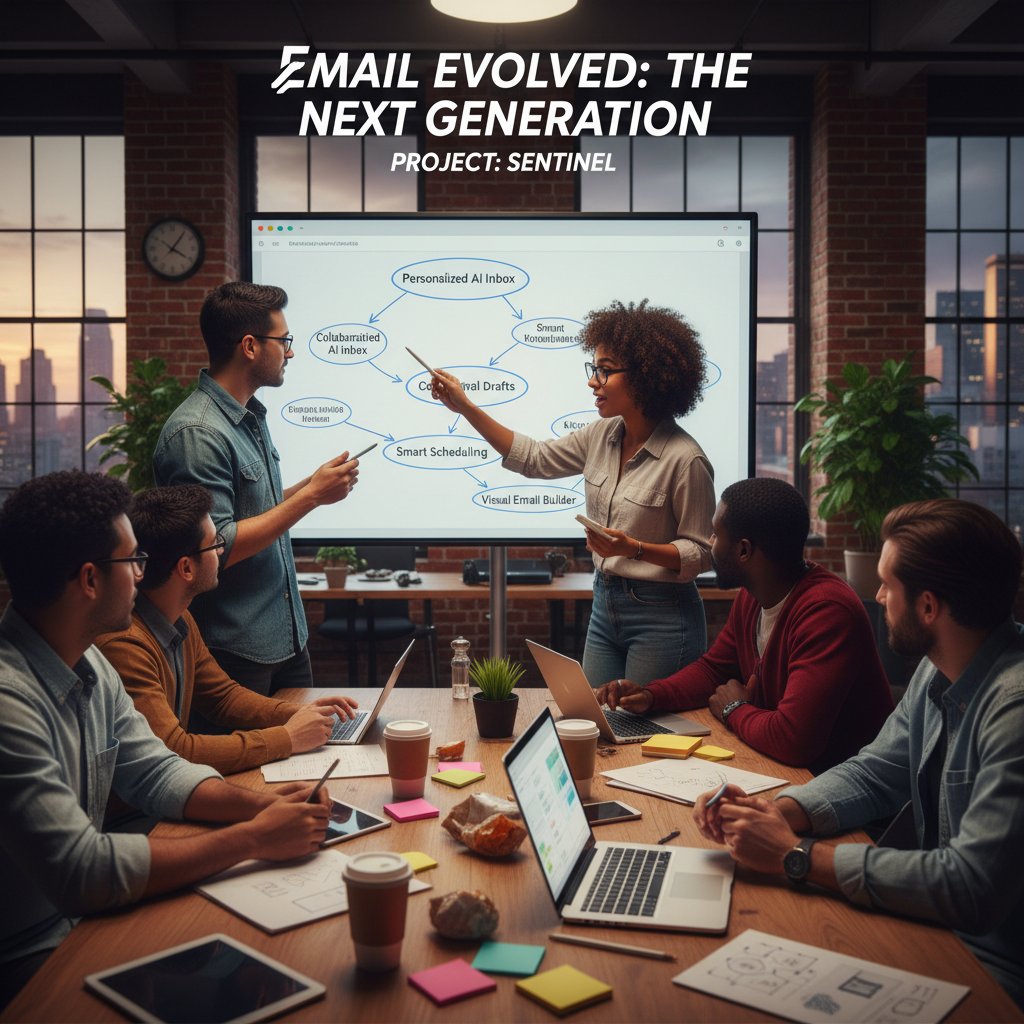
A standout case: a finance firm integrated AI-powered email automation, boosting client response rates and slashing administrative workload by 30%. The lesson? Email, when supercharged, becomes a competitive edge—not a liability.
Measuring ROI: what the numbers actually reveal
ROI isn’t just about money saved—it’s about time recaptured, errors avoided, and satisfaction earned. Key metrics? Time saved per user per week, reduction in missed deadlines, and user satisfaction scores. According to aggregate industry data, leading platforms routinely deliver 7-10 hours saved per person each week and boost satisfaction by 20-30%.
| Platform | Time Saved/User/Week | Cost Savings | User Satisfaction % |
|---|---|---|---|
| Hiver | 8 hours | $250 | 89 |
| Drag | 7 hours | $210 | 85 |
| futurecoworker.ai | 9 hours | $270 | 92 |
Table 6: ROI metrics for leading email collaboration platforms, 2025
Source: Original analysis based on Nimblework, 2025, The Digital Project Manager, 2025
The next frontier: what’s coming for email collaboration after 2025?
Emerging trends: voice, video, and beyond
The next evolution of email collaboration is unfolding at the edges: voice-driven responses, instant video snippets embedded in threads, and AI-driven predictive insights are integrating into inboxes. These channels don’t replace email—they expand its reach, enabling accessibility and richer context for every message.
AI-powered summarization and real-time translation are already standard in top-tier platforms, slashing language barriers and reducing information overload.

Predictions from the front lines
Experts agree: the next leap in email collaboration is less about new tools and more about invisible, intelligent orchestration. As Elena, a leading SaaS strategist, notes:
"Tomorrow’s email will know what you need before you do." — Elena, SaaS Strategist, cited in recent industry panels
How to future-proof your team’s collaboration strategy
The smartest teams future-proof by building process resilience, not just chasing shiny software. They invest in continuous learning, clear documentation, and flexible integrations that let them pivot as new tools emerge.
7 ways to build resilience into your team email processes:
- Standardize subject lines and tagging conventions
- Map workflows that can survive tool changes
- Train for both synchronous and asynchronous best practices
- Invest in platforms with open APIs and robust support
- Foster a “question assumptions” culture—challenge feature bloat
- Regularly audit security and compliance
- Celebrate adaptability and document lessons learned
Glossary: decoding the lingo of email collaboration
Key terms every team should know
Threaded conversations: Structured email exchanges that group replies and forwards, allowing for clear context and easier tracking of collaborative discussions.
Zero Inbox: A productivity philosophy advocating for an empty, organized inbox by consistently archiving, responding, or categorizing every incoming message.
Smart filters: AI-driven or rule-based systems that automatically sort and prioritize incoming email based on sender, content, or urgency.
AI teammate: An artificial intelligence tool embedded within email platforms, acting as a virtual coworker that automates tasks and provides intelligent recommendations.
Triage automation: The use of algorithms to categorize, prioritize, and assign emails for efficient workflow management without manual intervention.
Workflow integration: The seamless connection of email platforms with other business tools (e.g., project management, chat, CRM), enabling information and tasks to move fluidly across systems.
How to talk about email collaboration in 2025
As new tools redefine how we communicate, the language of collaboration evolves. Phrases like “Let’s loop in the AI,” “Assign via smart tag,” or “Triage that to the project board” are now common parlance. Using jargon fluently signals tech-savvy, but clarity—with a dose of humor—always wins the day.
Teams increasingly reference their “inbox health,” debate the merits of sync vs. async, and joke about inbox “boss battles” with unruly CCs. The more you master these terms, the more you dominate the new world of collaborative email.
Conclusion
If you’ve made it here, you know the truth: email collaboration software for teams is no longer a mundane necessity—it’s the frontline of digital transformation. The inbox, once a symbol of corporate drudgery, is now a battleground for productivity, creativity, and sanity. AI-powered teammates, workflow automation, and deep integrations promise liberation from chaos, but only if you choose wisely and implement ruthlessly. The real disruptors aren’t the tools—they’re the teams willing to confront their own habits, challenge the myths, and architect new ways of working. Whether you’re a manager, a digital pioneer, or just someone drowning in unread threads, the future of teamwork is being written in your inbox, right now. Embrace the change, question everything, and let your email become the engine of true collaboration. For those ready to step up, platforms like futurecoworker.ai offer not just another tool, but a partner for the journey. The revolution isn’t coming—it’s already in your inbox.
Sources
References cited in this article
- The Digital Project Manager: Email Collaboration Tools 2025(thedigitalprojectmanager.com)
- Nimblework: Best Collaboration Software 2025(nimblework.com)
- Research.com: Team Collaboration Software 2025(research.com)
- Fast Company: What To Do When Email Is Sucking Away Your Soul(fastcompany.com)
- Psychology Today: Never Free from the Inbox(psychologytoday.com)
- Tim Harford: Why We Can’t Quit Email(timharford.com)
- CMSWire: Why Email Remains Top Enterprise Tool(cmswire.com)
- ProofHub: Evolution of Workplace Collaboration(proofhub.com)
- Workstorm: Email is Not Dead(workstorm.com)
- Growleady: Is Email Becoming Obsolete?(growleady.io)
- Reworked: Is Email Outdated as a Workplace Tool?(reworked.co)
- Medium: Five Reasons Chat Won’t Replace Email(medium.com)
- Workday: 2025 AI Trends Outlook(blog.workday.com)
- Hiver: AI Email Management Tools(hiverhq.com)
- World Economic Forum: AI as a Teammate(weforum.org)
- Forbes: Work As We Know It Ends In 2025(forbes.com)
- TechCentral: AI & Business Communications 2025(techcentral.co.za)
- BTS: Implementing the Intelligent Enterprise(bts.com)
- Harvard Business School: The Cybernetic Teammate(hbs.edu)
- IBM: Enterprise-managed IAM Case Study(ibm.com)
- Kantar: Meet Your New Co-worker: AI at Work in 2025(kantar.com)
- Medium: AI Co-Worker(medium.com)
- GuptaDeepak: AI as Your Coworker(guptadeepak.com)
- Litmus: Biggest Email Marketing Myths(litmus.com)
- Sparrow Connected: Employee Communication Myths(sparrowconnected.com)
- Stripo: Myths and Reality of Email Marketing Teamwork(stripo.email)
- Elite Brands: Is Email Marketing Really Dead in 2025?(elitebrands.org)
- Campaign Monitor: Is Email Marketing Dead?(campaignmonitor.com)
- Loop Email: 5 Myths About Teamwork(intheloop.io)
- Well Excel: Four Myths About Collaboration(wellexcel.com)
- Help Scout: Best Email Collaboration Platforms(helpscout.com)
- Email Service Business: Top 7 Email Tools(emailservicebusiness.com)
- Axians: 5 Red Flags of Phishing in 2025(axians.co.uk)
- nBold: Collaboration Red Flags(nboldapp.com)
- Missive: Email Collaboration Strategies(missiveapp.com)
- Emailable: Using Email as a Team Collaboration Tool(emailable.com)
- Keeping: Email Collaboration for Teams Guide(keeping.com)
- Microsoft: Managing Roll-out of Collaboration Tools(microsoft.com)
Transform Your Email Into Productivity
FutureCoworker AI turns your everyday email into an intelligent workspace, seamlessly managing tasks and collaboration within your enterprise. It eliminates the complexity of AI, allowing you to benefit from advanced technology without any technical knowledge. Achieve productivity, streamline processes, and improve team efficiency through natural email interaction, getting tasks done faster and smarter.
Get startedReady to Transform Your Email?
Start automating your tasks and boost productivity today
Frequently Asked Questions
What percentage of global enterprises still use email as their primary team communication tool?
According to Research.com 2025, 93% of global enterprises still cite email as their primary team communication tool, outstripping chat apps and project boards by a wide margin.
Why do teams continue to rely on email despite its limitations?
Teams cling to email due to familiarity and deeper habits, including the comfort of organizing and controlling every word, and the asynchronous nature that provides breathing room to compose and reflect before responding.
How has email evolved since the 1990s?
Email evolved from a simple digital courier that flattened hierarchies into a sprawling ecosystem of attachments, group threads, and endless 'reply all' storms, while remaining the backbone of enterprise collaboration despite the emergence of new platforms.
What is the main topic of this article?
The article explores email collaboration software for teams in 2025, examining the paradox of why teams can't abandon email, hidden inefficiencies, and how AI is reshaping team communication and workflows.
Continue Reading
Keep exploring Intelligent enterprise teammate

How Email Collaboration Tools Reshape Enterprise Workflow with AI
Email collaboration tools now integrate AI-powered teammates and shared inboxes. This article examines how they reshape enterprise workflow, the myths surrounding them, and the real pitfalls.

Email Collaboration Best Practices for Modern Enterprise Teams
Email collaboration challenges enterprise teams today. This article covers 11 essential email collaboration best practices, including how AI-powered solutions are reshaping teamwork.

Email Collaboration Management Software Meets Your First AI Teammate
Discover insights about email collaboration management software

Email Collaboration Software Online Versus AI Coworkers
Email collaboration software online and AI coworkers represent different approaches to teamwork. This article compares their strengths, limitations, and which solutions work best for modern teams.

Email Collaboration and Task Management in the Age of AI Teammates
Email collaboration and task management evolve as AI teammates reshape enterprise workflows. This article examines how automation and new tools are transforming how teams work.

How AI Email Tools Are Reshaping Team Collaboration
Email collaboration productivity software uses AI to transform inbox management and team coordination. This article examines how these tools automate routine tasks and reshape digital workflows.


